




Construction accounting software is an important software for construction companies to manage financial processes. For construction businesses in the Philippines, relying onto accounting is nit enough.
Without the right system, construction businesses may face inaccurate financial reporting, poor management, and difficulty monitoring. Thus the solutions help streamline financial operations, improve cost control, and support better business decision-making.
In this article, we will discuss why construction accounting software is important, the key features to consider, and the best software options to support your construction business growth.
 Key Takeaways
- Construction accounting software is a system that essential for managing financial workflows of the construction industry.
- The feature in construction accounting software includes job costing, progress billing, and project reporting for better control.
- ScaleOcean Atlas for Construction Accounting is one of the best integrated construction solutions, providing an all-in-one platform to streamline financial management.

What is Construction Accounting Software?
Construction accounting software is financial management for construction industry’s demands. Unlike other accounting platforms, this software is built for construction project. The systems within the platform helps contractors and developers manage the flow of money on a job-by-job basis.
The software has ability to handle complex industry processes. This covers things like job costing, progress billing, retainage, and managing subcontractor payments and compliance. The benefits is businesses are able to gain a clearer view of project conditions, allowing for more accurate decision-making.
Therefore, construction accounting software things like labor, materials, and equipment and allocates them directly to the corresponding job in real-time. It’s providing that detail needed to keep projects on budget and on schedule, which is absolutely essential for profitability.
Furthermore, a study published in The Journal of Information Systems Engineering and Management highlights how digital systems can improve operational efficiency. This emphasizes how digital systems help provide a more holistic view of the business and enable more reliable information processing.
Features You Need in a Construction Accounting Software
When you’re really looking into construction management software for your project, there are certain features you just can’t skip. These are the elements that genuinely benefit for accounting of construction project:
- Job costing & project tracking: The first feature is job costing & project tracking. These help track labor, materials, equipment, and subcontractor expenses for each project. Also, it allows contractors to monitor budgets and identify cost easily.
- Progress Billing & Invoicing: The second feature is billing and invoicing. Construction accounting software should support milestone-based construction billing, retention tracking, and automated invoicing to improve cash flow and reduce billing errors.
- Payroll Management: The third feature is payroll. It helps manage employee wages, overtime, subcontractor payments, and labor cost allocation across multiple job sites more efficiently.
- Financial Reporting and Forecasting: Last but not least, the important feature is report and forecasting. The real-time financial reports such as cash flow, profit and loss, and project profitability help businesses make better financial decisions and improve planning.
The 8 Best Construction Accounting Software in the Philippines
Selecting the right construction accounting software is not always easy. Some solutions are specific for certain companies, which it does solution one-for-all. To help narrow down the options, here are eight construction accounting software solutions commonly used by businesses in the Philippines:
| Software | Key Strengths | Best For |
|---|---|---|
|
ScaleOcean Atlas |
Combines accounting, job costing, budgeting, procurement, and project management. |
Medium to large construction companies with complex needs |
|
FreshBooks |
Easy invoicing, expense, and time tracking |
Small contractors and service businesses |
|
Sage Intacct |
Provides job costing, financial reporting, and multi-company accounting |
New Item |
|
Xero |
Simple cloud accounting with many integrations |
Small to medium-sized contractors |
|
QuickBooks |
Offers job costing, progress billing, payroll, and reporting |
Small to medium-sized construction businesses |
|
CrewCost |
Tracks labor, equipment, and field costs in real time |
Contractors needing better field cost tracking |
|
Acumatica |
Combines accounting, project management, and customer management |
Medium to large construction companies |
|
Foundation Software |
Provides job costing, payroll, equipment, and construction accounting |
Contractors needing complete construction accounting |
1. ScaleOcean Atlas for Construction Accounting
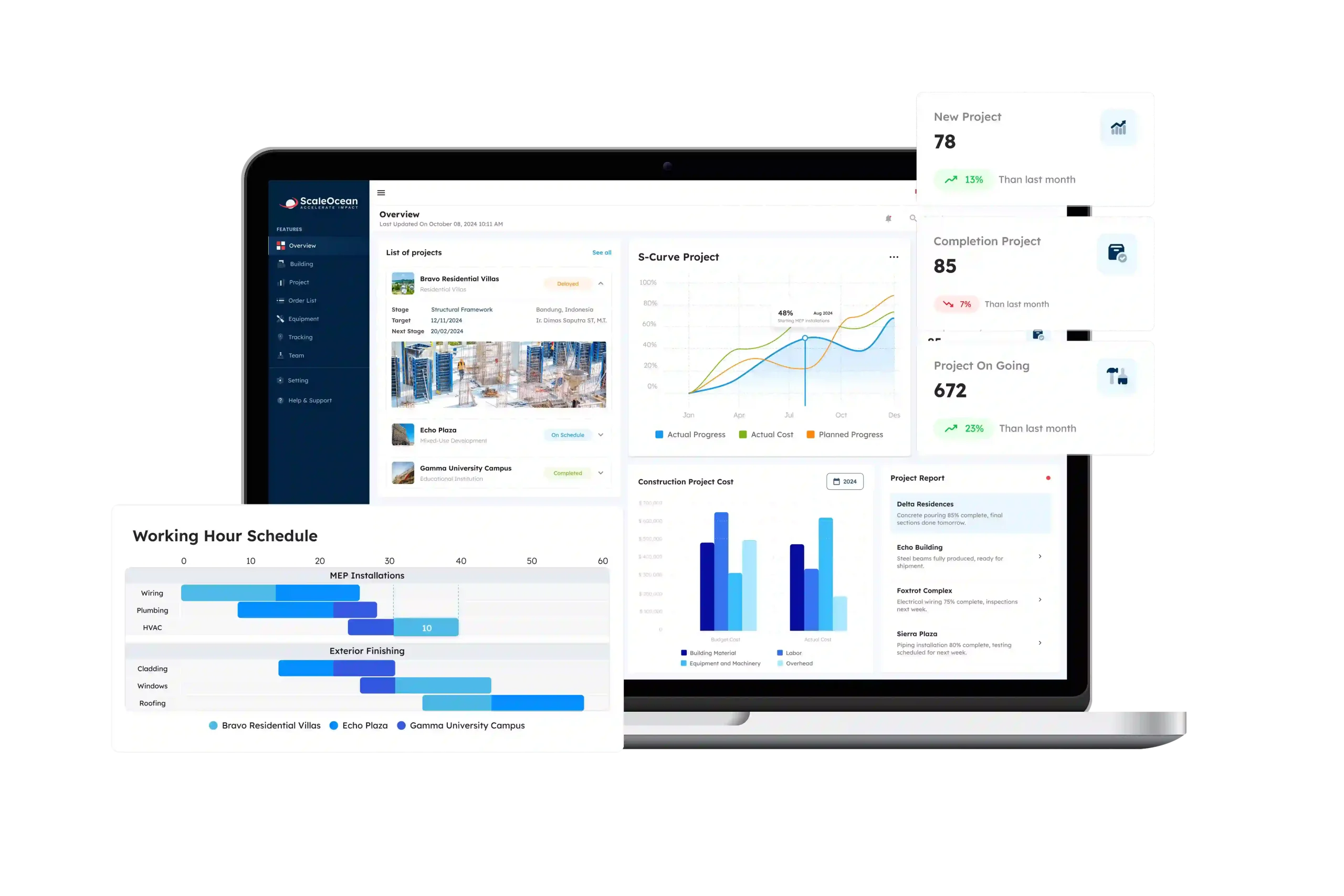
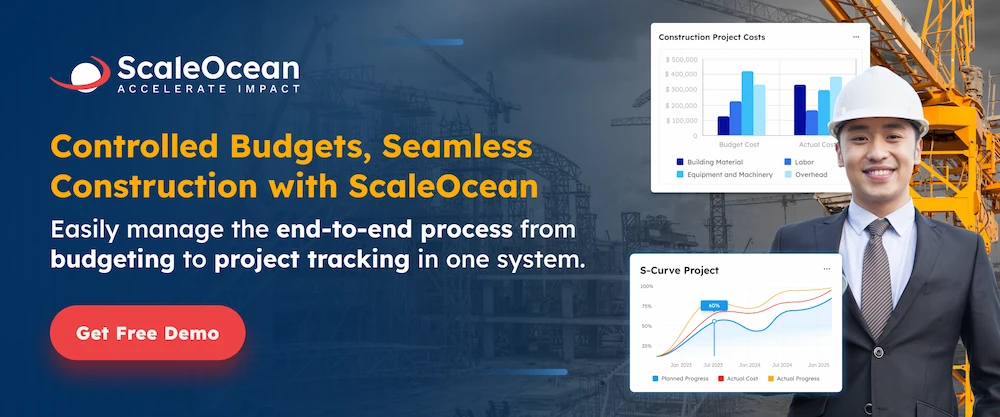
ScaleOcean Atlas for Construction Accounting is a cloud-based construction accounting and ERP software to help businesses manage financial, project, and operations. The platform is built to simplify complex construction workflows while improving project visibility and cost control.
One of ScaleOcean Atlas’s main advantages is its ability to integrate construction accounting, job costing, project management, procurement, budgeting, and reporting in one platform. This makes it easier for construction companies to track budgets, labor costs, project expenses, and profitability in real time.
Furtheremore, ScaleOcean Atlas also supports end-to-end project management, from tender preparation to project completion. Its flexible features can adapt to growing business, and companies can schedule a consultation to discuss further to optimize business operations. Some of the key features include:
- Tender and Project Management: Helps manage project bidding, budgeting, and project execution more efficiently.
- Real-Time Budget and Progress Tracking: Tracks project costs, expenses, and milestones to help prevent budget overruns.
- Automated Procurement: Simplifies purchasing processes for materials and equipment to reduce delays.
- Resource Management: Helps optimize labor and equipment allocation across projects.
- Integrated Accounting System: Connects accounting, procurement, asset management, and project operations within one platform.
- Cloud-Based Accessibility: Allows teams to access project and financial data anytime and from anywhere.
| Pros | Cons |
|---|---|
|
|
- ScaleOcean Atlas Pricing: Contact the ScaleOcean team for pricing information. because pricing depends on the modules, users, and business requirements.
- ScaleOcean Capterra Rating: 5.0/5
2. FreshBooks
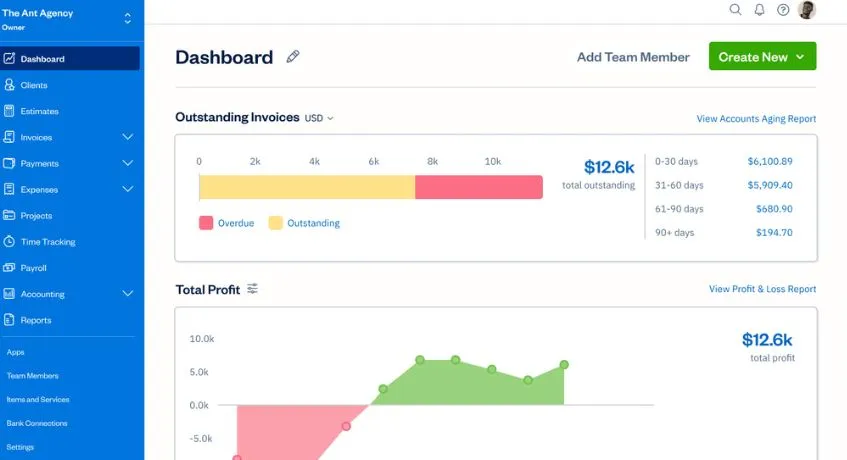
FreshBooks is accounting software primarily for freelancers, & small service-based businesses. Even though it’s not a dedicated for construction accounting, FreshBooks can still be a practical option for small contractors who need simple accounting.
FreshBooks offers cloud-based accessibility, allowing users to manage financial records, invoices, and expenses from anywhere. However, because it is not created for construction businesses, it lacks several construction accounting function, such as detailed job costing, retainage tracking, and subcontractor management.
- Professional Invoicing: Create and send customized invoices quickly to clients and project owners.
- Expense Tracking: Track project costs and store receipts in one place, making it easier to manage accounting using the Completed Contract Method.
- Time Tracking: Track billable hours for projects and employee tasks more efficiently.
- Basic Project Management: Manage simple projects, client communication, and project timelines.
| Pros | Cons |
|---|---|
|
|
- FreshBooks Pricing: Starts at ₱1.316,91 ($21) per month. Different plans are available based on the features and number of clients your business needs.
- FreshBooks Capterra Rating: 4.5/5
3. Sage Intacct Construction
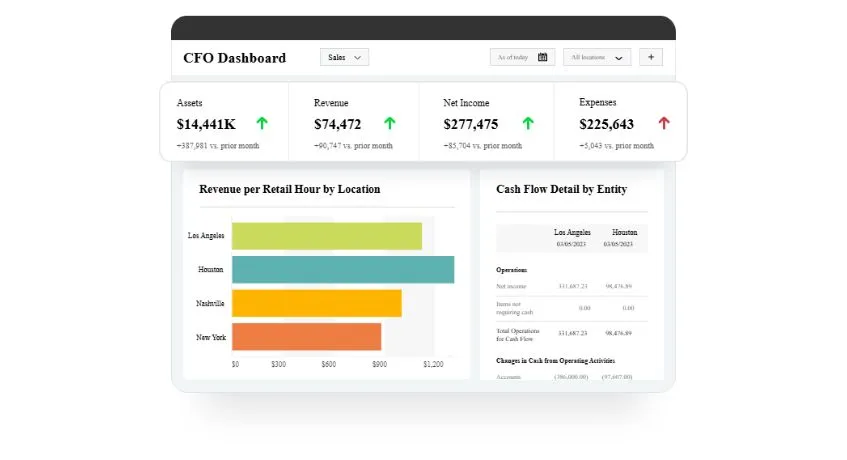
Sage Intacct Construction is one of the well-known digital software. It’s designed for construction accounting system. Furthermore, it is specialized for mid-sized to larger construction companies that need scalable features to keep up with their operations.
This platform provides insights into financial processes, multi-entity accounting, complex job costing, and final finance report. Also, it offers real-time visibility across all business operations.
- Advanced Job Costing: Tracks labor, materials, equipment, and subcontractor costs across projects.
- Multi-Entity Management: Manages financial operations for multiple companies, branches, or business units in one system.
- Real-Time Financial Reporting: Provides detailed financial dashboards and project profitability insights to support accurate reporting under the Percentage of Completion Method.
| Pros | Cons |
|---|---|
|
|
- Sage Intacct Pricing: Custom pricing is available based on the number of users and business requirements.
- Sage Intacct Capterra Rating: 4.3/5
4. Xero Construction
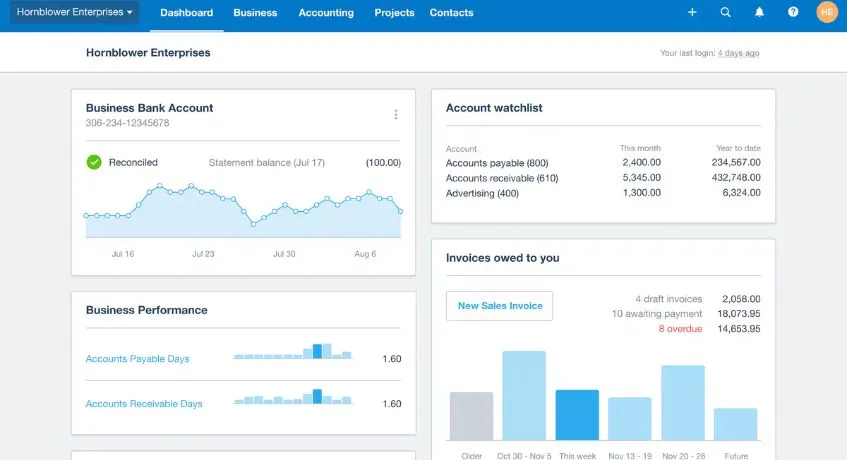
Xero is a cloud-based accounting software. It it commonly used by small to medium-sized businesses. Although Xero is not built for construction accounting platform, its integration ecosystem allows businesses to connect third-party construction management systems.
The main drawback here is that trying to manage multiple integrations can get complex and costly. Also, the data just doesn’t flow as seamlessly as you’d get in a true all-in-one system.
- Cloud-Based Accounting: Access financial and project data anytime through desktop or mobile devices.
- Invoicing and Billing: Create invoices, track payments, and manage customer billing more efficiently.
- Expense Management: Monitor project-related expenses and company spending in real time.
| Pros | Cons |
|---|---|
|
|
- Xero Pricing: Starts at ₱1.568,31 ($25) per month. Several plans are available with different accounting and reporting features.
- Xero Capterra Rating: 4.4/5
5. Intuit QuickBooks
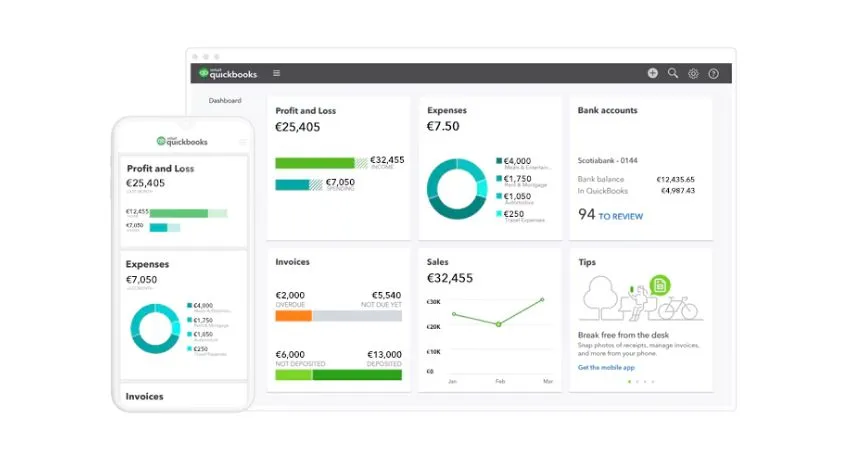
Intuit QuickBooks is a accounting software that offers construction-focused solutions through its QuickBooks Desktop Enterprise Contractor Edition. The platform is designed to help contractors and construction businesses manage accounting, job costing, payroll, and project-related financial activities.
Furthermore, QuickBooks provides flexible financial management for small to medium-sized construction businesses. However, many of its advanced construction capabilities are more comprehensive in the desktop version rather than the cloud-based QuickBooks Online platform.
- Job Costing: Tracks project costs, labor, and materials to improve budget control.
- Progress Invoicing: Creates invoices based on project milestones or work completion stages.
- Construction Reporting: Generates customized construction financial and project reports.
| Pros | Cons |
|---|---|
|
|
- QuickBooks Enterprise Pricing: Starts at ₱138.638,82 ($2,210) per year. Higher plans offer additional features such as advanced inventory, pricing, and reporting.
- QuickBooks Enterprise Capterra Rating: 4.5/5
6. CrewCost
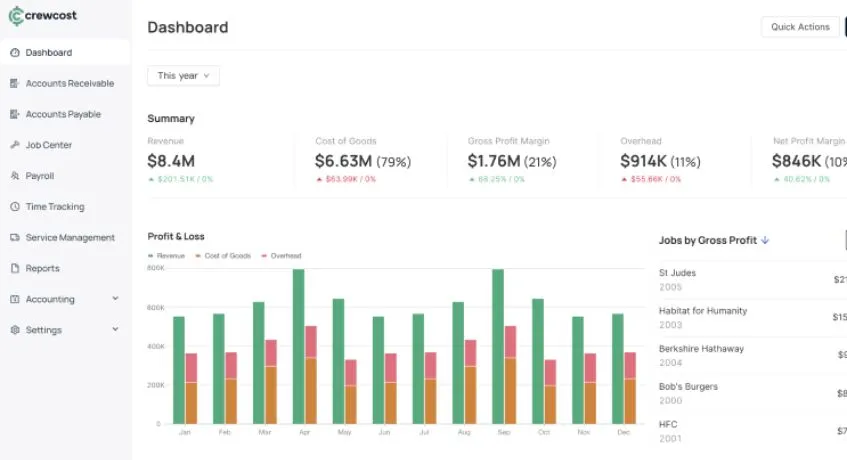
CrewCost is a construction workforce software that designed to help contractors track labor, equipment, and field productivity in real time. The platform focuses on improving visibility into job site operations and control expenses.
CrewCost is purposely to integrate with accounting platforms rather than replace them entirely. It is a practical solution for construction companies that already use accounting software but need equipment tracking tools.
Some of its key features include:
- Labor Cost Tracking: This feature is to monitor employee hours, overtime, and labor expenses in real time.
- Equipment Tracking: Tracks equipment usage and operational costs across projects.
- Field Data Collection: Captures job site activity directly from mobile devices.
- Project Progress Monitoring: Provides visibility into daily project productivity and workforce performance.
| Pros | Cons |
|---|---|
|
|
- CrewCost Pricing: Starts at ₱450.975,12 ($7,188) per year for the Builder’s Essentials plan. Pricing is usage-based and varies based on the business size and revenue.
7. Acumatica Construction
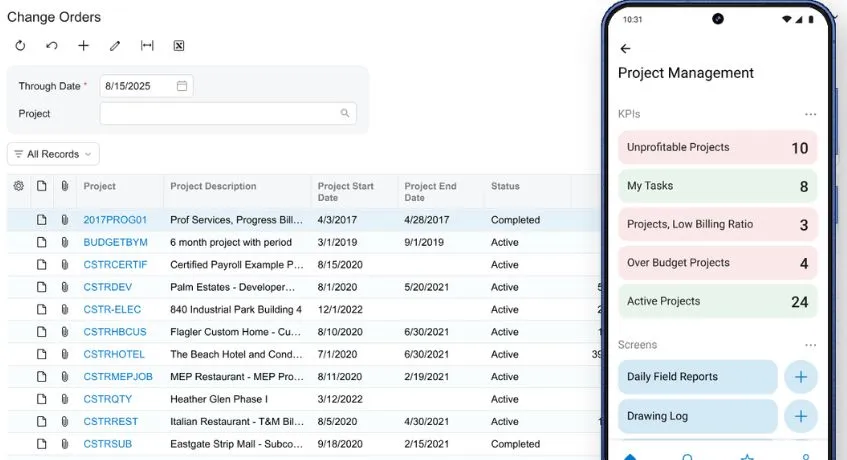
Acumatica Construction Edition is a cloud-based construction ERP software designed for mid-sized to large construction companies. It combines financials, project management, and customer management into one unified platform.
One of Acumatica Construction Edition’s key strengths is its scalability and flexibility. However, as a full ERP solution, implementation may require significant planning, training, and investment. Some of its key features include:
- Project Accounting: Tracks project costs, budgets, and profitability in real time.
- Construction Project Management: Helps manage schedules, contracts, and project workflows.
- Cloud-Based ERP System: Provides centralized access to financial and operational data.
| Pros | Cons |
|---|---|
|
|
- Acumatica Construction Pricing: Custom pricing is available based on the applications, usage, and business requirements.
- Acumatica Capterra Rating: 4.4/5
8. Foundation Software
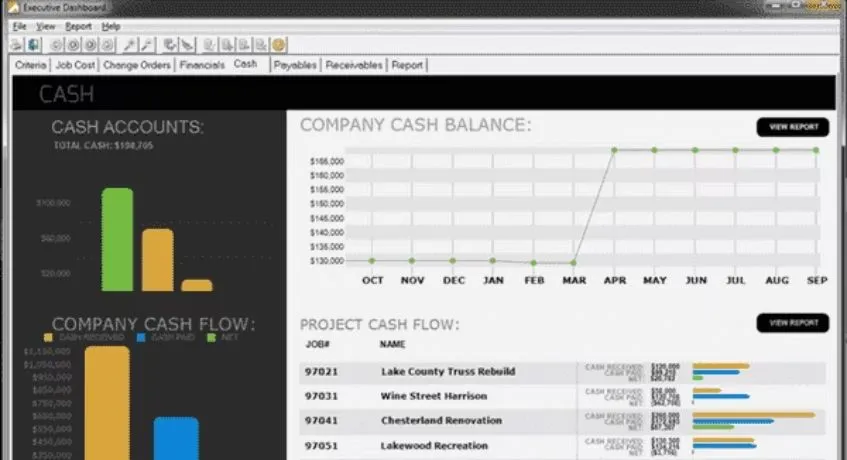
Foundation Software is a construction accounting and project management software developed specifically for the construction industry. The platform is designed to help contractors manage job costing, payroll, equipment tracking, and project financials within a centralized system.
Foundation Software is recognized for its reliability and extensive feature set. However, compared to newer cloud-native platforms, its interface and user experience may feel more traditional. Some of its key features include:
- Job Cost Accounting: Tracks project costs, labor, and profitability across construction projects.
- Construction Payroll: Supports payroll processing for contractors and field employees.
- Equipment Management: Monitors equipment usage, maintenance, and associated costs.
| Pros | Cons |
|---|---|
|
|
- Foundation Software Pricing: Custom pricing is available based on the features and business requirements.
- Foundation Software Capterra Rating: 4.3/5
How to Choose the Right Construction Accounting Software
Choosing construction accounting software depends on more than just price. Consider your company’s size, accounting needs, and budget. Here are some tips and tricks you should know for choosing the rights construction accounting software:
- Consider Your Business Size: Small contractors may only need basic accounting and invoicing, while larger construction companies may require advanced job costing, project management, payroll, and multi-project support.
- Check Construction-Specific Features: Look for features that support construction workflows, such as job costing, progress billing, project budgeting, payroll, expense tracking, and financial reporting.
- Compare Pricing: Compare the monthly or annual subscription with other costs, such as implementation, additional users, integrations, and customization. This helps you understand the software’s total cost.
- Review Integrations: Choose software that can connect with tools for payroll, procurement, project management, inventory, and other business operations to reduce manual data entry.
- Consider Scalability: Choose a system that can support more users, projects, locations, and transactions as your construction business expands.
Conclusion
Choosing the right construction accounting software is a important. One of the reasons is to gain business’s efficiency, profitability, and potential for growth. The key is to find a system that not only provides core accounting functions but also excels at job costing, subcontractor management, and industry-specific reporting.
The best choice depends on your company’s size, the complexity of your projects, and your long-term goals. For businesses in the Philippines looking for a modern, integrated, and scalable solution, you can use ScaleOcean Atlas for Construction ERP.
It offers a compelling balance of power and usability, helping financial and project data into one place. You also can book a consultation to better understand how the system fits their construction workflows and business requirements before implementation.
FAQ:
1. What is construction accounting software?
Construction accounting software is a system that helps contractors and construction companies manage project finances, expenses, budgets, invoices, and job costs in one platform.
2.What is the best software for construction accounting?
There is no single best construction accounting software because every business has different operational needs, project complexity, and budget considerations. The right solution depends on your company size, workflows, and long-term business goals.
3. What type of accounting is used in construction?
Construction businesses commonly use cash-basis or accrual accounting. Small contractors often prefer cash-basis, while larger construction companies usually use accrual accounting to track revenues and expenses more accurately across ongoing projects.


















.png)