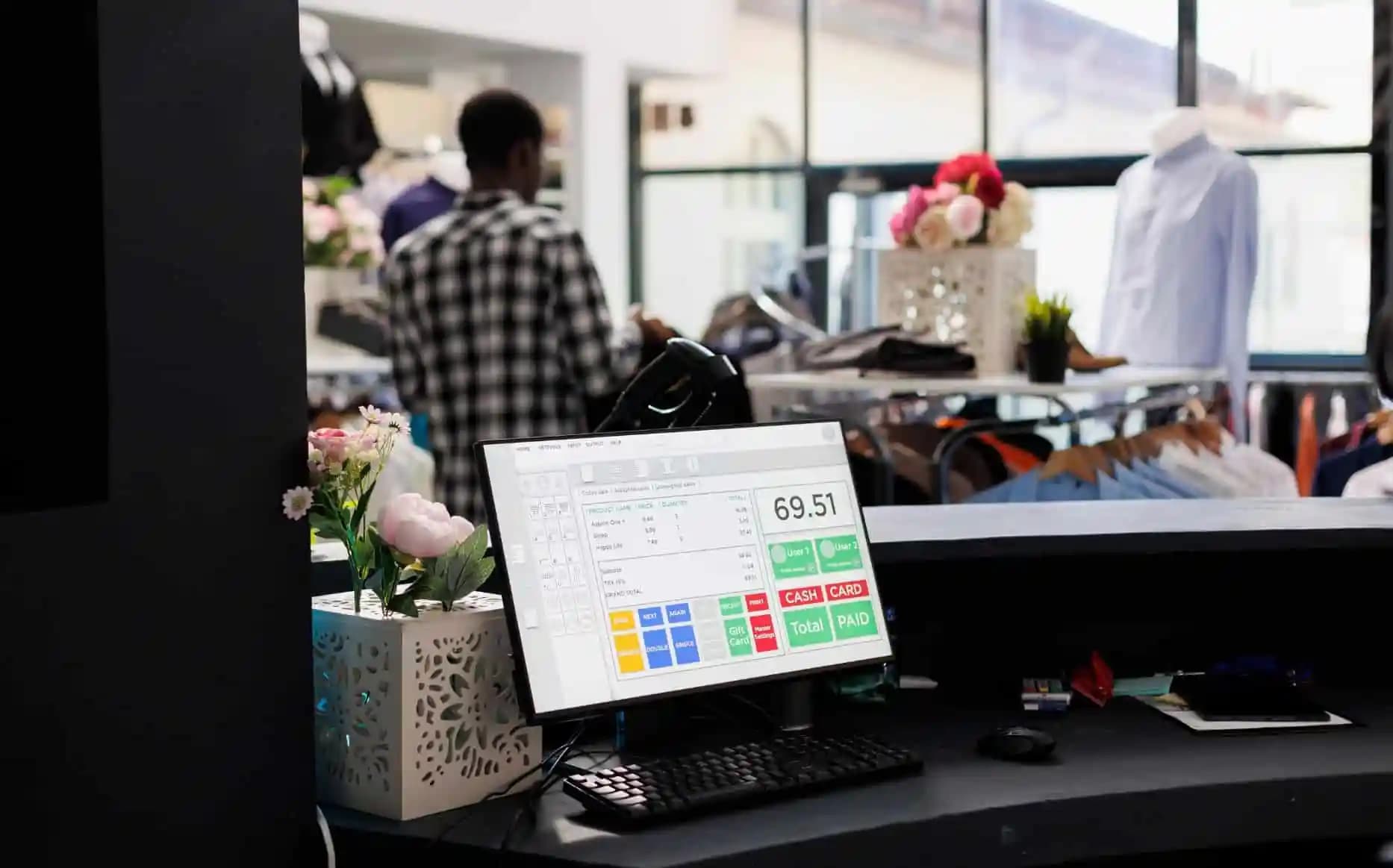







Barcode inventory management software has become an essential solution for businesses that want to improve inventory accuracy. Businesses no longer need to record their inventory using spreadsheets when they can switch to barcode technology.
A 2025 study in the IJRISS found that a company that replaced manual stock keeping with an automated barcoded warehouse management system got 80% more accurate inventories and reduced their operating costs by 20%.
In an era where businesses in the Philippines are expanding, using a digital solution, such as barcode inventory systems, is more valuable. Through this technology, companies can track the movement of stocks and avoid discrepancies in stocks.
 Key Takeaways
Barcode inventory management software is a digital system that utilizes barcode labels and scanners to automate inventory control through the receiving, picking, and shipping process. Also known as inventory barcode software, this solution helps businesses record stock movements and maintain more accurate inventory records.
Each product receives a unique barcode with identification information, and is then scanned with a barcode scanner to capture the inventory information instantly. It automatically updates the stock quantity on receipt and dispatch of items.
Most of these barcodes follow standards set by GS1 Philippines, the local branch of the global nonprofit organization that issues the numbering system (like GTINs) behind the barcodes on products. This ensures that a code scanned in one warehouse means the same thing everywhere else.
Faster processing times were identified as the main driver behind these improvements. Businesses in the Philippines that implement a system with a built-in barcode feature have found such a system to be a great help in enhancing their warehouse productivity.
Modern inventory management software with barcode will provide you with more than just barcode scanning. Warehouse inventory management software with barcode scanner can help businesses automate stock tracking. These are some of the essential features of the barcode inventory software for better warehouse management:

Barcode inventory tracking improves stock accuracy and reduces losses by replacing many manual inventory tasks with automated scanning and real-time record updates. Here is a breakdown of how barcode inventory helps business efficiency:
When it comes to managing business, everyone must want to have clear and effective workflows from every business division. Therefore, a manager or team leader can monitor each process without disruptions:
Not only improve inventory accuracy, the barcode can also reduce stock losses that often happen when processing stock in the warehouse. Below here are how barcode inventory tracking reduces stock losses:
Businesses across the region are adopting a robust barcode inventory system Philippines provider, which it offer to automate stock tracking, improve inventory accuracy, and streamline warehouse operations.
For businesses managing larger stock volumes, warehouse software with barcode scanning can also help simplify receiving, inventory tracking, and stock movement. Here are the top barcode inventory system for Philippine businesses:
| Software | Key Strength | Best For |
|---|---|---|
| ScaleOcean Atlas | Comprehensive ERP with barcode/QR scanning, real-time inventory tracking, and AI-powered recommendations. | Medium to large businesses. |
| Sortly | Easy-to-use mobile barcode and QR scanning. | Small warehouse management requirements. |
| Zoho Inventory | Provides integration with e-commerce and other Zoho applications | SMEs and e-commerce businesses. |
| Fishbowl Inventory | Combines barcode inventory management and warehouse workflows. | Manufacturers and distributors. |
| Orca Scan | Turns smartphones into barcode scanners with cloud synchronization. | Businesses need simple mobile tracking. |
| inFlow Inventory | Centralizes barcode inventory, purchasing, and reporting. | Wholesalers, retailers, and distributors. |
| Cin7 | Omnichannel inventory synchronization with automation. | Retailers, wholesalers, and distributors. |
| Wasp Barcode Technologies | Specialized barcode inventory solutions. | Businesses focused on barcode management. |
| Katana | Manufacturing-focused barcode inventory management. | Small and medium-sized manufacturers. |
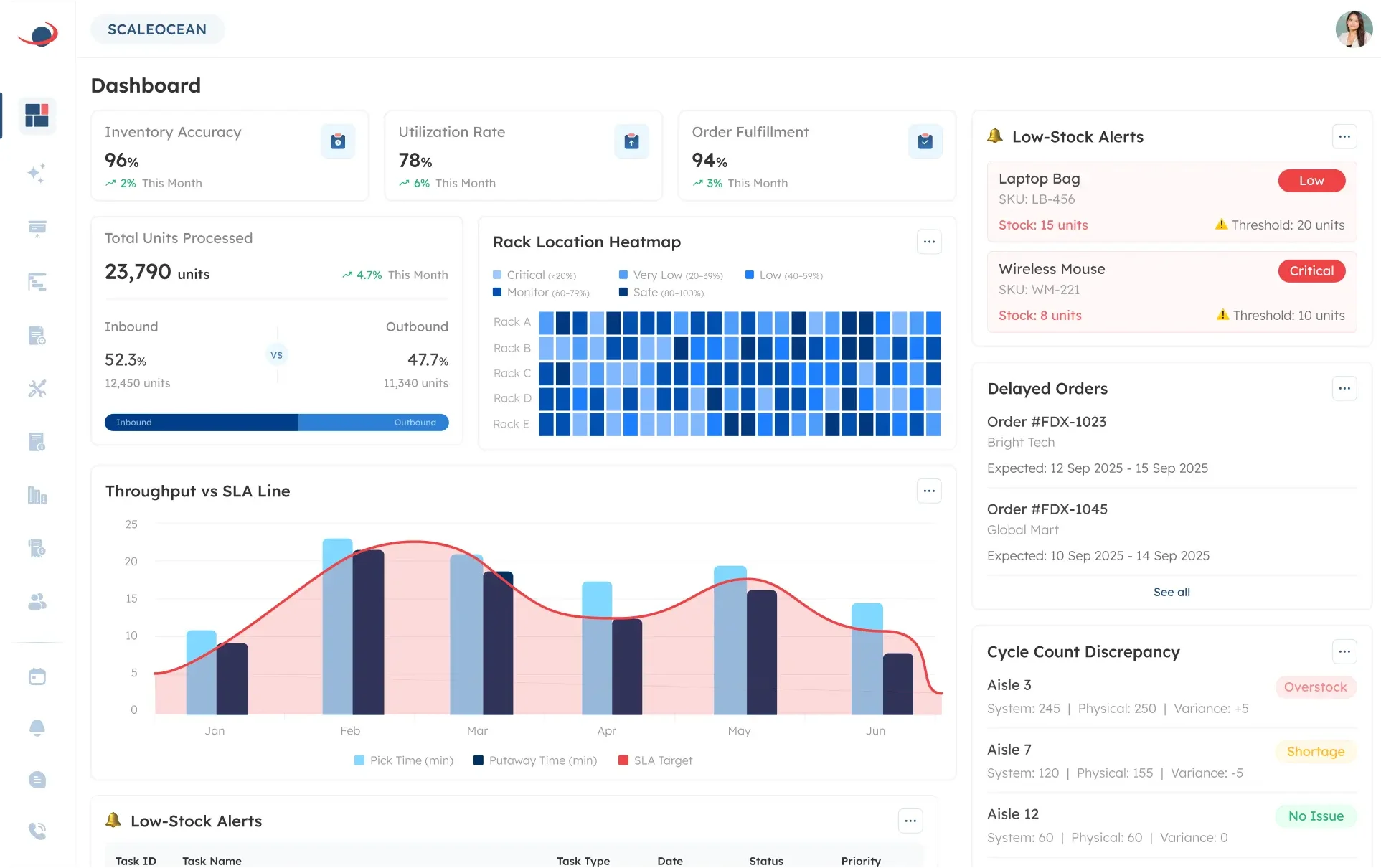
Managing inventory manually becomes increasingly difficult as product movement grows across warehouses and multiple business locations. Businesses often encounter inaccurate stock records, misplaced inventory, and inefficient warehouse processes.
To solve these challenges, the inventory module of ScaleOcean Atlas automates inventory tracking through barcode technology, making it a reliable barcode inventory system Philippine businesses can adopt for real-time inventory updates and improved warehouse productivity.
As part of the ScaleOcean Atlas, it seamlessly integrates inventory management with warehouse operations, procurement, purchasing, sales, accounting, and reporting. This ensures inventory information remains accurate across every department.
Additionally, ScaleOcean Atlas is embedded with ScaleMind, an AI assistant that provides intelligent recommendations to optimize operations. For example, it can recommend storage locations and identify inventory based on historical movements.
Businesses looking to modernize warehouse operations can also schedule consultation to discover how ScaleOcean Atlas simplifies barcode-based inventory management. Some of the features include:
| Pros | Cons |
|---|---|
|
|
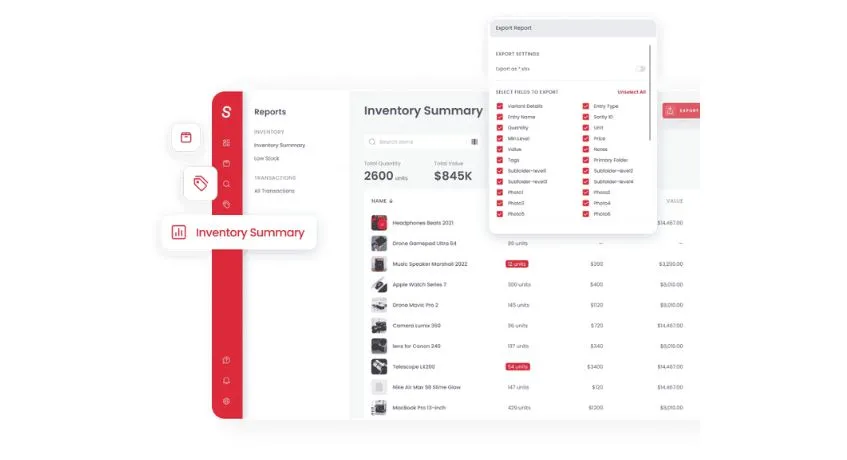
Many small businesses find it hard to manage inventories on spreadsheet products which are prone to be lost. As stock levels increase, it can be time-consuming to manage inventory at multiple locations.
Sortly provides an easy to use cloud inventory management system that makes it simple to manage inventory using barcodes. Users can scan QR codes and barcodes with their mobile phone or tablet, and inventory updates can be done much quicker.
It is especially good for small retailers, offices, contractors and businesses who are seeking a simple inventory solution that does not require extensive training. Some of the features include:
| Pros | Cons |
|---|---|
|
|
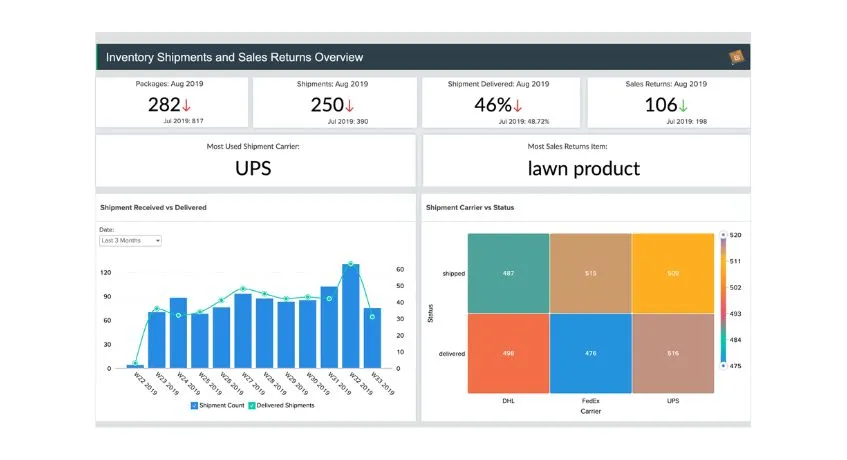
Managing inventory across warehouses, online stores, and sales channels can become challenging when inventory information is spread across different systems. It’s possible that businesses can also experience problems with synchronizing stocks.
Zoho Inventory automates barcode inventory management, as well as integrates inventory with sales orders, purchases, shipping, and e-commerce websites. This enables businesses to keep up to date inventory across a number of channels.
As part of the Zoho ecosystem, it seamlessly integrates with Zoho Books, Zoho CRM, and other business applications making it suitable for SMEs who are in need of a cloud-based solution that is integrated with their business applications.
| Pros | Cons |
|---|---|
|
|
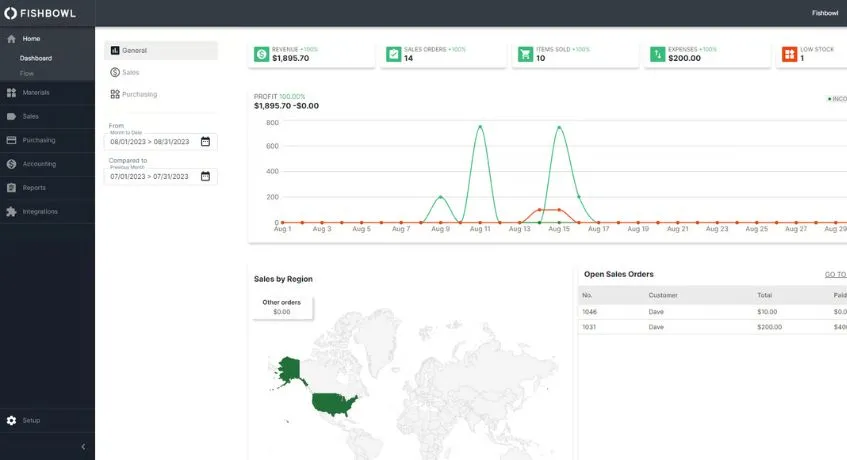
Manufacturers and distributors often require more than simple barcode scanning. They need inventory software that connects warehouse operations with purchasing, production, and inventory planning.
Fishbowl Inventory is a combination of bar code inventory and manufacturing workflow, enabling businesses to track inventory throughout the procurement, manufacturing, and distribution processes.
The software is particularly popular among manufacturers looking for better visibility of their stock along with the ability to integrate with accounting software such as QuickBooks. The following is a list of features that are included:
| Pros | Cons |
|---|---|
|
|
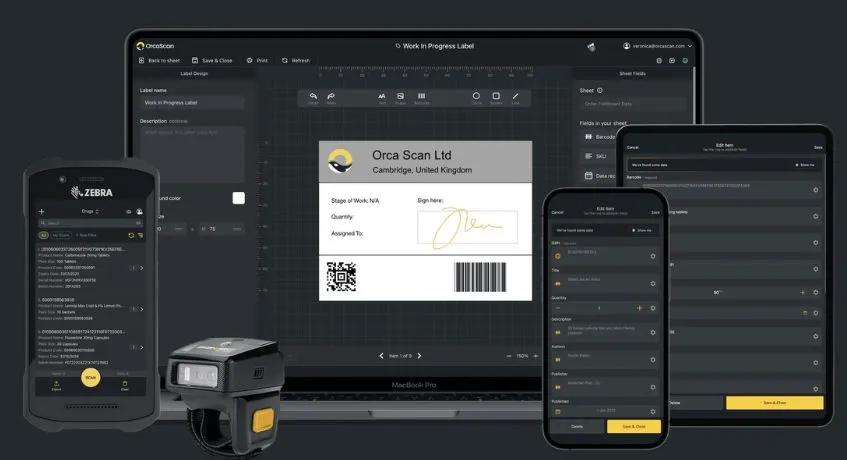
Many businesses want barcode inventory management without investing in expensive scanning hardware. However, manual inventory record, warehouse activities can still be slowed and there is a chance of errors.
Orca Scan transforms smartphones into barcode scanners, allowing employees to receive inventory data directly from mobile devices while synchronizing information through the cloud.
The lightweight deployment options make it ideal for businesses that need to move their inventory from place to place, whether that’s from warehouses, to field operations, or to remote locations. It offers a range of features such as:
| Pros | Cons |
|---|---|
|
|
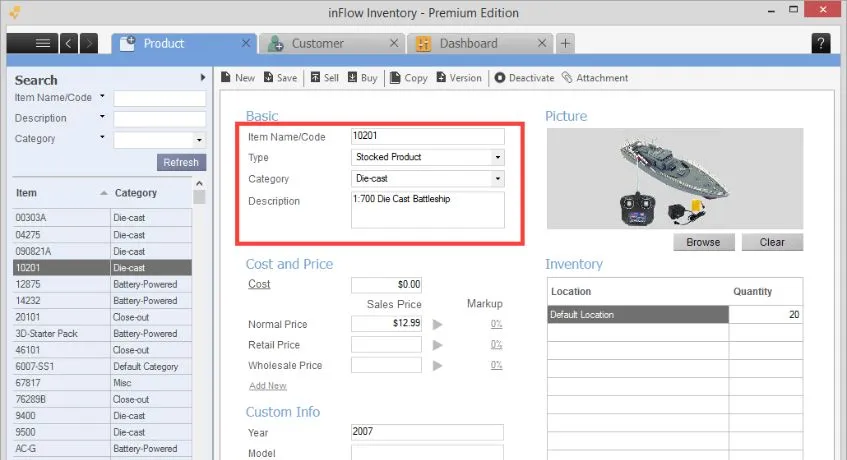
inFlow Inventory integrates barcode inventory management, purchasing, warehouse management, sales and reporting, to help centralize inventory operations in one place.
It is commonly used by wholesalers, distributors, and retailers looking for an easy-to-use inventory management solution with barcode functionality. Here are the features include:
| Pros | Cons |
|---|---|
|
|
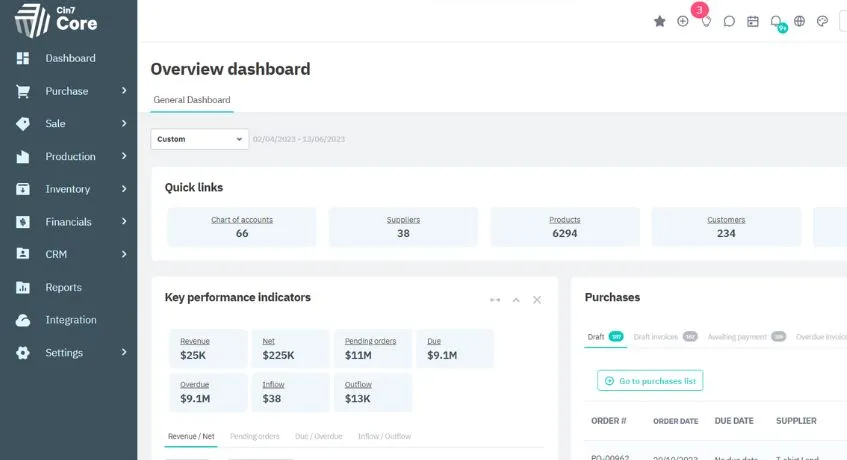
Many businesses have a challenge in keeping their inventory accurate in both store, warehouse, marketplace and online sales channels. Cin7 offers barcode inventory management and syncs inventory, sales, purchasing and warehouse operations.
Moreover, it is also ideal for retailers, wholesalers or distributors who have inventory in various locations, with its automation features. It has a number of key functions, such as:
| Pros | Cons |
|---|---|
|
|
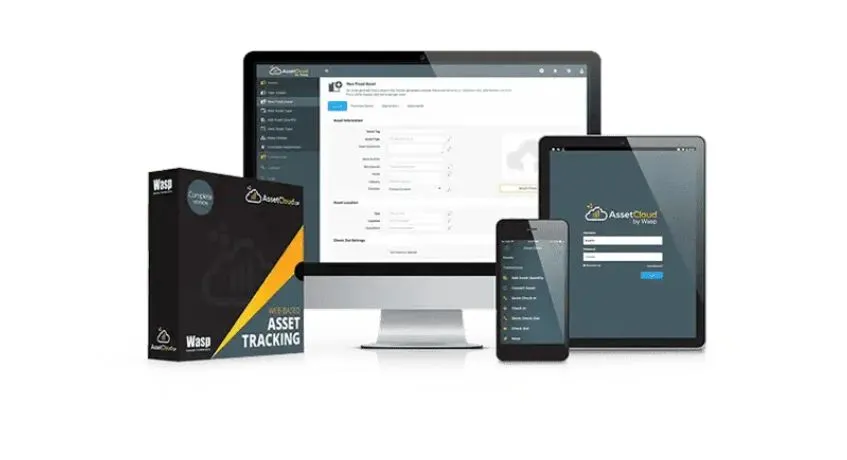
The eight recommendations is Wasp Barcode Technologies, which this software helps improve inventory organization. For businesses that have large inventories, it’s common to need specific barcode software and hardware.
Wasp Barcode Technologies provides warehouse barcode inventory management solutions with barcode scanners and asset tracking software. This system is ideal for organizations that make barcode control a top priority.
| Pros | Cons |
|---|---|
|
|
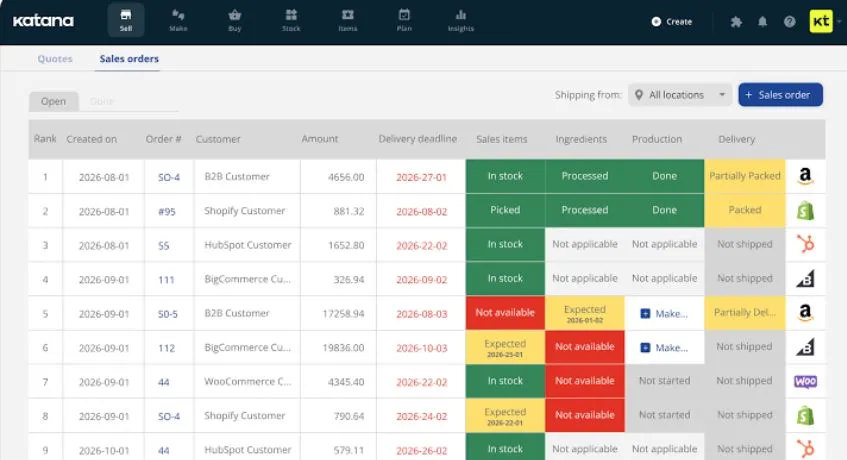
The next software is Katana, which is a combination of barcode inventory management and manufacturing planning. It helps businesses to track inventory at every stage of the manufacturing process and enhance material availability.
Its manufacturing-first approach makes it particularly suitable for small and medium-sized manufacturers seeking better production visibility. Below here are some of the features to boost inventory operational:
| Pros | Cons |
|---|---|
|
|
 Also Read: 12 Top Inventory Management Software in the Philippines 2026
Setting up a barcode inventory system involves organizing product data, choosing suitable equipment, and connecting barcode scanning with inventory management software. Here are the steps to improve stock accuracy and streamline daily operations:
| Step | What to Do | Key Considerations |
|---|---|---|
| 1. Organize Inventory Data | Create a master list of products with their names, SKUs, descriptions, and stock quantities. | Assign unique SKUs to product variants and record storage locations, batch numbers, or expiry dates when applicable. |
| 2. Choose a Barcode Type | Select a suitable barcode format, such as UPC/EAN, Code 128, or QR codes. | Consider product identification needs, retail requirements, and warehouse tracking processes. |
| 3. Select Scanners and Printers | Choose barcode scanners, label printers, and labels suited to your operations. | Consider scanning distance, wireless connectivity, label durability, and equipment compatibility. |
| 4. Choose Inventory Management Software | Implement software that records stock movements and updates inventory after scanning. | Look for multi-warehouse tracking, low-stock alerts, POS integration, and e-commerce connectivity for platforms such as Shopee and Lazada. |
| 5. Generate and Apply Barcode Labels | Print and attach barcodes to products, packages, shelves, or storage bins. | Ensure labels are readable and each barcode links to the correct product record. |
| 6. Import and Verify Stock Data | Upload product records and enter opening inventory balances. | Conduct a physical stock count to identify discrepancies before the system goes live. |
| 7. Test and Train Employees | Test scanning during receiving, picking, sales, returns, and stock transfers. | Train employees on scanning procedures, stock adjustments, and handling damaged labels. |
| 8. Monitor and Maintain the System | Review stock discrepancies, scanning errors, and inventory reports regularly. | Perform cycle counts, replace unreadable labels, and update product records as needed. |
Yes, integrating barcode inventory systems with ERP or accounting software is standard practice for modern businesses. It bridges the gap between physical inventory tracking and financial record-keeping. Here are some of integrations for managing inventory system with other business process:
| Integration | How It Works | Business Benefit |
|---|---|---|
| Inventory Management | Scanning barcodes records stock receipts, transfers, and adjustments in the connected system. | Provides more accurate, up-to-date inventory levels. |
| Sales and Order Processing | Scanning items updates sales orders, order fulfillment, and stock deductions. | Helps prevent overselling and fulfillment errors. |
| Purchasing and Procurement | Receiving staff scan incoming goods to update purchase orders and inventory records. | Improves receiving accuracy and purchase tracking. |
| Accounting and Financial Reporting | Inventory transactions can update inventory asset balances, cost of goods sold (COGS), and related accounting entries, depending on the integration. | Reduces duplicate data entry and supports more accurate financial reports. |
| Warehouse Management | Barcode scans track items across warehouse locations and during picking, packing, and shipping. | Improves traceability and operational efficiency. |
Barcode inventory management software enables companies to streamline inventory tracking, increase stock precision, and achieve real-time insights into their warehouse functioning.
To stay competitive, implementing a dependable barcode inventory system Philippines businesses can leverage, like the inventory module in ScaleOcean Atlas, provides a comprehensive ecosystem that includes stock monitoring and a centralized dashboard.
Whether you’re managing one warehouse or multiple locations, inventory modules of ScaleOcean Atlas help optimize inventory management regardless of the number of warehouses and enhance the efficiency of different branches.
Schedule consultation with our experts and discover how ScaleOcean Atlas can transform your warehouse management processes.
Manage inventory by assigning barcodes to every SKU, selecting barcode inventory software, generating and printing barcode labels, linking them to your inventory database, and scanning items whenever stock is received, moved, or shipped.
The best barcode inventory software depends on your business size, budget, and operational needs. Consider features such as real-time tracking, barcode scanning, reporting, integrations, and warehouse management when comparing solutions.
To create inventory barcodes, choose a barcode format such as EAN-13, UPC-A, or Code 39, enter the product information, generate the barcode, and print labels. Then, link each barcode to its corresponding inventory record for accurate tracking.
Look for features like cloud access, hardware compatibility with scanners or phones, multi-channel syncing, scalable pricing, and local compliance support, such as BIR inventory reporting compatibility for Philippine businesses.
A SKU is an internal, custom alphanumeric code a business uses to track inventory details. A barcode is a machine-readable pattern of lines or symbols that visually represents data so scanners can quickly process it.