Accounting software for manufacturing companies helps businesses manage financial transactions while connecting accounting with production, inventory, purchasing, and cost management. It gives manufacturers a clearer view of how daily operations affect their financial performance.
For Philippine manufacturers, the right system can simplify production costing, inventory valuation, cash flow tracking, and financial reporting. It can also help teams keep financial data organized as production volumes and business operations expand.
There are many platforms that offer accounting solutions, but their features can vary significantly. This article explores the best accounting software for manufacturing companies and the key features to consider when choosing one.
Key Takeaways
Accounting software for manufacturing companies connects financial management with production, inventory, procurement, sales, and other business operations.
Manufacturing accounting software helps manage production costing, inventory valuation, financial reporting, BIR requirements, and cost visibility.
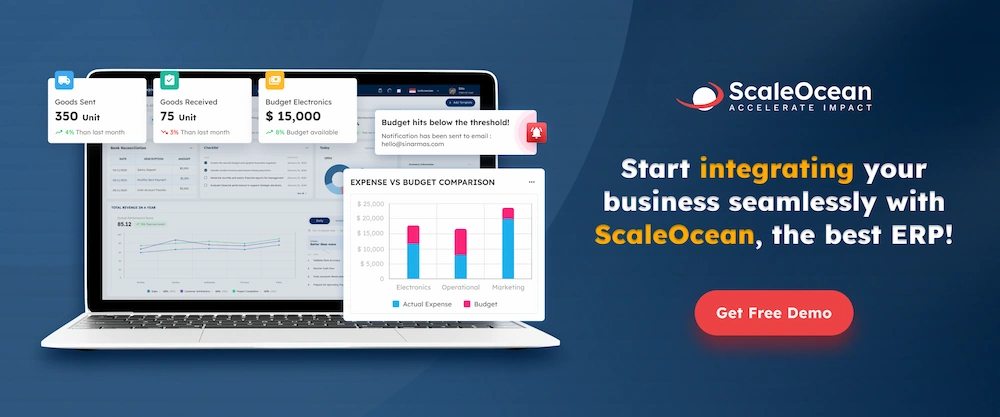
ScaleOcean Atlas for manufacturing integrates accounting with production, inventory, procurement, warehouse, sales, and supply chain management in one platform.
Accounting manufacturing software is a digital system designed to manage financial processes while accounting for the unique requirements of manufacturing operations. Before using accounting software, accounting and finance teams usually handle accounts payable, accounts receivable, or financial statements in separate documents.
However, this manual approach is no longer effective for managing growing organizations. Manufacturing accounting software optimizes fiscal coordination across the company by unifying these processes into a single system.
This shift is supported by a 2026 study published in JESMI, which found high perceptions of accounting software’s usability and process fit, along with strong confidence in its ability to enhance financial management and reporting controls.
As an example of how manufacturing accounting software optimizes financial processes, producing 1,000 units involves tracking raw materials, direct labor, machine usage, and potential production waste. By connecting these activities, the software gives finance teams a clear, real-time view of the actual cost of production.
Do You Really Need a Specific Accounting Software for Manufacturing?
The answer is, it depends on your business and manufacturing needs. A small manufacturer with a limited product range and straightforward operations may be able to manage its finances with general accounting software.
However, accounting becomes more complex as manufacturing operations grow. An FMCG manufacturer, for example, may handle expenses from multiple parts of the business, including:
Warehouse and factory costs: Rent, utilities, equipment, maintenance, and other facility expenses.
Procurement costs: Purchasing raw materials, packaging, components, and other production supplies.
Labor costs: Wages, benefits, and other employee-related expenses.
Distribution costs: Freight, delivery, warehousing, and other logistics expenses, which can be particularly relevant for Philippine manufacturers managing inter-island distribution.
Trade spend: Promotions, discounts, and other costs associated with selling products through retailers.
Listing fees: Costs for product placement across modern trade, general trade, e-commerce platforms, and marketplaces.
CapEx and OpEx: Capital expenditures for equipment and facilities alongside day-to-day operating expenses.
Multiple revenue sources: Sales may come from modern trade retailers, general or traditional trade outlets such as sari-sari stores, distributors, and online marketplaces.
With so many transactions affecting production costs and profitability, manually connecting operational and financial data can become time-consuming. This is where accounting software for manufacturing companies can provide more structured financial control. Key benefits include:
Product Costing: Connects raw materials, labor, machine usage, and overhead to calculate product costs more accurately.
Inventory Tracking: Links raw materials, WIP, and finished goods with financial records as inventory moves through production.
Margin Visibility: Helps businesses see how production, distribution, trade spend, and other costs affect product margins.
Data Reconciliation: Reduces manual reconciliation between accounting, production, inventory, and warehouse records.
Multi-warehouse Support: Keeps financial and inventory data organized across multiple warehouses or facilities.
Philippine Compliance: Supports applicable invoicing, recordkeeping, and registration requirements under BIR Revenue Regulations No. 7-2024.
Scalability: Supports growing transaction volumes, product lines, users, and business locations.
For manufacturers with increasingly complex operations, these capabilities make accounting software for manufacturing companies more than a bookkeeping tool. It becomes a way to connect financial data with the costs and activities that drive the business.
What You Need to Look for in a Accounting Manufacturing Software
Choosing accounting software for manufacturing companies based only on the presence of a general ledger can leave important manufacturing requirements uncovered. Here are several features worth considering:
1. Manufacturing Cost Accounting
First of all, manufacturers need visibility into the cost of producing each product or batch. The software should support direct materials, labor, and other relevant costs to help management understand whether production costs are aligned with selling prices and margins.
2. Inventory Accounting
Secondly, look for software that can track raw materials, WIP, finished products, inventory movements, and valuation. Ideally, inventory transactions should update financial records without requiring extensive manual reconciliation.
3. Bill of Materials and Production Integration
The third aspect to look for in accounting software for manufacturing companies is Bill of Materials and integration. A BOM defines the materials and components required to manufacture a product. When BOMs are connected with production and accounting, businesses can better understand how material consumption affects costs.
4. Accounts Payable and Receivable
The system should make it easy to manage supplier invoices, customer billing, and payment schedules. Integration with purchasing and sales can also reduce duplicate data entry and provide finance teams with a more complete picture of cash obligations and expected collections.
5. Financial Reporting
In addition, look for customizable reports covering profit and loss, balance sheets, cash flow, inventory value, production costs, and other relevant financial indicators. Real-time dashboards can also help managers identify changes before they become larger financial issues.
6. Tax and Invoicing Support
For Philippine businesses, accounting software should support the company’s applicable invoicing and recordkeeping requirements. BIR requirements can change, so businesses should verify the software’s current compliance capabilities and ensure the system is properly configured for their circumstances.
7. Security and Local Compliance
Manufacturing accounting systems handle sensitive information, including financial records, supplier details, customer data, and production costs. Look for features such as role-based access, user permissions, audit trails, data backups, and secure data storage.
For Philippine manufacturers, also check whether the software can support local accounting and regulatory requirements, including applicable BIR rules for computerized accounting systems and electronic records. Businesses should confirm the provider’s current compliance documentation before implementation.
The 12 Best Accounting Manufacturing Software in the Philippines
There is no single accounting platform that fits every manufacturer. There are a lot of systems that differ in their focus, from integrated manufacturing ERP platforms to accounting software. Here are the 12 best accounting software for manufacturing companies in the Philippines:
Software
Key Strength
Best for
ScaleOcean Atlas
Integrated manufacturing, accounting, inventory, procurement, and supply chain
Manufacturers needing a customizable all-in-one ERP
Oracle NetSuite
Cloud ERP with strong financial and manufacturing capabilities
Mid-sized to large manufacturers with complex operations
SAP
Combines accounting, inventory, purchasing, and production management
Growing manufacturers seeking an integrated ERP
Katana MRP
Real-time inventory, production planning, and financial visibility
Small and mid-sized manufacturers with straightforward production
Xero
Easy-to-use cloud accounting with business integrations
Small manufacturers focused on core accounting
QuickBooks
Accessible accounting, invoicing, expenses, and financial reporting
Small manufacturers with basic accounting needs
Microsoft Dynamics 365
Connects finance, supply chain, sales, and manufacturing
Manufacturers needing a broad business management ecosystem
Epicor ERP
Manufacturing and operational management capabilities
Manufacturers with complex production and supply chain processes
QnE Cloud
Philippine-focused accounting and BIR-related capabilities
Philippine businesses needing local accounting functionality
Acumatica
Flexible cloud ERP with manufacturing and financial management
Modular platform covering accounting, inventory, manufacturing, and more
Businesses wanting a flexible and expandable ERP
ECOUNT ERP
Cloud-based accounting, inventory, production, and purchasing
Manufacturers looking for straightforward ERP functionality
1. ScaleOcean Atlas for Manufacturing
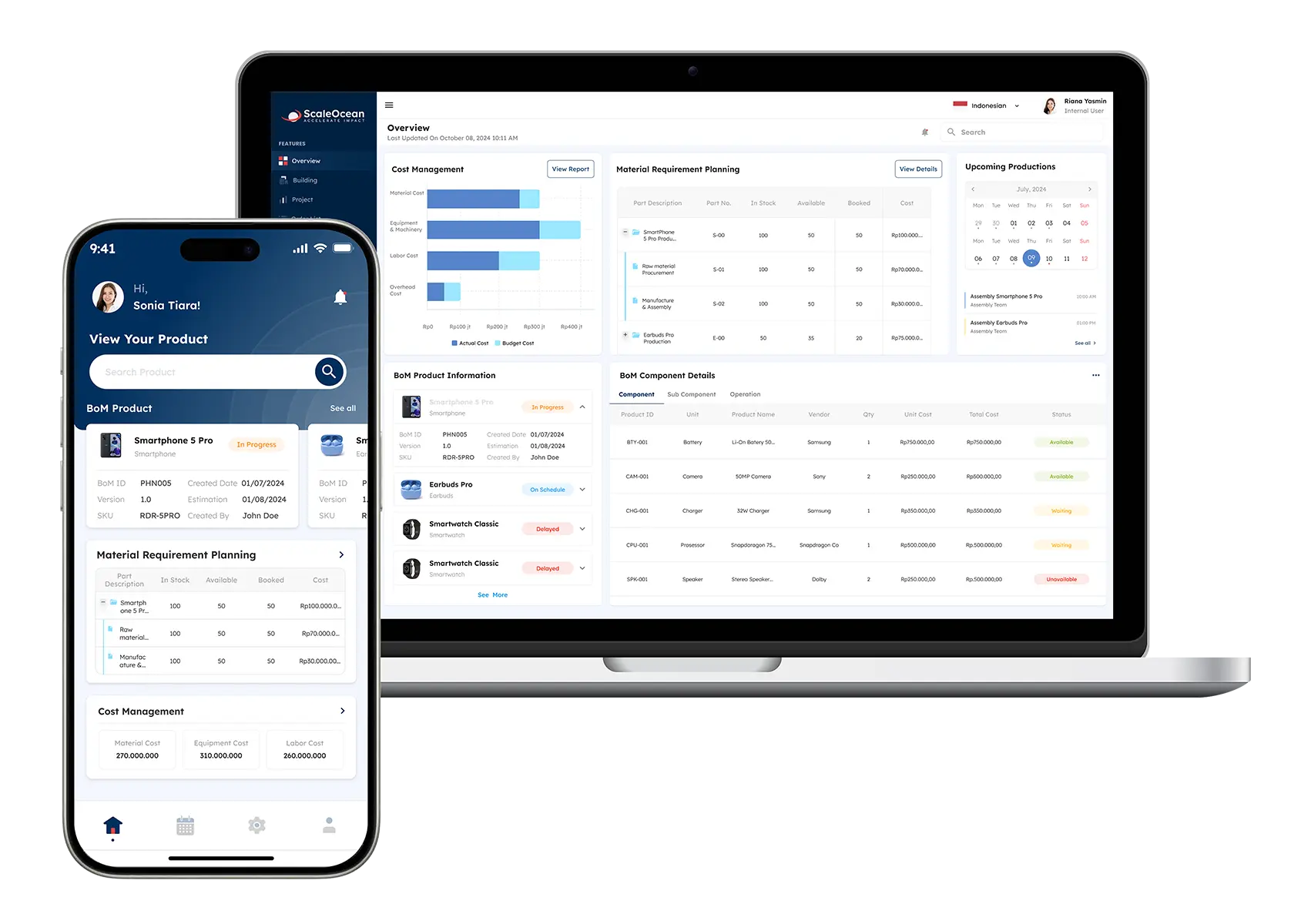
If you’re looking to get your whole team on the exact same page, ScaleOcean Atlas for manufacturing is built for just that. It’s an ERP system that seamlessly connects your production line with inventory, procurement, warehousing, sales, accounting, and supply chain management.
For Philippine manufacturers, this means no more silos data while making project documentation. While your production team handles Bill of Materials (BOMs), scheduling, and manufacturing orders, your finance and warehouse teams can track real-time costs, stock levels, and purchasing in parallel.
Plus, it comes equipped with ScaleMind AI to help you turn complex operational data into smartand confident decisions. Best of all? You don’t have to force your business into a rigid mold, the software modules are fully customizable to match the way you actually work.
Want to see how it can streamline your operations? Schedule a consultation with our experts today. Here are quick look for the features of ScaleOcean Atlas to enhance the accounting manufacture process:
AI Stock and Demand Forecasting: Analyzes inventory and demand data to support purchasing, replenishment, and stock planning.
Manufacturing Cost Management: Tracks material, labor, and production costs to provide clearer visibility into manufacturing expenses.
Inventory and Warehouse Management: Monitors raw materials, WIP, and finished goods across warehouses and production facilities.
BOM Management: Organizes the materials, components, and quantities required to produce each finished product.
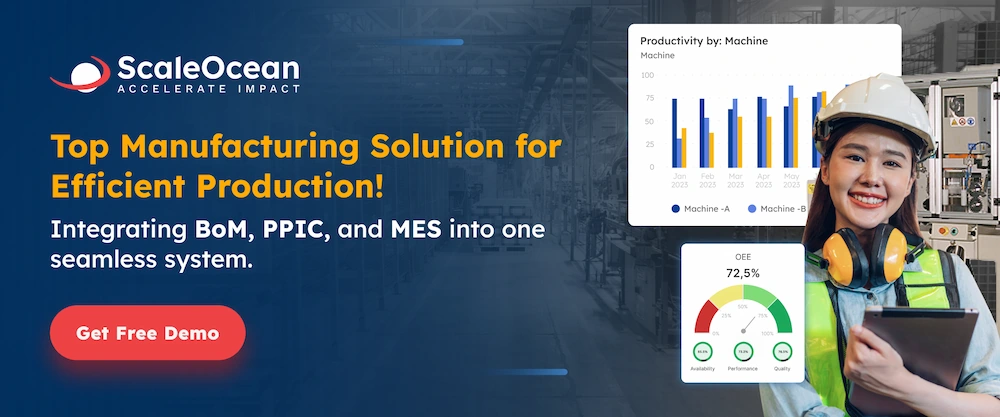
Production Planning and MRP: Helps plan production schedules, material requirements, and manufacturing orders based on demand and inventory.
Accounting and Financial Reporting: Connects manufacturing transactions with accounting data for financial tracking and reporting.
Quality Control Management: Supports inspections and quality checks throughout the production process to maintain consistent standards.
Pros
Cons
Integrates manufacturing with inventory, warehouse, procurement, accounting, sales, and other business processes.
Includes production planning, BOM, MRP, and manufacturing cost management.
Uses ScaleMind AI to support data-driven manufacturing decisions.
May be more suitable for businesses looking for an integrated ERP rather than standalone accounting software.
ScaleOcean Atlas Pricing: Pricing is quote-based and depends on the modules, users, integrations, and business requirements.
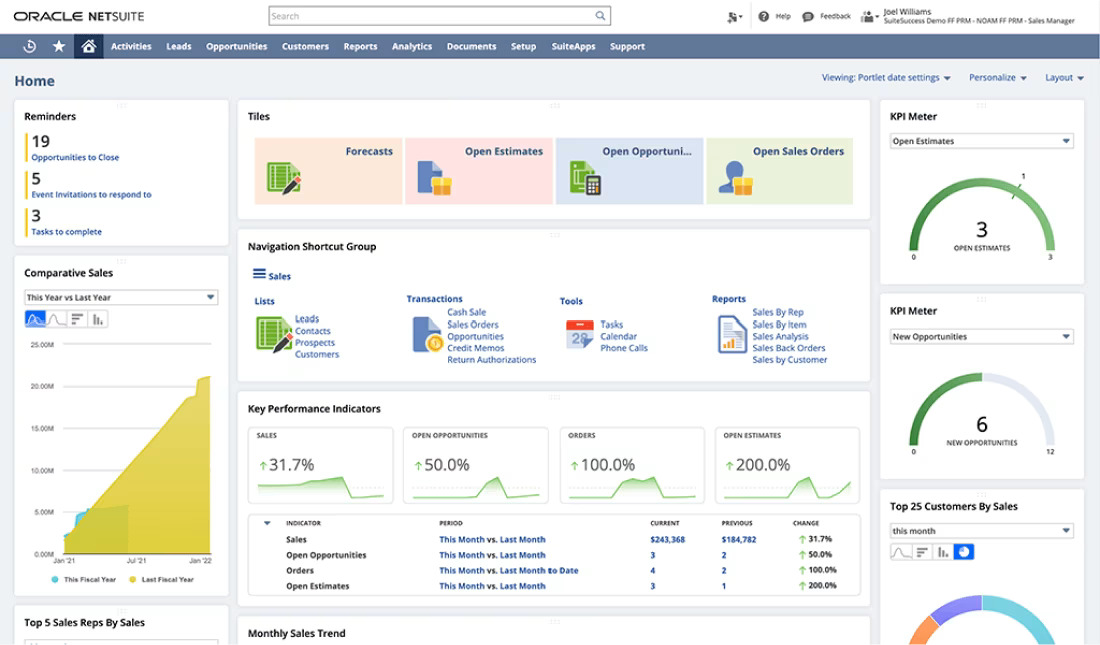
Oracle NetSuite is a cloud ERP platform that combines financial management with inventory, procurement, order management, and other business processes. Its accounting capabilities include general ledger, accounts payable, accounts receivable, and financial reporting.
For manufacturers, NetSuite can connect financial information with inventory, purchasing, order fulfillment, and supply chain activities. This makes it useful for businesses that need centralized financial data across multiple locations or growing operations. Here are the key features of Oracle NetSuite:
Financial Management: Manages accounting, financial reporting, and business transactions.
Manufacturing Management: Supports production planning, work orders, and manufacturing processes.
BOM and Costing: Helps manage bills of materials and manufacturing costs.
Pros
Cons
Combines accounting with inventory, procurement, and supply chain management.
Supports multi-entity and multi-location financial management.
The broader ERP functionality can be more than smaller manufacturers need.
Oracle NetSuite Pricing: Pricing is quote-based and depends on the required modules, users, configuration, and implementation.
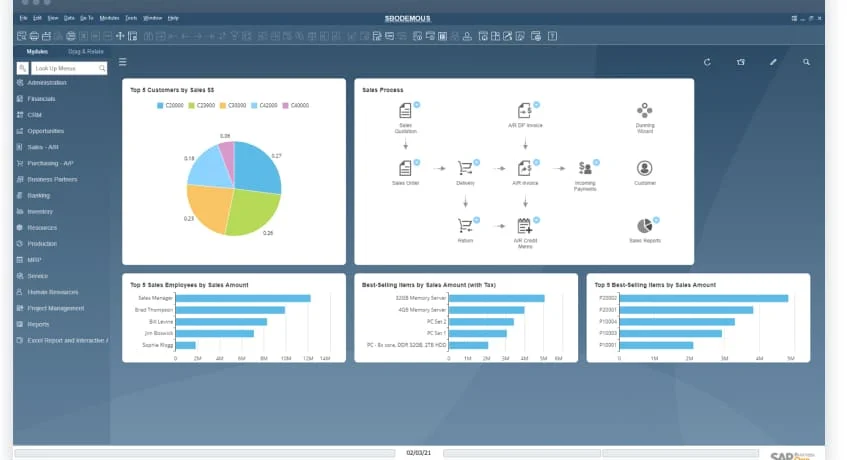
SAP Business One is an ERP solution designed for small and midsize businesses, covering accounting, purchasing, inventory, sales, and production management.
Manufacturers can use the platform to connect financial data with production and inventory activities. This gives finance teams greater visibility into purchasing, stock, production processes, and business performance from one ERP environment. Below here are the features of SAP to maintain accounting process:
Financial Management: Handles accounting, budgeting, cash flow, and financial reporting.
Production Planning: Supports production orders, material requirements, and scheduling.
BOM Management: Defines the materials and components needed for production.
Pros
Cons
Integrates accounting, inventory, purchasing, sales, and production.
Provides financial reporting and business management tools.
Some users may need time and training to become familiar with the platform.
SAP Business One Pricing: Custom quote based on the business requirements and implementation.
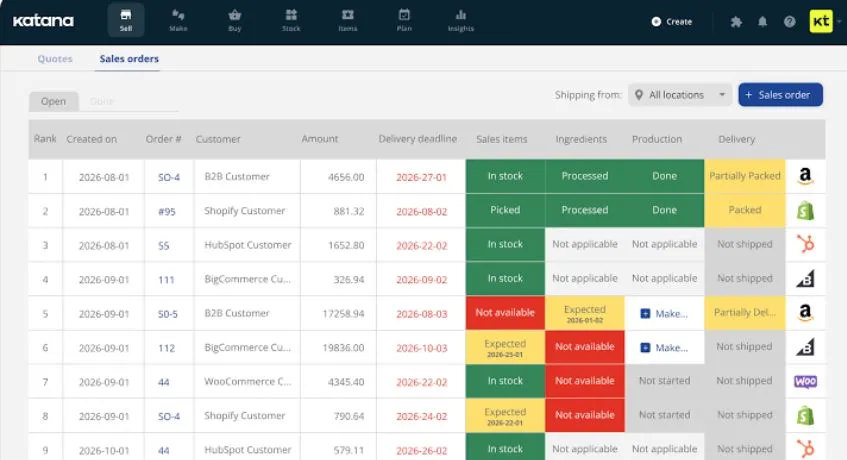
Katana is a cloud manufacturing platform focused on production, inventory, purchasing, and order management. It also connects with accounting applications, allowing manufacturers to synchronize operational and financial information.
For manufacturers that already have an accounting system, Katana can provide stronger visibility into material consumption, production orders, stock levels, and manufacturing activities. This makes it particularly relevant for smaller and growing manufacturers that need dedicated production management. The key features are:
Real-Time Inventory: Provides visibility into raw materials, WIP, and finished goods.
Production Planning: Helps schedule manufacturing activities and production orders.
BOM Management: Organizes materials and components required for each product.
Manufacturing Costing: Tracks production costs to help monitor product profitability.
Pros
Cons
Provides real-time inventory and production visibility.
Integrates with accounting platforms such as Xero.
Costs can increase as usage, users, or additional requirements grow.
Katana MRP Pricing: Starts at ₱18.739,53 ($299) per month for the Core plan, based on usage. A free plan is also available.
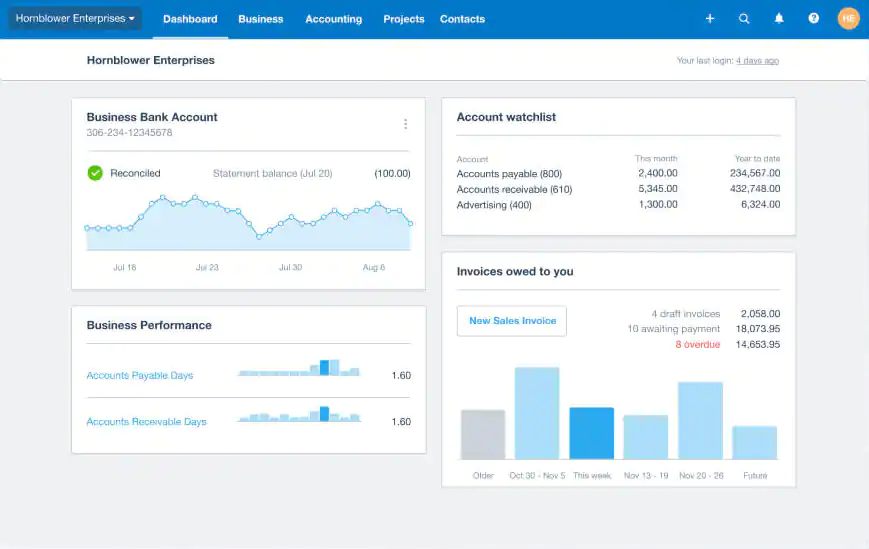
Xero is an accounting software designed for invoicing, bills, expenses, bank reconciliation, and financial reporting. Manufacturers can connect Xero with inventory and manufacturing applications to extend its operational capabilities.
For smaller manufacturers, Xero can provide a straightforward accounting foundation while connected applications handle more specialized production or inventory requirements. Its cloud access also allows financial teams to work with accounting information remotely. The key features of managing accounting from Xero are:
Invoicing: Creates and manages customer invoices and payments.
Bank Reconciliation: Matches bank transactions with accounting records.
Financial Reporting: Provides reports for monitoring business performance and finances.
Pros
Cons
Provides accessible cloud-based accounting.
Includes invoicing, bank reconciliation, and financial reporting.
Advanced manufacturing functions generally require integrations.
Xero Pricing: Starts at ₱1.566,31 ($25) per month for the Starter plan, and higher plans available.
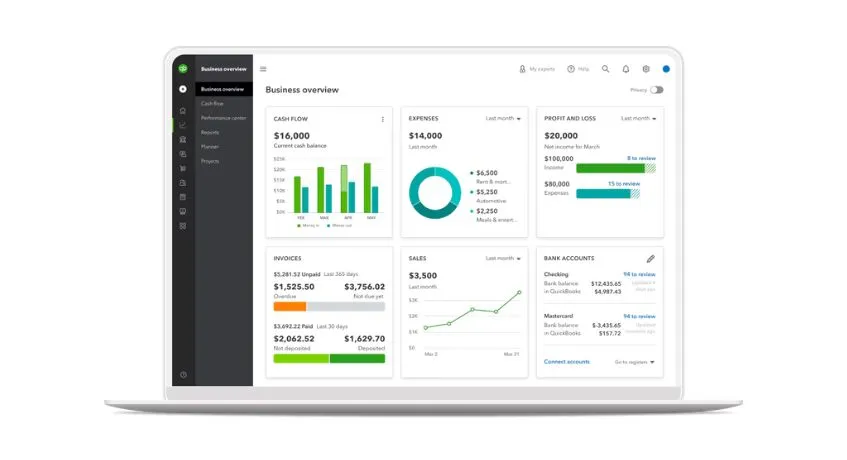
QuickBooks Online is one of the accounting software for manufacturing companies that known in the industry. It provides invoicing management, expenses, accounts payable and receivable, inventory, and financial reporting. It can also connect with third-party applications to expand its manufacturing capabilities.
Moreover, QuickBooks Online can handle core financial management while integrated tools manage production and inventory. This setup may be practical for businesses that already use QuickBooks and want to gradually add manufacturing functionality. The key features are:
Accounting: Records income, expenses, and other financial transactions.
Invoicing: Creates invoices and tracks customer payments.
Expense Tracking: Organizes business expenses and supporting records.
Financial Reporting: Generates reports for cash flow, profit and loss, and other financial data.
Pros
Cons
Provides comprehensive accounting and financial reporting.
Supports inventory management on applicable plans.
Advanced manufacturing functions generally require additional applications.
QuickBooks Online Pricing: Starts at ₱2.380,34 ($38) per month for Simple Start. Plus starts at ₱7.203,66 ($115) per month and Advanced at ₱17.226,14 ($275) per month.
Microsoft Dynamics 365 offers finance and supply chain capabilities that can be configured to support manufacturing operations. Additionally, it can connect financial management with procurement, inventory, production, and supply chain processes.
One of its biggest benefits of Microsoft Dynamics 365 is its integration with Microsoft products that can help businesses that already use tools such as Microsoft 365 and Power BI. Which this software includes:
Financial Management: Connects accounting, budgeting, and financial operations.
Production Management: Supports production planning, orders, and manufacturing workflows.
Inventory Management: Tracks materials, products, and inventory movements.
Supply Chain Management: Connects purchasing, inventory, production, and distribution processes.
Pros
Cons
Connects finance with supply chain and operational processes.
Provides extensive reporting and analytics capabilities.
Its broad functionality may require more configuration and training.
Microsoft Dynamics 365 Pricing: Pricing varies by application. Starting from ₱3.131,38 ($50) per user per month for the Dynamics 365 product category.
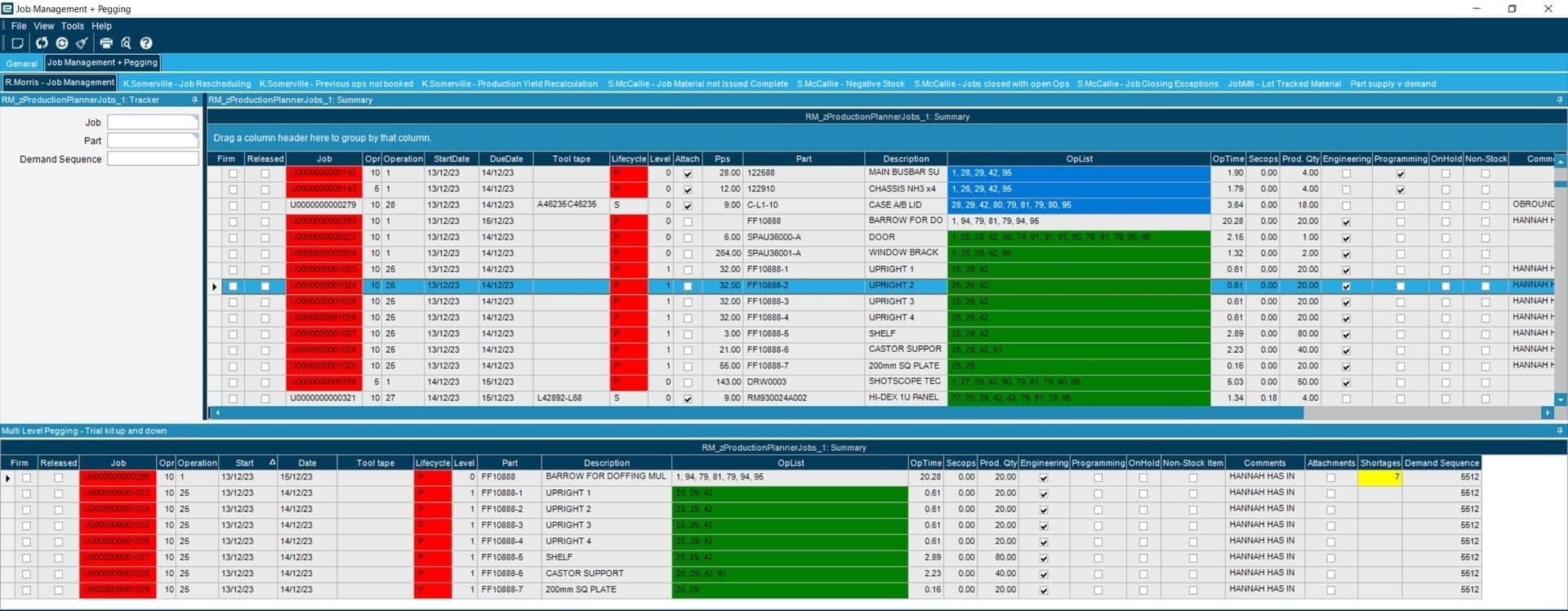
Epicor brings financial management into a broader ERP environment built around manufacturing, distribution, and other operational industries. Alongside accounting, the platform covers production, inventory, procurement, and supply chain activities.
Manufacturers can use Epicor to follow financial data across day-to-day operations, from material purchasing and production to inventory and supply chain activities. Its extensive manufacturing capabilities make it suitable for businesses with more detailed operational and reporting requirements. The key features of the accounting features are:
Production Management: Supports production orders, scheduling, and manufacturing workflows.
MRP: Helps calculate material requirements and plan production needs.
Inventory Management: Tracks materials, components, and finished goods.
Financial Management: Connects operational transactions with accounting and financial reporting.
Pros
Cons
Built with manufacturing and operational processes in mind.
Links financial data with production, inventory, and supply chain activities.
Implementation may require considerable planning and resources.
Epicor ERP Pricing: Pricing is generally quote-based and depends on modules, users, deployment, and implementation requirements.
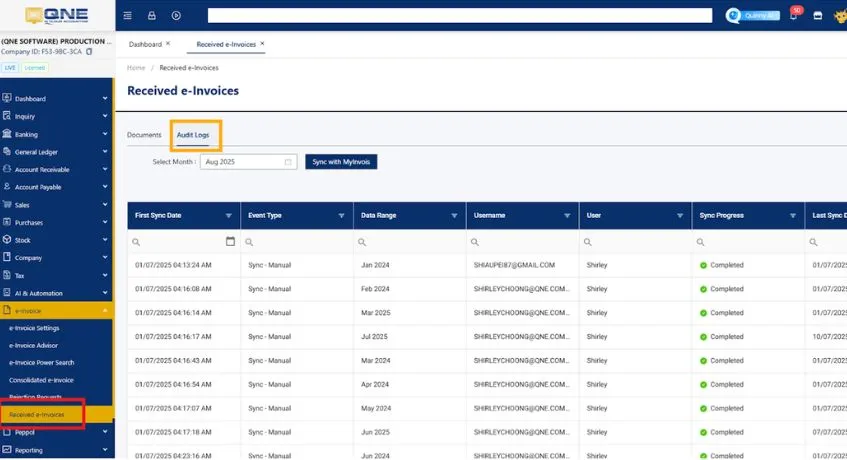
QnE Cloud Accounting, or now known as N3 AI Accounting, combines core accounting with inventory and business management tools in a cloud-based platform. It also caters to Philippine businesses with features designed around local accounting and BIR-related requirements.
Additionally, QNE can help bring financial records, inventory, purchasing, and other business activities into one system. However, companies with complex production planning or advanced manufacturing costing should assess whether its capabilities match their specific workflows. Here are the features:
Accounting Management: Handles general accounting and financial transactions.
Inventory Management: Tracks stock levels, movements, and inventory records.
BIR-Related Features: Supports accounting and reporting processes relevant to Philippine businesses.
Manufacturing Management: Provides tools for managing production-related activities.
Pros
Cons
Provides accounting and inventory tools for Philippine businesses.
Includes BIR-ready capabilities.
Advanced manufacturing requirements may need further evaluation.
QNE Cloud Accounting Pricing: Plans listed by QNE start at ₱949,60 ($15.17) per month when billed annually, with higher tiers available. Prices exclude VAT.
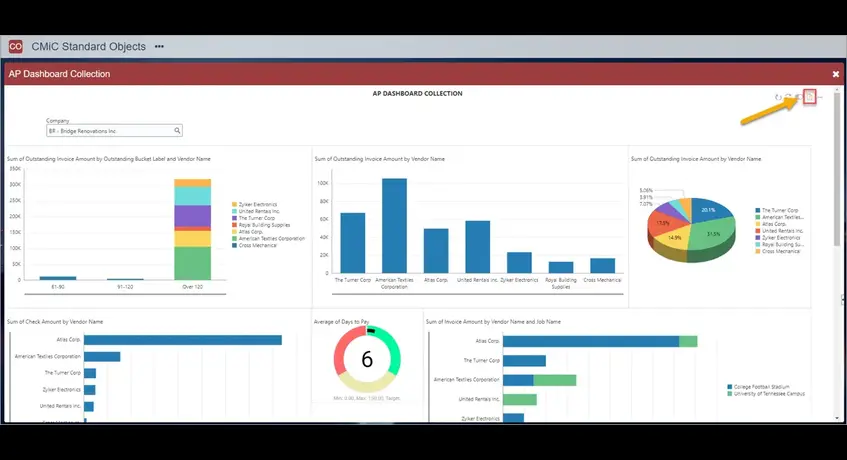
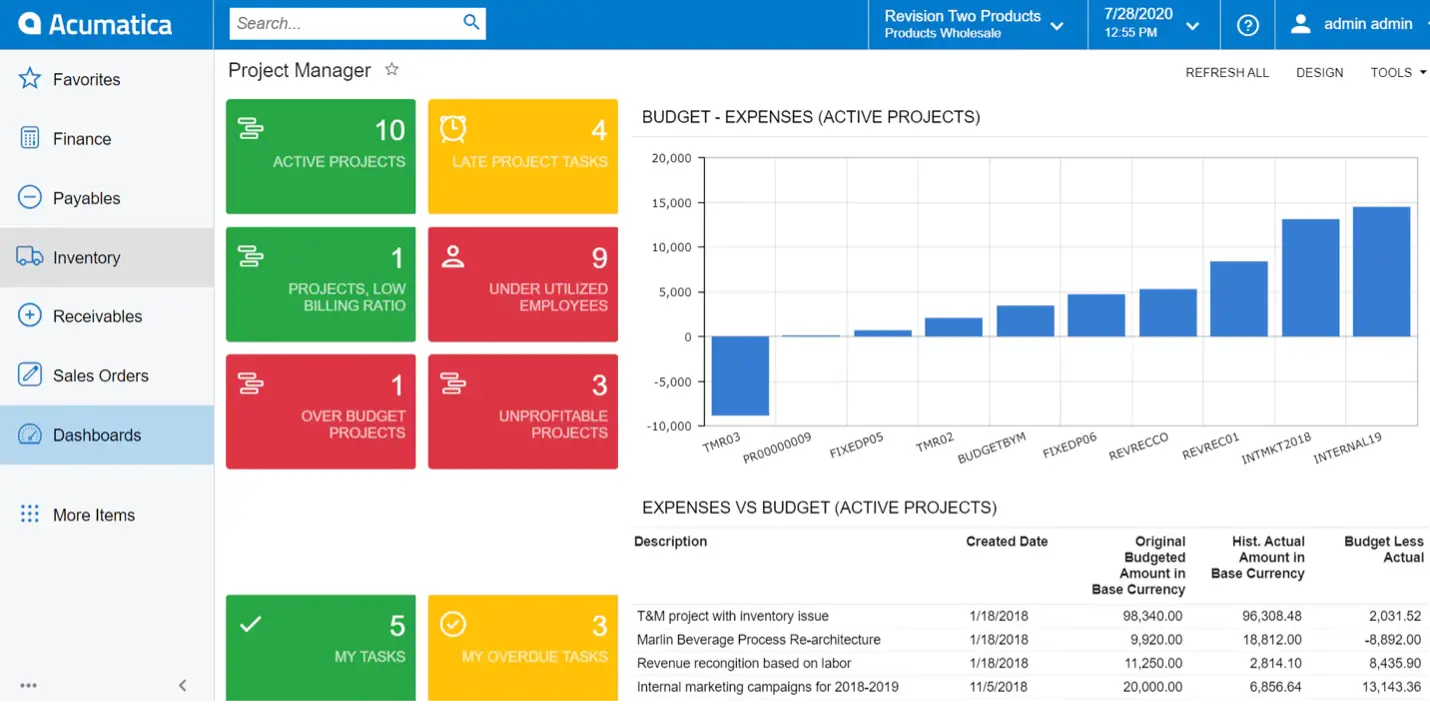
Acumatica takes a broader ERP approach by bringing financial management together with manufacturing, inventory, distribution, and other business operations. Its accounting capabilities cover areas such as expenses, billing, costs, and financial reporting.
For growing manufacturers, the platform can tie financial information to production, purchasing, inventory, and supply chain activities. Its flexible architecture also allows businesses to add applications as their operational requirements change. The key features of Acumatica are:
Financial Management: Covers accounting, accounts payable, receivables, and financial reporting.
Manufacturing Management: Supports production planning, work orders, and manufacturing processes.
Inventory Management: Tracks stock across warehouses and business locations.
Distribution Management: Connects purchasing, sales, inventory, and order fulfillment.
Pros
Cons
Connects financial management with manufacturing and inventory.
Supports unlimited users under its pricing model.
More complex configurations may require experienced support.
Acumatica Pricing: Custom pricing based on applications, usage, resource requirements, and deployment.
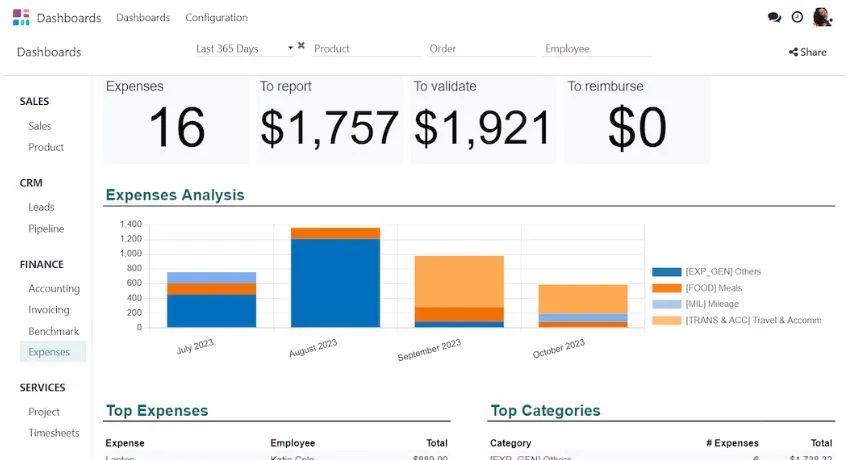
Odoo takes a modular approach to business management, with applications covering accounting, manufacturing, inventory, purchasing, sales, CRM, and other functions. Businesses can start with the applications they need and expand the system over time.
This setup makes it possible to manage accounting alongside production and inventory within the same platform. It can be particularly useful for businesses that want to gradually bring different departments into one connected system. Below here are the key features to manage accounting manufacture:
Accounting: Manages financial transactions, invoicing, and reporting.
Inventory Management: Tracks stock, warehouses, and inventory movements.
Manufacturing: Supports BOMs, production orders, and manufacturing workflows.
Purchasing: Manages suppliers, purchase orders, and procurement activities.
Pros
Cons
Brings accounting, inventory, and manufacturing together.
Offers modular applications that can expand with the business.
Customization and technical support may increase total costs.
Odoo Pricing: Starts at ₱1.946,05 ($31.10) per user per month for the Standard plan. The Custom plan starts at ₱3.817,75 ($61) per user per month.
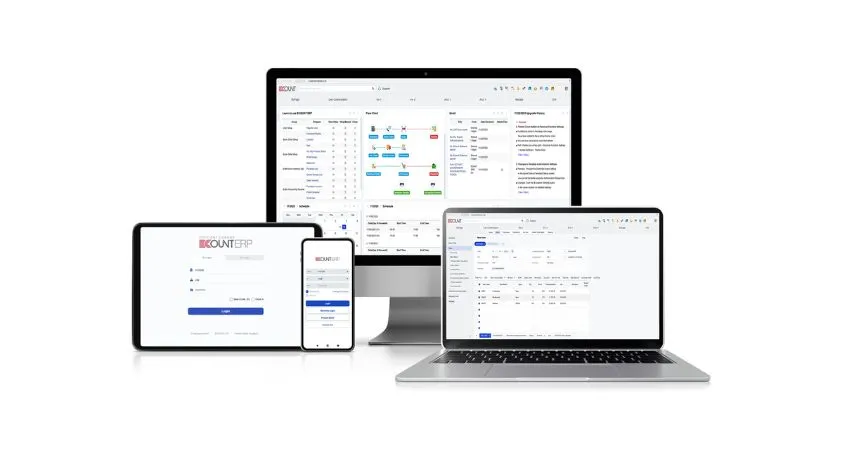
ECOUNT ERP covers several core business functions in one cloud-based system, including accounting, inventory, production, purchasing, sales, and payroll. Its modular setup allows businesses to manage multiple processes from a centralized platform.
Secondly, ECOUNT can help keep production, purchasing, inventory, and financial information connected. Its straightforward structure may appeal to businesses looking for broad ERP capabilities without managing separate systems for each function. The key features are:
Accounting: Handles bookkeeping, financial transactions, and reporting.
Inventory Management: Tracks stock levels, movements, and warehouse records.
Production Management: Supports production orders and manufacturing processes.
Purchasing: Manages suppliers, purchase orders, and material procurement.
Pros
Cons
Combines accounting with production, inventory, and purchasing.
Provides cloud access across business functions.
Uses a relatively straightforward pricing structure.
Integration options may be limited for some local requirements.
Complex manufacturers may require additional customization.
ECOUNT ERP Pricing: Starts at ₱3.441,87 ($55) per user per month according to Capterra. The plan includes accounting, inventory, manufacturing, purchasing, and other modules.
How to Choose the Best Accounting Software for Your Manufacturing Business
With many options available, comparing every feature can be overwhelming. Start by identifying the challenges your finance and production teams need the software to solve. Here are some of things to consider before implementing accounting software for manufacture:
1. Production Costing Capability
First, check whether the software can track raw materials, direct labor, machine time, and overhead down to the product level, not just at the company-wide expense level. A system that only handles general ledger entries won’t tell you whether a specific product line is profitable.
2. Inventory and BOM Integration
Look for software that connects bills of materials (BOMs) and production orders directly to your accounting records, so material consumption automatically reflects in both inventory counts and cost of goods sold, instead of requiring manual reconciliation between two systems.
3. Multi-location Support
If you operate more than one warehouse, plant, or branch, confirm the software can consolidate financial and inventory data across locations rather than forcing you to manage separate files or spreadsheets per site.
4. BIR Compliance Features
For Philippine manufacturers, the software should support current BIR invoicing and recordkeeping requirements, including the rules for Computerized Accounting Systems (CAS) and Computerized Books of Accounts (CBA) under Revenue Regulations No. 7-2024.
5. Scalability
Consider not just your current production volume, but where the business is headed. A system that works for a single product line may struggle once you add more SKUs, more users, or a second facility, migrating accounting data later is more disruptive than choosing a scalable platform upfront.
6. Ease of Use and Local Support
Complex ERP systems can come with a steep learning curve, thus you can check whether the vendor offers local training, Philippine-based customer support, and documentation in a format your finance and production teams can realistically adopt.
7. Total Cost of Ownership
Evaluate the full financial picture, including licensing, implementation, staff training, and recurring subscription or maintenance fees. Accounting for these upfront prevents hidden costs from pushing you over budget.
In Conclusion
Choosing the right accounting software for manufacturing companies requires more than comparing basic accounting features. Manufacturers should consider production costing, inventory, warehouse management, compliance, integrations, and future business growth.
For businesses with complex manufacturing operations, ScaleOcean Atlas for manufacturing brings accounting together with production, inventory, procurement, warehouse, sales, and supply chain processes in one integrated platform. Its connected approach can help teams manage operational and financial data more efficiently.
If you are looking for accounting software for the manufacturing industry that can adapt to your processes, schedule a consultation with ScaleOcean to explore the right solution for your business.
FAQ:
1. Which accounting software is best for a manufacturing company?
The best accounting software for a manufacturing business depends on your company size and specific needs. To streamline and integrate your manufacturing financial processes, schedule a consultation with ScaleOcean Atlas today.
2. What are the two types of manufacturing accounting?
The two main accounting methods are cash-basis and accrual-basis accounting. Cash basis records transactions when money changes hands, while accrual basis records revenue and expenses when they occur.
3. Is manufacturing accounting difficult?
Manufacturing accounting can be complex because it involves production costs, raw materials, WIP, finished goods, and overhead. Multiple production stages can also make cost tracking more challenging.
4. What are the different costing methods used in manufacturing?
Common manufacturing costing methods include job costing, process costing, standard costing, and activity-based costing. The appropriate method depends on the company’s production process and costing requirements.
5. What is the role of accounting in manufacturing?
Manufacturing accounting tracks production costs from raw materials to finished goods. It helps businesses monitor expenses, calculate product costs, manage inventory values, and assess profitability.












 Key Takeaways