




Construction estimating software is a digital tool designed to help contractors calculate project costs more accurate than traditional methods. It automates time-consuming tasks such as digital takeoffs, material pricing, and bid generation, consolidating into a single platform.
However, construction companies in the Philippines still find it difficult to manage cost estimation especially when handling complex projects. These challenges often lead to calculation errors, budget overruns, and delays in project execution.
This article covers everything needed to understand the best construction estimating software, from its core functions and benefits so you can manage project efficiently.
 Key Takeaways
- Construction estimating software is an automatic system for calculating construction project from bid proposals to financial reports.
- The primary benefits of construction software are to boost efficiency, improved bid accuracy, and enhanced team collaboration.
- ScaleOcean Atlas for Construction Estimating can help improve cost estimation accuracy, budgeting, and bidding processes for more efficient construction project management.

What is Construction Estimating Software?
Construction estimating software is a digital tool that simplifies the process of calculating construction project costs. It helps reduce the time required for estimating material and labor costs, as well as creating project bids. The system also helps minimize manual and repetitive work processes.
The software acts as a central system for managing estimating data during the pre-construction. Therefore, its features purposedly created to help contractors minimize errors, improve accuracy, and create more competitive yet profitable bids.
In addition, it combines different estimating functions into one system. Task like material lists, labor rates, and subcontractor can all be managed in a single platform. It is of course giving contractors a clearer view of project costs.
How Does Construction Estimation Software Benefit You?
Construction estimating software offers benefits for projects to finish faster and more efficiently. Tasks that usually take hours or days can be completed more quickly. This allows construction companies to handle more projects and improve productivity.
A recent study in IJFMR finding that a web-based construction estimating system was rated as highly convenient and time-saving. Additionally, this study also shows that manual calculations are prone to error, and even tools like Microsoft Excel have been found to achieve only around 70% accuracy.
As a result, the software helps reduce human errors in estimating materials, labor, and equipment costs. Thus, contractors companies in the Philippines can adopt this systems to create more reliable budgets and avoid underestimating expenses that may reduce profitability.
Why Philippine Construction Cost Benchmarks Matter
Based on data from the Philippine Statistics Authority (PSA), the average construction cost per square meter in the Philippines reached ₱11,863.90 nationwide in 2025, up slightly from ₱11,822.14 per square meter in 2024.
This steady increase shows how quickly material and labor costs shift in the local market, which means a manual estimate can already be outdated by the time a project breaks ground.
Estimating software that lets contractors update cost databases in real time helps close this gap, keeping bids aligned with current market conditions instead of last year’s prices.
For example, a contractor estimating a 150-square-meter residential build using the 2025 national average would start with a baseline of roughly ₱1.78 million (150 sqm × ₱11,863.90).
From there, the estimate still needs to be adjusted for project-specific factors such as location, finish quality, and site accessibility, since national averages only serve as a starting benchmark rather than a fixed price.
Therefore, estimating software simplifies this step by letting contractors plug in the base rate, then automatically apply markups for materials, labor, and subcontractor costs specific to the project, instead of recalculating each adjustment manually.
Some Key Features You Need in an Estimating Software
When choosing the best construction estimating software, it’s important to focus on features that directly improve your workflow, accuracy, and output quality. Here are the key features to look for:
- Digital Takeoff Tool: Allows you to upload blueprints and measure dimensions, count items, and calculate areas directly on your screen, eliminating a lot of time-consuming manual work.
- Customizable Cost Database: Stores all your pricing for materials, labor, and equipment in one place. Good software lets you update costs easily, import supplier price lists, and adjust rates per project for more accurate and flexible estimates.
- Reporting and Proposal Generation: Converts all your calculated data into a professional, client-ready document quickly, ensuring your proposals are always clear, detailed, and well-presented.
How to Choose the Best Software for You?
The first thing to do when choosing the best software for construction project is identifying specific business needs. This context had to consider the project scale, such as is it for small residential or large commercial buildings. It determines the features that matter the most for project progress.
Choosing the right construction management software can help contractors improve project efficiency, reduce manual work, and maintain better control over costs and schedules. Since every construction business has different operational needs, it is important to evaluate the software carefully before making a decision. Here are some tips to help you choose the right solution:
- Identify your business needs first: It is to determine whether the software will be used for small residential projects or large commercial construction. Project scale usually affects the features you need the most.
- Review the core features offered: Second, check whether the software can support important tasks such as project management, cost estimation, scheduling, budgeting, and reporting.
- Consider scalability for future growth: After that, choose software that can adapt as your business expands and project demands become more complex.
- Evaluate integration capabilities: Therefore you should consider integration capabilities. Software that integrates accounting, project tracking, and reporting into one platform can provide a more centralized of project progress.
- Look for ease of use and collaboration: User-friendly software can help teams adopt the system faster and improve communication between field and office teams.
- Compare pricing and implementation support: Besides subscription costs, consider training, customer support, and implementation assistance to.
Top 10 Best Construction Estimating Software
There are a lot of software in the markets, each software offers different strengths features. To help simplify your selection process, we have compiled a list of the top 10 construction estimating software solutions.
It is important to note that this list is not ranked from best to worst. It is the most suitable software depends on your company’s specific requirements and project scale. The list includes both comprehensive ERP systems and specialized estimating platforms.
| Software | Key Strength | Best For |
|---|---|---|
|
ScaleOcean Atlas |
Streamlines construction estimating while connecting project, financial, procurement, and resource management |
Construction companies with complex workflows and multiple operational needs |
|
ProEst |
Cloud-based estimating with digital takeoffs, bid management, and reporting |
Commercial contractors and estimating teams |
|
STACK |
Fast digital takeoffs and real-time collaboration for estimating and proposals |
Subcontractors and construction teams focused on accurate takeoffs |
|
Procore Estimation Software |
Integrated estimating, budgeting, project management, and financial tracking |
Large-scale commercial construction companies |
|
Sage Estimating |
Detailed cost database and flexible estimating capabilities |
Contractors managing large and complex construction projects |
|
Quickbase |
Highly customizable workflows through a low-code platform |
Construction companies needing tailored estimating and project management workflows |
|
Estimator360 |
Combines estimating, scheduling, invoicing, and project tracking |
Residential builders and remodelers |
|
Buildxact |
Simple estimating, digital takeoffs, scheduling, and job management |
Small contractors, residential builders, and remodelers |
|
Xactimate Estimation |
Industry-standard restoration pricing database and insurance claim estimating |
Insurance restoration contractors handling fire, water, and storm damage projects |
|
PlanSwift Estimating Software |
Fast point-and-click digital takeoffs with Excel integration |
Contractors needing quick quantity takeoffs and cost estimates |
1. ScaleOcean Atlas for Construction Estimating Software
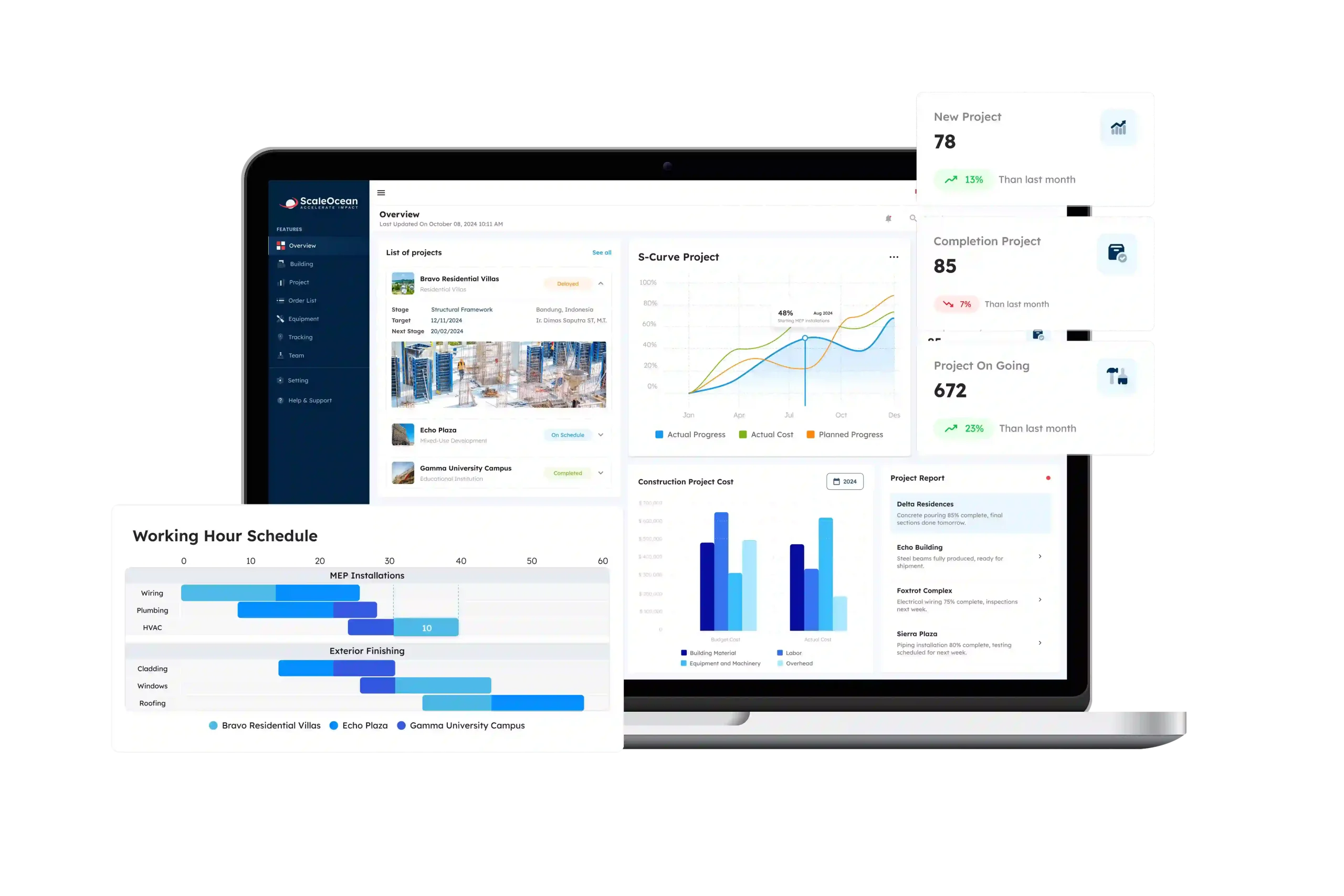
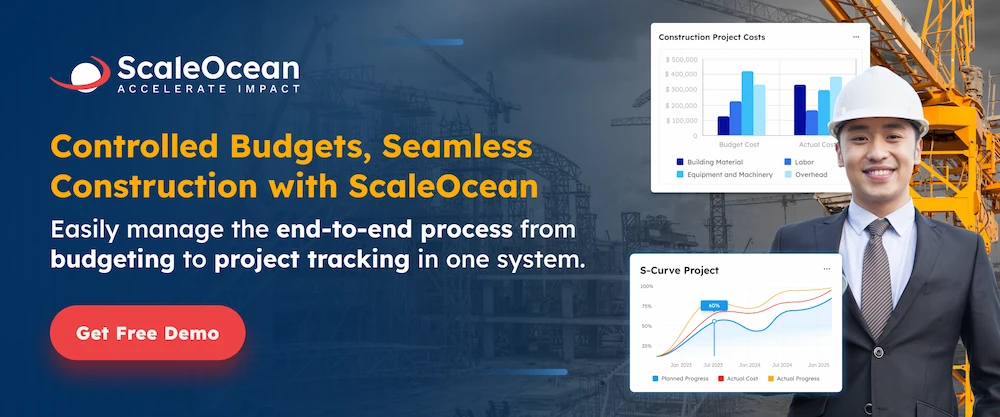
ScaleOcean Atlas for Construction Estimating is one of the best cloud-based construction estimating and ERP software designed to help construction companies. It helps construction companies manage project estimation and project operations more efficiently. The system is designed to simplify complex construction workflows while improving project visibility, cost control, and operational efficiency.
One of ScaleOcean Atlas’s advantages is its integrated construction ERP system. The software connects estimating processes with project management, accounting, procurement, resource management, and budgeting. These features allow construction companies to manage projects more efficiently within one centralized platform.
Companies can also schedule consultation before implementation to better understand how ScaleOcean Atlas can support their construction projects. Some of its key features include:
- Tender and Project Management: ScaleOcean Atlas helps manage project bidding, budgeting, and project execution in one centralized system.
- Construction Cost Estimation: Also, it supports accurate project estimation with integrated budgeting and cost tracking features.
- Real-Time Budget and Progress Tracking: Monitors project costs, expenses, and milestones to improve financial visibility.
- Automated Procurement: Simplifies purchasing processes for materials and equipment to reduce operational delays.
- Resource Management: Helps optimize labor and equipment allocation across multiple projects.
- Integrated ERP System: Connects estimating, accounting, procurement, asset management, and project operations within one platform.
- Cloud-Based Accessibility: Allows teams to access project and financial data anytime and from anywhere.
| Pros | Cons |
|---|---|
|
|
- Pricing ScaleOcean Atlas: Final pricing depends on the solution and project requirements; contact the ScaleOcean team for more pricing information.
- Rating Capterra ScaleOcean Atlas: 5.0/5
2. ProEst
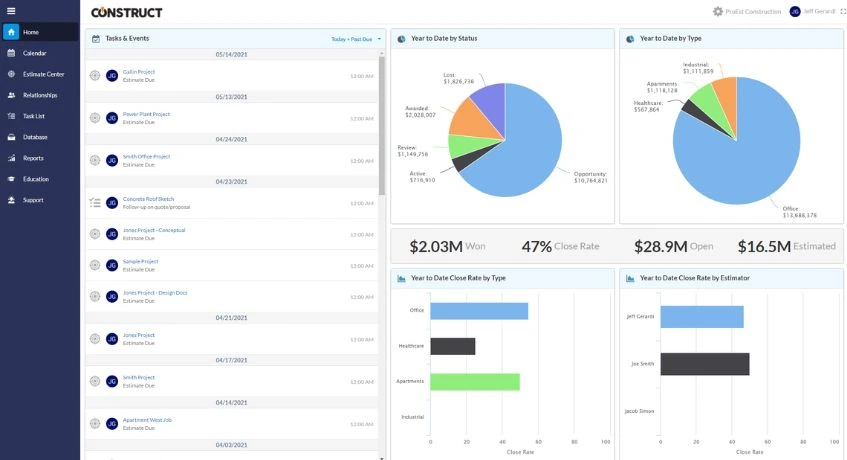
The second platform is called PorEst. It is a cloud-based construction estimating software designed to help contractors simplify pre-construction phase. Usually, the platform is used by commercial contractors.
Additionally, ProEst offers user-friendly appearance and digital takeoff capabilities. Thus, it allows contractors to create early-stage cost estimates even with limited project information. This helps businesses preparing budget planning and improve bidding processes for upcoming projects.
In addition, ProEst supports integration with several construction management platforms, making it easier for teams to connect estimating data. Here are some of its features:
- Software Integration: Connects with other construction management and accounting systems for better workflow management.
- Reporting and Analytics: Provides project estimation reports and cost analysis to support decision-making.
- Bid Management: Also this software helps create and organize project bids more efficiently.
| Pros | Cons |
|---|---|
|
|
- Pricing ProEst: Pricing is available upon request from the vendor.
- Rating Capterra ProEst: 3.9/5
3. STACK
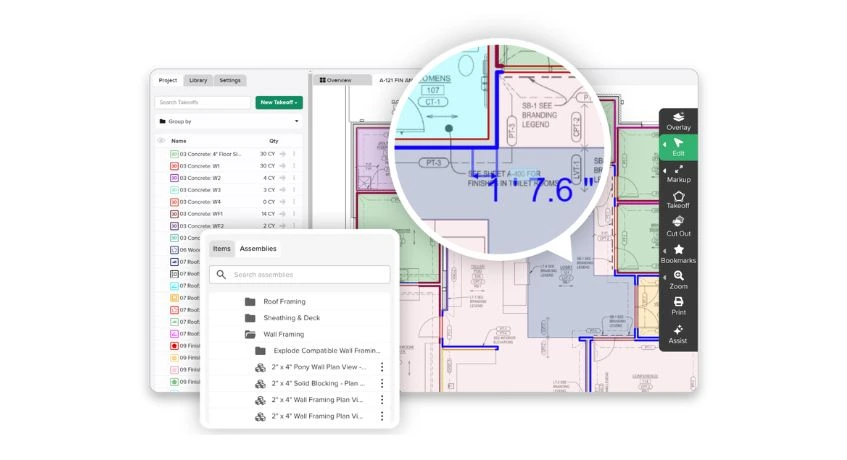
The third platform is mostly used by subcontractors for estimating construction costs, and it is STACK. The system has user friendly interface with cloud-base systems. With these, STACK helps improving estimation accuracy and team collaboration.
Therefore, STACK offers real-time collaboration, which is allowing teams to work on the same project simultaneously. The software also helps contractors create estimates and proposals directly from digital takeoffs.
- Digital Takeoff Tools: One of the befits of STACK is performs fast and accurate quantity takeoffs from digital blueprints.
- Cloud-Based Collaboration: Also, since it is cloud-cased systems, it allows teams to collaborate on project plans in real time.
- Estimate and Proposal Creation: In addition, it helps generate project estimates and client proposals directly from takeoff data.
| Pros | Cons |
|---|---|
|
|
- Pricing STACK: Starts at ₱162.405,01($2,599)/year, flat rate.
- Rating Capterra STACK: 4.5/5.
4. ProCore Estimation Software
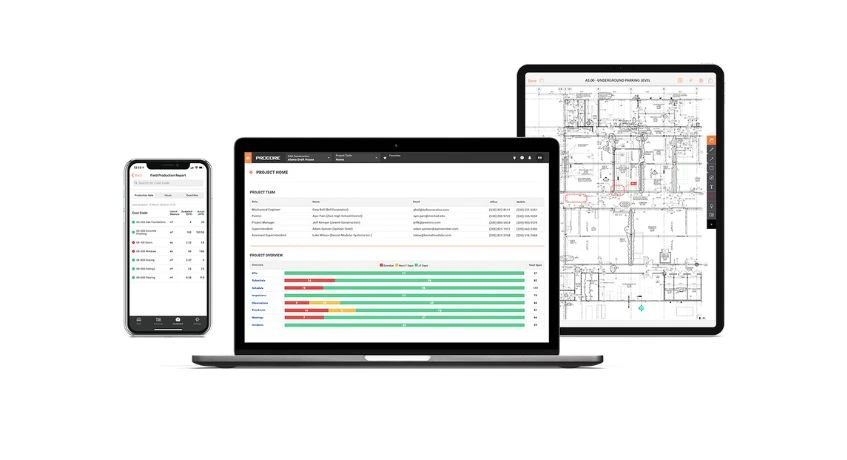
The next software provides integrated systems for construction project. ProCore is a tool that help construction project within one dashboard. The platform is commonly used for large-scale construction projects because of its centralized project management capabilities.
Moreover, one of ProCore’s benefits is its integration between estimating, budgeting, project management, and financial tracking. Furthermore, it helps construction companies reduce manual data entry and maintain project cost visibility.
- Integrated Estimating Tools: The benefit if this system is integration feature. ProCore connects estimating processes with across divisions.
- Budget Tracking: It also helps monitor project budgets and expenses in real time.
- Change Order Management: In addition it simplifies change order tracking and approval processes.
| Pros | Cons |
|---|---|
|
|
- Pricing Procore: Final pricing depends on business requirements, you can contact Procore team for further discussions.
- Rating Capterra Procore: 4.5/5.
5. Sage Estimating
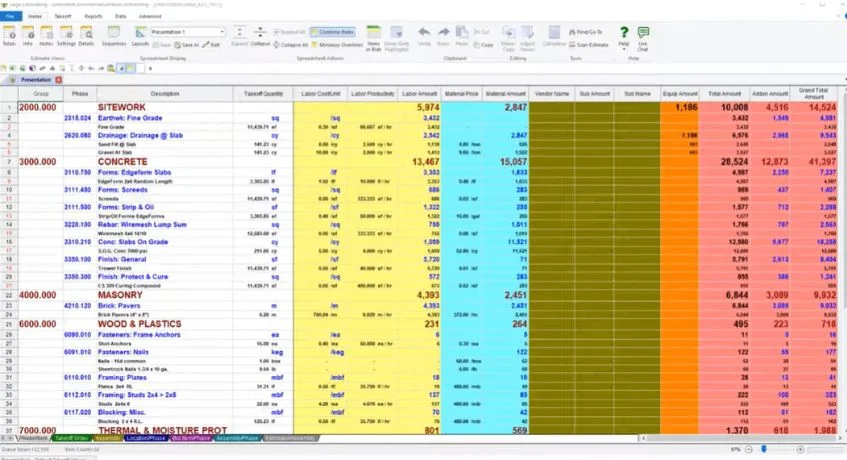
Sage Estimating is a construction software designed to help contractors create detailed and accurate cost estimates. The platform is recognized for its flexible cost database and estimating capabilities.
Sage Estimating support estimation calculation and database features. Additionally, this makes it suitable for construction companies handling large-scale projects that require precise budgeting and cost control. Here are the features within Sage systems:
- Detailed Cost Database: Sage has the ability to stores material, labor, and equipment cost data for accurate estimation.
- Customizable Estimating Tools: It as well allows contractors to create flexible and detailed project estimates.
- Reporting and Analytics: Therefore, it provides financial and project cost reports for better decision-making.
| Pros | Cons |
|---|---|
|
|
- Pricing Sage Estimating: Pricing is available upon request from the vendor; contact Sage team for pricing details.
6. QuickBase
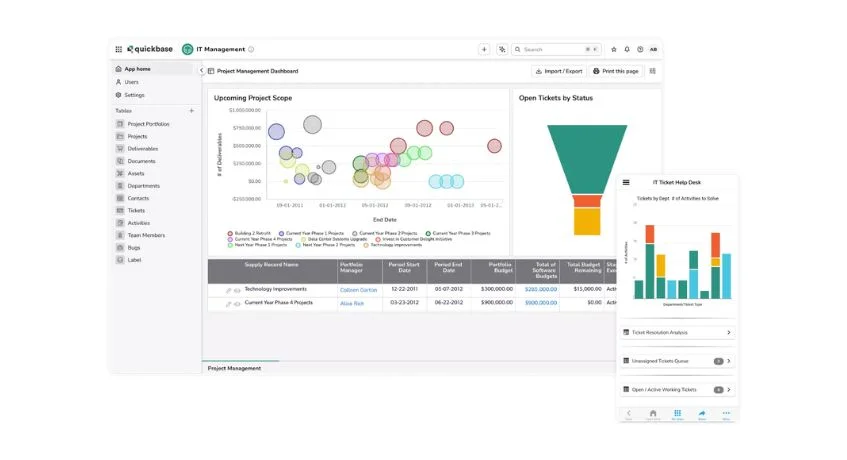
QuickBase is a low-code platform that allows businesses to create customized construction estimating and project management. Unlike traditional estimating software, QuickBase offers flexibility for businesses that require tailored workflows.
QuickBase has customization capability, so business can adjust the features that they want to use. Therefore, construction companies can build estimating systems that align with their internal processes, project requirements, and reporting needs.
- Custom Workflow Development: Allows businesses to create tailored estimating and project management systems.
- Low-Code Platform: Simplifies application development without requiring advanced coding skills.
- Team Collaboration: Supports communication and workflow coordination across departments.
| Pros | Cons |
|---|---|
|
|
- Pricing Quickbase: Starts at ₱2.187,06 ($35)/user/month.
- Rating Capterra Quickbase: 4.4/5.
7. Estimator360
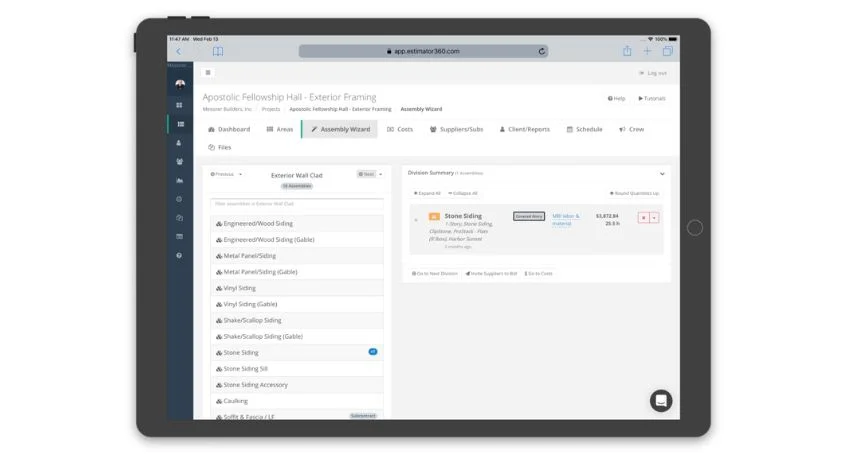
Estimator360 is a cloud-based estimating and project management software designed mainly for residential builders and remodelers. The platform helps contractors manage estimating, scheduling, invoicing, and project tracking within one system.
Also, Estimator360 helps generate project schedules and payment schedules directly from estimates. Thus, this feature helps contractors improve project planning and financial management. Some of its key features include:
- Residential Project Estimation: Supports budgeting and cost estimation for residential construction projects.
- Cloud-Based Accessibility: Allows users to access project data remotely.
- Payment Scheduling: Helps manage payment plans and invoicing processes.
| Pros | Cons |
|---|---|
|
|
- Pricing Estimator360: Starts at ₱16.809,14 ($269)/month for the Professional plan; an Enterprise plan is available with custom pricing.
- Rating Capterra Estimator360: 4.7/5
8. Buildxact
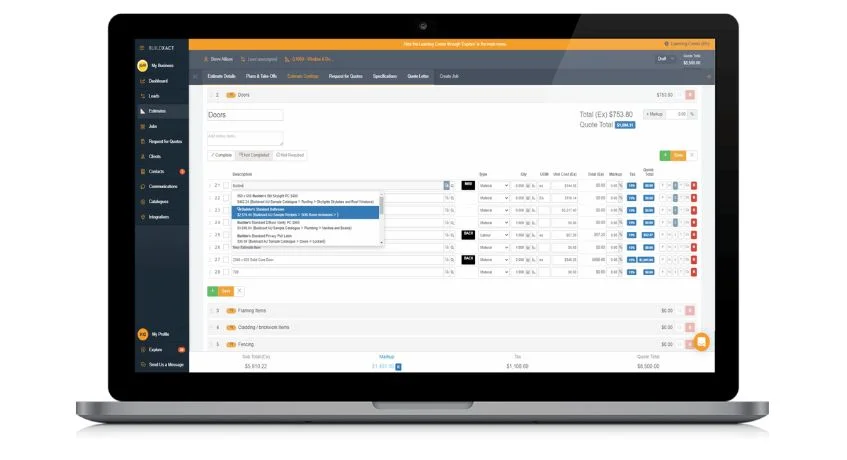
Buildxact is a job management software designed for residential builders, remodelers, and small contractors. The platform combines estimating, takeoffs, scheduling, and job management in one easy-to-use system.
Therefore, Buildxact offers simple and intuitive interface, so it is suitable for businesses that do not have estimating teams. The software as well helps simplify construction workflows from quoting to invoicing.
- Digital Takeoff Tools: Helps contractors measure quantities directly from plans.
- Estimating and Quoting: Supports project cost estimation and client quotation creation.
- Job Scheduling: Helps manage project timelines and task scheduling.
- Material Ordering: Simplifies purchasing and material management processes.
| Pros | Cons |
|---|---|
|
|
- Pricing Buildxact: Starts at ₱12.435,01 ($199)/month for the Foundation plan.
- Rating Capterra Buildxact: 4.6/5.
9. Xactimate Estimation
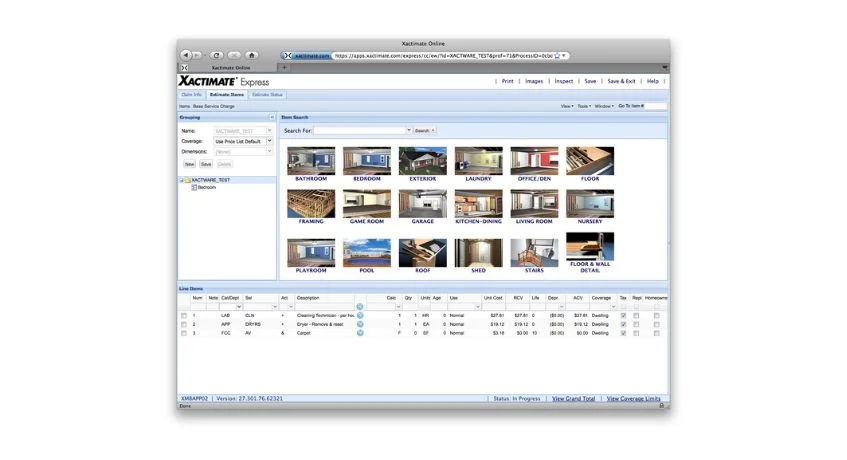
Xactimate is a specialized estimating software designed for the insurance restoration industry. The platform function to estimating property damage projects that related to fire, water, storms, and other restoration work.
Xactimate systems is industry-standard pricing database, which is commonly accepted by insurance companies. This feature make contractors create more standardized and restoration estimates easily.
- Restoration Cost Database: Provides updated pricing data for restoration projects.
- Insurance Claim Estimation: Supports estimating processes for insurance-related construction work.
- Digital Sketching Tools: Helps create property layouts and damage assessments.
Project Reporting: Generates restoration cost reports and claim documentation.
| Pros | Cons |
|---|---|
|
|
- Pricing Xactimate: Starts at ₱21.870,62 ($350)/month for Xactimate Pro.
- Rating Capterra Xactimate: 4.0/5.
10. PlanSwift Estimating Software
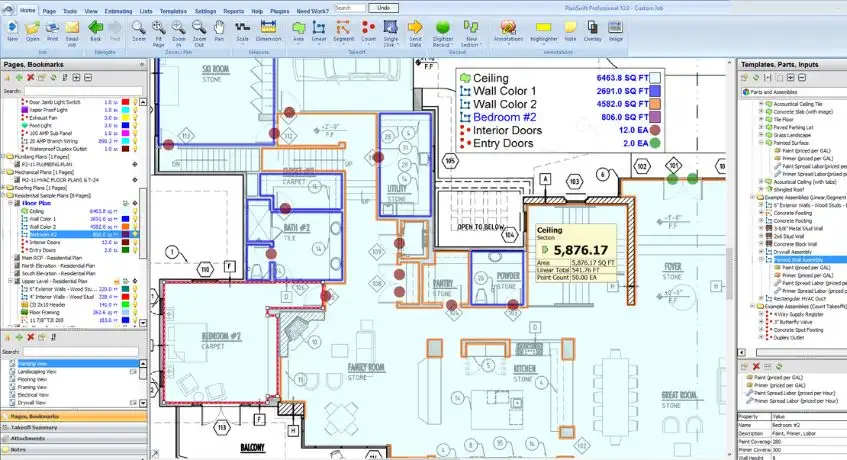
PlanSwift is a construction takeoff and estimating software designed to help contractors perform faster. The platform offers simple process of point-and-click takeoff and integration capabilities.
Additionally, PlanSwift gives speed and ease of use for contractor companies. Contractors can quickly measure quantities from digital plans and convert takeoff data into project estimates more efficiently.
- Digital Takeoff Tools: PlanSwift performs quantity takeoffs directly from digital blueprints.
- Point-and-Click Interface: The software simplifies measurement and estimating processes.
- Estimate Creation: Converts takeoff data into project cost estimates.
- Excel Integration: Connects with Excel and other estimating software.
| Pros | Cons |
|---|---|
|
|
- Pricing PlanSwift: Starts at ₱124.975,00 ($2,000)/year for the Professional plan.
- Rating Capterra PlanSwift: 4.3/5.
Conclusion
Construction estimating software is created to improve the calculation of cost estimation and manage project more efficiently. With features within the systems like; digital takeoffs, budget tracking, and project management, companies can reduce errors usually arise while inputting the data manually.
Additionally, companies must be careful while choosing the right software. The things that must be considers are business sizes, project complexity, and integrations capability. It is because some companies may require a complete ERP system, while others may only need some tools. Thus, it is important to select software that fits long-term business goals or pangmatagalang paglago ng negosyo.
For businesses looking for a solution, software like ScaleOcean Atlas for Construction ERP can help improve estimating, budgeting, procurement, and project management within one platform. This integration has significant impact on project visibility, cost control, and operational efficiency of projects.
With these advantages, projects can run more efficiently and reduce double costing. Therefore, companies can also schedule a consultation to better understand how ScaleOcean Atlas can support your construction operations and long-term business growth.
FAQ:
1. What is the best construction estimate software?
The best construction estimating software depends on your business needs and project size. A good solution should help improve cost accuracy, automate takeoffs, and speed up the bidding process.
2. What does construction estimating software do?
Construction estimating software helps contractors prepare cost calculations, create project bids, and estimate expenses more efficiently before the construction process starts.
3. Is Excel an estimating software?
Excel can be used for basic estimating tasks, especially for smaller projects. However, for more complex construction estimates, specialized software offers better accuracy, faster calculations, and easier collaboration between teams.


















.png)