
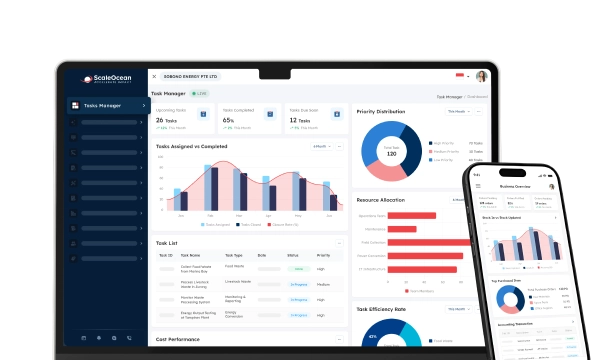

Invoicing Software is the perfect solution for creating, sending, and handling invoices. It simplifies the billing procedure, keeps an eye on payments, and decreases billing mistakes, which leads to more precise payments. It simplifies billing, keeps a record of payments, and minimises billing mistakes to provide higher payment accuracy.
But as much as the drive for paperless operations, Singapore Business Review, which surveyed 400 professionals in the operations, business planning, accounting, and finance roles, found that there was significant pain when it came to invoice processing.
The survey revealed that 52.8% of workers continue to print the electronic versions of their company’s invoices, and 66.3% scan out paper copies of their company’s invoices to convert them to digital format. Additionally, almost 80% said they were eager to go paperless with their invoices, underscoring the need for a streamlined digital solution for invoicing.
For businesses operating in the Southeast Asian hub of Singapore, the decision to invest in invoicing software is not something to take lightly, so the following article lists 15 of the best invoicing software options available for businesses that can improve efficiency, streamline compliance, and help businesses thrive in the digital world of Singapore.
 Key Takeaways
- An invoice solution can assist companies in automating their invoicing procedures, monitoring payments, and producing financial reporting.
- The advantages of invoicing software include improved cash flow, enhanced financial accuracy, compliance support, and seamless integration with accounting tools.
- Top invoicing software includes ScaleOcean, Xero Invoice, QuickBooks, Sage, NetSuite, FreshBooks, Zoho, Wave, Square Invoices, and more.
- ScaleOcean invoicing system is one of the vendor that helps businesses streamline their billing processes and ensure compliance with relevant regulations.

What Is Invoicing Software?
Invoicing software is a digital solution that automates the creation, distribution, and management of invoices, including those related to blanket orders. It helps companies track payments, manage accounts receivable, and generate financial reports efficiently.
By reducing manual tasks and minimizing errors, e-invoicing software improves cash flow management and enhances overall financial accuracy. For businesses in Singapore, invoicing software is particularly crucial due to the country’s strong regulatory environment and fast-paced business ecosystem.
With the Goods and Services Tax (GST) system, companies need to issue IRAS tax invoice-compliant invoices accurately and promptly. Additionally, as Singapore encourages digital transformation, e-invoicing adoption under the Peppol framework is growing, making automated invoicing solutions and the best tax software increasingly important.
Advantages of Using Invoicing Software
Companies can also profit from invoice billing software, which automates the billing procedure, gets rid of mistakes, and improves their cash flow management. Below are the key advantages of using this software and how it can benefit businesses.
1. Automated Billing Process
Quotation letter software streamlines repetitive tasks, such as creating invoices and sending payment reminders, and data entry. Automation of these tasks can help save precious time and administrative load for businesses. This also can help cut down on any potential mistakes and ensure invoices are on time and right.
2. Increased Accuracy in Financial Transactions
Tax, currency conversion, discount, and any financial metrics can be automatically handled by this software, which helps in minimizing the chances of making mistakes in calculations.
Double-entry accounting systems ensure that financial norms and regulations are followed and that financial documentation is more accurate. Invoicing products is more likely to be accurately completed, which clients are more likely to trust, when it is done properly.
3. Optimized Cash Flow Management
In real-time payments tracking, businesses can easily track and keep a watchful eye on the payment status of their invoices and overdue Accounts Receivable (AR). Automated reminders make it less likely that payments will be missed, reducing cash flow issues. An effective invoice approval workflow software aids companies in staying economically sound and ready for upcoming growth.
4. Improved Client Interaction
Clients have access to a dedicated online portal to view their invoices, make payments, and view their billing history. This transparency makes the payment procedure easy and enhances customer satisfaction.
One should be aware of the difference between an invoice and a receipt since it is essential that they have different roles in the transaction process. The value of speed and simplicity of transactions to grow client trust and connections.
5. Actionable Financial Insights
Comprehensive reports and analytics provide businesses with a clear overview of revenue, pending payments, and financial trends. These insights support informed decision-making and help forecast future business performance. Real-time financial data allows businesses to identify areas for improvement and growth opportunities.
6. Effortless System Integration
This best accounting software seamlessly connects with accounting tools, project management systems, and CRM platforms. This integration eliminates redundant data entry and ensures consistency across financial records. A well-connected system enhances workflow efficiency and improves overall business operations.
Key Features of Invoicing Software
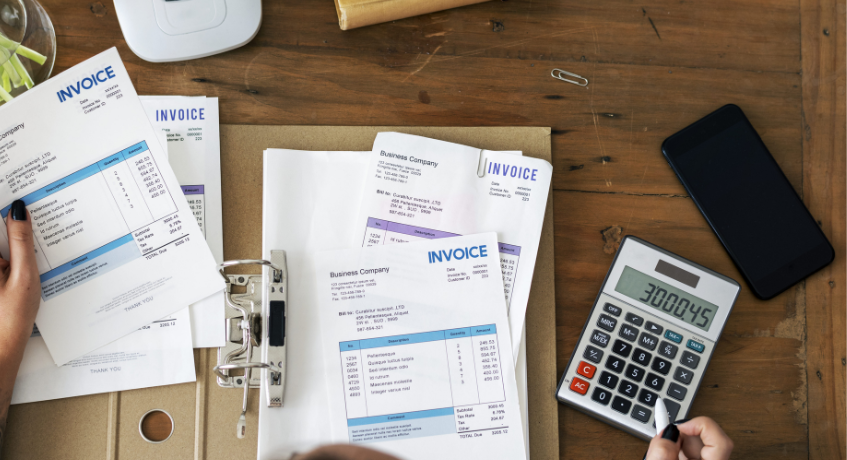
Invoicing software comes with a variety of features designed to simplify financial management and improve efficiency. These tools help companies generate invoices, track payments, and gain financial insights with minimal manual effort.
For businesses aiming to streamline invoicing and financial processes, accounts payable accounting software reduces administrative work by automating invoice creation, payment tracking, and reporting for a more efficient workflow. Below are the key features that make invoicing software an essential tool for modern businesses.
1. Payment tracking
The invoicing software tracks invoice status in real time, so finance teams can quickly see which bills are paid, partially settled, or still outstanding, reducing guesswork and manual checks across spreadsheets or chat messages every day for every customer…
Automated reminders nudge customers before and after due dates, reducing late payments and fees. Rather than chasing updates manually, teams trust scheduled alerts that keep invoices visible and help sustain healthier, more predictable cash flow over time, too.
2. Automated Invoice Creation
Customizable invoice templates let teams generate documents in minutes, not hours, while keeping layout, tax field, and line items consistent. Branding, such as logo and contact details, appears automatically, so every invoice looks professional and on brand too.
These templates can also be aligned with the financial accounting standards in Singapore, ensuring compliance with local regulations.
Teams can also issue a proforma invoice template to share clear cost estimates before work starts, so clients know what to expect. Once details are confirmed, the draft can be easily converted into a final invoice, reducing rework and speeding approval cycles.
3. Automated Recurring Invoicing
Recurring invoicing lets businesses schedule bills for subscriptions, retainers, or services, so invoices go out automatically each cycle. This reduces manual entry, prevents missed dates, and gives customers a consistent, predictable payment experience fast.
When recurring invoices are sent on a fixed schedule, finance teams gain clearer visibility into expected monthly cash inflows.
For new clients or when providing preliminary estimates, businesses can use a proforma invoice to outline expected charges before finalizing the sale. They can forecast revenue from long-term contracts, spot churn earlier, and spend more time analysing results than raising bills.
4. Seamless Payment Processing
Seamless payment processing connects invoices with different payment gateways, so customers can pay online by card, bank transfer, or digital wallet. Fewer steps at checkout mean fewer abandoned payments and a much smoother overall billing experience for the user.
Once a payment is confirmed, the software automatically marks the invoice as paid and updates ledgers, so records stay aligned. This cuts reconciliation work, reduces posting errors, and gives finance teams a clearer picture of real-time cash positions daily.
5. Comprehensive Financial Reporting
Comprehensive financial reporting pulls invoice, payment, and customer data into clear dashboards and reports, so finance and management teams spot trends faster. They can see overdue balances, slow-paying clients, and seasonal dips in revenue without extra spreadsheets.
With better visibility, leaders compare invoicing performance across periods or customer segments and make informed decisions. They can refine credit terms, plan cash needs carefully, and align sales targets with the real billing patterns shown in reporting, too.
Top 15 Invoicing Software Recommendations for Businesses in Singapore
Choosing the right e-invoicing system is crucial for businesses looking to automate billing, improve cash flow management, and ensure compliance. With various options available, it’s important to select a solution that aligns with your business needs and integrates seamlessly with existing systems.
To help you make an informed decision, here are 15 top invoicing software solutions in Singapore that offer powerful features for businesses of all sizes.
1. ScaleOcean’s Invoicing Software
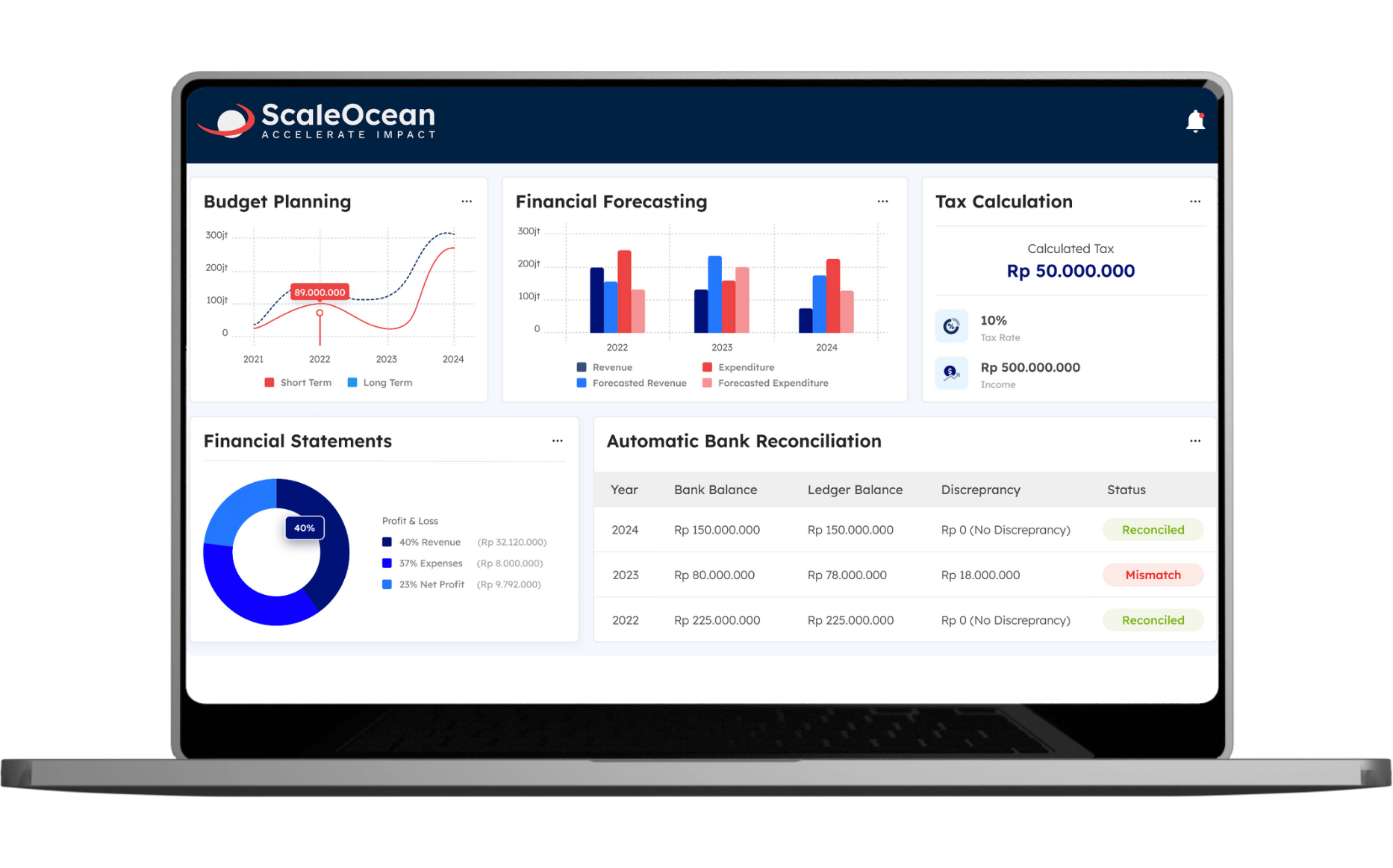
ScaleOcean’s best accounting software is designed to automate every step, from invoice creation and tracking to seamless payment reconciliation. With smart AI-driven insights, businesses can optimize cash flow, predict payment trends, and reduce human errors that often slow down financial operations.
The system integrates effortlessly with accounting platforms, ensuring a smooth workflow across departments. Whether you’re handling local transactions or cross-border payments, ScaleOcean adapts to your financial needs, keeping your business compliant and efficient.
ScaleOcean also helps businesses simplify the CTC grant application process by ensuring the software meets eligibility requirements, helping businesses in Singapore maximize financial support for digital transformation. You can explore ScaleOcean’s full capabilities through a free demo, with dedicated assistance to understand how it fits their operational needs.
Key features of ScaleOcean invoicing software:
- Automated Recurring Billing: Easily set up recurring invoices for subscription-based or long-term clients, eliminating the need for manual invoicing each cycle.
- Multi-Payment Gateway Integration: Supports various payment methods, including bank transfers, credit cards, and digital wallets, streamlining collections.
- Invoice Approval Workflow: Customizable approval processes ensure compliance and accountability before invoices are sent out.
- Real-Time Invoice Tracking: Monitor invoice status, from issuance to payment, with live notifications and automated follow-ups for overdue payments.
- Bulk Invoice Generation & Scheduling: Issue multiple invoices simultaneously or schedule them for future delivery, saving time on administrative tasks.
| Pros | Cons |
|---|---|
|
|
2. Xero Invoicing System
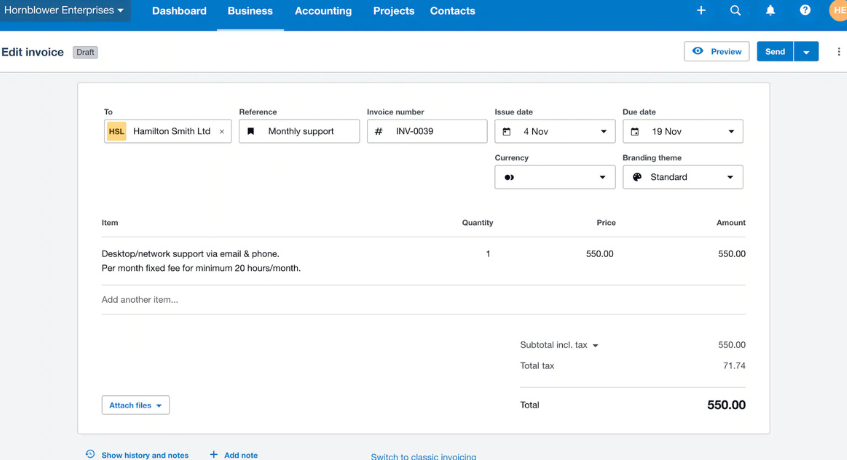
With built-in accounting features like bank reconciliation, inventory tracking, and numerous integrations, Xero is a scalable option for expanding businesses. Xero is primarily an accounting software, but it also offers invoicing features appropriate for small businesses. Its entry-level plan includes essential tools, but it limits users to 20 invoices per month. Businesses that require project and expense tracking must choose the highest-tier plan.
Key Features:
- Customizable Invoices
- Flexible Payment Processing
- Built-in Accounting Tools
- Extensive Integrations
| Pros | Cons |
|---|---|
|
|
3. QuickBooks Invoicing Processing Software
For companies that take payments in person or online, Square Invoices offers flexible invoicing processing software. It integrates with other business tools and accepts a wide range of payment methods. Users can send unlimited invoices, and recurring billing can be automated. The subscription plan offers more customization options.
Key Features:
- Multiple Payment Methods
- Business Tool Integration
- Client Portal & Automation
| Pros | Cons |
|---|---|
|
|
4. Sage Quotation Invoicing System
Sage is a quotation invoice software that provides comprehensive reporting for businesses needing detailed financial and inventory insights. It offers a wide range of reports, from summaries to in-depth analyses, with quick and easy generation, making it a reliable choice for businesses that prioritize financial reporting efficiency.
Key Features:
- Comprehensive Reporting
- Quick Report Generation
- Advanced Inventory Management
- Integrated Accounting Tools
| Pros | Cons |
|---|---|
|
|
5. NetSuite Financial ERP Software
Oracle NetSuite is a financial ERP software designed to automate accounting processes and track business finances efficiently. It provides a solution for businesses that need more than just traditional accounting software. As a well-established ERP provider, NetSuite supports businesses operating on a global scale, making it a suitable choice for companies looking to expand beyond basic accounting solutions.
Key Features:
- Comprehensive Financial Management
- Global Business Support
- Customizable Modules
- Scalable Solutions
| Pros | Cons |
|---|---|
|
|
6. FreshBooks Invoicing Software
FreshBooks is a user-friendly invoicing software designed for businesses of all sizes. It offers a clean interface with easy-to-understand terminology, making it accessible even for those without accounting experience. The software allows businesses to start with a basic plan and scale up as needed, adding features like unlimited proposals, bank reconciliation, and accountant access.
Key Features:
- Customizable Invoices
- Online Payment Support
- Client Portal
- Scalable Plans
| Pros | Cons |
|---|---|
|
|
7. Zoho Invoicing and Billing Software
Zoho is an invoicing and billing software designed for service-based businesses. It allows users to track projects and billable hours, generate estimates, and convert them into customized invoices upon approval.
The platform includes a client portal to streamline communication and approval processes. Depending on the chosen payment provider, businesses can accept payments online, via bank transfers, or in person using solutions like Square for credit card transactions.
Key Features:
- Customizable Invoices
- Client Portal
- Project & Estimate Management
- Multiple Payment Gateways
| Pros | Cons |
|---|---|
|
|
8. Wave Invoicing Software
Invoicing tasks find support through Wave, a tool built with freelancers in mind. Its core tools cover revenue oversight alongside cost logging, invoices, and reports, foundational needs met simply. Unlimited invoice creation stays available at no charge; however, deeper capabilities are absent.
Inventory monitoring does not appear within the basic tier, nor do outside app links. Growing teams based in Singapore might eventually move beyond what this version supplies. What begins as sufficient could later show limits when demands shift slightly upward.
Key Features:
- Track all income and expenses
- Invoicing without any limit
- Conversion Estimation
- Online Payment Support
| Pros | Cons |
|---|---|
|
|
9. Square Invoices Software
With its straightforward application, Square Invoices makes sending bills more efficient through automated tools. Client records and transaction data stay in one place thanks to the unified directory, supporting faster billing cycles.
Instead of manual entry, scheduled payments repeat at intervals while progress-linked milestones trigger new charges. Tracking capabilities monitor each invoice’s status across stages, and conversion from estimate to bill occurs without user input when conditions align.
Key Features:
- Unlimited Invoicing & Estimates
- Automated Recurring Billing
- Third-Party Integrations
- Multiple Payment Options
| Pros | Cons |
|---|---|
|
|
10. Invoice2go Software
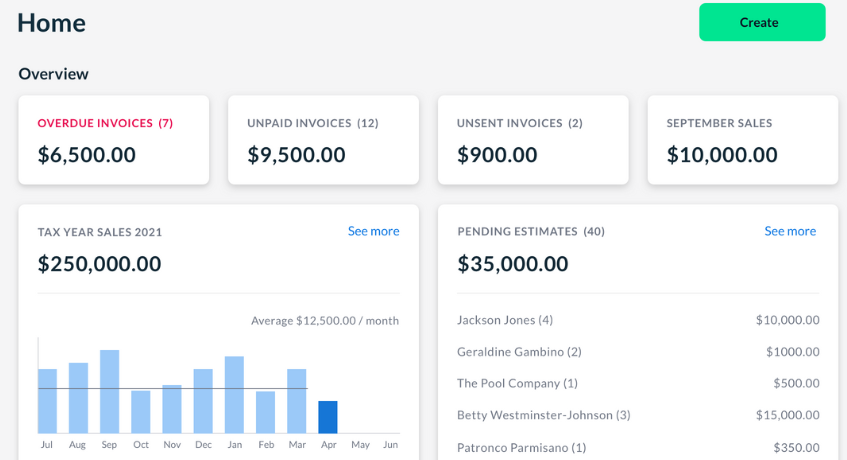
Cloud-based tools often simplify tasks, yet Invoice2go stands out through its straightforward design. Its interface feels clear, almost immediately usable without guidance. Mobile access arrives via an application built with purpose, not clutter.
Freelancers handling simple billing find that it fits naturally into routines. Those avoiding full accounting systems might prefer its light approach. Convenience appears balanced by options to adjust formats freely. Still, pricing could discourage long-term adoption when compared closely.
Key Features:
- Invoices can customize
- Invoicing editable via mobile access
- Expenditure tracker
- Payment Processing
| Pros | Cons |
|---|---|
|
|
11. Volopay Invoicing and Billing Software
Volopay is a Singapore-based invoicing and billing software established in 2019. It operates as a financial solutions provider with a major payment institution license from the Monetary Authority of Singapore (MAS).
Volopay offers a platform that enables businesses to manage expenses, process local and international payments, and oversee cash flow efficiently. Initially launched in Singapore and Australia, the company has expanded its presence to India, Indonesia, and the Philippines, serving a growing customer base.
Key Features:
- Multi-Currency Support
- Flexible Card Options
- Accounting Software Integration
| Pros | Cons |
|---|---|
|
|
12. Chargebee Cloud-Based Invoicing Software
Chargebee is a cloud-based invoicing software and subscription management platform designed for businesses across various industries, including telecommunications, media, e-commerce, and IoT.
It is PCI Level 1 certified and provides tools for managing subscriptions, invoices, and payments, along with generating customized reports. Additionally, the software supports Singapore accounting standards, ensuring compliance with local financial regulations for businesses operating in the region.
Key Features:
- Subscription Management
- Multi-Currency & Localization
- Integration with Payment Gateways
| Pros | Cons |
|---|---|
|
|
13. Invoicely Cloud-Based Software
Invoicely is a cloud accounting software that helps businesses manage financial operations efficiently. It offers tools for creating and customizing invoices, tracking payments, and generating financial reports.
With a centralized dashboard, users can monitor accounts payable and receivable, track financial performance, and access real-time insights. The platform also supports online payments and allows businesses to manage multiple entities within a single account.
Key Features:
- Customizable Invoices
- Multi-Business Management
- Real-Time Financial Reporting
| Pros | Cons |
|---|---|
|
|
14. Hiveage Quotation Invoice Software
Hiveage is a streamlined quotation invoice software and expense-tracking solution designed for businesses that don’t require complex software. It enables users to send invoices and estimates, accept online payments, track time and expenses, automate billing, and manage subscriptions. Hiveage also supports multi-currency transactions, tax management, and shipping and discount options.
Key Features:
- Simplified Invoicing & Billing
- Time & Expense Tracking
- Financial Insights & Reports
| Pros | Cons |
|---|---|
|
|
15. Invoice Ninja Software
Invoice Ninja is an open-source invoice processing software designed for businesses, offering a range of additional features beyond basic billing. It provides an affordable option for companies with a low client volume and supports multi-currency payments, making it suitable for international invoicing. Users can create and send invoices while tracking them in real time.
Key Features:
- Multiple Payment Gateways
- Automated Invoicing
- Multi-Currency Support
| Pros | Cons |
|---|---|
|
|
What does Invoicing Software do?
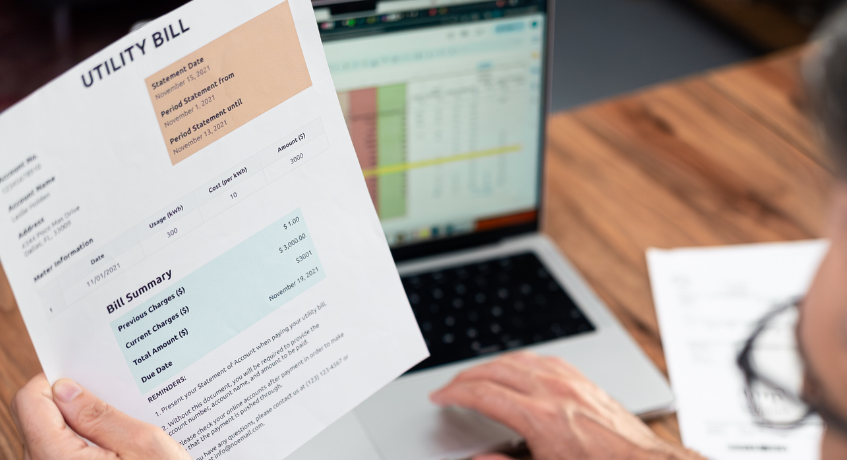
Invoicing software automates the financial management process by creating, delivering, and tracking invoices. Many systems also handle payment processing and update accounting records when transactions are completed.
Businesses can personalize invoices by adding their logo, modifying the design, and setting payment terms such as deadlines or discounts for early payments. Some platforms support recurring invoices, reducing manual input and ensuring consistent billing for ongoing services.
These e-invoicing software make it easier for businesses to receive payments by offering multiple payment options, including credit cards, bank transfers, and digital wallets. Automated tracking features provide real-time updates on invoice statuses and send reminders for overdue payments.
Once a payment is received, the quotation invoice software reconciles transactions and generates financial reports, offering insights into customer payment trends and cash flow. This helps businesses manage their finances efficiently while reducing administrative workload.
What to Consider When Picking the Right Invoicing Software
Selecting the right invoice processing software depends on several factors, including business needs, budget, essential features, security measures, and customer support. The ideal solution should align with your invoicing volume, integration requirements, and scalability. Below are the key factors to consider before making a decision.
1. Business Needs and Requirements
Every business has unique invoicing needs based on transaction volume, complexity, and industry-specific requirements. If your company handles frequent invoices or requires recurring billing, choosing invoicing software in Singapore with automation features is important.
Furthermore, businesses involved in multiple sectors may need to have particular software, like time tracking or project-based billing. Another key consideration is the software’s ability to scale to accommodate your company’s expansion.
2. Key Features
Invoicing processing software is helpful as it helps to make monetary responsibilities easier. Customization options can be used to add businesses’ logos, edit templates, es and modify invoice information as needed.
Seamless integration withfinancial ERP software, CRM systems, and payment gateways can help streamline the software. Additional benefits include automated invoicing, multi-lingual options (for companies that do international business), and financial reporting, as well as expense tracking.
3. Security and Compliance
The security of the quotation invoice is of paramount importance due to the nature of the information in the quotation invoice. The system needs to provide industry regulations compliance and encrypted data storage to keep business and client information secure.
Complying with the laws of relevant financial and tax invoicing will enable the software not to run into legal issues and gain credibility. It’s also important to verify that the provider supplies regular security patches to protect against cyber attacks.
4. Customer Support
Excellent customer support can assist in speeding up the resolution of any invoice issues. The software firm needs to be capable of supporting you in various ways, either by email, chat, or telephone.
Of course, availability is a factor, too, especially for those companies that operate in other time zones. A good and correct service aids in the timely and smooth running and the solving of troubles.
5. Budget
The price of e-invoicing software is dependent on the features included, its scalability, and pricing. Some platforms are subscription-based, others have to be purchased.
It’s important that your business can afford the pricing if offered, and whether the same is supported by a free trial or demo, so that you can test it. It’s worthwhile to make an educated decision when it comes to costs over the years, whether add-on costs or upgrade costs.
Conclusion
The right invoice processing software is crucial to a business that wants to carefully manage the financial process, increase efficiency, and maintain compliance with Singapore’s regulatory requirements. With the rapid pace of digital transformation, businesses can no longer afford to work with inefficient and error-prone manual workflows.
If you need a software solution available from all these 15, an all-in-one solution that meets the needs of the modern business, that’s ScaleOcean. With automated invoicing, smooth accounting integrations, and compliance-ready features, ScaleOcean saves businesses time, reduces manual effort, and provides financial accuracy.
ScaleOcean provides a scalable and user-friendly solution that grows with your business needs, whether you’re engaging in domestic or global transactions. ScaleOcean offers a free demo that you can try today and see how it can transform your invoicing process.
FAQ:
1. Why should businesses in Singapore use invoicing software?
Invoicing software helps businesses automate billing, reduce manual errors, and ensure compliance with Singapore’s GST InvoiceNow requirements. It streamlines financial operations, improves cash flow management, and integrates with accounting systems, making it easier to manage transactions efficiently.
2. What features should I look for in an invoicing software?
Key features to consider include automated billing, invoice tracking, multi-currency support, seamless accounting integration, and compliance with local tax regulations. Businesses in Singapore should also prioritize solutions that support InvoiceNow and offer customization options for invoicing workflows.
3. Which invoicing software is best for businesses in Singapore?
There are many options, including ScaleOcean, Zoho Invoice, QuickBooks, Xero, and FreshBooks. ScaleOcean stands out with AI-powered automation, unlimited user access, full customization, and compliance with Singapore’s accounting standards, making it an ideal choice for businesses of all sizes.
























.png)