

In today’s fast-moving retail environment, not using or implementing a Point of Sale (POS) system can create a lot of headaches. Without a POS, businesses often face inventory confusion, slow checkout processes, and a lack of real-time insights, all of which can hurt both efficiency and customer experience.
According to Mordor Intelligence, with the Southeast Asia POS terminal market expected to grow from USD 5.73 billion in 2026 to USD 11.8 billion by 2031, the need for effective POS solutions is clear. If businesses fail to implement a good POS system, they risk falling behind in a competitive market and disappointing their customers.
So, in this article, we’ll explore what a retail POS system Singapore is, why it’s so crucial for businesses, and also review the top 10 retail Pos system in Singapore, including options like ScaleOcean, Square, Lightspeed, HitPay, and more.
 Key Takeaways
- A POS (Point of Sale) system is where a sales transaction happens, inventory management, and payment is processed.
- Key features of a retail POS system include PayNow and e-wallet support, security, cloud integration, customer data analysis, and multi-store functionality.
- Check the review of the top 10 POS systems for retail in Singapore, such as ScaleOcean, Square, Lightspeed, HitPay, and more.
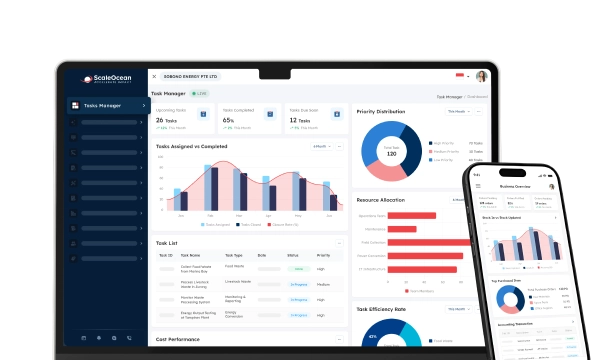
- ScaleOcean’s retail management software is built to be simple and easy to use. Its clean interface allows staff to get comfortable quickly without much training.

What is a POS System for Retail?
A POS (Point of Sale) system is where a sales transaction happens, manages inventory, and payment is processed. It combines both hardware and software to easily record sales and manage the checkout process in businesses like retail or restaurants. It’s the heart of many operations.
Modern POS systems offer much more than just a cash register. They help you keep track of inventory, customer information, and sales reports in real time. Devices like terminals, tablets, and scanners, they make running your business smoother and more efficient.
Why is Selecting the Right POS System Important for Singapore Retail?
Choosing the best POS for a retail store is vital for retail management systems in Singapore. With the fast-paced environment and tech-savvy consumers, the system you choose plays a big role in ensuring smooth operations and providing an excellent customer experience. Getting it right leads to happier customers and improved efficiency.
Here’s what to think about when picking the perfect POS system for your retail business in Singapore:
- Local payment support: In Singapore, having a POS that works well with local payment methods like GrabPay, PayNow, and Nets is expected. Without these options, you may lose customers before they even complete their purchase.
- Language and tax settings: A system that understands local GST rules and language formats will save you time and reduce errors. Built-in compliance features also make it easier for your team to handle daily transactions without unnecessary back-and-forth.
- Retail competition: Singapore’s retail market moves quickly, and speed is key. A slow POS can hurt your sales, especially during busy hours when customers are not willing to wait.
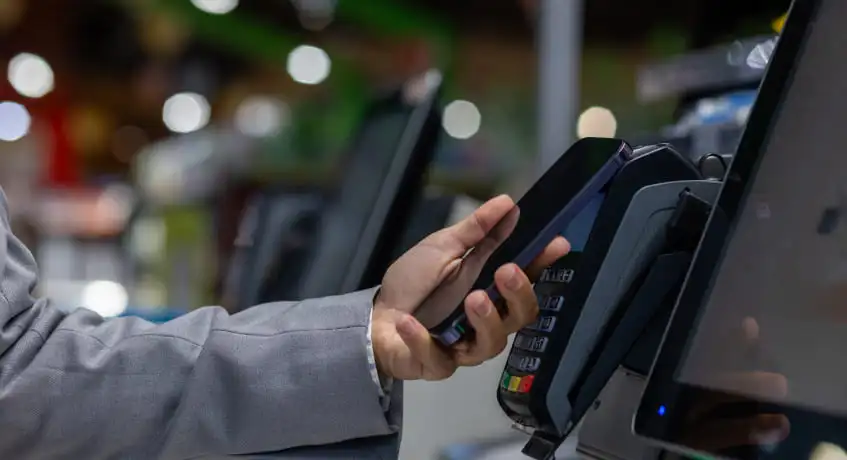
- Customer expectations: Today’s shoppers expect the convenience of tap-and-go payments with their e-wallets. If your POS doesn’t offer this, it can feel outdated and reflect poorly on your brand.
- Data-driven retailing: A great POS system does more than just process payments. It helps you track trends in what’s selling and what’s not. With solid analytics, managing inventory and planning your stock becomes more strategic and less about guessing.
What Are the Key Features to Look For in a Retail POS System
Choosing the right POS system for your retail business is crucial for smooth operations and providing customers with a great experience. With the right features, you can make payment processing, retail management, inventory management, and customer engagement much easier.
Here are the key features you should look for when choosing a retail POS system:
PayNow Integration Requirements
PayNow’s become such a common thing in Singapore, especially for day-to-day purchases, that most retail setups really can’t afford to ignore it anymore. POS systems must support QR payments and real-time confirmations if they want to keep up with customer expectations, which can be seamlessly integrated with order fulfillment software.
This tends to cut down on wait times at checkout and also avoids the hassle of typing in payment amounts manually. It’s especially helpful for younger shoppers, who usually prefer quick, contactless options and aren’t keen on clunky systems.
GrabPay and E-Wallet Support
Customers now expect to pay using e-wallets like GrabPay or FavePay. It’s become a normal part of the shopping experience, so your retail POS software should support these payment methods without needing extra setup or workarounds.
It’s not just about convenience either. These digital payments also make it easier for retailers to run quick promotions and tie-ins, especially when targeting younger crowds who are already living cashless.
According to the Singapore Business Review, more Singaporeans are turning to cards and digital wallets for point-of-sale payments. Digital wallets are expected to make up 44% of transaction value by 2027, reaching S$75 billion, highlighting the shift towards cashless payments.
Security and Compliance Features
When you’re dealing with customer payments, there’s really no room to compromise on security. Things like end-to-end encryption and having a proper audit trail in your POS system make a big difference, especially when issues pop up later on.
In Singapore, you also need to think about the legal side. PDPA compliance is a must, and having strong access controls in your POS system keeps your operations both secure and compliant.
Cloud Integration
Most retail businesses today prefer cloud-based POS systems, and it’s easy to see why. They help you stay in sync across all your locations, and you can even check in from your phone whenever needed.
The good part is that updates usually just happen quietly in the background, so there is no downtime. And with everything backed up automatically, you’re much less likely to lose any important sales records, which can be a huge relief during peak periods or system hiccups.
Advanced Customer Data Analysis
Understanding how customers shop goes a long way when it comes to running stronger promotions or keeping folks coming back. POS systems should track spending habits and item preferences, especially in retail settings where trends can shift quickly.
Some retail POS software already includes basic customer segmentation, which helps more than people realize. This kind of tool makes it easier to launch targeted campaigns, and in many cases, speeds up the whole planning process too.
Multi-Store Functionality
If you’re running more than one store, staying in sync across locations is honestly half the battle. Choosing a POS that gives you centralised control over inventory and reporting is especially important when evaluating franchise management software.
This setup helps when you’re shifting stock between outlets or just keeping tabs on how each branch is doing. It also cuts down on the usual mess of entering the same data more than once, which, let’s be real, no one enjoys.
You can use POS retail software that is integrated with purchase order software to streamline this process and make inventory management much easier.
ScaleOcean offers that solution for you, so you can manage multiple stores effortlessly, reduce data entry errors, and maintain real-time visibility of your inventory across all locations, ensuring smooth and efficient operations.
10 Best Pos System for Retail in Singapore
When it comes to retail in Singapore, selecting the right POS system is essential to streamline operations, enhance customer service, and stay competitive. From managing inventory to handling local payments, the right POS software can help your business thrive in a fast-paced market such as ScaleOcean, Square, and Lightspeed.
Here are 10 of the best Pos system for retail stores in Singapore:
1. ScaleOcean Retail Management Software
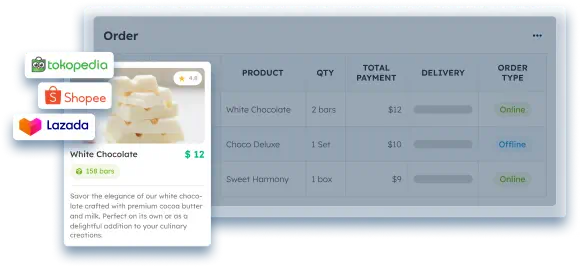
ScaleOcean’s retail management software is built to be simple and easy to use. Its clean interface allows staff to get comfortable quickly without much training. This user-friendly design makes it accessible to everyone, even those with little technical experience.
The system integrates smoothly with a variety of payment methods and offers flexible customization options to fit your business. From handling orders and tracking products to managing discounts, refunds, and inventory, it’s a comprehensive solution that covers everything you need for smooth retail operations.
ScaleOcean is an excellent choice for businesses looking to benefit from the CTC grant, as it offers modern, compliant solutions. Want to see how it works? You can take advantage of ScaleOcean’s free demo and experience firsthand how it can simplify your retail business.
Key Features:
- Omnichannel Integration: Seamlessly integrates both online and offline sales channels, providing a unified experience for customers and businesses alike.
- Multi-Payment Flexibility: Supports various payment methods, including credit cards, digital wallets, and QR-based payments like PayNow and QRIS.
- E-Commerce & Marketplace Integration: Easily integrates with popular e-commerce and marketplace platforms in Singapore, helping businesses manage online sales efficiently.
- Loyalty Program Management: Enables businesses to set up and manage loyalty programs that reward and retain customers with ease.
- Automated Promotion Management: Streamlines the creation and management of promotional campaigns, making it simple to run sales and special offers automatically.
| Pros | Cons |
|---|---|
|
|
Price: ScaleOcean’s POS system offers a flat cost based on customization requirements with no hidden costs. also the cost adapts to the scale of software features and the business’s operational needs.
Best For: ScaleOcean retail management software is best suited for medium to large enterprises looking for a customized solution. It can be tailored to fit all business processes across various industries, ensuring seamless integration and efficient management for growing businesses.
2. Square Retail POS System
Square is a simple and intuitive POS system, ideal for small businesses or pop-up shops. It’s designed to get you up and running quickly without much setup, focusing on ease of use for retail operations.
While it’s a convenient choice for many, some local payment options may require additional plugins. Square’s emphasis on simplicity makes it a popular choice for businesses that don’t need extensive customization.
Key Features:
- Simple and easy-to-use system ideal for small businesses.
- Works well for basic payment processing and reporting.
- Integrates with various hardware options.
- Offers employee and inventory management features.
- Provides a straightforward, user-friendly interface.
| Pros | Cons |
|---|---|
|
|
Price: Square’s POS system offers plans starting at $49 to $60 per month for the Plus plan. Custom Premium plans are available for larger retail businesses, providing more flexibility.
Best For: Square is best suited for small and medium-sized businesses, especially those that are just starting or need a quick, simple solution for basic retail needs without too many customizations.
3. Lightspeed Retail Software
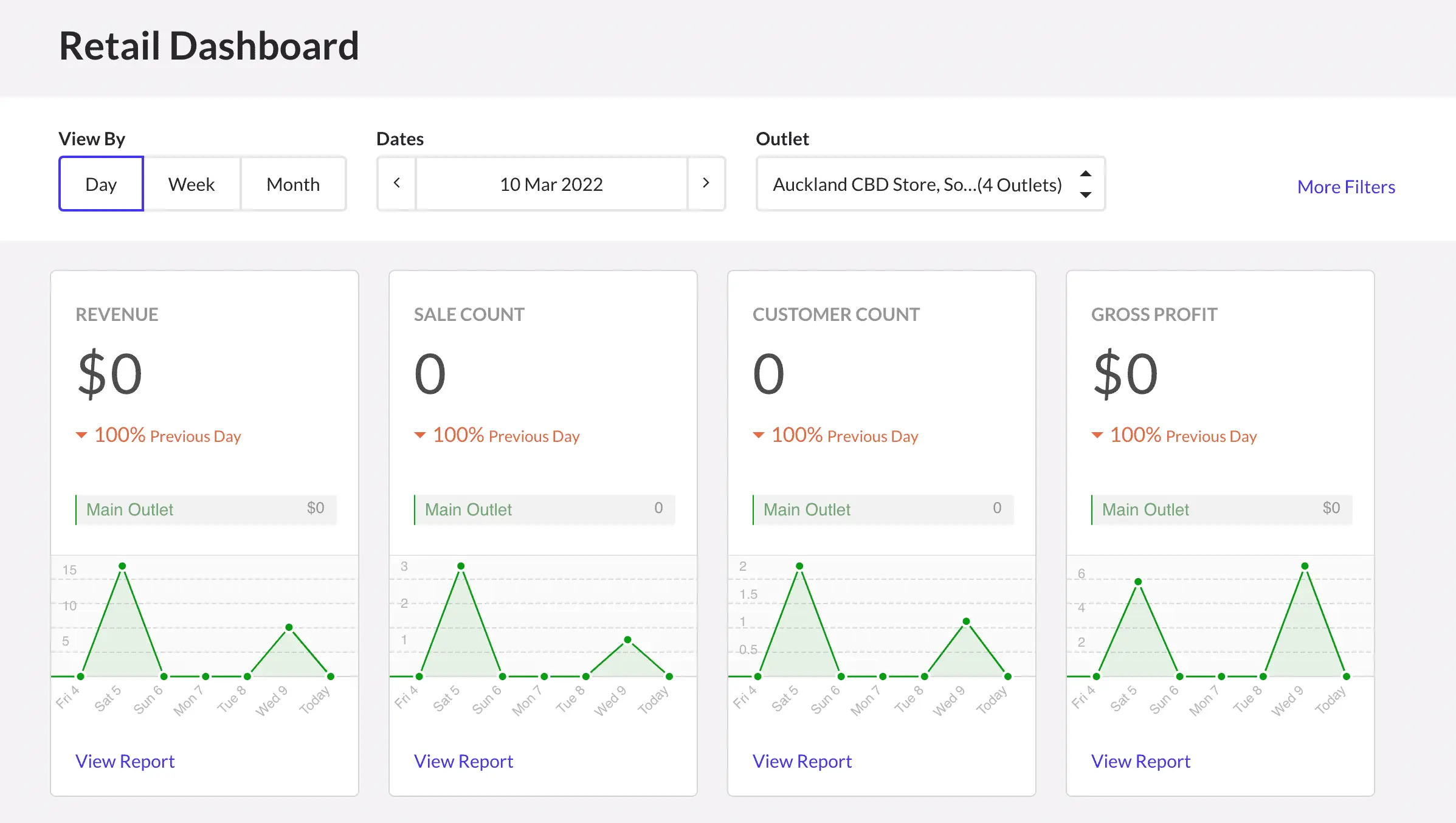
Lightspeed Retail is known for its advanced inventory management features, making it a good fit for retailers, especially those selling fashion and electronics. It integrates customer relationship management (CRM) tools and e-commerce syncing for multi-channel selling.
It’s important to note that the system can have a learning curve for some users, but its robust set of features makes it a strong contender for businesses managing a large product range.
Key Features:
- Advanced inventory management is ideal for stores with large stock.
- Built-in CRM and eCommerce integration.
- Supports multi-location and multi-channel sales.
- Provides detailed sales reporting and analytics.
- Offers tools for managing staff and customer interactions.
| Pros | Cons |
|---|---|
|
|
Price: Lightspeed Retail typically ranges from $89 to $339+ per month, depending on the plan and features chosen. Pricing varies based on feature needs and whether you opt for annual billing.
Best For: Lightspeed is ideal for medium to large retail businesses, especially those with extensive inventories and multi-location operations. It’s particularly useful for businesses that also operate online.
4. HitPay POS Software
HitPay is a POS system designed for small businesses and local cafes in Singapore. It supports popular local payment methods like PayNow and GrabPay, which are convenient for everyday retail operations.
The system is lightweight and easy to use, making it a great option for smaller businesses or those just starting. However, it may not be the best choice for businesses planning to expand to multiple locations.
Key Features:
- Integrates well with local payment methods like PayNow and GrabPay.
- Simple and quick setup for small businesses.
- Offers compliance with local regulations.
- Lightweight system that works well for everyday use.
- Supports e-wallet transactions and QR code payments.
| Pros | Cons |
|---|---|
|
|
Price: HitPay operates on a pay-per-use model with transaction fees of around 2.5% for in-person card payments. There are no setup or subscription fees.
Best For: HitPay is best for small businesses, particularly those just starting or operating in local markets, like cafes or SMEs that don’t require advanced features or multi-location support.
5. Vend Cloud-Based POS Tools
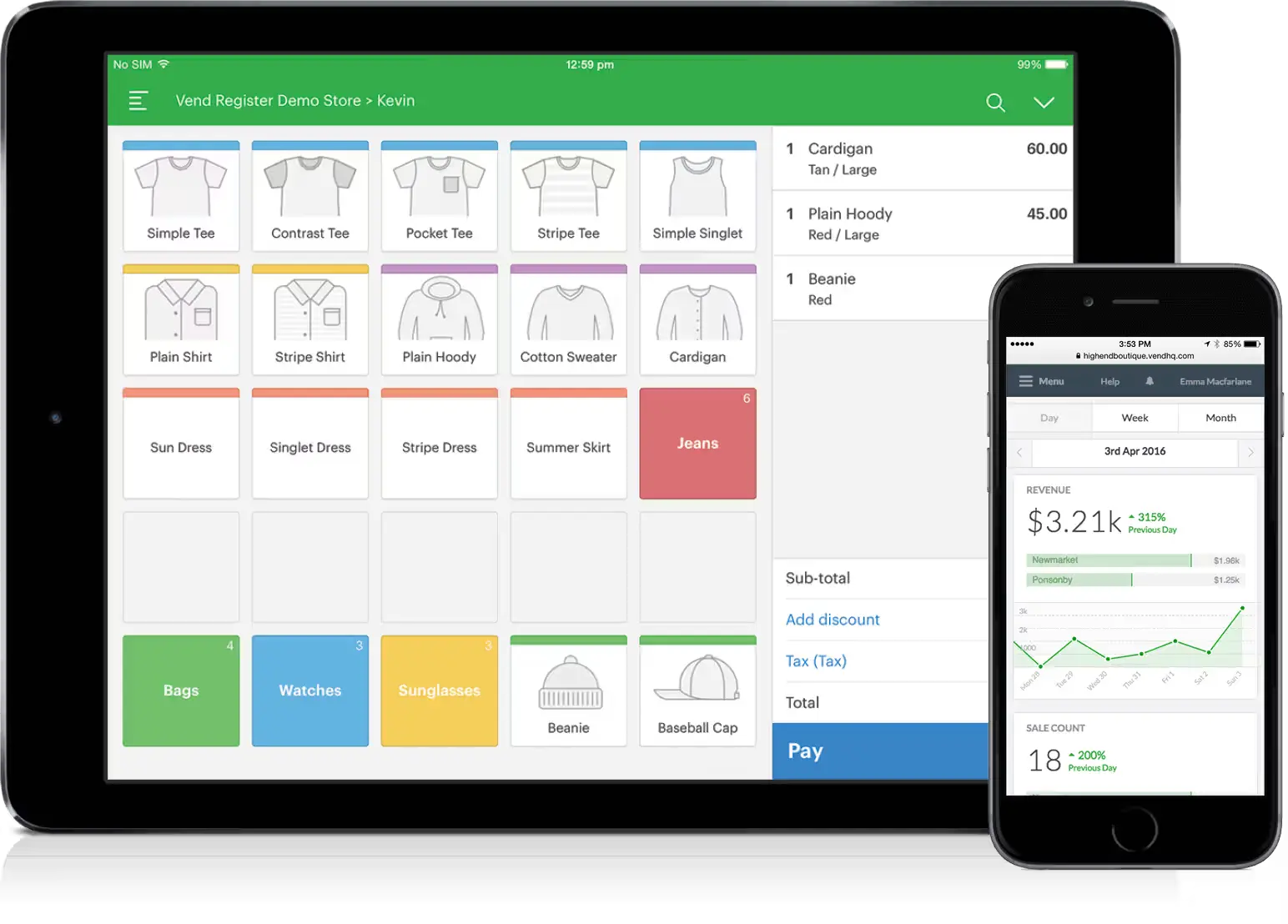
Vend provides cloud-based POS tools that are ideal for boutique stores or those offering seasonal products. It offers flexibility with features like custom workflows and loyalty programs to help businesses engage with customers.
However, if your business relies heavily on digital payments, integrating e-wallets might require additional apps. Vend works well for retailers looking for a flexible and scalable solution to fit their specific needs.
Key Features:
- Cloud-based POS system with strong inventory management.
- Supports custom workflows and loyalty programs.
- Offers integration with multiple payment methods.
- Provides detailed sales and inventory reporting.
- User-friendly interface with a focus on simplicity.
| Pros | Cons |
|---|---|
|
|
Price: Vend’s plans start from $99 per month for small stores, with advanced plans costing up to $159 per month. Additional costs may apply for extra registers.
Best For: Vend is well-suited for small to medium-sized businesses, especially those in boutique retail, lifestyle stores, or those that carry seasonal products with a need for custom workflows.
6. Shopify POS Platform
Shopify POS seamlessly integrates with Shopify’s eCommerce platform, making it a good choice for retailers running both online and offline stores. It allows businesses to manage inventory and sales across both channels.
However, Shopify does not yet support local payment methods like PayNow and GrabPay. Despite this, its integrated ecosystem is well-suited for businesses seeking a unified retail experience.
Key Features:
- Easy integration with Shopify’s eCommerce platform.
- Simple setup for both online and physical retail stores.
- Allows for centralized inventory management.
- Provides a wide range of third-party app integrations.
- Supports various payment methods for in-store transactions.
| Pros | Cons |
|---|---|
|
|
Price: Shopify POS is included for free with all Shopify plans, starting at $29 per month. POS Pro, for advanced features, is available for $89 per month per location.
Best For: Shopify POS is best for businesses that already operate online and are looking to expand into physical retail locations, particularly those looking for easy integration with eCommerce systems.
7. Clover POS Tools
Clover offers a modern, easy-to-use POS system with helpful tools like employee tracking and tip management. It’s simple to set up and fits well in retail environments looking for basic functionality.
However, Clover’s support for local payment options may be limited in Singapore, which could be a disadvantage for businesses heavily reliant on local e-wallets. It is best suited for businesses that don’t require deep local integration.
Key Features:
- Modern and user-friendly POS interface.
- Includes tools for managing employees and tips.
- Provides inventory tracking and basic reporting tools.
- Cloud-based system for easy access to data.
- Offers a variety of hardware options for different needs.
| Pros | Cons |
|---|---|
|
|
Price: Clover’s pricing starts around $14.95 per month for basic plans, with advanced packages like Retail Growth costing up to $84.95 per month.
Best For: Clover is suitable for small to medium-sized businesses looking for a simple and easy-to-use POS system with basic inventory management and employee tracking.
8. Odoo Retail POS Platform
Odoo POS is part of a larger ERP system, making it a great choice for retailers who need integrated inventory and accounting systems. Its open-source nature offers customization but may require technical expertise for setup.
This system is best suited for businesses that have an in-house tech team capable of handling backend configurations. For businesses that don’t have this resource, Odoo may require additional support.
Key Features:
- Part of a full ERP system integrating accounting and inventory.
- Open-source, allowing for customization to fit specific needs.
- Includes features for both retail and service-based businesses.
- Cloud-based with mobile app support.
- Provides comprehensive business management tools.
| Pros | Cons |
|---|---|
|
|
Price: Odoo POS starts at approximately $31 per user per month, with additional fees for inventory, accounting, and customization. Hardware costs range from $500 to $2,000 per station.
Best For: Odoo POS is best suited for businesses with in-house technical teams, looking for an integrated ERP solution with extensive customization options.
9. EPOS Software
EPOS is a local POS system designed for Singapore’s retail market. It supports PayNow, GrabPay, and Singpass integration, which simplifies payment and verification processes.
With built-in compliance features like PDPA and MOM, EPOS is a reliable choice for businesses that prioritize local regulatory compliance. Additionally, it qualifies for local tech grants, offering a cost-effective option for retailers looking to modernize.
Key Features:
- Local system designed for Singapore’s retail environment.
- Supports PayNow, GrabPay, and Singpass integrations.
- Meets PDPA and MOM compliance requirements.
- Cloud-based for easy data access across locations.
- Simple to use with minimal setup required.
| Pros | Cons |
|---|---|
|
|
Price: EPOS offers bundles starting at $349 for a complete hardware solution. Monthly software-only subscriptions start at $39.
Best For: EPOS is ideal for small to medium-sized retail businesses in Singapore, particularly those looking for a local, compliance-focused system that integrates with key payment methods.
10. KORONA POS Solution
KORONA is ideal for seasonal or event-driven retail setups where flexibility in setup and pricing is key. It offers tools for syncing sales across locations, particularly for cloud-based operations.
However, its limited local e-wallet support may be a drawback depending on your customer base. For businesses with multiple pop-up stores or mobile setups, KORONA offers scalability without significant overhead.
Key Features:
- Flexible for seasonal or event-based retail operations.
- Cloud-based system for syncing data across locations.
- Supports basic inventory management and reporting.
- Allows for easy setup of promotions and discounts.
- Supports various retail sectors, including pop-ups.
| Pros | Cons |
|---|---|
|
|
Price: KORONA’s pricing starts at $59 per month for the Core plan, with advanced features costing $69 per month per terminal.
Best For: KORONA is best for seasonal or event-driven businesses, particularly those running pop-up stores or mobile retail setups. It’s suitable for small businesses seeking flexible, scalable options.
Comparison of Retail POS Systems Singapore in 2026
As the retail landscape in Singapore evolves, choosing the right POS system becomes more critical for business success. In 2026, the variety of options available caters to businesses of all sizes, each offering unique features tailored to different operational needs.
Here’s a comparison of the top retail POS systems available in Singapore in 2026:
| Vendor | Best For | Price |
|---|---|---|
| ScaleOcean | Medium to large enterprises need a customizable solution for any industry. | Based on customization needs, with a flat cost without hidden costs. |
| Square | Small businesses and pop-up shops seek simplicity and quick setup. | Starts at $49 to $60 per month. |
| Lightspeed Retail | Medium to large businesses with extensive inventories and multi-location needs. | Starts at $89 to $339+ per month. |
| HitPay | Small local businesses, cafes, or SMEs looking for simple payment integration. | Pay-per-use model, 2.5% transaction fee. |
| Vend | Small to medium-sized businesses, especially boutiques or seasonal retailers. | Starts at $99 per month, up to $159 per month. |
| Shopify POS | Businesses already operating online are expanding to physical retail locations. | Free with Shopify plans, $89 per month for POS Pro. |
| Clover POS | Small to medium-sized businesses need a basic POS with employee management. | Starts at $14.95 per month, up to $84.95 per month. |
| Odoo POS | Businesses with in-house tech teams need integrated ERP solutions. | Starts at $31 per user per month. |
| EPOS | Small to medium-sized businesses in Singapore are prioritizing local payment integration. | Bundles from $349, software from $39 per month. |
| KORONA POS | Seasonal or event-driven businesses, particularly those with pop-up stores. | Starts at $59 per month, advanced features at $69 per terminal. |
Hardware Considerations for the POS System in Retail
Picking the right hardware for your retail POS system is key to smooth business operations. It needs to be durable, reliable, and work well with your software. Thinking ahead about how the hardware will support your business as it grows can save you a lot of hassle.
Here are some hardware considerations to keep in mind for your retail POS system:
Terminal Options and Pricing
POS terminals come in different shapes and sizes, from tablets like iPads to more customized touchscreen setups. What you pay depends on things like screen size, durability, and portability.
For smaller retail shops or boutique setups, lighter devices often do the job just fine. But in busy, high-traffic environments, it’s usually smarter to invest in something sturdier that can hold up under constant use.
Integration with Existing Systems
When picking out a new POS for a retail store, it must play well with the tools you’re already using. This includes accounting, CRM, and eCommerce platforms.
To get the most out of your POS, consider choosing from the best retail apps in Singapore that seamlessly integrate with these systems, as juggling disconnected tools can get frustrating fast.
Without seamless integration, you’ll end up entering data manually, which is time-consuming. API support can really help streamline the process and manage your long-term tech expenses.
Future-Proofing Your Hardware Investment
When you’re picking out hardware for your retail setup, make sure it can handle newer software down the line. Otherwise, you’re probably going to be stuck replacing it sooner than you expected.
It’s a good idea to go for devices that have USB-C and wireless built in. These features make it easier to upgrade or swap out parts without needing to redo your whole system.
How to Choose the Best Retail POS System in Singapore?
When choosing the best retail POS system in Singapore, it’s essential to focus on factors that suit your business needs. Consider aspects like payment method compatibility, cloud integration, compliance with regulations, and ease of use to ensure a seamless experience.
Here are key factors to keep in mind when selecting the best POS for a retail store in Singapore:
- Check e-wallet support: Ensure your POS supports popular local payment methods like GrabPay and PayNow. This makes the checkout process easier for your customers and ensures your system aligns with their preferred payment methods.
- Look for cloud-based systems: Cloud-based systems are ideal for businesses that need flexibility and easy access to data. They also come with features like automated backups and reporting tools, which improve convenience and help you stay on top of your business performance.
- Ensure local compliance: Singapore has specific rules, including the PDPA and IRAS standards, that your POS system must comply with. This is especially important if you plan to integrate with accounting tools or run audits, so make sure your system meets these requirements.
- Test for ease-of-use: Have your staff try out the POS system before making a decision. A visually appealing POS is great, but if it’s difficult for your team to use, it won’t improve your operations and could even slow things down.
- Compare scalability: Check how well the POS system handles multi-store operations. While a system may work fine for one location, it might struggle with larger, more complex setups. Make sure it can scale with your business as it grows.
Conclusion
A POS system is the backbone of a retail business, handling everything from sales transactions to managing payments. It helps businesses keep track of inventory and sales data, ensuring smooth operations and a great customer experience. Choosing the right POS system simplifies processes and boosts efficiency.
For businesses looking to improve retail management, ScaleOcean’s retail management software provides a comprehensive solution designed to make operations easier. With features like payment integration and real-time data analytics, ScaleOcean also offers a free demo so you can explore its advantages firsthand.
FAQ:
1. What is the difference between retail POS and POS?
A retail POS is specifically designed for retail environments, managing sales, inventory, and customer data, while POS generally refers to any system that handles transactions. Retail POS systems often have additional features tailored to store operations.
2. What is POS, and what is an example?
POS, or point of sale, is the system used to complete a transaction where payment is made for a product or service. An example would be a register in a store that scans items and processes payments, updating stock levels automatically.
3. What are the 4 types of POS systems?
The four main types of POS systems include terminal POS, mobile POS on smartphones and tablets, cloud-based POS that stores data online, and self-service kiosks where customers can make their own transactions without staff involvement.
4. Is POS the same as ERP?
No, POS and ERP are not the same. A POS system focuses on processing sales transactions and handling payments, while an ERP system integrates various business processes such as accounting, inventory, HR, and supply chain management across the company.
























.png)