



Expense management software helps Singapore businesses automate expense capture, approval, reimbursement, reporting, and accounting workflows, rather than relying on spreadsheets and manual receipt processing. Without a streamlined system, errors can pile up, causing unnecessary delays and inefficiencies that hinder business operations.
For Singapore finance teams, the decision also involves GST treatment, accounting integrations, multi-currency transactions, corporate cards, approval controls, and local payment workflows.
Expense management software helps by automating and simplifying tracking, approval, and reimbursement. According to Ken Research, a World Bank report found that companies that implement effective cost-control measures can reduce travel-related expenses by up to 20%, resulting in significant savings.
So in this article, we’re going to dive deep into what expense management software is, its importance, and also review the top expense management software Singapore options, including ScaleOcean, SAP Concur, Expensify, and more, to help you find the best fit for your business.
 Key Takeaways
- Expense management software is a digital solution that simplifies and streamlines the entire process of tracking company expenses.
- The top 10 expense management software in Singapore includes ScaleOcean, SAP Concur Expense, Expensify, Aspire, and more.
- The expense management workflow includes digital capture and expense report submission, Automatic Policy Enforcement, and more.
- ScaleOcean’s expense software integrates seamlessly with your accounting, HR, and purchasing modules. With real-time visibility, ScaleOcean makes it easy to track expenses transparently.

What is Expense Management Software?
Expense management software is a platform businesses use to monitor, approve, audit, and manage employee expenses. From employee submissions and approvals to reimbursements, including bills, corporate card transactions, and more.
Instead of dealing with paperwork or searching through emails, companies use expense management software to automate expense tracking. It significantly reduces errors and gives everyone clearer insight into spending and why it happens.
Why Does Business Need Expense Management Software?

Without a system in place, employee expense tracking can quickly get out of hand. Finance teams often get stuck sorting through receipts and spreadsheets, where even small mistakes can cause unexpected budgeting issues.
With expense management software, companies finally get a better grip on how spending happens. It’s not just about keeping tabs. It also helps enforce policies, reduce unnecessary claims, and speed up reimbursement.
As demand for streamlined expense management continues to rise, Cognitive Market Research projects the Travel & Expense Management Software market to grow at a CAGR of 14.8% from 2025 to 2033. This growth highlights the increasing need for businesses to adopt efficient systems to manage spending and improve financial oversight.
Below are the reasons why businesses need expense management software:
- Improve expense visibility: by giving finance teams a centralized view of employee spending, reimbursements, budgets, and business expenses.
- Streamline expense approvals: through automated workflows that route claims and purchases to the appropriate managers before payment.
- Strengthen spending control: by setting budgets, approval limits, and spending policies across departments, teams, and projects.
- Reduce manual administrative work: by automating receipt capture, expense reporting, reimbursement processing, and financial record updates.
- Support GST compliance: by helping businesses organize transaction records and expense documentation needed for GST reporting and audits.
Comparing the 10 Best Expense Management Software in Singapore
The right software can make a big difference by streamlining financial tasks, improving visibility, and ensuring accuracy across teams. In Singapore, many options suit different business needs.
Check out our comparison of the best expense management software in Singapore:
| Vendor | Best For | Price |
|---|---|---|
| ScaleOcean | Medium to large enterprises need customizable solutions for business processes across industries. | Flat pricing with no hidden costs. Pricing is tailored to the customization and features you need. |
| SAP Concur | Large enterprises with complex compliance needs, multiple regions, and intricate internal policies. | $8 per report, around $110,000 annually for large enterprises. |
| Expensify | Small to medium-sized businesses seeking a simple solution with minimal setup. | $5 per user/month for the Collect plan, $9 per user/month for the Control plan. |
| Aspire | SMEs primarily focused on the Singapore market. | Starting from S$0/month. |
| Volopay | Singapore-based SMEs. | Custom pricing. |
| Zoho Expense | Small businesses using Zoho products need a simple, budget-friendly solution. | $3-$4 per user/month for basic plans, $5-$6 for higher tiers. |
| Rydoo | Small to medium-sized businesses with remote teams need a mobile-friendly solution. | €10–€12 per user/month. |
| Navan | Businesses in Southeast Asia with cross-border expense management needs and straightforward processes. | Free for 5 users, $15 per user/month for additional users. |
| Coupa | Large enterprises need advanced analytics and comprehensive financial oversight. | $2,500 per month, custom pricing for larger enterprises. |
| Sage | Mid-sized companies using Sage accounting tools are seeking efficient expense management with minimal complexity. | $14.99 per user/month, with a 10-user minimum. |
Top 10 Expense Management Software for Singapore Businesses?
In this section, we’ll explore some of the most popular tools that businesses in Singapore use to manage their company spending. Keep in mind these aren’t one-size-fits-all solutions. Each platform shines in different areas, depending on your daily needs.
Whether it’s getting reimbursements processed quicker, pulling up reports that actually make sense, or staying in line with local tax rules, these 10 expense software options, such as ScaleOcean, SAP, and Expensify, offer solid ways to simplify business expenses.
Here are the top 10 expense management software options in Singapore:
1. ScaleOcean Expense Management Software
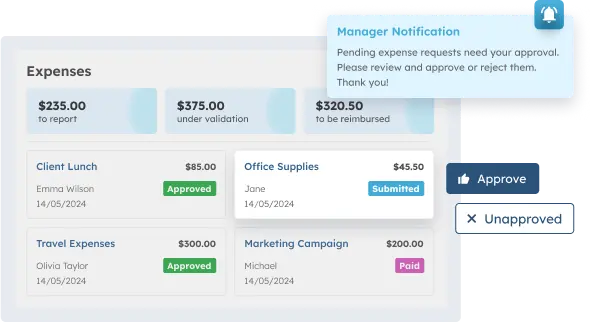
ScaleOcean’s expense software integrates seamlessly with your accounting, HR, and purchasing modules. This connection lets you keep an eye on spending as it happens and simplifies financial tasks across all your departments, making your daily operations a whole lot smoother.
With its flagship platform, ScaleOcean Atlas, ScaleOcean makes it easy to track expenses and helps managers make smart, data-backed decisions. ScaleMind AI adds an intelligence layer by analyzing connected expense and financial data to help teams monitor budgets, identify spending patterns, and access relevant insights for faster decision-making.
ScaleOcean also qualifies for Singapore’s CTC Grant claims. Our built-in training helps your team level up their skills and productivity, and you can claim this as part of the grant. Schedule a consultation with our experts to discuss your expense management requirements and explore how ScaleOcean can support your financial workflows
Key Features:
- Flexibility and Customization: Tailor the software to your company’s needs, including approval workflows and expense categories, for seamless integration into internal processes.
- Automated Expense Approval: Automate approval workflows to reduce delays, streamline processes, and enhance operational efficiency across departments.
- Strong Data Security: Protect financial data with robust security measures, including data encryption and role-based access controls.
- Expense Documentation: Use digital technology to upload receipts, ensuring accurate expense tracking and automatic report generation tailored to your business needs.
- Multi-Currency Support: Automatically calculate exchange rates for international transactions, ensuring smooth financial management across borders.
| Pros | Cons |
|---|---|
|
|
Pricing: ScaleOcean offers flat pricing with no hidden costs, ensuring transparency and predictable expenses. The pricing structure aligns with the software’s customization, so companies pay for the features and services they need without unexpected fees.
Best For: ScaleOcean is best for medium to large enterprises that require a fully customizable solution for all business processes. It adapts seamlessly across various industries, offering tailored features that enhance operational efficiency, compliance, and financial management at scale.
ℹ️ Why Choose ScaleOcean
ScaleOcean connects expense management with accounting, purchasing, HR, and other ERP workflows, helping medium to large businesses centralize spending, automate approvals, and maintain real-time financial visibility.
2. SAP Concur Expense Platform
SAP Concur is a robust expense management platform built for large enterprises, designed to handle a high volume of transactions and compliance requirements. Its mobile tools let employees submit expenses from anywhere, streamlining the process.
However, its complex setup can be challenging for smaller companies. The platform’s extensive features and enterprise-grade controls suit businesses with multi-regional operations and strict internal policies.
Key Features:
- Mobile app for on-the-go expense submission
- Multi-currency and multi-region support
- Automated compliance management
- Integration with ERP systems
- Customizable approval workflows
| Pros | Cons |
|---|---|
|
|
Pricing: SAP Concur pricing varies by company size and needs, with reports estimating around $8 per report. For larger enterprises, annual costs can reach approximately $110,000, reflecting their scale and enterprise-grade features.
Best For: SAP Concur suits large enterprises with complex compliance needs, multiple regions, and intricate internal policies. It scales to support businesses that need robust expense management tools.
ℹ️ Why Choose SAP Concur for Expense Management
SAP Concur combines expense management with travel and compliance workflows, providing large enterprises with tools for expense reporting, approvals, reimbursements, multi-currency transactions, and integration with broader financial systems.
3. Expensify Software
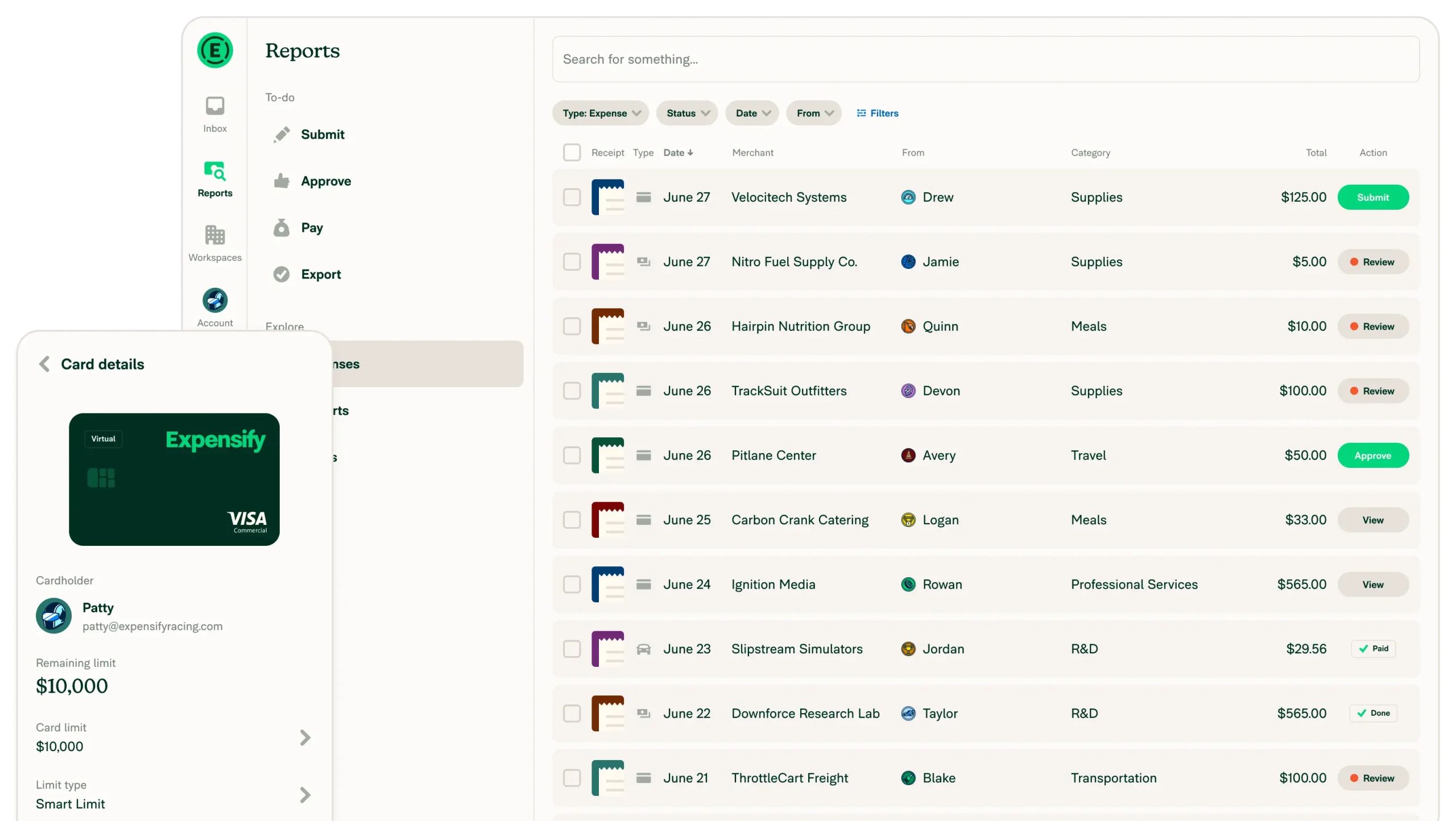
Expensify is a simple and efficient tool that streamlines the expense management process. It offers quick receipt scanning, submission, and reimbursement features that reduce manual effort, allowing employees to manage expenses with minimal hassle.
While it’s easy to use, it may not integrate well with larger ERP systems, which can limit organizations with more complex infrastructure. Nevertheless, it is an effective solution for teams that prioritize speed and simplicity.
Key Features:
- Receipt scanning and automatic data extraction
- Real-time expense tracking
- Customizable approval workflows
- Integration with accounting tools
- Mobile app for easy expense management
| Pros | Cons |
|---|---|
|
|
Pricing: Expensify offers a tiered pricing model, starting at $5 per user/month for the Collect plan and $9 per user/month for the Control plan. This flexible pricing lets businesses of all sizes choose the plan that best fits their expense management needs.
Best For: Expensify is ideal for small to medium-sized businesses that need a straightforward expense management solution. It’s especially effective for teams that want fast, hassle-free reimbursement processes with minimal setup.
ℹ️ Why Choose Expensify for Expense Management
Expensify simplifies expense management through receipt scanning, automated expense reporting, reimbursements, approval workflows, and accounting integrations, making it suitable for businesses seeking a straightforward way to reduce manual expense administration.
4. Aspire Expense Management System
Aspire expense management software helps businesses manage corporate spending, employee claims, budgets, and transactions through one platform. It combines expense controls with corporate cards, business accounts, and accounting integrations.
The platform also supports real-time expense tracking, approval workflows, receipt management, and automated reconciliation. This lets finance teams monitor spending while reducing manual expense administration.
Key Features:
- Corporate cards
- Expense claims and reimbursements
- Budget and spending controls
- Accounting integrations
| Pros | Cons |
|---|---|
|
|
Pricing: Aspire offers a free Basic plan and a Premium plan at S$15/month. Enterprise businesses can access customized plans, while additional spend users may incur separate fees.
Best For: Aspire is best for small to mid-sized businesses and growing companies that need corporate cards, expense tracking, reimbursements, and basic financial management in one platform.
ℹ️ Why Choose Aspire for Expense Management
Aspire combines expense management with corporate cards, multi-currency accounts, reimbursements, approval workflows, and accounting integrations, giving businesses a centralized platform for controlling and tracking company spending.
5. Volopay Expense Management Software
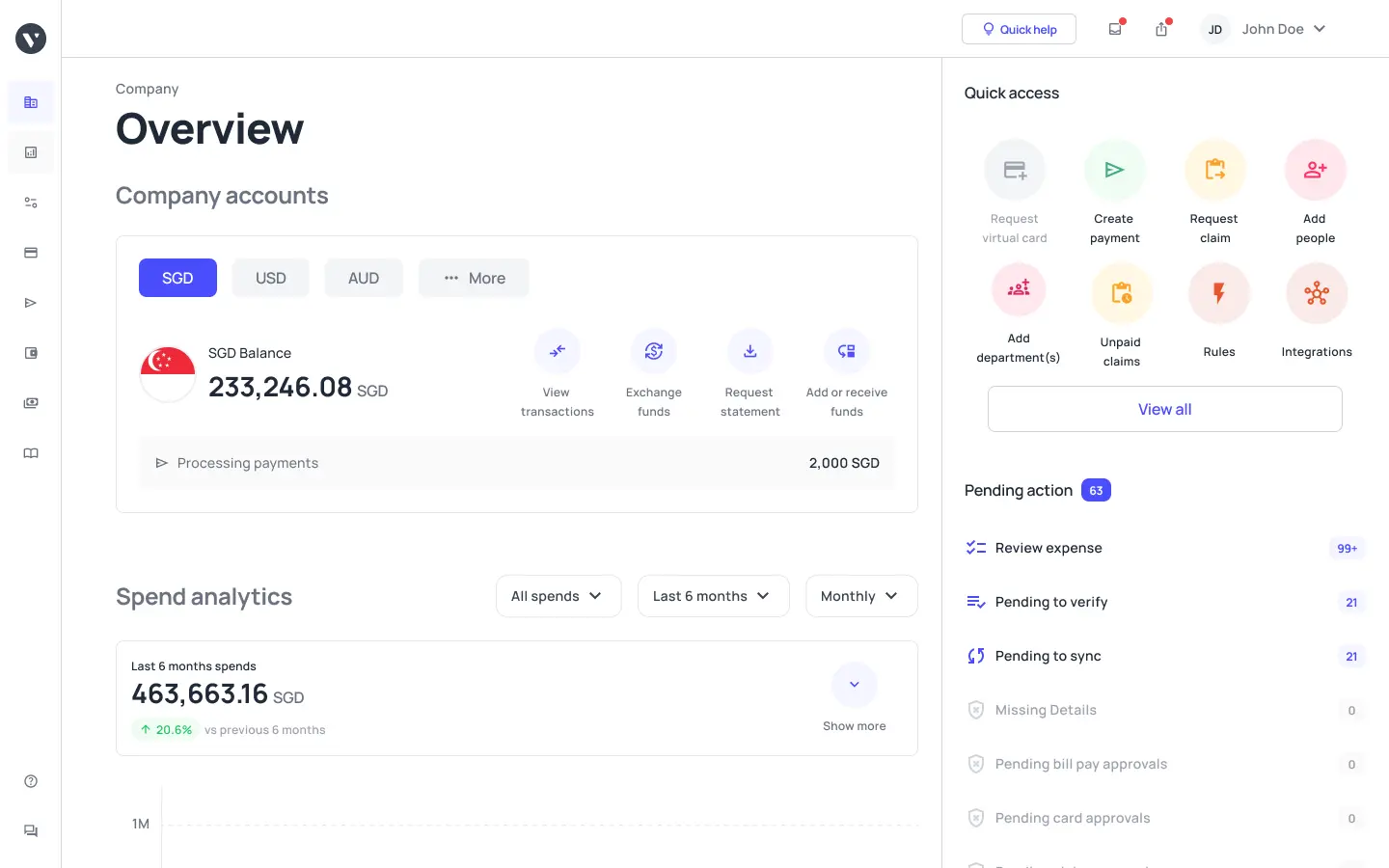
Volopay expense management software helps businesses track employee spending, manage corporate cards, and control expenses through a centralized platform. It also supports reimbursements, vendor payments, and accounting processes.
The platform provides spending controls, multi-level approvals, receipt management, and real-time transaction tracking. Additionally, businesses can connect expenses with departments or projects for more organized financial monitoring.
Key Features:
- Corporate physical and virtual cards
- Expense tracking and reimbursements
- Multi-level approval workflows
- Accounting integrations
| Pros | Cons |
|---|---|
|
|
Pricing: Volopay uses tailored pricing based on business requirements, with its Singapore pricing page directing businesses to contact sales. Its plans include expense management, corporate cards, and accounts payable features.
Best For: Volopay is best for mid-sized to large businesses that manage employee expenses, corporate cards, vendor payments, and multi-department spending across more complex financial operations.
ℹ️ Why Choose Volopay for Expense Management
Volopay combines expense management with corporate cards, accounts payable, reimbursements, procurement, and accounting integrations, providing businesses with a centralized system for controlling company spending and managing financial workflows.
6. Zoho Expense Software
Zoho Expense seamlessly integrates with other Zoho tools like CRM and Books. It’s a budget-friendly expense management solution that provides essential features like mileage tracking, approval workflows, and policy settings for smaller teams.
While it’s not as feature-rich as other platforms, it works well for businesses that need basic automation without extensive configuration. It’s best suited for businesses that need a simple expense management solution.
Key Features:
- Integration with Zoho CRM and Books
- Mileage tracking and reporting
- Customizable approval workflows
- Mobile app for expense management
- Basic policy and compliance settings
| Pros | Cons |
|---|---|
|
|
Pricing: Zoho Expense offers affordable plans starting at $3-$4 per user/month, with higher tiers like Premium priced at $5-$6 per user/month. This flexible pricing suits small businesses that want a straightforward expense management solution.
Best For: Zoho Expense is best for small businesses that already use Zoho products and need a straightforward, budget-friendly expense management solution. It’s ideal for companies that don’t require complex features or integrations.
ℹ️ Why Choose Zoho Expense for Expense Management
Zoho Expense integrates expense tracking with Zoho Books and other Zoho applications, offering businesses receipt management, mileage tracking, approval workflows, policy controls, and reporting within a connected business software ecosystem.
7. Rydoo Expense System
Rydoo is a mobile-first expense management tool for remote teams and anyone who needs real-time visibility into spending. It integrates local tax compliance rules to ensure expenses stay compliant with regional regulations.
Rydoo’s simple interface and fast approval workflows help teams save time on administrative tasks. It’s a good option for businesses that need a mobile-friendly solution to manage expenses and speed up reimbursements.
Key Features:
- Mobile-first design for remote teams
- Real-time expense tracking
- Integration with tax compliance rules
- Fast approval workflows
- Multi-currency support
| Pros | Cons |
|---|---|
|
|
Pricing: Rydoo’s pricing starts at approximately €10–€12 per user/month, with tiered subscription plans suited for different business sizes. This structure gives businesses of varying sizes flexibility, from small to mid-sized teams.
Best For: Rydoo is ideal for small to medium-sized businesses with remote teams that need a simple, mobile-friendly solution for managing expenses and staying compliant with local tax regulations.
ℹ️ Why Choose Rydoo for Expense Management
Rydoo provides mobile-first expense management with receipt capture, automated approvals, real-time tracking, multi-currency support, and reimbursement workflows, making it suitable for businesses managing expenses across mobile or distributed teams.
8. Navan Expense Management System
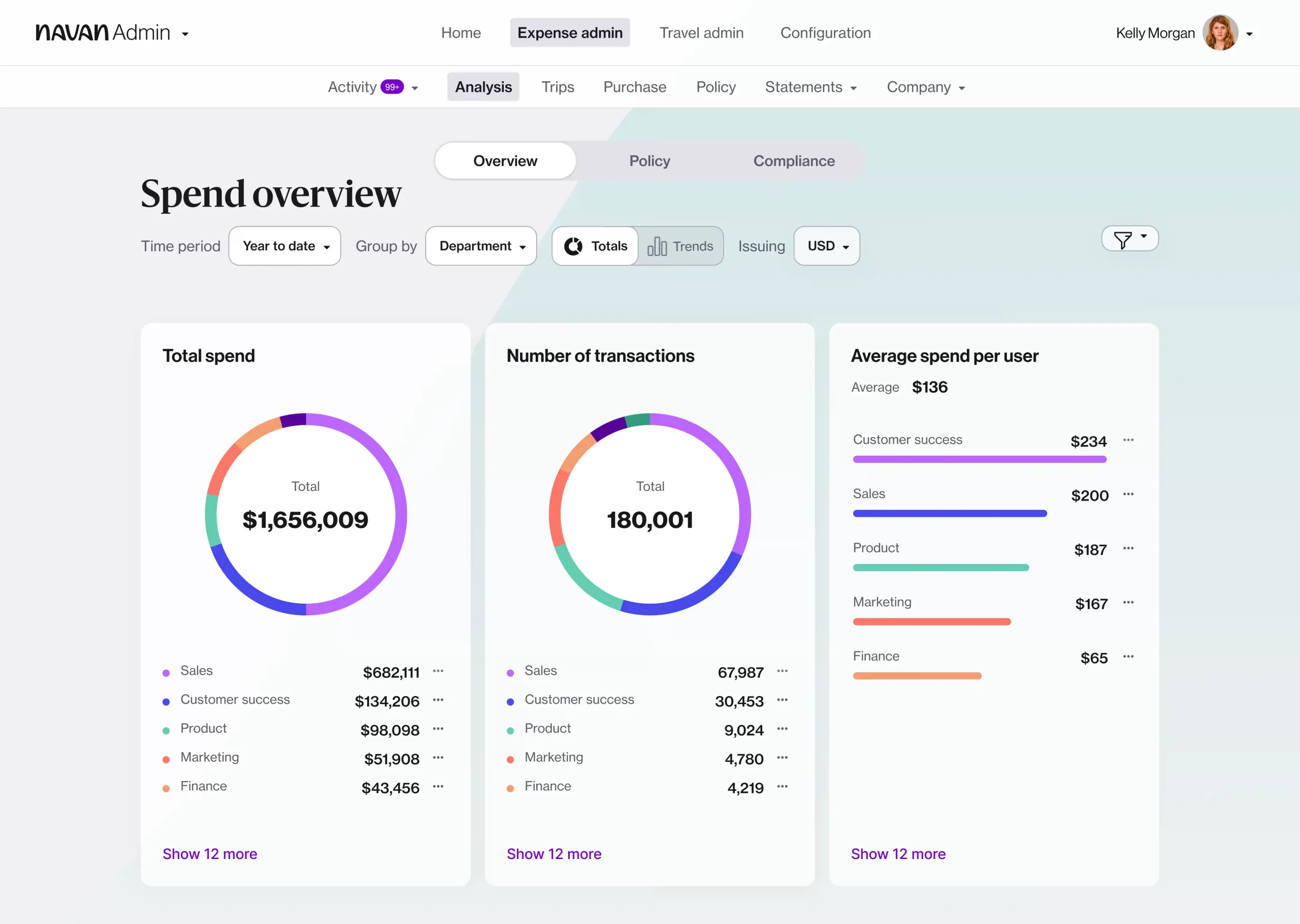
Navan simplifies cross-border expense management while ensuring compliance with regional rules. The platform’s straightforward design allows for frictionless claims and clear approval workflows.
Naven is particularly suited for businesses operating across Southeast Asia, where managing expenses across regions can be complicated. The system is a practical choice for teams that need an easy-to-use, cross-border solution.
Key Features:
- Cross-border expense management
- Easy-to-use interface
- Streamlined approval workflows
- Regional compliance support
- Automated data entry
| Pros | Cons |
|---|---|
|
|
Pricing: Navan offers free access for the first 5 active users, with additional users costing $15 per user per month. This straightforward pricing model suits small teams and businesses in Southeast Asia with cross-border expense needs.
Best For: Navan is best for businesses in Southeast Asia that need a simple, effective solution for managing cross-border expenses. It’s particularly useful for teams with straightforward needs and limited complex requirements.
ℹ️ Why Choose Naven for Expense Management
Naven simplifies expense management across Southeast Asia with streamlined claims, approval workflows, and regional expense controls, making it suitable for businesses with cross-border spending and distributed operations.
9. Coupa Expense Management Solution
Coupa is a comprehensive expense management tool designed for large teams and enterprises. It offers advanced procurement and expense management features, providing visibility into spending from multiple perspectives.
Though it’s an enterprise-grade solution, it may be too complex for smaller businesses. However, for large organizations, its AI-driven analytics and procurement capabilities offer deep insights into spending and budgeting.
Key Features:
- Procurement and expense management integration
- AI-driven analytics
- Multi-department spending visibility
- Cloud-based platform
- Advanced reporting tools
| Pros | Cons |
|---|---|
|
|
Pricing: Coupa’s pricing is typically around $2,500 per month, with custom pricing for larger enterprises. The platform’s advanced features cater to large organizations with complex procurement and expense management needs.
Best For: Coupa is ideal for large enterprises with complex procurement and expense management needs. It’s best for companies that require comprehensive financial oversight and detailed spending analysis.
ℹ️ Why Choose Coupa for Expense Management
Coupa connects expense management with broader spend management, procurement, and financial workflows, helping enterprises gain greater control over employee spending, approvals, supplier transactions, and overall business expenditure.
10. Sage Expense Management Platform
Sage’s expense management platform integrates seamlessly with its accounting tools, making reconciliation easier for businesses that already use Sage for accounting. It’s a good fit for mid-sized businesses that want reliable financial accuracy.
The platform balances structure and flexibility, making it suitable for companies looking to scale steadily. It’s ideal for organizations that want efficient expense management with minimal complexity.
Key Features:
- Integration with Sage accounting tools
- Real-time expense tracking
- Cloud-based platform
- Customizable approval workflows
- Multi-currency support
| Pros | Cons |
|---|---|
|
|
Pricing: Sage’s expense management platform starts at $14.99 per active user per month, with a 10-user minimum for the Business plan. This pricing includes AI-powered tracking and seamless integration with Sage’s accounting tools.
Best For: Sage’s expense management platform suits mid-sized companies already using Sage accounting tools. It’s suitable for businesses seeking reliable, efficient expense management with minimal complexity.
ℹ️ Why Choose Sage for Expense Management
Sage connects expense management with accounting and financial management, helping businesses organize expense claims, approvals, reporting, and reimbursement while keeping spending data connected to their broader accounting processes.
Expense Management Software Not Available in Singapore
Ramp is frequently mentioned in expense management software comparisons and is often praised for its corporate spending and financial management capabilities. That visibility can make it seem like a potential option for businesses outside the US.
However, Ramp currently serves only businesses incorporated in the United States. Companies registered in Singapore cannot open an account or use the platform, so it is not a practical option for Singapore-based businesses despite its presence in many software recommendation lists.
If you are comparing expense management solutions for a Singapore business, it is therefore better to remove Ramp from your shortlist and focus on platforms that officially support Singapore-based companies.
How Does an Expense Management System Solution Work?
Most companies break the process into a few manageable steps, from when an expense submission to reconciliation. The idea is to cut down on back-and-forth by adding automation where it makes a real difference.
We’ll walk through six main stages that make up a dependable expense management system. It’s a good way to see how each part plays into a smoother process, especially when speed and accuracy are on the line.
Here are the six steps for a dependable expense management process:
Step 1: Digital Capture & Submit the Expense Report
Most employees start by snapping a photo of their receipt in a mobile app, or uploading it from their desktop. The system picks it up instantly, and OCR pulls out the details so they don’t have to enter them.
That alone cuts down on time spent doing data entry, which is often the part people drag their feet on. It’s also the moment where accuracy and ease first start to show up in the process.
Step 2: Automatic Policy Enforcement
After someone submits their expense report, the system automatically runs it through the company’s policy rules. If anything looks off or doesn’t match what’s allowed, it gets flagged right away, so no one has to dig through it manually.
That setup really cuts down the back-and-forth for approvers while still keeping everything in check. Real-time policy enforcement means fewer delays and a smoother flow for everyone involved.
Step 3: Assigned Approvers Receive and Review
Once the report’s ready, it goes straight to the right managers or finance folks, who usually need to give it a quick look. They’re notified almost immediately, so there’s not much lag time.
This part helps keep things accountable and traceable across teams, especially when more than one department is involved. Most of the time, approvals happen right from a centralized dashboard, which just makes things easier for everyone.
Step 4: Expense Gets Paid or Reimbursed
After the green light, the money usually goes out, either through payroll or direct deposit. When exactly it appears in the account depends largely on the company’s setup.
Speed matters here more than people realize. The longer it drags, the less likely folks are to comply with reporting.
Step 5: Accounting Reconciliation
Once expenses are reviewed and approved, they’re pushed into the accounting system and usually automatically. This keeps financial records aligned and saves teams from chasing mismatched numbers later.
It also becomes much easier to track things like the expense ratio, which is often used in internal reviews or reports. Compared to doing it all by hand, the reconciliation process here is far less error-prone and, honestly, just less of a headache overall.
Step 6: Real-Time Sync and Expense Analytics
Every bit of data updates the moment it’s entered, so you’re always working with the latest version, and nothing lags. Over time, this builds up a full audit trail, which can really help when you need to look back and make sense of what happened and when.
Dashboards do more than look nice because they highlight patterns, show where things are off, and give a quick sense of how budgets are being used. With expense analytics in place, finance teams don’t have to guess as much, so they can plan and respond more confidently when something shifts.
A well-structured expense management system can make all the difference in streamlining processes and improving efficiency. ScaleOcean ERP integrates all these steps with ScaleOcean Atlas, from automated expense capture to real-time analytics, ensuring your team stays on top of expenses with ease and accuracy.

Key Features to Look For in Expense Management Software
When choosing the right expense management software, select a solution that simplifies your workflow, reduces errors, and keeps everything consistent. A good system makes expense management easier and keeps data accurate across teams.
Here’s a closer look at what to consider when evaluating expense management software:
1. Automation Features
Automation can save you time by categorizing expenses and reconciling accounts automatically. It reduces manual work and errors, making your financial reports more accurate and efficient.
Plus, automated approval workflows speed up the process, making it easier for managers to approve claims without unnecessary delays. This is particularly helpful when you have a large team or frequent approvals to manage.
2. Mobile Accessibility
Having mobile access to your software means your employees can submit claims and track their expenses even when they’re on the move. This is super helpful for teams that travel or work remotely.
Mobile access makes it easier for employees to snap photos of receipts and submit claims right away, so nothing gets lost or delayed. It simplifies the reimbursement process and makes it more convenient for everyone involved.
3. Seamless Integration
Your expense management software should integrate smoothly with your existing accounting system. This way, data flows naturally between platforms, eliminating extra data entry.
With easy integration, you get a more complete view of your finances. This improves decision-making by consolidating and keeping your expense data up to date, giving you a clearer picture of your financial health.
4. Multi-Currency Support
If your business works internationally, you’ll need a system that can handle multiple currencies. This feature helps manage expenses across different countries and automatically converts currencies, making tracking much easier.
With real-time exchange rate updates, multi-currency support ensures accurate expense reporting, regardless of where the transaction happens. This eliminates errors from manual conversions and keeps your financial records precise.
5. Compliance and Security
Your expense management software should meet local compliance standards to make sure all transactions are handled according to regulations. This helps avoid any legal issues or fines that could arise from non-compliance.
Security is also key. With encryption and role-based access, the software keeps sensitive financial data safe. Top-notch security helps protect both your company’s and employees’ personal information.
6. Customizable Reporting
Customizable reporting tools allow you to create reports tailored to specific needs, such as by department, project, or individual employee. This helps you better understand your spending patterns and stay on top of budgeting.
With customizable reports, you can highlight key metrics like total spending, trends over time, or even budget discrepancies. This flexibility gives you the insights you need to manage your finances more effectively and make smarter business decisions.
How to Choose the Best Expense Management Software for Your Business
When choosing the best expense management software for your business, start by reviewing your current expense management process. Identify where things slow down or where mistakes tend to pop up. This way, you can find a solution that fixes those problems and matches your specific needs.
Here are some key questions to ask when evaluating the right software for your business:
1. Is the Software Adaptable to Your Company’s Future Growth?
Look for software that can grow with your business. What works well for a small team might not be enough for a larger organization as you expand. Opt for a solution that can easily handle more transactions and users as your business grows.
As your company evolves, make sure the software can grow with you. Choose platforms that offer flexible pricing options, so you’re only paying for what your business needs now, and avoid paying for features you won’t use.
2. Does the Software Align with the Specific Needs of Your Industry?
Different industries have different needs, so choose software built for your business type. For example, e-commerce businesses may need multi-currency features, while service-based businesses may prioritize easier invoicing.
Understanding your industry’s specific needs will help you choose the right expense management solution. Choosing software designed to tackle your industry’s common challenges can make your work more efficient and your team more productive.
3. What Type of Pricing Structure Does the Software Offer?
Expense management software comes in different pricing models, such as flat-rate subscriptions, pay-per-use, or tiered plans based on volume. Understanding how each model works helps ensure you get the most cost-effective solution.
By understanding the pricing structure, you can avoid unexpected expenses and ensure that your software fits your company’s budget. A well-suited pricing model will grow with your business without straining your finances.
4. What Integrations Does the Software Support?
Make sure the software integrates easily with the tools you’re already using, such as your accounting or ERP systems. Integration with platforms like QuickBooks or Xero can save you time by automatically syncing expense data for accurate reporting.
Integration capabilities are key to streamlining your financial processes. When your expense management system integrates seamlessly with your existing tools, it reduces manual data entry, minimizes errors, and keeps your financial records consistent.
5. How Does the Software Handle Multi-Currency Transactions and Payments?
If your business works with international vendors or customers, choose software that can handle multi-currency expenses. The platform should automatically convert currencies, apply exchange rates, and manage cross-border payments without any hassle.
Check for additional fees or limitations on international transactions, as these could affect your cost efficiency. Smoothly managing multi-currency transactions is especially important for businesses with a global presence, making this feature essential.
6. Can the Software Provide Additional Financial Services?
Consider using an all-in-one platform that offers more than just expense management. Solutions like Airwallex, for example, offer international transfers and other financial services that can simplify your operations by reducing the need to use multiple platforms.
A comprehensive platform gives you a full view of your business expenses, bringing all your financial tasks into one tool. This reduces time spent switching between systems and keeps your financial data in sync and up to date.
Conclusion
Expense management software has evolved from a purely finance task to a critical part of authorizing, auditing, and processing employee spending. The right software can take you from spreadsheet chaos to streamlined efficiency in just a few clicks. What matters is choosing a tool that fits your team, your goals, and your growth stage.
There’s no one-size-fits-all here, but solutions like ScaleOcean expense software are built to adapt and scale with you. If you’ve been putting off the switch, now’s the time. Your future finance team will thank you. Schedule a consultation with our experts now to try it firsthand.
FAQ:
1. What is the best expense management software in Singapore?
The best expense management software depends on business size and requirements. ScaleOcean suits businesses that want integrated, ERP-based expense management, while Airwallex, Aspire, Volopay, Expensify, and SAP Concur offer different approaches to cards, reimbursements, approvals, and financial management.
2. How much does expense management software cost in Singapore?
Expense management software in Singapore can range from free plans to custom-priced enterprise solutions. Pricing may depend on the number of users, features, corporate cards, transaction volume, or modules. Compare the total cost of the platform, including add-ons and user-based fees, not just the monthly subscription.
3. Does expense management software support GST in Singapore?
Some expense management platforms support GST tracking, but capabilities vary between providers. Singapore businesses should check whether the software captures GST details accurately, supports relevant expense categories, and integrates with accounting workflows used for Singapore tax reporting.
4. What should Singapore businesses look for in expense management software?
Singapore businesses should evaluate GST compliance, multi-currency support, accounting integrations, expense approvals, reimbursements, spending controls, pricing, and Singapore availability. Growing companies should also consider multi-entity support and integration with wider finance and ERP workflows.
























.png)