How much time are you losing tracking and resolving customer inquiries without the right tools? Without a reliable customer service system, even simple queries can pile up, causing delays in responses, frustrated customers, and missed opportunities for improving satisfaction. But it’s not just about solving problems quickly. Poor tools can create additional stress for your team.
So, a reliable customer service software isn’t just a nice addition when it’s essential for businesses today. The right tool helps reduce delays, improve customer satisfaction, and create smooth, efficient workflows. It frees up your team to focus on improving service and growing your business.
With these challenges in mind, let’s take a closer look at customer service software. We’ll explore the best customer service support software available, like ScaleOcean, Zendesk, and Freshdesk, and guide you through which features will best support your team and enhance your customer service.
Key Takeaways
Customer service software is a versatile digital toolkit that helps businesses organize and manage their interactions with clients.
Benefits of customer service software, like increased customer satisfaction, higher agent productivity, and reduced ticket volumes, all contribute to growth.
ScaleOcean’s customer software is designed to solve these challenges, providing a powerful, integrated solution that streamlines support and helps your business grow.
Customer service software is a versatile digital toolkit that helps businesses organize and manage their interactions with clients. It serves as a central hub where support teams can track inquiries and resolve issues efficiently.
Building on this foundation, the software allows your team to communicate across multiple channels, like email or chat, from one place. This integration ensures that every customer receives a quick, consistent, and professional response.
Comparison of the 12 Best Customer Service Software
Choosing the right customer service software is essential for improving support efficiency and enhancing customer satisfaction. With so many options available, it’s important to find the best fit for your business needs. Here’s a comparison of the top 12 customer service software tools:
Vendor
Starting Price
Best Suited For
Key Feature
ScaleOcean
Transparent pricing, no hidden costs
Medium to large-scale enterprises needing personalized systems
ERP-based system, multi-channel integration, AI performance analytics, customizable workflows
Zendesk
$19 per month
Small businesses looking to digitalize customer service
CRM integration, automated service case management, centralized knowledge base
Intercom
$39 per seat
Small to medium-sized businesses, especially tech companies
In-app messaging, automated bots, and user activity tracking
LiveAgent
$15 per agent per month
Medium to large-scale enterprises with high interaction volumes
Universal multi-channel inbox, VoIP integration, live chat widgets
HubSpot Service Hub
$12 per month
Small and medium businesses focused on inbound marketing
Ticket management, customer satisfaction surveys, and quick reply templates
Help Scout
$25 per month
Small to medium-sized SaaS companies
Shared inbox for collaboration, simple knowledge base, and instant customer satisfaction reports
Gorgias
$10 per month
Small to medium-sized e-commerce businesses
Real-time order data display, automated replies, and social media message management
Hiver
$25 per month
Small teams using Gmail for customer service
Team collaboration within Gmail, automatic email assignment, and email templates
Jira Service Management
$7.91 per user
Startups and small teams need close collaboration between support and technical teams
Incident management, ITIL standards, integration with software development
What are the Best Customer Service Software and Tools?
So, when it comes to finding the right customer service software, it makes you wonder which platforms are genuinely leading the way, especially for businesses looking for solid help desk solutions in places like Singapore and even further afield.
Honestly, there’s quite a range of strong systems out there, and each one brings something a bit unique to the table, so here we’ll delve into some of the top customer service software examples we’ve seen making a real difference:
1. ScaleOcean Customer Service Software
ScaleOcean’s customer service helpdesk software is a great all-in-one choice because it uses an ERP-based system. It links your support data directly with Sales, Inventory, and Finance, so your team always has the full story whenever they help a customer.
Building on that connectivity, the software is also easy to customize to match your unique business steps. You can tweak the workflow so it feels natural for your team, making it a flexible tool that truly grows alongside your company.
To keep your data safe, ScaleOcean provides infrastructure that is fully aligned with PDPA standards. This ensures every piece of customer information is handled with the high level of security and local compliance you expect.
As a TÜV SÜD Certified Consultant, ScaleOcean makes claiming the CTC grant much easier for your business. It is a reliable way to grow, so why not explore the benefits and schedule a consultation with ScaleOcean today?
Key Features:
Multi-Channel Integration: Link email, phone, live chat, and social media into one unified communication hub for your support team.
Ticketing System: Organize and prioritize customer issues into tickets while routing them automatically to the right team.
Automated Responses: Send instant replies for common questions or reminders to keep your customers informed without any delay.
Self-Service Portal: Let customers manage accounts, track orders, and solve basic issues on their own through a private portal.
Interaction History: Automatically store and manage all past customer conversations to provide a more personal service touch.
AI Performance Analytics: Use AI to track response times and resolution rates to help improve your team’s overall service quality.
Pros
Cons
Specifically built to handle the complex and high-level needs of large-scale organizations.
Features a system that is easy to customize and configure to match your specific workflows.
Implementation begins by deeply understanding your unique business processes first.
Allows you to activate specific system modules step-by-step as your business grows.
Delivers a quicker return on investment with a significant 45–75% overall improvement.
Not intended for very small businesses or those with highly simple requirements.
Focuses on long-term quality with a full setup period taking about 2 to 6 months.
Price: The pricing for this service is clear and transparent, with no hidden charges. ScaleOcean also provides a flexible plan that accommodates unlimited users, allowing your business to expand without the concern of extra costs as your team increases.
Best for: This service is highly suitable for medium to large-scale enterprises that require a personalized system. Its scalability allows adjustment to various industrial sectors with complex business processes that need integrated data.
2. Zendesk Customer Service Software
Zendesk is a cloud-based customer service platform providing various tools for user interaction. Its function includes tracking complaints from various communication channels like email, phone, and social media in one place.
This software acts as a communication bridge between customers and service providers so that conversation history is neatly stored. This allows the support team to provide consistent answers without losing the context of the problem.
Key Features:
Multi-channel ticket management.
Self-service customer knowledge base.
Automated chatbots for initial help.
Support agent performance analytics.
Mobile application for support teams.
Pros
Cons
Extensive third-party app ecosystem.
The interface is relatively easy to grasp.
Adequate feature scalability.
Complete technical help documentation.
Stable social media integration.
Advanced features need a complex setup.
Dashboard navigation feels crowded.
Technical support response time varies.
Visual customization is quite limited.
Takes time to master all tools.
Price: This service offers a monthly subscription scheme starting from $19 per month. This price is adjusted to the basic feature needs required to manage customer interactions digitally within a business environment.
Best for: This platform is suitable for small businesses looking to begin digitalizing their customer service. The focus is on ease of managing standard interactions for businesses needing quick solutions without heavy infrastructure.
3. Freshdesk Customer Service Management Software
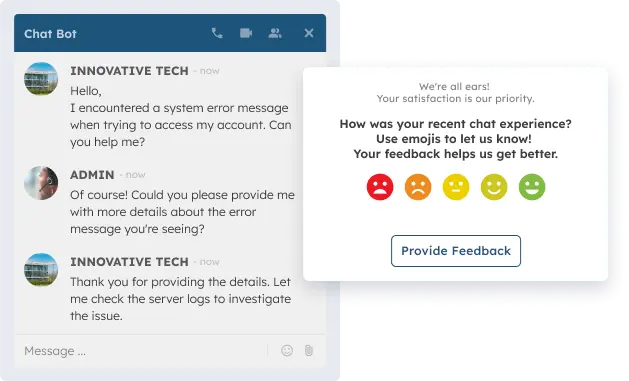
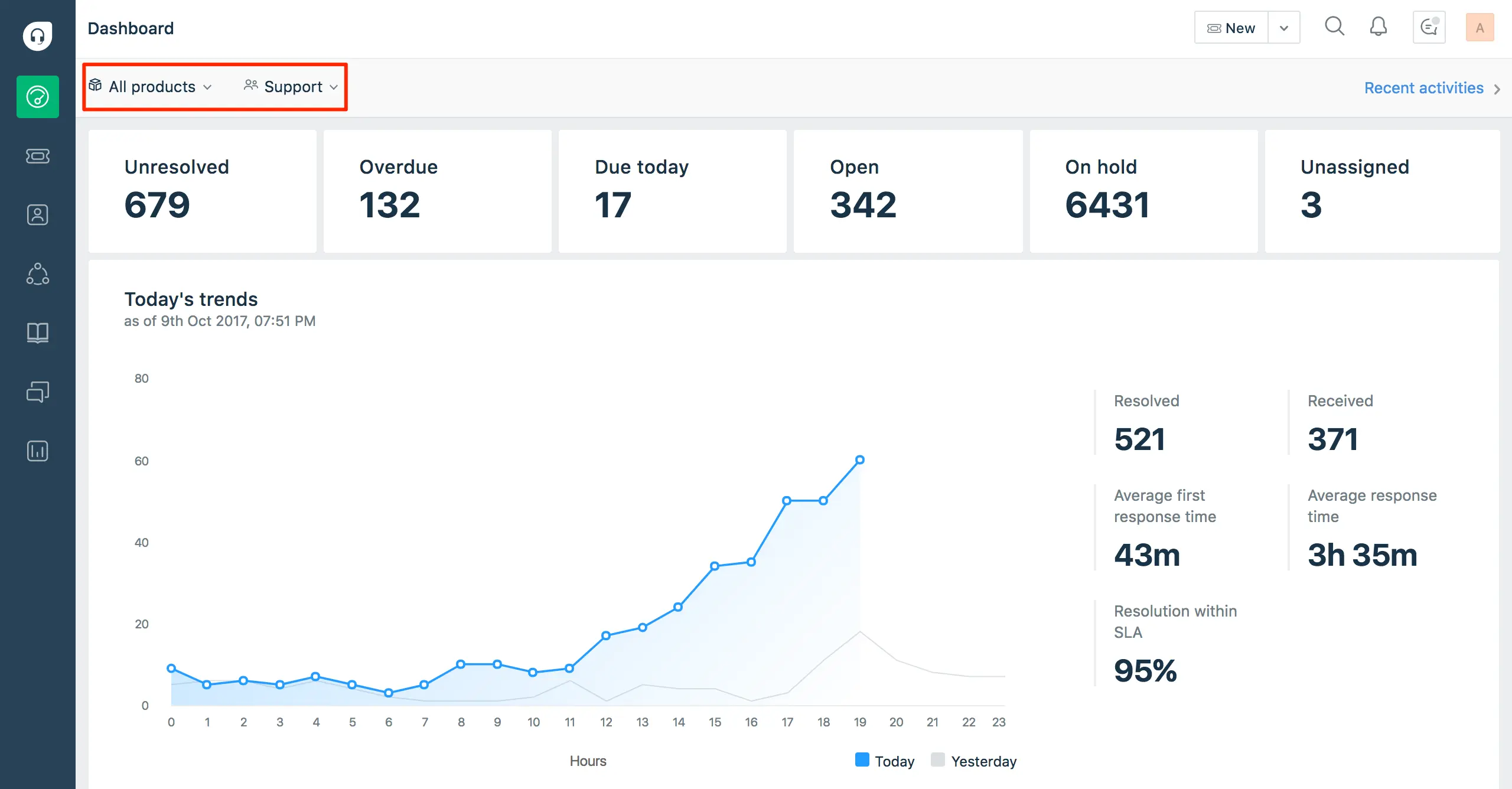
Freshdesk is a help management software focusing on simplifying the ticket resolution process. The tool functions by converting emails, messages, and calls into tickets that can be automatically assigned to available agents.
Its main function is to ensure that no customer requests are missed through an automated reminder system. The device also provides team collaboration features so that complex problems can be resolved collectively.
Key Features:
Automatic ticket distribution to agents.
Team collaboration within one ticket.
Gamification for agent motivation.
Customer feedback mechanisms.
Service time distribution reports.
Pros
Cons
Initial setup is very simple.
Relatively intuitive menu navigation.
Self-service help options are available.
Stable workflow automation features.
Supports many communication languages.
Reports on basic plans lack depth.
Limited integration in certain versions.
Occasional synchronization issues.
Portal customization options are narrow.
The interface appearance feels standard.
Price: Usage costs for this platform start at $15 per month. This pricing scheme is designed to provide access to core ticket management features needed by support teams to handle daily volumes of customer requests.
Best for: This system is an appropriate choice for small and medium-sized businesses. Its utility greatly helps growing teams organize increasing message volumes so they remain organized with standard procedures.
4. Zoho Desk Customer Service Platform
Zoho Desk is a help platform emphasizing the context of customer data in problem-solving. This device functions by displaying user interaction history so agents can understand the customer’s situation before providing answers.
Additionally, this software provides a portal for customers to find solutions independently through guide articles. This functions to reduce the support team’s workload by answering common questions through automated systems.
Key Features:
Analytics based on customer sentiment.
Self-service portal for end users.
Support team work hour scheduling.
Integration with the Zoho ecosystem.
Real-time SLA monitoring.
Pros
Cons
Smooth data integration between apps.
Efficient for small team management.
Mobile device access available.
Easy-to-configure report features.
Fairly organized menu structure.
Visual design looks a bit rigid.
Requires time for SLA setup.
AI features are limited to certain plans.
Email notifications are sometimes late.
File storage capacity is limited.
Price: A free plan is available for basic features. Paid plans start at $14 per user for the Standard level, up to $23 per user for the Professional level, which includes SLA management and advanced reporting billed annually.
Best for: Zoho Desk is a functional choice for small businesses seeking order in service administration. It is very effective for organizations requiring a structured help system with measurable operational costs.
5. Salesforce Service Cloud Software
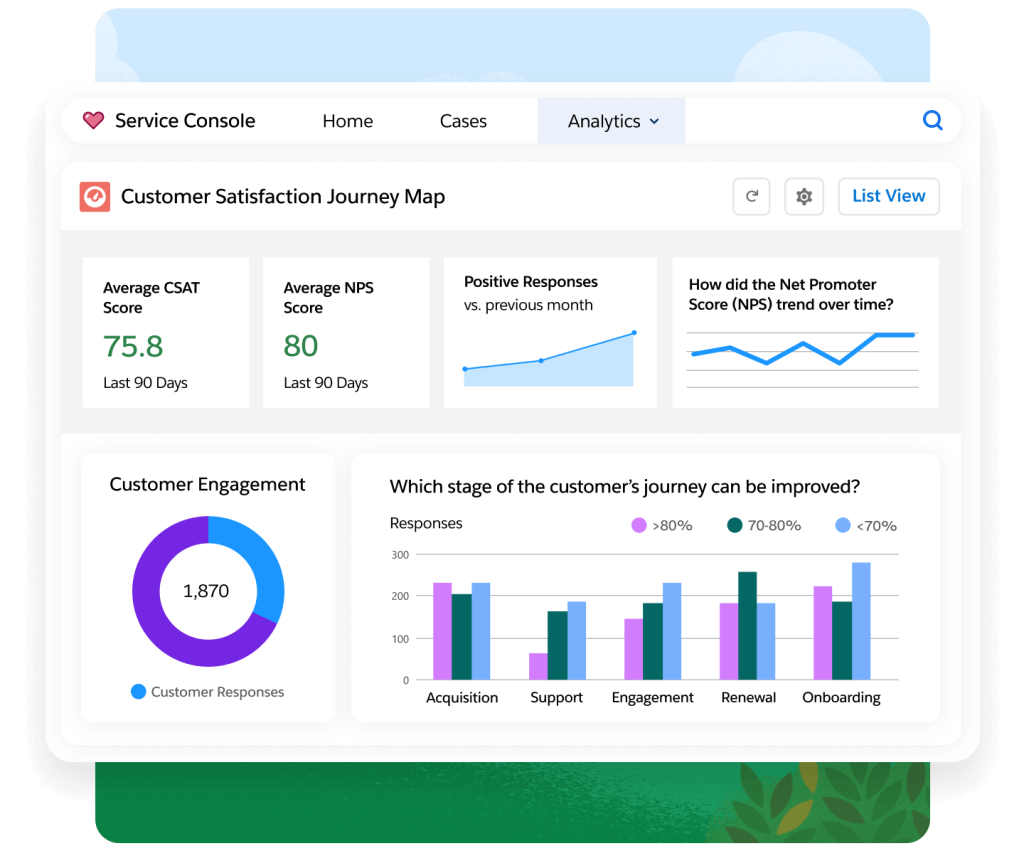
Salesforce Service Cloud is a service management platform integrating customer data with CRM systems. This tool functions by providing a 360-degree view of the customer to support more personalized problem resolution.
This system assists service teams in predicting customer needs based on previous activity data. Its functions include extensive business process automation to keep service operations aligned with the company’s sales strategy.
Key Features:
Total CRM customer data integration.
Automated service case management.
Centralized knowledge base access.
Service console for productivity.
Automated approval workflows.
Pros
Cons
Very large data management capacity.
Very deep analytical features.
Very wide additional app ecosystem.
High system configuration flexibility.
International standard data security.
User learning curve is very steep.
Requires expert system administrators.
Implementation time tends to be long.
Additional costs for certain modules.
Interface can feel very complex.
Price: Various editions are available starting from $300 per user per year for Essentials, up to $3900 for the Unlimited edition. This cost covers access to a customer service ecosystem connected to the corporate database.
Best for: This software can be used by small businesses with fast growth plans that require customer data integration. The primary focus is on companies relying on long-term relationships with a customer database.
6. Intercom Customer Service Support Software
Intercom is a customer communication platform using instant messaging as its primary help tool. Its function is to connect businesses with customers through live chat integrated within the website.
This tool aims to provide real-time assistance while customers are actively using a product or service. Besides chat, this system provides features for sending automated messages based on user behavior within the platform.
Key Features:
In-app/web instant messaging.
Automated bots for ticket qualification.
Unified team inbox management.
Automatic help article delivery.
Tracking active user activity.
Pros
Cons
Modern user experience.
Speeds up interaction with customers.
Easy to integrate into websites.
Good user segmentation features.
Clean conversation interface.
Pricing schemes change quite often.
Can become expensive as users scale.
Less focus on legacy ticketing systems.
Standard report features lack depth.
Requires a fast internet connection.
Price: Intercom offers three main plans starting at $39 per seat for the Essential level. The Advanced plan at $99 and the Expert plan at $139 per monthly seat are available for those requiring advanced communication features.
Best for: Based on feature analysis and service structure, Intercom is very suitable for small to medium-sized businesses, especially tech companies. Its focus on instant communication helps teams provide fast responses to active users.
7. LiveAgent Customer Service Management Tool
LiveAgent is a help center application combining live chat, ticketing, and call center features. This device functions to embrace all customer interactions from various channels into one universal inbox.
The system is designed to minimize customer wait times by providing fast and responsive communication tools. Its functions also include agent management so that team workload distribution can be monitored directly by supervisors.
Key Features:
Universal multi-channel inbox.
Virtual phone management system.
Live chat widgets for websites.
Conversation recording for audits.
Skill-based ticket distribution.
Pros
Cons
Very responsive chat features.
Supports stable VoIP integration.
The administrative interface is quite clear.
Detailed agent performance reports.
Availability of many system languages.
Dashboard design looks a bit old.
The mobile app needs improvement.
Initial portal setup is somewhat technical.
The ticket search feature needs speed.
System notifications sometimes duplicate.
Price: This service can be accessed starting from $15 per agent per month with an annual billing system. This pricing scheme covers core functionalities for a help center requiring diverse communication channel integration.
Best for: This system is an appropriate choice for medium to large-scale enterprises operating call centers and active chat services. It is very useful for organizations handling high interaction volumes every day.
8. HubSpot Service Hub System Solution
HubSpot Service Hub is part of the HubSpot ecosystem, focusing on ease of interaction and customer satisfaction. This tool functions by connecting service teams with marketing data, so the customer education process runs in alignment.
The main function is managing help tickets while monitoring customer happiness levels through satisfaction surveys. This system makes it easy for teams to prioritize issues based on urgency and customer value within the system.
Key Features:
Ticket management with clear statuses.
Customer satisfaction surveys (NPS).
Automatic integration with HubSpot CRM.
Library of quick reply templates.
Resolution time and volume analytics.
Pros
Cons
CRM data synchronization is very smooth.
Easy to use, even for beginners.
Fairly reliable automation features.
An additional app ecosystem is available.
Helpful user documentation.
Advanced features require expensive plans.
Limited report customization at start.
Access permission settings are basic.
Some features feel overlapping.
Service contracts are difficult to change.
Price: Prices vary, starting from $12 per month for the Starter pack. For professional needs, costs range from $450 to $800 per month, while Enterprise packages can reach $1,500 to $3,600 per month, depending on modules.
Best for: This software is suitable for small and medium businesses focused on inbound marketing strategies. It is very effective for companies wanting to unify marketing, sales, and service data in the same platform.
9. Help Scout Customer Service Tool
Help Scout is a customer service platform designed to feel like a personal email to its users. This device functions to manage help communications without using ticket numbers that often feel rigid to customers.
Its function is to provide a shared inbox for teams to collaborate in answering customer emails efficiently. This system also includes knowledge base features to help customers get quick answers.
Key Features:
Shared inbox for collaboration.
Simple self-service knowledge base.
Instant customer satisfaction reports.
Integration with messaging apps.
Internal notes between agents.
Pros
Cons
Very personal customer experience.
The interface is very clean and easy.
No confusing ticket numbers.
Very fast team onboarding process.
Focus on conversation quality.
Automation features lack depth.
Not suitable for massive ticket volumes.
External phone integration is limited.
Custom reports are less flexible.
Does not support asset management.
Price: A Standard plan is available at $25 per month for growing teams. For broader features with more task automation, a Plus plan is available at a cost of $45 per month per user.
Best for: Help Scout is built specifically for small and medium-sized SaaS companies, prioritizing personal relationships with customers. It is perfect for teams wanting to avoid a bureaucratic feel in providing technical support.
10. Gorgias Customer Service Management Software
Gorgias is a help center platform created specifically for electronic commerce (e-commerce) businesses. The tool functions by pulling customer order data directly into the conversation window so agents can act quickly.
This system assists service teams in performing actions like refunds or order changes without switching applications. Its function is to shorten the resolution time for problems related to shopping transactions.
Key Features:
Direct integration with online stores.
Real-time order data display.
Automated replies based on order data.
Social media message management.
Revenue tracking from the service.
Pros
Cons
High efficiency for online store admins.
Reduces switching between applications.
Stable post-purchase automation.
Easy to monitor shipping status.
Focus on transaction resolution.
Less relevant outside the retail sector.
Dependent on the e-commerce platform.
Volume-based ticket pricing structure.
Sales-specific report features.
Limited general integration options.
Price: The starter plan begins at $10 per month for 50 tickets. A Basic plan is also available at $50 for 300 tickets, as well as a recommended Pro plan starting from $300 per month for larger interaction volumes.
Best for: Based on its capabilities, Gorgias is very suitable for small to medium-sized e-commerce businesses. Its feature focus provides value for online store owners needing quick transaction data integration to serve customers.
11. Hiver Customer Service System Tool
Hiver is a help center solution that works directly within the Gmail interface. This tool functions by turning a regular email inbox into a customer service platform without requiring users to learn unfamiliar new software.
Functions include assigning emails to team members and tracking resolution status transparently. This helps teams manage shared email accounts like support@company in a more organized and professional manner.
Key Features:
Team collaboration directly in Gmail.
Automatic email assignment.
Internal notes on email threads.
Response and resolution time analytics.
Email templates for consistency.
Pros
Cons
No time needed to learn a new app.
Very light for team operations.
Keeps email appearance familiar.
Efficient for daily task management.
Stable Gmail account synchronization.
Limited to the Google ecosystem only.
Lacks features for non-email channels.
Dependent on Gmail service stability.
Reporting features are standard.
No phone management features.
Price: Usage costs for this platform start at $25 per month. This price covers access to shared email management features, allowing teams to work collaboratively directly from their business email accounts every day.
Best for: Hiver is designed to make small teams more efficient through AI assistance and multi-channel management. It is very appropriate for small organizations wanting to improve service without moving from their existing email platform.
12. Jira Service Management Tool
Jira Service Management is a service platform emphasizing collaboration between support and technical teams. The tool functions by managing service requests with ITIL standards to ensure IT operations run well.
This system facilitates reporting of technical issues up to change management within the company’s infrastructure. Its function is to ensure that every service disruption is documented and resolved according to the level of urgency.
Key Features:
Incident management per IT standards.
Technical service request portal.
Integration with software development.
Asset and IT configuration management.
Structured resolution workflows.
Pros
Cons
Strong for technical/IT requirements.
Deep integration with Jira Software.
Very high workflow flexibility.
Supports ITIL process standardization.
Highly guaranteed data security.
Interface can feel very technical.
Initial configuration requires experts.
Less intuitive for non-IT teams.
Too many confusing options.
Requires routine system maintenance.
Price: The Standard plan starts at $7.91 per user for basic needs. A Premium plan is also available at $14.54 per user, designed to align many teams in a unified service management environment.
Best for: This software is a choice for startups and small teams looking to grow their business in an orderly way. The primary focus is on organizations requiring close collaboration between customer service and product development teams.
Picking the right customer service software is crucial for smooth support and happy customers. With ScaleOcean ERP, you get more than just great service tools. It integrates easily with your whole business system, helping your company run more efficiently and grow without hassle.
Key Features of Customer Support Software
When you’re actually looking at customer service software, some core features are just, you know, essential, really, for any modern support team, and these aren’t really negotiable.
These are the aspects that truly impact your day-to-day operations, the things that make a difference:
Omnichannel Inbox
An omnichannel inbox is a big deal, bringing all those customer conversations, from email, chat, social media, whatever, into one single, unified view. This setup means your agents aren’t constantly jumping between a bunch of tabs and applications, which really creates a much more streamlined workflow for everyone involved.
This single view, it really provides agents with the full context of a customer’s history, spanning all channels they’ve used. It just leads to a more consistent, smoother support experience, and honestly, that’s what customers really expect these days from any good customer service support software.
Ticket & Case Management
Customer service software is all about ticket management. It helps you track, prioritize, and assign customer issues as they come in. Every request turns into a ticket, ensuring that nothing gets missed and every problem is addressed until it’s fully resolved.
A solid system here lets you easily set priorities, assign tickets to the right agent or team, and keep an eye on their status, which is pretty much what you need. This level of organization is absolutely critical for managing a high volume of requests efficiently, and, of course, for consistently meeting those important service level agreements (SLAs).
Multi-Channel Support
Today’s customers expect to reach businesses through their preferred channels, whether it be email, live chat, or social media, really. Multi-channel support is all about being present wherever your customers are, offering that convenience, and truly meeting them where they are.
Ideally, your customer service management software should seamlessly integrate all these channels, and that’s key. This integration makes it possible for your team to deliver really consistent service, no matter how the customer chooses to reach out to you, which is a big plus.
Automation and AI Capabilities
Automation and AI can seriously be a game-changer for busy support teams, taking a load off by handling all those repetitive tasks. Think automatic ticket routing, sending out canned responses, or even chatbots tackling common questions, so it genuinely frees up your agents’ time for more important work, the stuff that really needs a human touch.
Beyond that, AI can even help out by suggesting answers to agents or diving into customer sentiment, which is pretty clever. These kinds of capabilities don’t just make things more efficient when they really do help you provide faster and more accurate support, which everyone benefits from.
Self-Service Tools Options
Self-service tools like a solid knowledge base or FAQ section empower customers to find answers on their own. This reduces the number of support tickets your team receives, creating a win-win for both customers and your business’s resources.
Having a comprehensive library of articles and guides means you’re giving customers 24/7 access to information, whenever they need it. A well-maintained knowledge base, truly, is a key part of any modern, scalable support strategy, and something all customer service software examples should include.
Reporting and Analytics
Reporting and analytics features provide valuable insights into team performance and customer satisfaction. You can track key metrics like first response time, resolution time, and CSAT scores, which are essential for making informed decisions about your help desk.
These insights really help you pick out trends, spot areas where you could definitely improve, and generally get a much better handle on what your customers actually need. Without this data, honestly, it’s just really, really hard to know if your customer service support software strategy is actually working effectively, or where to go next.
Types of Customer Service Software
When it comes to customer service software, there are various types designed to streamline different aspects of customer support. Each type focuses on specific needs, from ticket management to relationship building, providing solutions to businesses of all sizes. Here’s an overview of the main types of customer service software:
Help Desk Software
Help desk software, you’ll probably find, is the most common type out there, really focusing primarily on that ticket management aspect. It’s truly designed to help teams organize, track, and then resolve all those customer support requests efficiently, which is, honestly, the whole foundation of a structured support system.
These systems often include features like a shared inbox, along with some automation, and then, of course, reporting. The main goal, really, is to ensure every customer issue is handled in a timely and organized way, and that, in turn, is so critical for customer retention when you think about it.
CRM (Customer Relationship Management)
CRM software focuses on managing the entire customer relationship, storing everything from purchase history to contact details and past conversations. This gives you a complete view of each customer, providing valuable insights for better decision-making and stronger connections.
While many CRMs do come with some help desk features, their main strength is really in centralizing customer information for sales, marketing, and service teams, making things much smoother across the board. Having the best CRM software is pretty crucial for aligning different departments and building a really unified customer journey.
CCaaS (Contact Center as a Service)
CCaaS solutions are cloud-based platforms designed for managing high-volume contact center operations. They feature advanced tools such as IVR and ACD, making them ideal for large-scale phone support and ensuring efficient call routing and smooth customer interactions.
These kinds of systems are truly designed to handle complex call routing and all that workforce management, which is a big deal for larger operations. CCaaS is really ideal for enterprises that just need a robust and super scalable solution for all their voice communication channels.
Live Chat software
CCaaS solutions are cloud-based platforms built for high-volume contact centers. With tools like IVR and ACD, they streamline call routing and enhance phone support, making them ideal for large-scale operations and ensuring smooth customer interactions.
It’s worth noting that many live chat tools nowadays come with chatbot capabilities, which can automatically take care of those simpler, more routine queries. This setup frees up your human agents to concentrate on the trickier, more complex conversations, making the entire support process feel more efficient overall.
Knowledge base/ Self-Service software
Knowledge base software is primarily used to create and then manage a self-service portal specifically for customers, which is incredibly useful. It’s essentially a comprehensive library of helpful articles, guides, and FAQs that customers can just access anytime, empowering them to truly find their own solutions without always needing to reach out.
By really enabling self-service, you can actually deflect a pretty significant number of common support tickets, which is a huge benefit. This doesn’t just lighten the workload on your team, but it also gives customers those immediate answers to their questions, which is a clear win-win.
Shared Inbox Software
Shared inbox software helps teams manage group email addresses like support@ or contact@. It allows multiple users to access and respond to emails from a single inbox, ensuring no duplicate responses and proper email ownership for better organization.
Essentially, it just adds a much-needed layer of collaboration and accountability to what would otherwise be a pretty standard email inbox. For smaller teams, especially, this type of software can be a fantastic starting point when they’re looking for a better system to truly manage customer emails effectively.
Who Uses Customer Service Software?
Customer service software is a game-changer for businesses of all sizes, allowing them to streamline operations and deliver excellent service. Whether you’re a small business or a large enterprise, these tools help improve efficiency and customer satisfaction. Here’s who uses them:
Small and Medium Businesses
For SMBs, customer service software is a total game-changer, helping them streamline support operations and compete with bigger companies. It ensures that no customer request slips through the cracks, which is crucial as businesses grow. This way, they can maintain consistent and top-notch service.
With limited resources, SMBs often turn to automation and self-service features to handle more customer inquiries without the need to hire additional staff. These tools empower smaller teams to stay efficient, making it a smart choice as the business scales.
Large Enterprises
Large enterprises rely on advanced customer service software to manage complex and high-volume operations. These systems allow them to support multiple departments and global teams while ensuring that thousands of customer inquiries are managed seamlessly. Such complex operations need a powerful, scalable platform to keep up.
Enterprises also benefit from features like AI and in-depth analytics, which help optimize workflows and give them a competitive edge. This software is key to maintaining consistency across all customer touchpoints and delivering exceptional service at a large scale.
Contact Centers and BPOs
Contact centers and BPOs depend heavily on customer service software to support multiple clients at the same time. These tools manage a variety of communication channels, which is essential for their day-to-day operations. For these businesses, the software is the backbone of their operations, ensuring efficient support.
These organizations need features like agent performance tracking, quality assurance, and workforce management to stay on top of everything. The best customer service software helps them meet service level agreements (SLAs) and consistently deliver efficient support to their clients.
Benefits of Customer Service Software
Customer service software brings numerous benefits that help businesses provide better support and improve overall efficiency. From boosting customer satisfaction to driving business growth, these tools are essential for scaling support operations and ensuring a smoother customer experience. Here’s a look at the key benefits:
Increased Customer Satisfaction
It just makes sense that when customers get faster, more effective responses, their satisfaction goes up quite a bit. Good customer service management software ensures that every single issue gets tracked and resolved properly, which really helps to improve the customer experience overall.
Happy customers, as we know, are way more likely to stick around and tell others about your brand, making this a pretty direct and powerful benefit from putting a good support platform in place.
Reduced Ticket Volume
With self-service knowledge bases and chatbots, many of those everyday questions can be handled without needing a human agent at all. This really cuts down on the number of tickets your team has to deal with, offering a smart way to scale support intelligently.
By pushing away the easy, repetitive stuff, your agents are then free to concentrate on those more complex, higher-value customer interactions. This tends to make for a much more efficient and ultimately less overwhelmed support team, which is always a plus.
Increased Productivity
Having all customer information and communication channels centralized in one spot just lets agents work so much more efficiently. Plus, automation features pick up a lot of those manual, repetitive tasks, freeing them up to really focus on actually helping customers.
Agents often find they can manage more conversations in less time, and without dropping the quality of service, which is key. This kind of productivity boost means you can grow your business quite a bit without needing to expand your support team at the same speed, a practical choice in most scenarios.
Drive Business Growth
Excellent customer service acts as a major differentiator, truly driving significant business growth in the long run. Happy, loyal customers aren’t just staying with you longer. They’re often spending more and becoming powerful brand advocates, which is incredibly valuable.
What’s also neat is how the insights from your customer service support software can help pinpoint ways to improve your products and services. This sets up a really positive feedback loop, helping the entire business evolve in a meaningful way.
Reduce Operational Costs
By just boosting efficiency and cutting down on manual tasks, customer service software can definitely help lower your operational costs quite a bit. Think about it, features like automation and self-service mean you can manage more inquiries using the same number of staff, which has a pretty direct impact on your company’s bottom line.
It’s not uncommon to see reduced software subscription costs, too, especially when you consolidate various tools into a single platform. This makes it a really smart investment that can bring about significant savings over time, which is something every business aims for.
Support Agent Well-Being
Honestly, a solid customer service software solution can make a huge difference in reducing stress and burnout for your support agents. When you equip them with the right tools and automate those tedious, repetitive tasks, their job simply becomes easier and more rewarding, often leading to higher employee morale.
It’s a simple fact that happier agents are much more inclined to provide excellent service and stick with your company for longer. Prioritizing your team’s well-being is genuinely crucial for building a truly sustainable support operation.
Access Actionable Insights
The reporting and analytics features built into these customer service management software platforms offer up a real treasure trove of data about your customers and how your support is performing. You can easily spot which issues pop up most often, and where your team is really shining, making this data incredibly valuable for strategic planning.
These kinds of actionable insights empower you to make much more data-driven decisions, improving both your support processes and the overall customer experience. It means moving away from just reacting to problems and instead taking a more proactive and informed approach to customer care.
How to Evaluate the Best Customer Service Software
Evaluating customer service software is essential to finding the right fit for your business. With the right tools, you can enhance your team’s efficiency and deliver better support. Here’s what to consider when choosing the best solution:
User-Friendly and Quick Setup
The software you pick should be super easy for your team to get the hang of and actually use, being intuitive, you know? A system that’s too complex often just ends up causing slow adoption and a lot of frustration, which really misses the point, so always look for a clean interface and a straightforward setup process.
If a platform needs tons of training or takes ages to get set up, it’s just going to throw a wrench in your daily operations, which nobody wants. Honestly, a quick and easy setup process means you’ll actually start seeing the benefits of your new customer service software much sooner, which is the whole idea.
Cross-Channel Functionality
Make sure your software supports all the communication channels your customers use. It should provide a seamless experience for both your agents and customers, whether they’re on email, chat, or social media, for a truly omnichannel solution.
It’s smart to actually test how well it pulls together different channels, things like email, chat, and social media, into one clear conversation view. This unified view is absolutely a key feature for delivering consistent, context-aware support, which makes a huge difference.
Scalable and Customizable
Your business isn’t staying put, but it’s going to grow, so your customer service software needs to be able to keep up and grow right alongside it. Pick a platform that’s truly scalable and can easily manage more and more inquiries, because you really don’t want the headache of having to switch systems again in just a couple of years.
You should definitely look for customization options that let you tweak the software to fit your specific, unique workflows and business processes. Having that kind of flexible system will absolutely serve you much, much better in the long run, trust me on that.
Seamless Integrations
Your customer service software needs to integrate with your existing tools, like your CRM or e-commerce platform, to streamline workflows. Without proper integrations, you risk creating data silos, which can slow down your operations.
Make sure to check out the platform’s app marketplace or its integration options early on, just to be sure it connects smoothly with your most important systems. That kind of seamless data flow between all your tools is essential for providing your agents with the full customer context they need to do their best work.
AI and Automation Features
Take a good look at the AI and automation features in the customer service software. They can really boost your team’s efficiency. Definitely search for things like automated ticket routing, chatbots, and even suggested responses, as these particular features can seriously have a huge impact on agent productivity.
Think about how these capabilities can help you scale your support operations, possibly even without needing to add more staff, which is a big win. Honestly, getting the right automation in place can genuinely be a game-changer for your team, freeing them up for more complex tasks.
When considering AI and automation features, it’s important to look at how they can improve efficiency and scalability. According to FutureCIO, a global survey of 6,500 service professionals shows that AI currently handles 30% of cases, and is expected to reach 41% by 2027, further enhancing your support operations.
Team Collaboration and Responsibility
Good customer service software enables collaboration within your team. Features like private notes, ticket assignments, and collision detection help ensure everyone is on the same page and that no ticket is left unaddressed.
Having really clear assignment and ownership features means every single ticket gets a responsible person attached to it, which is exactly what you want. This level of accountability is genuinely crucial for making absolutely sure that nothing gets missed, and that’s just good customer service.
Data Insights and Reporting
You need to confirm the platform actually gives you robust reporting and analytics tools, the kind that hand you the real insights you need to make decisions. Being able to track all those key metrics and whip up custom reports to keep an eye on your performance is vital, as good data is truly essential for continuous improvement.
It’s important to check if the reporting is easy for everyone to understand and simple to share with your stakeholders. Ultimately, having truly actionable insights is what will genuinely help you fine-tune and optimize your support strategy over time, which is really what we’re after.
Cost-Effectiveness
When you’re looking at costs, make sure you think about the total cost of ownership, not just that monthly subscription fee. This means factoring in all those implementation costs, training expenses, and any extra fees for features or integrations, because you really need to grasp the full financial commitment involved.
Take the time to compare pricing plans across various vendors and pick the one that truly offers the best value for your specific needs. It’s a common misconception that the most expensive option is automatically the best one for your business, and that’s just not always true.
Reliable Customer Support
The quality of the vendor’s customer support is critical. When you run into issues, you’ll need quick and helpful assistance. Look for vendors with multiple support channels and positive customer reviews to ensure you’re well-supported.
How good their support is can often tell you a lot about their actual commitment to their customers, which is a pretty solid indicator. Having a truly reliable support partner is honestly a super important factor in your long-term success with any customer service software.
Choosing the Best Customer Service Software
Choosing the best customer service software is a crucial decision for any business. It involves evaluating multiple factors to find a solution that truly supports your team’s needs while boosting efficiency and satisfaction. Here’s a guide to help you through the selection process:
Define Your Specific Requirements
Before anything else, it’s really crucial to pin down exactly what you need this customer service software to do for your team. Chat with your support staff and other key people to build a solid list of must-have features and requirements because this will be your main guide through the entire selection process.
Having a clear picture of your specific needs truly helps you filter out options that just aren’t a good fit for your help desk. This kind of clarity is, honestly, the most important step when you’re trying to find that perfect solution for customer service support.
Evaluate Core Features
Take your requirement list and really stack it up against the core features offered by your shortlisted vendors. It’s easy to get sidetracked by flashy features, but try to avoid those you don’t actually need. Instead, keep your focus on how effectively the software addresses your most important pain points.
Developing a simple scorecard can be a really effective way to rank each vendor based on how well they meet those core needs you’ve identified. This method provides a clear, objective way to truly compare the different options for your customer service software.
Assess Scalability and Technical Fit
You really need to consider your business’s future growth and make sure the customer service software can easily scale along with it. Take a good look at its technical architecture and how it’ll integrate with your current IT setup, because ultimately, this is about planning for the long term.
Definitely bring your IT team into this assessment process because their input is vital to catching any potential technical roadblocks early on. A solid technical fit is, honestly, crucial for a truly smooth implementation of any new customer service management software.
Calculate Total Cost of Ownership (TCO)
It’s important to look past just the initial sticker price and really calculate the total cost of ownership (TCO) over a few years. Don’t forget to factor in subscription fees, implementation costs, and any possible add-on expenses. Having a clear grasp of the TCO is essential for making a sound financial decision about customer service software.
Then, stack this calculated cost against the potential return on investment, thinking about things like better productivity and improved customer retention. This comparison is what really helps you build a strong business case for your chosen software, showing its true value.
Conduct a Hands-On Evaluation
Seriously, never finalize your decision without getting your hands dirty with the actual customer service software. Go ahead and sign up for a free trial or request a demo for your top two or three options. Even better, get your actual support team to use the software for real customer inquiries, because that’s truly the best test.
This kind of practical, real-world experience will tell you so much about the software’s usability and how smoothly it fits into your team’s existing workflow. It’s truly the most effective way to be confident you’re making the right choice for your customer service software needs.
Conclusion
Essentially, customer service software acts as a smart digital hub that keeps all your client conversations in one place. Organizing these interactions, it helps your team respond quickly and professionally without losing track of details.
Building on that organization, finding the best customer service software is a total game-changer for your daily workflow. Moving to a top-tier solution lets you ditch the clunky spreadsheets and focus more on what matters, which is making happy customers.
To truly streamline your process, ScaleOcean’s customer helpdesk software offers a flexible system that links right to your ERP. You can see how perfectly it fits your team’s rhythm, and schedule a consultation with ScaleOcean today.
FAQ:
1. What is a CSM vs CRM?
Customer Success Management (CSM) focuses on ensuring customers achieve value and meet their long-term objectives with a product or service, while Customer Relationship Management (CRM) is centered on managing customer interactions and data to enhance sales, relationships, and retention.
2. What are 6 examples of customer service?
1. Phone assistance
2. Email support
3. Live chat assistance
4. Social media support
5. Self-service knowledge base
6. Omnichannel customer support
3. What are the 7 P’s of customer service?
1. Product
2. Price
3. Promotion
4. Place
5. People
6. Process
7. Physical Evidence
4. Why customer service software?
Customer service software helps streamline support operations by centralizing communication channels, automating processes, and providing consistent tracking. This results in faster responses, improved customer experiences, and stronger loyalty.














 Key Takeaways
 Freshdesk is a help management software focusing on simplifying the ticket resolution process. The tool functions by converting emails, messages, and calls into tickets that can be automatically assigned to available agents.
 Salesforce Service Cloud is a service management platform integrating customer data with CRM systems. This tool functions by providing a 360-degree view of the customer to support more personalized problem resolution.
 When it comes to customer service software, there are various types designed to streamline different aspects of customer support. Each type focuses on specific needs, from ticket management to relationship building, providing solutions to businesses of all sizes. Here’s an overview of the main types of customer service software: