

A school management system (SMS) helps educational institutions streamline and automate administrative and academic processes through one centralized platform. By bringing essential school operations together, it improves efficiency, simplifies communication, and supports a more organized experience for students, teachers, and administrators.
These include slow administrative processes, difficult data access, difficulty monitoring student progress, and a lack of a backup system for student, teacher, and academic records. As a result, school operations slow down, time is wasted on routine tasks that could be optimized, and transparency in managing payments and student progress is lacking.
That’s why it’s crucial to implement the best school management system, one that addresses the issues frequently encountered in your institution.
According to the Business Research Company, the global school management systems market is growing rapidly, with projections indicating an increase from $19.31 billion in 2024 to $22.47 billion in 2025, at a compound annual growth rate (CAGR) of 16.4%.
This growth reflects the global trend toward more efficient and data-driven education systems, a trend particularly pronounced in Singapore. Therefore, companies must implement systems that best suit their needs to achieve optimal results.
Given the variety of options, this article aims to help you navigate through the choices by providing the 10 best school management systems in Singapore, each with its unique features, benefits, and potential drawbacks. Learn more here!
 Key Takeaways
- A school management system is a digital solution that consolidates an institution’s administrative, academic, and financial functions.
- The importance of a school management system is automated record management, resource management, instant attendance, efficient grading, centralized access, and enhanced competitiveness.
- Key features of a school management system include a student information system, attendance tracking, gradebooks and report cards, fee management, parent-student portals, and more.
- Top 10 School Management Systems in Singapore: ScaleOcean, BridgED, LittleLives, Qoqolo, Gradelink, Schoology, iClassPro, Brightwheel, Lillio, BrainCert
- ScaleOcean School Management System provides advanced software that seamlessly integrates various school management processes into a single platform.

What is a School Management System?
A school management system is software that centralizes administrative and academic operations, connecting students, teachers, administrators, and parents through one platform to improve efficiency, coordination, and data visibility.
Many SMS platforms also offer curriculum management tools that enable schools to plan courses, monitor student progress, evaluate learning outcomes, and generate detailed reports. These features improve collaboration between the institutions and support the school’s accreditation objectives.
The system creates a better environment for schools to utilize and for students to access tailored learning opportunities. It feels like all parts of the school work together seamlessly, creating a supportive and efficient learning environment.
Why is the School Management System Important?
A School Management System (SMS) is important because it makes administrative work easier and improves the overall education process. The system also gives schools clarity, promotes improved decision-making,g and provides a more structured approach to school management.
Here are some of the benefits of a School Management System for educational institutions:
- Automated Record Management: Automatically record student documents such as enrollment, admissions, and study records to minimize errors caused by manual input. By integrating parent portal software, educational institutions can also improve document accessibility and provide better visibility into student information throughout the academic journey.
- Resource Management: Make inventory management easier by monitoring and overseeing inventory such as library books, school resources, vehicle upkeep, and hostel assignments
- Instant Attendance Tracking: Track attendance in real time using mobile apps, biometric scanners, or RFID, with real-time notifications to parents about student attendance.
- Efficient Grading: Streamline the grading process by accelerating the creation of report cards and quick publishing of quiz results and students’ gradebooks.
- Centralized Access: A simple and intuitive web portal that provides students, teachers, and parents with 24/7 access to schedules, grades, and assignments.
- Enhanced Competitiveness: A modern, organized school is more attractive to parents, as digital schools provide transparency and easy access.
Let’s explore the advantages of a School Management System (SMS) for various stakeholders, including school administration, teachers, students, and parents. The following details how the system improves efficiency, communication, and resource use for each group.
| For Better School Management | For Teachers | For Students and Parents |
|---|---|---|
|
|
|
Key Features of School Management System
A School Management System (SMS) is designed to link together all important components, such as student information systems, attendance tracking, expense management, and others, to streamline daily school functioning. A few key characteristics developers should include in their school management system software are:
- Student Information Management System: Maintains and organizes all student data, such as personal information, academic performance, and medical history, with easy access and management.
- Attendance Management: A class scheduling system simplifies student attendance tracking through biometric verification, RFID scanners, or mobile applications, making the process more accurate and efficient.
- Gradebook and Report Cards: Teachers can enter grades, create report cards, and monitor student progress, giving them immediate feedback on academic performance.
- Fee Management handles tuition fee payment, fee calculation, and fee billing with ease, allowing for easy tracking of financial transactions and automated reminders for due fee payments.
- Parent and Student Portals: Offer schedules, grades, assignments, and school notices, keeping parents and students up to date and connected. The Integrated Learning Management
- System (ILMS): Enables online learning, course/content management, and sharing, ideal for in-class and remote learning.
- Multi-Campus: Supports operations across multiple campuses with a single system and centralized data management.
- AI and Data Analytics: Leverages artificial intelligence and analytics to derive insights from students’ performance, attendance, and behavior, and then make data-driven decisions to help schools.
Top 10 School Management Systems in Singapore
In Singapore, selecting the right school management system is crucial for streamlining administrative processes, improving communication, and enhancing overall efficiency.
We will explore these top 10 school management systems in Singapore, including comparisons and full reviews, each offering unique features tailored to local educational institutions.
| Vendor | Best For | Key Features |
|---|---|---|
| ScaleOcean | Medium- to large-sized institutions that need integrated and customizable school management system workflows | Online enrollment, class management, e‑learning, admin automation, student & parent portals, e‑attendance |
| BridgED | K‑12 schools need streamlined communication | Real‑time communication, student progress tracking, and fee management |
| LittleLives | Early childhood & preschool management systems in Singapore centers | Parent communication tools, fee collection, and progress reports |
| Qoqolo | Schools want customizable admin tools | Timetables, multi‑language support, performance analytics |
| Gradelink | Small to mid‑sized schools with basic needs | Gradebook, report cards, parent access |
| Schoology | Schools requiring integrated learning and management | Learning management tools, advanced reporting, and collaboration features |
| iClassPro | Activity‑based schools & centers | Class scheduling, student enrolment, and payment processing |
| Brightwheel | Early childhood & daycare providers | Daily digital reports, parent communication, and development tracking |
| Lillio | Small institutions needing basic automation | Student registration, attendance tracking, and fee management |
| BrainCert | Schools/training centers focused on online learning | Virtual classroom, course management, certificate generation |
After outlining a short comparison table to help you more easily choose the best school management software, we will also discuss a complete review for each software recommendation, including:
1. ScaleOcean
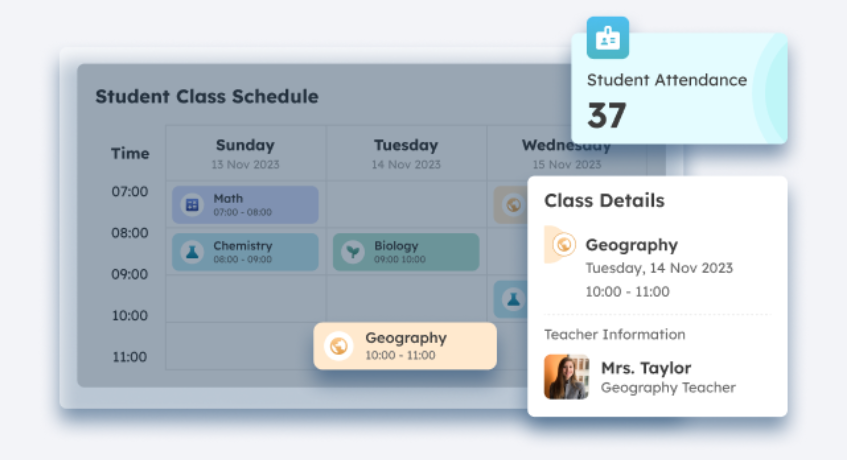
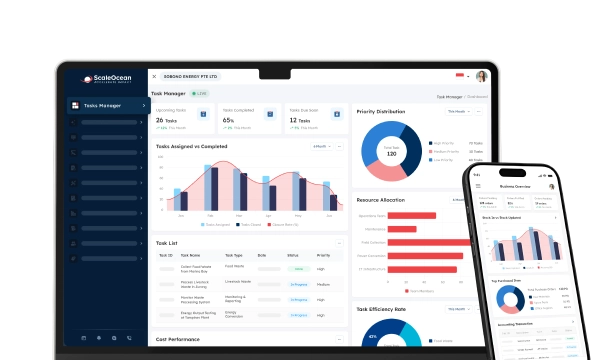
ScaleOcean’s School Management System provides advanced software that seamlessly integrates various school management processes into a single platform. Through its flagship platform, ScaleOcean Atlas, students, teachers, and parents can access a unified management system for new student registration, attendance, class scheduling, academic reporting, and financial management. All processes are integrated into a single database.
With ScaleMind AI, the school management system helps institutions identify trends and proactively address student needs. The system also offers customization, allowing you to tailor ScaleOcean modules to your institution’s specific needs.
ScaleOcean also helps institutions implement modules based on business priorities, keeping digital transformation controlled and measurable. To get the modules tailored to your business, schedule a consultation with ScaleOcean experts now.
Key features of the ScaleOcean School Management System:
- Online School Enrollment: Simplifies student enrollment, enabling quick, paperless registrations.
- Class Management: Enables efficient management of class assignments, scheduling, and student progress monitoring.
- e-Learning: Facilitates digital lessons and assignments, making remote and in-class learning seamless.
- Online Administration: Automates administrative tasks such as report generation, student data management, and financial tracking.
- Student & Parent Portal: Provides real-time access to academic progress, attendance, and school events for both students and parents.
- e-Attendance: Allows for easy electronic tracking of student attendance, integrated with other school management tools.
| Pros | Cons |
|---|---|
|
|
2. BridgED
BridgED is a cloud-based school management system in Singapore that simplifies administrative processes while providing easy communication tools for parents, teachers, and students. It is designed for K-12 institutions and offers tools to manage attendance, grades, school fees, and communication across stakeholders.
Key features of the BridgED School Management System Singapore:
- Real-time communication
- Student progress tracking
- Fee management
| Pros | Cons |
|---|---|
|
|
3. LittleLives
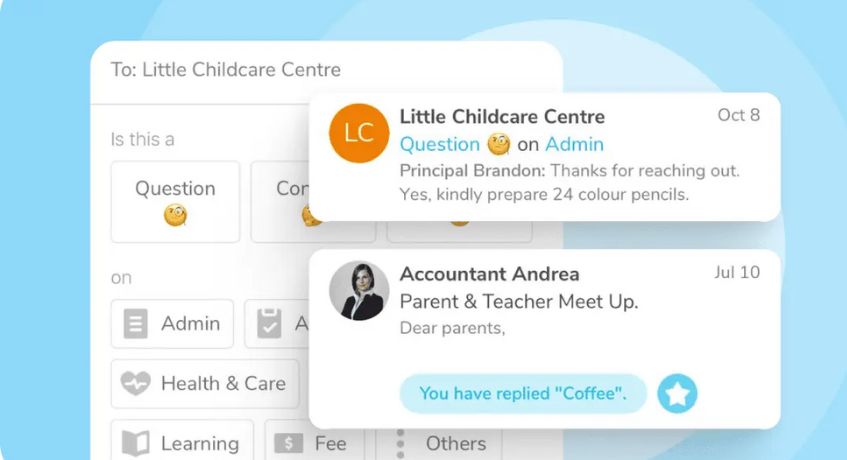
LittleLives is a popular preschool management system in Singapore designed for early childhood education centers. It offers features such as attendance tracking, billing, parent communication, and student progress management, all tailored to the unique needs of preschool environments.
This system serves as an efficient student information management system, streamlining daily operations, enhancing communication between staff and parents, and supporting broader school asset tracking software.
Key features of the LittleLives Preschool Management System Singapore:
- Parent communication tools
- Fee collection
- Progress report
| Pros | Cons |
|---|---|
|
|
4. Qoqolo
Qoqolo is an all-in-one school management system software that offers a range of features for school administration, including attendance, grades, timetables, and exams. It streamlines communication between teachers, students, and parents.
Key features of the Qoqolo School Management System:
- Customizable timetables
- Multi-language support
- Student performance analytics
| Pros | Cons |
|---|---|
|
|
5. Gradelink
Gradelink is a private school management system in Singapore that helps K-12 institutions manage grading, attendance, report cards, and communication between parents and teachers. It is known for its simplicity and affordability, catering primarily to smaller to mid-sized schools.
Key features of the Gradelink Student Management System Singapore:
- Gradebook
- Report cards
- Parent access
| Pros | Cons |
|---|---|
|
|
6. Schoology
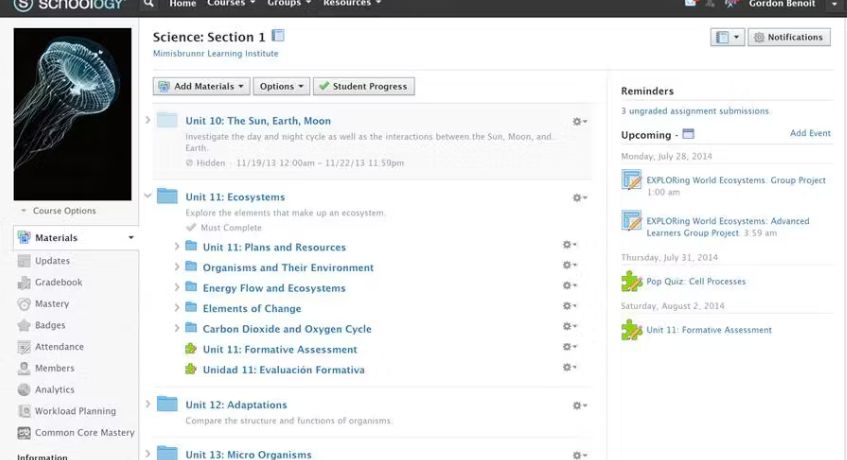
Schoology is an integrated learning management system software and school management platform that provides tools for course management, grading, attendance, and communication. This custom ERP system is widely used for both in-class and online learning, with strong collaboration features.
Key features of the Schoology School Management System:
- Learning management tools
- Advanced reporting
- Collaboration features
| Pros | Cons |
|---|---|
|
|
7. iClassPro
iClassPro is a cloud-based school data management system designed primarily for managing class schedules, student enrollment, attendance, and billing. It is widely used by extracurricular activity centers such as dance studios, music schools, and sports academies, offering effective classroom management tools to streamline operations and enhance student experience.
Key features of the iClassPro School Management System:
- Class scheduling
- Student enrollment
- Payment processing
| Pros | Cons |
|---|---|
|
|
8. Brightwheel
Brightwheel is a school information management system designed for early childhood education centers and daycare providers. It offers a range of tools to manage enrollment, track development, communicate with parents in real time, and even assist with grant management, helping institutions manage funding and financial reporting efficiently.
Key features of the Brightwheel Student Management System Singapore:
- Digital daily reports
- Parent communication
- Development tracking
| Pros | Cons |
|---|---|
|
|
9. Lillio
Lillio is a school management system in Singapore that focuses on administrative automation and communication within early childhood education settings. It simplifies processes such as student registration, attendance, and fee management, serving as an effective Education Management Information System (EMIS).
Key features of the Lillio School Management System:
- Student registration
- Attendance tracking
- Fee management
| Pros | Cons |
|---|---|
|
|
10. BrainCert
BrainCert is an online learning management system that integrates with facility management software and offers tools for course management, live classes, and assessments. It is ideal for schools, colleges, and training centers that focus on both academic management and online learning.
Key features of the BrainCert School Management System Singapore:
- Virtual classroom
- Course management
- Certificate generation
| Pros | Cons |
|---|---|
|
|
From 10 options for the best school management software, you can choose a vendor that aligns with your specific business needs and the type of institution you manage. For easier, more accurate implementation, choose software with configuration and customization options like Scaleocean.
Scaleocean provides a system tailored to your specific requirements. Schedule a consultation now to get a solution that meets your needs.

How to Choose the School Management System
Choosing the appropriate School Management System (SMS) may affect the future of your institution. If you’re in a university department, this also helps you choose the best university management system.
The system should also support day-to-day administration while making interactions between the school and users (staff, parents, students) more efficient. If that’s what you’re inclined to do, here’s some guidance on how to do it right:
1. Recognize Needs & Operational Goals
- Identify Pain Points: Identify manual workflows that are currently inefficient, e.g., tracking attendance, handling fees, producing report cards, etc.
- Understand Stakeholder Requirements: Talk with teachers, staff, and parents to learn their preferred functionality, such as parents’ easy access to apps and teachers’ ease of grading.
- Write down your Strategic Goals: Identify your priorities, whether it’s increased enrollment, better financial transparency, or support for hybrid learning.
2. Evaluate Core Features
Still, include essential system components, such as a Student Information System (SIS), financial management, an education management information system, academic attendance, and education management communication portals.
For simplicity, choose software with features and modules you can customize and configure to your institution’s requirements.
3. Rank and Review Technical & Long-Term Viability
- Cloud-Based Accessibility: Use cloud-based systems for 24/7 access, automatic backups, and security, avoiding the need for on-site IT support.
- Scalability: Ensure important data can be included in graphs and tables without completely changing the system you use.
- Integration Capabilities: SMS should integrate with existing systems and tools, such as accounting software, learning platforms, and HRIS software.
- Security & Compliance: Confirm the provider adheres to data security laws, such as GDPR or FERPA, and provides robust data encryption. Confirm the provider complies with data security rules (e.g., GDPR or FERPA) and implements robust data encryption.
4. Review Cost & Vendor Reputation
- Transparent Pricing: Request all pricing information, including setup, licensing, and periodic fees, to understand total cost of ownership.
- Check References: Find reviews from similar institutions and ask for a case study to prove the vendor’s credibility.
- Onboarding & Support: Assess training resources and how responsive customer support is.
5. Conduct a Thorough Vetting Process
- Schedule a Demo: Book real-world “live” demos with a team of teachers and administrators.
- Sandbox Testing: When possible, test usability with a trial version to ensure common tasks are easy to complete.
Conclusion
Finding the right school management system software is essential for any educational institution. Real-time performance insights can help streamline administrative workflows, boost communication, and improve educational outcomes through a well-integrated system.
Consider user-friendliness, flexibility, integration with current systems, and a scalable approach. But the right software needs to meet existing needs and scale with your institution as it changes and evolves.
If your institution needs configurable workflows, integrated administration, and scalable ERP capabilities, you can evaluate ScaleOcean alongside other systems based on your school’s operational requirements. Schedule a consultation with our experts today and experience how it can benefit your institution!
FAQ School Management System:
1. What is a school management system?
A school management system is a platform that consolidates and automates a school’s daily administrative, academic, and operational tasks.
2. What does a school management system include?
School management encompasses everyone connected to the institution, including teachers, administrators, students, and parents. It also focuses on professional growth, as school administration fosters teachers’ and supervisors’ development and potential.
3. What’s the difference between a Student Information System and a School Management System?
An SIS primarily handles academic records such as enrollment, grades, transcripts, and attendance. A school management system goes beyond that, including fee management, HR and payroll, communication tools, and institution-wide analytics.
4. How much does a school management system cost?
Pricing varies by institution size, complexity, and features. Common models include per-student fees, subscription tiers, and custom plans for multi-campus needs. The cost is often justified by time savings and fewer errors. If permissions matter, consider role management during vendor selection to avoid hidden admin burdens.
























.png)