In the fast-paced business world, efficient procurement is key to keeping things running. Purchase order software helps automate and centralize the entire purchasing process, from payment request by digitizing creation, approvals, and tracking of purchase orders. It gives your team the accuracy and visibility needed to make every purchase count.
Manual processes often lead to costly delays and errors. Interestingly, according to HKTDC Research, 56% of Singaporean e-shoppers expect deliveries within three days, and 7% even want them the same day. Without the right tools, meeting these high expectations becomes a major headache for any team.
Skipping automation often means poor visibility and slow decisions. This can lead to supply chain breaks and unhappy customers. Good PO software fixes this by offering accurate tracking and seamless integration, ensuring your financial health stays on the right track.
So, for that matter, we’ll explore top purchase order software picks like ScaleOcean, ProcureDesk, Precoro, and more. These tools are built for different business needs, helping you find the perfect match to boost your efficiency and make your entire purchasing process feel effortless.
Key Takeaways
Purchase order software is a digital solution that streamlines procurement by enabling businesses to create, approve, track, and manage orders electronically.
Important purchase order software can reduce manual entry errors and improve financial control, making it essential for growing businesses with expanding purchasing needs.
Key Features of PO software are automated purchase order creation, approval PO workflows, real-time tracking, budget management, purchase requisition and order request, and more
ScaleOcean’s Purchasing Software stands out because it’s so easy to customize. It fits right into different industries, giving you a procurement process that actually works for your specific needs.
Purchase orders (PO) are key to staying in control of your buying. They help you track orders accurately, stay within your budget, and maintain clear communication with your suppliers. Also, selecting the right PO software ensures your workflow remains smooth and error-free.
As Asia Pacific firms push for efficiency, according to PWC, the goal is to digitize 63% of transactional procurement by 2027, compared to 70% globally. This shift shows why having effective purchase order software is becoming a must-have for staying competitive and compliant today.
In Singapore, PO software is vital for smoothing out procurement and keeping financial tracking sharp. Without a solid system, your business risks delays and higher costs that can mess up your entire process, making it much harder to run things efficiently.
What is Purchase Order Software
Purchase order (PO) software is a digital solution that streamlines procurement by enabling businesses to create, approve, track, and manage orders electronically. It replaces traditional paper-based or email-dependent methods with centralized, automated systems.
By replacing traditional methods, such as email or paper, an automated PO software system can increase accuracy and ensure that all purchase orders are processed in real-time.
Key features often include real-time tracking, budget control, and seamless vendor communication, making it easier for businesses to manage their supply chain. The software helps companies maintain better control over their procurement processes, ultimately leading to cost savings and more informed decision-making.
Comparison Table of the Best Purchase Order Software
Picking the right purchase order software is a big move for any business looking to smooth out its buying process and see things more clearly. Whether you’re a small team or a huge company, the right tool offers the unique features needed to keep your operations running fast.
To make your life easier, we’ve put together a comparison table to help you weigh your options:
Large enterprises with complex, global supply chains are managing procurement across regions.
Pricing based on transaction volume, contracts average around $61,513/year.
In addition to a brief comparison of the best purchase order software for businesses, it’s also important to understand in detail the specific features of each software vendor, as well as their advantages and disadvantages. Here’s a complete explanation of the best purchase order software in Singapore, including:
10 Best Purchase Order Software in Singapore
After reviewing the comparison table, it’s time to dive deeper into the details of each recommended purchase order software. Below, we will break down the features, pros, and cons of each option, helping you determine which one best fits your business needs:
1. ScaleOcean Purchasing Software
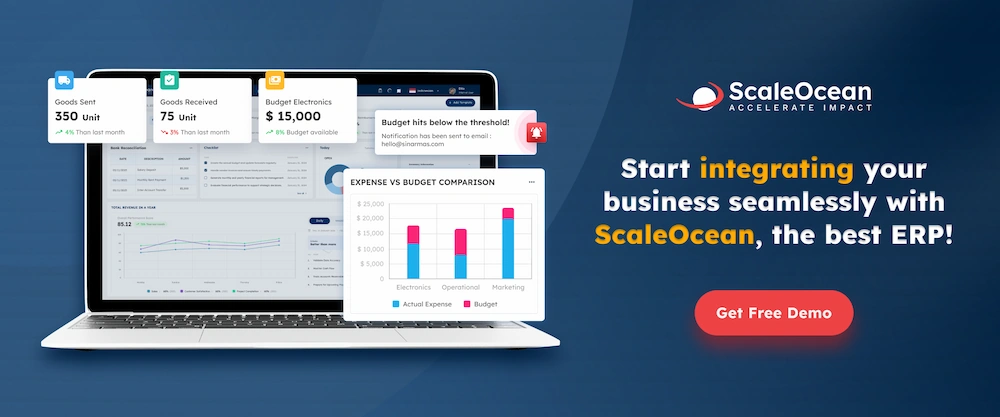
ScaleOcean’s Purchasing Softwarestands out because it’s so easy to customize. It fits right into different industries, giving you a procurement process that actually works for your specific needs. It’s a great match for medium to large-sized companies, offering both flexibility and speed.
While some systems only focus on automation, ScaleOcean really prioritizes visibility. You get clear, real-time insights into every step, which is a lifesaver for businesses that need to keep a close eye on their budgets and approval workflows.
ScaleOcean is eligible for the CTC grant, which helps cover your setup costs for new tech. You can tap into this by reaching out to their sales team. Plus, there’s a free demo available so you can explore all the features before making any big decisions.
Key Features:
PR to PO Automation: Automatically generates POs at the reorder point and enters a multi-level approval workflow accessible from any device.
Vendor Management & RFQ: Facilitates mass RFQ sending via a portal, simplifying vendor management and ensuring consistency.
PO Conversion: Converts approved RFQs into official POs automatically, eliminating delays and manual errors.
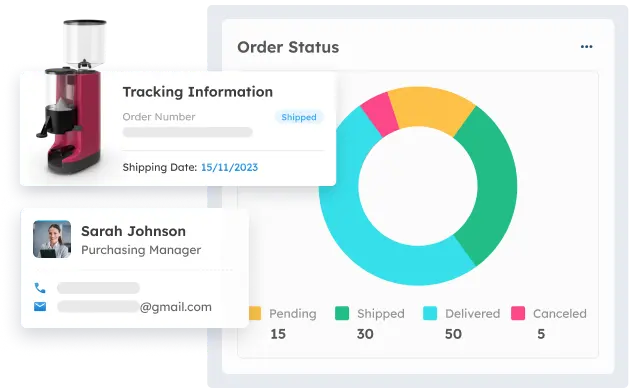
Real-Time Tracking: Monitor purchase order status in real-time from shipping to delivery for better visibility and fewer delays.
Payment Management: Schedule vendor payments per agreed terms, including early payment discounts, improving relationships, and financial planning.
Pros
Cons
ScaleOcean offers a flat pricing structure, making it cost-effective for medium to large businesses with no hidden fees.
Customize your dashboard using advanced smart configuration to suit your company’s specific needs and workflows.
Integrates multiple branches into one centralized system, improving data flow and coordination across your organization.
Provides excellent after-sales service with a professional team to resolve issues quickly and ensure smooth performance.
Ensures high security and access control, protecting sensitive business data with robust security measures and customizable permissions.
Seamlessly integrates with ERP modules like Finance and Inventory for smooth synchronization of business processes.
Implementation time varies based on business complexity, requiring careful planning and coordination for successful deployment.
Due to its extensive features, it’s recommended to consult ScaleOcean’s professional team for optimal setup and usage.
Price: ScaleOcean gives you unlimited access with no hidden fees, so your costs stay predictable. Our pricing is based on the level of customization you actually need, making sure you only pay for the features and services that truly fit your business.
Best For: With its easy-to-use and flexible design that can be customized for any business process and fits right into any industry, ScaleOcean is perfect for everyone from medium to large enterprises. It’s the ideal choice if you’re looking for a scalable, efficient procurement tool that grows right alongside your business.
2. ProcureDesk Purchase Order Software
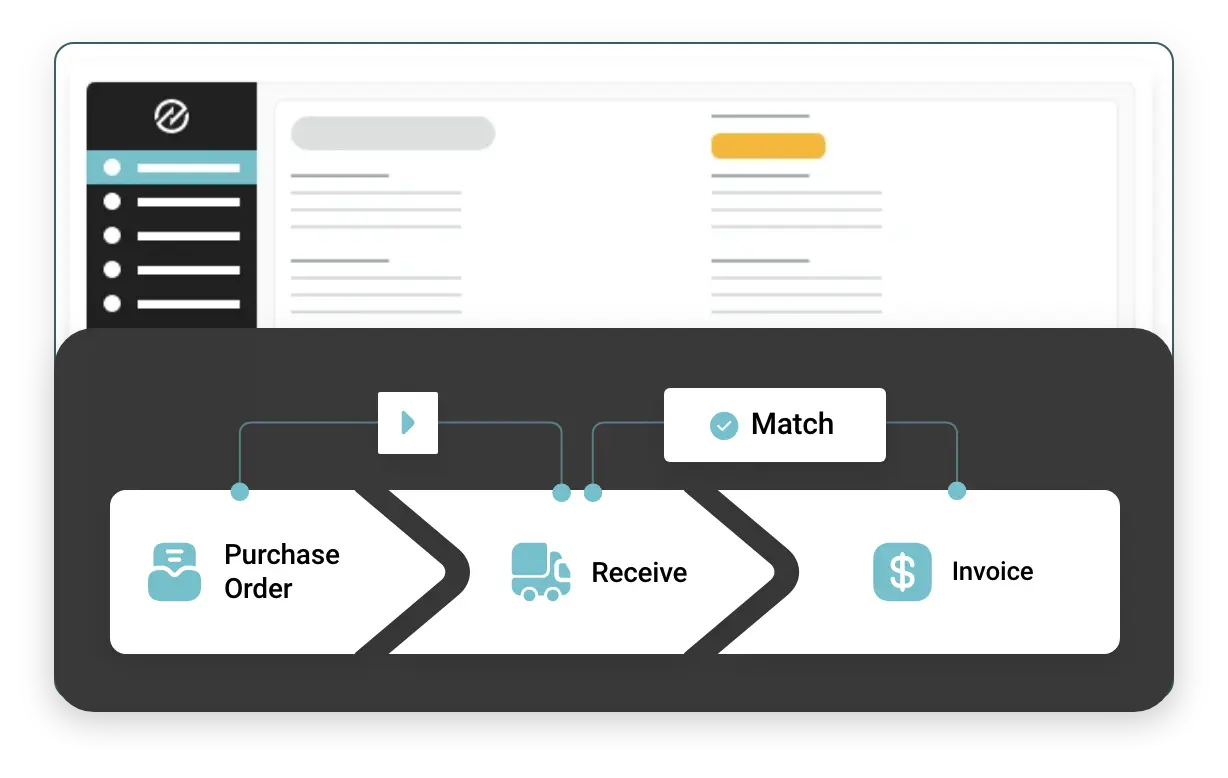
ProcureDesk focuses on automating key procurement processes like invoice matching and purchase requisitions. Its interface is user-friendly and works well for small teams, but it might feel too basic for more complex setups. It integrates easily with popular tools like QuickBooks and Xero.
The software is ideal for small businesses looking to streamline basic processes. While it lacks advanced features for larger operations, it automates tasks, reducing manual errors. Additionally, the purchase journal feature helps track procurement activities more efficiently.
ProcureDesk is a viable option for companies looking to streamline basic procurement tasks. While it suits small to mid-sized businesses, those requiring more sophisticated features may find it less comprehensive. A more complex setup might need additional functionality.
Key Features:
Invoice Matching: Automates the matching of invoices with purchase orders and receipts.
Purchase Requisitions: Streamlines the creation and approval of purchase requisitions.
Integration with Accounting Tools: Seamlessly integrates with QuickBooks and Xero.
User-Friendly Interface: Simple and easy-to-navigate design for small teams.
Purchase Order Tracking: Tracks orders and delivery statuses in real time.
Pros
Cons
Streamlines invoice matching and requisition workflows.
Easy integration with accounting tools.
Minimal learning curve for users.
Useful for small businesses automating basic processes.
Reduces manual errors in the purchasing process.
Limited functionality for larger, more complex setups.
It may not offer enough flexibility for companies with advanced procurement needs.
Lacks some advanced features that other tools offer.
Not ideal for large-scale enterprises.
Basic reporting capabilities compared to competitors.
Price: ProcureDesk starts around $495-$598 per month, offering a plan that is suitable for small to mid-sized businesses. It provides essential features to streamline the procurement process, but it may not be enough for more complex needs.
Best For: ProcureDesk is best suited for small to mid-sized businesses looking for an easy-to-use solution for automating basic procurement processes. It is ideal for companies with straightforward procurement needs and limited integration requirements.
3. Precoro Purchase Order Platform
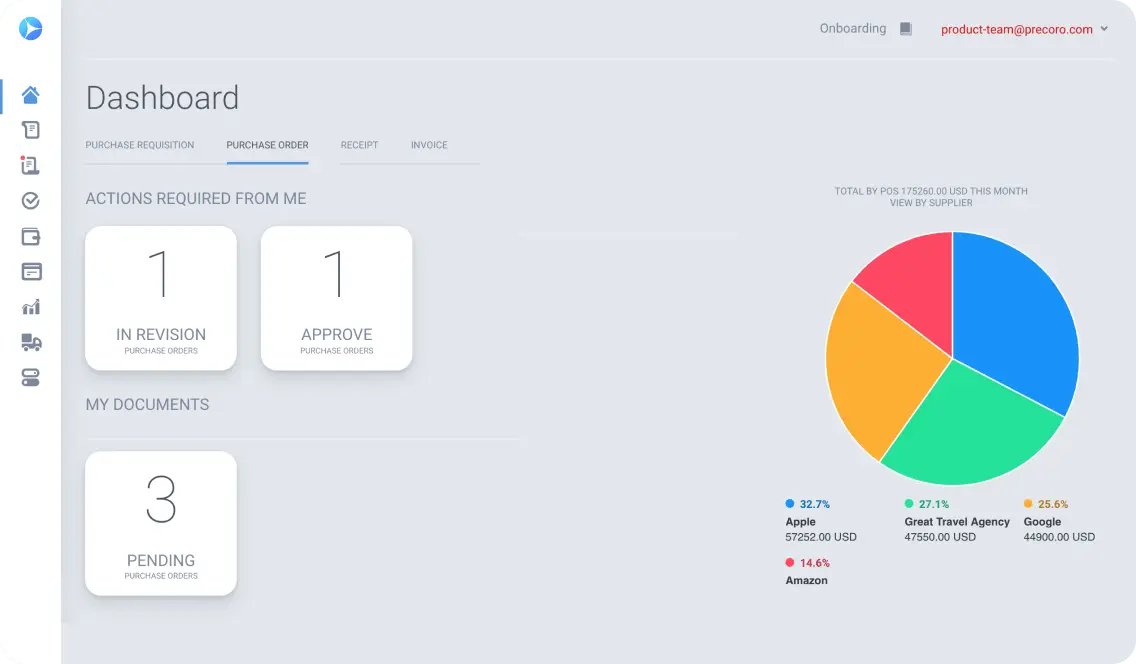
Precoro is centered on improving visibility and streamlining approval workflows, ensuring that teams can monitor and approve orders efficiently. By setting clear rules and responsibilities, it enhances transparency within the procurement process. The platform helps simplify order tracking.
With its focus on analytics, Precoro provides insights into how money is being spent, helping businesses maintain control over their budgets. The software offers tools to track the flow of funds and prevent overspending by making procurement decisions more transparent.
Precoro is a good choice for organizations looking for visibility and control over their purchasing process. The transparency and analytics offered by Precoro can improve decision-making and help organizations keep better track of their procurement expenditures.
Key Features:
Approval Workflows: Allows customization of approval rules for smoother processes.
Real-Time Tracking: Provides live updates on the status of orders and approvals.
Analytics Tools: Offers detailed insights into procurement spending.
Purchase Order Visibility: Enhances transparency of the purchase order process.
Integrations: Easily integrates with ERP systems and other tools.
Pros
Cons
Clear visibility into purchase order processes.
Helps ensure compliance with approval workflows.
Real-time updates for faster decision-making.
Provides analytics to track procurement spending.
User-friendly interface with easy integration options.
Lacks some customization features for larger businesses.
May not be suitable for highly complex workflows.
Basic reporting compared to more advanced systems.
Limited support for non-standard procurement processes.
It might be overkill for small businesses with simple needs.
Price: Precoro starts at $375 per month, offering an easy-to-use platform for mid-sized companies. The price is competitive, considering the visibility and analytics tools it provides for businesses looking to maintain control over their procurement expenditures.
Best For: Precoro is best for mid-sized companies that require visibility and control over their procurement processes. It is suitable for businesses that need clear approval workflows and analytics tools to track spending and improve decision-making.
4. Procurify Online Purchase Order Software
Procurify offers a bright, intuitive interface like a mobile app, ideal for teams on the go. It provides real-time budgeting, helping teams make informed decisions. This feature is useful for daily procurement needs, clarifying procurement vs. purchasing processes with clear insights.
Procurify is designed for businesses that need a simple but effective solution for managing purchase orders and budgets. The interface is easy to navigate, allowing teams to quickly adopt the system without a steep learning curve. It provides a visual layout for a better user experience.
This software helps companies improve procurement efficiency by offering real-time tracking and budgeting. It’s ideal for businesses looking to manage purchase orders with a focus on budget control, making it a helpful tool for daily purchasing activities.
Key Features:
Real-Time Budgeting: Tracks and manages budgets live, preventing overspending.
Mobile-Friendly Interface: Optimized for easy use on mobile devices.
Order Tracking: Provides visibility into order statuses and approvals.
Purchase Requisition Management: Manages purchase requisitions from start to finish.
Customizable Workflows: Offers workflow customization to suit business needs.
Pros
Cons
Real-time budgeting helps prevent overspending.
User-friendly interface, especially for mobile users.
Quick onboarding process for teams.
Strong integration capabilities with other business tools.
Visual layout makes it easy to navigate.
Might not be suitable for very large businesses with complex needs.
Limited advanced features for large-scale procurement.
Some customization options are limited.
Basic reporting capabilities.
Not as robust in analytics as competitors.
Price: Procurify starts around $1,000 per month for small businesses, with mid-sized companies potentially paying around $2,000 monthly. The software offers a comprehensive solution for managing purchase orders, but it may not be enough for larger enterprises with more complex needs.
Best For: Procurify is best for small to mid-sized businesses that require real-time budgeting and mobile-friendly access to procurement tools. It suits teams that need a straightforward solution for managing purchase orders and staying on top of their budgets.
5. Tradogram Purchase Order System Solution
Tradogram is designed for teams that prefer a simple, yet effective, procurement solution. The software is modular, meaning businesses only pay for the features they need. Over time, Tradogram evolves into a more comprehensive system, suitable for managing procurement without unnecessary complexity.
With features like inventory tracking, supplier details, and contract management, Tradogram offers a lightweight yet functional approach to procurement. It allows teams to keep things simple while still staying in control of their purchasing and supply chain needs.
Tradogram is a good choice for smaller companies or those that want a scalable solution without overwhelming features. It helps businesses manage their procurement processes while keeping costs manageable, with the option to expand as needs grow.
Key Features:
Modular System: Allows businesses to pay only for the features they need.
Inventory Management: Tracks inventory levels and stock movements.
Supplier Management: Keeps detailed records of supplier information.
Contract Management: Manages contracts with suppliers and vendors.
Purchase Order Creation: Simplifies the creation and approval of purchase orders.
Pros
Cons
Modular pricing helps manage costs for smaller businesses.
Easy to use for teams with basic procurement needs.
Suitable for small businesses or those starting to scale.
Offers features beyond basic purchase order management.
Straightforward interface.
It may lack advanced features for large enterprises.
Limited customization options.
It can be too basic for companies with complex procurement needs.
Some features may be limited in the free version.
Reporting features are less advanced than some competitors.
Price: Tradogram offers a free basic plan for one user with limited transactions, and paid plans like Pro ($195/month) and Premium ($375/month). This pricing structure allows businesses to scale as their needs grow while keeping initial costs low.
Best For: Tradogram is best for small to mid-sized businesses that need a simple and cost-effective procurement solution. It is ideal for teams that want to manage procurement with minimal complexity and can scale as their needs evolve.
6. Order. Co Purchase Order Solution
Order. Co is designed for teams that frequently work with the same vendors and need to manage repeat orders efficiently. It simplifies vendor negotiations and streamlines ordering for businesses with multiple locations, making it easier to keep all orders in one place and reduce redundancy.
This software minimizes the complexity of managing procurement for multi-location businesses. By centralizing orders, teams can stay on top of their procurement needs without losing track of supplies or vendor agreements, which is essential for smooth operations.
Order. Coalso helps manage off-contract spending, ensuring that businesses adhere to set budgets and supplier agreements. It’s an ideal solution for organizations that need to track purchases from multiple vendors, reduce purchasing discrepancies, and improve efficiency.
Key Features:
Repeat Order Management: Simplifies handling of orders placed with the same vendors regularly.
Multi-Location Support: Allows businesses to manage procurement across multiple locations.
Vendor Negotiation: Streamlines vendor negotiations and contract management.
Off-Contract Spend Control: Tracks off-contract purchases to stay within budget.
Order Tracking: Centralizes order data for better visibility and control.
Pros
Cons
Ideal for teams with repeat vendor relationships.
Simplifies multi-location procurement management.
Reduces the complexity of vendor negotiations.
Helps businesses stay within budget and reduce off-contract spending.
Centralized order tracking for better visibility and organization.
Not as flexible for businesses with highly diverse suppliers.
May lack some advanced reporting features.
Limited functionality for very complex supply chains.
It can be less customizable for unique procurement needs.
Lacks some advanced inventory management features.
Price: Order. Co pricing starts around $499/month for starter plans, with custom enterprise quotes for larger businesses. It provides a centralized platform for managing procurement across multiple locations and vendors, but it may not suit businesses with complex needs.
Best For: Order. Co is best for businesses with multiple locations and regular vendor relationships. It suits organizations that need to streamline orders, track supplier costs, and manage repeat purchases while maintaining control over budgets and procurement processes.
7. Coupa Purchase Order Management Software
Coupa is a comprehensive enterprise-level purchase order system designed to integrate spend tracking, compliance, and audit features. It’s ideal for businesses that require a deep and capable system to handle large-scale procurement operations and integrate closely with finance workflows.
Although Coupa excels in managing large-scale procurement, it comes with a learning curve. The platform’s depth may require time to fully understand, especially for companies new to using complex procurement systems. The robust features are designed for larger organizations.
Coupa’s integration with various business processes allows it to offer more than just procurement management. The software ensures compliance, tracks spending, and provides insights, helping businesses make data-driven decisions and maintain control over procurement budgets.
Key Features:
Spend Tracking: Monitors and tracks company spend in real time.
Compliance Features: Ensures procurement practices align with regulatory standards.
Audit Features: Tracks and logs procurement activities for audit trails.
Supplier Management: Manages supplier relationships and performance data.
Integration with Finance: Seamlessly integrates with financial systems for better reporting.
Pros
Cons
Excellent for large-scale procurement operations.
Provides comprehensive compliance and audit features.
Integrates well with finance systems for seamless workflows.
Helps businesses track and manage spend effectively.
Useful for enterprises with complex procurement needs.
High learning curve for new users.
More suited for larger enterprises than small businesses.
It may be too complex for simpler procurement processes.
Limited flexibility for businesses with niche requirements.
It can require significant time for onboarding and implementation.
Price: Coupa’s pricing starts around $2,500/month for mid-to-large enterprises, with custom quotes depending on the scale of the business. The system’s robust features and enterprise-level capabilities make it ideal for larger organizations, though it may be overkill for smaller businesses.
Best For: Coupa is best for large enterprises with complex procurement needs that require deep integration with finance systems, compliance tracking, and audit capabilities. It’s suited for businesses managing high-volume procurement processes and seeking comprehensive visibility across departments.
8. Kissflow Procurement Cloud
Kissflow Procurement Cloud is a flexible platform that allows businesses to customize workflows with low-code setups. It is ideal for businesses that want to adjust their internal purchasing processes without involving IT teams regularly. The cloud-based nature of Kissflow offers accessibility anywhere.
Kissflow supports businesses of various sizes with its scalable platform. The ability to create tailored workflows makes it adaptable to changing needs. This feature is especially useful for mid-sized businesses that require agility and want to avoid the complexity of large ERP systems.
With cloud access, Kissflow ensures teams can manage procurement processes remotely, making it an ideal solution for businesses with employees working in different locations. Its flexibility and ease of customization make it suitable for organizations that need a tailored approach to procurement.
Key Features:
Low-Code Customization: Allows teams to tailor procurement workflows with minimal coding.
Cloud-Based Access: Provides remote access for teams across locations.
Procurement Process Automation: Automates various procurement tasks for efficiency.
Supplier Management: Manages supplier data and relationships.
Workflow Management: Customizes workflows to fit specific business needs.
Pros
Cons
Cloud-based, enabling access from anywhere.
Low-code setup makes it adaptable to business needs.
Supports remote teams with flexible access options.
Customizable workflows to suit different business processes.
Good scalability for growing businesses.
Might not be suitable for companies with highly complex needs.
Limited customization for users with no technical expertise.
Lacks some advanced features compared to larger systems.
It could be difficult for small teams to fully utilize all features.
More useful for businesses with growing, dynamic needs.
Price: Kissflow starts around $1,990/month for mid-market businesses, with basic plans starting lower at around $690/month for up to 100 users. This flexible pricing makes it accessible for mid-sized businesses, though larger enterprises may need more advanced plans.
Best For: Kissflow is best for mid-sized businesses that need a flexible, cloud-based procurement platform. Its low-code customization and scalable features make it a good option for companies looking to adapt their procurement processes without relying heavily on IT teams.
9. Xledger ERP Purchase Order Software
Xledger is a full ERP system that offers procurement features integrated with tools for accounting and project tracking. For businesses looking for a comprehensive solution that combines finance and procurement, Xledger is a good fit. Its all-in-one platform helps tie data together in a single place.
The ERP system allows for streamlined operations by providing detailed insights into financial and procurement data. This integration helps businesses make informed decisions while maintaining a cohesive system for financial and procurement management across departments.
Xledger is ideal for companies seeking a robust ERP system that includes procurement management features. While it’s primarily designed for finance integration, businesses that need both financial and procurement tracking in one system will find it beneficial.
Key Features:
ERP Integration: Combines procurement with accounting and project tracking tools.
Financial Management: Helps manage budgets, expenses, and forecasts.
Purchase Order Management: Manages purchase orders and approvals within the ERP.
Real-Time Reporting: Provides financial and procurement insights in real time.
Supplier Management: Tracks supplier relationships and performance metrics.
Pros
Cons
Integrates procurement with accounting and project management.
Offers real-time financial and procurement reporting.
Centralizes financial and procurement data in one system.
Useful for businesses looking for a comprehensive ERP solution.
Helps streamline operations across departments.
Primarily geared towards larger enterprises, not small businesses.
It may be more complex than needed for companies with basic needs.
Requires a learning curve to fully utilize all features.
More suited to businesses that already need ERP-level integration.
It can be costly for smaller businesses seeking only procurement features.
Price: Xledger starts around $750/month, though pricing can vary depending on the business size and requirements. Contacting Xledger for a custom quote is necessary, especially for larger businesses needing a comprehensive ERP solution.
Best For: Xledger is best for medium to large enterprises that require an all-in-one ERP system with integrated procurement features. It’s ideal for companies seeking a cohesive system that combines financial and procurement management across different departments.
10. SAP Ariba Purchase Solution
SAP Ariba is designed for larger enterprises with complex, global supply chains. It provides tools for suppliers onboarding, compliance tracking, and sourcing strategies, making it a comprehensive solution for companies managing procurement on an international scale.
The platform is structured to handle a variety of procurement activities, from managing suppliers to building long-term sourcing strategies. SAP Ariba’s focus on large-scale operations makes it particularly suitable for companies with complex and expansive procurement needs.
While SAP Ariba is feature-rich, it’s best suited for enterprises managing a wide range of suppliers across multiple regions. Businesses that require robust supplier management and compliance features will find the system well-suited to their needs.
Key Features:
Supplier Onboarding: Streamlines the process of bringing new suppliers on board.
Compliance Tracking: Ensures procurement processes comply with industry regulations.
Sourcing Management: Helps build long-term supplier relationships and sourcing strategies.
Spend Analysis: Provides insights into procurement spending patterns.
Global Supply Chain Management: Manages procurement activities across multiple regions.
Pros
Cons
Ideal for enterprises with global supply chains.
Offers robust supplier management and compliance features.
Helps build long-term supplier relationships.
Strong integration with other enterprise systems.
Provides detailed spend analysis for better decision-making.
Complex platform with a steep learning curve.
Better suited for large enterprises than small businesses.
It can be overwhelming for companies with simpler procurement needs.
High implementation cost for smaller businesses.
Customization may require technical expertise.
Price: SAP Ariba pricing is based on transaction volume, with contracts averaging around $61,513 per year for buyers. Supplier plans range from around $50/year to over $2,250/year for higher tiers. Custom pricing is available for enterprise-level contracts.
Best For: SAP Ariba is best for large enterprises with complex, global supply chains. It is suited for companies that require advanced procurement capabilities and robust supplier management features, especially those managing multi-regional procurement processes.
Purchase Order Software Selection Criteria
When selecting purchase order (PO) software, it’s crucial to consider several key factors that align with your business needs. The right PO software can significantly streamline procurement processes, improve efficiency, and ensure greater control over spending.
Here are things that you should consider for selecting the best purchase order software in Singapore, including:
Core Functionality
The core functionality of PO software includes creating, approving, tracking, and managing purchase orders electronically. It should allow seamless integration with existing systems, support real-time tracking, budget management, and vendor communication to streamline procurement processes.
Additional Standout Features
Look for standout features like automated approval workflows, reporting and analytics tools, and the ability to manage multiple suppliers. Features such as customizable templates, inventory integration, and mobile access can enhance the software’s flexibility and adaptability for your business needs.
Usability
The interface should be intuitive and easy to navigate, minimizing the learning curve for users. A well-designed user interface ensures that employees can quickly adopt the software and perform tasks such as order creation and approval efficiently.
Onboarding
Look for a solution that offers comprehensive training resources, easy setup, and personalized onboarding assistance. The quicker and easier it is to integrate the system into your workflow, the more effective the software will be.
Customer Support
Ensure that the provider offers multiple support channels, such as phone, chat, and email, and has a reputation for quick response times. Support should also be available during business hours or beyond if necessary.
Value for Money
The software should deliver significant improvements in efficiency, accuracy, and vendor management to justify the investment. Ensure there are no hidden fees, and check if the pricing structure aligns with your business size and needs.
Customer Reviews
Look for feedback on user experience, customer support, and the software’s ability to meet business needs. Positive reviews from companies similar to yours can help you gauge whether the software is a good fit for your operations.
How to Choose the Best Purchase Order Software
Choosing the right purchase order (PO) software is a crucial decision that can greatly impact your business’s efficiency and bottom line. To make an informed choice, it’s important to evaluate your business needs, consider key features, and assess how well the software integrates with your existing systems.
Factors
What to Consider
Usability
Choose software with an intuitive interface, easy navigation, and a minimal learning curve
Integration Capabilities
Ensure the software can easily integrate with your existing systems, such as accounting and inventory management, for seamless data flow across departments.
Customization Options
Check if the software allows customization of order templates, approval workflows, and reporting to meet the specific needs of your business.
Security & Compliance
Ensure the software adheres to data security standards and compliance regulations, protecting sensitive procurement and financial information.
Scalability
Consider whether the software can grow with your business, handling increasing order volume, adding users, and accommodating future requirements.
Customer Support
Choose a provider with reliable customer support available through multiple channels (email, phone, chat). Verify response times and quality of support.
Pricing Structure
Research customer reviews and testimonials to gauge the software’s performance, ease of use, and the level of customer satisfaction with the provider.
Vendor Reputation & Reviews
Research customer reviews and testimonials to gauge the software’s performance, ease of use, and the level of customer satisfaction with the provider.
Costs and Pricing of Purchase Order Software
Understanding the costs and pricing of purchase order software is essential before making a purchase decision. Pricing can vary widely based on features, number of users, level of support, and deployment type, between cloud and on‑premise.
Here are the common pricing models and the key cost factors to help you evaluate investment and choose a solution that fits your budget and business needs.
Plan Type
Average Price
Common Features
Basic / Starter
$30 – $150 / month
Core PO creation, basic approvals, order tracking, simple dashboards
Standard / Essential
$150 – $300 / month
Automated workflows, budget controls, vendor catalog, and integrations
Purchase order software offers a range of powerful features designed to streamline and automate the procurement process. Here are key features of purchase order software that can significantly improve your procurement process and overall business performance.
Automated Purchase Order Creation: It speeds up procurement by automatically generating purchase orders from approved requisitions, reducing manual entry and the risk of errors.
Approval PO Workflows: Streamline the purchase order process by automatically routing orders for approval based on predefined criteria, ensuring compliance and efficiency.
Real-Time Tracking: Allows businesses to monitor the status of purchase orders, deliveries, and shipments, helping to keep procurement processes transparent and on schedule.
Budget Management: These tools help track and control spending by setting budget limits for orders and providing visibility into the financial impact of procurement activities.
Supplier Management: It helps maintain detailed supplier information, track performance, manage contracts, and evaluate supplier relationships for better procurement decisions.
Purchase Requisitions and Order Requests: Allow employees to submit purchase needs that are routed for approval before converting into official purchase orders, ensuring proper control.
Purchase Order Management: Involves creating, editing, tracking, and closing orders, centralizing all order-related data for improved organization and compliance.
Discrepancy Management: Identifies and resolves issues between purchase orders, invoices, and receipts, helping to prevent payment errors and ensuring accurate order fulfillment.
Notification Real-Time: Alert users to changes in order status, approval stages, or discrepancies, keeping all relevant parties informed and ensuring timely actions.
Order Numbers and Tracking: Unique order numbers and tracking capabilities make it easier to monitor the lifecycle of orders, ensuring that they are processed, shipped, and received without errors.
Payment Terms Management: It helps define and track payment schedules, discounts, and terms for suppliers, ensuring compliance with financial agreements and timely payments.
Procure-to-Pay Integration: Connects the entire procurement process, from requisition to payment, ensuring smooth, automated workflows and better control over spending.
Benefits of Purchase Order Software
Implementing purchase order software brings numerous benefits that can transform your procurement process. By automating and streamlining key tasks, businesses can improve accuracy, reduce costs, and enhance supplier relationships.
Here are the key advantages of using purchase order software for businesses in Singapore, including:
Better Financial Control: PO software enables businesses to set budget limits and track spending in real time, ensuring adherence to budget and reducing the risk of overspending.
Enhanced Supplier Relationships: With better tracking and communication capabilities, purchase order software helps businesses maintain clear, transparent, and more collaborative relationships with suppliers.
Real-Time Tracking: Real-time tracking of orders, shipments, and deliveries provides greater visibility into the procurement process, allowing businesses to identify delays and resolve issues quickly.
Streamlined Approval Processes: Automated approval workflows ensure that purchase orders are routed for approval efficiently, reducing bottlenecks and speeding up the entire procurement cycle.
Cost Savings: By improving efficiency, reducing errors, and optimizing supplier relationships, purchase order software can lead to significant cost savings through reduced administrative costs and more strategic purchasing decisions.
Compliance and Audit Trail: Purchase order software maintains an automated, digital record of all orders, making it easier to comply with financial and regulatory requirements and simplifying the audit process.
Improved Reporting and Insights: With advanced reporting features, purchase order software provides valuable insights into spending trends, supplier performance, and inventory levels, helping businesses make informed decisions.
Trends in Purchase Order Software
As businesses continue to modernize their procurement processes, purchase order software is evolving rapidly to meet changing needs. Emerging trends are shaping how organizations automate workflows, leverage data, and integrate advanced technologies to boost efficiency and control.
Here are the latest trends in purchase order software that can transform procurement and help companies stay competitive in a digital landscape, including:
AI-Driven Insights: It can analyze procurement data to provide actionable recommendations, optimize buying decisions, and predict future purchasing trends, improving efficiency and cost management.
Sustainability Tracking: It helps businesses monitor and reduce the environmental impact of their procurement processes by tracking supplier sustainability efforts and promoting eco-friendly practices.
Blockchain for Transparency: Blockchain technology enhances transparency in purchase orders by securely recording transactions, preventing fraud, and providing an immutable audit trail for improved trust and accountability in the supply chain.
Integrated Risk Management: Can assess supplier risks, monitor compliance, and provide real-time alerts, allowing businesses to proactively address potential disruptions and ensure smooth procurement processes.
Real-Time Collaboration: It allows teams, suppliers, and stakeholders to communicate instantly, share updates, and resolve issues quickly, improving coordination and accelerating the procurement cycle.
Conclusion
Finding the rightpurchase order software can feel overwhelming, especially when options range from lean tools to full-blown procurement platforms. But the right fit usually depends less on size and more on clarity, how clearly the tool shows you what’s being bought, by whom, and why.
Whether you’re a startup trying to grow or a mature company aiming to tighten controls, there’s a tool in this list that likely fits. In the end, choosing software like ScaleOcean’s purchasing order system isn’t just about features.
It’s about finding something built with real-world workflows in mind where ease, speed, and visibility actually helpyou move forward. So with that in mind, ScaleOcean also offers a free demo so you can check its features and its customizable system firsthand.
FAQ:
1. What is purchase order software?
Purchase order software automates and simplifies the procurement process. It helps in generating, approving, and tracking purchase orders, ensuring precision and better oversight. This type of software improves operational efficiency, minimizes errors, and provides financial control.
2. How to create a PO in Excel?
1. Start by opening a new Excel file and creating columns for PO number, date, supplier, items, quantities, price, and total.
2. Input the required data into the columns.
3. Calculate the total by multiplying quantity and price.
4. Save the file and print if necessary for approval.
3. What are the 4 types of PO?
1. Standard Purchase Order (SPO): A typical PO for one-time or bulk orders.
2. Planned Purchase Order (PPO): Used for future orders based on procurement forecasts.
3. Blanket Purchase Order (BPO): An agreement for multiple deliveries over a set period.
4. Contract Purchase Order (CPO): Used for long-term contracts with agreed terms.
4. How to generate a purchase order online?
1. Select an online purchase order system or template.
2. Enter the required details such as supplier, products, quantities, and payment terms.
3. Double-check the PO for accuracy.
4. Submit or send it electronically to the supplier for fulfillment or approval.











 Key Takeaways