Restaurant inventory management software is a digital tool that manages ingredients, inventory movements, purchases, consumption, food waste, food costs, and inventory levels across one or more restaurants.
A restaurant group in Singapore can find it more challenging to manage inventory when every restaurant keeps its own records; it is difficult to track ingredients used accurately, and central kitchens need to be able to coordinate transfers with individual outlets. The increased costs of the ingredients can make unexpected inventory differences and wasted food even harder on the bottom line.
Within the structured workflow, restaurant inventory software can link the purchase, recipe, transactions at the point of sale (POS), stock moves, physical counts, and food-cost analysis. This helps restaurant managers determine what products are on hand and what they should expect to use, as well as seeing unusual discrepancies and making better purchasing and reordering decisions.
Data our team collected from the Singapore Department of Statistics showed a drop of 1.9% year on year in F&B services sales in July 2026, and a drop of 0.3% in restaurant sales year on year. Good inventory and food-cost control is one way that can help restaurants keep their margins intact when they are under pressure for revenue.
Learn what Restaurant inventory management software is and how it operates, the features that are important, and which of the 10 restaurant inventory management software options are worth considering in Singapore in 2026.
Key Takeaways
Restaurant inventory management software helps F&B businesses track ingredients, purchasing, recipes, stock movements, waste, food costs, and inventory levels across their operations.
The best restaurant inventory software includes ScaleOcean, MarketMan, Restaurant365, Apicbase, Restroworks, MarginEdge, Craftable, WISK, Xenia, and Sortly.
Restaurant inventory management software works by connecting purchasing, receiving, recipe consumption, stock transfers, waste recording, physical counts, and inventory analysis to provide a more complete view of stock and food costs.
ScaleOcean F&B software connects inventory, recipes, purchasing, POS, accounting, central kitchens, and outlet operations within one platform, with configurable workflows and ScaleMind-powered analysis to support more efficient inventory management.
Best Restaurant Inventory Software in Singapore at a Glance
Before comparing each platform in detail, it helps to see how the options differ in terms of target users, pricing, capabilities, and overall strengths. The table below provides a quick starting point for restaurants evaluating inventory solutions.
Platform
Best For
Starting Price
Key Features
Strengths
ScaleOcean
Medium and large restaurant groups
Custom quote based on modules, integrations, workflow customisation, and implementation scope; supports unlimited users without additional per-user fees
10 Best Restaurant Inventory Software in Singapore
The top restaurant inventory software will rely on the extent to which inventory is integrated with recipes, buying, accounting, POS, central kitchens, and multiple outlets. These are various types of inventory management, ranging from a simple tracking app for mobile to more extensive restaurant ERP systems.
1. ScaleOcean
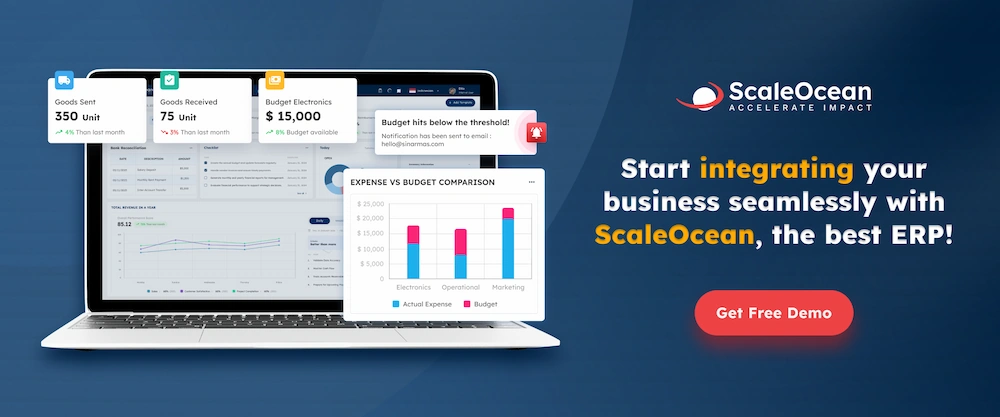
ScaleOcean is an ERP solution provider whose flagship product is ScaleOcean Atlas, which aims to integrate restaurant inventory with larger F&B operations. Atlas can integrate ingredients, recipes, purchasing, central kitchens, outlets, point-of-sale, accounting, and other business processes in a single platform.
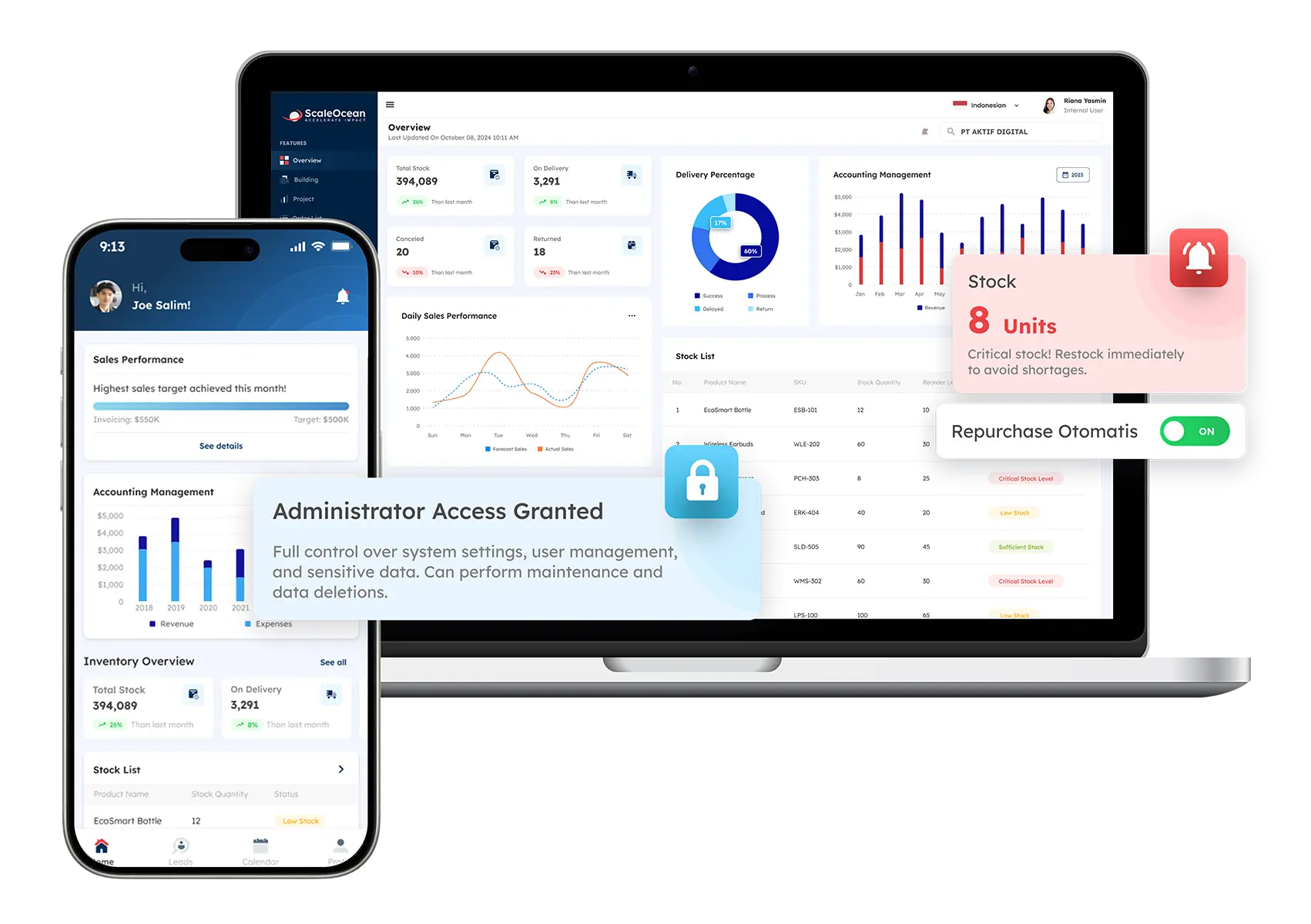
For restaurant groups, ScaleOcean Atlas provides an F&B inventory dashboard that can bring stock levels, food costs, purchasing, inventory variance, outlet performance, and other indicators into a connected environment. Its configurable workflows support different outlet structures, while multi-outlet management helps teams coordinate inventory across branches and central kitchens.
ScaleMind works as an embedded AI assistant within Atlas, helping managers analyse inventory data, review stock information, identify inventory variances, and support demand-related analysis through prompts. This approach allows restaurants to combine AI-assisted analysis with integrated inventory workflows rather than relying on a standalone inventory tool. Schedule a consultation with ScaleOcean to discuss your restaurant inventory workflow, integrations, and multi-outlet requirements.
Key Features:
Multi-outlet and central kitchen inventory management
Recipe and ingredient-level inventory tracking
Actual vs. theoretical inventory analysis
Integrated procurement, POS, inventory, and accounting
Expiry and stock monitoring
Consolidated outlet and business reporting
Pros
Cons
Provides one integrated system to manage and track inventory, recipes, procurement, POS, accounting, kitchen, outlet operations, and other F&B processes, making complex enterprise workflows easier to manage across locations.
Its broader ERP scope may provide more functionality than a small restaurant needs for basic stock tracking.
Supports access for employees across departments and locations without adding user-based licensing fees, making it practical for larger restaurant organisations.
Implementation requires process mapping and configuration to establish the appropriate inventory structure.
Provides multi-outlet visibility and connects inventory with broader financial and operational data.
Pricing is tailored to business requirements and implementation scope, allowing companies to invest in the modules and features they actually need.
ScaleMind is embedded in ScaleOcean Atlas for F&B to analyse connected data across inventory, purchasing, recipes, sales, and food costs.
Best for: Medium and large restaurant groups, multi-outlet businesses, central kitchen operators, multi-brand F&B groups, and enterprises that need inventory connected with procurement, POS, accounting, finance, and other business functions.
ℹ️Why choose ScaleOcean?
ScaleOcean is suitable for organisations that need restaurant inventory management within a broader ERP environment. ScaleOcean Atlas for F&B integrates inventory, recipes, purchasing, POS, accounting, kitchen, and outlet operations, while embedded ScaleMind provides AI-assisted inventory analysis and forecasting. Schedule a consultation with ScaleOcean to discuss your requirements.
2. MarketMan
MarketMan is a restaurant management solution that concentrates on inventory, purchasing, costing recipes, supplier management, invoice handling, and food-cost control. It works with any operator or rental group of restaurants.
It includes inventory tools that link product counts to the cost of a restaurant’s recipes and to its actual vs. theoretical reporting, as well as purchasing and invoice tools that help restaurants control their supplier costs and replenishment. Enterprise plan includes features for existing chains and franchises.
Key Features:
Real-time inventory management
Recipe and menu costing
Waste management
Supplier management
AI-powered invoice scanning
Multi-unit reporting and transfers
Pros
Cons
Strong focus on restaurant inventory, purchasing, and food-cost management.
Businesses requiring a broader ERP may need additional systems for non-restaurant functions.
Supports recipe costing and actual-versus-theoretical inventory analysis.
Advanced capabilities and integrations vary by plan.
Supports multi-unit operations, purchasing, and supplier management.
Integration requirements should be assessed for the existing POS and accounting environment.
Best for: Small, medium, and large restaurants that prioritise dedicated inventory, purchasing, recipe costing, and food-cost management.
ℹ️Why choose MarketMan?
MarketMan suits restaurants that want dedicated inventory and purchasing capabilities with recipe costing, waste tracking, actual-versus-theoretical reporting, and multi-unit management in one restaurant-focused platform.
3. Restaurant365
Restaurant365 integrates restaurant accounting, inventory, ordering, staff management, payroll, and restaurant reporting. The Inventory environment ties recipes, purchasing, waste, transfers, food costs, and other restaurant processes together.
It has been created to accommodate everything from one restaurant to a big chain of restaurants. It features inventory capabilities such as real-time food cost tracking, vendor integration, recipe costing, waste tracking, transfers, and demand-driven prep tools.
Key Features:
Inventory and purchasing
Recipe management
Food-cost tracking
Vendor integrations
Accounting integration
Workforce management
Pros
Cons
Connects inventory, purchasing, accounting, workforce, and restaurant operations.
Its broad platform scope can require a more substantial implementation effort.
Provides recipe costing, food-cost tracking, waste, and transfer management.
The overall platform may be more extensive than required for basic inventory needs.
Supports restaurant groups and multi-location operations.
Pricing increases with location and selected solutions.
Best for: Medium and large restaurant groups that want inventory connected with accounting, workforce management, purchasing, and wider restaurant operations.
ℹ️Why choose Restaurant365?
Restaurant365 fits operators that want inventory management as part of a broader restaurant management and accounting environment, with connected purchasing, recipes, food costs, workforce, and reporting.
4. Apicbase
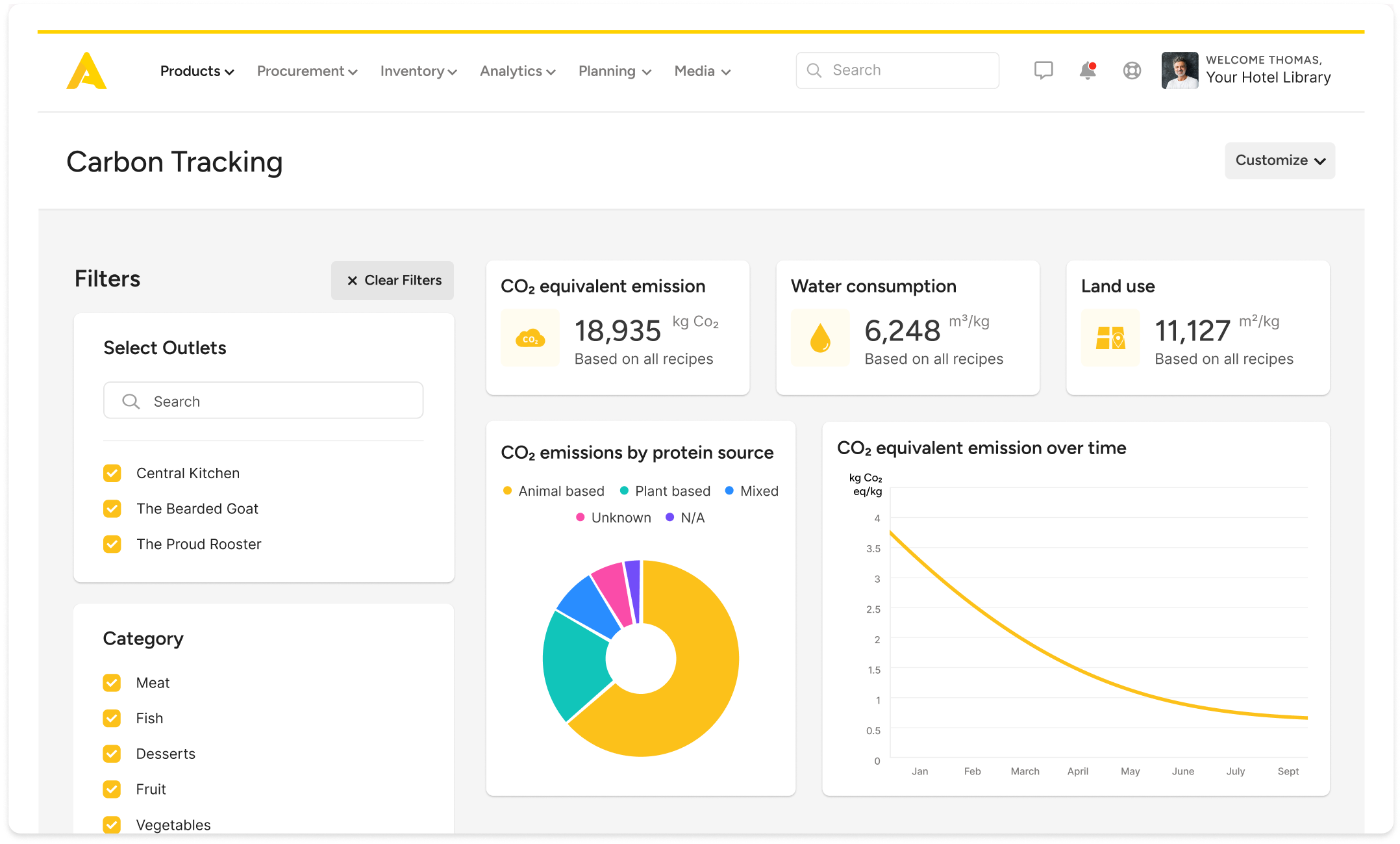
Apicbase is a back-of-house management platform designed for multi-site restaurants, hotels, catering businesses, and other foodservice groups. It connects recipes, purchasing, inventory, food costs, forecasting, and central production.
Its inventory workflow can automatically reduce stock from POS transactions, suggest reorders, support mobile counting, and compare actual versus theoretical inventory. The platform also supports central kitchens and internal transfers between production units and outlets.
Key Features:
Real-time inventory
Recipe management
Food waste tracking
Demand forecasting
Par levels
Central kitchen management
Pros
Cons
Strong multi-site inventory, recipe, procurement, and food-cost capabilities.
The platform is primarily designed for larger foodservice and multi-site operations.
Supports central kitchens, internal transfers, forecasting, and recipe-level costing.
Businesses may need implementation planning for complex multi-site structures.
Provides mobile counting, barcode scanning, and connected purchasing workflows.
Pricing is not prominently published as a standard public plan.
Best for: Medium and large restaurant groups, hotel F&B operations, catering businesses, central kitchens, and multi-site foodservice organisations.
ℹ️Why choose Apicbase?
Apicbase is suitable for foodservice businesses that need to coordinate recipes, inventory, purchasing, food costs, central kitchens, and multiple locations through a dedicated back-of-house platform.
5. Restroworks
Restroworks provides restaurant management software covering front-of-house, back-of-house, inventory, supply chain, kitchen operations, recipe management, and analytics. Its inventory platform is designed for restaurants managing multiple outlets and central kitchens.
Its inventory capabilities include ingredient-level control, recipe costing, stock transfers, central kitchen management, real-time inventory tracking, and mobile inventory tools. The platform also connects inventory with broader restaurant operations and supply chain processes.
Key Features:
Ingredient-level inventory
Recipe management
Food-cost calculation
Stock transfers
Mobile inventory
POS and restaurant integrations
Pros
Cons
Combines restaurant inventory with supply chain and kitchen management.
Its broader restaurant platform may be more than required for simple inventory tracking.
Supports ingredient-level control, recipe costing, and stock transfers.
Implementation requirements can increase with the number of outlets and integrations.
Provides central kitchen and multi-location capabilities.
Pricing depends on restaurant size, terminals, software requirements, and integrations.
Best for: Medium and large restaurant chains, multi-outlet operators, central kitchens, and businesses seeking broader restaurant operations management.
ℹ️Why choose Restroworks?
Restroworks suits restaurant groups that need inventory management connected with recipe control, supply chain activities, central kitchen operations, POS, and other restaurant workflows.
6. MarginEdge
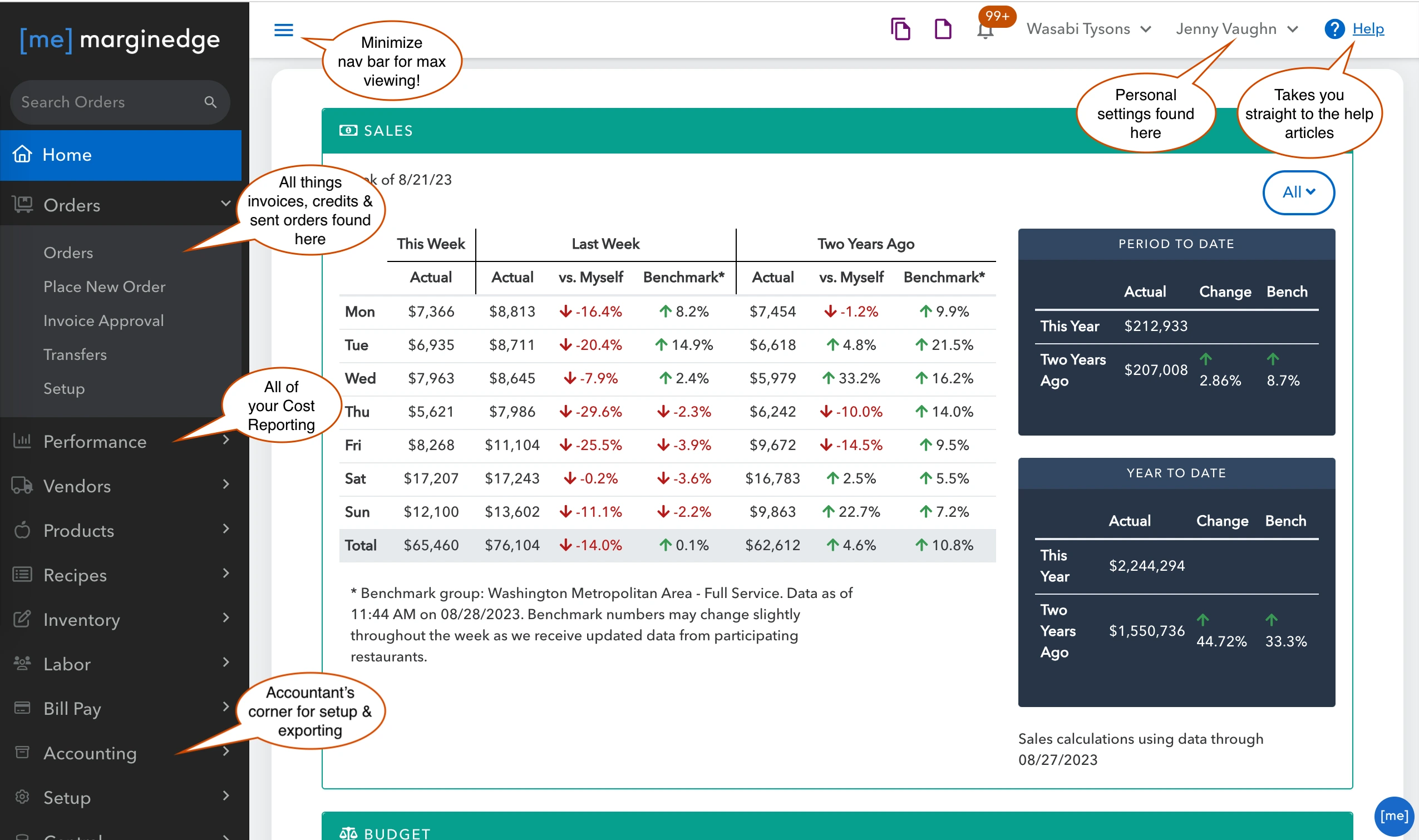
MarginEdge is a restaurant back-office platform focused on invoice processing, inventory, purchasing, food costs, accounting connections, and operational reporting. It supports restaurants and multi-unit groups that want to connect purchasing and inventory information with financial data.
Its inventory tools support counts, order guides, par levels, product pricing, theoretical usage reporting, and multi-location ordering. MarginEdge currently lists its core platform at US$350 per location per month.
Key Features:
Inventory counts
Order management
Par-level management
Invoice processing
Food-cost reporting
Vendor management
Pros
Cons
Connects inventory, invoices, purchasing, and accounting workflows.
It is more focused on restaurant back-office management than full ERP functionality.
Supports multi-location order guides, counts, par levels, and food-cost analysis.
Businesses requiring broader manufacturing, HR, or enterprise operations may need additional systems.
Provides transparent published pricing for its core platform.
Some payment and integration capabilities vary by supported system and region.
Best for: Small and medium restaurant groups that want inventory, purchasing, invoice, and food-cost management connected with their existing accounting environment.
ℹ️Why choose MarginEdge?
MarginEdge is useful for restaurants that want to reduce manual back-office work by connecting invoices, inventory, purchasing, food costs, and accounting data in one restaurant-focused environment.
7. Craftable
Craftable is a hospitality back-office platform that connects purchasing, inventory, recipe costing, accounts payable, payments, and financial reporting. It is designed for restaurants, hotels, and multi-unit hospitality groups.
Its inventory functionality links physical counts, recipes, vendor pricing, and theoretical usage. The platform also supports purchasing workflows, invoice processing, price monitoring, and financial reporting across locations.
Key Features:
Inventory management
Recipe and menu costing
Purchasing
Vendor management
Invoice automation
Accounts payable
Pros
Cons
Connects purchasing, inventory, recipes, AP, and financial reporting.
Its broader back-office capabilities may be unnecessary for businesses seeking only basic stock tracking.
Supports recipe costing and actual-versus-theoretical inventory analysis.
Businesses should assess how the platform fits with their existing accounting system.
Provides connected purchasing and invoice workflows.
Pricing is generally customised based on business requirements.
Best for: Medium and large restaurant groups, hotels, hospitality operators, and finance teams that want inventory connected with procurement and back-office processes.
ℹ️Why choose Craftable?
Craftable suits hospitality businesses that want to connect purchasing, inventory, recipe costing, invoices, and financial reporting instead of managing these activities through separate systems.
8. WISK
WISK is a restaurant and bar inventory management platform focused on inventory accuracy, food and beverage costing, purchasing, variance analysis, and POS integration. It supports both individual venues and multi-location operations.
The platform supports mobile inventory, barcode scanning, recipe costing, actual-versus-theoretical comparisons, food inventory, beverage inventory, and automated ordering recommendations. Its published pricing starts at US$249 per month for a single-venue food or beverage plan.
Key Features:
Food and beverage inventory
Recipe costing
Mobile inventory counting
POS integration
Variance tracking
Automated ordering
Pros
Cons
Provides detailed food and beverage inventory management.
Its specialist inventory focus may not replace broader ERP or accounting requirements.
Supports recipe costing, variance analysis, barcode scanning, and POS integration.
Advanced multi-outlet capabilities are available within higher pricing tiers.
Provides both food and beverage inventory workflows.
Businesses should evaluate whether its integrations cover their specific Singapore technology stack.
Best for: Small and medium restaurants, bars, hospitality businesses, and F&B groups that need detailed food and beverage inventory control.
ℹ️Why choose WISK?
WISK is suitable for operators that need detailed inventory tracking, recipe costing, variance analysis, mobile counting, and POS integration, particularly when food and beverage stock accuracy is a major priority.
9. Xenia
Xenia is a frontline operations platform that includes inventory management alongside task management, checklists, audits, communications, and multi-location operational workflows. Its inventory module allows businesses to catalogue items, set minimum stock levels, track quantities, and manage inventory from mobile devices. Xenia
For restaurant groups, Xenia can be used to standardise operational processes across locations while giving managers inventory and task visibility. Its platform is particularly focused on frontline execution rather than replacing a full restaurant accounting or ERP system.
Key Features:
Mobile inventory management
Minimum stock levels
Low-stock alerts
Inventory by location
Employee access controls
Operational checklists
Pros
Cons
Combines inventory tracking with frontline restaurant operations.
It is not primarily designed for recipe-level food costing or restaurant accounting.
Supports multi-location inventory, low-stock alerts, mobile access, and operational workflows.
Businesses may need additional systems for purchasing, accounting, and advanced food-cost management.
Provides configurable operational checklists and reporting.
Pricing is customised based on location, users, and selected capabilities.
Best for: Medium and large multi-location restaurant groups that want inventory tracking integrated with frontline operations, checklists, tasks, and operational execution.
ℹ️Why choose Xenia?
Xenia fits restaurant groups that want to combine inventory visibility with frontline task management and standardised operational processes across multiple locations.
10. Sortly
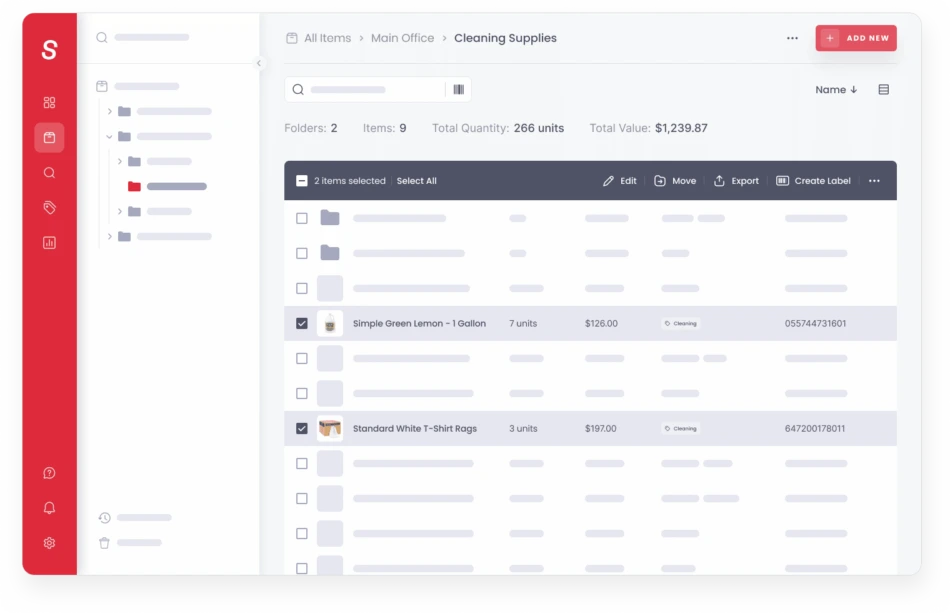
Sortly is a mobile-first inventory management platform designed to help businesses organise, track, and manage physical inventory. Its restaurant solution supports stock tracking, low-stock alerts, barcode and QR scanning, purchase orders, reporting, and mobile access.
The platform is more general-purpose than restaurant-specific inventory systems. It can work well for smaller restaurants that mainly need to track supplies, equipment, ingredients, and stock quantities without requiring advanced recipe-level food-cost management.
Key Features:
Mobile inventory management
Barcode and QR scanning
Low-stock alerts
Purchase orders
Inventory reports
Custom fields and folders
Pros
Cons
Simple mobile inventory tracking with barcode and QR scanning.
It is not designed specifically for restaurant recipe costing or food-cost analysis.
Provides low-stock alerts, purchase orders, reports, and user permissions.
Advanced restaurant workflows may require additional applications.
Offers a free plan and relatively accessible entry-level pricing.
Inventory depth and user limits vary by subscription plan.
What Is Restaurant Inventory Software?
Restaurant inventory software is an electronic system that logs the ingredients, drinks, supplies, and other materials that a restaurant uses. Whereas general inventory applications will not be linked to stock levels and recipes, restaurant-specific applications allow stock amounts to be linked to recipes, menu sales, purchasing, waste, food costs, and outlet operations.
If recipe-level inventory is linked to the POS, for instance, for a menu item, selling one bowl will cause deductions for the ingredients that go into that recipe. The system can then be compared to actual stock to find waste, over-portioning, spoilage, stock purchase differences, or other variances.
According to the information our team obtained from AFON, the Singapore F&B company used an integrated ERP environment to connect accounting, logistics, production, and inventory. The implementation helped eliminate duplicate procurement data entry, automate warehouse picking processes, and reduce financial close time by 25%.
This example illustrates how inventory software can become more valuable when it connects with surrounding business processes rather than operating as an isolated stock-counting tool.
Restaurant Inventory Software vs. General Inventory Software
There are several aspects of restaurant inventory that make it unique from traditional inventory management. Ingredients are eaten as part of a recipe, portions may be different, products may go bad rather fast, and sales may affect anticipated ingredient intake.
The comparison below shows why restaurant groups might need more capabilities than just stock tracking.
Aspect
Restaurant Inventory Software
General Inventory Software
Primary Focus
Ingredients, recipes, food costs, purchasing, waste, and restaurant stock
Tracking products, materials, supplies, and stock quantities
Inventory Unit
Ingredients, portions, recipes, cases, kilograms, litres, and other F&B units
Products, SKUs, units, boxes, pieces, and other stock units
Recipe Management
Usually supported to connect menu items with ingredient consumption
Usually not a core function
POS Integration
Often used to connect sales with ingredient consumption
Depends on the software and business use case
Food Cost
Can calculate recipe, menu, and actual food costs
Usually focuses on inventory valuation rather than menu food cost
Waste Tracking
Can track spoilage, waste, overproduction, and other food losses
May require configuration or a separate workflow
Multi-Outlet
Can support outlet transfers, central kitchens, and consolidated reporting
Depends on the platform’s multi-location capabilities
Best Use Case
Restaurants, cafés, bars, central kitchens, catering, and F&B groups
General retail, distribution, warehouses, offices, and other businesses
What Restaurant Inventory Problems Can Software Solve?
Restaurant inventory management software addresses some of the critical back-of-house and financial issues by eliminating manual inventory tracking, interfacing directly with your point-of-sale (POS) system, and offering real-time data.
1. Overstocking Perishable Ingredients
It is impossible to treat all inventory the same at restaurants since fresh produce, meat, seafood, dairy, and other ingredients have limited shelf lives. Overstocking can cause waste and increased spoilage, especially when there are discrepancies between purchase and actual demand.
Stock levels, history of usage, recipes, and information on demand can be utilized to make more informed purchases with inventory software.
2. Ingredient Stockouts During Service
If the item is not available when it is time to serve lunch or dinner, restaurants have to remove items from their menus or place a short-notice order. Such scenarios can impact both the revenues and the customer experience.
Low stock and replenishment notifications can help teams identify low levels in advance and take proactive steps to prevent a service impact.
3. Rising Food Costs
The prices for ingredients may vary from one supplier to another and from one time of purchase to another. But if the cost information is not current, restaurant prices could still be the same as on the menu but not the same as the ingredient prices.
Knowing the costs of ingredients and suppliers will help restaurants understand the effect that price changes in an ingredient will have on the particular recipe and food cost.
4. Unexplained Inventory Variance
The actual use of ingredients may not be equal to the theoretical use. The differences can be due to any of the following: waste, spoilage, portioning loss, preparation loss, theft, receiving error, and stock record error.
By comparing actual and theoretical analysis, managers can delve into the areas of discrepancy and develop a plan of action that targets ingredients and outlets.
5. Excessive Food Waste
Waste can happen as a result of spoilage, overproduction, improper preparation, and excess. If the waste is not in the inventory record, then management might not be aware of the financial impact of the waste.
Waste tracking enables restaurants to document the waste that is thrown out, reasons for waste, and areas of highest waste recurrence.
6. Different Inventory Records Across Outlets
Other means of counting, names for items, units, and buying procedures for multi-outlet groups may exist. This adds difficulties to consolidated reporting and can lead to inconsistencies from outlet to outlet.
It is possible to achieve a common inventory structure to ensure the items are defined, recipes, units, and inventory movements are identical across outlets and provide reports for each outlet that satisfy the needs of each outlet’s operation.
How Does Restaurant Inventory Management Software Work?
Restaurant inventory management software is an inventory and financial management system that helps the restaurant with real-time management of its inventory, its recipes, its Point-of-Sale (POS) sales, and physical inventories, and no more using clipboards and spreadsheets.
1. Ingredient Purchasing
The process begins when restaurants identify the ingredients and supplies they need. Purchasing data can include suppliers, quantities, prices, minimum levels, expected delivery dates, and approved purchasing rules.
2. Receiving and Stock Updates
Staff can record ingredient receipts when goods arrive and select the actual quantity received from the corresponding purchase order. Once accepted, the quantity automatically updates the Inventory Balance, giving the restaurant a more accurate view of current stock levels.
When integrated with restaurant POS software, these inventory updates can also support better tracking between purchases, stock availability, and sales activity. This helps teams compare incoming ingredients with consumption and identify potential stock discrepancies more efficiently.
3. Recipe and Menu Consumption
Recipes establish the connection between foods on the menu and the ingredients and quantities required. This recipe structure can then be used to estimate the quantity of ingredients that can be expected to be used for a given menu item when it is sold.
4. Stock Transfers
If the restaurant has a central kitchen or stores, the items in the restaurant chain can be transferred from one store to another. The system can capture the movement source, destination, quantity, and date, ensuring an accurate movement inventory trail can be maintained.
5. Waste and Spoilage Recording
Staff can record any ingredients that are damaged, have leaked out, have expired, have been overproduced, or are missing. This provides management with more visibility on the location of loss of stock.
6. Physical Inventory Counts
Staff check inventory periodically and add it to the inventory system. This process can be simpler for staff in kitchens, storage areas, bars, and warehouses that are mobile counting.
7. Variance and Food Cost Analysis
The system can compare expected consumption with actual inventory results. Managers can then review food-cost variance, waste, purchasing changes, and outlet performance to identify areas that require corrective action.
What Features Should Restaurant Inventory Software Have?
Restaurant inventory software should include core tools that automate tracking, reduce food waste, and connect your kitchen directly to sales and suppliers.
1. Real-Time Ingredient Tracking
The system shall maintain up-to-date stock data of these items when they are purchased, received, sold, transferred, or wasted. This enables managers to make more up-to-the-minute decisions.
2. Recipe and Menu Costing
Recipe-level costing is when the cost of each menu item is linked to its ingredients and costs. This data will enable restaurants to gain insights into the margins of each dish, as well as how changes in the prices offered by suppliers will impact profitability.
3. Invoice OCR Scanning
OCR invoice software can detect the information from an invoice, such as supplier information, description of items, quantity, price, and total invoice. This reduces the manual work of entering the details of the invoices into the inventory or accounting system.
4. Actual vs Theoretical Inventory
Actual-versus-theoretical analysis compares what the restaurant should have consumed based on recipes and sales with what physical counts indicate it actually consumed. This can help identify waste, over-portioning, spoilage, or stock discrepancies.
5. Food Waste and Spoilage Tracking
The system should allow teams to record the type, quantity, reason, and cost of food waste. This helps managers identify recurring losses and determine whether purchasing or preparation practices need adjustment.
6. Automated Purchasing and Reordering
Inventory software can suggest how much to replenish based on minimum stock levels, par levels, past consumption, and demand forecasts. This can help to cut down on the need for manual calculation when creating purchase orders.
7. Supplier and Price Management
Restaurant groups should keep supplier information, cost of items, quantity ordered,d and cost of items over time. This helps the buyer to understand the price movements and judge the supplier’s performance.
8. Inventory Forecasting
Forecasting uses historical consumption, sales patterns, stock levels, and other information to estimate future requirements. It can help restaurants plan purchases around expected demand rather than relying only on fixed reorder quantities.
9. Expiry and Batch Tracking
Expiry and batch tracking are particularly relevant for restaurants handling perishable ingredients. The system can help teams identify products approaching expiry and support more disciplined stock rotation.
10. Mobile Inventory Counting
Mobile access allows kitchen staff, chefs, and managers to conduct stock counts directly from phones or tablets. This can reduce the need to transfer handwritten counts into another system later.
11. Multi-Outlet Inventory Management
Restaurant groups should look for capabilities that support individual outlet stock, central kitchens, warehouses, internal transfers, consolidated reporting, and outlet-level purchasing.
12. POS and Accounting Integration
POS integration can connect sales with expected inventory consumption, while accounting integration can connect purchasing and inventory costs with financial records. Together, these integrations provide a more complete view of restaurant performance.
How to Choose Restaurant Inventory Software in Singapore
Choosing the right restaurant inventory software in Singapore requires matching your venue type, team size, and operational scale to the right system architecture.
1. Map Your Inventory Workflow
Document how ingredients move from suppliers to receiving, storage, preparation, sale, waste, and final stock counts. This helps identify where manual work, duplicate records, and gaps currently occur.
2. Determine Whether You Need Recipe-Level Inventory
If your restaurant needs to understand ingredient consumption for every menu item, choose software that supports recipe-level inventory rather than only SKU-level stock tracking.
3. Check POS Integration
Confirm whether the software can connect with your current POS and automatically receive sales information. This is important when you want sales transactions to influence theoretical ingredient consumption.
4. Evaluate Purchasing Capabilities
Review whether the system supports purchase orders, supplier catalogues, price tracking, approval workflows, receiving, and automated replenishment. These capabilities become increasingly important as purchasing volume grows.
5. Check Multi-Outlet Support
For restaurant groups, check whether the platform can manage individual outlet stock while also providing consolidated reporting. Central kitchen and inter-outlet transfer capabilities can also be important for larger operations.
6. Review Food Cost Reporting
The software should provide clear visibility into ingredient costs, recipe costs, theoretical food costs, actual food costs, waste, and inventory variance. These insights help restaurant managers understand how ingredient usage affects overall food costs and identify areas where margins may be declining.
For businesses using catering management software, connecting these reports with purchasing, inventory, recipes, and order data can make cost tracking more consistent. Management can then compare expected and actual ingredient usage to identify waste, unusual variances, or cost increases that require attention.
7. Consider Integrations
Inventory is seldom the only thing that is used. Analyze the platform and how it integrates with POS, accounting, procurement, supplier systems, central kitchen, delivery platform, and other platforms in use.
8. Consider Scalability
What works for one outlet may not work for 10, 20, or 50 outlets. Analyze extension outlets, users, recipes, warehouses, entities, transactions, and reporting needs on the platform.
9. Calculate Total Cost of Ownership
Compare subscription cost to implement, integrations, onboarding, support, hardware, additional modules, and future expansion costs. Before choosing a system, businesses should work out the estimated costs based on the number of outlets and the number of transactions that their inventory will undergo.
An integrated ERP can also help businesses with F&B operations eliminate the need for having multiple systems for inventory, procurement, finance, HR, and other functions. One ERP solution that fits with this is ScaleOcean Atlas, which integrates F&B inventory with other operational and financial functions. The system is optimized and in compliance with PDPA regulations and local financial reporting standards, such as IRAS and GST, as applicable.
Conclusion
Restaurant inventory management software can make it more systematic to keep track of ingredients, purchase, consumption, waste, recipes, stock movement, food cost, and stock levels. The right solution can help restaurant operations minimize inventory discrepancies, help spot waste, manage food costs, and keep inventory in line between restaurant locations.
For Singapore restaurants, the need for tighter inventory control becomes more important when sales face pressure and ingredient costs continue to affect margins. A connected inventory workflow can give managers a better understanding of what each outlet has, what it consumes, what it needs to purchase, and where actual usage differs from expectations.
ScaleOcean F&B software provides an integrated approach by connecting restaurant inventory with recipes, purchasing, POS, accounting, central kitchen operations, outlet management, and financial workflows. Schedule a consultation with ScaleOcean to discuss your F&B inventory workflow, integrations, multi-outlet requirements, and implementation scope.
Frequently Asked Questions About Restaurant Inventory Software:
1. Can restaurant inventory software integrate with a POS system?
Yes. Many restaurant inventory platforms integrate with POS systems to connect sales transactions with inventory consumption. This allows businesses to update expected ingredient usage based on menu sales and compare it with physical inventory.
2. Can restaurant inventory software calculate food cost?
Yes. Restaurant inventory software with recipe costing can calculate the expected ingredient cost of individual menu items and compare theoretical food costs with actual inventory consumption. This helps managers identify cost changes and inventory variances.
3. How often should restaurants count inventory?
The appropriate frequency depends on the ingredient, turnover rate, and restaurant operation. High-value or highly perishable ingredients may require more frequent counts, while lower-risk dry goods may follow weekly or monthly schedules.
4. Can restaurant inventory software manage multiple outlets?
Yes. Many restaurant inventory platforms support multi-outlet management, including outlet-level stock, central kitchens, transfers, purchasing, and consolidated reporting. Businesses should confirm whether the system supports their specific branch and central-kitchen structure.












 Key Takeaways