
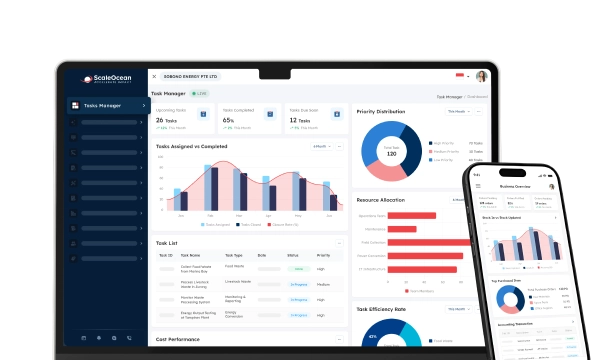

The central kitchen management software is an application that supports centralized menus and handles purchasing, storage, recipes, and food distribution. Managing food service operations and production becomes much more complicated as they grow.
Numerous issues arise in the operations of many businesses due to inaccurate inventory control, ingredient wastage, and inconsistent product quality across outlets. These problems come at a cost that, over time, can affect customer satisfaction levels.
Another cause is the fact that coordination is performed manually across the three customer service locations: kitchen, warehouse, and outlets. This causes communication failures and hampers daily operations. Managers lack the needed visibility to make quick decisions.
According to data our team found from Research and Markets, the global Central Kitchen Management Software market is projected to grow from USD 737.3 million in 2025 to USD 1.2 billion by 2032, driven by increasing compliance requirements, cost pressures, and demand for standardized foodservice operations.
Hence, developers are creating central kitchen management software that enables businesses to streamline workflows and maintain greater operational control. Therefore, this article will explore the best central kitchen management software solutions, their key features, and how to choose the right platform for your business.
 Key Takeaways
- Organizations that use central kitchen management software, including restaurant chains, cloud kitchens, and caterers, to improve quality and control costs as they grow
- Comparing central kitchen management software solutions helps businesses identify platforms that align with their operational requirements and scalability goals.
- Choosing central kitchen management software requires evaluating integration capabilities, inventory controls, compliance features, reporting tools, and long-term scalability.
- ScaleOcean Central Kitchen Management Software helps centralize operations, streamline workflows, and support sustainable growth through integrated business management.

Who Uses Central Kitchen Management Software and Why is it Important?
Most food businesses opt to centralize their production centers to improve quality and control costs as they grow. Thus, each business needs the best central kitchen management software in Singapore to ensure coordination, time efficiency, and interdepartmental collaboration. Common users include:
- Restaurant Chains: Standardize ingredient costs, production schedules, and system-wide food distribution to several outlets.
- Cloud Kitchens: Efficiently organize manufacturing and coordinate orders across different delivery platforms.
- Catering Companies: Prepare bulk catering and purchasing schedules and quantities.
- Bakery and Pastry Businesses: Uphold consistency between branch products. Standardize methods, oversee raw materials, and ensure quality control.
- Food Manufacturers: Control batch production, inventory movement, and quality standards in centralized facilities.
- Hotel Groups: Handle food production for restaurants, banquet services, room service, and other kitchen operations.
Essentially, the software is valuable because it captures the entire workflow and provides clarity on what is happening in the business. This, in turn, allows for fewer errors, better resource utilization, and more consistent food delivery.
Furthermore, the system enhances inventory management and production planning via timely information. Thus, managers can react more promptly to fluctuations in demand while incurring less waste and superfluous operational costs.
An article from QSR Pro demonstrates how central kitchen operations support business growth and consistency. For instance, restaurant chains such as Panera Bread use regional commissary facilities to supply prepared ingredients and baked goods to multiple outlets, helping to standardize quality while reducing repetitive production at individual locations.
Best Recommendation for Central Kitchen Management Software for 2026

Choosing the right central kitchen management software in Singapore depends on operational complexity, production scale, inventory needs, and process standardization. Some platforms focus on recipe control and inventory accuracy, while others offer broader visibility, procurement, and enterprise integration.
| Software | Best For | Core Strength |
|---|---|---|
| ScaleOcean | Multi-outlet F&B enterprise businesses and central kitchens in Singapore | Integrated Multi-Entity Inter-Company Billing, HACCP & FSMS Integration, Yield & Waste Tracking |
| Apicbase | Recipe-driven restaurant groups | Advanced recipe management, food costing, and inventory control |
| Supy | Multi-branch restaurants | Procurement automation, inventory visibility, and food cost optimization |
| Food Market Hub | Restaurant purchasing teams | Supplier management and procurement workflow automation |
| Posist by Restroworks | Restaurant chains and cloud kitchens | Centralized restaurant operations and multi-location management |
| Koomi (Formerly Novitee) | Growing restaurant businesses | Cloud-based POS and operational management |
| Restaurant365 | Large restaurant enterprises | Accounting, inventory, and restaurant financial management |
| Gofrugal | Retail and food businesses | Inventory management and omnichannel operations |
| JAMIX | Catering and institutional foodservice | Production planning and nutritional management |
| Kafoodle | Compliance-focused food operations | Food safety, allergen management, and digital kitchen compliance |
The software options above address different operational challenges within modern foodservice businesses. For example, Apicbase emphasizes recipe standardization and food costing, while Supy focuses on procurement efficiency and inventory visibility across multiple locations.
Meanwhile, larger organizations often require broader operational control that extends beyond kitchen production alone. Consequently, solutions that integrate inventory, procurement, finance, distribution, and reporting functions can provide greater visibility and scalability across the entire business ecosystem.
While some platforms focus primarily on recipe management and food costing, others emphasize procurement and inventory visibility. In contrast, ScaleOcean brings these functions together alongside finance, inventory, procurement, distribution, and multi-entity management, helping businesses maintain operational control through a unified system.
Before selecting a platform, companies should assess their production volume, outlet network, procurement complexity, and future expansion plans. As operational requirements evolve, the software should continue supporting growth without introducing unnecessary process limitations.
Summary Recommendations for Different F&B Operations:
- For All-in-One Operations: ScaleOcean, Restaurant365, Posist by Restroworks
Suitable for businesses seeking a unified platform that manages production, inventory, procurement, distribution, finance, and operational reporting within a single system. - For Recipe & Culinary Precision: Apicbase, JAMIX, Kafoodle
Best suited for organizations prioritizing recipe standardization, food costing accuracy, portion control, and consistent product quality across multiple locations. - For Large-Scale/Central Kitchen: ScaleOcean, Restaurant365
Recommended for high-volume central kitchens that require integrated production planning, inventory management, procurement coordination, and distribution monitoring across outlets. - For Inventory & Purchasing: Supy, Food Market Hub, Gofrugal
Strong choice for businesses focused on procurement workflows, supplier management, inventory visibility, and food cost optimization across multiple branches. - For Digital Task & Safety Management: Kafoodle, JAMIX, Apicbase
Well-suited for organizations prioritizing food safety compliance, allergen management, digital checklists, and operational accountability throughout kitchen operations.
Ultimately, the best central kitchen management software in Singapore depends on the operational challenges a business wants to solve first. Companies seeking full operational control benefit from platforms that unify kitchen management, inventory, procurement, finance, and distribution.
1. ScaleOcean
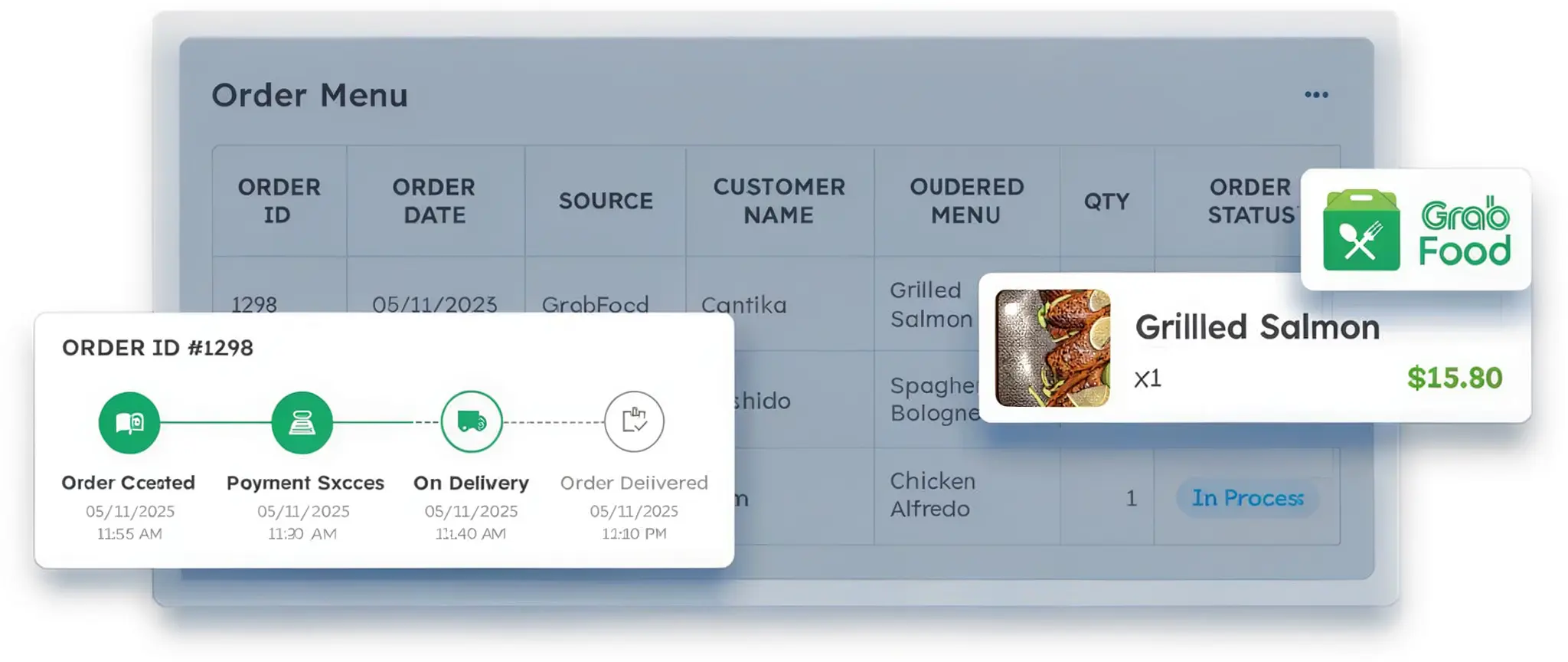
ScaleOcean Central Kitchen Management Software centralizes production planning, inventory control, procurement, distribution, and financial management within a single platform. Consequently, food businesses can manage multi-entity operations, maintain visibility across locations, and support growth more effectively.
The software also supports multi-currency transactions, consolidated reporting, and operational standardization across business units. Additionally, it supports Singapore GST compliance, local financial reporting standards, and potential EDG grant eligibility up to 50%. You can request a free demo to explore how the system fits their operational requirements.
Key Features of ScaleOcean Central Kitchen Management Software:
- Real-Time Inventory Visibility: Track stock levels across central kitchens and outlets in real time to improve inventory accuracy and reduce shortages.
- Automated Outlet Ordering: Enable outlets to submit ingredient requests digitally while automating purchasing workflows to reduce manual coordination and errors.
- POS, Accounting, and ERP Integration: Connect operational, sales, and financial data within one system to improve reporting accuracy and business visibility.
- Food Safety and Traceability Management: Monitor expiration dates, temperature logs, and ingredient batches to strengthen food safety controls and accountability.
- HACCP and FSMS Compliance Support: Maintain digital compliance records and audit trails to simplify regulatory requirements and food safety inspections.
| Pros | Cons |
|---|---|
|
|
Best For: ScaleOcean is best for Multi-Brand F&B Holding & Restaurant Groups, Large-Scale Catering, Institutional Food Services, Operator Coffee Shop Chains, Cloud Kitchen Operators, FMCG Food Manufacturers & B2B Food Suppliers seeking end-to-end control over production, inventory, procurement, distribution, and financial operations in a single integrated platform.
2. Apicbase
Apicbase Central Kitchen Management Software enables food businesses to monitor recipes, inventory, and food costs. The software facilitates operational consistency and enhances clarity of activity across kitchen and restaurant premises.
It also has tools for ingredient tracking, recipe scaling, ration standardization, and stock control. Moreover, operational data can inform purchasing decisions and improve control over food costs.
Key Features of Apicbase:
- Recipe Management
- Food Costing
- Inventory Tracking
- Supplier Management
| Pros | Cons |
|---|---|
|
|
Best For: Food businesses with moderate order management/recipe management requirements wanting better recipe costing, food cost reporting, and inventory visibility across the board without the complexity of a full-fledged enterprise resource planning software.
3. Supy
Supy Central Kitchen Management Software provides a centralized solution for restaurants to manage purchasing, suppliers, and inventory. It enhances purchasing efficiency and offers greater visibility across several restaurant locations.
The platform offers inventory and procurement monitoring, as well as supplier management, for users in the food business. Operational insights that enable users to manage, for example, spending patterns and enhance control over procurement.
Key Features of Supy:
- Inventory Management
- Procurement Tracking
- Supplier Management
- Cost Analytics
| Pros | Cons |
|---|---|
|
|
Best For: small to medium restaurant group companies, cloud kitchens, chain operators, professional kitchen management, procurement chain operation, professional kitchen management interests in integrated, flexible procurement control and inventory management.
4. Food Market Hub
The Food Market Hub Central Kitchen Management Software emphasizes procurement, purchasing, and inventory management processes. It assists food-related businesses in centralizing all transactions with the supply side and maintaining tight control over them.
The software enables centralized management of purchase workflows, inventory tracking, and supplier coordination. The software also enables organizations to increase procurement efficiency and reduce administrative and paperwork overhead.
Key Features of Food Market Hub:
- Digital Procurement
- Inventory Tracking
- Supplier Management
- Purchase Order Management
| Pros | Cons |
|---|---|
|
|
Best For: small and medium-sized restaurants, cafes, catering companies, foodservice businesses, and others that want to optimize purchasing processes, inventory, ordering, and supplier coordination.
5. Posist by Restroworks
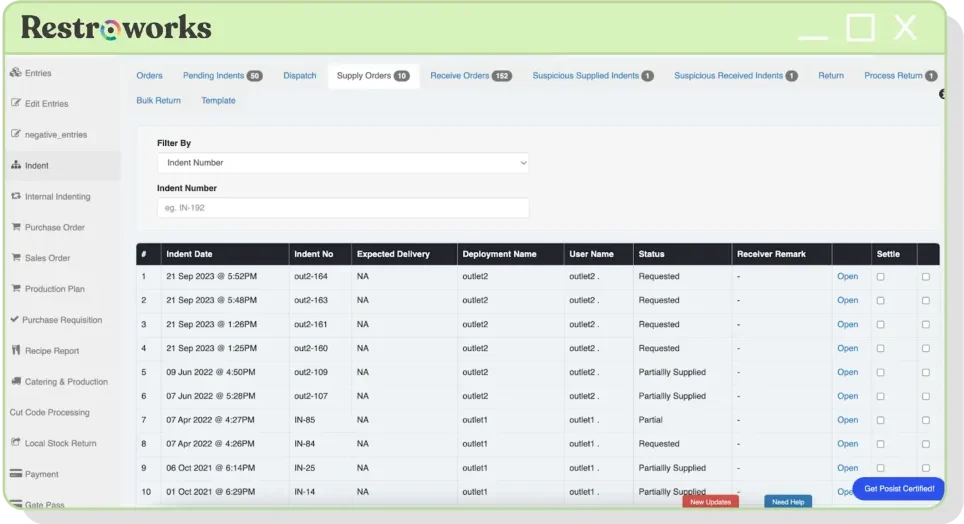
Posist by Restroworks Central Kitchen Management Software provides restaurants with centralized management systems and reporting to support their day-to-day operations. It helps them maintain consistency in their operations by enabling coordination across locations.
The platform integrates sales, inventory, and operational information to enhance the business’s visibility. In addition, managers can also track performance data and reinforce standard procedures in restaurant chains.
Key Features of Posist by Restroworks:
- Multi-Outlet Management
- POS Integration
- Inventory Control
- Reporting Dashboard
| Pros | Cons |
|---|---|
|
|
Best For: Medium-sized restaurant groups, franchise companies, and cloud kitchen enterprises looking for comprehensive operational management, individual outlet monitoring, and performance reporting with centralized control.
6. Koomi (Formerly Novitee)
Koomi Central Kitchen Management Software is a cloud-based operational solution for restaurant and foodservice operations. It streamlines day-to-day operations while increasing efficiencies.
The program integrates inventory tracking, sales processing, and reporting into a single package. It also enables companies to monitor their operations without relying on major manual procedures.
Key Features of Koomi:
- Cloud POS
- Inventory Monitoring
- Sales Reporting
- Multi-Location Support
| Pros | Cons |
|---|---|
|
|
Best For: Small to growing restaurant owners that are looking for cloud operation management, inventory tracking, and sales insight while discontinuing manual or standalone operations.
7. Restaurant365
Restaurant365 Central Kitchen Management Software integrates restaurant, inventory, and accounting functions into a single software platform. The management software enables the business to centralize operational and financial data, enhancing visibility.
The company offers reporting, inventory management, and financial management functionalities for restaurant operators. In addition, it can evaluate business performance and enable a more systematic process of operational decision-making.
Key Features of Restaurant365:
- Accounting Management
- Inventory Tracking
- Financial Reporting
- Labor Management
| Pros | Cons |
|---|---|
|
|
Best For: Complex restaurant operations with multiple units needing centralized accounting, inventory, reporting, and management.
8. Gofrugal
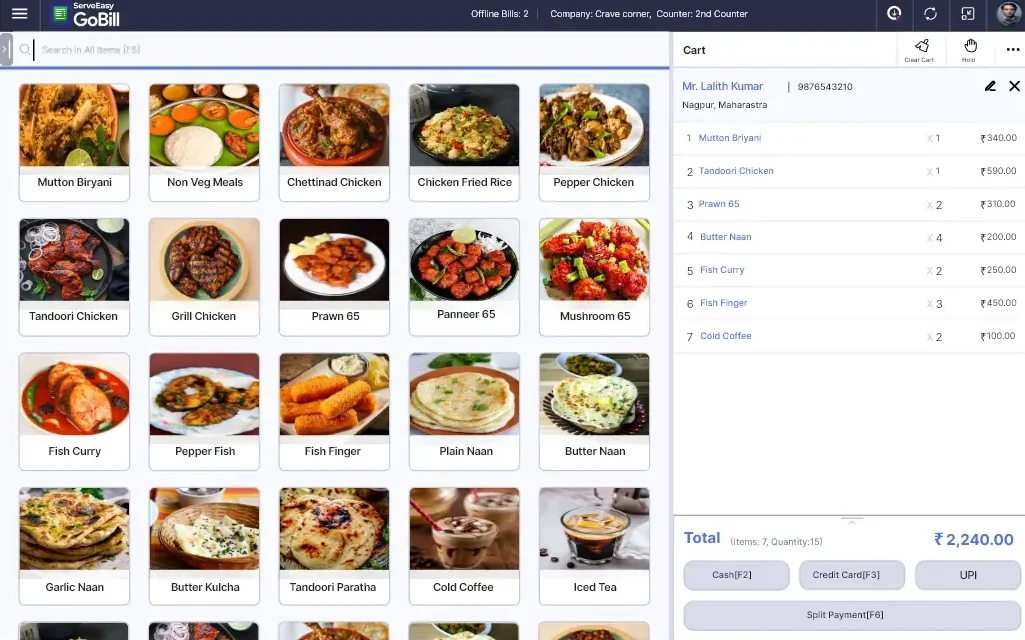
Gofrugal Central Kitchen Management Software enables organizations to streamline inventory, sales, and operations through centralized control. It is used to handle day-to-day operations and manage foodservice and retail operations.
Provides inventory management, reporting, and business monitoring software for expanding companies. Managers can also obtain operational information for better business decisions.
Key Features of Gofrugal:
- Inventory Management
- POS System
- Business Reporting
- Multi-Store Support
| Pros | Cons |
|---|---|
|
|
Best For: Smaller and medium-sized grocery companies, convenience stores, manufacturers/wholesalers, retailers, and restaurant chains in need of inventory control, sales tracking, and store operations management.
9. JAMIX
JAMIX Central Kitchen Management Software mainly focuses on production planning and foodservice management. It is suitable for large production. It enables large-scale organizations to plan production for all products.
Additionally, the system includes functions for menu planning, inventory management, and nutrition. Also, foodservice organizations can use this technology to organize production more efficiently in high-volume facilities.
Key Features of JAMIX:
- Production Planning
- Menu Management
- Inventory Tracking
- Nutritional Management
| Pros | Cons |
|---|---|
|
|
Best For: Large catering companies, medical centers, schools, and hospitals, foodservice organizations with high volume, planned menus, and consistent meals.
10. Kafoodle
Kafoodle Central Kitchen Management Software provides digital management of food safety, compliance, and operational data for food organizations. The software emphasizes traceability and meets regulatory quality management needs.
It also provides allergen tracking, compliance monitoring, and digital recordkeeping options for food businesses. These features will also help businesses keep documentation and promote food safety procedures.
Key Features of Kafoodle:
- Food Safety Monitoring
- Allergen Management
- Digital Checklists
- Compliance Tracking
| Pros | Cons |
|---|---|
|
|
Best for: Restaurants, catering businesses, food manufacturers, and other commercial food operations that need to meet strict food safety standards, control allergens, and digitally record operational procedures.
How to Choose Central Kitchen Management Software?

Choosing the best central kitchen management software in Singapore depends on the company’s size, operational needs, production complexity, and future expectations. As a result, a business needs to find a solution that enables it to operate more efficiently and prepare for future expansion.
Determine your operational size and select a solution that can accommodate your production volume, store locations, and supply chain structure to prevent over-restriction as your business scales.
- Assess Inventory and Purchasing Capabilities: Select a system with proper inventory monitoring, buying controls, and vendor management to streamline processes and minimize waste.
- Seek Integration Features: Select software that integrates with accounting, ERP, inventory systems, and a restaurant POS system in Singapore to improve operational visibility and data accuracy across locations.
- Focus on Food Safety and Compliance: Search for platforms that enable traceability, audit records, and food safety requirements to be met.
- Audit Reporting and Analytics Tools: The better the reporting features, the easier it will be for a manager to track costs, production reports, inventory runs, and overall trends.
- Think about Scalability and Support: Select an option that can allow the continuing growth of the company and ensure robust training and support during the implementation period and beyond
Effective software will be able to tackle existing problems without introducing too many additional complications. This means that companies will be able to focus on increasing efficiency, uphold reliable standards, and create a suitable framework for growth.
Conclusion
A central kitchen management solution enables food businesses to optimize production, inventory tracking, purchasing efficiency, and overall business management. This allows organizations to deliver a consistent product but still grow into multiple sites.
ScaleOcean Central Kitchen Management Software is a comprehensive system that integrates production, inventory, purchasing, distribution, and financial management. This integration will enable businesses to optimize processes, eliminate paper processes, and provide real-time control of the entire supply chain.
Finally, ScaleOcean is compliant with Singapore GST, adheres to local financial reporting standards, and is eligible for an EDG grant of up to 50%. Contact us today to arrange a free demo and discover how ScaleOcean can improve your central kitchen efficiency and help your business expand sustainably.
FAQ:
1. What ERP do restaurants use?
Restaurants use various ERP systems depending on their size and needs, including ScaleOcean, Restaurant365, Posist by Restroworks, and Apicbase. These platforms help manage inventory, procurement, finance, production, and restaurant operations from a centralized system.
2. What is kitchen management software?
Kitchen management software is a digital solution that helps food businesses manage production planning, inventory, recipes, procurement, food costs, and kitchen operations. It improves efficiency, consistency, and visibility across daily kitchen activities.
3. Do restaurants use FIFO or LIFO?
Most restaurants use FIFO (First In, First Out), meaning older ingredients are used before newer stock. FIFO helps maintain food freshness, reduce waste, support food safety, and prevent products from expiring before use.
4. What is the 30/30/30 rule for restaurants?
The 30/30/30 rule is a restaurant budgeting guideline that allocates approximately 30% of revenue to food costs, 30% to labor costs, and 30% to operating expenses, leaving around 10% as profit. It serves as a benchmark for evaluating financial performance.























.png)