


Businesses that are implementing complex ERP systems can’t easily afford costly disruptions from failed integrations or system errors from ERP testing. Companies cannot afford to overlook testing because it can lead to downtime, inaccuracies, and decreased productivity within departments and processes. Furthermore, ERP systems link many business processes, turning minor problems into big issues rapidly.
So, before deployment, companies need to ensure that stability is maintained. However, when it goes wrong, it can happen at the same time regarding finances, supply chain, and accuracy of reporting. Everything is at risk, the greater the adoption rate of ERP. The global ERP market is estimated to have grown 11.3% to $66 billion in 2024, up from $59 billion in 2023, according to Gartner.
The numbers reflect the increasing reliance on ERP systems by businesses, highlighting the significance of ERP software testing during implementation and usage. Furthermore, with bad testing, the failure rate of the users is lower, and the adoption rate of adopting is also lower.
This means that businesses do not reap the profits they had hoped for. Such a systematic ERP Software testing methodology aids in mitigating these risks and ensures better system functioning and optimal scalability over time.
In this article, we will delve deeper into ERP testing, discuss the various types of ERP testing processes, provide basic tools used for this testing, and talk about Best Practices. With the right knowledge and understanding of ERP software testing and its operation, businesses can better manage risks, enhance system performance, and guarantee a seamless, reliable ERP integration process.
 Key Takeaways
- ERP Testing is the process of validating an enterprise resource planning system’s functionality, data accuracy, and integrations to ensure all modules work together effectively before deployment.
- Different Types of ERP Testing help businesses identify issues across functionality, performance, integration, security, and system updates, ensuring complete system readiness.
- A Structured ERP Testing Process helps businesses systematically validate system performance, identify defects early, and ensure smoother implementation with minimal operational disruptions.
- ERP Testing’s Key Benefits include improved system stability, better data accuracy, higher user adoption, and stronger return on investment for businesses.
- ScaleOcean helps businesses simplify ERP testing with fast issue resolution, in-house expertise, and efficient tools, ensuring smoother implementation and better system performance.

What Is ERP Testing?
ERP testing is the process of validating an enterprise resource planning system to ensure it functions correctly, meets business requirements, and performs reliably under real-world conditions. It involves testing workflows, data accuracy, and system integrations before deployment.
Furthermore, ERP software testing ensures that all modules, such as finance, HR, and inventory, work together without conflicts. Since these systems are interconnected, identifying issues early prevents costly fixes and operational disruptions later in the implementation process.
An effective ERP change management strategy should include ERP application testing, which helps businesses align the system with their specific processes. By simulating real scenarios, teams can confirm that the system supports daily operations effectively while maintaining performance, security, and compliance standards.
 Also Read: 6 Key Phases of ERP Implementation Plan for Businesses
Types of ERP Testing
Various types of ERP software testing cater to specific areas of the system, making sure a comprehensive understanding of its reliability and performance. Every testing type is designed to target different types of problems and enables businesses to install them with a lower risk of issues.
The Types of ERP Testing include:
- Functionality Testing
- Performance Testing
- Integration Testing
- Security Testing
- Regression Testing
- Automated Testing
These tests can be combined into an overall validation. This allows companies to test their ERP before they go live, making certain it runs seamlessly throughout its modules, users, and environments.
Functionality Testing
Functionality testing determines whether the ERP functions are suitable for the business. It guarantees the smooth and efficient functioning of various processes like order management, reporting, and accounting functions, which operate without errors or unexpected behavior in the daily course of operation.
Moreover, it’s a user workflow and system response test that’s being conducted. Through mock-ups of actual tasks, teams can ensure that the ERP system is able to cover the operational needs and minimize disruptions during its deployment.
Performance Testing
Performance testing is a method used to assess the performance of the ERP system under various loads, such as high user volume and heavy data usage. It keeps the system stable, responsive, and efficient when it reaches its peak time.
Further, this testing process can highlight the “chokepoints” and system constraints. Addressing these problems in the early stages can help alleviate slow response time, system crashes, and loss of productivity in the event of a high-volume workload application within the business.
Integration Testing
Integration testing helps to guarantee that the ERP system can communicate with different software, such as CRM devices, supply chain software, and third-party applications. It checks the integrity and data dependability from one system to another.
In addition, businesses should use many systems, and integration testing ensures that they do not have communication issues between the systems. This method can guarantee the correct transfer of information, so as to eliminate duplication, delay, and inconsistency in business operations.
Security Testing
Security testing is related to securing critical business and customer data in the ERP system. It pinpoints weaknesses that might allow the system to be breached or compromise data associated with it. Moreover, this testing helps in verifying that the data is protected as required by the data protection rules.
Incorporating ERP security methods strengthens businesses and shields vital information, fostering trust and diminishing likely monetary and reputational dangers.
Regression Testing
Regression testing helps in keeping existing functionality unaffected by new changes or updates introduced to the ERP. It keeps you confident that once-tested features remain unchanged and continue to function post changes or system improvements.
Besides, such testing plays a vital role in ERP maintenance and stability in the long term. Regression testing is crucial for businesses as they update their ERP platforms, as it prevents unforeseen issues and guarantees the smooth performance of all the modules and processes involved.
Automated Testing
In automated testing, automated tools are used to run ERP test cases to minimize manual effort and improve the effectiveness of testing. It can be particularly valuable for tasks that involve repetitive or large data sets, or more complex workflows that need repetitive checking.
Looking forward, automation offers enhanced accuracy and streamlines the testing procedure. This means that businesses can spot problems more quickly, minimise human error, and maintain predictable test results in various system updates and environments.
Automated testing enables flexible growth and continuous improvement, as reusables can help ensure quality throughout the development of an ERP system. This enables companies to flex and adapt to evolving demands efficiently. Besides, by trying an ERP software demo, you can have an idea about how testing functions in actual situations.
Other ERP Software Testing
In addition to the ERP testing types mentioned above, there are other ERP testing methods that businesses should consider to ensure that the entire system is ready for use. These vary according to scenarios and help companies to test the stability, usability, and adaptability of systems before deployment.
- Smoke Testing: This is the initial testing that validates just the basic functionality of the ERP system once it has been deployed or upgraded. It rapidly validates those important attributes, letting the developers know that there are some important obstacles that must be addressed for in-depth testing to be carried out.
- Installation Testing: Ensures the ERP system installs correctly across different environments and configurations. It validates setup processes, system compatibility, and initial performance, helping businesses avoid technical issues that could disrupt implementation or user onboarding.
- Usability Testing: Evaluates how easy it is for users to navigate and operate the ERP system. By focusing on user experience, businesses can identify interface issues, improve workflows, and ensure employees can efficiently perform tasks without confusion or delays.
- Adaptability Testing: Examines how well the ERP system adjusts to changing business requirements. It ensures the system can handle process modifications, scalability needs, and customization without affecting performance or creating operational inefficiencies.
- Data-Handling Testing: Verifies how the ERP system processes, stores, and retrieves data. It ensures data accuracy, consistency, and integrity, which are essential for reliable reporting, decision-making, and overall business operations.
- Acceptance Testing: Determines whether the ERP system meets predefined business requirements and expectations. It validates that the system is ready for deployment, ensuring it aligns with organizational goals and performs as intended in real-world scenarios.
- User Acceptance Testing (UAT): Involves real users validating the ERP system in a practical environment. It ensures the system meets user expectations, supports daily tasks, and identifies any remaining issues before final implementation.
- Performance & Stress Testing: Evaluate how the ERP system performs under normal and extreme conditions. It helps identify system limits, ensuring stability, responsiveness, and reliability even during peak usage or unexpected workload spikes.
- Security Testing: Focuses on identifying vulnerabilities and protecting sensitive data within the ERP system. It ensures proper access controls, data protection measures, and compliance with security standards to prevent breaches and unauthorized access.
Ultimately, incorporating these additional testing methods strengthens the overall reliability of the ERP. As a result, businesses can minimize risks, improve system performance, and ensure a smoother, more successful ERP implementation.
What Is Automated ERP Testing?

Automated ERP testing refers to the use of specialized tools and scripts to execute test cases automatically across ERP systems. It reduces manual effort while ensuring consistent validation of workflows, data processing, and system performance in complex environments.
Moreover, automation allows businesses to run repetitive tests efficiently across multiple modules. This approach improves accuracy and speeds up testing cycles, especially when handling large datasets or frequent system updates during ERP implementation.
Additionally, automated ERP software testing supports continuous integration and system scalability. As businesses grow, automated scripts can be reused and adjusted, ensuring consistent system quality while reducing testing time and long-term operational costs.
ERP Software Testing Process
The ERP software testing process involves a structured approach to validate system performance, functionality, and reliability before deployment. To better understand what is ERP software testing, businesses must evaluate how each module performs within real operational workflows.
First, teams define testing objectives, scope, and strategies based on business needs. This stage includes identifying key processes, preparing test cases, and selecting appropriate tools to ensure comprehensive system validation, especially during ERP migration projects.
Next, teams execute tests and monitor system behavior under various conditions. By analyzing results and identifying issues, businesses can resolve defects early, ensuring a smoother implementation and minimizing disruptions during system deployment.
These processes ensure that all modules work correctly while aligning with business requirements and operational workflows.
ERP Testing Stages
ERP application testing typically follows structured stages to ensure thorough system validation. Each stage plays a critical role in identifying issues, improving performance, and preparing the system for successful deployment across business operations.
- Test Preparation: Involves defining testing objectives, creating test cases, and setting up the testing environment. Teams also prepare data and tools required for execution, ensuring that all testing activities align with business requirements and system expectations.
- Test Execution: The stage where teams run test cases and monitor system performance. They identify defects, record results, and ensure that each ERP function operates correctly under various scenarios and real-world conditions.
- Test Evaluation: Focuses on analyzing test results and verifying whether the system meets predefined criteria. Teams review defects, assess system readiness, and determine whether additional testing is required before proceeding with deployment.
ERP Testing Processes and Steps
Businesses need to implement the ERP system carefully by going through a series of well-structured steps involving technical testing as well as user preparedness. These steps can help detect problems in the early stage and enhance the quality of the system, which can help ensure smoother deployment in every operation.
- Establish a Test Environment: Teams establish a test environment that reflects actual business operations, such as the system configuration, data, and workflows. This process helps create an accurate testing scenario, so businesses can know if there are potential problems before the ERP system is implemented in the real world.
- Automate Testing: A team takes advantage of automated testing to manage repetitive and large test cases quickly. The upshot of this is that the measurements are accurate, the hand workload is reduced, and the performance of the system is validated correctly every time and with all different modules.
- Test Manually: Manual testing is done by teams to assess complex workflows and user interactions that may not be fully captured by automation. This step guarantees business processes do what they are supposed to do and also shows usability problems and/or unexpected functions of the system.
- Perform User Tests: Teams include end users in testing to ensure real-world functionality and usability. This will ensure that the ERP system lives up to user expectations, allows users to effectively navigate their day-to-day tasks, and helps to resolve resistance to the system when adopted.
- Defect Reduction: Teams investigate and prioritize defects by level of defect severity and impact on the business. This helps to move critical issues to the front of the queue, thus allowing stability to be maintained in the system and large-scale disruptions to be avoided during the implementation process.
- Correct Any Issues: Teams correct any identified defects and enhance the functionality of the system according to the test results. This makes sure that the ERP system meets the needs of businesses and minimizes risks of potential errors, inefficiencies, and operational disruptions.
- Run Regression Tests: Regression Tests are carried out by teams upon fixes and updates to ensure that the underlying functionality continues to be unchanged. This is to allow good stability of the system, and to ensure that new changes do not create any new problems in other modules/Workflows of ERP.
Adopting this ERP testing process shows businesses that they are developing a more secure and proficient system before deployment. Consequently, they minimise implementation issues, drive uptake, and ensure processes are more effective in the long term. Typically, ERP testing businesses find out that working with complexity, validation, and issues requires a more integrated solution.
Fortunately, there are ERP solutions like ScaleOcean ERP Software that have in-house developers for faster problem solving, workflow, and seamless business integration throughout all functional areas. By offering a helpdesk module, ticketing, time tracking, and monitoring, in addition to responsive after-sales support, ScaleOcean outstays its welcome from initial testing and opens the door to even greater support for businesses.
This helps a team to effectively address ERP testing problems. Experiencing any of these issues with ERP testing? Choose a ScaleOcean free demo today and find the best solutions for your ERP testing workflow.

Benefits of ERP Testing
The testing of ERP software guarantees its implementation is reliable, providing measurable benefits. It is beneficial for businesses to minimize risks, boost efficiency, and ensure processes meet business needs and workflows.
- Minimizes System Failures: Defects found through ERP software testing will be resolved quickly before unexpected system disruptions or failures occur. This helps businesses to keep workflows stable and avoid disruptions to their operations during and after implementing ERP.
- Validates Data Flow: Testing can help you verify that the data flows properly through each module to minimize inconsistencies and errors. This results in businesses having access to reliable insights that drive improved decision-making, planning, and overall business operation.
- Boost User Adoption: An ERP system that is well-tested delivers an improved user experience. Thus, individuals can carry out jobs as efficiently as possible, gaining confidence in the system and boosting its rollout in the organization.
- Facilitates Better ROI: ERP software testing reduces risk and enhances system throughput, ensuring that businesses get the greatest return on their investments. As a result, businesses can benefit from long-term efficiency, scalability, and enhanced overall business performance.
ERP testing has a wider scope of building a solid foundation of the ERP business system, in general. In this way, companies can alleviate the risks and benefits of software ERP implementation roadmap and optimize business workflows as they begin to work with the software ERP early.
Challenges of ERP Testing
ERP software testing, although critical, can be challenging because of the complexity and scale of the systems. Every business struggles to implement ERP with effective management of the ERP test process, test resources, and test environments.
- Complex System Integration: Could be a set of challenges during ERP system integration, as it integrates several modules and third-party applications. Businesses must test the flow and communication of the data to verify that there are no inconsistencies or errors in the system or communication.
- High Resource Requirements: Skilled ERP software testing teams, tools, and environments are required. This puts additional pressure on companies to bear the cost and time, should they lack the ability to manage their resources properly during testing.
- Time-Consuming Processes: Testing a large and complex ERP system can be a time-consuming process. This can consequently affect the implementation timing and help to decelerate system implementation.
- Handling Data Management Issues: It may be difficult to keep accurate and consistent test data. If not managed correctly, businesses could end up with unreliable testing results, thereby causing otherwise unseen errors or performance challenges post-deployment.
While there are challenges involved in ERP testing, businesses can overcome them by planning well and having the right tools. With the successful management of complexity, companies can minimize risks, optimize testing processes, and have a more successful implementation of ERP.
ERP software testing tools make software tests easier for businesses to complete, more accurate, and less manual. These solutions cater to various testing methods and help businesses run their complicated ERP systems more effectively.
ERP Testing Tools

Businesses can benefit from ERP software testing tools that streamline testing processes, enhance accuracy, and minimize manual work. These tools allow for multiple testing methodologies and help businesses operate with complex ERP solutions effectively.
Here are a few main tools for ERP Testing:
- Enterprise Automation
- No-Code/AI Driven
- Project/Defect Tracking
- Manual or Spreadsheet-Based
The tools are categorized in different ways, and this classification provides a clear indication of their role in the testing lifecycle. This means that businesses can select solutions that are compatible with their technical capabilities, the complexity of the project they plan to handle, and operational requirements.
Enterprise Automation
An Enterprise automation tool offers advanced features to work optimally with a large ERP software testing capability and run sizable ERP software testing throughout several modules. These function well with complex workflows, integrations, and performance testing, which makes them ideal for businesses that have a considerable ERP implementation.
In addition, they help to increase efficiency by automating repetitive tasks and guaranteeing uniformity in the execution of tests. This means that companies can save time on testing without compromising on accuracy and reliability through validations on their systems.
No-Code/AI Driven
No code and AI tools streamline ERP software testing, making it accessible to users who do not have advanced programming skills. They generate tests, execute them, and optimise them based on the behaviour of the system, using intelligent automation.
Furthermore, these tools also make things more accessible for the non-technical teams. This minimizes reliance on a developer, enabling businesses to speed up testing, remain flexible, and adapt in dynamic ERP landscapes.
Project/Defect Tracking
Project- and defect-tracking solutions assist groups with the management of testing activities, and identify issues and track them in an efficient manner. They give visibility into the progress of tests, the status of defects, and the workings of the team during an ERP implementation.
In addition, these tools help to streamline communication and accountability. Rather than relying on separate tools for information dissemination, businesses can consolidate resources and process work related to issues efficiently, prioritizing critical defect work to be addressed in a timely fashion, and keep the system stable and ready.
Manual or Spreadsheet-Based
Manual or Spreadsheet Testing Methods: These manual testing methods require the use of simple tools like spreadsheets for tracking test cases and results, as well as issues. This can be followed in smaller companies or smaller projects with a less complex architecture.
But, as enterprises grow in size, these approaches can become inefficient. In the absence of automation, businesses might deal with greater errors, longer waiting times for tests, and may struggle to look after a huge amount of data as well as test cases efficiently.
Tips and Best Practices for ERP Software Testing
Companies will need to follow some of the best practices that will ensure accurate, effective, and reliable ERP software testing. Managing complexity is essential for teams to ensure a stable system is in place before ERP deployment—here are some strategies to help them do that.
Also, for ERP software testing, coordination should be devised between the technical groups and business users. If these strategies are not detailed, problems with inconsistent and/or ineffective testing can arise. Therefore, the use of structured best practice will improve the alignment, execution, and te and achieve reliable results.
Additionally, these measures help in effective business resource management, and it helps in not allowing unnecessary delays. They can achieve a faster testing process without compromising on quality for any of the ERP modules, to ensure that the testing process is hassle-free and for better business outcomes.
Allocate Sufficient Time
Businesses need to leave adequate time at each testing phase for the test to be sufficiently validated. Insufficient testing can result in unforeseen defects causing problems during operation and high maintenance costs in the long term, when the product is put in service.
In addition, enough time will be allowed to allow teams to conduct multiple rounds of tests. In this way, you can boost system dependability, finish your company processes with more coverage, and reduce unexpected failures during the live workflow.
Define Realistic Expectations
Every business needs to have reasonable goals when testing ERP, which depend on the size and complexity of the systems, and the resources they have available. In most cases, unrealistic expectations will lead to under-testing, undetected issues, and excess workload stress for the teams at the critical time of implementation.
Additionally, having clear expectations helps to synchronize stakeholders and testing teams. Clear targets will provide businesses with the ability to run systems more smoothly, work together more efficiently, and to gauge the system readiness for deployment.
Develop an Enableful Team
Having a great and collaborative project team is essential for effective ERP testing. The technical requirements and operational flows of the system need to be very well understood by the development team, comprising technical, business, and testers.
Additionally, the collaboration between people’s work makes communication and problem-solving in the team more effective. This enables testing to be done efficiently, whilst maintaining technical performance and business requirements in sync.
Do Each Step Carefully
Each step in the testing method has to be done correctly; this means a complete testing and validation of the system. Undiscovered bugs can result from jumping or hurried steps; there is a chance of instability in the system and expensive corrections after implementation.
Apart from that, a precise execution will guarantee proper and uniform testing. By adopting a systematic approach, it can facilitate the certainty of all ofs processes, integrations, and workflows, so that they function during deployment.
Leverage Test Automation
Test automation helps in both repetitive and bigger test tasks can be carried out to the efficiency by the business. By automating, there will be a reduction of work, which will automatically increase the uniformity, and uniformity will further make their details intricacy ERP framework checking for ERP increasingly uncomplicated between modules.
Moreover, the automation can help save time in testing and increase the accuracy of testing. This implies that teams can identify issues in the early phase, reduce the risk of human mistakes, and see it at its level when it’s being applied.
Resolve Issues Before Going Live
New teams need to take time to deliberate on all key points and other issues that might be very important towards the triumph of an ERP implementation. If these flaws are not addressed, this could cause some interruption to the system in use, misinterpretations in the information, and a lack of confidence among users once the system is up and running.
Moreover, delaying the solution of the issue may cause undesirable complications with system performance. This can minimize risks of instability, as well as the decisions to make and the expenses involved in costly implementation and subsequent performance of the fix.
Appoint an Internal ERP Manager
In each organization, there should be an in-house ERP manager who will be responsible for managing the testing process and managing and coordinating the ERP testing teams. This role creates a certain responsibility and awareness that all can move in synch with the testing/implementing process.
In addition, an ERP manager ensures that decision-making and problem-solving are streamlined. Last but not least, a special agent in charge of testing can help ensure that the businesses are on target and efficient, and help to maintain a test objective (go/no-go).
Validate All Possible Scenarios
Teams should test all possible business scenarios, including edge cases and uncommon workflows. This approach ensures that the ERP system can handle real-world conditions without errors or unexpected behavior.
Moreover, comprehensive scenario validation improves system reliability. By covering a wide range of use cases, businesses can ensure consistent performance across different operational situations.
Maintain Patience Throughout Testing
ERP software testing requires patience due to its complexity and scale. Rushing the process often leads to incomplete validation, overlooked defects, and increased risks during system deployment.
Additionally, maintaining patience allows teams to focus on accuracy and thoroughness. This ensures better outcomes, improved system stability, and a more successful ERP implementation in the long run.
By applying these best practices, businesses can significantly improve ERP software testing outcomes. As a result, they can ensure smoother implementations, reduce risks, and achieve a more reliable and efficient system that supports long-term operational success.
What Makes An ERP System Successful?
A successful ERP software test involves role definition as a critical component to make sure accountability, coordination, and technical precision. Each of the different roles has its focus on testing in order to manage the complexity of testing and to offer a stable system before it’s deployed to the business. In addition, working relationships among technical teams and business users were improved by delegating the right tasks.
This allows for the testing activities to be consistent with the current operational conditions and ensure that the system is performing optimally during the time of the test, but also that the test is conducted appropriately.
Besides, orderly jobs help make decisions and solve problems in a logical manner. Roles will be well defined in teams, allowing work to be more efficiently carried out, delays to be minimised, and all stages of testing to be carried out effectively.
Project Manager
The project manager ensures that the entire ERP testing process is completed promptly, while possessing the right resources and goals. This role is one that is responsible for highlighting the coordination activity between business units, testing teams, and stakeholders to ensure the progress is continued and the implementation is successful.
Moreover, as tests are carried out on the project, the project manager guides the risk and conflict management. They have the capacity to maintain updates on communication and direction, which can assist in keeping efforts on track and on track to satisfy company expectations.
Test Manager
The test Manager will be responsible for planning and managing all of the testing efforts at this ERP project. This means setting up a testing strategy, assigning resources to testing, and making sure that the test plans meet the needs of a business and system.
The test manager also serves as a goaltender of the testing process and reviews the results. They envision roles as finding out holes and optimizing whatever workflows are involved to validate and maintain correct testing standards during the project.
QA Manager
The QA manager has a role to ensure quality is followed at all times around ERP software testing functions. This position will be responsible for maintaining the best practices in testing and deploying the system to satisfy quality requirements.
Further, the QA manager works with the testing team(s) to improve methodology and consistency. This facilitates known and predictable outcomes, fewer defects, and continual improvements in system performance and quality.
Test Automation Engineer
Automated Test Scripts for ERP: An automated test suite consists of automated tests that are created and executed by a test automation engineer for ERP. This position’s main focus is to enhance the speed of testing by minimizing manual effort and localizing testing done across various modules.
Additionally, the automation engineer ensures that the system is kept current, as the system changes over the years, he/she continues to update and maintain test scripts. This ensures that automated testing is effective, accurate, and agile in the face of changing business and system needs.
Test Automation Architect
An innovative part of the Test Automation Architect is to draw out the overall design of the automation environment of ERP Software Testing. This role establishes tools, strategies, and standards to support efficient automation over the test lifecycle that can be scaled.
In addition, the architect makes sure to ensure smooth integration of automation with existing systems and processes. They provide a solid technical foundation and enable efficient long-term testing of systems.
Manual Test Engineer
Manual Test Engineer conducts manual testing and evaluates the functionality, usability, workflows, etc. of the system. The task for this role is to think about what aspects of automated testing might not be able to detect, especially in a complex business scenario.
Moreover, manual testing to confirm user experience and in-person user interactions. Their job is to make sure the ERP is working, is performing well, and provides an excellent end-user experience.
Appropriate role allocation can enhance the ERP testing strategy for businesses. All these support their efforts to increase their coordination, reduce their risks, and successfully and efficiently implement the ERP system.
Try ERP Testing Easily with ScaleOcean
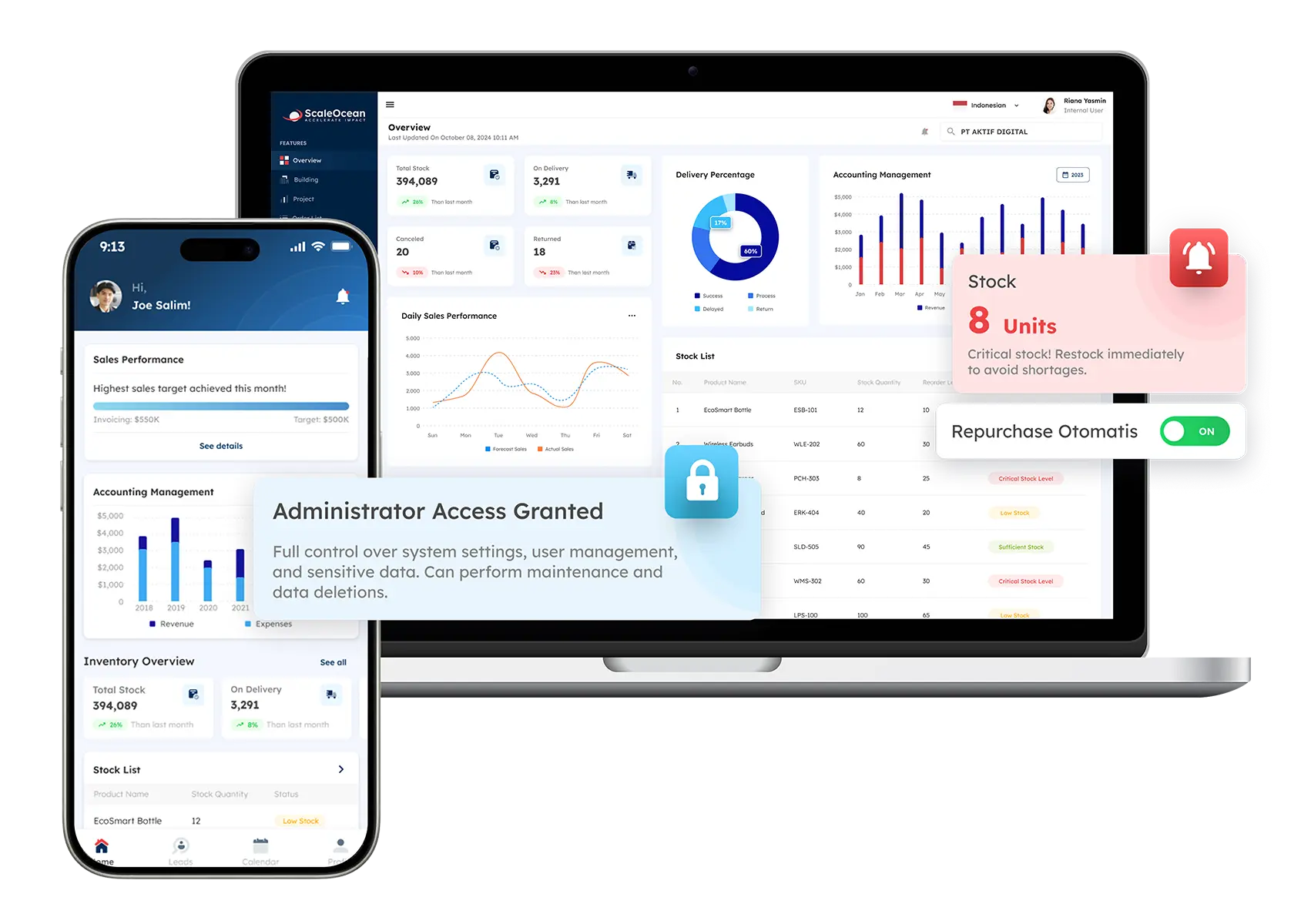
Businesses can efficiently and promptly test various ERP solutions with the help of ScaleOcean ERP Software to pinpoint the ideal solution for their specific needs. This minimises the risk and deployment time of the system. Structured testing support ensures businesses can validate system performance.
In addition, ScaleOcean has its own on-site developers doing consultations and resolving the issue. This way, you can get all the information you need at an extremely quick pace and fix any problem that arises in time without relying on any outsourcing vendors or other coordination procedures. Moreover, ScaleOcean also has after-sales support, which emphasizes the quick resolution of issues.
With continued support, businesses will be able to use it to solve the pressures of testing but keep their system stable and functioning at their peak even after implementation and deployment. Furthermore, workplaces have an assistant desk scheme with ticketing, time spent, and advancement checking features to access.
That will help a team easily identify problems in the ERP testing process and gain predictions and transparency to solve problems early in the testing process. Moreover, ScaleOcean has flexible rates such as flat rates, unlimited users, and no hidden fees.
As the ERP testing and implementation process can be expensive and difficult, up to 70% support from the businesses can also be helpful for them to meet the requirements set by the CTC grants. Last, but not least, enterprises can sign up for a free demo with ScaleOcean’s expert tech team instantly.
This means that businesses can talk about their needs, discover the specific solutions they’ll have the capacity to rely on to streamline their ERP testing processes, and commence the optimization of the system as early as possible. By this, organisations can have a conversation with businesses about their demands, uncover the custom solution they may rely on to streamline the ERP testing process, and see the optimisation of the process at an early stage.
Conclusion
The reliability and performance of a system and its usability depend on ERP testing. Just knowing ERP software testing can make a difference to businesses implementing the right strategy for a smoother ERP implementation and to make it less risky.
With ERP testing made easy and efficient, businesses can simplify their ERP testing with ScaleOcean’s solutions and expert support. Whether it’s getting issues resolved quickly or having structured training applications, ScaleOcean helps businesses optimise their ERP systems with confidence.
Contact ScaleOcean today to arrange a free demo and discover how you can benefit from they can support your ERP testing requirements. Businesses can ensure that their ERP implementation is faster, reliable, and cost-effective while addressing their specific needs and requirements by doing so.
FAQ:
1. What are the phases of ERP testing?
The ERP testing process consists of five essential phases: planning, preparation, execution, evaluation, and maintenance. Each phase plays a vital role in ensuring system reliability and a successful rollout. This process centralizes test planning, execution, and reporting, enhancing collaboration, traceability, and overall testing efficiency.
2. What are the 5 phases of testing software?
1. Unit Testing: Tests individual components for correct function.
2. Integration Testing: Checks communication between modules.
3. System Testing: Verifies that the complete application meets requirements.
4. Acceptance Testing: Confirms software meets user needs and is ready.
5. Regression Testing: Ensures updates don’t break existing features.
3. How to plan a new implementation of ERP software testing?
To plan ERP testing:
1. Define Strategy: Map business processes and compliance needs.
2. Build Team: Include IT and functional “super users.”
3. Data Prep: Use cleansed, realistic data in a sandbox.
4. Execute Levels: Run Unit, Integration, and System tests.
5. UAT & Go-Live: Get final sign-off from users after end-to-end validation.
4. What are the upcoming updates of ERP testing for existing systems?
Upcoming ERP testing updates focus on:
1. AI-Driven Automation: Using AI to predict risks and auto-generate test cases.
2. Continuous Testing: Moving to “always-on” cycles for frequent SaaS patches.
3. End-to-End Workflows: Prioritizing full business processes over single modules.
4. Data Integrity: Rigorous validation of data across hybrid clouds.
























.png)