

Starting fresh each time, switching up how things sound, migrating ERP means shifting company information, routines, tasks from an old setup into a modern one. Outdated tools dragging down speed? That leads to hiccups, scattered data, and bigger chances for errors.
Some businesses hold back on moving forward due to possible interruptions, steep expenses, or tangled rollout processes. Yet staying behind usually brings cramped growth room, weak spots in protection, along with fuzzy insight into how things are running at any given moment.
A recent Medium analysis shows most data moves go off track, either costing too much or taking longer than expected. That number? Eighty-three percent. It reveals how tricky these efforts can be when planning falls short.
As digital transformation accelerates, organizations must adopt integrated systems to remain competitive. Therefore, this article explains what ERP migration is and outlines the essential steps needed for a successful transition.
 Key Takeaways
- ERP migration is the process of systematically transferring data, applications, and workflows from one system to another, improving efficiency, integration, scalability, and real-time visibility into operations.
- Steps to ERP Migration include requirement analysis, post-implementation optimization to ensure minimum disruption, controlled risks, and lasting system effectiveness.
- Following ERP Migration Best Practices like early planning, automation, phased rollout, governance, and expert consultation increases the chances of successful, low-risk migration.
- ScaleOcean ERP offers flexible configuration for efficient migration, seamless integration, parallel implementation, and cloud scalability to help companies modernize quickly with minimal disruption.

What is ERP migration?
ERP migration is the structured process of transferring business operations, applications, and data from an existing ERP or legacy system to a new platform, answering the question of what ERP migration is in practical terms. It ensures continuity while improving functionality, integration, and performance.
Organizations migrate ERP systems to replace outdated software, consolidate multiple systems, or move to cloud-based solutions. The goal is to enhance efficiency, accuracy, and decision-making through centralized data and streamlined processes.
Successful ERP migration requires careful planning, risk management, and cross-department coordination. Without proper preparation, businesses may experience downtime, data loss, or operational disruptions during the transition.
 Also Read: 6 Key Phases of ERP Implementation Plan for Businesses
9 Steps of ERP Migration
Starting fresh often means stepping through clear stages when moving an ERP system, designed to lower the chances of problems and keep work flowing smoothly. These are what people call key migration actions. One piece connects to another, shaping tech choices around how teams actually operate, holding tight to accurate information and steady performance across the shift.
Starting with a solid plan helps businesses avoid mistakes during setup, keep spending predictable, while moving faster toward team usage. These nine stages offer a trusted path many choose when shifting to a new ERP system.
1. Analysis & Scope ERP Requirement
What happens now matters most. This stage digs into what the business truly requires, where daily operations stumble, along with long-term targets tied to the upcoming ERP setup. With a close eye on today’s routines, companies begin spotting activities that demand upgrades; some must go, others reshape entirely.
Certain ones lock into uniform patterns, while more link tightly together, all aiming at smoother performance. Stakeholders across departments share specific needs, so the system matches how things work in practice. When the boundaries are clear, extra adjustments stay off the table, spending stays predictable, and surprises drop sharply during later migration steps.
2. Design & Vendor Selection
During this step, businesses design the future system architecture while evaluating potential ERP vendors that align with business goals. Decision-makers assess functionality, scalability, security, industry compatibility, and long-term support to ensure the solution fits both current and future needs.
Picking a suitable supplier shapes how well the system adapts, rolls out, and stays affordable long term. While looking ahead, companies examine bids, watch live walkthroughs, sit through ERP software demos, and then contact past clients. Each step meant to dodge expensive mismatches down the line.
3. Assignment & Planning
This is when a project team is assembled, and roles, responsibilities, timelines, and necessary resources are clearly defined. Strong governance structures ensure accountability and effective coordination of the entire ERP migration process and ensure execution of the overall ERP migration plan.
ERP software isn’t just about the software. It’s about planning, budgeting, risk management, change management in ERP software, and communication strategies. It also helps ensure stakeholders understand what the transition will involve and what the ERP migration should deliver for the business.
4. Configuration & Development
Configuration adapts the ERP system to match business processes using built-in settings whenever possible, ensuring stability and upgrade compatibility. However, development may be required for specialized workflows, external integrations, or unique operational requirements that standard features cannot support.
Balancing configuration and customization is essential to avoid unnecessary complexity. Excessive development increases maintenance effort, upgrade difficulty, and long-term costs, whereas well-planned configuration preserves flexibility while still meeting critical business needs.
5. Data Migration
Data migration involves transferring historical, transactional, and master data from legacy systems into the new ERP platform. This process includes data cleansing, mapping, validation, and transformation to ensure compatibility with the new system structure.
Because inaccurate data can disrupt operations and decision-making, organizations perform multiple trial migrations before final transfer. These rehearsals help identify inconsistencies, eliminate duplicates, and confirm that critical information remains complete and reliable.
6. Testing
Before going live, ERP software testing makes sure every part works well together in actual business conditions. One module at a time gets examined first, followed by how they link up and operate as a whole. Real users step in later to confirm if tasks flow smoothly in day-to-day use. Problems hiding in code or process often show up during these rounds of checks.
When testing covers every part, problems later drop sharply. Getting staff hands-on early builds comfort slowly, and change feels less jarring when launch day arrives.
7. ERP Deployment
Putting an ERP system live means getting it set up and running where real work happens every day. Some companies bring it online bit by bit, others run old and new systems at once, while a few swap everything over fast, choices shaped by how tricky things are, how much uncertainty they accept, and what limits their workflow.
Right away, setup steps are mapped out to cut service gaps while keeping key operations running. Monitoring begins early, then tech crews watch live performance, track file updates across systems, and then step in fast when hiccups show up.
8. Go Live & Evaluation
When the switch happens, old systems step aside so real work runs on the new ERP setup. Teams watch how fast it works, whether transactions land right, and if people start using it without stumbling. Smoothness shows up when everything holds together under daily pressure.
Later on, problems pop up even though the tests looked fine before release. Fixing things fast helps keep operations running without hiccups for users, vendors, or teams inside the company.
9. Support & Optimization
After setup, steady help makes sure the ERP stays working well, safe, and protected, matching how the company changes over time. People who handle tech keep things running smoothly because they fix problems, update systems now and then, check speed and function, and also teach users again when needed.
Most gains come when teams refine how tasks flow through the software. Through continuous improvement, organizations maximize return on investment and ensure the ERP system delivers long-term strategic value, supported by effective ERP maintenance to keep performance and systems up to date.
When and Why Migrate to a New ERP System?
When old software struggles to keep up with expansion, shifting workflows, or connecting systems, moving to a fresh ERP makes sense. Glitches pop up more often if speed drops, fixes get pricier, scaling feels tight, and hiccups pile up.
On top of that, firms shift systems to see their data more clearly, while ERP security streamlines operations through automation, helping keep critical information safer against new digital risks. With a current ERP setup, live updates flow smoothly, and decisions happen more quickly because delays fade when clarity hits early each morning.
Types of ERP Migration

ERP migration can be of different types depending on business goals, system circumstances, and resource availability. Grasping the main types of migration assists companies in choosing the most suitable ERP migration approach, minimizing disruption and implementation risks.
- Full Migration: Moving everything over happens when an old ERP setup gets swapped out completely for a fresh one; every bit of information, workflow, and user shifts across. Such a shift often occurs if the current software lacks updates, no longer receives help from providers, or fails to handle how things run today.
- Reimplementation: A fresh start defines what happens when an organization swaps its old ERP for a new one without carrying over past setups. Rather than repeat history, teams design each step from nothing at all. Some companies pick this route to drop clunky habits that slow things down.
- Upgrade: Starting fresh isn’t always necessary. Sometimes, shifting to a later model keeps what already works intact – structures stay, data stays. Improvement shows up in tighter safeguards, smoother function, and better tools. When today’s setup does its job well enough, just not quite sharp enough, this path fits.
Whatever types fit best ties back to what a company aims to reach, how much it can spend, and what shape its systems are in. Looking closely at trade-offs alongside gains when weighing the risks and benefits of an ERP system shapes smarter moves within any full-scale shift plan, keeping things working smoothly while building lasting worth.
Challenges of ERP Migration
When moving to a new ERP system, problems pop up, sometimes slowing things down, sometimes spending more money, and sometimes weakening how well it works. That’s why careful preparation and follow-through matter so much on every single one of these shifts.
Spotting these issues ahead of time gives businesses a chance to plan responses while keeping things steady during change. Early awareness helps teams stay on track instead of reacting when shifts happen.
- Data Quality Issues: Wrong details, missing pieces, or repeated entries often trip up transfers. When moving info to a fresh setup, messy data sneaks in quietly. Reports start showing false numbers because of it. Workflows break without a clear warning. Decisions get skewed, quietly at first.
- Complexity & Scope Creep: What begins as a clear plan often drifts when new demands pile up. As features multiply without check, budgets swell, and schedules stretch thin. Teams find themselves pulled in too many directions. Focus fades right where it matters most, on what the business actually needs.
- Resource Constraints: When money is tight, teams shrink, or skills run short, moving systems takes longer. Juggling regular work alongside big changes eats time. Without smart planning, tasks pile up, and timelines slip.
Starting early on these issues by setting clear rules, thinking carefully about the steps, and getting everyone on the same page gives firms a better shot at smooth ERP moves, without costly hiccups along the way.
5 Things for Successful ERP Migration
Successful ERP migration depends not only on technical execution but also on disciplined data management practices. The following ERP migration steps focus specifically on preparing and transferring data accurately to ensure the new system operates reliably from day one.
1. Careful Planning
Careful planning establishes a clear roadmap for the migration process, including timelines, responsibilities, risk mitigation strategies, and success metrics. Without structured planning, organizations may face confusion, delays, or unexpected disruptions during implementation, especially when critical ERP migration steps are overlooked.
Furthermore, planning should align technical activities with business priorities to ensure continuity of operations. Early stakeholder involvement also improves communication, secures executive support, and reduces resistance to organizational change.
2. Data Mapping
Data mapping involves identifying how information from the legacy system corresponds to fields in the new ERP platform. This step ensures that data relationships, formats, and structures remain consistent after migration.
Accurate mapping prevents misaligned records, missing information, or functional errors in the new system. It also helps technical teams automate transfer processes while maintaining the integrity of critical business data.
3. Data Extraction
Data extraction is the process of retrieving relevant information from existing systems for migration. Organizations must determine which data is necessary, obsolete, or redundant before transferring it to the new platform.
By extracting only meaningful and current data, companies reduce storage requirements and improve system performance. Controlled extraction also minimizes the risk of transferring outdated or irrelevant information that could clutter the new environment.
4. Data Cleansing
Data cleansing focuses on correcting inaccuracies, removing duplicates, and standardizing formats before migration. Clean data ensures that reports, analytics, and operational processes function correctly in the new ERP system.
This step often reveals hidden issues in legacy databases, such as inconsistent naming conventions or incomplete records. Addressing these problems beforehand prevents them from undermining system reliability after deployment.
5. Data Validation
Data validation confirms that migrated information is accurate, complete, and functional within the new system environment. Teams compare source data with transferred data to ensure nothing was lost or corrupted during migration.
Thorough validation safeguards business continuity by ensuring critical processes operate as expected. It also builds user confidence in the new ERP system, which is essential for successful adoption across the organization.
ERP Migration Checklist & Best Practices

A structured checklist helps businesses manage ERP migration systematically while reducing risks, delays, and unexpected costs. Best practices ensure that technical activities align with business priorities, enabling a smoother transition and faster realization of system benefits.
By following proven guidelines, companies can improve coordination across teams, maintain operational continuity, and increase user acceptance. The practices below highlight key actions that significantly contribute to a successful, sustainable ERP migration.
Start Early
Starting early gives organizations sufficient time to analyze requirements, prepare data, and align stakeholders before technical work begins. Early preparation reduces last-minute decisions, which often lead to errors, rushed configurations, and unnecessary implementation risks.
Moreover, early planning allows teams to identify dependencies, allocate resources properly, and schedule activities without disrupting daily operations. This proactive approach helps prevent costly delays and ensures a more controlled migration timeline.
Use Automation
Automation tools streamline repetitive migration tasks such as data transfer, validation, and system configuration. By reducing manual intervention, automation minimizes human error while significantly accelerating the overall implementation process.
Additionally, automated processes improve consistency and traceability, making it easier to monitor progress and troubleshoot issues. Organizations that leverage automation typically achieve higher accuracy and faster deployment compared to fully manual approaches.
Focus on Training
User training is essential to ensure employees can operate the new ERP system confidently and efficiently. Without proper training, even well-implemented systems may fail due to low adoption, mistakes, or resistance to change.
Comprehensive training programs should include hands-on practice, documentation, and ongoing support. When employees understand how the system benefits their work, they are more likely to embrace the transition and maintain productivity.
Phased Approach
A phased migration approach introduces the new ERP system gradually rather than all at once. Organizations implement modules or departments step by step, allowing teams to stabilize each phase before proceeding to the next.
This method reduces operational risk because issues can be isolated and resolved without affecting the entire organization. It also provides opportunities to learn from early phases and refine strategies for subsequent rollouts.
Evaluate the Current Data
Evaluating existing data helps organizations determine what information should be migrated, archived, or discarded. Legacy systems often contain outdated, duplicated, or inconsistent records that can reduce the effectiveness of the new ERP platform.
Careful assessment ensures that only accurate and relevant data is transferred. As a result, the new system operates more efficiently and delivers reliable insights for decision-making.
Consult Experts for Guidance
Consulting ERP specialists or implementation partners provides valuable technical expertise and industry insights. Experts help organizations avoid common pitfalls, optimize configurations, and align the system with best practices.
External guidance is particularly beneficial for complex migrations involving integrations, regulatory requirements, or large datasets. With experienced support, companies can accelerate implementation while reducing risks and long-term costs.
Map out Data Fields Carefully
Careful mapping of data fields ensures that information from the legacy system aligns correctly with the new ERP platform’s structure. Incorrect mapping can cause missing records, distorted reports, or functional errors that disrupt business operations after migration.
Therefore, organizations must review field formats, relationships, and dependencies in detail before transferring data. Accurate mapping preserves data integrity, supports reliable analytics, and ensures that critical workflows continue to function properly in the new environment.
Develop a Detailed ERP Migration Plan
A detailed ERP migration plan outlines the full sequence of activities, timelines, responsibilities, and resources required for implementation, forming the backbone of any successful ERP migration plan. Without a structured plan, projects may suffer from confusion, missed deadlines, or uncoordinated tasks across departments.
In addition, a comprehensive plan includes contingency measures for potential risks such as system downtime or data issues. Clear planning helps teams stay aligned, maintain momentum, and execute the migration with greater confidence and control.
Define Data Governance Structures
Data governance structures establish policies, roles, and accountability for managing data throughout the migration process. Clear governance ensures that data quality, security, and compliance standards are consistently maintained across departments.
Moreover, defined ownership prevents unauthorized changes and reduces inconsistencies during data preparation. Strong governance frameworks help organizations sustain data integrity not only during migration but also throughout the system’s operational lifecycle.
Implement a Strict Validation Process
A strict validation process verifies that migrated data is accurate, complete, and functional within the new ERP system. Without thorough validation, hidden errors may surface later and disrupt financial reporting, operations, or compliance activities.
Organizations should conduct multiple validation cycles, comparing source data with migrated data to detect discrepancies. This disciplined approach ensures reliability, builds stakeholder trust, and reduces the risk of costly corrections after deployment.
Formulate Data Migration Strategy
A clear data migration strategy defines how data will be transferred, including methods, sequencing, tools, and fallback procedures as part of the overall ERP migration strategy. Different data types may require different approaches to minimize downtime and preserve system performance.
Strategic planning also determines whether migration occurs in phases, batches, or a single cutover. Selecting the right approach helps organizations balance speed, risk, and operational continuity during the transition.
Select the Right ERP Vendor
Choosing the right ERP vendor is a critical decision that affects system capability, scalability, and long-term support. Organizations must evaluate functionality, industry fit, security features, and implementation expertise before making a selection.
Furthermore, reliable vendors provide training, maintenance, and future upgrades that ensure sustained value. A well-matched vendor partnership significantly increases the likelihood of a successful migration and long-term system effectiveness.
Choosing the right vendor becomes even more important when companies want a smooth transition with minimal disruption. ScaleOcean stands out as one of the best solutions for companies planning ERP migration because its system is designed for easy configuration and seamless integration across business functions.
With ScaleOcean, migration usually takes one week to three months, with most processes running in parallel so daily operations can continue as usual. ScaleOcean easily integrates not only with various business modules but also with existing tools and applications already used by the company.
Modernize your systems quickly without losing productivity, and request a free demo of ScaleOcean today to see how.

Who Should Be Part of the ERP Migration Team?
A successful ERP migration requires a multidisciplinary team that combines strategic leadership, technical expertise, and operational knowledge. Each role contributes to planning, execution, risk management, and user adoption to ensure the transition runs smoothly and delivers value throughout the entire ERP migration project.
- Executive Sponsor: Provides strategic direction, secures funding, and removes organizational barriers. This role ensures the project aligns with business objectives and receives top-level support throughout the migration lifecycle.
- Project Manager: Oversees planning, timelines, resources, and coordination across teams. The project manager ensures milestones are met, risks are managed, and communication remains clear among stakeholders.
- IT Manager: Leads technical implementation, infrastructure readiness, system integration, and security considerations. This role ensures the new ERP platform operates reliably within the organization’s technology environment.
- Business Analyst: Translates business requirements into technical specifications. By analyzing workflows and identifying gaps, the analyst ensures the system supports real operational needs rather than theoretical processes.
- Cross-Functional Leads: Represent key departments such as finance, operations, HR, or supply chain. They provide domain expertise and ensure that departmental requirements are incorporated into the new system.
- Change Management Lead: Focuses on communication, training, and employee readiness. This role helps reduce resistance to change and ensures users adopt the new system effectively.
- Data Migration Specialist: Handles data extraction, cleansing, mapping, and transfer activities. This specialist ensures that critical business data is accurate, complete, and properly structured in the new ERP system.
- Quality Assurance: Validates system functionality, performance, and data accuracy through structured testing. QA ensures the system meets requirements and operates reliably before full deployment.
- ERP Vendor: Provides software expertise, implementation support, and technical guidance. The vendor assists with configuration, troubleshooting, and best practices to ensure successful migration and long-term system performance.
Clearly defining roles and responsibilities improves accountability, speeds decision-making, and reduces confusion during complex migration activities. A well-structured team significantly increases the chances of delivering a stable and effective ERP implementation.
How Long Does an ERP Migration Take?
One reason ERP moves take time? System complexity, plus the volume of information involved. Custom needs matter too, alongside how ready a company is to shift. A big business overhaul often runs months, sometimes longer than twelve weeks. Timing shifts easily when people learn new tools, systems link up, or information lacks clarity.
How Much Does an ERP Migration Cost?
One thing decides the price of moving to a new ERP system: what you need. A software permit sets one part of the bill – on top of that comes setup work. Getting information ready pulls funds another way. Changes to tech foundations eat into spending,g too. Teaching staff brings added numbers to the total.
Small companies may spend just enough to get by. Big corporations often commit far more from the start. Hidden costs matter, downtime creeps in, work slows down when shifting systems, and support needs linger afterward, because long-term worth comes from steady operation, not quick fixes.
How Scaleocean Successfully Performed ERP Migration?
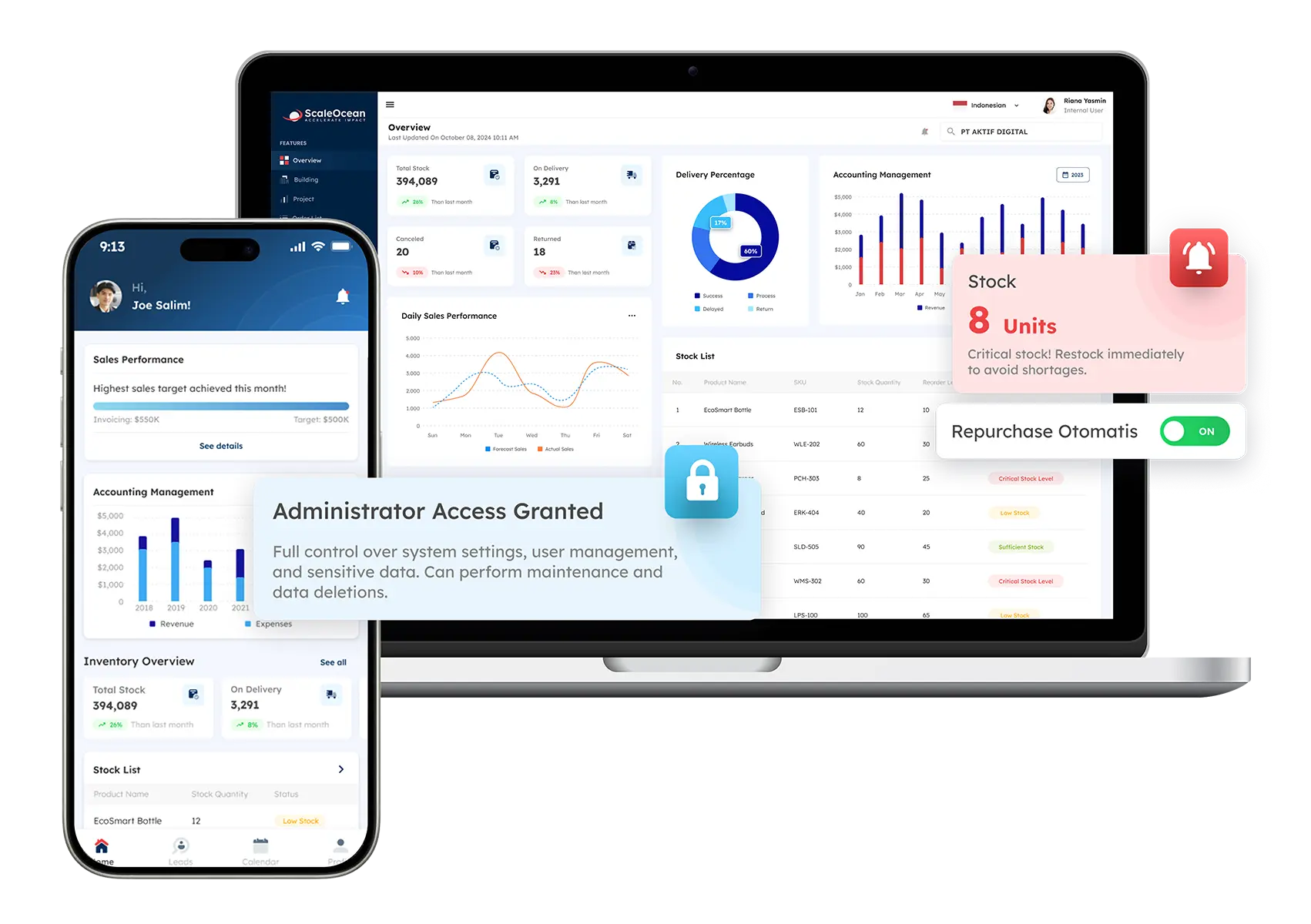
ScaleOcean ERP software is designed with specialized capabilities to overcome both technical and business challenges commonly encountered during migration. Instead of focusing only on the go-live phase, the platform supports pre-migration planning, transition execution, and long-term system maintenance.
Through its API integration layer, ScaleOcean maintains connections with existing third-party tools, such as logistics trackers or e-commerce platforms, during migration. With scalable cloud infrastructure, businesses can instantly increase server capacity during high-load data transfers without manual hardware upgrades.
ScaleOcean also supports a smooth ERP migration with features designed to minimize disruption and maximize adoption. Its automated system monitoring continuously checks system health in real time, identifying performance bottlenecks early so issues can be resolved before impacting daily operations.
The platform’s user-friendly interface, designed to feel familiar like popular consumer apps, helps reduce resistance to change and shortens the learning curve, boosting employee confidence in using the new system.
With a flat-rate pricing model for unlimited users, ScaleOcean enables the entire company to engage in training, testing, and deployment without extra licensing costs.
Additionally, the platform complies with CTC grant requirements, allowing eligible companies to access funding that helps offset implementation and migration expenses. This combination of features makes ScaleOcean a practical and cost-effective choice for businesses undergoing ERP migration.
By addressing integration, scalability, user adoption, and post-migration stability, ScaleOcean enables businesses to transition to a modern ERP environment with minimal disruption while maintaining operational workflows.
Conclusion
ERP migration is a complex but necessary step for organizations seeking to improve efficiency, data visibility, and long-term scalability. By following structured steps, addressing risks, and applying best practices, businesses can transition smoothly while maintaining operational continuity and minimizing disruption.
For companies planning migration, choosing the right platform is critical to success. So ScaleOcean ERP offers flexible configuration, seamless integration, and tools that support every phase from preparation to post-deployment, enabling organizations to modernize systems without interrupting daily operations.
With parallel implementation capabilities and cloud scalability, ScaleOcean allows migrations to complete faster while business activities continue as usual. If you want a reliable, low-risk transition to a modern ERP system, explore ScaleOcean ERP and request a free demo today.
FAQ:
1. What is the vendor checklist to evaluate an implementation partner?
A strong vendor checklist evaluates technical expertise, industry experience, project methodology, and cultural fit for successful implementation. Key areas include reviewing track records, verifying certifications, checking financial stability, and ensuring clear, transparent project management processes.
2. What are the risks of ERP migration?
Common risks include data loss, poor data quality transfer, system incompatibility, downtime, cost overruns, user resistance, security issues, and integration failures. Poor planning or testing can disrupt operations and reduce the benefits of the new system.
3. What is the 7 step model of migration?
1. Retire: Remove unneeded apps.
2. Retain: Keep on-premise for now.
3. Relocate: Move with hypervisor lift-and-shift.
4. Rehost: Shift to cloud unchanged.
5. Replatform: Shift with minor tweaks.
6. Repurchase: Switch to SaaS.
7. Refactor: Redesign for cloud-native.
4. What are the problems with data migration in ERP?
Key problems include incompatible data formats, duplicate or outdated records, complex data relationships, incomplete transfers, and a lack of resources. Poor data quality can lead to inaccurate reports, operational errors, and system instability after go-live.
























.png)