

ERP systems require ongoing maintenance to deliver long-term value. Neglecting it can result in costly downtime, inefficiencies, and security concerns. As companies grow, keeping an optimal ERP system becomes critical to preserving efficiency and competitiveness. Therefore, every company must understand the right ERP maintenance steps.
ERP (Enterprise Resource Planning) maintenance refers to the continuous management, updating, and enhancement of an ERP system to maintain its performance, reliability, and data integrity following the initial implementation. With 63% of businesses prioritizing cloud adoption (CSA, 2022), companies are shifting towards more agile and scalable ERP solutions.
In Singapore, SMEs contribute 48% of the nation’s GDP, with 78% focusing on operational efficiency (EDB, 2023). To support digital transformation, initiatives like SMEs Go Digital provide resources for ERP adoption and maintenance, assisting businesses in remaining compliant and competitive.
By implementing structured ERP maintenance, businesses can enhance system performance, reduce risks, and maximize ROI. This article will uncover six essential steps to maintain ERP efficiency, ensuring long-term business success. Here’s a more detailed overview of ERP maintenance:
 Key Takeaways
- ERP maintenance refers to the continuous management, updating, and enhancement of an ERP system following its initial deployment to maintain its efficiency.
- Best practices and steps for ERP maintenance include: analyzing internal capability, and security, updating ERP software, planning software life cycle, preventive maintenance plan, safeguarding system, etc.
- The important ERP maintenance is to ensure peak performance, preserve data integrity, accommodate evolving business needs, strengthen security, and also utilize vendor updates.
- You can use ScaleOcean ERP software which provides a complete solution to streamline company operations with maximum maintenance and easy implementation with any needs and type of your business.
What Is ERP Maintenance?
ERP maintenance involves the ongoing administration, updating, and improvement of an ERP system to ensure its performance, reliability, and data integrity after the initial deployment. A well-planned ERP change management strategy should include ERP maintenance as a recurring support after the system is implemented.
This process is essential to maintain the system’s performance, reliability, and data integrity. Maintaining system efficiency is critical for Singaporean enterprises dealing with high operational costs.
For example, a logistics company eliminated 20 hours of annual downtime by performing proactive ERP maintenance, allowing it to operate continuously. Regular monitoring, security improvements, and process optimization help businesses optimize ERP benefits while minimizing risks and enhancing productivity.
Therefore, every company needs to invest in organized maintenance to not only improve system stability but also encourage long-term scalability and company expansion.
Why Is ERP Maintenance Important?

ERP maintenance is important for business operations and necessitates consistent maintenance to guarantee optimal performance and dependability. As companies expand, these systems need to evolve to accommodate new processes, integrations, and demands. Ensuring data quality and integrity is essential for precise reporting, informed decision-making, and regulatory compliance.
Furthermore, the best ERP Singapore vendors periodically issue updates to improve security and functionality and perform ERP software testing, making it important to remain up-to-date. Regular maintenance also aids in enhancing system performance by detecting and addressing bottlenecks, resulting in quicker processing times and an improved user experience. Here are the essential areas to focus on:
1. Ensures Peak Performance
Most problems fade when small fixes happen early. When updates run on time, delays shrink, and a steady check rhythm keeps errors low. Glitches lose ground if attention stays regular. Work flows more smoothly with fewer surprises along the way.
2. Preserves Data Integrity
The ERP system needs checking so that information stays correct and up to date. Because of that, tasks like tracking stock, handling money records, and working with customers run more smoothly. When details are accurate, choices get better without extra effort. Efficiency grows when people trust what they see.
3. Accommodates Evolving Business Needs
Because things change, keeping the ERP system updated helps it stay useful when needs shift. When new tools come along, updates make space for them without breaking what already works. Staying current means the software still fits how the company operates today. Over time, tweaks keep pace with both goals and tech upgrades, quietly matching progress step by step.
4. Strengthens Security
Staying on top of regular updates often keeps an ERP system safe from hackers. Because new risks pop up constantly, patching flaws quickly matters a lot. When software stays current, it guards important company information better.
One overlooked fix might leave room for trouble down the line. Following the rules set by industries becomes easier when systems run smoothly, and outdated platforms tend to struggle with meeting those standards. Protection grows stronger not just through tools but habits too. A single delay could ripple into bigger problems later.
5. Utilizes Vendor Updates
Now and then, ERP providers roll out fresh tools and tweaks. Because upkeep happens, companies can bring those changes into play – making workflows smoother, systems snappier, and better results all around. Staying on top of maintenance means using what’s new, fine-tuning operations, and lifting how things run day to day.
6. Proactive Maintenance
When you keep up with the ERP system, problems show up sooner and fixes happen faster, so big breakdowns never take hold. A test run of the ERP gives companies a clear look ahead; glitches surface early because real use reveals what checks miss, cutting delays later.
7. Optimize System Efficiency
Fixes smooth out hiccups, keeping things running without snags. When slow spots get tuned, companies often see responses speed up by as much as 30%. When systems get routine care, they link together better, and data moves more quickly because of it. Smoother workflows come through that kind of tuning, and companies stay sharp during shifting conditions just by keeping things running clean.
8. Minimize Downtime and Operational Expenses
When systems get regular checkups, crashes happen less often. Fixing small issues early keeps big problems away. One study found companies could cut breakdown time nearly in half just by staying ahead of repairs.
When businesses spot issues before they grow, fixing them stays cheaper. Problems caught fast mean machines keep running without pause, and this way, money goes further. Time and materials get used smarter, not wasted.
9. Ensure Regulatory Compliance
ERP maintenance minimizes legal risks by assisting companies in complying to local requirements. In Singapore, compliance with GST, PDPA, and IRAS requirements is crucial for operational legitimacy.
Regular updates ensure that ERP systems remain aligned with these evolving regulations, helping businesses avoid penalties while maintaining transparency and accountability in financial reporting.
10. Strengthen Data Security
Concern over cybersecurity risks is increasing, particularly in technologically sophisticated markets like Singapore, which leads Asia in cybersecurity (IMDA, 2023). Frequent security patches reduce the possibility of data breaches by protecting ERP systems from online attacks. Sturdy security measures guarantee trust and adherence to data protection regulations by safeguarding confidential company data.
Key Aspects of ERP Maintenance
Think of your ERP system as the heart of your business, if the heart stops beating, the entire operation of the company will feel the impact. However, many companies treat ERP maintenance as a smooth operation, security, and scalability lie in a proactive ERP system. Here are some important aspects of ERP maintenance, including:
1. Regular System Health Checks
Conduct routine checks to identify potential issues and ensure the system is functioning optimally, as early detection of potential problems and for maintaining the ERP system’s performance. You can consistently analyze system logs, user input, and error reports aids in identifying any malfunctions or inefficiencies.
2. Software Updates and Patches
Apply necessary updates and patches to address security vulnerabilities and incorporate new features also for mitigating security vulnerabilities and improving system performance. ERP providers often issue updates that rectify issues, enhance functionalities, and address security weaknesses.
3. Customization Management
Managing customizations is essential to ensure they remain functional and don’t introduce conflicts, and also ensure that alterations meet business requirements while preserving system performance.
Conducting regular assessments guarantees that these customizations operate as expected, stay compatible with the most recent updates, and do not result in disruptions, thereby assisting organizations in maintaining a stable and efficient ERP system.
4. Integration Management
Regularly assessed and updated integration points to ensure seamless data flow between different systems with frequent engagement with a range of external applications such as CRM and inventory management software. It essential for maintaining a smooth data exchange and avoiding communication errors between systems.
5. Data Quality and Validation
Implement data quality standards and validation processes to ensure accurate and reliable data and it is crucial for effective business decision-making and reporting. Establishing robust data validation guidelines and standards is especially important during ERP data migration
to prevent errors and ensure that dependable information circulates within the organization.
6. User Training and Support
Provide ongoing training and support to ensure users are proficient in using the ERP system with a training program that should be refreshed to incorporate new functionalities and optimal practices. It also essential for maximizing employees’ ability to utilize the ERP system effectively.
7. Cybersecurity Measures
Implement robust cybersecurity measures to protect the ERP system from threats, and defend the ERP system against emerging threats. Consistent security evaluations, encryption techniques, and access restrictions play a crucial role in protecting sensitive corporate information from unwanted access or cyber threats.
8. Performance Monitoring
Continuously monitor system performance to identify and address potential issues, and detect any lags or possible problems before they impact operations. Through consistent evaluation of system performance metrics, organizations can identify aspects that require enhancement, such as sluggish processing speeds or overloaded databases.
9. Vendor Relationships
Maintain strong relationships with ERP vendors to ensure timely support and access to updates, and also enable companies to stay updated on new versions, patches, and available support. A strong relationship with vendors also provides priority assistance during urgent situations, allowing businesses to sustain seamless ERP operations.

15 Best Steps Practices of ERP Maintenance
ERP maintenance consists of various strategies to ensure system efficiency, reliability, and adaptability. Each type serves a specific function, from preventing issues to improving performance, assisting businesses to maintain smooth operations and meet changing requirements as elaborated below.
1. Analyze Your Internal Capabilities
Analyze your internal capabilities to determine if your in-house experts can manage ERP implementation or if external support is needed. Understanding the phases of ERP implementation helps align business requirements with available expertise for a smoother transition.
2. Security
Security is essential in ERP maintenance, ensuring protection against potential threats to data and system integrity. Implement robust security measures such as multi-factor authentication, strong password policies, regular backups, timely patch installations, and continuous system monitoring to safeguard sensitive business information.
3. Update Your ERP Software
Steps Update your ERP software regularly to ensure optimal performance, security, and access to new features that enhance business operations. Maintain open communication with your vendor, review routine update notifications, and apply patches promptly to keep your system free of bugs and running efficiently.
4. Outline an ERP maintenance plan
This step includes regular software updates, performance monitoring, and data accuracy checks to ensure seamless business operations. A well-structured ERP maintenance plan enhances enterprise performance management by enabling better planning, budgeting, reporting, and predictive analysis.
5. Plan Your ERP Life Cycle
Plan your ERP life cycle strategically to ensure long-term usability, cost efficiency, and seamless system upgrades. Establish clear parameters, including upgrade timelines, security measures, and service level agreements, to maintain system performance and align with evolving business needs.
6. Preventive Maintenance Plan
A preventive maintenance plan ensures system stability through routine checks, software updates, and proactive issue resolution to prevent disruptions. Establish upgrade milestones within your preventive maintenance plan to assess system performance, confirm software alignment with business needs, and maintain long-term efficiency.
7. Safeguard Your ERP
The step is ERP maintenance with Safeguard Your ERP by conducting regular system reviews to assess performance, identify vulnerabilities, and ensure alignment with business needs. Frequent updates, security patches, and version upgrades within your maintenance strategy will protect your ERP from cyber threats, financial risks, and operational inefficiencies, ensuring long-term stability.
8. Set the parameters of SLAs
Step of setting the parameters of SLAs (Service Level Agreements) to define clear expectations for ERP maintenance, including system performance, security, and support response times. A well-structured SLA ensures accountability, whether working with a third-party provider or managing maintenance internally, helping to maintain system stability and efficiency.
9. Customize Security Measures
This step is crucial for ensuring ERP security by proactively safeguarding the system from potential threats. Implement strong security protocols, such as access controls and regular patch updates, to prevent vulnerabilities and maintain system integrity.
10. Schedule regular backups
Companies also should be scheduling regular backup systems to protect ERP software from catastrophic data loss, ensuring critical information is securely stored. Just as a car needs routine maintenance, regular backups, and system checks are essential for keeping your ERP running smoothly and efficiently.
11. Systems review
The systems review is a vital health check for your ERP system, ensuring optimal performance and identifying areas for improvement. Conduct regular systems reviews to assess security, functionality, and alignment with business needs, and incorporate findings into your service level agreements for better maintenance planning.
12. Proactive System Maintenance
This approach focuses on preventing potential issues before they arise. Routine upgrades, security patches, and data backups all serve to reduce risks and guarantee that the system operates continuously. For instance, scheduling monthly system checks can identify vulnerabilities early, reducing the likelihood of unexpected failures and maintaining seamless business operations.
13. Issue Resolution Maintenance
When system problems occur, corrective maintenance addresses and resolves them promptly. This includes bug repairs, debugging, and patch updates to restore functionality. For instance, if a payroll module finds a mistake, fixing it before the next pay cycle ensures employees get appropriate payments without interruption.
14. Adaptability Enhancement Maintenance
Businesses evolve, and ERP systems must adapt to meet changing needs. Adaptive maintenance involves modifying software configurations, integrating new technologies, or expanding system capabilities.
As an example in logistics company, for instance, might integrate IoT devices to enable real-time inventory tracking, enhancing visibility and operational efficiency. Investing in custom ERP software ensures your system remains flexible and scalable as your business grows.
15. Performance Optimization Maintenance
Perfective maintenance, which focuses on refining system performance, improving user experience, and streamlining workflows, is critical for maximizing ERP efficiency. By improving the user interface and reducing manual data entry, businesses can increase productivity and ensure their ERP system remains an asset for long-term growth.
ERP Maintenance Challenges and How to Overcome Them
Keeping an ERP running smoothly isn’t always straightforward; costs pile up, and rules change. When shortcuts take over, systems slow down, and data grows vulnerable. Yet fixing this doesn’t demand an overhaul; steady habits make the difference. What follows outlines real steps teams use to keep their ERP working without hiccups.
1. Managing High Maintenance Costs
Keeping an ERP system running isn’t cheap, particularly when a company expands. Software updates come with fees, along with regular security fixes and help from tech experts. Instead of paying more over time, picking flexible service options, like what ScaleOcean offers, can balance expenses smartly.
Such setups keep operations secure and fast, skipping unnecessary feature jumps that drain funds. Picking only the right ERP tools also guides teams toward essential improvements, cutting down heavy spending.
2. Overcoming Limited In-House Expertise
Most businesses struggle to handle ERP upkeep on their own. When expertise is missing, fixing issues or boosting performance gets tough. Working alongside a provider that offers nearby assistance and learning opportunities means reliable guidance is always within reach, leading to smoother fixes and steady upgrades over time.
3. Minimizing Operational Disruptions
When updates happen too often without a clear schedule, problems pop up during regular tasks. To keep things running smoothly, businesses ought to line up fixes when activity is low. That way, essential upgrades slip in quietly with no interruptions, just steady progress behind the scenes. Workers stay focused, systems hum along, and surprises vanish from the routine.
4. Staying Compliant with Evolving Regulations
One wrong move on tax rules and everything gets messy. A system that keeps pace with shifts in GST, PDPA, or IRAS gives companies breathing room. When software adapts before problems arise, reports flow without hiccups.
Staying ahead means fewer surprises during audits; outdated tools invite trouble; timely upgrades quietly protect information. Smooth operations often come down to who watches the fine print first.
How to Maintain Effective ERP Maintenance?
Stability of the ERP system often depends on consistent care. When updates happen on schedule, problems tend to stay away. Watching how the software behaves day by day helps catch hiccups early, and also training users regularly keeps confusion at bay.
Security stays strong when patches go live without delay, and performance improves if usage patterns are reviewed now and then, while compliance follows naturally from documented routines. Small fixes today may block big failures tomorrow, and smooth operation tends to reflect disciplined habits behind the scenes.
1. Schedule Routine System Updates
Regular updates are essential for preventing security vulnerabilities and ensuring optimal system performance. Applying patches monthly helps address any flaws and boosts functionality. By staying up to speed with the newest enhancements, businesses can maintain a safe and efficient ERP environment that adapts to evolving technological breakthroughs.
2. Monitor System Performance Continuously
When things run off track, spotting hiccups fast keeps operations steady. Machines hum along better when data tools uncover slow spots, fix flows, and avoid crashes. Watching every pulse means fewer surprises, systems stay sharp, choices happen faster, and work gets smoother.
3. Invest in Employee Training
Most of the time, a skilled group keeps an ERP running longer and better. Because they take part in training such as SkillsFuture, workers learn how to handle updates and keep things working. When someone spots a small problem early, fixes happen fast, and no need to wait for outside help.
With a clear understanding comes smarter daily routines and fewer hiccups overall and the whole setup just holds together more smoothly when those using it know what they’re doing.
4. Collaborate with a Trusted ERP Vendor
Stuck with updates? A dependable team makes ERP upkeep easier while keeping companies aligned with sector rules. For firms in Singapore, ScaleOcean rolls out full-service packages that guard against breaches and keep operations running smoothly. Team up with skilled experts means fewer hiccups over time. The longevity of your system often ties back to who handles the backend work.
5. Conduct Regular System Audits
Every few months, taking a close look reveals where things slow down or could work better. When teams check the ERP setup each quarter, it stays in step with how the company operates, new rules, and safety standards. Watching how well the system runs helps spot chances to upgrade before problems arise. Regular checks mean fixes happen early, keeping everything running smoothly.
6. Optimize System Scalability
As businesses expand, their ERP systems have to adjust to meet new expectations. Scalable solutions, such as cloud-based ERP improvements, promote flexibility and efficiency. Businesses should regularly assess their system’s capacity and upgrade as needed to support growth, innovation, and increased operational complexity.
Streamline Your Business Operations with ScaleOcean ERP
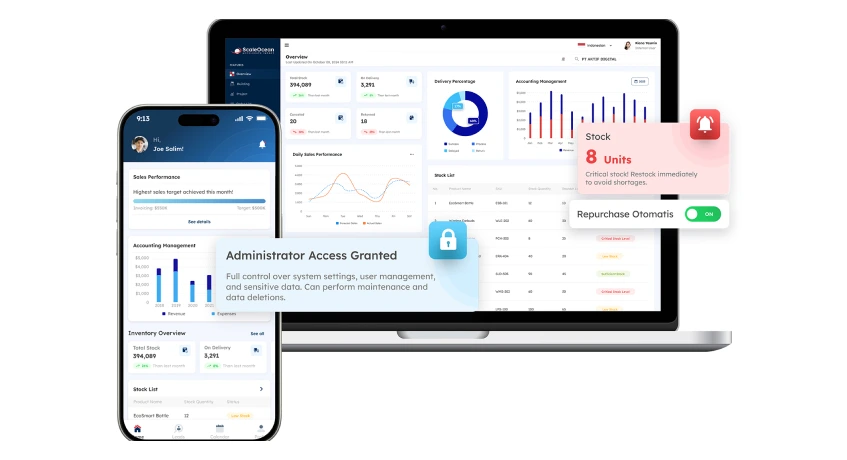
Unexpected disruptions can slow down operations and cost your business valuable time and money. That is why having a reliable ERP system is important for maintaining efficiency and staying ahead of potential issues. ScaleOcean ERP provides an all-in-one solution for streamlining corporate operations, increasing productivity, and lowering operational costs, all while assuring smooth scalability for future expansion.
With ScaleOcean ERP, businesses gain access to a cost-effective solution that optimizes workflows, eliminates inefficiencies, and reduces downtime. By automating key functions and integrating data across departments, businesses can reduce unnecessary expenses. This strategy improves profitability without the high price of standard corporate software, which you can yourself with a free demo.
Key Features of ScaleOcean ERP:
- Proactive Maintenance: Prevents system failures, minimizes downtime, and ensures compliance with regulatory requirements.
- Local Support Team: Provides real-time assistance, software updates, and troubleshooting to keep your system running efficiently.
- Scalable Plans: Flexible pricing and feature sets cater to businesses of all sizes, from startups to large enterprises.
ScaleOcean ERP is specifically designed to meet Singapore regulatory requirements, including GST, PDPA, and IRAS compliance, ensuring businesses stay in line with financial and data protection laws. Additionally, cost-effective pricing and government subsidy options make it an affordable yet powerful solution for companies looking to maximize their technology investments without overspending.
A Singapore-based retail company significantly reduced system downtime by 40% after implementing ScaleOcean’s proactive maintenance plan. This not only improved operational efficiency but also saved the company thousands of dollars annually. With the help of ScaleOcean’s local support team, they experienced seamless software updates and real-time troubleshooting, ensuring continuous business operations.
Conclusion
Maintaining your ERP system is not just about fixing issues, it is about ensuring long-term efficiency, security, and business continuity. Without regular updates, performance monitoring, and proactive adjustments, businesses risk operational disruptions, compliance issues, and increased costs. A well-maintained ERP system supports scalability, agility, and seamless integration with evolving technologies.
Businesses that prioritize consistent ERP maintenance report 30% higher ROI over five years (NetSuite). By following structured maintenance steps, companies can enhance productivity, reduce downtime, and maximize the value of their ERP investment.
Businesses need an ERP maintenance strategy that supports long-term efficiency to keep operations seamless. With the right approach, companies can enhance system stability, security, and compliance. ScaleOcean software ERP solutions help businesses effortlessly maintain optimal performance, ensuring smooth operations and future-ready scalability. A well-maintained ERP system keeps you focused on growth, not disruptions. See it in action with our free demo today.
FAQ:
1. What does ERP stand for?
ERP stands for Enterprise Resource Planning. It is a comprehensive software system designed to streamline business operations, covering various functions like human resources, finance, supply chain, manufacturing, and accounting to ensure seamless management and efficiency.
2. What is ERP as a service?
ERP as a service, also known as SaaS ERP, is a cloud-based enterprise resource planning system hosted by the vendor, rather than on the company’s own servers. This model allows users to access the software via the Internet, providing flexibility, scalability, and reduced infrastructure costs.
3. What is ERP in maintenance?
ERP in maintenance involves using a comprehensive software system to integrate and manage all aspects of business operations, including maintenance tasks. It helps streamline processes, enhance efficiency, and enable data-driven decision-making to optimize asset management and minimize downtime.
4. What is the difference between ERP and CMMS?
While CMMS (Computerized Maintenance Management System) focuses solely on managing maintenance tasks and asset performance, ERP (Enterprise Resource Planning) covers all aspects of an organization. Characteristic of ERP integrates various processes across departments, offering broader capabilities to optimize and improve overall business operations.





















.png)