

Businesses may find it difficult to keep up with the tax filing process, particularly in Singapore’s tax season. Maintaining all the necessary records, ensuring that they are accurate and up to date with tax regulations, can be frightening. If they are not in place, then businesses face the risk of missing some vital deductions or credits.
The Straits Times report cites the Ministry of Finance, which said Singapore’s income inequality is relatively low, compared with other advanced countries. This is an indication of proper tax return filing, as it will be a fair economy overall for the nation.
The consequences of inadequate tax management are serious and can lead to high fines, legal action, or damage to the business’s reputation. It can be helpful for tax preparation software like ScaleOcean to simplify it and help it to be as efficient as possible while keeping up to date with local tax laws.
In this article, you will learn about an in-depth analysis of the best corporate tax software for the year 2026, including the locally popular software like ScaleOcean, TurboTx, and H&R Block. These sites will also provide information on how they work, what functions are necessary, and why tax preparation software is worthwhile.
 Key Takeaways
- Tax software is a computer software designed to assist companies and individuals in the process of controlling taxes.
- Takes a close look at the best 8 tax software reviews in Singapore, such as ScaleOcean, TurboTx, H&R Block, FreeTaxUSA, TaxSlayer, and more.
- Key features of tax software, like automation, audit trails, and local tax form support, are essential when choosing the right software for your team.
- ScaleOcean revenue software is built to be user-friendly, making tax preparation a hassle-free experience. Also, it connects directly to the IRAS software register.

What is Tax Software?
Tax software is a digital solution that simplifies the tax filing process for individuals and businesses. It automates the process of calculating, filing, and keeping track of income, corporate, and sales tax returns, saving time and reducing stress.
By pulling financial data from various sources like bank statements and accounting software, this tool minimizes errors in tax calculations. It also ensures that your tax filings are always in line with the latest Goods and Services Tax (GST) regulations so that you can stay compliant without worry.
Top Tax Software Option in Singapore for 2026
In 2026, businesses in Singapore need reliable tax preparation software for accurate tax filings. Several software options stand out, providing varied features to suit different needs, ranging from individual returns to complex business taxes such as a GST filing return.
Here are the best corporate tax software to simplify the tax preparation season in Singapore 2026:
1. ScaleOcean Tax Software
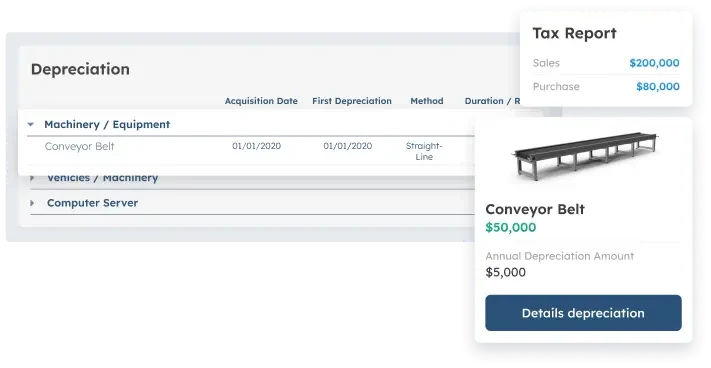
ScaleOcean accounting software is designed to be easy to use and a breeze to prepare taxes. With IRAS software, it perfectly integrates with IRAS’s GST report (F5/F8) and corporate income tax return (Form C-S), and can be filed via the API without manual filing of the forms.
The software integrates well with the important business processes – accounting, revenue, and expenses management modules. This allows for the correct collection and formatting of tax information for filing and decreases the chance of manual mistakes and time invested in related tax activities.
Data security is paramount to ScaleOcean, and ScaleOcean is certified to comply with Singapore’s Personal Data Protection Act (PDPA). It securely stores data in accordance with local laws, providing businesses with a sense of security that they are complying with the requirements set by the CTC grant, up to 70% funding in Singapore.
So, take advantage of the free ScaleOcean demo and experience all of its features for yourself today.
Key Features:
- Integration with IRAS Portal – API: GST and income tax returns will be submitted directly to IRAS, eliminating the need for manual download & upload.
- Comprehensive GST Management: Ensures adherence to the latest changes in tax rates and supports multiple rate management scenarios for efficient future GST handling needs.
- Audit Trail with IAF: Create an audit file in IRAS format containing all accounting transactions for audits.
- Automatic Reconciliation: It automatically matches input tax and output tax, thus making tax reconciliation simpler.
- Multi-Currency Transactions: Auto-converts financial reports in SFRS into XBRL format.
- Fixed Assets & Capital Allowance Module: Separately calculates the tax depreciation and book depreciation, thus providing accurate tax filing for the company.
- PIC & Grants Tracking: Document and track government tax credits and expenses like Productivity and Innovation Credit.
| Pros | Cons |
|---|---|
|
|
Price: No extra charge and a fixed cost with ScaleOcean! It could be flexible pricing depending on the customization requests; it suits medium and large-scale businesses.
Best For: ScaleOcean can be used by medium to large-sized businesses of any industry and any requirement, and can be fully customized and integrated into a business.
2. TurboTx Software
TurboTx Software provides an intuitive platform for both simple and complex tax filings. It offers different options, including DIY and expert-assisted services, allowing users to select the best solution based on their needs, whether for individual or business returns.
TurboTx supports federal and state filings, with a range of service tiers designed to meet various filing requirements. Whether you are filing a simple return or require additional expert guidance, TurboTx adapts to your tax filing needs with flexibility and ease.
Key Features:
- DIY tax filing options for individuals and businesses
- Expert-assisted filing services for complex cases
- Supports a wide range of federal and state tax returns
- User-friendly interface with step-by-step guidance
- Flexible service tiers for different tax needs
| Pros | Cons |
|---|---|
|
|
Price: TurboTx’s pricing starts from free for basic federal filings, with options ranging from $0 to $159+ based on the complexity and assistance level required.
Best For: TurboTx is best for small to medium-sized businesses that need an adaptable tax solution for both simple and more complex federal filings. It works well for companies seeking flexibility with the option for expert assistance when needed.
3. H&R Block Tax Platform
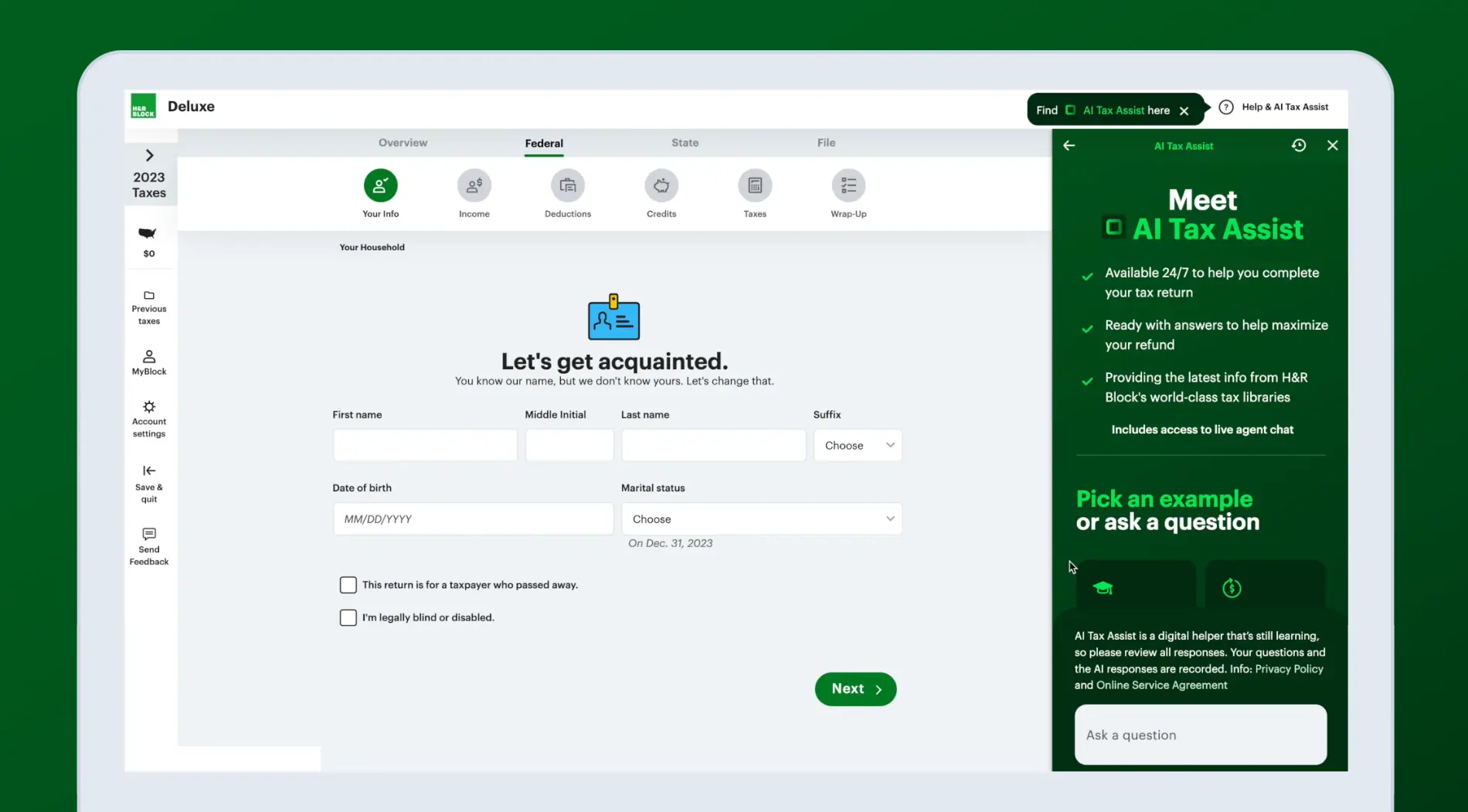
H&R Block Tax Platform offers a comprehensive solution for filing federal and state taxes, catering to both simple and complex tax situations. The platform includes a step-by-step guide, ensuring users are supported throughout the filing process.
It integrates multiple tax tools, providing options for filing personal and business taxes. The platform’s design makes it easy to navigate, allowing users to access additional support when needed. It also streamlines the financial management process, ensuring that tax returns are filed in compliance with up-to-date regulations.
Key Features:
- Options for simple to complex tax filings
- Free federal filing available for basic returns
- Step-by-step assistance throughout the filing process
- Access to tax professionals for support
- Federal e-filing is included with most packages
| Pros | Cons |
|---|---|
|
|
Price: H&R Block’s pricing typically ranges from $35 to $100+, depending on the complexity of the tax return and the package chosen.
Best For: H&R Block is best for small businesses looking for an intuitive and comprehensive tax filing platform. It is suitable for businesses that need support with moderate to complex tax filings, including payroll and deductions.
4. FreeTaxUSA Software
FreeTaxUSA Software is a budget-friendly tax solution, providing free federal tax filing and affordable state returns. It caters to users with standard tax situations but also offers optional upgrades for those who need extra support for more complex filings.
FreeTaxUSA simplifies the filing process by guiding users through each step, ensuring they are compliant with the latest tax rules. While it offers basic features for free, it also provides additional tools and support through its paid plans for more intricate tax returns.
Key Features:
- Free federal filing for basic tax returns
- Simple and easy-to-use interface
- Supports various tax forms for both individuals and businesses
- Offers premium features for more complex filings
- State filing is available for an additional fee
| Pros | Cons |
|---|---|
|
|
Price: FreeTaxUSA offers free federal filing and charges $15.99 per state return. Optional upgrades include a Deluxe edition for $7.99 and Pro Support for $44.99.
Best For: FreeTaxUSA is best for small businesses with straightforward tax filing needs. It is ideal for companies that only require basic federal and state filing and don’t need complex features or professional assistance.
5. TaxSlayer System
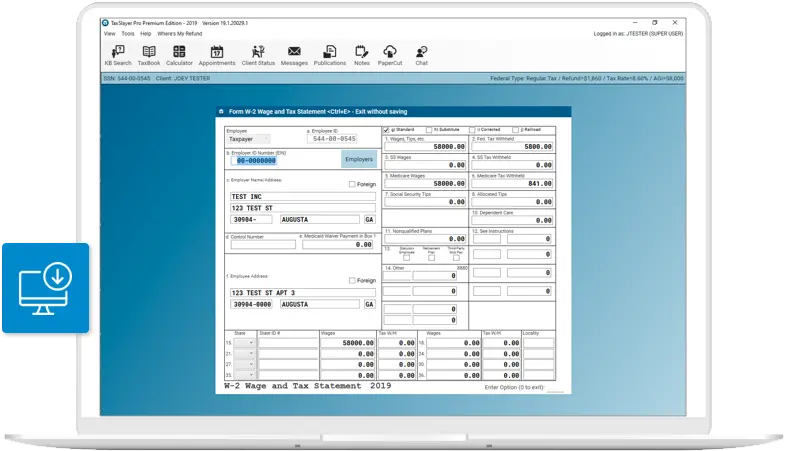
TaxSlayer System is designed to provide an accessible platform for both individual and self-employed users. It supports federal and state tax filings, making it a versatile tool for those who need an efficient and straightforward tax solution.
With its range of features, TaxSlayer allows users to file both simple and more complicated returns. The platform provides a user-friendly interface, with additional tools available for advanced tax situations, ensuring that various tax requirements are met.
Key Features:
- Simple tax filing for self-employed users
- Federal and state tax filing support
- User-friendly interface for first-time users
- Basic and complex tax filing options are available
- Live customer support for premium users
| Pros | Cons |
|---|---|
|
|
Price: TaxSlayer offers a range of pricing options, from free filing for simple returns to $52.99 for self-employed users, with additional charges for state returns.
Best For: TaxSlayer is best for small to medium-sized businesses and freelancers who need a simple yet effective tax software Singapore for both personal and business tax filings. It is particularly useful for companies with straightforward filing needs and minimal tax complexities.
6. TaxAct Tax Preparation Software
TaxAct Platform offers a range of options to help users file their taxes, from simple returns to more complex scenarios. It supports both federal and state filing, with tools designed to ensure maximum deductions and accurate returns.
TaxAct’s platform includes easy-to-follow steps for individuals and small businesses, helping them navigate the filing process. It also provides access to expert assistance, ensuring users get the help they need when filing their tax returns.
Key Features:
- Federal and state tax filing support
- Tools for maximizing deductions
- Step-by-step filing process for individuals and businesses
- Access to live support for higher-tier plans
- Multiple filing options to suit various tax needs
| Pros | Cons |
|---|---|
|
|
Price: TaxAct’s pricing ranges from $29.99 to $164.99, with professional versions starting at $159.99. State filing fees are additional.
Best For: TaxAct is best for small to medium-sized businesses that need an affordable tax software solution. It is suitable for companies that want to maximize deductions and need both federal and state filing support with easy-to-navigate features.
7. Cash App Taxes Software
Cash App Taxes Software is an entirely free tax filing service, allowing users to file both federal and state returns without hidden fees. It supports various tax forms, including those for income from self-employment, investments, and cryptocurrency.
This software simplifies tax filing by offering a clean and straightforward interface. It integrates well with Cash App, enabling users to easily manage their financial metrics and ensure that their tax returns are filed correctly, with no additional costs involved.
Key Features:
- Free filing for both federal and state returns
- Supports a wide range of tax forms, including 1099s and W-2s
- User-friendly platform for quick and easy filing
- Cryptocurrency tax filing support
- No hidden fees or upsells
| Pros | Cons |
|---|---|
|
|
Price: Cash App Taxes is completely free for both federal and state income tax filing, with no hidden fees or premium upgrades required.
Best For: Cash App Taxes is best for small businesses with simple tax filing needs, particularly those with basic income sources and straightforward financial situations. It’s ideal for businesses that prioritize cost-effectiveness and ease of use in tax filing.
8. Jackson Hewitt Tax Service Software
Jackson Hewitt Tax Service Software provides a flat-rate, all-inclusive service for both federal and state tax filings. It is ideal for individuals with simple tax situations, offering a straightforward filing process that helps save time.
The software includes basic features for tax filing and ensures compliance with tax regulations. While it is suitable for personal use, it may not be ideal for those with complex tax needs, as it focuses on straightforward tax situations.
Key Features:
- Flat-rate pricing for both federal and state filings
- Easy-to-use platform with no hidden costs
- Supports basic tax filings for individuals
- Quick and convenient tax filing solution
- All-inclusive service without additional charges
| Pros | Cons |
|---|---|
|
|
Price: Jackson Hewitt offers a flat-rate price of $25 for both federal and state tax filing, regardless of the complexity of the return.
Best For: Jackson Hewitt is best for small businesses that need a straightforward and cost-effective solution for both federal and state tax filings. It is ideal for businesses with basic tax needs and no complicated tax scenarios, looking for a quick filing option.
To wrap things up, managing tax preparation doesn’t have to be a headache. With the right software, businesses can make the process much smoother. So, ScaleOcean ERP software provides a complete solution that easily integrates with tax filing, helping businesses stay compliant, efficient, and stress-free.

Compare the Best Tax Software
Using tax software simplifies the tax preparation season in Singapore by automating complex filing tasks, reducing errors, and ensuring compliance with local regulations. With various options available, businesses and individuals can find solutions that suit their unique needs.
Here’s a comparison table of the best tax software for corporations in Singapore:
| Vendor | Best For | Price |
|---|---|---|
| ScaleOcean | Ideal for medium to large enterprises with complex tax needs | Flat price with no hidden costs, adjustable for customizations |
| TurboTx | Best for small to medium-sized businesses with flexible tax needs | Starts free for basic filings, up to $159+ for complex returns |
| H&R Block | Great for small businesses needing a comprehensive tax solution | $35 to $100+, depending on tax complexity |
| FreeTaxUSA | Suitable for small businesses with straightforward tax needs | Free federal filing, $15.99 for state returns |
| TaxSlayer | Best for small to medium-sized businesses and freelancers | Free for simple returns, up to $52.99 for self-employed |
| TaxAct | Ideal for small to medium-sized businesses seeking easy filing | $29.99 to $164.99, with state filing fees |
| Cash App Taxes | Best for small businesses with basic tax filing needs | Completely free for federal and state filings |
| Jackson Hewitt Tax Service | Best for small businesses needing quick, simple filings | Flat-rate $25 for both federal and state filings |
How Does Tax Software Work?
Tax software starts by gathering your financial information, like income, expenses, and payroll details, from sources such as bank accounts and receipts. It sorts everything into the right categories, cutting down on manual data entry and minimizing mistakes, making tax prep simpler, such as tax clearance in Singapore.
After collecting the data, the software organizes it into sections like income, deductions, and business expenses. This makes it easy to check everything and ensure nothing is missed or placed incorrectly, saving you time and avoiding errors when it’s time to file.
The software then calculates your tax liability using the latest tax laws, ensuring everything is accurate. It automatically generates the tax documents needed for submission and connects with your accounting software in Singapore for smooth syncing, making the entire process faster and more reliable.
 Also Read: ERP for Finance and Accounting: These are the Best 12 Systems
Who Should Use Tax Software?
Tax software is essential for businesses when preparing taxes, as it simplifies the entire process. It helps ensure accuracy, saves time, and reduces the risk of costly mistakes. For businesses, especially SMEs with limited resources, tax software streamlines tax preparation and improves overall efficiency.
For bigger businesses, there’s still a lot to gain, too. With proper automation and linking up with tools like the best invoice software Singapore, the entire reporting process becomes far more efficient to handle and less prone to bottlenecks.
For larger businesses, using the best tax software for corporations can help streamline complex tax processes, too. By automating tasks and integrating with other tools, businesses can reduce errors, save time, and improve efficiency in managing their tax obligations.
Key Features to Look for in Tax Software
When choosing tax software, it’s important to look for features that will simplify the tax filing process and ensure accuracy. Key functionalities like automation, real-time syncing, and support for local tax codes can make a huge difference during tax season.
Here are the key features to look for in tax software:
- Time and error-saving: Tasks that can be automated, such as filling out tax forms, are less prone to errors and save time, especially when dealing with multiple tax reports or deadlines. Using accounts payable automation software can further streamline your financial processes, ensuring everything is accurate and efficient.
- Real-time Syncing: Select software that will sync your data across devices as it happens. The advantage of this is that you can stay updated on your tax information regardless of your location and not have to manually update your files.
- Local Tax Codes Support: Make sure that the software is capable of supporting local tax codes and enables you to remain compliant with local tax laws. This feature ensures your filings are always up to date and contain the most recent regulations.
- Audit Trails: Audit trails can help trace any modifications made within the system. For businesses in regulated industries, this holds particular significance because it will provide transparency and keep track of all steps in the tax preparation process.
- Easy Export Options: Look for software that makes it easy to export your tax reports. This feature is great for quickly generating necessary documents and ensures your business can meet financial reporting requirements with ease, including financial reporting examples that are commonly needed.
Is Tax Software Worth It?
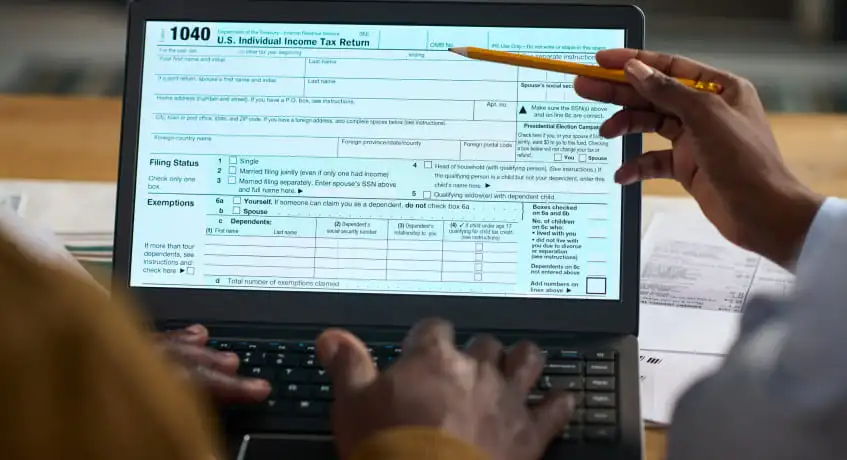
Tax software not only saves time, but it can also prevent a significant amount of the give and take involved in manually entering the tax details and checking them for errors. It can mean reduced compliance risks for most companies and thus less stressful situations, such as an audit.
If there is a finance team in place, software makes it easier to have uniformity across the board. For tax work, where accuracy and structure are crucial, all of this is typically worth the cost. Tax software makes tax season smoother, saves time, prevents errors, and mitigates compliance risks.
That’s why it’s so important to have accurate software, as it is revealed that almost half of working Singaporeans do not pay any personal income tax thanks to tax reliefs and CPF deductions, according to the website, Medium.
Pros and Cons of Tax Software
Tax software can be immensely helpful when you’re filing taxes and simplifying the process, so you can easily manage and submit your returns. As with any instrument, there are certain benefits and drawbacks to this instrument.
While you may wish to discuss these advantages and disadvantages with your doctor, it’s important to know these factors before deciding whether to take it. Let’s take a look at the benefits and drawbacks of tax software:
| Pros | Cons |
|---|---|
|
|
How to Choose the Best Tax Software
Selecting top tax software is quite a complex process. With tax season underway, selecting the most suitable tax software could make a significant impact, particularly in terms of accuracy and minimizing stress. Having the proper tools will make your work easier, faster, and compliant with the latest tax regulations. Some factors to take into account are:
User-Friendly Interface
Nobody wants to waste time navigating a complicated system, especially when handling tax matters. An AI accounting tool should offer a clean, intuitive interface that remains easy to use, even for users with limited finance or accounting experience.
The process is less daunting and more efficient with a simple layout. They have a user-friendly platform that enables users to easily access the content they are looking for. The dashboards are clear, and the navigation is easy to understand; even users with little experience can feel confident in using the software. That will help you reduce the learning curve and concentrate on the task.
Compatibility with Tax Forms
Compatible with Tax Forms. Tax preparation programs have to be able to serve the required tax forms, particularly those needed for neighborhood filing. Getting your e-filing right, ensuring your forms comply with local tax authorities’ requirements, such as Singapore financial accounting standards, is essential to prevent any mistakes and delays.
Updates to tax software Singapore mean that you always stay up-to-date with tax laws and changes. With automatic updates, you won’t have to manually adjust the software every time a policy changes, and you won’t have reasons to worry about it.
Cost Considerations
The initial cost of tax software in Singapore may appear affordable, but businesses should evaluate its long-term value rather than focusing only on the upfront price. The system should support essential tax records, including the Singapore tax identification number, while accounting for additional costs such as reporting tools, technical support, system upgrades, and multi-user access.
The overall price tag will rely on the features required and the number of users of the software. Variable pricing schedules, based on usage, can help keep you from paying for features that you don’t use. With business expansion, it is essential for you to have all the features that are important without spending too much money.
Customer Support Availability
Responsive customer support is a must when tax season is in full swing. With filing deadlines being very close, delays can lead to unnecessary stress. A support team that’s there when you need it can go a long way, particularly when it comes to any questions involving IRAS.
Check for software that provides easy-to-reach expert support of the local tax regulations. Local support groups can offer more timely and relevant help to you, and the process of obtaining all the support you need is quicker and more efficient than using remote teams, where they are not around as much and may not be available at the same time you need them.
Warranty and Guarantees
It’s always a good idea to check what service-level commitments the software provider offers. Warranties, including refunds and accuracy guarantees, can offer assurance if there are any issues. If there are any problems with preparing your tax documents, it helps to have a service level agreement (SLA).
This support can lessen risks, particularly for intricate tax returns that must be presented for the first time.
Conclusion
Tax preparation software: It is a program used to simplify the tax preparation process, such as filing taxes, doing calculations, and handling data. It helps you to stay in compliance with tax rules and saves you time. That’s why it is important to find the right and best tax software for tax season, particularly for those with a hectic schedule.
Therefore, with the ease of use of its interface and its seamless compatibility with your financial processes, managing your taxes can be smooth and straightforward with ScaleOcean accounting software. To see how it works, try ScaleOcean’s free demo and experience its features firsthand.
FAQ:
1. Can I use AI for my taxes?
AI can certainly offer benefits for tax filing, such as making the process more efficient and providing real-time help. However, it’s not perfect. AI can sometimes make mistakes and pose security risks, especially when dealing with the sensitive nature of tax information.
2. Is AI replacing tax accountants?
AI won’t replace accountants, but it will change how they do their jobs. It’s handling repetitive tasks in accounts receivable, freeing up accountants to focus on more strategic areas like risk management and decision-making. The future of accounting is human working alongside AI.
3. How are taxes calculated?
The federal individual income tax is based on seven tax rates that range from 10 percent to 37 percent. These rates apply to taxable income, which is your adjusted gross income after subtracting either the standard deduction or itemized deductions. Income up to this amount is taxed at zero.
4. What is the one-tier corporate tax system in Singapore?
Singapore uses a one-tier corporate tax system. This means that the tax a company pays on its income is final. When the company pays dividends, these are not taxed again in the hands of the shareholders, making the process simpler and more efficient.
























.png)