School asset tracking software is an online tool that eliminates manual spreadsheets and creates a single source of records for assets. It makes the control of laptops, tablets, projectors, lab devices, classroom furniture, and learning devices possible by scanning barcodes, QR codes, or RFID. Other system capabilities include check-in/out workflows, maintenance schedules, asset audits, and usage tracking.
There is a large number of schools still collecting asset information in spreadsheets, on emails, on paper notes, and in various department files. This makes it challenging for IT teams, finance teams, and facility managers to know what assets are available, damaged, missing, duplicated, or nearing end-of-life. The challenge is more difficult for multi-campus schools where each campus may have different records of assets.
An asset tracking system can help resolve this problem by merging asset ownership, location, condition, depreciation, maintenance, and audit history into a single platform. Schools can be sure that the projector is borrowed by someone, the laptop is due for repair, or the lab item has not been calibrated in a while, before purchasing a new projector or laptop.
According to Singapore’s Ministry of Education, every secondary student would have their own personal learning device under the National Digital Literacy Programme. This makes asset visibility and accountability more important as schools manage more digital devices across students, teachers, departments, and learning spaces.
In this article, we will explore the definition of school asset tracking software, its significance, the criteria to consider when selecting software for asset tracking, the 10 best school asset tracking software, and how to choose the right asset tracking softwarefor the education sector in Singapore.
Key Takeaways
School asset tracking software is a centralized system for monitoring valuable items like laptops, textbooks, and equipment using tags and a database, providing a clear definition of its role.
ScaleOcean’s school software supports AI analytics, unlimited users, configurable workflows, cloud or on-premise deployment, integrated audit trails, and multi-campus visibility.
School asset tracking software is a centralized system for monitoring valuable items like laptops, textbooks, and equipment using tags and a database, providing a clear definition of its role. These assets can include laptops, tablets, projectors, laboratory equipment, classroom furniture, AV equipment, library devices, sports equipment, school vehicles, and much more that are used in the daily running of the school.
A school asset tracking system maintains accurate and easily updated asset records, unlike manual spreadsheets. An asset could be tagged with a barcode, QR code, or RFID label for staff to scan when the asset is assigned, moved, borrowed, returned, repaired, or audited. This helps to identify locations, ownership, and the condition of assets.
A school asset tracking software is also able to link asset information to other essential school operations data, like maintenance schedule, depreciation value, user assignment, department ownership, warranty period, and disposal status. This provides school leaders with increased visibility into how assets are used, when they need to be replaced, and long-term budget planning.
According to data from EDUCAUSE, 42% of respondents expected IT budget decreases for the 2025–2026 academic year, with a median expected decrease of 8%. This makes asset visibility more important because schools and higher education institutions need to control device usage, reduce unnecessary purchases, and make every asset easier to monitor.
In the real world, a school asset tracking tool assists various teams with the same dependable information. IT staff can have visibility of student devices, maintenance staff can plan for repairs, finance staff can value the assets, and academic staff can more effectively manage shared equipment. This minimizes duplicate records, missing assets, and delays due to scattered asset information.
The system is even better for schools that have more than one campus, as each campus can edit the same asset records within the same system. Management can see asset availability, monitor transfers between sites, discover unused equipment, and generate audit reports without having to gather various spreadsheets from departments.
What is the Importance of School Asset Tracking Software?
School asset tracking software is important because educational institutions manage many assets that move between classrooms, labs, libraries, offices, and student homes. Without structured tracking, schools may lose visibility over who holds each item, where it is located, and whether it is still usable.
Key benefits include:
Improved asset visibility: Improved visibility of asset location, assignment to users, asset condition, and availability throughout the campuses, departments, and classrooms in a single system.
Improved accountability: Leaders can decrease asset losses, keep track of assets’ owners, and increase control when operating school daily activities with a centralized asset database.
Better budget management: Before buying new assets, schools can consider asset age, use, history of repairs, warranty status, and asset replacement needs to manage their budgets.
Better purchase planning: If similar assets are still available in another campus or department, then schools can move those resources around before purchasing new assets.
Audit readiness: School asset tracking software can help you save photos of assets, serial numbers, who has borrowed it, the times, maintenance history, depreciation data, and disposal status in one database.
Better reporting and compliance: Structured asset records will make financial reports, insurance claims, accreditation documents, and internal audit checks more straightforward.
This visibility becomes more important if schools have several campuses or departments. A centralized asset database also helps a school run better across a wider range of activities when paired with the best school management system.
Key Features to Look For in School Asset Tracking Tools
Good school asset management software needs to streamline administration and hold people accountable for assets at multiple locations. Some of the key features include asset lifecycle management, bulk check-in/bulk check-out, preventive maintenance, audit readiness, custom fields, and multi-site tracking.
Schools should consider more than just a list of assets when choosing school asset tracking software. The right system should improve the accuracy and speed of recording facility location, ownership, condition, maintenance, and audit status less manually across departments and campuses.
1. Asset Lifecycle Management
The Asset Lifecycle management tool puts the school in control of all product purchases through to retirement. The system should be able to provide data on things like specifications, serial number, purchased date, vendor, warranties, ownership in the department, depreciation, repair, write-off, and date of approval for disposition.
Actually, this is a terrific attribute, since there is a different useful life for each school possession. After a couple of years, a laptop can be replaced, lab equipment may require calibration after a couple of years, and furniture may require periodic condition checks after a couple of years. Lifecycle records can assist schools in planning for replacements, maintenance, and budget.
2. Mass Check-In/Check-Out
Batch check-in/out enables the staff to batch check-in/out assets with a barcode scanner, QR code scanner, or RFID scanner. This would be beneficial when schools are provided with several users sharing a laptop, tablet, examination machine, sports equipment, or classroom equipment.
Without this, the staff will need to manually update every asset. That can take a long time and be prone to mistakes. During a heavy school session, mass scanning enables schools to obtain the borrower’s name, return date, condition of the item, overdue assets, and missing assets promptly.
3. Preventive Maintenance
Regular preventive maintenance in class management software in Singaporeenables schools to schedule routine reviews before asset failure. This may include air conditioner maintenance, smartboard maintenance, printer maintenance, school bus inspection, safety inspection, lab calibration, and projector inspections.
This is useful to help minimize disruption in the classroom, as schools can organize maintenance outside of lesson time. It also allows teams to track work orders, service vendors, repair costs, spare parts, and asset downtime. The maintenance data can be used over the years as a basis for management decisions as to what action to take with the asset, such as repair, replacement, and retirement.
4. Audit & Compliance Readiness
Audit and compliance readiness allow schools to verify asset existence, value, location, and condition using mobile scanning and digital reports. Staff can conduct physical audits with smartphones, attach photos, record discrepancies, and update records directly from the field.
This is especially useful for schools preparing for financial audits, accreditation, insurance documentation, or internal control checks. A strong audit trail shows who changed data, when it changed, and why. A parent portal can complement this transparency by providing authorized access to relevant student information, improving communication, and supporting better record management across the institution.
5. Custom Fields, Categories, and Statues
Custom fields make it possible for schools to tailor asset tracking to their particular setup. The assets can be divided by campus, faculty, department, classroom, lab, asset type, condition, funding source, maintenance status, and learning programme.
This flexibility is important as school resources are not just made up of IT devices. Medical laboratory, engineering, design studio, sports, facility, and transport units may also be supervised and managed in schools. Each department can set up its own statuses and or categories to record assets as they go through their process.
6. Multi-Site and Location
Multi-site tracking enables the tracking of assets on various branches, campuses, classrooms, departments, warehouses, labs, and temporary locations. Decision makers can see the location of each asset that has been stored, used, transferred, repaired, and retired.
It is essential for groups that have multiple campuses and training sites. If multi-site visibility isn’t enabled, head office teams can continue to do manual consolidation. A central dashboard makes redistribution of assets easier, as well as monitoring and auditing procurement.
School asset tracking software also becomes more valuable when connected with academic operations such as class scheduling software. Schools can align room bookings, equipment availability, trainer schedules, and maintenance timing more accurately.
Comparison Table of School Asset Tracking Software
Public pricing and reviews may change over time, so schools should confirm final costs with each vendor. The table below summarizes public pricing, review information, and product positioning based on vendor pages and software review platforms where available.
Tools
Best For
Price & Reviews
Key Strengths
ScaleOcean
Medium to large schools, universities, training providers, and education enterprises in Singapore.
Custom quote based on selected modules, unlimited users, implementation scope, branch needs, and integrations.
Integrated school ERP, asset lifecycle, finance, procurement, audit trails, AI analytics, GST-ready reporting, and multi-branch visibility.
Incident IQ
K-12 districts and schools that need IT asset tracking connected with help desk workflows.
Contact the vendor for pricing. Have a 4.6 rating from 41 reviews.
For 2026, schools, universities, and training centers require more than simple spreadsheets to track the increasing number of assets, the circulation of devices, and multiple campus locations. With the right school asset tracking software, institutions can track assets in real time, reduce asset losses, manage maintenance, be more audit-ready, and hold each department accountable.
Here are 10 school asset tracking software solutions to take into account for institutions according to their asset volumes, the complexity of their operations, campus layout, IT systems, and the long-term management needs.
1. ScaleOcean
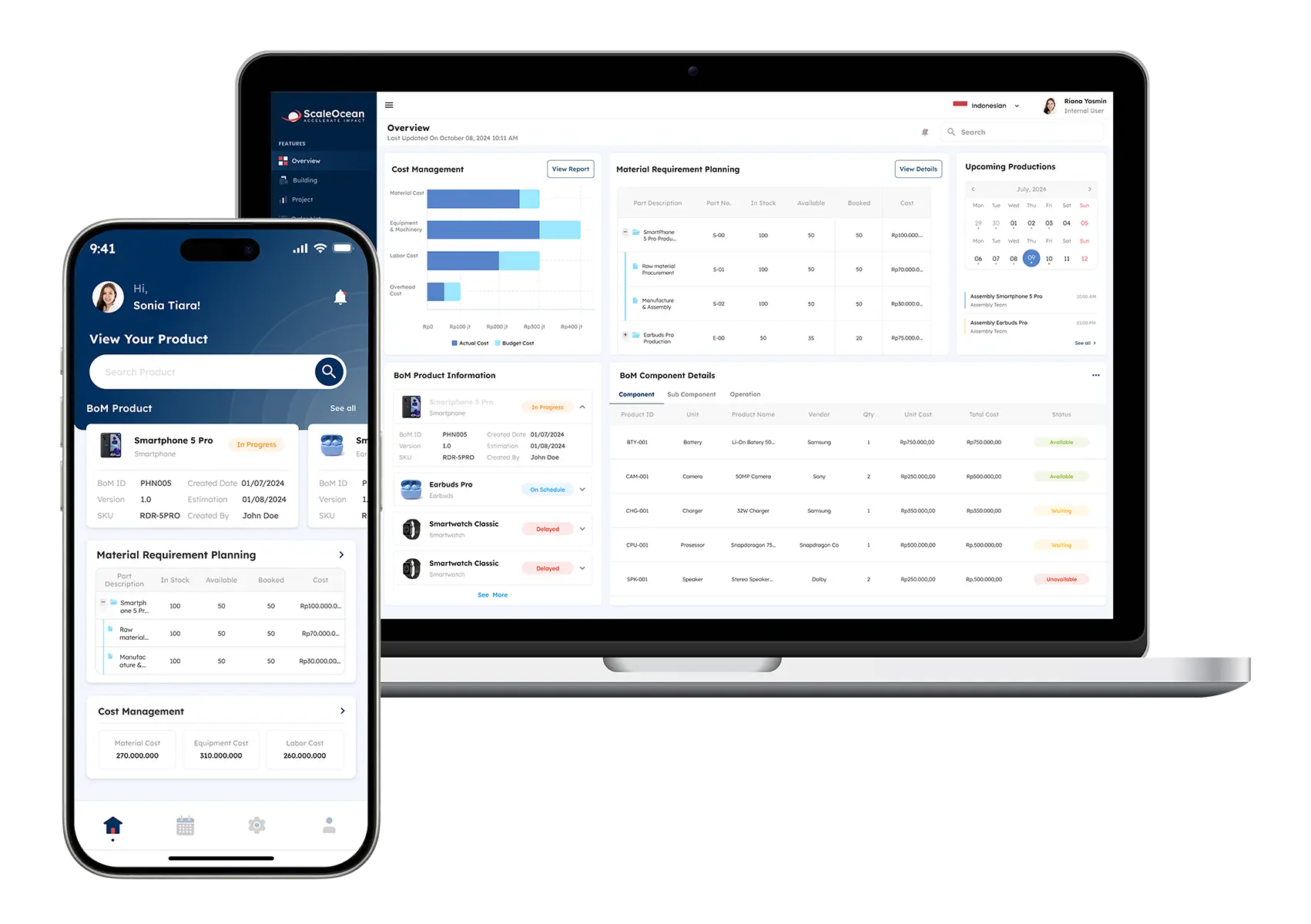
ScaleOcean is a comprehensive School ERP solution for educational schools, universities, training institutions, and educational businesses that need tracking, procurement, finance, maintenance, audit, and branch reporting in a single platform. It integrates the school asset tracking with operational and financial execution.
The asset dashboard can show total assets by campus, category, department, borrower, condition, warranty, maintenance status, depreciation value, and audit discrepancy. For Singapore institutions, ScaleOcean can support GST-ready financial workflows, and IRAS states that the current GST rate in Singapore is 9%.
The system can also be structured for digital transformation projects that may align with CTC Grant funding of up to 70% of qualifying costs, subject to eligibility and approval. Try ScaleOcean’s free demo to see how its unlimited users, AI-powered analytics, flexible modules, API integration, and cloud or on-premise deployment help schools control assets with stronger visibility and lower operational risk.
Key features:
Centralized asset registry.
Barcode, QR, and RFID tracking.
Check-in/check-out records.
Preventive maintenance alerts.
Depreciation and disposal control.
Multi-branch asset dashboard.
AI asset risk analytics.
API integration with school systems
Pros
Cons
Connects asset tracking with ERP modules such as procurement, finance, HR, maintenance, and reporting for stronger operational control.
Less suitable for very small schools that only need a basic spreadsheet replacement.
Offers unlimited users, helping enterprise education groups avoid per-user cost escalation as teams grow.
Final pricing requires consultation because the system is configured based on real workflows and module scope.
Supports cloud, on-premise, and hybrid deployment, making it more flexible for institutions with specific data policies.
Implementation is more structured because ScaleOcean focuses on long-term stability, scalability, and operational fit.
Provides AI-powered analytics, audit trails, role-based controls, and multi-campus dashboards in one integrated system.
Best for: Medium to large schools, universities, training providers, and education groups that need enterprise-ready asset tracking connected with finance, procurement, maintenance, and compliance.
ℹ️Why Choose ScaleOcean?
ScaleOcean suits medium to large education institutions that need asset tracking connected with finance, procurement, maintenance, and compliance. It supports barcode, QR, RFID, AI analytics, multi-branch dashboards, API integration, GST-ready workflows, and CTC Grant-aligned digital transformation needs.
2. Incident IQ
Incident IQ is designed for K-12 schools and districts with high volumes of student devices, IT requests, repairs, and returns. It links the asset record and support tickets, allowing IT staff to keep track of which assets are used and which require service.
It can be helpful for schools that have a device programme, and devices are being rotated in and out of the classroom and out of the school to students, classes, or IT staff. It enhances the visibility of asset status, history of issues, assignments, and asset return workflows.
Key features:
Device assignment and collection.
Asset records connected with help tickets.
K-12-specific deployment workflows.
Audit and fee tracking.
SIS and MDM data support.
District-level asset reporting.
Pros
Cons
Designed for K-12 IT workflows and student device management.
May be more focused on IT and help desk than broader ERP operations.
Connects asset records with support tickets and device service history.
Pricing requires vendor consultation and may depend on district needs.
Supports large-scale device deployment and collection workflows.
Finance, procurement, and school-wide ERP functions may require separate systems.
Best for: Medium to large K-12 districts that need IT asset tracking and help desk workflows in one platform.
ℹ️Why Choose Incident IQ?
Incident IQ suits medium to large K-12 districts that need IT asset tracking connected with help desk workflows. It supports device assignment, ticket-linked asset records, deployment workflows, audits, fee tracking, SIS and MDM data, and district-level reporting.
3. School Asset Management
School Asset Manager is designed for a School which requires a structured Asset Register of ICT equipment, Classroom assets, Premises assets, and Department assets. Helps the school centralize digital asset information that is found in multiple locations throughout the school.
It allows tagging QR and performing mobile audit and visibility in various domains at the school level using the cloud. It’s a great way to help institutions find an education-focused way to keep track of asset location, ownership, condition, and audit preparedness.
Key features:
QR asset tagging.
Mobile asset audits.
Cloud-hosted reports.
Fixed and mobile asset records.
Department-level asset visibility.
School-focused asset categories.
Pros
Cons
Built around school asset categories and education department needs.
Public pricing information is limited.
Supports QR tagging and mobile auditing for asset verification.
May not cover broader ERP workflows such as finance, HR, and procurement.
Provides cloud reporting for school-wide asset visibility.
Integration depth should be reviewed during vendor evaluation.
Best for: Small to medium schools that need an education-focused asset register and mobile audit process.
ℹ️Why Choose School Asset Manager?
School Asset Manager suits small to medium schools that need an education-focused asset register and mobile audit process. It supports QR tagging, cloud reports, fixed and mobile asset records, department visibility, and school-based asset categories.
4. GigaTrak Barcode Systems
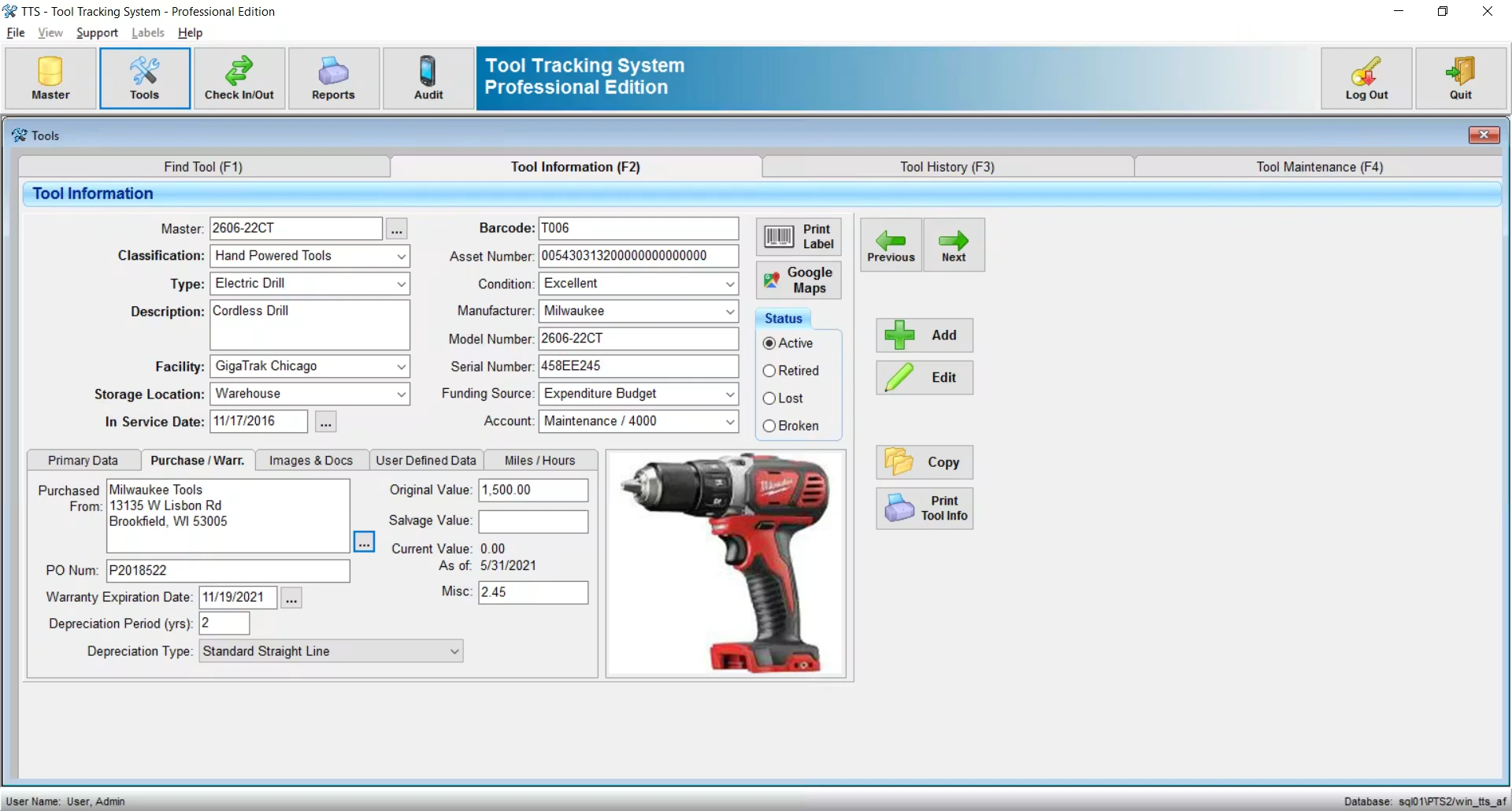
GigaTrak Barcode Systems is ideal for any school that requires fixed asset tracking, equipment tracking, tracking of learning resources, and shared items using barcodes. It helps teams ensure that they are consistent in monitoring asset assignment, movement, and usage.
It’s easy to use for schools that wish to have a scanning system with a structure, labels with barcodes, and mobile access. It can help to minimize manual updates, ensure accurate check-in/out, and facilitate regular asset audits.
Key features:
Barcode scanning.
Check-in/check-out.
Asset lifecycle tracking.
Mobile app support.
User permission levels.
Reporting and audit history.
Pros
Cons
Clear barcode-based approach for fixed asset tracking.
May require hardware planning for scanners, printers, and labels.
Supports mobile scanning and user assignment history.
Education-specific academic workflows may require configuration.
Useful for organizations moving away from manual asset logs.
Broader school ERP functions are not the main focus.
Best for: Small to large schools that need barcode-based asset control with scanning hardware support.
ℹ️Why Choose GigaTrak Barcode Systems?
GigaTrak Barcode Systems suits schools that need barcode-based asset tracking with scanning hardware support. It supports check-in/check-out, mobile scanning, asset lifecycle tracking, user permissions, reporting, and audit history.
5. FMX School Asset Management
FMX School Asset Management provides school maintenance, facilities, work order, and asset management support. It allows schools to monitor the location, condition, cost, usage, maintenance requests, and work orders for assets.
FMX is suitable for schools that have a high number of facility-related assets, including HVAC, sports facilities, building equipment, and campus maintenance items. It is highly correlated with asset tools and operational maintenance or facility requests.
Key features:
Work order management.
Preventive maintenance.
Asset and equipment records.
Facility request tracking.
Reporting and dashboards.
Cost and performance visibility.
Pros
Cons
Useful for schools that prioritize facilities and maintenance management.
Asset management may be evaluated alongside other FMX products.
Supports work orders, preventive maintenance, and asset performance tracking.
Pricing is not fixed and depends on district requirements.
Suitable for facilities teams managing building and equipment requests.
Academic, finance, and procurement integration should be evaluated separately.
Best for: Medium to large schools that need asset tracking connected with facility maintenance and work orders.
ℹ️Why Choose FMX School Asset Management?
FMX suits medium to large schools that need asset tracking connected with facility maintenance. It supports work orders, preventive maintenance, equipment records, facility requests, dashboards, and cost visibility.
6. EZOfficeInventory
EZOfficeInventory is useful for schools, departments, and training teams that manage shared equipment, bookings, asset checkouts, and maintenance records. It helps teams track assets that move between users, rooms, departments, or locations.
The platform supports QR and barcode labels, reservation workflows, asset status updates, multi-location tracking, and reporting. This makes it suitable for schools that need flexible equipment control without building a full ERP structure.
Key features:
Asset and inventory tracking.
QR code and barcode labels.
Check-in/check-out workflows.
Multi-location support.
Maintenance and service records.
Reports and analytics.
Pros
Cons
Supports asset checkouts, maintenance, QR labels, and multi-location tracking.
Pricing increases based on tracked items and plan requirements.
Useful for equipment booking and shared resource management.
Some users may need time to adapt to reporting and interface depth.
Offers flexible asset records for different teams and locations.
Education-specific ERP workflows may require additional systems.
Best for: Small to mid-sized schools and organizations that need general equipment tracking and checkout workflows.
ℹ️Why Choose EZOfficeInventory?
EZOfficeInventory suits schools that need flexible equipment tracking and checkout workflows. It supports QR and barcode labels, reservations, multi-location tracking, maintenance records, reports, and analytics.
7. Alloy Software
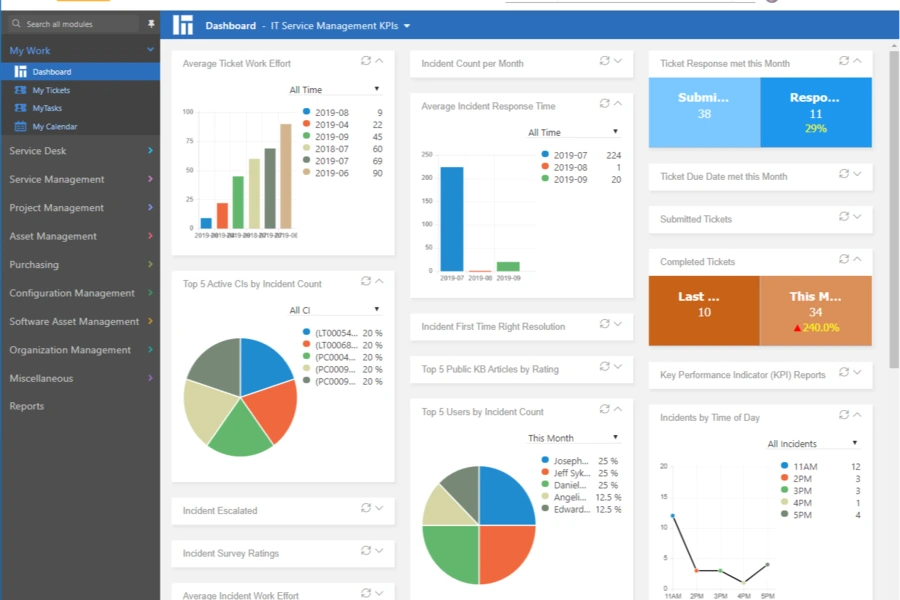
Alloy Software can be used in schools where there is an IT team that requires asset management as well as service desk management. It is used to manage IT devices, IT software licenses, support tickets, network discovery, dashboards, and automation workflows.
This platform might be better suited to a school with more technology and more requests for support, where the IT department has a lot of technology to manage. Simply maintains all asset ownership, technical issues, device history, and service activity in one seamless workflow.
Key features:
IT asset lifecycle management.
Service desk and ticketing.
Network discovery.
Software licensing.
Dashboards and scheduled reporting.
Workflow automation.
Pros
Cons
Combines IT asset management with service desk workflows.
May be more IT-focused than school-wide asset management.
Supports network discovery and software license management.
Per-user pricing may need review for larger school teams.
Provides dashboards, reports, and automation for IT operations.
Academic operations and finance workflows may require separate platforms.
Best for: Small to medium schools with IT teams that need ITAM and help desk functionality.
ℹ️Why Choose Alloy Software?
Alloy Software suits schools with IT teams that need asset management and help desk functionality. It supports IT asset lifecycle management, ticketing, network discovery, software licensing, dashboards, and workflow automation.
8. InvyMate
InvyMate is best suited for smaller schools or departments looking to eliminate spreadsheets and implement easy QR asset tracking. It also comes with custom fields, bulk upload, ownership, scheduled inventories, maintenance history, and simple auditing visibility.
The system is suitable for teams that want a lighter asset tracking tool without a complex implementation process. It helps schools organize asset records, track responsibility, and maintain clearer visibility over everyday equipment movement.
Key features:
QR code tagging.
Custom fields.
Bulk upload.
Scheduled inventories.
Ownership and location records.
Maintenance and audit history.
Pros
Cons
Simple QR-based tracking for small teams moving away from spreadsheets.
Public review volume should be checked during evaluation.
Includes custom fields, bulk upload, and scheduled inventories.
May not fit complex multi-campus or enterprise ERP requirements.
Useful for lightweight asset visibility and audit history.
Broader school operations may need additional systems.
Best for: Small schools or departments that need QR asset tracking with basic audit support.
ℹ️Why Choose InvyMate?
InvyMate suits small schools or departments moving away from spreadsheets. It supports QR tagging, custom fields, bulk upload, scheduled inventories, ownership records, location tracking, maintenance history, and basic audit visibility.
9. Snipe-IT
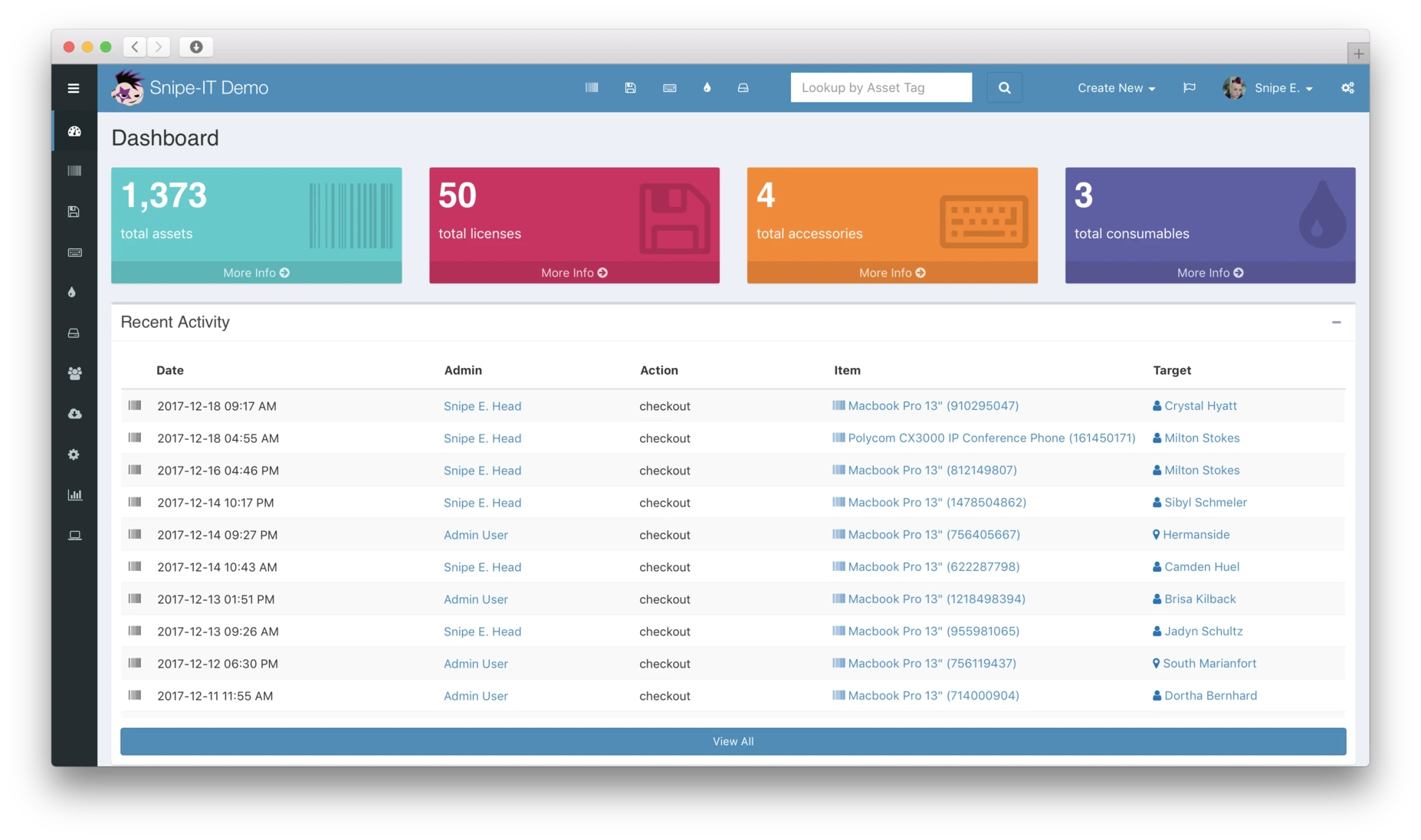
Snipe-IT is suitable for technical IT teams that prefer open-source asset management and self-hosting flexibility. It helps schools track IT assets, licenses, accessories, consumables, users, and assignment history through a configurable system.
While the self-hosted option can reduce software subscription costs, schools still need internal technical capability to manage setup, security, maintenance, and ongoing administration.
Key features:
IT asset records.
License and accessory tracking.
Consumables and components.
REST API.
2FA and security controls.
Self-hosted and hosted options.
Pros
Cons
Open-source option with free self-hosting for technical teams.
Self-hosting requires internal technical capability and maintenance.
Supports IT assets, licenses, accessories, and consumables.
Not designed specifically as a school ERP platform.
Provides API access and security features for IT environments.
Finance, procurement, and maintenance workflows may need separate tools.
Best for: Small to medium schools with technical IT teams that prefer open-source asset management.
ℹ️Why Choose Snipe-IT?
Snipe-IT suits technical IT teams that prefer open-source asset management and self-hosting flexibility. It supports IT assets, licenses, accessories, consumables, REST API, 2FA, and hosted or self-hosted options.
10. LocknCharga
LocknCharge is perfect for the school or university setting, where multiple computers, loaners, charging stations, and secure storage for devices are provided. It integrates smart lockers and software-based device check-out, return, repair, replacement, and charging algorithm.
A good choice for an institution with many pacesetters that frequently borrows devices. It minimizes manual handovers, accountability, and ensures storage, charging, and availability of shared devices.
Key features:
Smart lockers.
RFID or PIN access.
Device checkout and return tracking.
Loaner device workflows.
Broken device exchange.
Charging and secure storage.
Pros
Cons
Combines device storage, charging, checkout, and access control.
Requires hardware investment, not only a software subscription.
Useful for loaner device programs and broken device exchanges.
May not replace a complete asset register for all asset categories.
Helps reduce manual workload for device distribution and returns.
Pricing depends on locker model, software, and workflow complexity.
Best for: Medium to large schools and universities that manage shared devices, replacement laptops, and charging workflows.
ℹ️Why Choose LocknCharge?
LocknCharge suits schools and universities managing shared devices, loaner laptops, and charging workflows. It supports smart lockers, RFID or PIN access, device checkout, returns, repairs, replacement, and secure storage.
How to Choose the Right School Asset Tracking Software
Choosing the right school asset tracking software should start with how your institution manages assets every day. The right system is not only about recording items, but also about connecting asset data with student data management, finance, maintenance, and reporting, so every department can work with clearer visibility.
Define which assets need to be managed: Some schools only need IT asset tracking for laptops, tablets, and projectors, while others need broader control over lab tools, furniture, buses, sports equipment, AV devices, facility assets, and attendance-related equipment.
Review the daily asset workflow: If your school lends many devices to students or teachers, check-in/check-out should be a priority. If your institution manages many labs, maintenance and calibration records become more important.
Check financial and reporting needs: If leadership focuses on depreciation, disposal, audit readiness, and asset value, choose software that provides strong reporting and clear asset history.
Evaluate branch complexity: Multi-campus schools need location hierarchy, branch dashboards, transfer controls, and centralized reporting. Without these features, the head office may still need spreadsheets to consolidate asset data from every branch.
Prioritize integration: Asset data should connect with procurement, finance, HR, document management, maintenance, LMS, and attendance systems when possible, so asset records do not stay isolated from wider school operations.
Consider long-term cost: Some tools charge per user, per asset, or per module. For enterprise education groups, unlimited user access and transparent implementation scope can help control costs as operations grow.
For schools that need more than a standalone tracker, the ScaleOcean school tracking system can be a strong option to consider. It helps institutions manage asset tracking, procurement, finance, maintenance, audit trails, reporting, and multi-branch visibility in one integrated ERP platform.
With AI analytics, unlimited users, and connected workflows, ScaleOcean supports school asset tracking with stronger control and better long-term scalability. Try the free demo to see how this software supports school asset tracking with AI analytics, unlimited users, and integrated ERP workflows.
Conclusion
School asset tracking software is a digital system that helps schools manage assets such as laptops, tablets, projectors, lab tools, furniture, and learning equipment in one centralized platform. It records asset location, ownership, condition, maintenance history, depreciation, and audit status, so schools can control every item more accurately.
Without a proper system, schools often deal with scattered spreadsheets, missing assets, duplicate purchases, unclear borrowing records, and delayed maintenance. A school asset tracking system solves these issues by giving teams real-time visibility, structured check-in/check-out workflows, preventive maintenance tracking, and audit-ready records across departments or campuses.
ScaleOcean school software helps institutions manage asset tracking with integrated finance, procurement, maintenance, audit trails, AI-powered analytics, unlimited users, flexible modules, API integration, and cloud or on-premise deployment. Try our free demo to see how the system can help your school improve asset visibility, reduce operational risk, and make smarter asset decisions.
FAQ:
1. What assets can be managed with school asset tracking software?
School asset tracking software can manage laptops, tablets, projectors, lab tools, furniture, sports equipment, AV devices, school buses, musical instruments, library devices, and facility assets. A flexible system also supports custom categories, serial numbers, locations, conditions, maintenance records, and depreciation data.
2. Is school asset tracking software suitable for multi-campus schools?
Yes. A school asset tracking system is useful for multi-campus schools because it centralizes asset data across branches, departments, classrooms, labs, and warehouses. Management can monitor asset movement, availability, maintenance needs, and audit status from one dashboard.
3. Why is ScaleOcean suitable as school asset tracking software for enterprise education?
ScaleOcean is suitable for enterprise education because it connects asset tracking with finance, procurement, maintenance, audit trails, role access, AI analytics, and multi-branch reporting. It also supports unlimited users, configurable modules, API integration, and cloud or on-premise deployment.
4. Why do schools and universities in Singapore need school asset tracking software?
Schools and universities in Singapore manage growing volumes of digital devices, learning tools, lab equipment, and shared resources. School asset tracking software helps reduce loss, improve accountability, support audits, control budgets, and maintain accurate asset records across increasingly digital education operations.










 Key Takeaways