
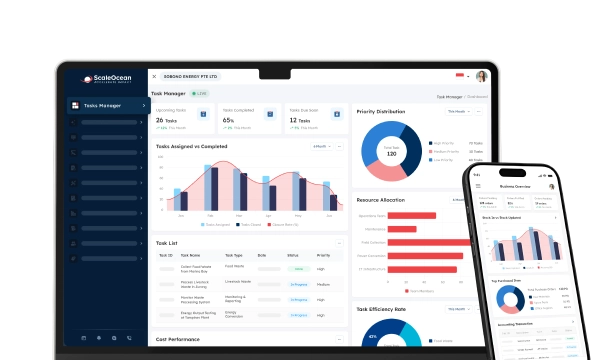

Field service management software is an organized way to manage people, contracts, requests, equipment, spares, and field service operations outside of the company’s central office. It consists of requesting or authorizing, allocating technicians, implementing on-site inspections, customer acceptance, billing, and evaluating performance.
Even with the above, many companies are still relying on spreadsheets or individual scheduling software and making phone calls and sending messages to plan the above. This fragmented approach makes it difficult to manage work orders, experience of the technician, asset records, inspection reports, parts, order sign-off, safety documentation, and audit evidence.
A field service management software system addresses these gaps by placing scheduling, dispatching, mobile work, inventory, assets, quality control, compliance, and billing within connected workflows. Managers gain real-time visibility, while technicians receive the information, documents, and resources required to complete each service request properly.
We have been researching and found that 95.1% of SMEs have adopted at least one of the six areas of digitalization measured in 2024, according to IMDA. They were also growing, from 2.0 to 2.3 on the digital adoption intensity index (DAII), meaning that they were moving from using digital tools to more broadly using digital processes.
Learn about field service management, its key activities, operational challenges, advantages, key features of field service software, emerging field service trends, industry applications, and 10 of the best field service management software for Singapore companies to consider in 2026.
 Key Takeaways
- Field service management coordinates technicians, contractors, assets, spare parts, work orders, inspections, customer approvals, and service costs outside the main workplace.
- A comparison of field service management software helps companies evaluate each platform based on scheduling, mobile access, integrations, deployment options, scalability, and total ownership cost.
- Top field service management software recommendations include ScaleOcean, Genic Teams, Adaptive FSM, QuickBooks, Xero, SAP FSM, NetSuite FSM, ServiceTitan, Jobber, and Salesforce Field Service.
- ScaleOcean Quality Management Software supports configurable field service, quality, maintenance, compliance, asset, and financial workflows for complex enterprises.

What is Field Service Management (FSM)?
Field Service Management is the process of coordinating employees, contractors, vehicles, equipment, and spare parts when they need to be deployed to customer sites or other locations away from the company’s main office. It is designed to have all the information and resources available to the right technician, at the right time, at the right quality level, and with the right information to complete the job.
The process covers much more than technician scheduling. It includes receiving service requests, creating and prioritizing work orders, assigning qualified personnel, planning routes, preparing tools and materials, monitoring field progress, documenting inspections, and communicating updates to customers. It also connects completed work with billing, reporting, asset records, and any required corrective action.
A field service management software system brings these activities into one controlled workflow. Managers can monitor technician availability, job status, response times, parts usage, service costs, approval progress, and potential delays, while field teams can access customer details, technical documents, asset histories, checklists, and work instructions from their mobile devices.
Without a structured system, service information can become scattered across spreadsheets, phone calls, emails, and messaging applications. This often leads to scheduling conflicts, missing parts, delayed invoices, repeat visits, and inconsistent customer service. Effective field service management reduces these risks by improving coordination, visibility, and first-time completion across the entire service lifecycle.
Main Activities of Field Service Management

Field service management consists of several core activities that coordinate office-based planning with service delivery at customer locations. These activities are closely connected, so delays or errors in one area can affect technician productivity, service quality, response times, and the overall customer experience.
The entire process is important, starting from hiring the proper technician and having all required tools available, all the way to tracking work and completing the service log. Businesses can use the key field service management activities to identify the areas that need improvement, improve coordination, and optimize the field service operation for improved efficiency, reliability, and customer satisfaction.
1. Field Service Scheduling
Field service scheduling involves the control of work that must be done in the field along with assigning technicians, service contractors, vehicles, and teams. Availability, location, skills, certifications, workload, service priority, customer preference, and anticipated job length are all factors to take into account when scheduling.
A reliable schedule also considers dependencies that could prevent the work from starting. These may include unavailable spare parts, incomplete permits, unresolved customer approvals, limited site access, or the need for specialist equipment.
2. Field Service Dispatch Management
Field service dispatch management converts approved schedules into operational assignments. Dispatchers provide technicians with locations, work instructions, customer information, asset details, required parts, safety risks, priorities, and expected completion times.
Dispatching becomes more complex when emergency requests, traffic disruptions, cancellations, overrunning jobs, or technician absences affect the original plan. Managers need current information to decide which work should be reassigned, delayed, or escalated.
3. Field service metrics, analytics, and reports
Field service metrics help managers evaluate whether operations are achieving the expected service, quality, financial, and customer outcomes. Common measurements include first-time fix rate, response time, mean time to repair, technician utilization, travel time, repeat visits, SLA compliance, and customer satisfaction.
Reports should not only be a total but also give reasons for any variations in performance. A drop in the percentage of first-time fixes, for instance, may be due to problems ordering parts, diagnosing the problem, having the right technician on call, or not being able to access asset history.
4. Augmented and virtual reality technology
The augmented reality feature allows technicians to view digital instructions, diagrams, asset information, and safety features when working on real equipment. It also helps the technicians to converse with the experts on the other side who can see the site remotely and provide instructions.
This can be helpful if equipment is technically difficult and a specialist is not on hand. Use of remote support can minimize unnecessary escalation visits and support less experienced employees in doing approved procedures.
5. Work Order Management
Work order management records what work must be completed, where it will occur, who is responsible, and which resources are required. A work order usually contains the task description, customer, asset, location, priority, due date, specifications, and applicable procedures.
As the job progresses, the technician can record time spent, parts consumed, observations, measurements, photographs, defects, customer comments, and completion evidence. These details create a reliable maintenance management strategy.
6. Inventory Management
Inventory management ensures technicians have access to the required tools, replacement components, consumables, and spare parts. Stock may be stored in a central warehouse, regional depot, service vehicle, customer location, or technician’s assigned inventory.
The system should record reservations, transfers, consumption, returns, damaged parts, and replenishment. Without these controls, recorded availability may differ from actual stock, causing delayed repairs and emergency purchases.
Common Issues Faced in Field Service Management
Despite all the years of service and experience, some issues are common in field service management and can affect the productivity, customer satisfaction, and growth of a business. Many of these issues can arise without modern processes, connected communication systems, real-time visibility, and separate systems, making coordination of the technicians, work orders, inventory, and customer changes difficult.
This will result in additional costs of operation and added pressure for staff when supplies are late, deliveries are not completed, repeat visits are made, or invoices are not submitted in time. They can also erode customer confidence and negatively affect customer relationships.
1. Low First-Time Fix Rates
A low first-time fix rate is when a tech can’t fix something the first time they try. The company will then have to make another appointment, recruit new employees, and do some travel and paperwork.
Inadequate customer data, wrong technician, no spare parts on hand, lack of asset history, lack of training, misdiagnosis, and others. In the majority of cases, the problem is not due to field employees alone.
Companies have to analyze the circumstances of every unsuccessful visit to improve. Managers are responsible for determining if the technician possessed the proper skills, tools, instructions, parts, access, and diagnostics.
2. Scheduling and Dispatch Inefficiencies
It becomes more difficult to hand-schedule as the number of technicians, customers, service territories, and work categories grow. There can be important facts about availability and skills that are not apparent to everyone on a team and held by one dispatcher.
Overtravel, double bookings, idle technicians, missed appointments, uneven workload, and overtime are all potential issues caused by poor scheduling. With no flexible capacity, an emergency request can further disrupt a schedule.
3. Poor Communication
Bad communication happens when technicians, supervisors, dispatchers, inventory personnel, and customers are communicating through various channels. Personal messages, emails, handwritten notes, or unrecorded phone conversations may contain important information.
This could make it difficult to know when and how to make an appointment, what services are available, the condition of the assets, access conditions, availability of parts, and approval. Sometimes a technician will show up with information that is not what the customer or dispatcher is expecting.
4. Inaccurate Inventory Tracking
Inventory inaccuracies arise when parts are installed, transferred, returned, or damaged without being recorded immediately. The system may indicate that a component is available even though it is no longer in the listed location.
Effective inventory tracking connects each movement with a work order, technician, warehouse, vehicle, customer, and asset. Managers can then compare expected consumption with actual use and investigate unusual variances.
5. Slow Invoicing Cycles
When it comes time to process invoices, finance teams often have to wait for service reports, customer signatures, timesheets, expenses, and parts records. It can only be known several days after the technician has completed the job.
A connected workflow can ready the billing information once the work order has all required approvals. Finance can be reimbursed without needing to manually rebuild the transaction and see what charges, taxes, service contracts, parts, and labour were used.
6. Technician Burnout
Technician burnout can result from excessive travel, unpredictable emergency work, uneven task distribution, administrative repetition, unclear instructions, and unrealistic daily schedules. These pressures may affect safety, quality, and employee retention.
A simple count of completed work orders does not provide a complete view of workload. Managers should also consider job complexity, travel conditions, working hours, customer requirements, required certifications, and site risks.
Why Is Optimizing Field Service Management Important?
Optimizing field service management improves efficiency, profitability, and customer satisfaction. In Singapore’s competitive market, streamlined operations supported by field service management software can reduce costs, prevent delays, and strengthen service quality.
Optimizing the process is also crucial for businesses to shift from reactive service to proactive maintenance. The teams can anticipate customer needs, minimize equipment downtime, and be able to complete work more effectively throughout the organization.
1. Reducing Field Service Costs
Field service costs consist of technician salary and overtime, fuel, vehicle maintenance, spare parts, subcontractors, travel, administration, and any penalties for service. Some of these costs can be compounded as a result of inefficient workflows.
Optimization reduces unnecessary travel, repeated data entry, duplicated visits, and emergency purchases. It also helps managers compare planned and actual costs by technician, customer, asset, service contract, or work order.
2. Empowering Field Service Technicians
Technicians perform more effectively when they can access complete job information before arriving at the site. Mobile access can provide customer details, asset history, procedures, manuals, drawings, previous findings, and required safety controls.
Technicians should also be able to record evidence and request support directly from the field. They may need to report a nonconformance, consult a specialist, request a part, escalate a risk, or recommend further work.
3. Simplifying Task Delegation and Scheduling
Clear delegation establishes who owns each task, who must approve it, and which conditions define completion. This is important when one service request involves technicians, contractors, supervisors, customers, and support departments.
Rules can assign work according to location, skills, certifications, priority, asset type, and availability. Supervisors can review or override the recommendation when operational judgement is required.
This approach reduces uncertainty and makes responsibility more visible. It also allows managers to monitor overdue tasks and unresolved approvals before they affect customers.
4. Effective Mobility and Dispatch Management
Mobile access allows technicians to receive assignments, review instructions, update status, complete checklists, record parts, and capture customer signatures at the work location. Information no longer needs to wait until the employee returns to the office.
Effective mobility is particularly valuable for companies managing remote assets, multiple service territories, regulated sites, or operations with limited connectivity. Offline capability may therefore be an important selection criterion.
5. Better Asset Management
Field service management creates a continuous history of installations, inspections, repairs, failures, replacements, downtime, and operating conditions. This history helps businesses understand how each asset performs over time.
When FSM is connected with maintenance management, companies can coordinate reactive repairs with preventive schedules, warranties, spare parts, and asset availability.
6. Improving Quality and Compliance Control
Field work must often follow customer requirements, technical specifications, safety rules, and internal procedures. Without structured controls, technicians may complete the operational task but leave required evidence incomplete.
This creates a direct connection between service execution and quality management. Audit teams can review who performed the task, which standard applied, what evidence was collected, and how exceptions were resolved.
7. Digital Support and Assistance
Digital support gives technicians access to approved procedures, knowledge articles, troubleshooting guides, visual instructions, and previous solutions. It reduces the time required to search through separate folders or contact office staff.
AI-supported assistance can summarize service history, recommend relevant documents, identify similar incidents, and suggest possible diagnostic steps. It can also highlight missing information before technicians begin work.
What is Field Service Management Software?
Field service management (FSM) software is the digital solution you use to simplify and organize your daily operations in the field. FSM Software consolidates your customers, dispatchers, technicians, supervisors, and back-office personnel, and places all of your service information and operational activity into one location.
In a field service management software (FSM) solution, scheduling and dispatch, work orders, inventory, technician status, customer communication, and invoicing are rolled into one workflow. Since manual record-keeping is no longer required and work is not paper-based, companies are able to streamline admin work, reduce human error, and achieve more reliable service.
Real-time visibility also helps managers monitor performance, identify delays, evaluate technician productivity, and make faster decisions. At the same time, field teams can access job details, asset histories, service instructions, and required documents, making the system an important consideration when evaluating the best quality management software.
What Makes the Best Field Service Management Software?
Businesses will discover a lot of software platforms that offer various features when they consider field service management software in Singapore. The most powerful solutions, however, have several key functions that benefit the overall efficiency of the operation, cost control, technician productivity, and customer satisfaction.
Even the most feature-rich field service management software is not necessarily the best. Therefore, the following features are important in evaluating the ability of which system could support long-term field service.
1. Intelligent Scheduling And Dispatching
Intelligent scheduling distributes work based on technicians’ availability, skills, certifications, location, priority, duration, and customer timing. More advanced systems also take into account the availability of parts, tools, traffic, and contractual response deadlines.
The scheduling engine should be transparent and controllable. The dispatchers must make themselves familiar with the recommendations, assess their operational impact, and modify the plan if special situations occur.
2. Mobile Access and Interconnected Devices for Field Technicians
Work orders, asset history, checklists, documents, customer information, and navigation should be available to technicians on mobile so they can perform their duties. The staff should be able to document their progress without going back to the office.
Basements, industrial plants, remote infrastructure, offshore sites, and other locations with poor connectivity have a need for offline capability. Data that has been collected can be synced up when a connection is available.
3. Asset & Inventory Management
All installed, serviced, repaired or inspected equipment should be recorded into asset management. Useful details include numbers, locations, warranties, parts, maintenance records, contracts and conditions.
A company may use linking of asset to inventory record to indicate which has failed and which was installed as a replacement and if this is within warranty.
4. Automated Billing
Approved service details can be transformed into financial entries within automated billing. Labor hours, parts, traveling time, contract rates, tax, discounts, and other service charges can be extracted from the work order upon completion.
This reduces duplicate entry while preserving review controls. Finance teams can verify exceptions before invoices are issued.
5. Real-time Dashboards and Reporting
Real-time dashboards should show open work orders, technician status, delayed jobs, SLA risks, repeat visits, asset downtime, stock shortages, and completion progress.
Executives, supervisors, dispatchers, technicians, quality teams, and finance staff require different levels of detail. Role-based access should prevent unnecessary exposure of customer, employee, and financial information.
6. Service Call Software and Customer Communication
Service call software captures customer requests, symptoms, location, urgency, preferred service time, asset information, and previous interactions. These should be a direct copy into the work order.
Customers may receive appointment confirmations, technician arrival notifications, rescheduling options, completion reports, and invoice updates. Automated communication reduces uncertainty without requiring repeated manual calls.
7. Work Order Management
Work order management to generate, approve, allocate, carry out, examine, accept, and close out work orders. This should cover emergency work, regular maintenance, installation jobs, repair work, audit work, and warranty.
Utilizing required fields and checklists should limit occasions on which work orders are finalized before obtaining the required details. This may well consist of pics, dimensions, client e-signatures, parts usage facts, and possibly a manager’s signature to be attained on line.
8. GPS Tracking
GPS tracking helps dispatchers understand technician or vehicle locations, estimate arrival times, plan routes, and respond to emergencies. The function should be used for legitimate operational purposes.
Businesses need to define who is authorized to access the location information, at which point location is logged, and for how long it should be saved. The policies controlling access must also be compliant with privacy requirements, if any, and employment conditions.
9. Incentive Plan Management
Incentive plan management connects technician rewards with selected performance indicators. These may include productivity, revenue, customer satisfaction, first-time fix rate, attendance, or documentation quality.
The calculation method must be transparent and balanced. Incentives that focus only on job volume may encourage employees to rush inspections or overlook safety requirements.
A stronger model combines quantity with quality, compliance, repeat visit rates, customer outcomes, and teamwork. This supports performance without weakening service standards.
10. Service Compliance and Analytics
Compliance functionality should support digital checklists, permits, risk assessments, competency records, audit trails, and customer-specific requirements. Rules may vary by asset, industry, work location, or service category.
Businesses comparing FSM with the best quality management software should examine how the system handles inspection failures, nonconformance, CAPA, audits, returns, and quality evidence.
11. Integration with ERP Software
ERP integration connects field service with accounting, procurement, inventory, contracts, HR, payroll, assets, sales, and customer service. This prevents field data from remaining isolated after a task is complete.
For example, an installed spare part can reduce inventory, update the asset history, record service cost, trigger replenishment, and prepare invoice data through one connected workflow.
Integration is particularly valuable for medium and large enterprises with multiple branches, entities, warehouses, and approval levels. It creates continuity from operational activity to financial reporting.
Comparison Table of the Best Field Service Management Software
The best field service management software depends on the organization’s operational model. Service companies may prioritize scheduling, dispatching, and mobile workforce coordination, whereas asset-intensive businesses may require inventory tracking, maintenance history, reporting, and integration with existing systems.
The following matrix compares field service management software according to their core target focus and primary operational strengths. Feature availability, pricing, integration options, mobile capabilities, and customer support may vary by subscription level, deployment model, region, and implementation scope in Singapore.
| Software or Tools | Best Used For | Best Pricing | Mobile Access |
|---|---|---|---|
| ScaleOcean | Medium and large enterprises requiring field service, quality, maintenance, assets, inventory, compliance, and finance in one configurable system. | Offers unlimited users under a flat-pricing model, with no fixed package or per-user fees. Each quotation is tailored to the required modules, locations, integrations, customization, and deployment scope, so businesses only pay for what they need. | Yes, including work orders, inspections, evidence, checklists, parts, and approvals. |
| Genic Teams | Singapore service businesses coordinating mobile technicians, jobs, locations, inventory, and billing. | Custom quotation based on users, modules, and implementation requirements. | Yes, through its field service mobile application. |
| Adaptive FSM | Small and medium engineering, construction, maintenance, and facility service companies. | Tiered or customized pricing according to the selected service management scope. | Yes, including field updates, job cards, photographs, and signatures. |
| QuickBooks | Small service businesses prioritizing estimates, expenses, accounting, and invoicing. | Tiered accounting subscription, with FSM products or integrations potentially priced separately. | Yes, although regional FSM availability should be confirmed. |
| Xero | Small and medium businesses connecting cloud accounting with a specialized FSM application. | Tiered Xero subscription plus the cost of the selected field service application. | Yes, through Xero and connected FSM applications. |
| SAP Field Service Management | Large asset-intensive enterprises already using SAP applications. | Custom enterprise quotation based on licenses, integrations, and implementation scope. | Yes, with guided mobile field execution. |
| NetSuite FSM | Growing and enterprise organizations seeking field service within the NetSuite ERP environment. | Custom quotation based on ERP edition, modules, users, and implementation. | Yes, with customer, job, asset, and service information. |
| ServiceTitan | Medium and large HVAC, plumbing, electrical, and commercial trade contractors. | Custom quotation based on operational package and technician requirements. | Yes, through its Field Mobile application. |
| Jobber | Small and medium home or commercial service companies requiring accessible job management. | Tiered subscription plans for individual operators and service teams. | Yes, including scheduling, forms, photographs, quotes, and invoices. |
| Salesforce Field Service | Medium and large enterprises connecting field operations with Salesforce customer and service data. | Role-based enterprise licensing with additional products available according to scope. | Yes, through an offline-capable Android and iOS application. |
Complete Reviews of Top 10 Field Service Management Software in Singapore 2026
For 2026, service businesses need more than spreadsheets, phone calls, and manual updates to coordinate technicians, appointments, work orders, spare parts, and customer requests. The right field service management software can simplify scheduling, improve dispatch accuracy, support mobile teams, track inventory, automate reporting, and provide clearer visibility into field performance.
The following 10 field service management software solutions are worth considering based on workforce size, service complexity, scheduling needs, mobile capabilities, inventory requirements, integration options, deployment preferences, automation features, and long-term scalability.
1. ScaleOcean FSM Software
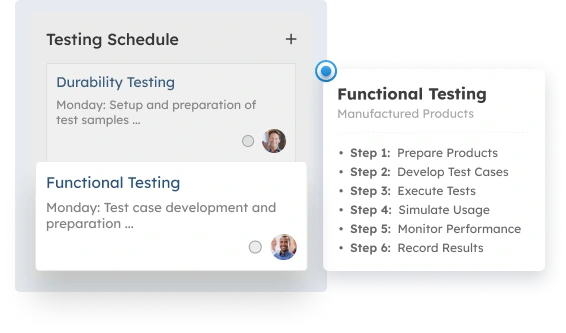
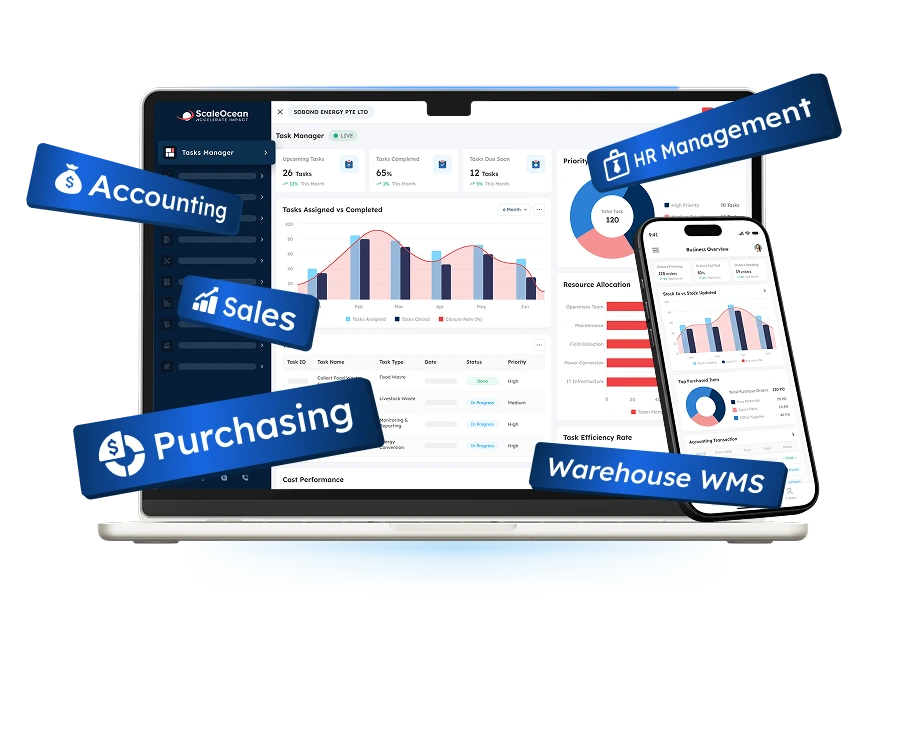
ScaleOcean is an integrated field service management platform for medium to large enterprises that need to coordinate technicians, contractors, work orders, quality inspections, maintenance, assets, spare parts, compliance, and financial processes in one system. It supports complex workflows across multiple branches, service areas, technician roles, asset categories, and approval levels.
The ScaleOcean Atlas for Field Service, as part of ScaleOcean’s industry-specific ERP platform, integrates Quality Management to optimize end-to-end service operations through ScaleMind. Rather than functioning as a separate product, ScaleOcean Atlas serves as the core platform tailored to how each industry operates.
With ScaleMind embedded directly within workflows, teams can manage service processes more intelligently from work order tracking and technician allocation to service progress, parts usage, inspections, and cost monitoring. All activities are connected within one system, while role-based access ensures operational control and data security across every stage of field service execution.
Therefore, ScaleOcean quality management software also supports PDPA-aligned data governance and local financial reporting requirements by connecting field activities with audit trails, invoicing, and accounting workflows. Its implementation scope can also be structured around relevant EDG and CTC Grant requirements, subject to company eligibility and qualifying project costs. Schedule a free consultation to assess how configurable workflows, unlimited-user options, and cloud or on-premises deployment fit your field service operations.
Key features:
- Intelligent scheduling and technician assignment
- Mobile work orders nd digital inspections
- Preventive maintenance planning
- Asset and spare-part traceability
- Compliance and regulatory controls
- Audit, return, and scrap management
- SLA and risk assessment
- Actionable quality and service reporting
| Pros | Cons |
|---|---|
| Uses a consultative implementation approach that starts by analyzing service processes, organizational structures, industry risks, and approval responsibilities. | Its enterprise-level depth may be unnecessary for small businesses that only need a basic scheduling calendar or digital job sheet. |
| Provides configurable workflows and unlimited-user options, offering greater flexibility than rigid systems built mainly around fixed templates and per-user growth. | Final pricing requires an initial consultation because modules, locations, integrations, deployment, and business complexity influence the scope. |
| Connects field service with accounting, procurement, inventory, HR, contracts, assets, maintenance, and quality management in one ecosystem. | Implementation prioritizes design accuracy, system stability, and long-term suitability rather than an immediate generic setup. |
| Supports gradual module activation, allowing companies to implement priority workflows first and expand without replacing the core platform. |
Best for: Medium and large enterprises, multi-site service providers, manufacturers, engineering companies, utilities, property groups, contractors, and regulated organizations.
ℹ️Why choose ScaleOcean FSM Software?
ScaleOcean supports configurable field service, quality, maintenance, inventory, asset, and financial workflows for medium to large enterprises.
2. Genic Teams
Genic Teams is a Singapore-based platform that covers the essential features you need for managing your field service technicians and their appointments, service requests, clients, inventory, quotes, and invoices. The product is targeted towards companies that require an integrated operating platform instead of manual field management.
This tool facilitates service operations, right from receiving the first customer request, through scheduling and technician assignment, to job updates, and ultimately, settlement. This product has the advantage of being positioned as a local option, especially for companies seeking to focus their service management in the Singapore market.
Key features:
- Appointment scheduling
- Mobile technician application
- GPS location tracking
- Quotation management
- Inventory records
- Accounting integrations
| Pros | Cons |
|---|---|
| Provides a locally oriented option for Singapore businesses operating mobile service teams. | Large regional enterprises should assess whether governance and reporting depth supports all entities and approval layers. |
| Covers the operational flow from service requests and quotation preparation to job completion. | Public pricing information is limited, requiring consultation before the full investment can be compared. |
| Can help growing teams move away from manually coordinated technician activities. | Highly regulated businesses may need to evaluate additional quality, compliance, and enterprise integration requirements. |
Best for: Small and medium Singapore maintenance companies, engineering contractors, cleaning providers, HVAC businesses, and mobile service teams.
ℹ️Why choose Genic Teams?
Genic Teams helps Singapore service businesses manage technicians, schedules, customer requests, inventory, quotations, and invoicing.
3. Adaptive FSM
Adaptive FSM is a Singapore service management system that helps businesses organize jobs, technicians, customer requests, job cards, and field updates. It is designed to improve visibility between mobile employees and office teams.
Intelligent scheduling, route tracking and mapping, electronic work documents and signatures, and photos of jobs completed are just some of the features provided. This system can be beneficial if your business needs a combination of service management alongside other business applications.
Key features:
- Smart scheduling
- Route optimization
- Digital job cards
- Photo capture
- Electronic signatures
- Real-time task updates
| Pros | Cons |
|---|---|
| Provides practical digital tools for replacing paper-based job execution. | Businesses with complex equipment structures should confirm the depth of asset hierarchy support. |
| Supports real-time visibility between field technicians and office teams. | Detailed enterprise integration information may require direct discussion with the provider. |
| Offers service management within a broader cloud business application environment. | Regulated organizations may require additional assessment of compliance and quality workflows. |
Best for: Small and medium engineering, construction, facility service, installation, and maintenance companies.
ℹ️Why choose Adaptive FSM?
Adaptive FSM provides practical scheduling, digital job cards, route planning, field updates, photographs, and electronic signatures.
4. QuickBooks
QuickBooks can be used to make estimates, send invoices, keep track of expenses, collect payments, and prepare financial statements. Most of the companies involved in field service utilize the product as their financial nexus within the larger context of their field service software solution.
The company also has a dedicated field service product for specific QuickBooks accounting account usage. Users in Singapore would want to confirm availability and regional compatibility with the product addition to ensure it works seamlessly with the specific accounting capabilities offered within the local accounting product.
Key features:
- Estimates and quotations
- Customer invoices
- Expense tracking
- Payment monitoring
- Financial reports
- Application connectivity
| Pros | Cons |
|---|---|
| Provides familiar accounting and invoicing tools for small service businesses. | QuickBooks Online Singapore is not independently a complete technician scheduling and dispatch solution. |
| Can reduce financial re-entry when connected with a compatible field service tool. | Field service functionality may require separate products, subscriptions, or integrations. |
| Suitable for businesses whose primary requirement is controlling job-related finances. | Complex asset, quality, and compliance processes may exceed its accounting-focused scope. |
Best for: Small businesses that primarily need accounting and invoicing connected with a separate field service application.
ℹ️Why choose QuickBooks?
QuickBooks is suitable for small service businesses prioritising estimates, expenses, invoicing, payments, and job-related financial management.
5. Xero
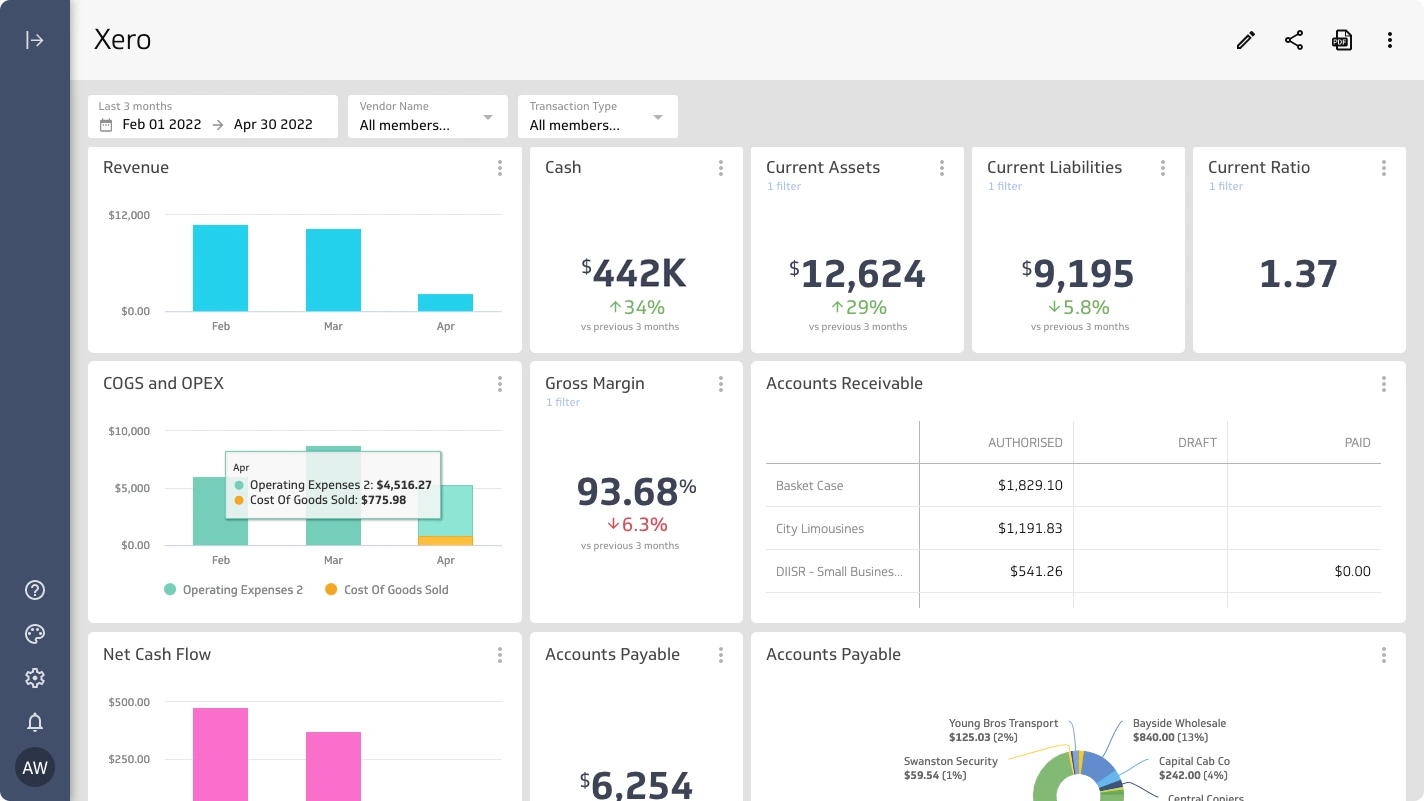
Xero helps companies with invoicing, tracking bills, bank reconciliation, expenses, and reporting. Many field service companies can also integrate Xero with field service applications for managing their field teams and clients, while also utilizing it for core accounting.
The app marketplace for Xero offers a wide range of field service solutions, allowing companies to integrate and share data including customer information, invoices, job details, and financials. Care must be taken to consider how both systems will integrate to ensure appropriate levels of functionality and support.
Key features:
- Cloud accounting
- Invoice creation
- Bank reconciliation
- Financial reporting
- Application marketplace
- Synced financial records
| Pros | Cons |
|---|---|
| Offers access to multiple specialist field service applications through its marketplace. | A separate application is normally required for complete scheduling and technician management. |
| Allows approved field transactions to flow into accounting records. | Integration performance and support depend partly on the selected application provider. |
| Provides a practical financial foundation for growing service businesses. | Using multiple applications may increase subscription and administration costs. |
Best for: Small and medium businesses that want cloud accounting connected with a specialist field service application.
ℹ️Why choose Xero?
Xero connects cloud accounting with specialised field service applications for invoicing, reconciliation, reporting, and financial record management.
6. SAP Field Service Management
SAP Field Service Management caters to the intensive needs of service operations in planning, scheduling, dispatch, mobile execution, and asset-centric field service, especially when servicing complex equipment.
It integrates with a multitude of SAP records in financial, supply chain, service, and asset functions. Scheduling is intelligently driven by the capabilities of Artificial Intelligence by assigning technicians to tasks depending on their qualifications, availability, and location.
Key features:
- Asset-centered service planning
- Automated scheduling
- Guided mobile work
- Technician dispatch
- Service documentation
- SAP application integration
| Pros | Cons |
|---|---|
| Supports complex service operations centered on large asset portfolios. | Implementation can require considerable resources and specialist expertise. |
| Provides strong continuity for organizations already using SAP enterprise applications. | The complete cost depends on licenses, applications, integration, and implementation scope. |
| Combines automated planning with structured mobile field execution. | Its enterprise depth may exceed the needs of small service teams. |
Best for: Large manufacturers, utilities, infrastructure operators, engineering companies, and asset-intensive enterprises using SAP.
ℹ️Why choose SAP Field Service Management?
SAP supports complex asset-centred service operations with intelligent scheduling, technician dispatch, guided mobile work, and enterprise integration.
7. NetSuite FSM
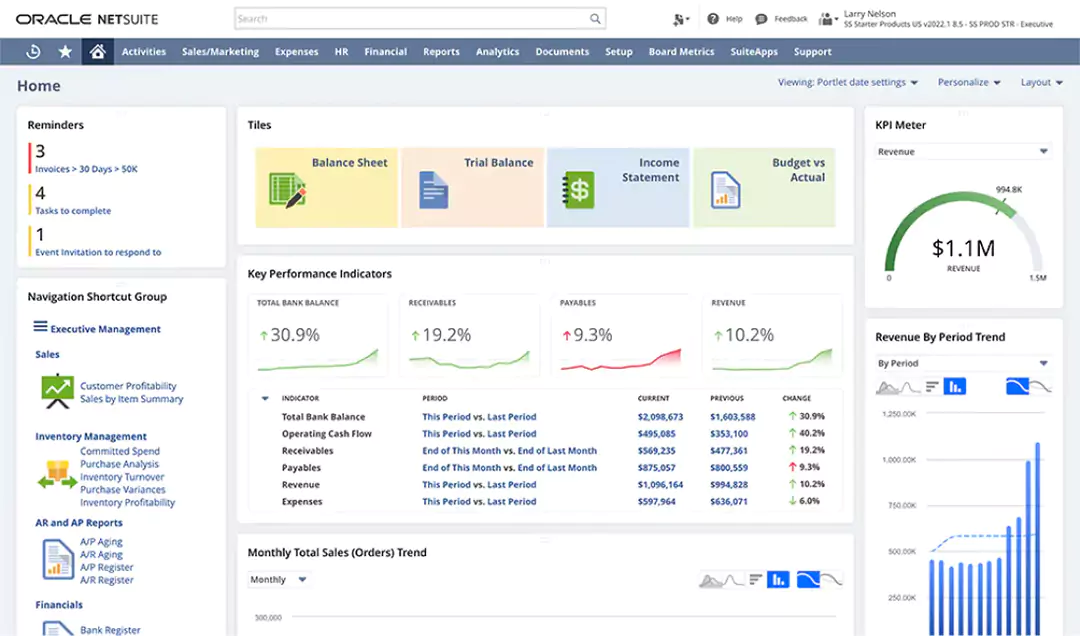
NetSuite FSM connects customer jobs, technicians, service activities, assets, and operational records with the NetSuite ERP environment. It supports companies that want service execution and business management within one cloud ecosystem.
The solution is relevant for organizations already using NetSuite for finance, inventory, orders, and customer data. Its value is strongest when field activities need to update ERP transactions without relying on disconnected exports.
Key features:
- Scheduling board
- Technician assignment
- Customer asset records
- Preventive service
- Field inventory
- ERP transaction continuity
| Pros | Cons |
|---|---|
| Creates continuity between field service activities and NetSuite business records. | It may be less attractive to organizations that do not use the NetSuite environment. |
| Supports growing companies with service, finance, inventory, and customer requirements. | Pricing is customized according to users, modules, and implementation requirements. |
| Reduces separation between operational completion and financial processing. | Configuration may require experienced NetSuite consultants or internal administrators. |
Best for: Medium and large equipment providers, distributors, service organizations, and companies already using NetSuite ERP.
ℹ️Why choose NetSuite Field Service Management?
NetSuite connects field service activities with customer, inventory, asset, accounting, and other ERP records in one cloud environment.
8. ServiceTitan
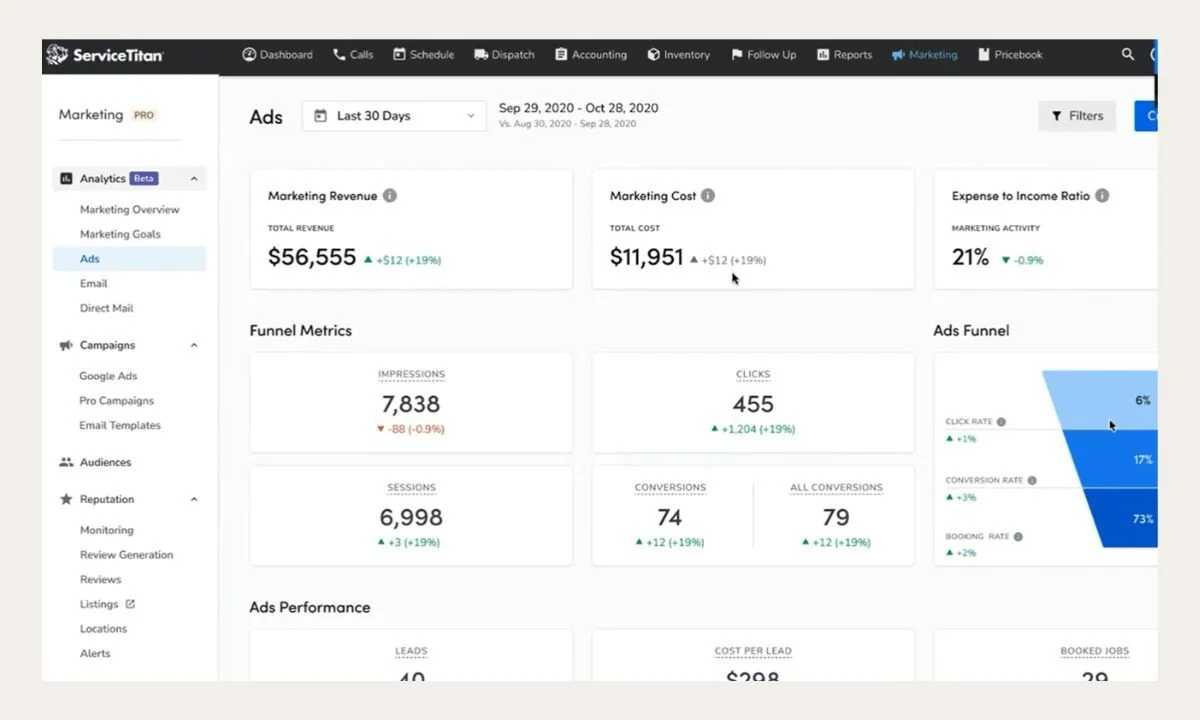
ServiceTitan is designed for residential and commercial trade contractors; this field service platform handles customer service calls, job scheduling, dispatching, estimates, price management, invoicing, payment processing, and tracking technician productivity.
It’s strongly suited for technical service trades like HVAC, plumbing, and electrical. Before adoption in Singapore, potential users will need to assess local tax, accounting, payment, and support requirements carefully.
Key features:
- Call booking
- Dispatch board
- Digital price books
- Mobile estimates
- Technician job costing
- Customer financing workflows
| Pros | Cons |
|---|---|
| Provides industry-focused workflows for trade and contractor businesses. | Some workflows are designed primarily around North American service operations. |
| Brings customer calls, technician activity, sales, and billing into one operational environment. | Singapore localization and regional support should be confirmed directly. |
| Offers specialized pricing and field sales tools for common contractor services. | Pricing is provided through consultation rather than a simple public calculation. |
Best for: Medium and large HVAC, plumbing, electrical, and commercial trade contractors after confirming regional suitability.
ℹ️Why choose ServiceTitan?
ServiceTitan provides specialised scheduling, dispatching, estimates, job costing, invoicing, and mobile tools for trade contractors.
9. Jobber
Jobber is a field service management platform for home and commercial service businesses. It covers customer records, quotations, scheduling, work orders, technician activities, invoicing, and payments.
Its accessible structure is suitable for owner-operated businesses and growing service teams. The mobile application allows field employees to manage schedules, forms, job details, photographs, and customer communication.
Key features:
- Customer quotations
- Job scheduling
- Work orders
- Mobile forms
- Time tracking
- Customer notifications
| Pros | Cons |
|---|---|
| Provides an approachable workflow for small and growing service teams. | Enterprise-quality compliance and asset requirements may exceed its intended depth. |
| Supports the customer process from quotation and scheduling through invoicing. | Feature availability varies according to the selected subscription tier. |
| Offers field-friendly tools for documenting and completing daily jobs. | Larger multi-entity businesses may require broader ERP and governance capabilities. |
Best for: Small and medium cleaning, landscaping, repair, maintenance, installation, and home service businesses.
ℹ️Why choose Jobber?
Jobber offers accessible quoting, scheduling, customer communication, mobile job management, invoicing, and payment tools for growing service teams.
10. Salesforce Field Service
Salesforce Field Service is integrated within the broader Salesforce customer platform and helps businesses manage service work orders, appointments, technicians, field equipment, and on-site contractors, alongside their customer records.
It is particularly relevant for companies that value the connection between their field service operations, sales processes, and customer support initiatives. Features include advanced scheduling algorithms, comprehensive mobile capabilities, job monitoring, and seamless integration with inventory and automation tools.
Key features:
- Work order coordination
- Resource scheduling
- Contractor management
- Offline mobile access
- Customer and asset records
- AI-supported service workflows
| Pros | Cons |
|---|---|
| Creates a direct connection between customer records and field service activities. | Total licensing costs can increase as technician, dispatcher, service, and AI requirements expand. |
| Supports extensive configuration and scalable service automation. | Implementation commonly requires Salesforce administration and consulting expertise. |
| Provides offline mobile capabilities for technicians working with limited connectivity. | Companies outside the Salesforce ecosystem may face a larger integration project. |
Best for: Medium and large enterprises already using Salesforce CRM, Service Cloud, customer data, or automation applications.
ℹ️Why choose Salesforce Field Service?
Salesforce connects work orders, technicians, assets, scheduling, mobile execution, and customer service data within its CRM ecosystem.
Case Study & Implementation of Field Service Management Software in Industries
Field service management software is applied differently in each industry as organizations each have a unique set of assets, technician responsibilities, service risks, and customer expectations. An effective implementation process will replicate your operational workflows, rather than digitizing current forms.
These case studies use external links from industry companies to highlight the application of connected data, remote monitoring, and structured field processes by manufacturers, transportation companies, utilities, and oil and gas operators.
1. Manufacturing Industry
Manufacturers rely on field service software to manage the installation, commissioning, inspection, warranty claims, repair, and preventive maintenance of machinery at the customer’s site. Each work order can be linked to a machine, serial number, service contract, technician, spare part, technical document, and quality requirement.
According to data our team gathered from a Rolls-Royce Power Systems press release, the company developed its Customer Service 4.0 strategy to connect equipment data, field engineer information, maintenance experts, and customer support processes. Connected equipment can be monitored continuously so service teams can identify irregularities and respond more quickly.
Manufacturing companies should similarly centralize their customer assets and service histories before establishing their own work order categories, technician competency rules, inspection checklists, parts usage, warranty eligibility, and customer approvals. Any failures in inspection must then trigger automatic work orders, engineering reviews, or other corrective actions.
2. Transportation Industry
Transportation companies use field service to manage vehicle inspections, roadside assistance, mobile repair, depot maintenance, routine service, and fleet recovery. Work orders should be linked to each vehicle, driver, location, route, component, fault code, technician and maintenance history.
According to data our team gathered from a Volvo Trucks news article, real-time vehicle data and wireless connectivity allow potential faults to be identified before they develop into breakdowns. This supports earlier service planning and helps operators reduce unplanned vehicle interruptions.
The implementation for transportation should integrate with fleet data, vehicle telematics, parts inventory, maintenance contracts, and shop schedules. Roadside requests should be classified differently from planned shop work, work should be dispatched based on technician availability and proximity, and every repair should be assigned to the appropriate vehicle.
3. Energy and Utilities Industry
Energy and utility companies orchestrate maintenance work on substations, power grids, customer meters, utility lines, pipelines, and service connections. Field activities can include routine inspections, power line faults, system repairs, proactive maintenance, vegetation management, and compliance reviews.
According to data our team gathered from an Ausgrid newsroom article, the utility introduced smart line fault indicators to help field crews locate network faults more quickly. Faster fault identification supports safer field work and reduces the time required to restore electricity after disruptions.
Implementation for utilities must prioritize asset criticality, safety of workers, location accuracy, permit requirements, line isolation procedures, and emergency response protocols. The system must have mobile work orders that contain line diagrams, site hazards, required inspections, and verification steps before a task can be completed or closed.
4. Oil and Gas Industry
Oil and gas operators perform field service in remote locations for pipeline inspections, offshore facility upkeep, drilling assistance, rotary equipment maintenance, instrument repairs, contractor oversight, and mission-critical safety tasks. This is often compounded by a lack of connectivity and complex, hazardous assets.
According to data our team gathered from an Aramco industry article, digitalization at the Khurais oil field supports remote equipment monitoring and autonomous process control. Aramco reported that smart technologies contributed to higher production while strengthening the resilience and efficiency of field operations.
When implemented, the oil and gas field service process must include asset hierarchies, technician qualifications, contractor documentation, permits, safe work procedures, traceable parts, and the ability for field workers to access and record data offline. Findings during inspection must trigger defined escalations, incident reports, engineering review, shutdown, or corrective work.
Trends of Field Service Management Software System

Field service management continues to evolve as technology advances and customer expectations increase. Modern field service management software now offers more connected, responsive, and data-driven capabilities than systems available only a few years ago, making continuous adaptation important for businesses that want to remain competitive.
Current trends focus on making field operations more intelligent, proactive, and efficient. By using real-time data, automation, AI, IoT, and cloud technology, companies can anticipate service needs, reduce downtime, improve technician productivity, and strengthen the overall performance of their field service management software system.
AI in Field Service Management
AI in field service management supports schedule recommendations, demand forecasting, route planning, fault classification, documentation, and technician assistance. It can analyze work histories, asset conditions, technician competencies, and spare-part availability.
AI may also identify recurring service failures or unusual costs that are difficult to detect manually. Managers can use these insights to review training, maintenance strategies, staffing, or contract performance. AI recommendations affecting safety, compliance, warranties, and customer obligations should remain explainable and subject to approval.
IoT Field Service
IoT field service connects sensors, equipment, vehicles, meters, and monitoring devices with the FSM platform. An abnormal condition can generate an alert or initiate a service request.
Sensor information can help technicians diagnose problems before arriving on site. It also supports condition-based maintenance, where work is triggered by actual equipment behaviour rather than a fixed calendar alone.
Companies need appropriate thresholds and asset identification. Poorly configured sensors may generate excessive alerts that create unnecessary work rather than useful operational guidance.
Cloud Field Service Management
Cloud field service management allows office and field teams to access current information across different locations. Workflows, dashboards, documents, and system updates can be managed centrally.
Cloud deployment can simplify multi-site access and reduce dependence on local infrastructure. However, companies must still assess security, data retention, integration, internet availability, and business continuity.
Organizations with particular security or control requirements may prefer on-premise or hybrid deployment. The decision should reflect operational needs rather than following a general technology trend.
How to Choose the Right Field Service Management Software for Your Specific Workflow?
Choosing the right field service management software should begin with understanding how service work currently moves across the company. Map the process from the initial customer request to work order creation, approval, scheduling, field execution, inspection, customer acceptance, invoicing, and post-service evaluation.
The company should also document what information each employee requires at every stage. This may include asset histories, service contracts, safety procedures, technician certifications, inspection checklists, spare-part availability, customer instructions, photographs, approval limits, and financial rules.
The evaluation should consider the following areas:
- Workforce and service coverage: Assess the number of technicians, contractors, branches, customer sites, and service territories. The software should support current operations and future expansion without limiting access or visibility.
- Scheduling and dispatch: Confirm that assignments can consider technician availability, location, skills, certifications, workload, job priority, customer time windows, and SLA targets. Dispatchers should also be able to adjust recommendations manually.
- Work order management: Check whether work orders can be configured by service type, asset, customer contract, location, and risk level. Instructions, checklists, photographs, signatures, and approvals should remain within one workflow.
- Mobile and offline access: Technicians should be able to access work orders, manuals, asset histories, customer details, and digital forms from mobile devices. Offline functionality is important for remote locations and sites with limited connectivity.
- Asset and preventive maintenance: Evaluate whether the system records asset hierarchies, serial numbers, warranties, service histories, and recurring maintenance schedules based on dates, usage, meter readings, or asset conditions.
- Spare parts and inventory: The platform should track stock across warehouses, service vehicles, and technicians. Reservations, transfers, consumption, returns, and replenishment should remain traceable to the relevant work order and asset.
- Quality, safety, and compliance: Confirm that technicians can complete inspections, safety checklists, risk assessments, and compliance documents. Failed criteria should trigger approval, escalation, or corrective action.
- Billing and SLA management: Review how the system monitors response and resolution targets, calculates service charges, and transfers approved labor, parts, travel, taxes, and contract rates into invoicing.
- Integration and reporting: FSM software should exchange data with ERP, CRM, accounting, inventory, HR, fleet, and IoT systems. Dashboards should report first-time fix rates, technician utilization, delays, repeat visits, service costs, and asset downtime.
- Implementation and total cost: Assess configuration, data migration, training, integration, support, deployment, and expansion costs. The vendor should understand the company’s actual service workflow rather than provide only a standard setup.
Companies should test shortlisted field service management software using realistic operational scenarios rather than relying only on standard demonstrations. Testing should cover an emergency breakdown, an unavailable technician, a missing spare part, an expired certification, a failed quality inspection, a customer rejection, a repeat visit, an offline work location, and a disputed invoice.
Decision-makers should also involve dispatchers, technicians, quality teams, inventory personnel, finance staff, IT teams, and operational managers during the evaluation. Their input helps confirm whether the proposed system supports actual daily work, management controls, and reporting needs.
ScaleOcean Atlas is configured through a consultative process that maps your organizational structure, field service workflows, quality controls, system requirements, and business priorities. This makes it a strong fit for enterprises that need a scalable, long-term platform rather than a basic scheduling tool with limited operational flexibility.
Conclusion
Quality management software is a digital platform that helps organizations plan, assign, dispatch, monitor, document, and evaluate work completed outside the main workplace. It gives service teams a central record of customers, technicians, work orders, assets, parts, inspections, approvals, service costs, and completion history.
Without a structured system, enterprises may experience inefficient schedules, repeated visits, unavailable parts, incomplete documentation, poor communication, delayed invoices, and weak audit evidence. FSM software addresses these problems through intelligent scheduling, mobile work orders, digital checklists, asset tracking, inventory control, customer notifications, audit trails, and real-time dashboards.
ScaleOcean quality management software connects technicians with maintenance, finance, contracts, HR, compliance, and reporting in one configurable platform. With unlimited-user options, multi-site control, AI-supported analytics, API integration, and cloud or on-premise deployment, it supports complex enterprise operations. Schedule our free consultation to assess its impact on service quality, technician productivity, and operational visibility.
FAQ About Field Service Management Software:
1. Which industries commonly use field service management software?
Field service management software is commonly used in manufacturing, utilities, telecommunications, engineering, construction, transportation, oil and gas, property management, HVAC, security systems, and technical maintenance, especially by companies that send employees or contractors to customer sites, facilities, vehicles, projects, or infrastructure assets.
2. How many field technicians should a company have before using FSM software?
There is no fixed minimum, as even a business with three to five technicians may benefit when scheduling, job records, customer communication, spare-part tracking, or invoicing becomes difficult to manage manually, particularly when teams cover multiple locations or follow different service agreements.
3. What is the difference between FSM software and CRM software?
CRM software primarily manages customer relationships, sales opportunities, communication histories, and service cases, while FSM software manages the operational delivery of work in the field, including work orders, technician assignments, asset records, parts usage, inspections, and completion updates.
4. Is field service management software suitable for enterprise companies in Singapore?
Yes, enterprise companies in Singapore can use FSM software to manage multiple branches, service territories, contractors, approval levels, warehouses, assets, and customer contracts, while supporting configurable workflows, PDPA-aligned access controls, mobile execution, audit trails, ERP integration, and local financial requirements.
5. Can FSM software improve quality management?
FSM software can improve quality management by requiring technicians to complete digital inspections, record measurements, upload photographs, report defects, obtain customer signatures, and trigger nonconformance or corrective action workflows when service results do not meet approved standards.





















.png)