Business management software is an all-in-one digital platform that streamlines company-wide finance, operations, people, clients, and more. Yet if you’re using a disjointed solution, enterprise groups can’t access a single, reliable data set fast enough.
As Singapore businesses grow across departments, subsidiaries, and locations, disconnected applications create data silos, causing delays and reducing visibility needed to coordinate activities across the enterprise. Managers may also struggle to get accurate information when making critical decisions.
This leads to approval bottlenecks and added administrative burdens because employees repeatedly copy information from spreadsheets or different systems. As a result, organizations may face slower processes, higher costs, and errors across all functions.
Business management software helps overcome these difficulties by synchronizing critical processes and data on a single unified platform. Integrated business processes and up-to-the-minute visibility can enable businesses to communicate better and react quickly.
Key Takeaways
Business management software is a platform that centralizes essential business processes, reduces fragmented data, automates workflows, and improves operational visibility across enterprise departments.
Business management software benefits include eliminating data silos, automating repetitive tasks, providing real-time visibility, supporting scalability, and strengthening cash flow management.
Choosing business management software requires defining operational priorities, auditing technical and human constraints, testing workflows, validating security, and conducting pilot programs.
ScaleOcean ERP Software unifies finance, sales, procurement, inventory, HR, and operations, helping Singapore enterprises replace fragmented systems with scalable, intelligent business management.
Business management software is a central platform that an organization uses to manage operational functions across interconnected applications and data. It helps departments by providing structure, enabling automation, and improving information sharing across the organization.
Unlike single-point solutions, these systems can integrate financial management, customer records, inventory, projects, human resources, and reporting in a single environment. This benefits employees by providing consistent information and reducing duplicate data entry.
Comparing Manual Business Processes and Business Management Software
Many business operations rely on spreadsheets, emails, paper records, and separate applications. While these approaches may seem practical, they can lead to inaccurate duplication of information, prolonged approval processes, and limited insight into activities across business units.
Business management software centralizes administrative and operational information and automates processes across functions. As a result, businesses can free up repetitive administrative work and give teams and managers better access to current data from a single source.
Comparison Aspect
Manual Business Processes
Business Management Software
Data Management
Information is stored across spreadsheets, emails, and separate files
Data is centralized within an integrated system
Data Accuracy
Higher risk of duplicate, outdated, or inconsistent records
Automated updates improve data consistency
Approval Processes
Relies heavily on emails, messages, and manual follow-ups
Automated workflows route approvals based on predefined rules
Task Management
Employees manually track tasks and deadlines
Tasks, responsibilities, and deadlines can be monitored centrally
Financial Management
Finance teams manually consolidate transaction information
Financial data connects with other business processes
Inventory Management
Stock records require frequent manual updates
Inventory movements can update automatically across connected processes
Reporting
Employees compile information manually before creating reports
Real-time dashboards and reports provide faster access to business data
Scalability
Becomes increasingly difficult as transaction and data volumes grow
Structured workflows can support expanding operations
Operational Visibility
Managers may need to request information from different departments
Managers can access centralized information across departments
This gap is most felt as organizations experience higher transaction rates, an increase in staff, or the addition of multiple business locations. Manual processes become harder to manage, while integrated systems provide the workflows needed to support expanding operations.
Why Companies Should Use Business Management Software
Business management software helps separate divisions within a company to coordinate more effectively and avoid duplication of effort across processes. Consolidated systems also provide a more robust foundation when a firm is carrying out a complicated activity on a large scale.
As an example, Masterscan Engineering, a Singapore-based engineering company, adopted a Workforce Management solution alongside its existing Enterprise Resource Planning (ERP) system. This implementation connected workforce activities with broader business processes and improved operational efficiency.
According to Singapore’s Infocomm Media Development Authority (IMDA), the combined solution reduced invoicing time by about 50% and payroll time by about 30%. This shows how integrated business management technology can reduce manual administrative work and let employees spend more time on higher-value activities.
The Masterscan example also shows why businesses should view business management software as more than a system for storing information. By connecting ERP with workforce management, Singapore companies can streamline processes, reduce processing time, and improve how different operational activities work together.
1. Elimination of Siloed Data
Management applications integrate data across the business, so you don’t have to keep multiple records in different programs. This means people can get the information they need without asking other departments.
Centralized information also encourages cooperation, as employees across departments use more consistent data in their daily work. That way, companies can reduce duplicate entries, improve communication, and avoid chaos caused by misleading data.
2. Automation of Low-Value Tasks
Many companies have devoted significant effort to automating routine workflows such as data entry, document round-tripping, approval reminders, and report creation. Such business management software can automate these workflows according to predefined rules and triggers.
With automation, employees can focus on activities that involve evaluation, decision-making, and direct customer interaction. Consequently, the company can increase efficiency while reducing administrative tasks and errors caused by manual operations.
3. Real-Time Data Visibility
Business management systems regularly deliver current data across linked operational processes through centralized applications and dashboards. This allows managers to use real-time indicators of revenue, stock, projects, and others without delay.
This real-time information enables quick decision-making to respond to changes in the market environment or times of need. For example, the company managers or owners can detect problems at an early stage and act on up-to-date facts instead of isolated historical data.
4. Predictable Scalability
As businesses expand, current spreadsheets and disjointed applications no longer support more transactions, more employees, and more locations. Business management software is built on standardized processes that scale more reliably as an organization grows.
Organizations can also include functions and workflows as operations needs grow. As a result, organizations can grow processes without replacing everything when a new department, office, or activity needs to be added.
5. Tightened Cash Flow Management
Business management tools link financial data and business processes, enabling organizations to better track receivables, payables, expenses, and transaction movement, and giving the finance department greater insight into what is on hand and what is due in the future.
In addition, enhanced cash flow transparency enables managers to detect potential funding gaps early, before they meaningfully affect regular activities. This way, companies can make more informed choices about payments, collections, budgeting, and resource allocation across units.
A Brief Comparison of the 10 Best Business Management Software for 2026
Selecting the right business management software depends on organizational complexity, operational scale, and specific feature requirements. While specialized point solutions excel in niche areas, modern enterprises increasingly favor unified ERP platforms that remove data silos across departments.
The following comparison highlights 10 business management platforms, focusing on their primary target, core strengths, and pricing approach.
Platform
Primary Target
Core Strengths
Pricing Model
ScaleOcean
Medium to large enterprises with complex operations
Integrated ERP, customizable workflows, multi-branch management, extensive modules, ScaleMind AI-powered insights, and centralized business data
Custom pricing with unlimited users and flat pricing
Zoho One
Small and growing businesses
Business applications covering CRM, finance, HR, collaboration, and productivity
Per-user subscription
Salesforce Starter Suite
Small businesses needing CRM
Customer management, sales, marketing, and basic service tools
Per-user subscription
Monday.com
Teams and project-oriented businesses
Project management, task tracking, workflows, and team collaboration
Per-user subscription
Oracle NetSuite
Growing and mid-market businesses
Cloud ERP, financial management, and business process management
Subscription-based
Odoo
Small to mid-sized businesses
Modular applications covering CRM, accounting, inventory, sales, and operations
Per-user subscription with additional application options
ClickUp
Teams managing tasks and projects
Task management, collaboration, documents, goals, and productivity
Per-user subscription with free and paid plans
Asana
Project-focused teams
Project planning, task tracking, workflow management, and collaboration
Per-user subscription with free and paid plans
HubSpot
Small and mid-sized customer-focused businesses
CRM, marketing, sales, customer service, and content tools
Free tools plus subscription-based paid hubs
Sage Business Cloud
Small and mid-sized businesses
Accounting, finance, payroll, and basic business administration
Subscription-based plans
Top 10 Business Management Software Solutions for 2026
Businesses have different requirements when selecting business management software, depending on their operational complexity, workforce size, and existing systems. The following platforms represent different approaches, ranging from integrated ERP solutions to CRM, project management, and broader business suites.
1. ScaleOcean
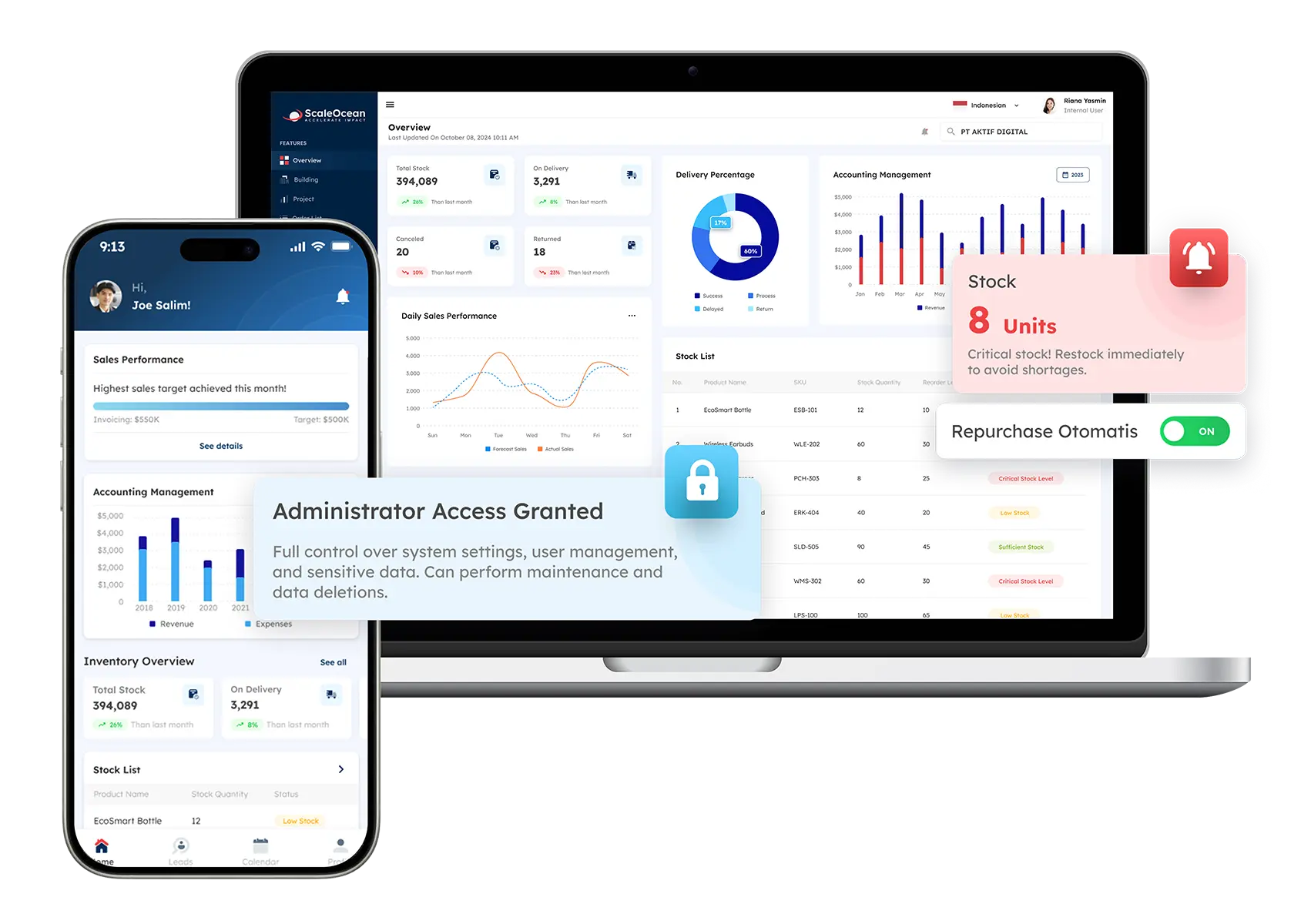
ScaleOcean ERP Software is a business operating platform that connects finance, sales, procurement, inventory, HR, and operations in one configurable environment. This integrated structure helps enterprises reduce fragmented workflows and maintain consistent business information.
With its flagship platform, ScaleOcean Atlas can centralize interconnected processes while providing real-time visibility across critical business activities. Its configurable modules let enterprises adapt workflowsto operational requirements, while ScaleMind AI supports data-driven insights and smarter decision-making.
ScaleOcean is also optimized to comply with local PDPA regulations and Singapore’s financial reporting standards, this system ensures seamless alignment with IRAS guidelines and accurate GST handling. Schedule a consultation with our experts to discuss how ScaleOcean can align with your business processes and operational requirements.
Key Features of ScaleOcean ERP Software:
Real-Time Dashboard & Analytics: Access current business data and generate insights for faster decision-making.
Workflow Automation & Approval: Automate repetitive processes and streamline business approvals.
Multi-Entity & Multi-Branch Management: Manage multiple business entities, branches, and operations through a centralized system.
Flexible configuration for approval rules, reports, and business processes.
Pricing aligns with implementation scope and business requirements.
Part of a broader ERP ecosystem that supports future digital transformation.
Consultative implementation approach focused on business objectives.
Modular deployment allows phased implementation based on priorities.
Prioritizes system fit and operational readiness over rushed implementation timelines.
Pricing is tailored to business requirements rather than fixed packages.
Best For: ScaleOcean ERP Software is best for Singapore medium to large enterprises managing complex, multi-department operations that need integrated finance, supply chain, HR, and operational workflows. Its configurable architecture also supports businesses requiring centralized visibility and scalable management.
ℹ️ Why Choose ScaleOcean
ScaleOcean stands out by combining integrated business management, customizable modules, real-time visibility, automation, and AI-powered insights within one platform, helping Singapore enterprises manage complex operations while supporting scalable, data-driven growth.
2. Zoho One
Zoho One business management software provides a collection of applications for managing areas such as CRM, finance, inventory, HR, and business operations. It brings these applications together under one broader business suite.
Its main function is to help businesses manage different activities through connected applications rather than separate standalone tools. The platform also includes analytics, workflow automation, and customization options for different business processes.
Key Features of Zoho One:
CRM and sales management
Inventory management
Business analytics
Workflow automation
Pros
Cons
Wide range of applications
Multiple business functions
Flexible licensing options
Many applications can feel complex
Setup may require planning
Advanced needs may require configuration
Best For: Small to mid-sized businesses that want several business applications within one software ecosystem, particularly companies managing sales, customer relationships, finance, and basic operations.
ℹ️ Why Choose Zoho One for Business Management Software
Choose Zoho One when your business needs a broad collection of applications and prefers managing different functions through one software provider.
3. Salesforce Starter Suite
Salesforce Starter Suite business management software provides basic tools for managing sales, customer service, marketing, and commerce activities. It combines these functions within a single application for smaller business teams.
Its main function is to organize customer information and support common sales and service activities. Businesses can also use tools for email marketing, deal management, case management, and basic reporting.
Key Features of Salesforce Starter Suite:
Customer relationship management
Sales pipeline management
Marketing tools
Case management
Pros
Cons
Strong CRM capabilities
Includes sales and service tools
Familiar Salesforce ecosystem
Mainly customer-focused
Additional features may require other products
Can become costly as requirements grow
Best For: Small businesses and growing teams that primarily need customer, sales, marketing, and service management rather than comprehensive back-office operations.
ℹ️ Why Choose Salesforce Starter Suite for Business Management Software
Choose it when customer relationship management represents the main operational priority and your business needs basic sales and service functions together.
4. Monday.com
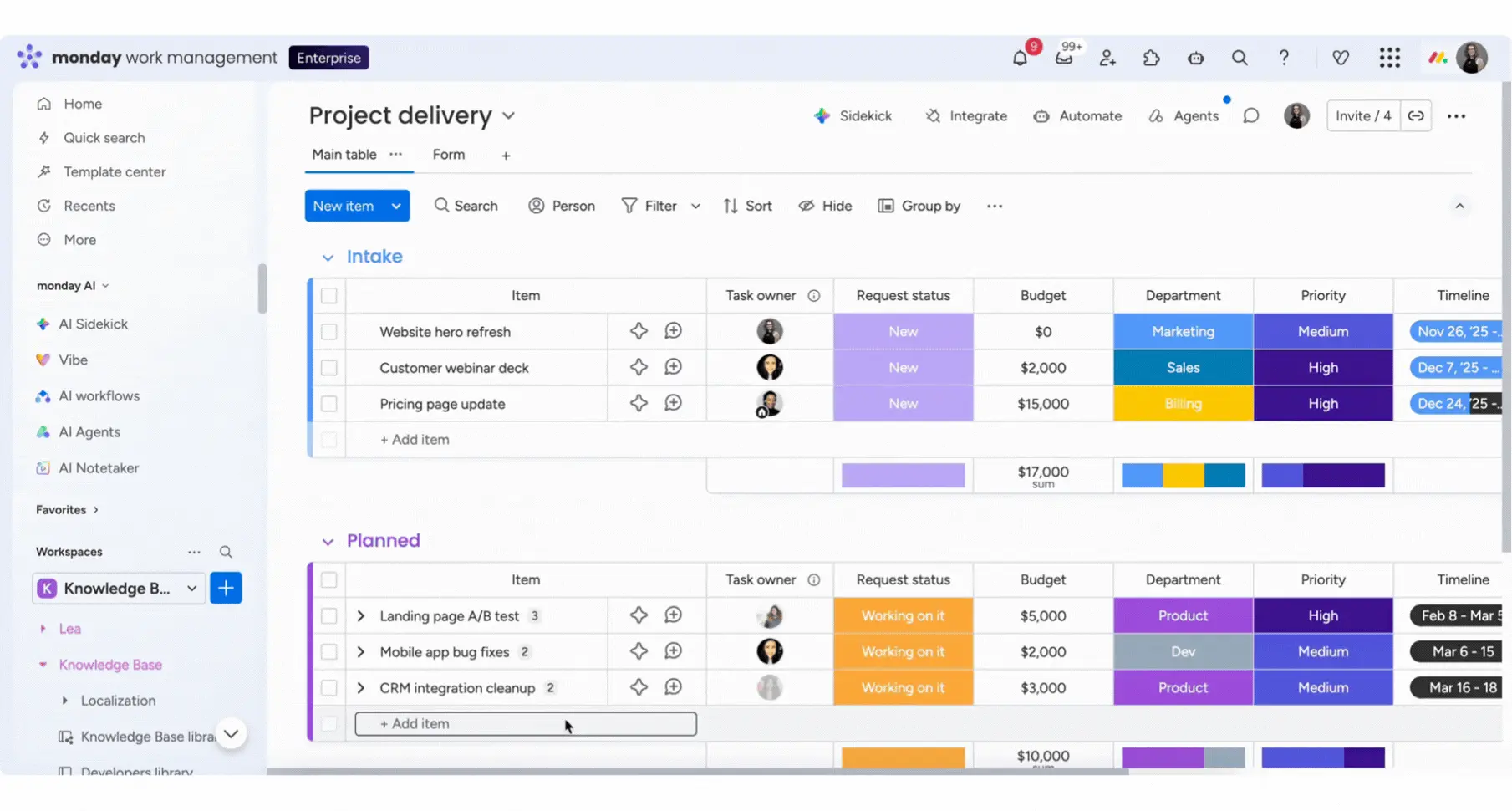
Monday.com business management software helps teams organize projects, workflows, requests, and ongoing operational work through customizable boards. It focuses mainly on coordinating work and improving task visibility across teams.
Its main function is to provide a shared workspace where teams can track responsibilities, progress, and processes. Users can also create dashboards, automate workflows, and adjust boards according to their working methods.
Key Features of Monday.com:
Customizable work boards
Project tracking
Workflow automation
Dashboards and reporting
Pros
Cons
Flexible workflow setup
Visual task management
Useful collaboration tools
Not a full ERP
Can require board configuration
Advanced features vary by plan
Best For: Small to mid-sized businesses and departmental teams that need a flexible platform for project coordination, task tracking, and recurring operational workflows.
ℹ️ Why Choose Monday.com for Business Management Software
Choose monday.com when your primary requirement is organizing teamwork and workflows rather than managing comprehensive financial or enterprise resource processes.
5. Oracle NetSuite
Oracle NetSuite business management software provides cloud-based tools for managing financials, inventory, CRM, procurement, and other business processes. It is designed for growing and larger organizations with broader operational requirements.
Its main function is to connect business and financial processes through an ERP environment. The platform supports areas including financial management, order management, inventory, procurement, reporting, and multi-entity operations.
Key Features of Oracle NetSuite:
Financial management
Inventory management
Procurement management
Business reporting
Pros
Cons
Broad ERP functionality
Supports multi-entity operations
Cloud-based platform
Implementation can be complex
Pricing is generally customized
May require specialist support
Best For: Mid-sized to large enterprises with complex financial, inventory, procurement, and multi-entity requirements that need a broader ERP environment.
ℹ️ Why Choose Oracle NetSuite for Business Management Software
Choose NetSuite when your organization requires established ERP capabilities across finance and core business operations, particularly as operational complexity increases.
6. Odoo
Odoo business management software provides modular applications for managing CRM, sales, accounting, inventory, projects, websites, and other business activities. Businesses can select applications based on their operational requirements.
Its main function is to bring different business applications into one connected platform while allowing businesses to configure selected workflows. The system also provides customization options for organizations with specific operational processes.
Key Features of Odoo:
Modular business applications
CRM and sales
Accounting and finance
Inventory management
Pros
Cons
Modular structure
Broad application range
Customizable workflows
Implementation can vary in complexity
Customization may require technical knowledge
Many modules can increase management effort
Best For: Small to mid-sized businesses that want a modular platform and prefer selecting specific applications as their operational requirements develop.
ℹ️ Why Choose Odoo for Business Management Software
Choose Odoo when modularity is important and your business wants to start with selected functions before expanding into additional applications.
7. ClickUp
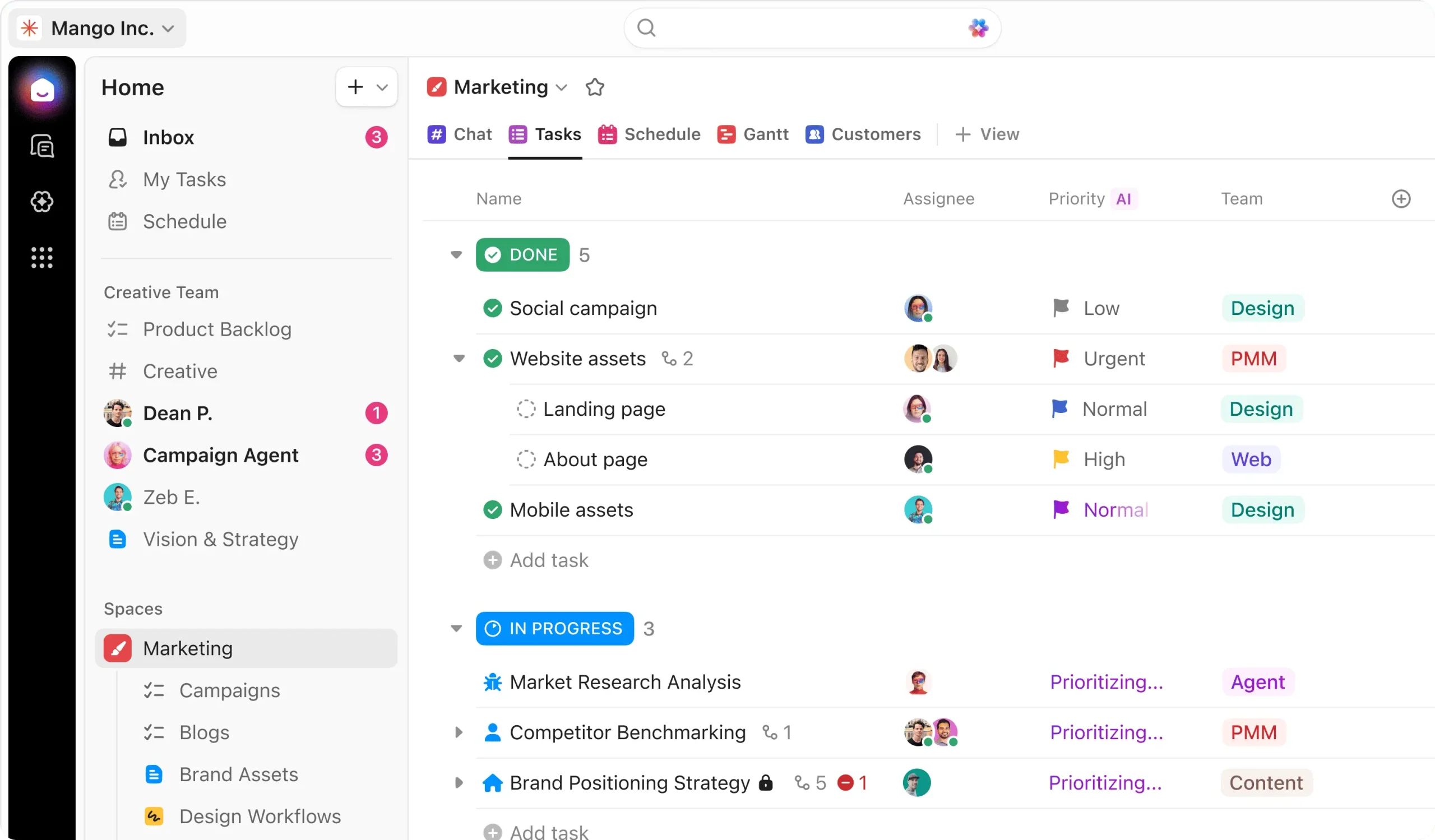
ClickUp business management software helps teams organize projects, tasks, goals, documents, and workflows within a shared workspace. Its primary focus is managing work rather than comprehensive financial or enterprise resource processes.
Its main function is to provide teams with a central place to plan and monitor work. Users can also create custom task fields, different views, documents, templates, integrations, and workflow automations.
Key Features of ClickUp:
Task and project management
Custom workflows
Documents and knowledge management
Workflow automation
Pros
Cons
Flexible task organization
Many project views
Useful collaboration features
Can feel feature-heavy
Requires workspace setup
Not focused on core finance
Best For: Small to mid-sized businesses and project-based teams that need centralized task management, collaboration, and workflow tracking across multiple projects.
ℹ️ Why Choose ClickUp for Business Management Software
Choose ClickUp when managing team work, projects, and tasks is more important than integrating accounting, inventory, procurement, or other back-office functions.
8. Asana
Asana business management software helps teams organize projects, tasks, deadlines, and responsibilities through a shared work management platform. It focuses mainly on project coordination and tracking rather than complete business resource management.
Its main function is to help teams plan work and monitor progress across projects. Asana also provides project views, custom fields, reporting dashboards, forms, workflow automation, and resource management features.
Key Features of Asana:
Project and task management
Multiple project views
Reporting dashboards
Workflow automation
Pros
Cons
Clear task organization
Multiple project views
Useful team collaboration
Limited core business functions
Primarily project-focused
Advanced features require higher plans
Best For: Small to large businesses that primarily need project and work management, especially teams handling marketing, professional services, product development, or cross-functional projects.
ℹ️ Why Choose Asana for Business Management Software
Choose Asana when project coordination and task visibility are the main priorities and your organization already uses separate systems for finance and other back-office functions.
9. HubSpot
HubSpot business management software provides tools for managing customer relationships, marketing, sales, service, and related customer activities. Its platform centers on CRM and customer-facing processes rather than broad enterprise operations.
Its main function is to organize customer data and support activities throughout the customer journey. Businesses can also use features for sales pipelines, marketing automation, customer service, reporting, and third-party integrations.
Key Features of HubSpot:
CRM management
Sales pipeline tracking
Marketing automation
Customer service tools
Pros
Cons
Strong CRM focus
Free tools available
Wide integration options
Advanced features can become expensive
Mainly customer-focused
Some tools require separate hubs
Best For: Small to mid-sized businesses focused on sales, marketing, customer service, and lead management, particularly companies building structured customer-facing processes.
ℹ️ Why Choose HubSpot for Business Management Software
Choose HubSpot when customer relationship management is central to your operations, and you need connected sales, marketing, and service capabilities.
10. Sage Business Cloud
Sage Business Cloud business management software provides cloud-based accounting and financial management tools for businesses. Its capabilities include core financial processes, reporting, cash management, purchasing, and related accounting activities.
Its main function is to help businesses manage financial information and routine accounting processes through cloud software. Depending on the product and configuration, businesses can also manage multiple entities, inventory, projects, and financial reporting.
Key Features of Sage Business Cloud:
Accounting and financial management
Accounts payable and receivable
Cash management
Financial reporting
Pros
Cons
Strong accounting focus
Cloud-based access
Supports financial reporting
Primarily finance-oriented
Broader functions may require extensions
Pricing varies by requirements
Best For: Small to mid-sized businesses that primarily need accounting and financial management, including growing organizations with increasingly complex reporting or multi-entity requirements.
ℹ️ Why Choose Sage Business Cloud for Business Management Software
Choose Sage when financial management is the main requirement, and your business needs structured accounting tools before expanding into broader operational software.
Core Functions of Business Management Software
Business management software is a single integrated system that integrates all key functions needed to run daily business activities. These features also help synchronize departments and prevent information discrepancies across processes.
1. Financial and Accounting
Bookkeeping and accounting functions enable companies to maintain transaction records, control expenditures, and compile logically structured financial reports. Finance teams can therefore eliminate record-keeping errors and perform fewer manual calculations across daily business functions.
Integrated financial applications such as ERP for financial accounting can also integrate accounting information into purchasing, sales, inventory, and other business processes. This provides companies with greater transparency into cash flow and reduces duplicate data reconciliation.
2. Customer Relationship Management (CRM)
Customer relationship management functions manage customer information, sales activities, communication histories, and possible opportunities in a central database. This gives sales and service teams relevant information before they communicate with customers.
CRM functionalities help organizations track customer relationships across the various sales stages. As a result, sales teams can improve follow-up activities, synchronize contacts, and spot cross-sell and up-sell opportunities without manually sifting through scattered sticky notes and multiple spreadsheets.
3. Inventory and Warehouse Operations
Inventory and warehouse-related functions allow organizations to track stock transactions, levels, locations, and re-order needs across all operational sites. As a result, teams can control existing inventory levels and minimize guesswork during fulfillment.
Seamlessly integrated systems update inventory data at the time of purchase, sales, or warehouse transactions. This helps companies improve stock transparency, support planning decisions, and reduce operational interruptions caused by inventory errors.
4. Project and Task Management
Project and task management functionalities help track work, deadlines, responsibilities, and progress across teams and business activities. As a result, managers can oversee current work without using separate communication channels.
Access to task details in a common database facilitates communication about priorities and collaboration. This allows organizations to track projects better and be more accountable, avoiding delays within a team.
5. HR and Employee Management
Human resources and employee administrative functions consolidate personnel data, including employee records, absences, time off, payroll-related information, and administrative data. As a result, the human resources department can avoid repetitive paperwork while providing more structured information about the company’s entire workforce.
These functionalities can be integrated with standardized processes for employee approvals. As a result, managers can control workforce activities more easily, and employees can access information and submit administrative requests at their fingertips.
6. Reporting Analytics & Document Management
A reporting, analytics, and document management system helps companies manage operational data and turn records into useful business insights. This enables managers to compare performance while accessing consolidated documents and reports.
Integrated analytics enable users to consolidate data from other departments for larger operational analysis. As a result, decision-makers can recognize trends, track critical measures, and make well-informed decisions with more integrated business data.
BMS vs ERP: What’s the Difference?
Business Management Software (BMS) and Enterprise Resource Planning (ERP) both help businesses coordinate operations, but they differ in scope, architecture, and how deeply they connect organizational processes. Generally, BMS focuses on managing selected business activities, while ERP provides an integrated foundation across core functions.
Comparison Aspect
Business Management Software (BMS)
Enterprise Resource Planning (ERP)
Primary Purpose
Manages and coordinates business activities
Integrates and manages core enterprise resources
Scope
Can focus on specific operational requirements
Connects finance, operations, supply chain, HR, and other functions
Data Architecture
May connect selected applications and workflows
Uses an integrated architecture and centralized data structure
Process Integration
Integration depends on the software and configuration
Designed to connect processes across departments
Customization
Often adaptable to specific business processes
Provides configurable workflows and broader enterprise capabilities
Scalability
Suitable for businesses with varying operational complexity
Designed to support complex and expanding enterprise operations
Reporting
Provides reporting based on connected business activities
Combines cross-functional data for comprehensive enterprise reporting
Implementation
Can be simpler depending on scope and functionality
Typically requires broader implementation and process alignment
Enterprises requiring unified management across multiple functions
Therefore, businesses should evaluate whether they need targeted process management or a broader system that connects their entire operational structure. For enterprises managing multiple departments, entities, or locations, ERP can provide stronger integration and a more unified data foundation.
How ERP Becomes the Foundation of Business Management Systems
ERP should not be positioned merely as another business management tool because its integrated architecture can connect core business resources within one centralized environment. Instead, businesses can treat ERP as a unified business management platform that coordinates interconnected processes.
Industry-specific businesses can further extend this approach through solutions such as ERP software for oil and gas industry, which connects operational, financial, maintenance, and compliance processes.
This foundation allows finance, operations, procurement, inventory, supply chain, human resources, and other functions to work from connected information. As a result, enterprises can reduce fragmented workflows while gaining broader visibility across processes that directly influence operational and financial performance.
ScaleOcean Atlas combines the flexibility of business management software with the integrated architecture of ERP, enabling enterprises to manage finance, operations, supply chain, and industry-specific workflows in one intelligent platform powered by ScaleMind AI. This approach helps businesses connect operational processes while using intelligent capabilities to support analysis and decision-making.
By bringing these functions together, enterprises can establish a more consistent operational structure without managing every department through disconnected systems. As a result, ScaleOcean Atlas can support businesses seeking a unified platform that adapts to complex workflows and evolving operational requirements.
Strategic Selection Framework for Business Management Software
Business management applications should not be compared based on their feature lists because every business has unique operational, technical, and organizational needs. Businesses should evaluate different solutions and choose the one that fits the issues they need to solve and the operating model they want to develop long-term.
1. Operational Bottleneck
The next step is for the organization to recognize operational pain points that generate the most delays, costs, or errors in everyday operations. For example, repeatedly delayed approvals, manual reconciliation processes, inventory mismatches, or inconsistent reporting can indicate a need for robust system support.
The chosen software would help eliminate these bottlenecks directly, instead of adding features employees will not use. This lets companies better capitalize on features that improve key business processes.
2. Integration Density
Integration density measures how many business processes and systems need to transmit information frequently during daily operations. Businesses with many divisions, applications, sites, or entities usually have higher integration requirements to avoid creating new information silos.
Hence, companies need to review the integrations, APIs, data synchronization, and workflow connectivity available before selecting a platform. A solution that connects more relevant processes can help avoid duplicate manual transfers and bring more uniformity across an organisation’s ecosystem.
3. Total Cost of Ownership
Total Cost of Ownership is not just software license cost. Implementation, customization, training, maintenance, integrations, and ongoing upgrades may also factor into the overall investment. Hence, companies must estimate expected costs over the software’s potential life span.
Comparing these costs with expected gains in productivity and operating efficiency can provide a more accurate picture of value. This allows firms to choose systems not just because of an attractive setup price, but with an understanding of implementation and maintenance costs over time.
4. Security and Transparency
Business management software manages operational and financial data. Therefore, security and data visibility are key factors when choosing a product. Companies should review access permissions, audit capabilities, data security features, and administrative data access prior to selecting a solution.
Transparent systems also enable organizations to identify who viewed or changed data and when. This improves accountability, strengthens internal controls, and maintains higher trust in the data.
5. Visibility and Scalability
An effective platform must balance offering enough business insight with the ability to scale as the organization grows and becomes more complex. Companies should examine access controls, permissions, audit trails, data protection measures, and administrative visibility before committing to a platform.
Scalability must also maintain ease of use as it grows, not just add capacity. As a result, organizations should use systems that can grow with operational needs without adding hassle for staff.
How to Choose the Right Business Management Software
When selecting business management software, organizations must match their business needs to the technical capabilities and employee requirements. Instead of choosing the solution with the most features, consider ease of use, integration with current systems, future scalability, and real-world business needs.
1. Define Your Operational Anchor
An operational anchor is the business process whose performance most directly affects the rest of the organization. By determining the operational anchor, organizations can decide which capabilities to focus on when selecting and deploying software.
For instance, a distribution company may concentrate on inventory and supply chain management, whereas a service organization may focus on projects, customers, and financial processes. Thus, the operations anchor needs to lead feature prioritization.
For example, companies with resource-intensive operations may evaluate ERP software for mining industry to address specialized workflows alongside broader financial and operational management.
2. Audit Your Technical & Human Constraints
The company should examine its current technology, data models, integrations, employee skill sets, and implementation resources before investing in a new business management platform. This examination will reveal potential incompatibilities that could hinder deployment and adoption.
Employee readiness is also important, since even the best software is almost useless if no one can use it. Businesses should therefore assess training needs, new workflows, internal knowledge gaps, and change management requirements.
3. The 4-Step Selection Process
A predefined evaluation process will allow companies to evaluate software on its merit rather than on a showcase or sales pitch. Here are four simple steps to test whether a platform meets operational needs.
Map the User Journey: Record the way employees perform key tasks, such as what they input, who approves it, what they hand off, and what the outputs are. This exercise will help you identify where you can eliminate friction or streamline processes through automation.
Test the Sandboxes: Utilize sandbox setups (if any) to test real-life workflows with real data and user situations. This allows teams to check usability, configurability, reporting, and overall process fit before deployment.
Validate Support & Security: Confirm the vendor’s support mechanisms, implementation support, security measures, permissions, and data safeguards before selecting them. This validation provides a business with insight into its future duties and operational risks.
Run a Pilot Program: Starting off with a trial run by a specific group, department, or system before rolling it out across other parts of the company. This lets companies iron out kinks, gather user input, and get the setup right.
Conclusion
Business management software helps companies centralize processes, automate routine work, improve visibility, and support better decisions, while ERP can provide a stronger foundation for managing interconnected enterprise operations.
For Singapore enterprises, ScaleOcean ERP Software extends business management into an integrated operating platform, connecting finance, sales, procurement, inventory, HR, and operations with configurable workflows and AI-powered insights.
If your business needs to replace fragmented systems with a more unified and scalable platform, ScaleOcean can help assess your operational requirements and identify suitable solutions. Schedule a consultation with our experts to explore how ScaleOcean can support your business management strategy.
FAQ Business Management Software:
1. What information should I prepare before implementing business management software?
Before implementation, map your core business workflows, identify operational bottlenecks, and list essential feature requirements. Gather data on existing software, user counts, budget parameters, and key technical constraints. Cleaning current data ensures a smooth migration to the new system.
2. Can business management software be customized based on different industries?
Yes, most systems offer modular architecture, custom fields, and tailored workflows to align with specific industry demands, such as retail, manufacturing, or healthcare. Custom dashboards, role-based access, and specialized compliance settings ensure the platform meets unique operational standards.
3. Is business management software suitable for small, medium, and enterprise businesses?
It benefits businesses of all sizes, though solutions scale differently based on complexity. Small businesses often rely on flexible, core feature sets, while growing mid-sized and large enterprise organizations utilize robust multi-entity tracking, advanced automation, and complex permissions.
4. What features should I look for in business management software?
Look for core capabilities including automated workflow management, real-time analytics dashboards, accounting, and CRM tools. Essential features also include centralized document management, strong data security controls, mobile accessibility, and scalable infrastructure that grows alongside your business.
5. Can business management software integrate with existing systems?
Modern business management platforms integrate with existing tools through native connectors, pre-built APIs, and third-party middleware. This connects accounting software, e-commerce stores, and legacy databases to consolidate information and eliminate manual data entry across separate platforms.












 Key Takeaways