A Point of Sale (POS) system is a mix of hardware and software that businesses employ to finish client transactions and document sales. It also facilitates the processing of payments, the tracking of products, the updating of the transaction record, and the collection of sales data from the front-end processes and the back office.
However, many tools that are not connected to transactions still only capture transactions and do not provide a broader perspective of operations. This creates problems such as mis-stocking, inconsistent sales records, the lack of reporting, and the inefficiency of multiple locations or sales channels.
These issues can be addressed by a modern point of sale solution that brings together the point of sale process along with inventory, customer information, financial records, and business activities. It’s not just another type of payment terminal anymore; it’s a tool that also improves sales accuracy, reduces repetitive work, gives real-time data for tracking performance, and facilitates faster decision-making.
With the data we collected from IMDA, Singapore businesses are continuing to advocate for the accelerated adoption of digital solutions, consistent with the trends observed that businesses are seeking technology solutions to boost productivity, efficiency, and customer satisfaction. The use of digital tools is becoming more common, and it is becoming increasingly necessary to have systems that are connected.
Learn what a POS system is, how it works, the important features, types, advantages, and the top POS solutions available to businesses in Singapore. Additionally, this guide tells you the ways in which modern-day point-of-sale technology can aid businesses like retail outlets, restaurants, cafes, service providers, and many others that process transactions with their customers.
Key Takeaways
A POS system combines hardware and software to process transactions, manage sales data, track inventory, and connect customer purchases with broader business operations.
POS system features such as multi-channel payment processing, real-time inventory management, cloud accessibility, advanced analytics, and CRM capabilities help businesses optimize daily operations.
ScaleOcean POS System supports connected sales operations by integrating transactions, inventory, customer data, finance, and business workflows within one configurable platform for growing enterprises.
A POS system is a collection of hardware and software that enables businesses to accept customer payments and handle sales-related tasks. While conventional cash registers only track customer payments, modern point-of-sale (POS) systems are capable of handling product information, inventory updates, customer records, payment processing, and business reporting in a single integrated environment.
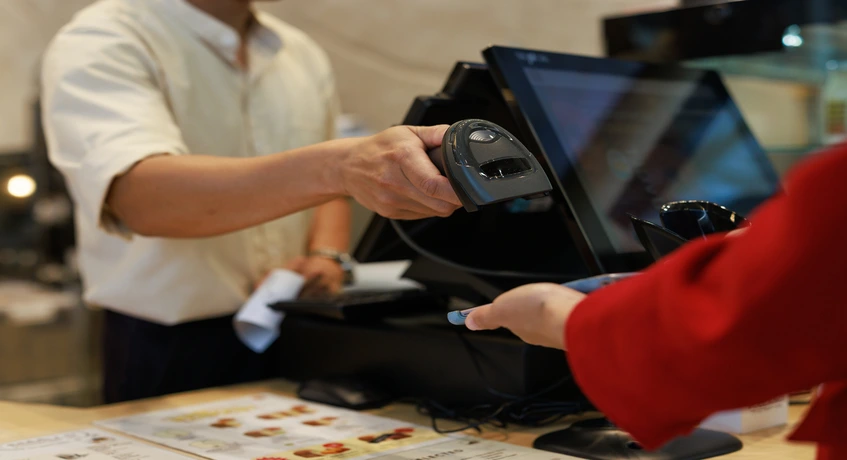
A point-of-sale system usually includes hardware like cash drawers, card readers, receipt printers, barcode scanners, and terminals, and software that processes transactions, analyzes data, and streamlines business operations. This partnership enables businesses to close sales while keeping track of their selling process.
A POS system is more than just a tool for businesses in competitive markets; it’s a comprehensive solution. It provides a central location for sales data for management to gain an understanding of sales trends, manage stock, and provide a better experience for the customers. and streamline daily business.
Besides this, today’s point of sale systems can also integrate with a variety of business systems like accounting software, Customer Relationship Management (CRM), stock management systems, and Enterprise Resource Planning (ERP) platforms. The integration can be used to allow businesses to link sales interactions with other business functions rather than handling individual sale transactions.
How Does POS System Technology Work and Operate?
A point of sale (POS) system is a hardware and software integration that enables the processing of customer orders, the management of inventory, and the generation of sales information in real time.
Usually, it will have a few stages in it, ranging from choosing the product to delivering the final report. Every stage guarantees that sales data is kept accurate while giving companies greater visibility throughout transactions, stock, and client interactions.
1. Item Entry
The initial stage is when products and/or services are entered into the POS system. The customer can add products one by one, scan barcodes, or select from a digital catalogue to perform a transaction.
Information on the goods, such as price, availability, type, and promotional offers, can be stored in the current point of sale (POS) systems. This will reduce the opportunities for manual entry errors and will make employees’ work easier.
2. Calculation
After selecting items, the total amount of transaction value will be calculated automatically according to the product prices, discounts, taxes, promotions, and other adjustments that may be applicable.
Automated calculations ensure that businesses always have accurate pricing in place and minimize opportunities for errors in manual calculations. This is especially useful for enterprises with a large product range or with frequent promotions.
3. Payment
The payment stage offers a range of payment methods, such as cash, debit, credit, digital wallets, QR payments, and contactless payment methods for customers to complete their transactions.
Modern POS systems offer various payment options for increased convenience for customers and for faster transactions. The payment information is also recorded digitally for quick reconciliation and reporting.
4. Live Inventory Sync
A connected POS system will update the inventory levels automatically after transactions are carried out. This enables businesses to keep track of available inventory and quickly determine shortages or overshoots.
Real-time inventory synchronization helps boost sales and inventory coordination as the availability of the product matches the actual transaction, rather than being based on delayed manual updates.
5. Finalisation
After payment is made, the POS system processes the transaction, prints a receipt, updates the inventory, and updates the sales log for future analysis.
Transaction finalization ensures proper documentation of each transaction, facilitates accounting operations, customer service, and performance reporting.
6. End-of-Day Reports
POS systems build reports at the end of the business period, providing insights into sales performance, number of transactions, payment methods, product performance, and activities of employees. These reports enable companies to audit their current performance, compare transactions, and keep track of sales.
As Singapore’s business landscape evolves to meet shifting customer demands, our team’s on-site research with CNA confirms that the prevalence of cashless payment options remains robust. In the era of digital payments, it’s essential to have connected transaction systems that can track payment activity, ensure accurate records, and facilitate seamless business transactions.
When it comes to analyzing end-of-day reports, businesses can spot patterns in sales, assess the performance of their operations, fine-tune their inventory planning, and make prompt decisions with accurate transaction data.
Front-End vs Back-End POS Processes
A POS system consists of two connected areas: front-end processes that directly support customer transactions and back-end processes that manage operational data behind the scenes. Both functions work together to ensure businesses can process sales efficiently while maintaining accurate records.
Aspect
Front-End POS Processes
Back-End POS Processes
Main Purpose
Handles direct customer interactions during purchasing and payment activities.
Manages business data, operational processes, reporting, and administrative activities.
Typical Activities
Product selection, checkout, payment processing, receipt generation, and customer interaction.
Inventory updates, sales analysis, employee management, financial records, and reporting.
Users Involved
Cashiers, sales employees, service staff, and customers.
Managers, administrators, finance teams, and business owners.
Data Generated
Transaction details, payment records, product selections, and customer purchases.
Sales reports, inventory insights, financial summaries, and operational analytics.
Business Impact
Improves checkout speed, payment convenience, and customer experience.
Improves decision-making, efficiency, planning, and long-term business management.
Why Businesses Use a POS System
A POS system enables the business to process transactions and link the sales process to other operational functions such as inventory, customer records, reporting, and more through a single platform.
It not only documents purchases but also offers real-time insights into business performance, automates manual work, and helps businesses make quicker decisions in all industries, such as retail, restaurants, cafes, hospitality, service providers, and customer transaction businesses.
1. Faster Checkouts
The POS system speeds up the checkout line by streamlining product selection, pricing, discounts, and payment. Staff can carry out transactions more efficiently and minimize errors from manual entry.
Faster checkout experiences help businesses improve customer satisfaction, especially during high-volume transaction periods. The system also allows teams to handle more transactions without increasing administrative workload.
2. Modern Payments
Modern POS systems support multiple payment methods, including credit and debit cards, contactless payments, mobile payments, QR payments, and digital wallets. This flexibility allows customers to choose payment options that match their preferences.
Businesses can also improve transaction reliability by supporting features such as split billing and offline payment modes. These capabilities help maintain service continuity even when internet connectivity becomes temporarily unavailable.
3. Automated Bookkeeping
POS systems automatically record transaction data, payment details, and sales information, reducing the need for manual bookkeeping. This helps finance teams maintain more accurate records while minimizing administrative effort.
POS data can be integrated with accounting or ERP systems, enabling it to be used in more extensive financial workflows. Without having to enter information in a separate database, businesses can see an overview of revenues, expenditures, and transaction history.
4. Inventory Tracking
A POS system gives immediate visibility of the movement of products, updating the stock immediately after each transaction. This will enable businesses to know how much stock they have and what they need to order.
Proper inventory management minimizes the chances of running out of stock, overstocking, and inaccurate product information. When making purchases, businesses can do it based on actual sales as opposed to estimates.
5. Sales Analytics and Reports
These reports can be used to view sales performance, customer buying trends, product trends, and operational results, which are all generated by POS systems. These insights help managers assess what is successful and what is not, and help them determine where they need to make improvements.
Advanced reporting features also enable improved forecasting and planning. With the knowledge gained from historical transaction data, businesses can fine-tune promotions, inventory management, and sales strategies for maximum impact.
6. Employee Management
The POS systems can help businesses oversee the performance of employees, record transactions, monitor access permissions, and monitor the activities of users. This enhances operational visibility and gives employees proper access to the system.
Role-based permissions provide security and accountability in businesses with multiple employees or locations. Managers can track activities without having to check each transaction.
7. Remote Management
Cloud-based POS systems allow business owners and managers to monitor operations remotely through connected devices. They can review sales performance, inventory status, and operational reports without being physically present.
Remote access is especially valuable for businesses managing multiple outlets or locations. It allows decision-makers to respond faster when operational issues occur.
8. Loyalty Programs
POS systems can support customer loyalty activities by recording purchasing behavior and connecting transactions with customer profiles. Businesses can use this information to create more personalized engagement strategies.
Integrated loyalty capabilities help companies understand customer preferences, improve retention, and deliver relevant promotions based on actual purchase patterns.
Traditional Cash Register vs Modern POS System
Traditional cash registers primarily capture the payment, whereas a modern POS system ties the payment into other business activities. The gap grows even larger when companies have more locations, greater transactions, and more complicated operational requirements.
Aspect
Traditional Cash Register
Modern POS System
Main Function
Primarily records sales transactions and payments.
Manages transactions, inventory, customers, reporting, and business operations.
Data Management
Stores limited transaction information with minimal analysis capabilities.
Stores connected business data for reporting, analysis, and operational decisions.
Inventory Control
Requires manual stock updates after transactions.
Automatically updates inventory based on real-time sales activity.
Payment Support
Usually supports basic payment recording.
Supports multiple payment methods including cards, QR, mobile payments, and contactless transactions.
Reporting
Provides limited sales summaries.
Provides detailed analytics, dashboards, and performance reports.
Scalability
Suitable for simple transaction needs.
Supports multiple outlets, users, integrations, and complex operations.
Key Parts of a POS System
A POS system consists of several hardware and software components that work together to complete transactions, manage operational data, and support business decisions. Each component has a specific role in ensuring smooth transaction processing and accurate information management.
The Hardware (The Physical Machinery)
POS Terminal
The focal point of transactions is the POS terminal. It enables the employees to place the order, scan the product, process payment, and view transaction details. Today’s point-of-sale terminals can come with touch screens, payment integration, and more connectivity options for more rapid and flexible transactions.
Display Screen/Table
The display screen is the screen that employees and customers view during transactions. It enables users to check products, pricing, payment options, and order information before they complete their orders. Transparency can also be enhanced by providing customer-facing displays that enable customers to check the details of the transaction before being prompted to confirm payment.
Barcode Scanner
Barcode scanners help to reduce data entry errors by instantly scanning and accessing product data. This minimizes the risk of human entry mistakes, while allowing employees to process transactions more quickly, particularly with extensive product catalogs.
Customer Display
Customer displays allow buyers to view transaction details, prices, promotions, and payment amounts during checkout. This improves transparency while creating opportunities to share relevant information with customers during the purchasing process.
Receipt Printer
Receipt printers create transaction receipts for clients and companies. Receipts offer proof of purchase and assist with returns and accounting records. Digital receipts can also be supported in modern systems to minimize the use of paper and offer extra ease.
Cash Drawer
Physical payments are stored in cash drawers, which are tightly connected to the POS terminals. Integrating cash transactions with the ERP system ensures proper cash tracking and enhances employee accountability.
Card Reader
Card readers enable businesses to accept debit cards, credit cards, and contactless payments. Nowadays, card reader technology has evolved to provide quicker and more secure payment options.
Software (The Digital Program)
POS software is the digital component that manages transaction processing, product information, inventory updates, customer records, reporting, and business workflows. Unlike hardware components that handle physical transactions, POS software organizes the data generated from every activity and turns it into useful operational information.
Modern POS software can support businesses across industries by connecting sales activities with inventory, accounting, CRM, and enterprise systems. This allows companies to manage daily operations more efficiently while gaining better visibility into customer behavior, sales performance, and business growth.
Payment Processor
A payment processor enables a POS system to securely authorize and complete customer payments by connecting transactions with banks, card networks, and digital payment providers. It manages the communication required to verify payment details, approve transactions, and ensure funds are transferred accurately.
Modern payment processors support various payment methods, including credit cards, debit cards, contactless payments, mobile wallets, and QR-based transactions. By integrating payment processing directly with the POS system, businesses can improve checkout speed, reduce manual reconciliation, and maintain more accurate payment records.
For businesses managing multiple payment channels and complex transaction volumes, an integrated POS system helps connect payment processing with sales, inventory, and financial workflows. ScaleOcean POS system enables businesses to manage connected transaction processes through a configurable platform integrated with broader ERP operations.
Different Types of POS Systems
Point of sale (POS) systems are a set of hardware and software that helps businesses with payments and stock. They come with a variety of features, including basic transaction processing up to full-fledged business management solutions.
1. Standalone POS System
A standalone POS system is not connected to other business software and does not require a lot of integration. Usually, it is used by businesses that need basic transaction processing, payment processing, and simple sales recording.
This type of POS system can be suitable for smaller operations with straightforward requirements. However, businesses with multiple locations or complex workflows may require additional integrations to improve visibility and scalability.
2. Integrated POS System
A single Point of Sale system provides the ability to connect sales with other business processes such as inventory, financial accounting, customer management, and reporting. This helps to move information from department to department, rather than keeping it locked up.
Integrated point of sale systems provide greater visibility into business operations for companies that are growing by allowing customers’ transactions to be integrated with other business processes. This assists companies in making better decisions and keeping accurate records.
3. Unattended POS System
An unattended POS system allows customers to complete transactions independently without direct employee assistance. These systems are commonly used for self-service environments where speed and convenience are important.
Businesses can use unattended POS solutions to reduce waiting times, improve service availability, and provide customers with more flexible purchasing options. The system can still record transactions and provide operational data for management review.
Key Features of a Modern POS System
A smarter POS system will deliver so much more than transaction processing. Companies need features that make payments more flexible, enable visibility into inventory, provide greater operational control and customer engagement, and will support future development.
1. Multi-Channel Payment Processing
Modern POS systems support various payment methods, allowing businesses to accept different customer preferences through one platform. These capabilities include card payments, contactless transactions, mobile payments, QR payments, and digital wallets.
Advanced payment features can also support split billing, allowing multiple customers to divide one transaction easily. Offline mode is another important capability that enables businesses to continue processing transactions when internet connectivity is temporarily unavailable, with data synchronization after the connection returns.
2. Real-Time Inventory Management
Real-time inventory management allows businesses to monitor inventory movements as soon as it’s sold. This prevents the risk of having the wrong inventory and helps to gain a better understanding of products, locations, and sales channels.
Advanced inventory capabilities can include inventory matrices for managing product variations, automated purchase order creation when stock reaches predefined levels, and ingredient tracking for businesses that manage raw materials or components.
By connecting sales activities with inventory information, businesses can make better purchasing decisions, reduce stock-related issues, and maintain more accurate product availability.
3. Cloud-Based Accessibility
An authorized user can access operational information remotely via connected devices with cloud-based POS systems. Managers don’t have to be at a particular place to keep track of sales, inventory, and business activities.
Cloud access can also support omnichannel operations by facilitating data sharing between online channels, digital platforms, and physical locations. This is beneficial for companies to ensure that they have the same product details, sales, and customer details on various touchpoints.
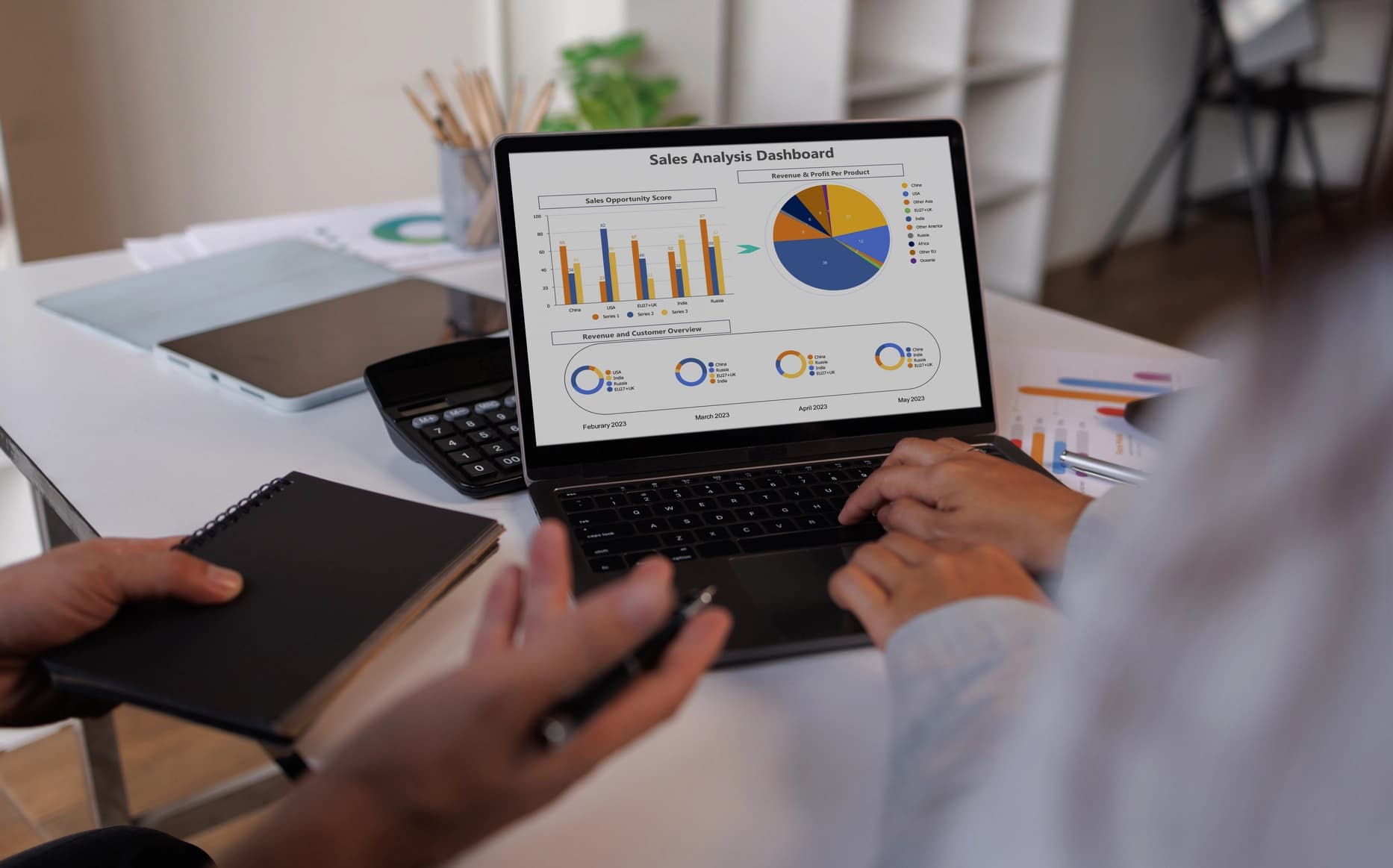
4. Advanced Reporting and Analytics
Reporting and analytics functionalities turn data into business insights and signals that can be acted upon. Marketing intelligence can be used to assess sales patterns, product performance, customer behaviors, and revenue patterns, as well as to measure operational efficiency.
These can help management to identify areas of opportunity, make decisions without taking a gamble that they’re doing the right thing, and optimize processes. Advanced reporting features may be helpful for companies that have lots of stores and business deals.
5. Customer Relationship Management (CRM)
Businesses can gather and centralize customer data associated with transactions with the help of CRM capabilities. This allows businesses to understand their buying habits, improve their interactions with customers, and better meet their customers’ needs based on actual customer behavior.
Singapore businesses are increasingly adopting integrated digital solutions to improve transaction efficiency, customer experience, and operational visibility. Based on the data our team gathered from Enterprise Singapore, digitalization remains a key focus as companies adopt technology solutions to improve productivity and strengthen operational capabilities.
When connected with loyalty programs and marketing activities, CRM functionality allows businesses to strengthen customer relationships while creating more targeted engagement strategies. A connected POS ecosystem enables businesses to combine customer data with sales transactions, inventory insights, and reporting processes to improve decision-making and maintain better visibility across daily operations.
Top 5 POS Systems to Consider for Businesses in Singapore
Companies have to keep in mind more than just speed when selecting a POS machine. The right platform should allow for daily sales and connect payments, stock, customer data, reporting, and more.
The various POS systems, with different focuses for smaller businesses and others that require a wider view of their operations, include the following systems:
1. ScaleOcean
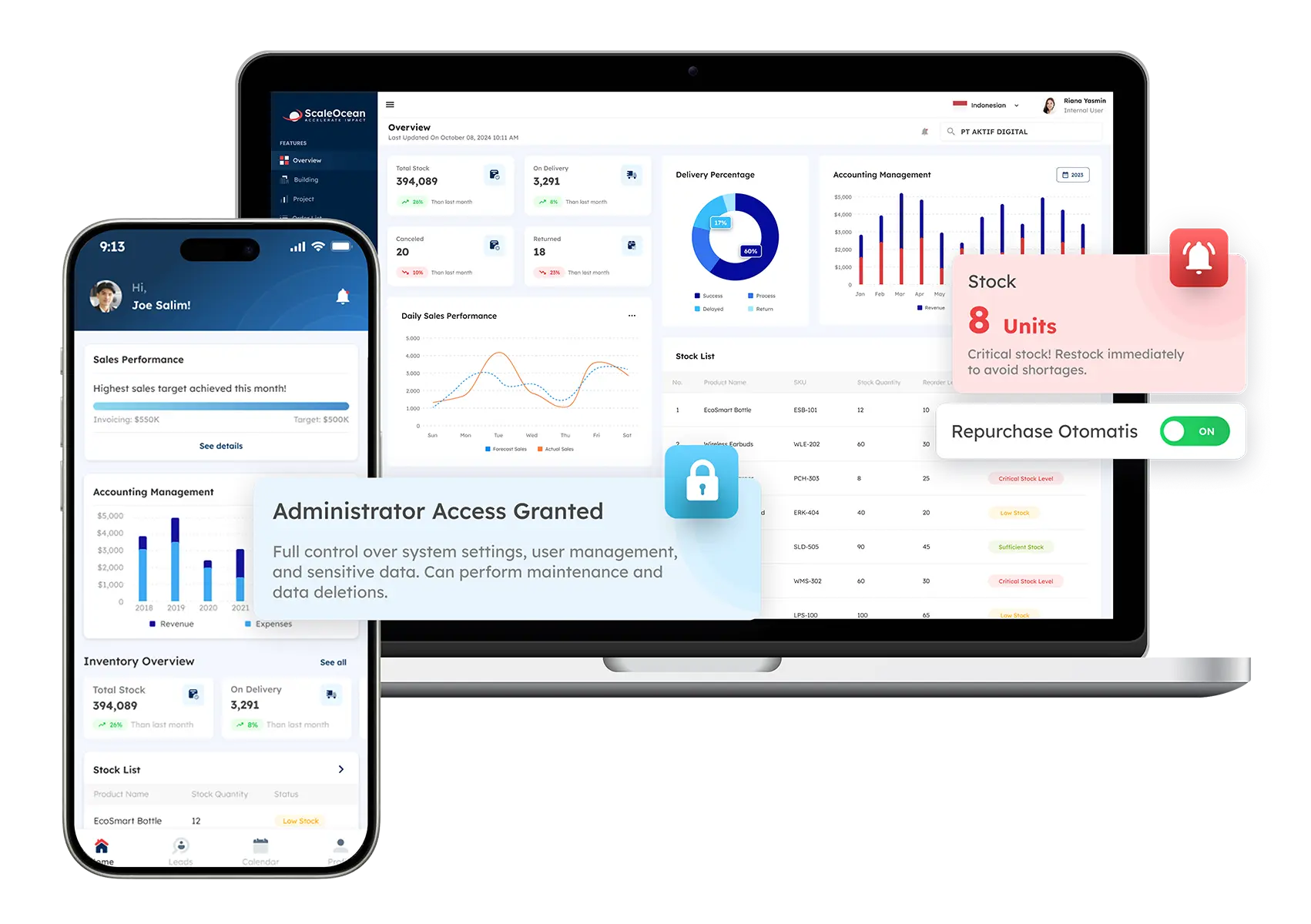
ScaleOcean is an integrated point-of-sale solution designed for medium to large enterprises that need more than transaction processing. It connects POS operations with inventory, sales, customer data, finance, and broader business workflows through one connected platform.
As part of ScaleOcean Atlas, the POS module supports businesses managing complex operations across multiple outlets, products, users, and sales channels. Rather than functioning only as a checkout system, it helps companies create a connected operational foundation where sales transactions contribute to wider business insights.
With ScaleMind embedded as an AI Business Assistant, businesses can gain faster access to operational information, transaction summaries, and relevant insights based on connected business data. This helps decision-makers understand sales performance, identify trends, and respond more effectively to operational changes.
For Singapore businesses, the system also supports stronger governance by aligning with PDPA requirements and local financial reporting needs, including GST and IRAS-related processes where applicable. Schedule a consultation with the ScaleOcean team to assess how configurable POS workflows, multi-outlet visibility, ERP integration, and scalable deployment options can support your business operations.
Key features:
Multi-outlet real-time sales visibility
Inventory and transaction synchronization
Customer data and sales management
Omnichannel sales management
Advanced reporting and analytics
Role-based access and audit visibility
Pros
Cons
Provides an integrated POS ecosystem that connects sales activities with inventory, finance, CRM, and business operations instead of managing transactions separately.
Its enterprise-level capabilities may be more extensive than required for small businesses needing only basic checkout functions.
Offers configurable workflows and scalable modules, allowing businesses to adapt the system according to operational complexity rather than following fixed templates.
Final pricing requires business assessment because modules, integrations, locations, and implementation scope influence the investment.
Supports gradual module activation, allowing companies to expand POS capabilities based on business priorities without replacing the core platform.
Implementation focuses on accurate system design and long-term suitability rather than instant generic setup.
Uses a consultative approach that evaluates business processes, operational requirements, and integration needs before implementation.
Best for: Medium and large enterprises, multi-outlet businesses, retail groups, restaurants, cafes, hospitality companies, service providers, distributors, and organizations requiring connected sales operations.
ℹ️Why choose ScaleOcean POS System?
ScaleOcean supports configurable POS, inventory, sales, finance, CRM, and enterprise workflows through one integrated platform designed for businesses with complex operational requirements.
2. Square POS
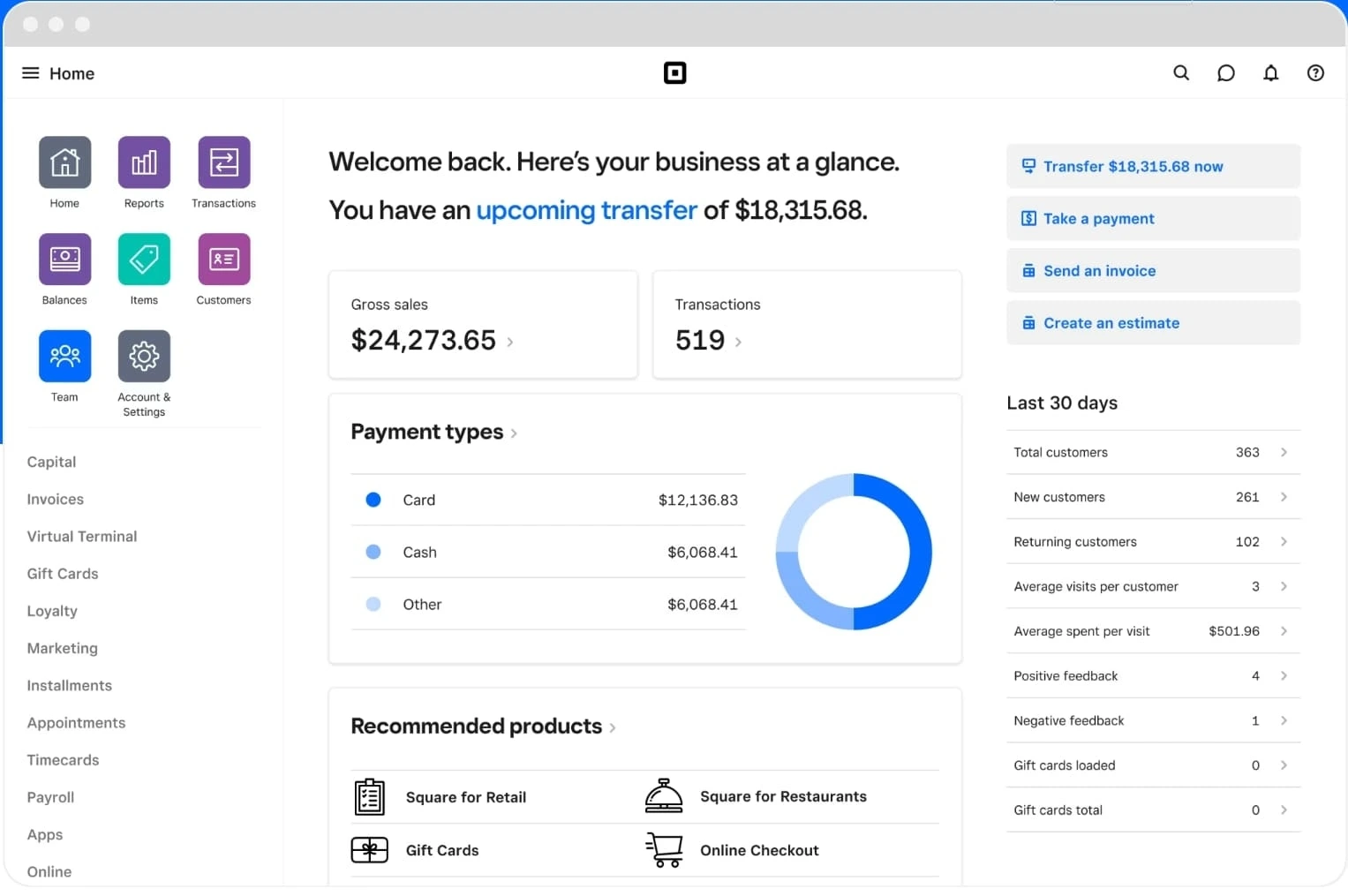
Square POS is a cloud-based point-of-sale platform designed to help businesses manage payments, sales transactions, customer information, and basic operational activities. It is commonly used by businesses that require a simple setup with accessible payment processing capabilities.
The platform provides tools for accepting payments, managing products, tracking sales, and reviewing business performance. Its straightforward interface makes it suitable for businesses looking for an easy-to-use POS solution without extensive enterprise requirements.
Key features:
Payment processing
Product catalogue management
Customer profiles
Sales reporting
Digital receipts
Employee management
Pros
Cons
Provides an accessible POS option with a simple user interface suitable for businesses starting digital transaction management.
Businesses with complex multi-entity operations may require additional systems for deeper operational management.
Supports common payment methods and basic sales management functions.
Advanced ERP-level integrations may require additional solutions or third-party connections.
Allows smaller teams to adopt POS technology without complex implementation processes.
Large organizations may need stronger customization and governance capabilities.
Best for: Small businesses, independent retailers, small cafes, service providers, and businesses requiring straightforward POS operations.
ℹ️Why choose Square POS?
Square POS provides an accessible platform for businesses that need simple payment processing, sales tracking, and basic customer management.
3. Clover POS
Clover POS is a cloud-based point-of-sale platform designed to help businesses manage payments, customer transactions, employee activities, and sales operations. The system provides flexible hardware options combined with software tools that support different business needs.
The platform focuses on simplifying payment processing while providing additional capabilities such as inventory management, customer engagement, and reporting. It can support businesses that require a customizable POS environment without building a system from scratch.
Key features:
Payment processing
Inventory management
Employee management
Customer engagement tools
Sales reporting
App integrations
Pros
Cons
Provides flexible hardware options that allow businesses to select devices based on transaction requirements.
Businesses operating complex enterprise environments may require additional integrations beyond standard POS capabilities.
Supports payment processing and essential sales management functions within one platform.
Advanced customization may require additional applications or configuration.
Offers app-based expansion options for businesses that want to extend POS functionality.
Companies managing multiple entities may need to evaluate reporting and governance requirements carefully.
Best for: Small and medium businesses, cafes, restaurants, retail stores, and service businesses requiring flexible payment and sales management.
ℹ️Why choose Clover POS?
Clover POS provides flexible payment processing, customizable applications, and operational tools for businesses looking for an adaptable POS environment.
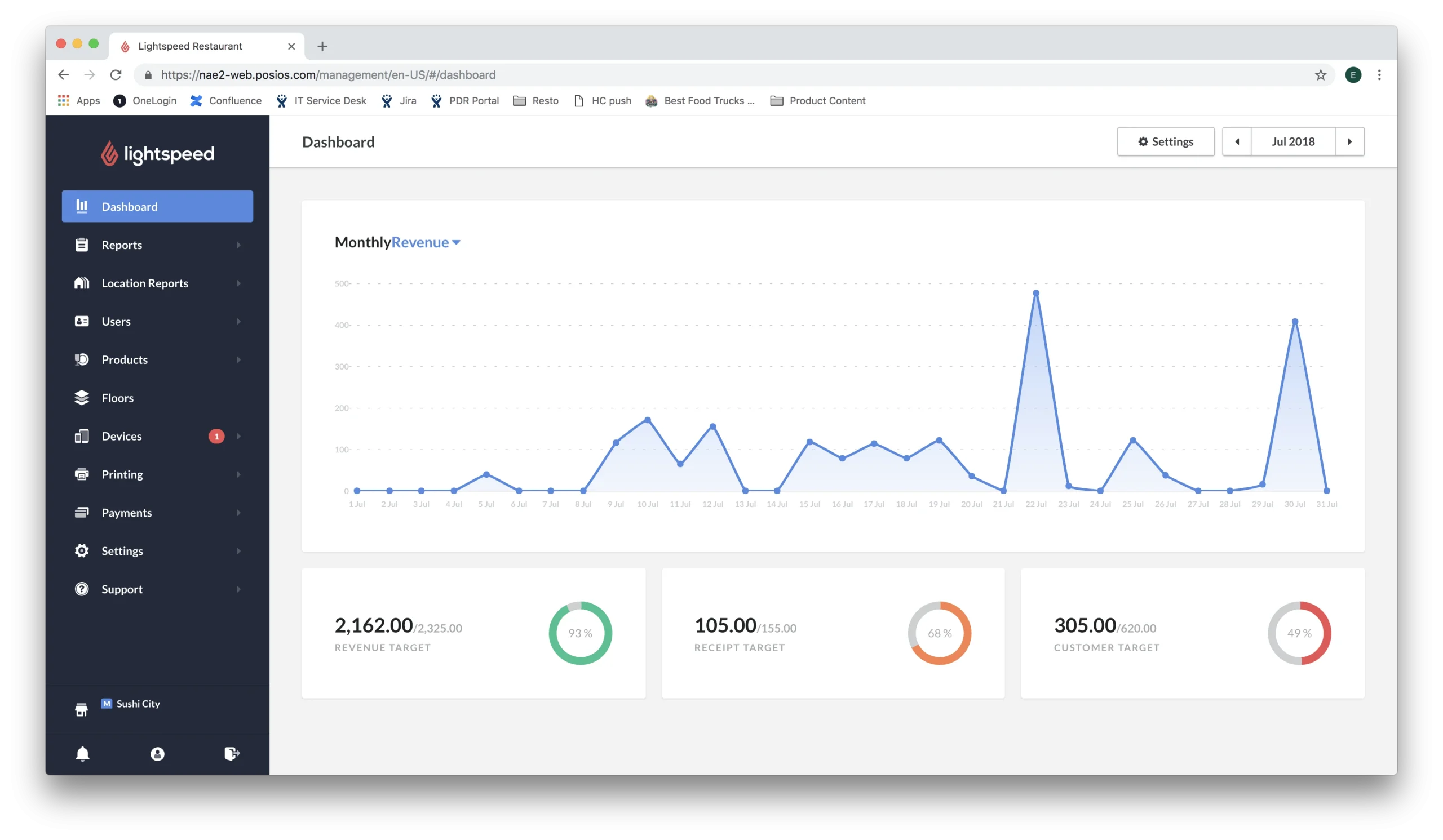
4. Lightspeed POS
Lightspeed POS is a cloud-based point-of-sale platform designed for businesses that require sales management, inventory control, customer insights, and reporting capabilities. The platform supports businesses that need greater visibility into product performance and customer transactions.
Its functionality extends beyond payment processing by helping businesses manage product catalogues, track inventory movements, and analyze sales performance. This makes it suitable for organizations requiring more structured sales operations.
Key features:
Inventory management
Product catalogue management
Sales analytics
Customer profiles
Multi-location management
Cloud reporting
Pros
Cons
Provides stronger inventory capabilities compared with basic transaction-focused POS solutions.
Businesses requiring full ERP functionality may need additional platforms for broader operations.
Supports multi-location businesses that need centralized sales and inventory visibility.
Advanced features may require higher investment compared with simpler POS solutions.
Offers reporting capabilities that help businesses evaluate product and sales performance.
Companies with highly customized workflows may need to assess configuration limitations.
Best for: Medium businesses, retail companies, hospitality operators, and organizations managing larger product inventories.
ℹ️Why choose Lightspeed POS?
Lightspeed POS helps businesses manage sales, inventory, customer data, and reporting through a cloud-based platform designed for growing operations.
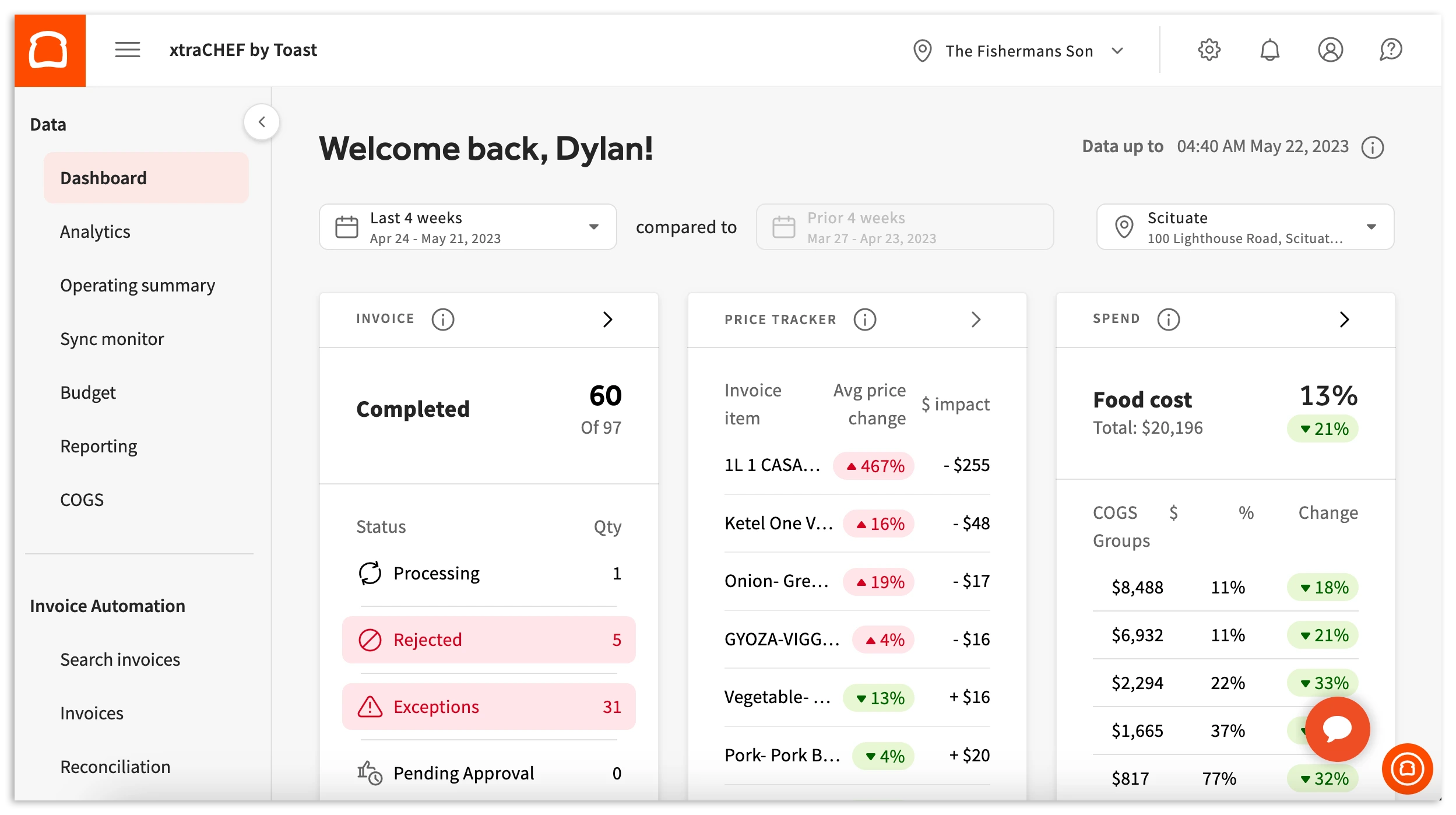
5. Toast POS
Toast POS is a point-of-sale platform designed primarily for businesses that require transaction management, ordering processes, payment handling, and operational reporting. The platform provides tools that help businesses manage customer transactions and service workflows.
The system combines POS functionality with additional operational capabilities, allowing businesses to manage sales activities while gaining better visibility into performance. Its tools are designed to support businesses that need structured transaction management.
Key features:
Payment processing
Order management
Sales reporting
Customer management
Employee tools
Operational analytics
Pros
Cons
Provides specialized transaction workflows for businesses requiring structured ordering and payment management.
Businesses outside its primary target industries may need to evaluate whether all capabilities are relevant.
Supports operational reporting to help businesses understand sales performance.
Enterprise businesses may require additional systems for broader financial and operational integration.
Combines transaction management with additional operational tools.
Companies with complex multi-entity structures should evaluate scalability requirements.
Best for: Small and medium businesses, restaurants, cafes, hospitality operators, and service businesses requiring structured POS operations.
ℹ️Why choose Toast POS?
Toast POS provides transaction management, ordering support, and operational tools for businesses looking to improve daily sales processes.
How to Choose the Right POS System for Your Business
Selecting the right POS system requires businesses to evaluate their current operations, future growth plans, and integration requirements. The best solution is not always the one with the most features, but the one that matches business complexity and operational priorities.
1. Evaluate Business Requirements
Start by identifying the processes the POS system needs to support, including payment methods, product management, inventory tracking, reporting, and customer engagement.
Businesses should consider transaction volume, number of locations, employee structure, and operational complexity before selecting a platform. This ensures the chosen system can support current needs while remaining suitable as the business grows.
2. Consider Integration Capabilities
A POS system should connect with other important business applications such as accounting, ERP, CRM, inventory, and e-commerce platforms.
Integration prevents data silos by allowing sales information to flow across different departments. This improves accuracy and gives management better visibility into business performance.
3. Review Security and Compliance
POS systems process sensitive transaction and customer information, making security an important consideration. Businesses should evaluate user permissions, data protection, payment security, and compliance requirements.
For Singapore businesses, systems should support responsible data management practices aligned with PDPA requirements and financial processes where applicable.
4. Assess Scalability
Businesses should choose POS systems that can support future expansion, including additional products, users, outlets, and sales channels.
A scalable platform allows companies to expand operations without replacing their entire system as requirements become more complex.
Conclusion
A POS system is a combination of hardware and software that helps businesses process transactions, manage sales data, and connect customer purchases with broader operational activities. Modern POS solutions support payment processing, inventory updates, reporting, customer management, and business insights through a centralized platform.
Without a structured POS system, businesses may experience inaccurate sales records, disconnected inventory data, slow transaction processes, limited reporting visibility, and difficulties managing multiple locations or sales channels. A modern POS platform helps address these challenges by connecting payments, inventory, customer information, and operational workflows in one integrated environment.
ScaleOcean POS system supports businesses by connecting sales transactions with inventory, finance, customer management, and enterprise operations through a configurable platform. With embedded ScaleMind intelligence, flexible workflows, and integration capabilities, it helps businesses improve transaction visibility and operational efficiency. Schedule a consultation with our team to assess how a connected POS solution can support your business’s future growth.
FAQ POS System:
1. What type of businesses can use a POS system in Singapore?
A POS system can support businesses across industries, including retail, restaurants, cafes, hospitality, service providers, and other organizations managing customer transactions.
2. Should I choose a desktop POS terminal or a mobile tablet POS system?
The choice depends on business needs; desktop terminals suit fixed checkout points, while mobile POS systems provide flexibility for businesses requiring mobility.
3. How much does a POS system cost in Singapore?
POS system costs vary based on hardware, software features, users, integrations, and business requirements, so pricing is usually determined by operational scope.
4. Can a POS system integrate with accounting and ERP software?
Yes, modern POS systems can integrate with accounting and ERP platforms to connect sales, inventory, finance, and operational data.












 Key Takeaways