

A visitor management system is a computer-based solution for registering, verifying, tracking, and managing visitors, contractors, vendors, delivery personnel, and anyone else working for a company but not in the facility. Designed to streamline paper logbooks with workflows for inviting, checking in, hosting approval, badges, access permissions, safety documentation, and check-out.
Even today, many businesses still rely on receptionists, spreadsheets, email, and reusable badges to manage visitors. This can lead to extended waiting in the lobby, delayed host check-in/out, lack of understanding of what visitors are there for, duplicate records, and lack of information regarding who is in the building during busy times.
That’s why modern facilities must implement visitor management software. The system allows for all visitors to be efficiently checked in, monitored for safety, granted temporary access, tracked on their badge, and monitored in real-time to limit unauthorized access, improve emergency response, and more effectively manage visitors and their access.
From the data our team collected from the Singapore Ministry of Manpower, 72.7% of employers offered at least one flexible work arrangement in 2024. In the current environment, numerous businesses operate across multiple shifts and work locations with multiple employees, and digital reception capabilities that aren’t dependent on a single employee are also becoming more common.
This article discusses what a visitor management solution is, how it functions, its fundamental capabilities and benefits, common examples of a visitor management application, 8 visitor management solutions for 2026, and some factors Singapore companies need to take into account before implementation.
 Key Takeaways
- A visitor management system is a digital platform for tracking guests, contractors, vendors, and deliveries through registration, verification, access control, and check-out.
- A comparison of visitor management software helps companies assess each option based on site complexity, security needs, integrations, compliance, and scalability.
- Top visitor management system recommendations include ScaleOcean, Archie, The Receptionist, Envoy Visitors, FacilityOS, Greetly, SwipedOn, and iLobby.
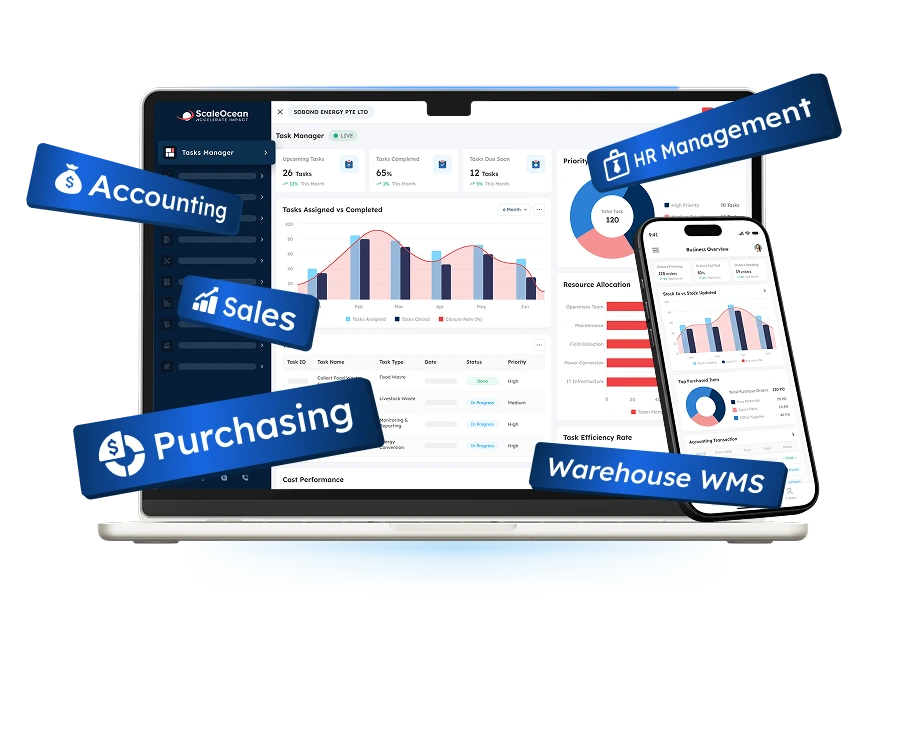
- ScaleOcean facility management software supports unlimited users, configurable workflows, multi-site visibility, AI analytics, access integration, and cloud or on-premise deployment.

What Is a Visitor Management System?
A visitor management system is a digital platform that tracks how guests, contractors, vendors, and delivery personnel enter, move through, and leave a facility. It replaces paper logbooks with QR check-ins, kiosks, host notifications, badge printing, digital signatures, and visitor profiles containing identity, purpose, access zones, documents, and check-out status.
The system is different from the paper logbook, as it can have different procedures set for different groups of visitors. A client might only need to be invited to a meeting and QR-checked in; a maintenance contractor might need to be identified, have a permit, receive a briefing on safety, a copy of insurance, permission from the host, and access for a defined period of time.
Visitor management system also provides real-time access for authorized teams to who is expected, checked in, denied access, late to check out, or present in case of emergency. It is easier to search back through historical visits, investigate incidents, and build evidence for internal reviews, with digital records.
The visitor management system Singapore companies use must also offer data minimization, notices of consent, access limitations, retention periods, and secure deletion. The PDPA offers a minimum level of protection for personal data and governs organizations’ use, collection, and disclosure of personal data in Singapore.
The best systems are integrated into larger facility management solutions, and not just as a piece of software in the lobby. This correlation of visitor data with access control, meeting rooms, contractor compliance, security events, parking, Wi-Fi, emergency management, employee directories, and other aspects creates a more comprehensive view of what’s happening onsite.
How Does a Visitor Management System Work? 8-Step Core Workflow
A Visitor Management System is an automated digital visitor management system that mimics the visitor lifecycle. It is a computer software system that replaces paper logs and is often used along with a self-service kiosk for registration, security checks, host alerts, and reports. This will help to save administrative time and increase facility security.
The 8-step core workflow outlines exactly how a visitor management system (VMS) operates, from the first invitation to the final departure:
1. Pre-Registration
The process begins with a host creating an invitation with the details of the visitor, organization, meeting time and place, and the purpose of the meeting. The system can be pre-loaded with directions, parking information, safety information, privacy information, and even a QR code for the visit.
Furthermore, the pre-registration process can provide organizations with valuable information. Security can see unusual requests and make corrections where there is a lack of information, hosts can correct the information before entry, and contractors can show documents before entry.
2. Digital Self-Service Check-In
When visitors arrive, they can check in through a kiosk, tablet, QR code, mobile link, or visitor management system app. The system matches the visitor with an invitation or guides walk-in guests through an approved registration form.
The reception no longer has to enter the information manually, and instead a standard time-stamped record is generated. The fields may be preselected for return visitors, but other, tangential information does not need to be stored for convenience.
3. Identification Verification
The system may request an OTP, invitation code, photo, host confirmation, or photo ID, depending on the level of risk. An additional visual inspection by the security staff may be implemented in high security facilities and/or an internal watchlist may be maintained.
Verification needs to be commensurate with the visit. An NRIC number should not be seen as the sole identifier for businesses in Singapore, in case there is an alternative identifier that can do the same job but is not as exposed to personal data.
4. Automated Host Notification
The system will alert the host with emails, SMS, Microsoft Teams, Slack, or a mobile application. The warning can include the name and picture of the visitor, their group, waiting area, and the time of their arrival.
This automation saves receptionists from making several calls to the employees or checking several calendars. When the host is not around, backup contacts can be notified, thus reducing the waiting time for visitors to get help.
5. Real-Time Tracking
The visitor dashboard updates the person’s onsite status after a successful check-in. Security and facility teams can see expected guests, current occupants, contractors, deliveries, visitors awaiting approval, and people who have not completed check-out.
Where access control is integrated, teams may also see permitted entry points or zone-related events. The purpose is not uncontrolled surveillance, but a clear operational record for safety, security, capacity planning, and incident investigation.
6. Badge Issuance
Approved visitors may receive a printed or digital badge displaying their name, photograph, host, category, destination, and expiry time. Color or template differences help employees distinguish clients, vendors, contractors, interview candidates, and event attendees.
Time-limited badges reduce the risk of credentials remaining valid after the visit. The system should also record badge issuance and return so security teams can investigate unreturned cards rather than reusing them without traceability.
7. Identity and Compliance Check
Before granting entry, the workflow can require an NDA, safety acknowledgement, data privacy notice, contractor declaration, permit, insurance certificate, or site-specific induction. Access remains pending until all mandatory requirements are satisfied.
A dynamic workflow is especially important for contractors and service vendors. Their requirements may vary by work type, location, equipment, risk category, and duration, so one generic visitor form cannot provide adequate control.
8. Reporting and Analytics
The system records visitor volumes, peak arrival periods, host response times, visit purposes, contractor activity, average dwell time, no-show rates, denied entries, and incomplete check-outs. Managers can filter these records by site, department, visitor type, or date.
Analytics help facility teams plan reception capacity, meeting rooms, parking, security coverage, and emergency procedures. They also provide a more reliable audit trail than manually maintained spreadsheets or physical logbooks.
What Are the Key Features of Visitor Management Software?
Key facilities to consider are pre-registration for easy arrivals, notification to hosts immediately to hosts, secure NDA and document signing, badge printing, and built-in access control systems.
The important components of an all-in-one visitors’ management system:
1. Contactless Check-In
Contactless check-in allows guests to use a QR code, mobile link, or personal device instead of touching a shared kiosk. The visitor opens the invitation, confirms the required information, accepts relevant documents, and completes registration digitally.
There should be a kiosk available to those who do not have a proper device or invitation. Both will help alleviate congestion, but not stop the ability of those needing assistance from being on site.
2. Visitor Pre-registration
Pre-registration collects visitors’ information before the visitor arrives and makes sure that the host is expecting the visitor. Can provide advance parking instructions, security information, maps, reception information, WIFI information, and documentation.
It has a very useful feature for events, interviews, audits, training, contractor visits, and group visits. Organizers may provide a controlled registration link for distribution to those who need to sign up instead of having to sign them in one by one at the front desk.
3. Biometrics and Facial Verification
Biometric functions can compare an image of a live person with a stored identity record to ensure identity verification, or compare the image of an authorized returning visitor with a stored identity record to ensure identity verification. This can help prevent giving out credentials and provide more verification in restricted areas as to who is being verified as the approved guest.
But a standard name of a visitor is not as well governed as the biometric data. Organizations should establish a purpose, minimize the number of data points to be collected, obtain templates, set retention time limits, opt for alternatives if possible, and restrict access.
4. Automated Badge Printing
Badge printing creates a visible credential immediately after approval. Templates can display the visitor’s photograph, name, host, organization, destination, visitor type, issue time, and expiration.
The physical badge is also automatically connected to the “digital record”. Security teams can identify which badge was given to each individual, whether or not it is still in use, and whether it has been returned before the team’s departure.
5. Desk or Room Booking
Some services match appointments of visitors with common resources such as meeting rooms, desks, and parking spaces. A host can book a room for a visit; so can a system, and include the location of the room in the invitation.
Connecting reservations with facility management workflows prevents visitors from arriving before a room is ready. It also gives facility teams better information about expected occupancy and resource demand.
6. Emergency Evacuations
Emergency functions are used to keep a real-time list of visitors, employees, contractors, and vendors that are assumed to be on-site. Fire wardens can now conduct a roll call, instead of a paper book, which may remain in the building.
Authorized staff should be able to declare everyone safe, missing, or unconfirmed and send out instructions as soon as possible. As important as the feature is, there must be consistent check-ins and check-outs, which is why it is important to take the time to get an accurate list of evacuated people.
7. Access Control Integration
The integration of access control can be used to restrict the issuance of temporary credentials until approval has been given to the visitor system. The limiting criteria are door, floor, turnstile, zone, building, date, and time; permissions expire automatically.
This allows companies to manage access as part of the entire on-site process and not with another disjoint application.
8. Compliance Management
Compliance functions create timestamped records of invitations, approvals, identity checks, signed agreements, safety acknowledgements, badge activity, access events, and check-out. These records can support internal audits and evidence requirements.
The platform may also support controls related to PDPA, GDPR, HIPAA, or industry-specific requirements, depending on jurisdiction and configuration. Software does not guarantee compliance on its own; the company must still define lawful purposes, access policies, retention rules, security measures, and operating procedures.
What Are the Key Benefits of Using a Visitor Management System?

A visitor management system (VMS) is an application that automates visitors’ checking in and out from paper systems, thereby enhancing security and operational efficiency of buildings. That means that organizations can pre-register visitors, restrict access to the building, automatically alert the visitor when it is their turn, and keep a digital record of the visitors for audit purposes.
A visitor management system offers several advantages such as:
1. Enhanced Workplace Security
A digital system gives security teams clearer information about who is expected, who approved the visit, and where the guest is permitted to go. Watchlists, identity checks, badge expiry, host confirmation, and restricted access reduce reliance on visual recognition alone.
Real-time visibility also helps teams identify unusual situations, including an unapproved walk-in, an expired contractor permit, a visitor remaining onsite after closing, or a badge being used beyond its authorized zone.
2. Improved Operational Efficiency
Self-service registration, pre-filled invitations, automatic notifications, badge printing, and structured approvals reduce repetitive front-desk work. Receptionists can focus on hospitality and exceptions rather than copying information from paper forms.
Facility teams also benefit from connected data. Visitor volumes can guide lobby staffing, room preparation, security coverage, parking allocation, and cleaning schedules, particularly during events or peak arrival periods.
3. Easier Regulatory Compliance and Privacy Control
A digital platform allows organizations to define what information each visitor type must provide, who can access it, and how long it remains stored. Automated deletion and anonymization can reduce unnecessary retention.
This matters because visitor records may contain names, contact details, photographs, identification data, signatures, company affiliations, and movement histories. Under Singapore’s PDPA, organizations must govern personal data collection, use, disclosure, protection, accuracy, retention, and access appropriately.
4. Elevated Visitor Experience
Pre-arrival instructions reduce uncertainty about parking, entrances, meeting locations, and required documents. On arrival, a quick QR or kiosk check-in creates a more professional first impression than searching through a handwritten book.
Hosts also receive immediate notifications, reducing waiting time. Personalized welcome screens, multilingual instructions, clear directions, and pre-arranged access help visitors move through the facility confidently without weakening security.
Who Needs a Visitor Management System?
Businesses providing regular visitors, contractors, or clients must have a visitor management system (VMS). It will eliminate the need for manual and paper logbooks and replace them with automated tracking on a digital system, which decreases the risk of human error. A visitor management system offers improved security, streamlines front desk processes, and helps ensure adherence to regulations.
Some industries are highly VMS dependant such as:
1. Healthcare and Hospitals
Guests include family members of the patient, the medical reps, the contractors, the delivery personnel, and auditors, and service providers must be let inside the hospital, and security has control over guests for their different requirements for different people, like for people inside an area, clinical operations, medications, equipment, or sensitive data.
Visitor management system (VMS) might be used for the health and safety acknowledgements and the control of visitors for check the consented location, having a list of who’s inside on-site in case of emergency and having the permission only for a specific amount of time and there are issues to solve when the data collection is implemented by the organization health and for the right collection of it for ensuring the privacy of their visitors.
2. Government and Military Facilities
Some organizations will require controlled invitations, identity checks, the sponsor’s approval, restricted access zones, and full audit logs in the government and military service. Even using the badge and the open log book, there’s no traceability in most of the areas of these types of organizations.
A digital system can apply stronger workflows to high-risk visits while keeping routine appointments manageable. Access integrations, watchlists, escort requirements, approval histories, and automatic credential expiry support more consistent controls.
3. Multi-Tenant Office Buildings
A multi-tenant building must coordinate property management, lobby security, tenants, employees, vendors, and visitors. Reception staff may not know whether every guest is expected or which tenant should approve entry.
A central platform can connect tenant invitations with the building’s lobby process. It gives security teams one expected-visitor view while allowing each tenant to manage its own hosts, records, notifications, and policies.
4. Corporate Headquarters
The corporate headquarters receives clients, candidates, investors, auditors, suppliers, consultants, technicians, and international executives. The system must balance professional hospitality with consistent security and privacy controls.
Companies comparing the best facility management software should assess whether visitor management connects with room booking, maintenance, access control, employee directories, parking, and emergency management.
5. Schools and Universities
Parents, suppliers, contractors, guest lecturers, visitors, and external service organizations are all welcomed by schools and universities. Campuses may have multi-building entrances, multiple buildings, multiple departments, multiple labs, and multiple student spaces.
Through the use of badge identification, check-out records, and emergency roll calls, staff ensures that they can see who is visiting through visitor screening and notifying staff. Some other education use cases would be registering for an event, guardians, campus-specific permissions, and contractor safety documentation.
Examples and Use Cases for Visitor Management Systems
A visitor management system can be used in several applications, such as regulating the speed of visitors entering the hospital, managing high numbers of visitors in public areas, and even restricting access to entire education facilities. The following case studies demonstrate the application of digital registration, identity verification, and real-time records in practice.
1. Automated Visitor Registration at SingHealth Facilities
Based on the data our team gathered from Healthcare IT News, Singapore’s healthcare technology agency, and SingHealth developed a facial recognition automated visitor management system. The software was tested at SingHealth Tower and Outram Community Hospital to make visitor registration smoother and more efficient.
This healthcare use case illustrates pre-registration and identity verification to reduce the manual reception work and to control access to the sensitive facility. Using visitor status with approved destinations, visiting times, and access requirements also doesn’t require hospitals to rely on paper records.
2. Large-Scale QR Check-In Through SafeEntry
Based on the data our team gathered from GovTech Singapore’s blog, SafeEntry recorded an average of nine million daily check-ins from more than 2.2 million unique users across 200,000 locations. The system used QR codes and digital check-in records to register when people entered and left participating premises.
The deployment of SafeEntry proves that even with high volumes of visitors, a huge visitor register is not necessary and can be managed using the system, thereby useful to any office, venue, campus, retail store, or multi-site organization.
8 Best Visitor Management Software Compared in 2026
The right solution depends on site count, visitor volume, security risk, contractor requirements, access-control infrastructure, privacy policies, and whether the organization needs a standalone kiosk or an integrated facility platform.
The table below illustrates the differences between some of the main software vendors for visitor management, when it comes to use case and differentiating features. Plan, configuration, area of integration, and hardware are subject to change.
| Software | Best For | Why It Stands Out |
|---|---|---|
| ScaleOcean | Medium to large Singapore enterprises requiring visitor management connected with facilities, HR, CRM, access control, contractors, finance, and multi-site operations. | Configurable visitor workflows, unlimited users, integrated ERP modules, role-based controls, AI dashboards, API connectivity, and cloud or on-premise deployment. |
| Archie | Small and medium modern offices, flexible workplaces, and coworking operators need visitor and workspace functions. | Branded kiosks, QR check-in, host alerts, visitor screening, access integrations, room booking, and workspace management. |
| The Receptionist | Small to medium offices seeking an approachable iPad-based reception and visitor sign-in process. | Simple kiosk experience, visitor profiles, photos, badges, notifications, digital logs, and front-desk communication. |
| Envoy Visitors | Medium and large organizations managing multiple offices, security requirements, visitor experience, and workplace integrations. | Registration, visitor screening, host alerts, blocklists, ID scanning, access integrations, analytics, and multi-location administration. |
| FacilityOS VisitorOS | Large, regulated, industrial, pharmaceutical, manufacturing, and high-security facilities. | Enterprise security workflows, visitor and contractor controls, kiosks, multilingual support, compliance records, watchlists, and facility-wide visibility. |
| Greetly | Small to medium businesses needing customizable, multilingual, touchless visitor reception and host notifications. | QR and kiosk check-in, multiple notification channels, custom workflows, digital documents, visitor logs, and delivery management. |
| SwipedOn | Small to medium organizations combining visitor, employee, contractor, evacuation, and workplace resource management. | Mobile and kiosk sign-in, pre-registration, badges, safety checks, emergency management, room booking, and multi-site administration. |
| iLobby | Medium and large enterprises require security, compliance, contractor management, access control, and emergency preparedness. | Real-time visibility, audit trails, configurable workflows, ID scanning, watchlists, access integration, contractor controls, and emergency modules. |
8 Best Visitor Management Systems: Detailed Reviews in 2026
For 2026, businesses need more than paper logbooks and basic reception tools to manage rising visitor volumes, contractor access, multiple facilities, and stricter security requirements. With the right visitor management system, companies can speed up check-in, verify identities, control temporary access, strengthen emergency response, and maintain more accurate visitor records.
Here are eight visitor management software solutions to consider based on facility size, visitor volume, access-control requirements, compliance needs, existing integrations, and long-term operational scalability.
1. ScaleOcean
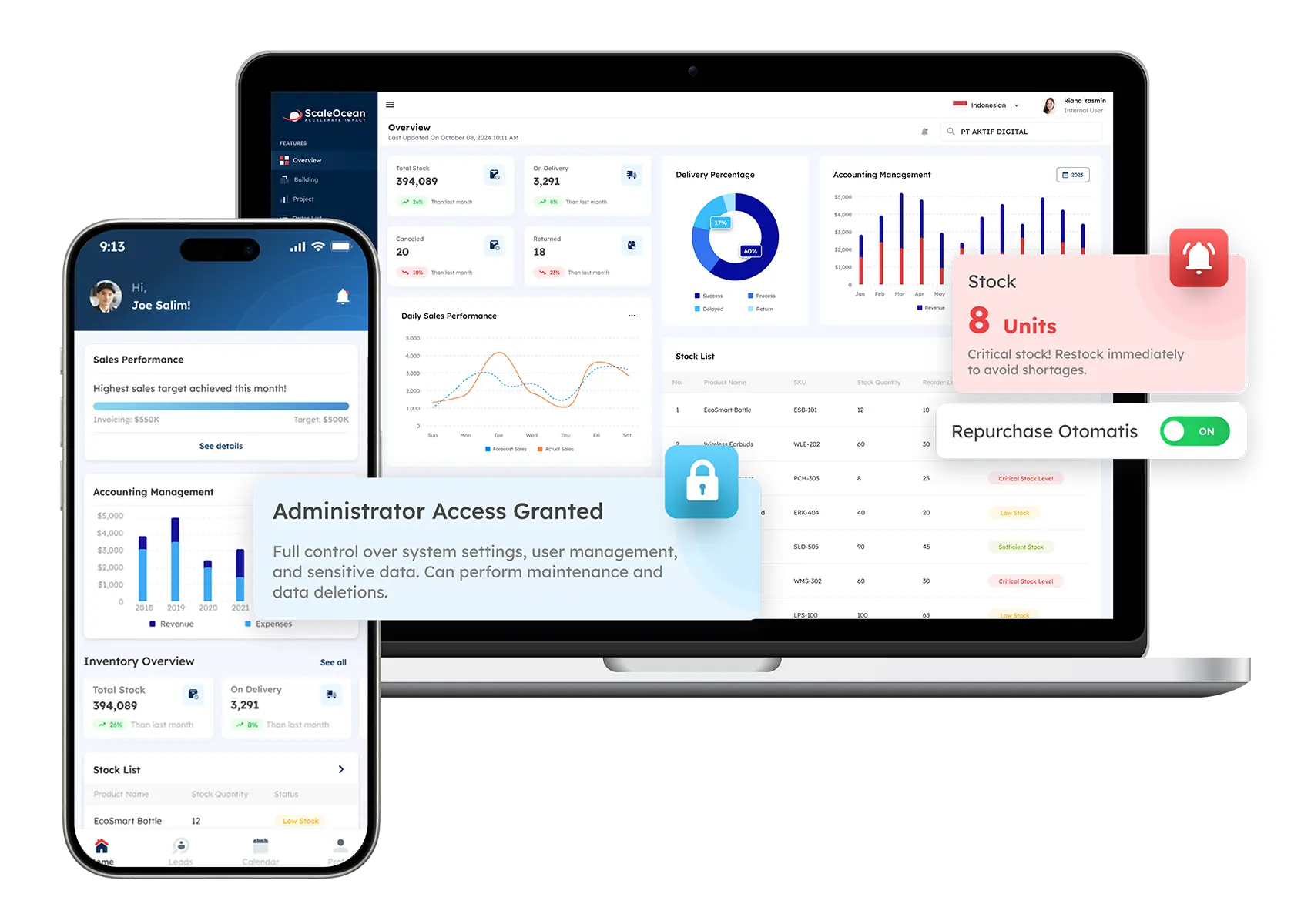
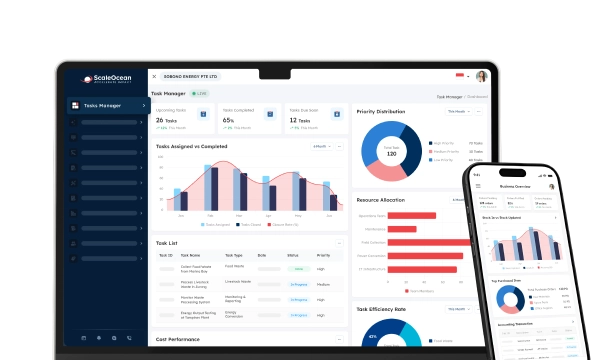
ScaleOcean is an integrated facility and visitor management platform for medium to large enterprises that need visitor entry, access, contractor, safety, space, asset, and operational workflows in one system. It can support multiple visitor categories, branches, buildings, zones, approval levels, and security requirements.
Its real-time dashboard provides a clear view of expected and checked-in visitors, host responses, visit duration, and site occupancy. AI-supported analytics help identify peak visiting hours, unusual activity, delayed check-outs, and future capacity needs, while role-based access ensures that sensitive visitor data remains protected.
ScaleOcean is optimized for PDPA-aligned visitor data governance and local financial reporting standards, where facility transactions connect with finance. Its implementation scope can also be structured around relevant CTC Grant requirements, subject to company eligibility and qualifying costs. Schedule a free consultation to explore how configurable workflows, unlimited users, and cloud or on-premise deployment can support your facility operations.
Key features:
- Visitor pre-registration and invitation
- QR and contactless check-in
- Self-service visitor kiosk
- Dynamic visitor workflows
- Host approval and notifications
- Zone- and time-based access
- Contractor document management
- Centralized multi-site dashboards
| Pros | Cons |
|---|---|
| Uses a consultative implementation approach that begins with analyzing the company’s facilities, security policies, organizational structure, and actual visitor processes. | May be less suitable for small offices that only need a basic digital guestbook or simple reception kiosk. |
| Provides need-based pricing, allowing enterprises to invest only in the modules, locations, integrations, and operational scope they require. | Final pricing is provided after consultation because the scope depends on business complexity, deployment requirements, and selected capabilities. |
| Supports phased implementation, enabling companies to introduce visitor, contractor, facility, security, and other operational modules according to business priorities. | Implementation prioritizes system accuracy, stability, and long-term operational fit rather than a generic quick setup with limited configuration. |
| Connects visitor management with a wider ERP ecosystem covering HR, procurement, finance, assets, contracts, maintenance, and other enterprise operations. |
Best for: Medium to large enterprises, multi-site organizations, corporate headquarters, hospitals, manufacturers, property groups, and regulated facilities requiring integrated visitor and facility control.
ℹ️ Why choose ScaleOcean?
ScaleOcean suits medium to large enterprises that need visitor management connected with facilities, HR, contractors, assets, access control, and reporting. It also offers unlimited users, configurable workflows, multi-site visibility, API integration, and flexible cloud or on-premise deployment.
2. Archie
Archie is a workplace platform that combines visitor registration with desk booking, room management, and workplace operations. Guests can pre-register, use a self-service kiosk or QR code, complete customized steps, and trigger notifications to their hosts.
Its visitor workflows can include screening questions, visitor logs, access-control connections, branding, and security rules. The wider workplace orientation makes it relevant for offices and coworking environments, managing both guests and shared resources.
Key features:
- Self-service visitor kiosk
- QR-based check-in
- Custom visitor flows
- Visitor screening
- Digital visitor logs
- Door-access integration
| Pros | Cons |
|---|---|
| Combines visitor processes with workspace and resource management in one workplace-focused platform. | Industrial contractor, logistics, or complex facility compliance processes may require additional configuration or systems. |
| Supports branded kiosks, custom registration steps, host notifications, and digital logs. | The platform’s broader workspace value may be less relevant to facilities that only need high-security visitor control. |
| Can connect guest arrival with room usage and modern hybrid-office operations. | Companies should confirm whether the required regional access-control systems and security tools are supported. |
Best for: Small and medium offices, technology companies, coworking operators, flexible workplaces, and hybrid organizations seeking combined visitor and workspace management.
ℹ️ Why choose Archie?
Archie is suitable for modern offices and coworking spaces that need visitor check-in alongside room, desk, and workplace resource management.
3. The Receptionist
The Receptionist is an iPad-based visitor management system designed to replace paper logbooks and support front-desk check-in. It can capture visitor details, photographs, visit purposes, host information, and digital records.
The platform focuses on an approachable kiosk experience and works alongside reception or administrative staff. Visitor profiles, badges, notifications, and digital logs help organizations create clearer records without introducing a highly complex facility platform.
Key features:
- Visitor registration
- Photograph capture
- Visitor badge printing
- Host notifications
- Digital visitor logs
- Custom check-in questions
| Pros | Cons |
|---|---|
| Provides a familiar tablet-based process that can be straightforward for visitors and front-desk teams. | Complex contractor compliance, physical access orchestration, and enterprise facility workflows may require additional tools. |
| Creates searchable visitor records and supports photographs, badges, and host communication. | Its iPad-focused model requires suitable devices and reception placement at each entry point. |
| Can reduce administrative work while preserving a welcoming human reception experience. | Large organizations should assess multi-site governance, integration depth, and advanced emergency requirements carefully. |
Best for: Small and medium offices, clinics, professional services, community organizations, and businesses seeking a straightforward digital reception kiosk.
ℹ️ Why choose The Receptionist?
The Receptionist is relevant for smaller offices that need a straightforward iPad-based sign-in process, visitor badges, host notifications, and digital records.
4. Envoy Visitors
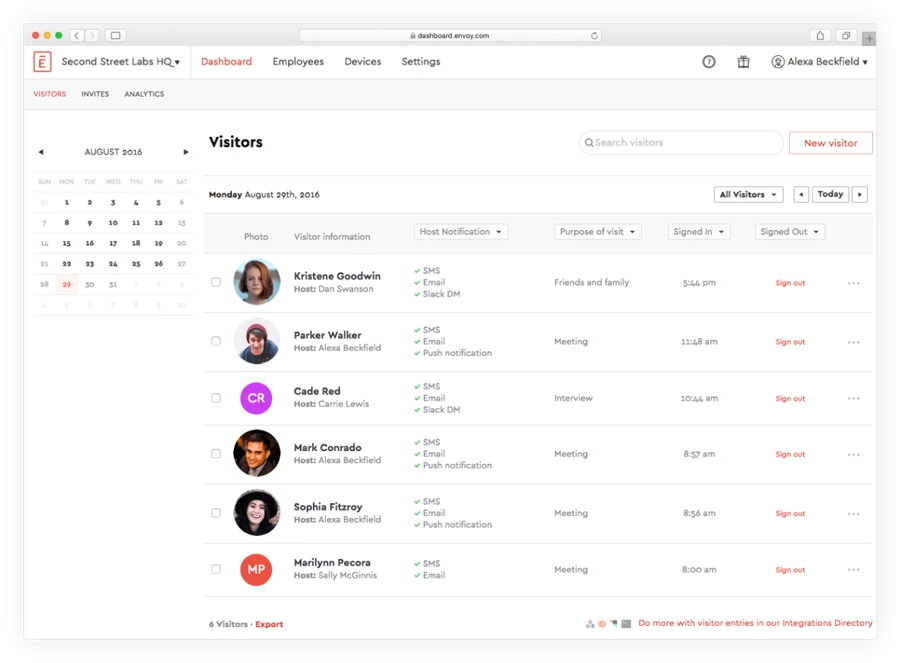
Envoy Visitors is a workplace visitor platform covering registration, custom sign-in, host notifications, screening, blocklists, ID scanning, badges, documents, and reporting. It is commonly used to standardize visitor processes across several locations.
The platform can also connect visitor entry with workplace access and guest experience functions. Its analytics provide information about arrivals, visitor trends, and onsite activity, while enterprise plans include additional security and integration controls.
Key features:
- Visitor invitations and registration
- Custom sign-in workflows
- Automated host notifications
- Visitor screening
- Badge printing
- Multi-location reporting
| Pros | Cons |
|---|---|
| Supports structured visitor security and experience processes across multiple workplace locations. | Advanced security, access, and enterprise reporting capabilities may depend on higher subscription tiers. |
| Includes screening, host alerts, visitor logs, badges, documents, and workplace integrations. | Connecting visitor records with finance, procurement, maintenance, and broader ERP execution may require separate integrations. |
| Provides multi-location administration and visitor analytics for distributed offices. | Companies should review the complete cost of licences, hardware, integrations, and enterprise functions. |
Best for: Medium and large corporate offices, technology businesses, multi-location employers, and property environments requiring established visitor-experience and security workflows.
ℹ️ Why choose Envoy Visitors?
Envoy Visitors supports organizations that need structured visitor registration, screening, host alerts, badges, and multi-location administration.
5. FacilityOS VisitorOS
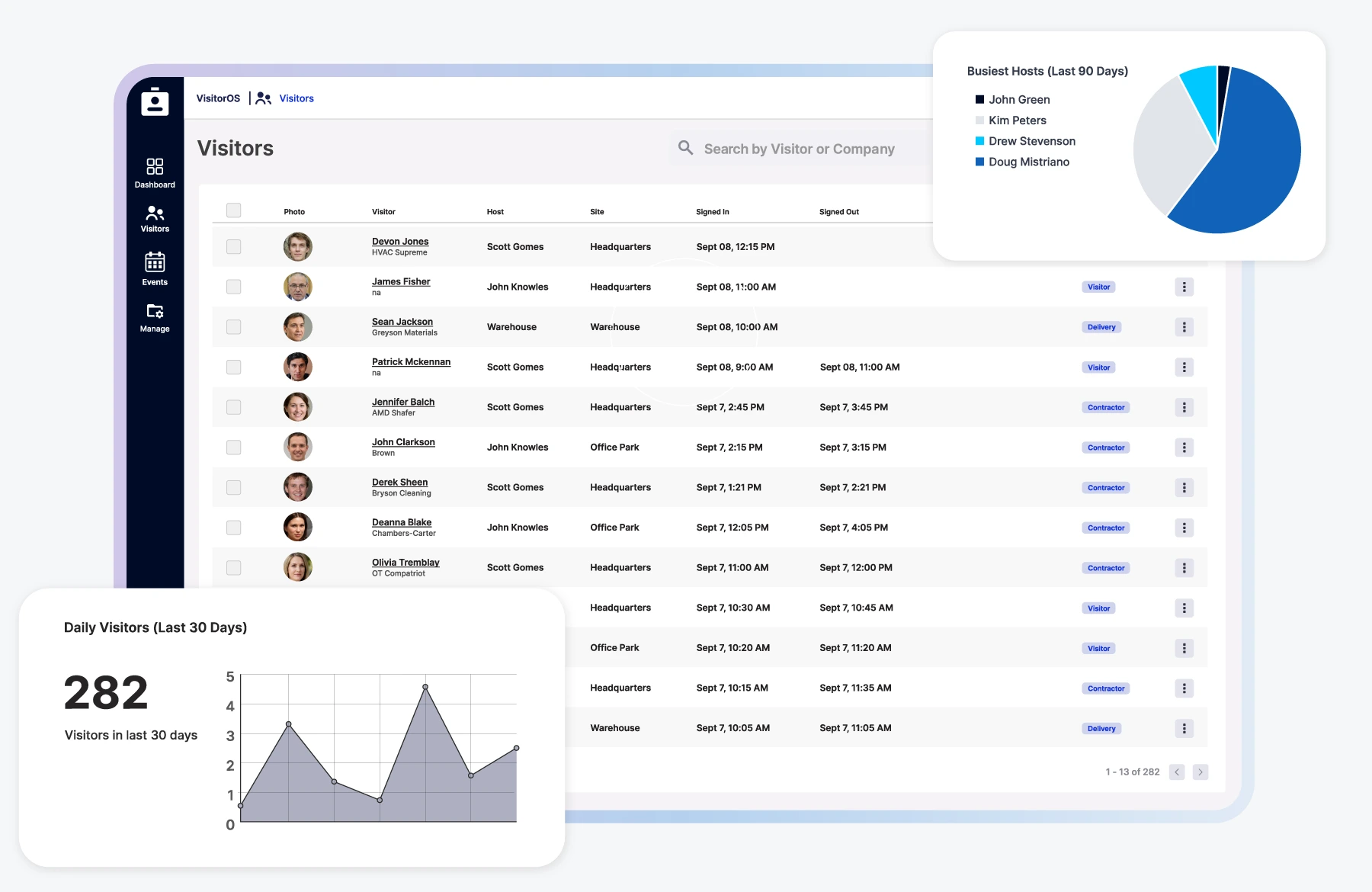
VisitorOS is the visitor management component of FacilityOS, an enterprise platform covering facility, visitor, contractor, emergency, access, and logistics processes. It is positioned for organizations with security, safety, and compliance requirements across one or several facilities.
Its functions include configurable workflows, pre-registration, host notifications, multilingual support, photographs, badges, approvals, ID scanning, touchless sign-in, watchlists, legal documents, analytics, and central dashboards.
Key features:
- Custom visitor workflows
- Visitor and contractor registration
- Badge and photograph capture
- Legal document management
- Real-time facility dashboard
- Emergency and access modules
| Pros | Cons |
|---|---|
| Connects visitor management with contractor compliance, emergency preparedness, and wider facility controls. | Its enterprise orientation may exceed the requirements of small offices with low-risk visitor traffic. |
| Supports detailed security workflows, centralized dashboards, identity checks, and audit records. | A broader implementation may require more planning than a basic tablet check-in application. |
| Can standardize controls across complex industrial, regulated, and multi-site facilities. | Pricing and deployment scope generally require consultation based on facility complexity. |
Best for: Large pharmaceutical, manufacturing, logistics, critical infrastructure, and regulated enterprises with complex visitor and contractor requirements.
ℹ️ Why choose FacilityOS VisitorOS?
FacilityOS VisitorOS fits regulated or high-security facilities requiring detailed visitor, contractor, compliance, emergency, and access workflows.
6. Greetly
Greetly is a cloud-based visitor management platform for digital reception, self-service sign-in, host communication, visitor logs, documents, and deliveries. Guests can check in through a kiosk or QR code without installing an application.
The system supports custom workflows, multiple languages, and notifications through email, SMS, voice, Slack, Microsoft Teams, or Google Chat. Its facility focus includes visitor control, compliance support, and reception automation.
Key features:
- Tablet visitor kiosk
- Host notifications
- Multilingual interfaces
- Custom visitor workflows
- Digital document signatures
- Delivery management
| Pros | Cons |
|---|---|
| Offers flexible kiosk and contactless check-in options without requiring visitors to install an app. | Advanced industrial contractor or physical access requirements may need additional integrations. |
| Supports multilingual reception and several communication channels for host alerts. | Companies should confirm which integrations and advanced controls are available within each plan. |
| Allows organizations to tailor fields, documents, notifications, and branding by visitor type. | Broader finance, HR, maintenance, and operational workflows may remain in separate applications. |
Best for: Small and medium corporate offices, education providers, financial services, manufacturing sites, and multilingual workplaces requiring flexible reception automation.
ℹ️ Why choose Greetly?
Greetly is suitable for businesses seeking customisable, multilingual, and contactless visitor registration with flexible host notifications.
7. SwipedOn
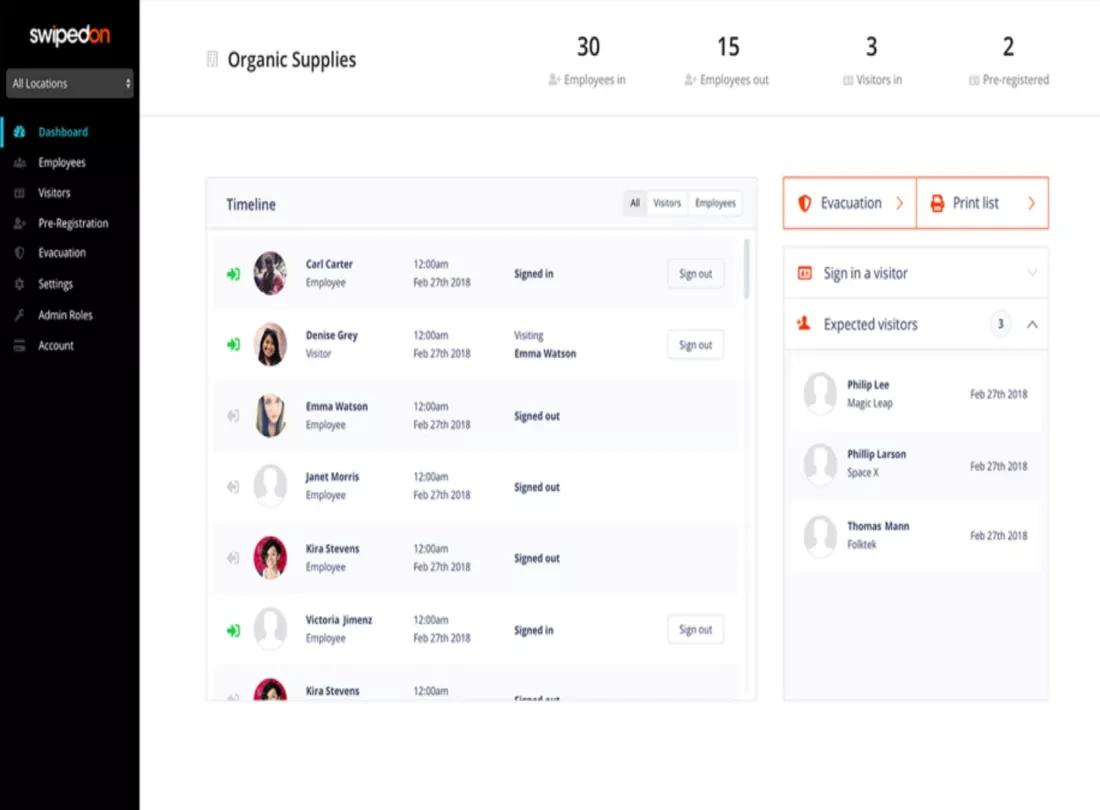
SwipedOn, presented within the sign-in app’s wider workplace platform, supports visitor, employee, contractor, evacuation, incident, and resource-management processes. Visitors can check in through kiosks, QR codes, or contactless links.
Its visitor functions include pre-registration, badge printing, NDAs, host notifications, safety checks, ID scanning, approvals, multi-site administration, and room or desk booking. Emergency features provide real-time occupancy visibility and roll-call support.
Key features:
- Visitor invitations
- Badge printing
- Host notifications
- Evacuation management
- Room and desk booking
- Multi-site reporting
| Pros | Cons |
|---|---|
| Combines visitor, employee, contractor, emergency, and workplace-resource processes. | Organizations only seeking simple visitor registration may not require the complete workplace scope. |
| Offers several check-in methods and supports badges, invitations, documents, and safety controls. | Complex enterprise integrations should be validated against existing regional infrastructure. |
| Provides emergency visibility and supports consistent processes across multiple sites. | Feature availability and implementation effort may vary with the platform package selected. |
Best for: Small and medium businesses, public institutions, schools, logistics sites, offices, and multi-location organizations combining visitor and workplace safety processes.
ℹ️ Why choose SwipedOn?
SwipedOn supports organisations that want visitor, employee, contractor, evacuation, and workplace resource processes in one environment.
8. iLobby
iLobby provides visitor management, contractor compliance, access control, emergency management, and facility security capabilities. Its VisitorOS product digitizes sign-in, creates visitor audit trails, and provides real-time visibility into expected and current visitors.
The platform supports custom workflows, badges, visitor approvals, ID scanning, watchlists, document collection, access-control connections, and multi-site dashboards. Its broader product environment is designed for facilities where visitor management forms part of a more extensive security program.
Key features:
- Digital visitor sign-in
- Real-time visitor dashboard
- Custom security workflows
- Badge printing
- Contractor compliance
- Emergency management
| Pros | Cons |
|---|---|
| Connects visitor records with contractor, access, emergency, and compliance processes. | The system may be more extensive than necessary for a small office with occasional visitors. |
| Provides real-time visitor visibility, configurable workflows, and comprehensive audit trails. | Implementation requirements can increase when several facility-security modules are introduced together. |
| Supports facilities with stronger identity, screening, documentation, and access requirements. | Pricing generally requires discussion based on facilities, integrations, hardware, and security scope. |
Best for: Medium and large industrial, manufacturing, pharmaceutical, logistics, government, and corporate facilities requiring integrated visitor-security controls.
ℹ️ Why choose iLobby?
iLobby is relevant for medium to large facilities requiring visitor security, contractor compliance, access integration, audit trails, and emergency management.
Vital Evaluation Factors for Choosing the Best Visitor Management System
An ideal visitor management system replaces paper logs with a streamlined, secure digital process. To choose the best system, evaluate it on check-in speed, security features, hardware usability, regulatory compliance, and seamless integration with your existing workplace tools.
Essential evaluation factors to consider:
1. Access Control Integration
Confirm whether the system connects with the organization’s existing doors, turnstiles, lifts, speed gates, identity platform, and badge technology. The integration should create and remove temporary permissions automatically rather than requiring security staff to enter the same data twice.
Test how the system handles failed approvals, delayed visitors, extended meetings, lost badges, access denial, and emergency lockdowns. A technically supported integration may still require careful configuration to work reliably in real operations.
2. Legal and Data Compliance
Review which visitor fields are collected, why they are required, who can view them, where the data is hosted, and how long it is retained. The company should be able to configure privacy notices, consent processes, access permissions, deletion, anonymization, and exports.
For Singapore deployments, assess the system against the organization’s PDPA obligations and sector requirements. Facial or biometric verification requires additional scrutiny because the consequences of exposure or misuse can be more significant than ordinary registration data.
3. Emergency Roll Call
The platform should provide an accessible live muster list during fire, security, medical, or evacuation incidents. Authorized wardens need a mobile-friendly view that remains usable away from the reception desk.
Evaluate how the system identifies unchecked-out visitors, contractors working in remote areas, people at secondary entrances, and guests whose hosts have left. An emergency feature is only dependable when every entry and exit process is followed consistently.
4. Third-Party Integrations
List the systems that visitor management must exchange information with, including Microsoft 365, Google Workspace, HRIS, access control, CCTV, parking, Wi-Fi, room booking, emergency alerts, CRM, contractor management, and security platforms.
Ask whether each connection is native, API-based, middleware-dependent, or custom-built. Verify authentication, synchronization frequency, error handling, audit logging, data ownership, and what happens when an integrated service becomes unavailable.
5. Customization Options
Different visitors should not be forced through the same workflow. The system must allow administrators to configure fields, documents, approvals, badges, notifications, languages, access rules, and retention periods by site and visitor category.
ScaleOcean is particularly relevant where visitor procedures must follow complex organizational structures. Its configurable workflows, site-specific policies, role-based controls, dashboards, and connected facility records can support requirements that a fixed digital guestbook may not accommodate.
How to Choose the Right Visitor Management Software

To choose the right visitor management system app, assess your security needs, compliance requirements, and integration capabilities. Follow these key steps to identify the ideal VMS for your organization:
Step 1: Map Current Visitor Risks
Document how clients, contractors, vendors, candidates, delivery drivers, and walk-ins currently enter the facility. Identify queue times, missing records, shared badges, incomplete safety documents, unclear host approvals, and emergency-list gaps.
Separate inconvenience from material risk. Slow reception matters, but unauthorized laboratory entry, missing contractor permits, exposed personal data, or an inaccurate evacuation list require higher priority.
Step 2: Define Visitor Categories and Workflows
Create a visitor matrix that states which information, approval, documents, induction, badge, escort, and access permissions each visitor type requires. Include different rules for locations with distinct security profiles.
This exercise prevents companies from digitizing a weak paper process without improving it. The technology should enforce an approved operating model rather than adding a screen to inconsistent procedures.
Step 3: Establish Privacy and Security Requirements
Involve facility, security, IT, legal, privacy, and HR stakeholders early. Agree on identification methods, data minimization, retention schedules, access rights, hosting, encryption, backups, and incident-response responsibilities.
Also, define whether facial recognition or document scanning is genuinely necessary. Collecting more information may create a sense of security while increasing privacy exposure and administrative responsibility.
Step 4: Run Real-World Demonstrations
Test the platform with actual scenarios, such as a scheduled client, a walk-in applicant, a delivery driver, a maintenance contractor, a denied visitor, an unavailable host, and an emergency evacuation. Follow every scenario from invitation to deletion of the record.
Include different sites, languages, devices, and entry points. A polished product demonstration may not reveal problems involving network outages, printer failures, lost badges, unusual approvals, or integrated door systems.
Step 5: Compare Full Ownership Cost
Calculate subscriptions, kiosks, tablets, printers, consumables, access-control work, APIs, implementation, migration, training, support, administration, and future sites. Per-user or per-location structures can affect long-term costs differently.
ScaleOcean’s unlimited-user model can be useful when receptionists, hosts, security officers, facility managers, contractors, approvers, HR teams, and branch administrators all need controlled participation. Final value should still be assessed against the required implementation scope and measurable outcomes.
Conclusion
A visitor management system is a digital platform that helps organizations register, verify, approve, track, and check out guests, contractors, vendors, and other non-employees. It gives facility teams a central record of visitor identity, purpose, host, access status, required documents, onsite presence, and visit history.
Without a structured system, enterprises may face long lobby queues, unclear host approvals, duplicate records, shared badges, incomplete contractor documentation, excessive data exposure, and unreliable emergency lists. Visitor management software addresses these problems through pre-registration, QR check-in, identity controls, automated notifications, temporary badges, access integration, audit trails, and real-time dashboards.
ScaleOcean facility management system connects visitor management with HR, contractors, assets, access control, documents, and reporting in one platform. With unlimited users, configurable workflows, AI analytics, API integration, and flexible deployment, it supports complex multi-site operations. Schedule a free consultation to explore a visitor management system and custom workflows tailored to your facility requirements.
FAQ Visitor Management System:
1. Can visitor management software integrate with access control systems?
Yes. Visitor management software can connect with access-control platforms to issue temporary QR codes, mobile credentials, or badges after approval. Permissions can be limited by door, floor, zone, date, and time, then removed automatically when the visit ends.
2. How does a visitor management system improve emergency response?
It provides a live list of guests and contractors believed to be on-site, allowing wardens to perform a mobile roll call and identify missing or unconfirmed people. Its reliability depends on consistent check-in and check-out at every entry point.
3. Why do Singapore companies need a visitor management system?
Singapore companies use visitor management systems to improve lobby efficiency, access security, emergency visibility, and control over visitor personal data. The system can support PDPA-aligned processes through data minimization, privacy notices, permissions, audit trails, retention policies, and secure deletion.
4. Can a visitor management system manage contractors and vendors?
Yes. It can collect contractor identification, safety certificates, permits, insurance documents, induction records, host approvals, and expiry dates before allowing entry. The workflow can also issue zone and time-limited credentials and block access automatically when required documents expire.





















.png)