

A workflow management system is an online tool that enables organizations to design, assign, automate, and monitor repetitive tasks. Transfers requests, information, documents, and responsibilities between people and related applications as per defined rules to minimize unnecessary handovers and to streamline the process.
However, numerous companies still manage emails, task updates, documents, departmental updates, and project requests using spreadsheets, messaging apps, individual task boards, and emails. Such disjointed use makes it hard to track activities that aren’t in line with business processes, duplicated tasks, missing documents, unbalanced workloads, as well as delayed approvals.
A workflow management software system helps to bridge these gaps and connects intake forms, assignments, approvals, documents, notifications, reports, and system integrations to a structured approach. Up-to-date operational data is made available to managers, and staff know what to do, how to do it, and who will do it.
According to data our team got from The Business Times, 63% of Singapore businesses anticipate manpower to be a key challenge in 2025, and 36% of the companies report that cybersecurity and data privacy would be a growing challenge. The pressures highlight the need for productivity improvements without compromising on aspects like data governance, access control, and accountability.
Read this article to learn about how workflow management systems work, the main types of workflow systems, key features of workflow systems, emerging trends, applications of workflow systems in different departments, how to select the right workflow management software, and 10 workflow management software companies that Singapore organizations should consider in 2026.
 Key Takeaways
- When choosing workflow management software, consider workflow complexity, primary users, integrations, scalability, pricing, security, and compliance requirements.
- Top workflow management software recommendations include ScaleOcean, monday.com, Asana, ClickUp, Trello, Zapier, Wrike, Smartsheet, Jira, and Quickbase.
- Workflow management software helps businesses automate recurring tasks, coordinate approvals, manage responsibilities, and track work progress across departments and systems.
- ScaleOcean workflow management software connects project management, approvals, documents, finance, procurement, HR, and operational workflows within one configurable enterprise platform supported by ScaleMind.
Summary Recommendation for the Best Workflow Management Software in Singapore for 2026
The best workflow management software depends on the organization’s operating model, process complexity, and system landscape. Project-based teams may prioritize task dependencies, timelines, resources, and workload planning, whereas enterprise organizations may need multi-department approvals, document governance, financial integration, audit trails, and configurable access rights.
When thinking about workflow management software or what works best for your organization, consider the extent of the workflow you require and don’t think about the number of features. Each platform is assessed based on its main purpose, user groups, and features in the following matrix. Subscription, deployment model, region, configuration, and scope of implementation are conditions of availability.
| Software or Tools | Primary Focus | Best Suited For | Key Features |
|---|---|---|---|
| ScaleOcean | Integrated enterprise workflows connected with project management and ERP processes. | Medium and large enterprises managing multiple projects, departments, entities, branches, and approval levels. | Configurable workflows, project tracking, approval matrices, ScaleMind assistance, audit trails, resource planning, financial integration, and role-based access. |
| Monday.com | Visual work management and customizable team workflows. | Teams seeking adaptable boards, dashboards, forms, and automation. | Boards, Workflow Builder, WorkForms, dashboards, automations, integrations, and permissions. |
| Asana | Collaborative work, project intake, approvals, and portfolio coordination. | Cross-functional departments and project management offices. | Forms, Rules, approvals, workflow bundles, portfolios, workload views, and reporting. |
| ClickUp | Highly customizable productivity and project workflows. | Teams consolidating tasks, documents, forms, dashboards, and communication. | Custom statuses, forms, automations, multiple views, dashboards, documents, and permissions. |
| Trello | Accessible visual task and Kanban workflow management. | Small teams and departments with straightforward process stages. | Boards, cards, lists, automation, templates, Power-Ups, and workspace views. |
| Zapier | Automation and data movement between separate applications. | Businesses automating repetitive actions across their existing software. | Multi-step workflows, logic branches, forms, tables, approval routing, integrations, and AI automation. |
| Wrike | Structured project workflows, request management, proofing, and approvals. | Marketing, professional services, operations, and project-oriented enterprises. | Custom request forms, workflows, approvals, dashboards, reports, proofing, and automation. |
| Smartsheet | Spreadsheet-style work management with process automation. | Organizations that need structured data, reporting, forms, and familiar grid-based planning. | Sheets, forms, automated approvals, update requests, dashboards, reports, and project views. |
| Jira | Issue, development, service, and technical workflow management. | Software, product, IT, engineering, and operational teams with structured status transitions. | Configurable workflows, forms, automation, dashboards, backlogs, permissions, and development integrations. |
| Quickbase | No-code applications for complex operational and cross-system workflows. | Enterprises building tailored applications around field, project, and back-office processes. | No-code apps, forms, Pipelines, integrations, approvals, dashboards, mobile data collection, and governance. |
10 Best Workflow Management Software in Singapore for 2026
In 2026, businesses will require more than task boards, spreadsheets, email threads, and manual reminders to keep projects, approvals, documents, resources, and cross-department activities organized. The right workflow management software can coordinate repetitive workflows, streamline the approval process, boost accountability, integrate business data, and give managers a clearer view into the work in progress.
Depending on business size, complexity of a workflow, project requirements, automation, integrations, access governance, deployment preferences, reporting requirements, and long-term scalability, the following 10 workflow management software options are worth considering.
1. ScaleOcean
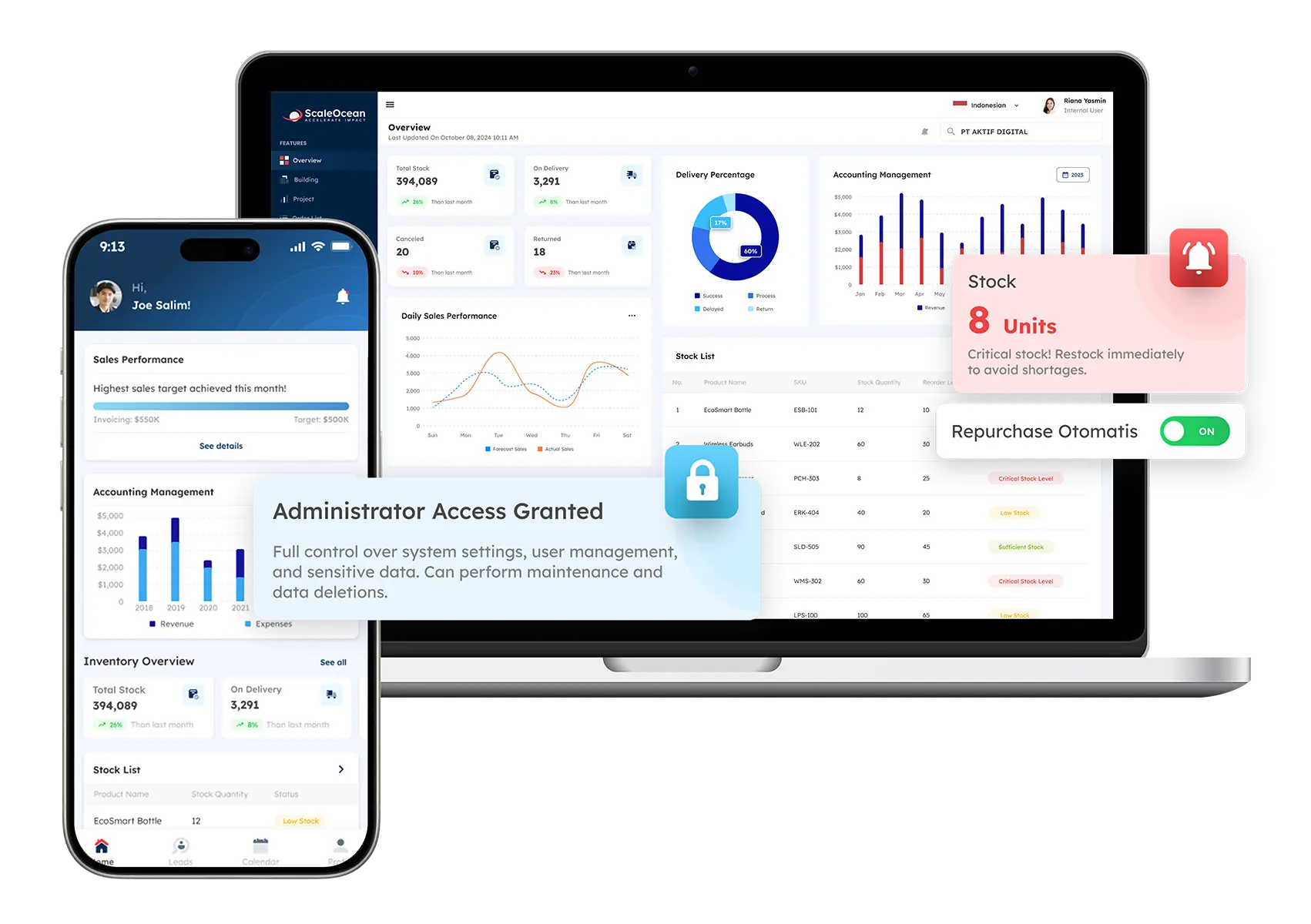
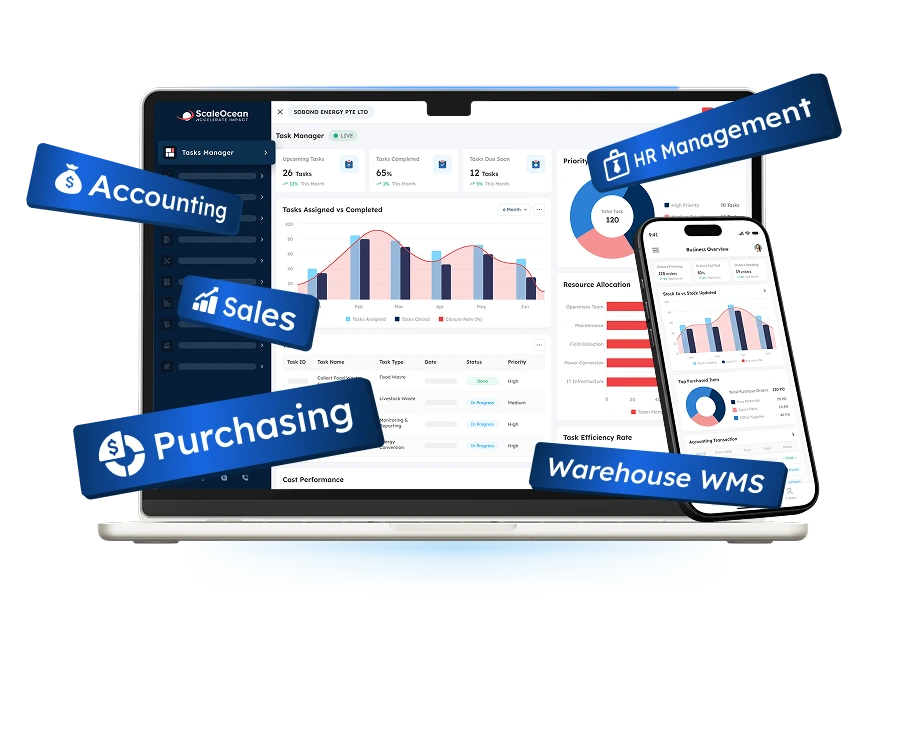
ScaleOcean is an integrated workflow management platform for medium to large enterprises that need to coordinate projects, tasks, approvals, documents, resources, budgets, procurement, and reporting in one system. It supports complex workflows across multiple departments, branches, project structures, user roles, and approval levels.
ScaleOcean Atlas, as part of ScaleOcean’s industry-specific ERP platform, integrates ScaleOcean project management software with finance, procurement, inventory, contracts, HR, and document processes through ScaleMind. Rather than functioning as a separate workflow tool, ScaleOcean Atlas serves as the core platform tailored to how each organization structures and manages its operations.
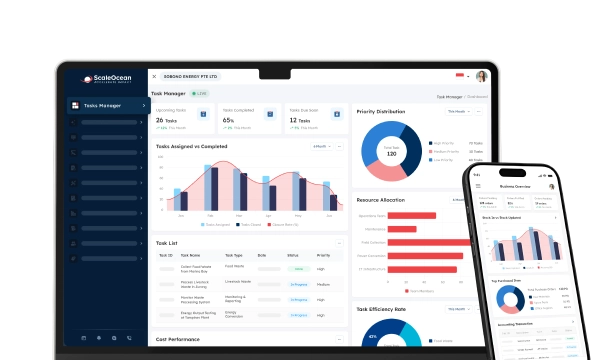
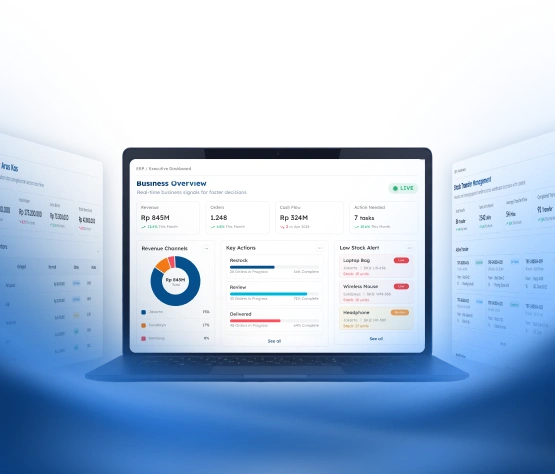
With ScaleMind embedded directly within workflows, teams can manage processes more intelligently, from project requests and task assignments to approvals, progress tracking, resource usage, budget monitoring, and reporting. Its Executive Workflow Command Centre brings active projects, pending approvals, task dependencies, resource utilization, budget variance, and workflow exceptions into one view, with filters by project, department, responsible employee, risk level, and reporting period.
Therefore, ScaleOcean also supports PDPA-aligned data governance and local financial requirements through role-based access, approval matrices, audit trails, and connected business records. Its implementation can be phased according to workflow priorities, with unlimited-user options and flexible cloud, on-premises, or hybrid deployment. Relevant EDG and CTC Grant requirements can also be considered based on company eligibility and qualifying project costs. Schedule a consultation to assess how this software fits your enterprise workflow needs.
Key features:
- Configurable workflows following company procedures
- Cross-department approval matrices
- Resource capacity and workload planning
- Document routing and approval history
- Role-based access and audit trails
- Integrated project budgeting and cost monitoring
- API connectivity with existing business applications
- Cloud, on-premises, or hybrid deployment options
| Pros | Cons |
|---|---|
| Uses a consultative implementation approach that begins with business processes, project structures, user responsibilities, and approval requirements. | Its enterprise depth may be unnecessary for a small team that only requires a simple personal task list or basic Kanban board. |
| Provides configurable workflows and unlimited-user options, supporting wider adoption across departments without relying on a rigid process template. | Final pricing requires an initial assessment because modules, integrations, deployment, entities, and workflow complexity affect the implementation scope. |
| Connects project workflows with finance, procurement, contracts, inventory, HR, documents, and operational reporting in one ecosystem. | Implementation prioritizes accurate process design, stable integration, and long-term suitability rather than an immediate generic setup. |
| Supports phased implementation, allowing companies to activate priority workflows first and expand the platform as readiness improves. |
Best for: Medium and large companies, multi-entity groups, project-based enterprises, manufacturers, construction firms, engineering companies, professional service providers, and organizations with cross-department workflows.
ℹ️Why choose ScaleOcean?
ScaleOcean supports configurable enterprise workflows that connect project execution with approvals, documents, resources, finance, procurement, HR, and operational reporting within one platform.
2. Monday.com
Monday.com is a visual work management platform that organizes activities through configurable boards, columns, groups, items, and views. Teams can use it to coordinate projects, campaigns, requests, operational processes, portfolios, and recurring assignments without developing a conventional business application.
Its WorkForms collect structured requests, while dashboards combine information from connected boards. Workflow Builder and automation tools can trigger actions as records change, and enterprise plans provide additional administrative, governance, and permission capabilities. The limitations below should therefore be assessed according to the selected plan and intended workflow scale.
Key features:
- Visual boards and customizable columns
- Workflow Builder
- WorkForms for structured intake
- Rule-based automation
- Dashboards and reporting widgets
- Application integrations
| Pros | Cons |
|---|---|
| Provides a flexible visual structure that different business teams can adapt to their processes. | Organizations need naming, template, and governance standards to prevent inconsistent boards across departments. |
| Combines forms, dashboards, automations, and multiple work views within one work management environment. | Advanced permissions, reporting, automation capacity, and portfolio capabilities may depend on the selected plan. |
| Can support project, marketing, operations, HR, and request-based workflows. | Companies needing native accounting, procurement, inventory, or ERP processes may require additional integrations. |
Best for: Small, medium, and selected large teams that prioritize visual work management, configurable boards, and accessible automation.
ℹ️Why choose Monday.com?
Monday.com gives teams an adaptable visual workspace for coordinating requests, tasks, projects, dashboards, and automated actions.
3. Asana
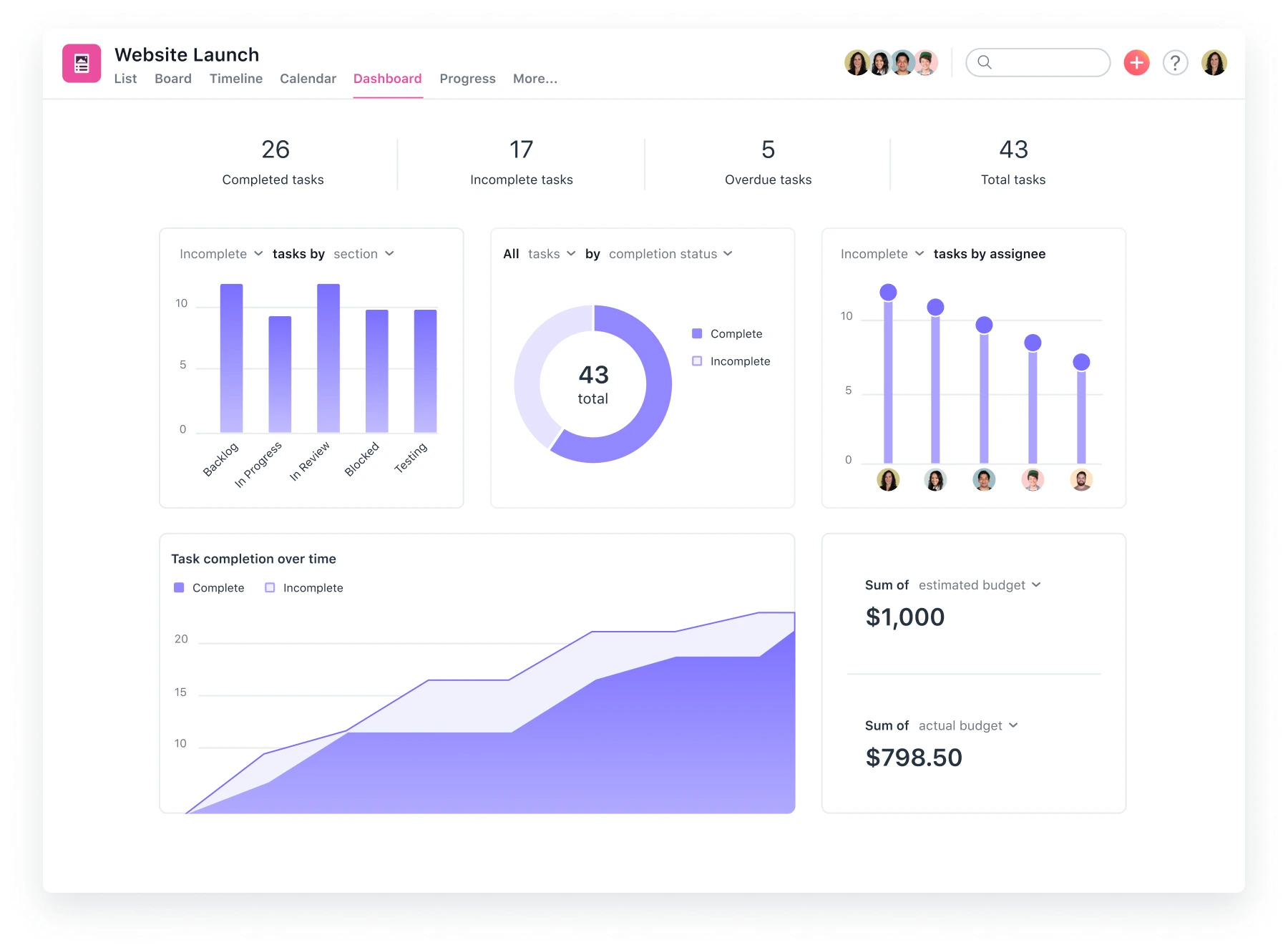
Asana is a collaborative work management platform used to organize projects, tasks, responsibilities, timelines, goals, and cross-functional requests. Teams can convert submitted forms into structured work, assign owners, add deadlines, and monitor progress through project and portfolio views.
Its workflow capabilities include Rules, approvals, forms with branching logic, reusable workflow bundles, workload planning, and portfolio reporting. These capabilities can support standardized intake and delivery processes, although advanced functions and governance options vary across plans.
Key features:
- Project and task management
- Forms with branching logic
- Rules and multi-step automations
- Approvals
- Portfolio and workload management
- Goals and reporting dashboards
| Pros | Cons |
|---|---|
| Provides structured task ownership, deadlines, dependencies, and project visibility. | Teams need disciplined project structures to prevent duplicate tasks and excessive notifications. |
| Forms, Rules, and workflow bundles help standardize recurring intake and execution processes. | More advanced workload, portfolio, workflow, and governance functions may require higher plans. |
| Suitable for cross-functional project coordination and centralized request tracking. | Complex financial or operational workflows may require integration with ERP and specialist applications. |
Best for: Small and medium businesses, project management offices, marketing teams, operations groups, and larger organizations coordinating cross-functional knowledge work.
ℹ️Why choose Asana?
Asana helps teams structure project intake, responsibilities, approvals, timelines, workloads, and portfolio reporting through a collaborative work environment.
4. ClickUp
ClickUp is a productivity and project management platform combining tasks, documents, dashboards, forms, goals, communication, and multiple work views. Organizations can configure spaces, folders, lists, statuses, custom fields, and templates around different team processes.
Form submissions can become tasks, while automations update assignees, fields, statuses, and connected applications. ClickUp also provides dashboard permissions and different access levels, although availability and usage limits vary by plan and user role.
Key features:
- Custom tasks, statuses, and fields
- Forms and intake workflows
- Rule-based and integration automations
- Dashboards and scheduled reports
- Time tracking and goals
- User and guest permissions
| Pros | Cons |
|---|---|
| Offers extensive customization across tasks, statuses, views, dashboards, forms, and documents. | The number of configuration options can create a learning curve for teams seeking a minimal setup. |
| Can consolidate several productivity and project tools in one environment. | Workspace administrators should establish consistent structures before many departments create separate configurations. |
| Forms and automations help convert incoming requests into assigned, trackable work. | Automation limits, custom permissions, and governance capabilities vary by subscription. |
Best for: Small and medium teams requiring extensive customization, as well as departments within larger organizations that want to consolidate productivity tools.
ℹ️Why choose ClickUp?
ClickUp combines customizable tasks, forms, documents, dashboards, work views, and automation for teams seeking one adaptable productivity environment.
5. Trello
Trello is a visual work management tool built around boards, lists, and cards. Each list can represent a workflow stage, while cards store assignments, deadlines, checklists, attachments, comments, and status-related information.
Its automation capabilities can trigger actions based on card changes, schedules, or defined rules. Trello also provides templates, integrations, Power-Ups, and workspace views, making it particularly accessible for teams with clear and relatively straightforward process stages.
Key features:
- Checklists and due dates
- Built-in automation
- Templates
- Power-Ups and integrations
- Calendar and workspace views
| Pros | Cons |
|---|---|
| Provides an accessible visual format that employees can understand quickly. | Large, interdependent processes may become difficult to represent through boards and cards alone. |
| Works well for simple stage-based processes, personal planning, and team task coordination. | Advanced reporting, resource management, and formal governance may require additional products or integrations. |
| Templates and Power-Ups allow teams to expand a basic board gradually. | Organizations should prevent separate boards from becoming isolated operational records. |
Best for: Individuals, startups, small businesses, and departments requiring a visual Kanban system for straightforward tasks and workflows.
ℹ️Why choose Trello?
Trello provides an accessible board-and-card structure for teams that want to visualize tasks, owners, deadlines, and process stages.
6. Zapier
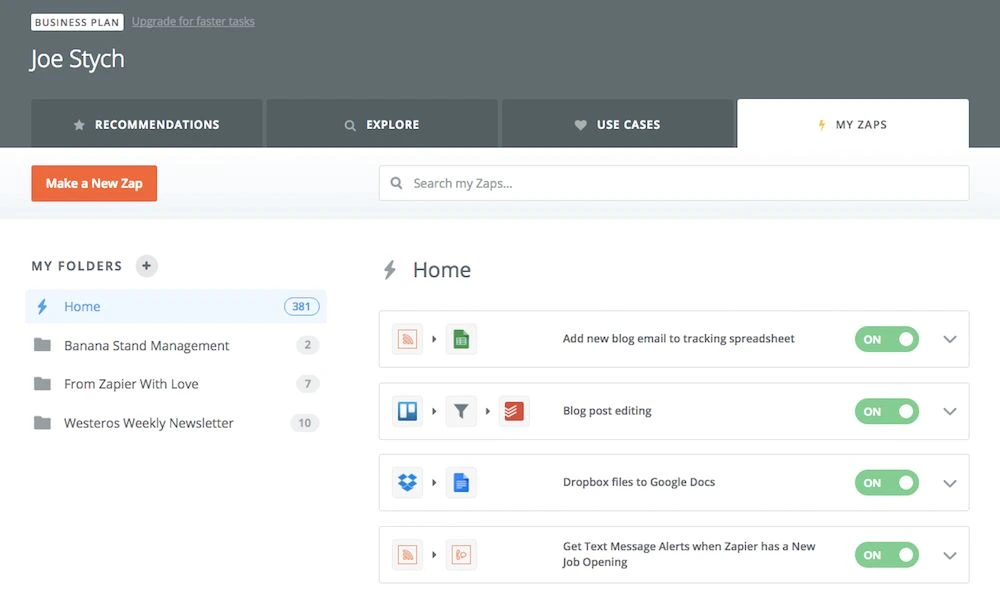
Zapier is primarily an automation and integration platform rather than a conventional project task system. It connects applications so an event in one system can trigger actions, data updates, notifications, approvals, or record creation in another.
Its platform supports multi-step workflows, branching logic, forms, tables, approval processes, AI-assisted automation, and connections between common business applications. It is especially relevant when a company wants to preserve its existing software ecosystem while reducing repeated data entry and manual system handoffs.
Key features:
- Application-to-application automation
- Multi-step workflows
- Conditional logic and branching
- Zapier Forms
- Approval routing
- Webhooks and data
| Pros | Cons |
|---|---|
| Connects many existing applications without requiring every process to move into one project platform. | It may not replace a full project, ERP, document, or operational system of record. |
| Supports conditional and multi-step automation across forms, communication tools, databases, and task applications. | Automation consumption can increase as workflow volume, frequency, and complexity grow. |
| Allows non-developers to automate many recurring system handoffs. | Critical workflows require ownership, testing, error monitoring, credential governance, and documentation. |
Best for: Small and medium companies, digital teams, and enterprises that need an integration layer across existing cloud applications.
ℹ️Why choose Zapier?
Zapier helps organizations automate repetitive actions and data transfers between existing applications without rebuilding every process in a new platform.
7. Wrike
Wrike is a work management platform designed for structured projects, service delivery, creative operations, and cross-functional workflows. It combines tasks, projects, dashboards, calendars, reports, resource information, and customizable process statuses.
Request forms can create tasks, projects, or custom work items and initiate approval workflows. Wrike also supports file proofing, approval decisions, workflow transitions, and dashboard reporting, which makes it relevant for teams managing formal reviews and deliverable-based work.
Key features:
- Custom workflows and statuses
- Dynamic request forms
- File proofing and approvals
- Projects, tasks, and dependencies
- Dashboards and analytical reports
- Resource and workload planning
| Pros | Cons |
|---|---|
| Combines request intake, project execution, proofing, and approval tracking. | Teams may require onboarding before using its broader workflow and reporting capabilities consistently. |
| Useful for deliverables that require stakeholder review, comments, revisions, and formal approval. | Some advanced functions are intended for higher subscription tiers or specific packages. |
| Provides customizable dashboards, forms, workflows, and reports. | Organizations needing connected accounting, inventory, procurement, or HR transactions require integrations. |
Best for: Medium and large marketing teams, creative departments, professional service companies, project offices, and operational groups with formal approval processes.
ℹ️Why choose Wrike?
Wrike structures incoming requests, project delivery, stakeholder reviews, proofing, approvals, workloads, and management reporting.
8. Smartsheet
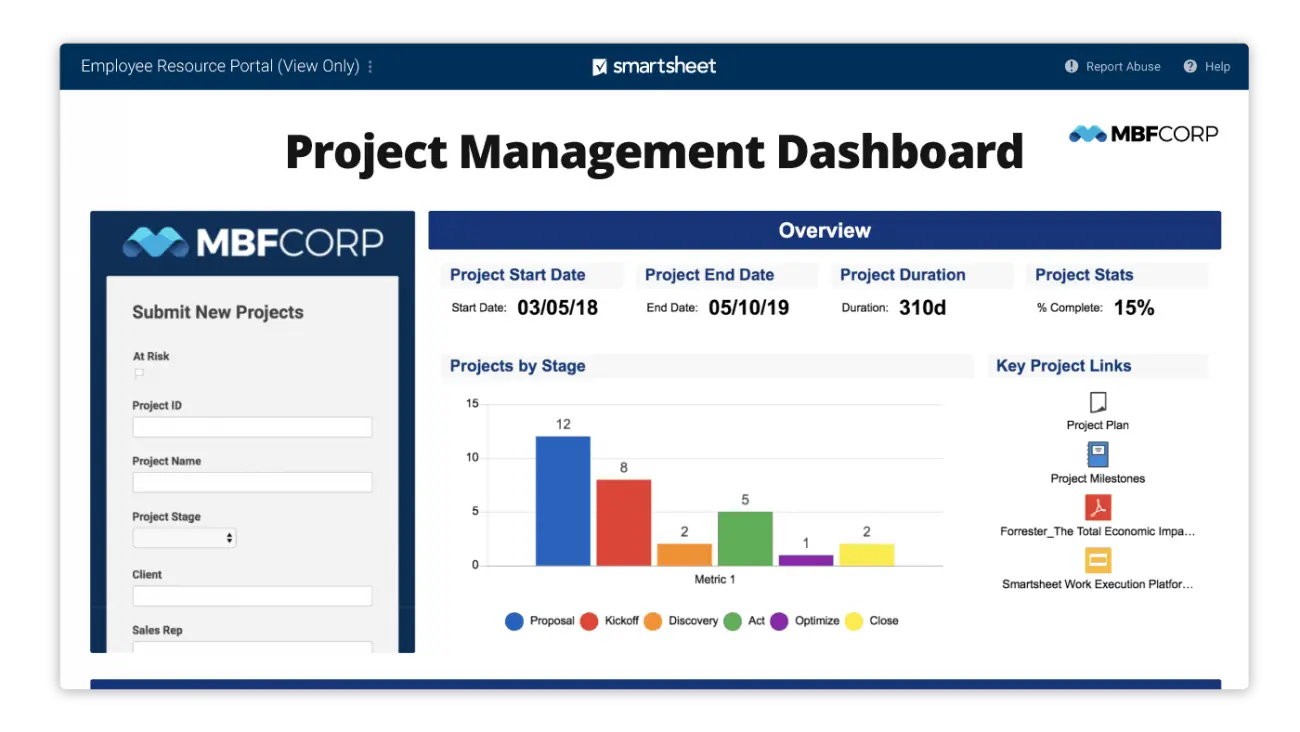
Smartsheet is an intelligent work management platform that combines a spreadsheet-style interface with project views, forms, dashboards, reports, and workflow automation. It appeals to teams that need structured rows and columns but want more process functionality than a conventional spreadsheet provides.
Form submissions can create rows and initiate assignments, notifications, approval cycles, document generation, or record movement. Dashboards and reports then consolidate information across sheets, helping teams monitor project and operational data without manually rebuilding every status report.
Key features:
- Grid-based work management
- Forms and structured intake
- Approval and update requests
- Automated reminders and routing
- Dashboards and reports
- Sharing and access permissions
| Pros | Cons |
|---|---|
| Offers a familiar grid interface while adding forms, reports, dashboards, and workflow automation. | Complex cross-sheet structures need clear architecture to remain understandable and maintainable. |
| Supports project, request, approval, reporting, and operational tracking use cases. | Teams expecting a conventional relational application or full ERP may require complementary systems. |
| Automated update requests can collect information from stakeholders without relying on repeated email follow-ups. | Licensing and user participation models should be reviewed against the number and roles of collaborators. |
Best for: Medium and large organizations, project offices, operations teams, and spreadsheet-oriented users requiring stronger automation and reporting.
ℹ️Why choose Smartsheet?
Smartsheet adds forms, approvals, automation, dashboards, and multiple project views to a structured, spreadsheet-style workspace.
9. Jira
Jira is a work management platform widely used for software development, product delivery, IT processes, and issue-based workflows. A Jira workflow defines the statuses and transitions through which a work item moves, helping teams formalize how requests, incidents, defects, changes, or development activities progress.
The platform supports configurable workflows, forms, automation rules, permissions, dashboards, backlogs, and integrations across the Atlassian ecosystem. Although it can support non-technical processes, its terminology and deeper configuration are particularly suited to structured product, engineering, service, and technology operations.
Key features:
- Configurable statuses and transitions
- Scrum and Kanban boards
- Backlogs, epics, and releases
- Forms
- Rule-based automation
- Dashboards and filters
| Pros | Cons |
|---|---|
| Provides detailed workflow status, transition, permission, and issue configuration. | Configuration and terminology may feel technical for departments requiring only basic task management. |
| Supports development, product, incident, service, and change-oriented processes. | Administrators must manage schemes, fields, permissions, and workflow variants carefully as usage expands. |
| Integrates closely with development and knowledge-management tools in the Atlassian ecosystem. | Non-technical enterprise operations may need additional applications or configuration expertise. |
Best for: Medium and large software companies, product teams, engineering departments, IT operations, and organizations managing structured incidents or technical requests.
ℹ️Why choose Jira?
Jira provides detailed status, transition, automation, permission, and issue-management capabilities for structured technology and product workflows.
10. Quickbase
Quickbase is a workflow management system for organizations that need to build tailored workflow applications around complex operational processes. Instead of limiting users to a predetermined task structure, it allows them to create forms, data relationships, dashboards, reports, permissions, and interfaces around specific business requirements.
Quickbase Pipelines combines integration and automation within a visual workflow designer. Its project and operational solutions can connect field information, approvals, timelines, resources, back-office records, and existing systems while providing different interfaces for submitters, operational teams, managers, and executives.
Key features:
- No-code application building
- Custom forms and data models
- Workflow and integration Pipelines
- Dashboards and multiple report types
- Approval routing
- Mobile data collection
| Pros | Cons |
|---|---|
| Allows organizations to develop workflow applications around unique operational processes without conventional software development. | Organizations need application ownership and governance to prevent uncontrolled or duplicated internal applications. |
| Connects forms, data, approvals, reports, dashboards, integrations, and mobile activity. | It may require more solution design than adopting a ready-made task board. |
| Suitable for complex field-to-office and multi-department workflows. | Companies should assess whether they have internal builders, implementation support, and long-term administration resources. |
Best for: Medium and large enterprises, construction companies, field operations, project organizations, and departments requiring tailored no-code applications.
ℹ️Why choose Quickbase?
Quickbase helps enterprises build tailored workflow applications that connect forms, operational data, integrations, approvals, field updates, and dashboards.
Tips for Choosing the Right Workflow Management Software
When it comes to workflow management software companies, however, there’s far more than just determining whether they offer task assignment and workflow automation features. Decision-makers need to take into account the capacity of the platform to support the actual operating process, the obligations of the users, existing applications, the needs of the government, and growth.
A selection team needs to comprise process owners, operational users, IT, finance, and security representatives, plus management representatives. This means that the organization can’t select a tool that looks aesthetic and then is not going to integrate, be approved, comply with audit, or be embraced for use throughout the enterprise.
1. Assess Your Workflow Complexity
First, find out how the work will be moved from beginning to end as it is done at present. Determine the stakeholders, information requirements, approvals, changes to the system, documents, service level objectives, and exceptions that may result in the process diverging from normal.
For a 5-step, in-house process, you may want to use a simple visual task tool. In cases where processes cross multiple departments, entities, applications, financial records, external stakeholders, and approval levels, however, the relevance of an enterprise workflow management software platform becomes more applicable.
2. Identify Your Primary Users
Determine who will initiate requests, complete assignments, approve decisions, review reports, administer the system, or participate as an external stakeholder. The platform should present each user with relevant information without exposing unrelated or sensitive records.
Look at usability from the part-time user and part-time process owner’s point of view. The system may be technically sound, but it does not work well if the employees don’t use the system, work with alternative systems, or have to use informal communications because of the complexity of the routine operations.
3. Audit Your Existing Software Ecosystem
Create an inventory of applications that store customer, employee, financial, project, inventory, document, service, or operational data. Decide which system should remain the authoritative record for each category and where automated data exchange is necessary.
Integration should reduce duplicated data entry rather than create another disconnected database. Vendors should explain supported APIs, connectors, authentication methods, error handling, integration monitoring, data ownership, and what happens when a connected application becomes unavailable.
4. Evaluate Scalability and Pricing Models
Estimate future users, projects, workflows, departments, branches, transactions, integrations, storage, automation activity, and reporting demand. A low initial subscription can become expensive when additional users, automation executions, environments, connectors, or governance functions are required.
Decision-makers should therefore calculate the total cost of ownership. Include subscriptions, implementation, configuration, integration, migration, security reviews, training, internal project time, support, maintenance, and future workflow changes rather than comparing only advertised starting prices.
5. Review Security and Compliance Standards
Review how each vendor protects data through authentication, role-based access, approval authority, encryption, backups, audit logs, administrative permissions, and incident-management procedures. Certifications such as ISO 27001 or SOC 2 can support due diligence, but they should not replace an assessment of the company’s actual data, industry, and risk requirements.
Singapore organizations should also assess how the proposed workflow supports their PDPA responsibilities. The PDPC states that organizations must establish reasonable security arrangements to protect personal data from unauthorized access, collection, use, disclosure, copying, modification, disposal, and similar risks.
What Is Workflow Management Software?

Workflow management software is a system used to define, coordinate, automate, and evaluate how work moves between people, departments, documents, and applications. It commonly provides process stages, assignments, rules, forms, notifications, approvals, data fields, deadlines, and reporting capabilities.
A workflow begins with a trigger. This may be a submitted form, new sales order, project request, document upload, customer complaint, scheduled date, system event, or threshold exception. The system then determines what action should occur, who should receive the assignment, which conditions apply, and what data must be recorded.
Unlike a basic task list, workflow software structures the relationship between activities. It can prevent a purchase order from proceeding before budget approval, route a high-value contract to an additional reviewer, or require inspection evidence before a project milestone is marked complete.
The system also records process history. Managers can see when a request was submitted, who handled it, how long each stage took, which decision was made, and whether the workflow followed the expected procedure.
Core Types of Workflow Management Tools
There are different types of workflow management software, depending on how a business would like to organize work, automate repetitive tasks, connect systems, and handle documents. Examples of these are project and task workflows, automation platforms, document workflows, enterprise systems, no-code automation platforms, free tools, and SaaS solutions.
1. Project and Task Workflow Management
Tasks, milestones, deadlines, dependencies, resources, and deliverables are all managed from a single location via project and task workflows. They are normally used to control work from the request and planning through to execution, review, and completion.
Such platforms are especially useful if teams are trying to get a better understanding of who is responsible for what and how things are progressing. If you are looking for more of a project management toolset, this is the best project management software guide you will find.
2. Pure Automation and Integration
Business applications can be connected with each other via automation and integration tools, which provide automated and manual-free actions. For instance, a website form submitted to a website can create a CRM record, alert the sales team, update another system, and assign a follow-up task automatically.
It’s perfect for companies that wish to keep their software and avoid redundant work across systems. Nonetheless, businesses still need to have ownership of rules, credentials, data mappings, failures, and changes to connected apps and automation.
3. Visual Document Workflow
Visual document workflow tools help to smooth the path of documents as they are drafted, reviewed, revised, approved, signed, retained, and published. They are often utilized for contracts, company policies, creative materials, quality records, legal files, and other files that can be called for a structured review.
It would be easy to see, with a good system, who needs to review; it would be easy to see if comments are available or not, and whether or not it is approved. If workers continue to need to follow up manually via e-mail, it’s not enough to just have them stored in one place.
4. Enterprise Workflow System
Enterprise workflow systems are designed to connect multiple departments and business applications. They can connect project activities with procurement, financial, contracts, inventory, HR, customer information, and management reporting.
These systems provide more configuration, role-based access, audit trail, multi-entity support, and integration. The implementation will also be more organized, with process owners, approval rules, and data systems matching before rollout.
5. Free Workflow Software
Free workflow software generally provides basic boards, assignments, templates, and limited automation for individuals or small teams. It can help businesses test a process before committing to a wider implementation.
However, free plans may restrict users, automation activity, reporting, permissions, integrations, history, storage, or administrative governance. The business should assess whether the workflow can be migrated without losing records when its needs outgrow the plan.
6. SaaS Workflow Software
SaaS workflow software is accessed via the web in a browser or mobile app, and hosted by the vendor. The provider takes care of the main infrastructure, software upgrades, and overall platform availability.
This model can also eliminate the need for companies to develop their own infrastructure and can often be deployed more quickly. Although all of these are typical features, there may be a few points to consider with data hosting, authentication, backups, integration security, and subscription terms.
7. No-Code Workflow Automation System
A no-code workflow automation system lets business users create forms, rules, interfaces, and process logic through visual configuration or natural-language instructions. It reduces the need to write conventional application code for every operational requirement.
No-code does not eliminate governance. Organizations still need standards for naming, testing, permissions, documentation, data quality, change approval, and application ownership to prevent uncontrolled internal systems.
Features of Workflow Management Software

Workflow management software helps teams schedule and track everyday tasks, eliminate repetitive tasks, and ensure they are progressing to the appropriate individuals. Visual workflow builders, automated task routing, performance reporting, system integration, user permissions, approval tracking, and AI-powered process optimizations are some of the common features.
1. Visual Process Mapping
Visual process mapping visually maps the workflow, the actors, the decisions needed to be made, and what can occur. Diagrams, boards, or workflow canvases help employees to understand what comes next and who is responsible.
The process map should include the working practices of the business. It’s not just a demonstration of the perfect process, but also includes rejected requests, missing information, escalation paths, exceptions, and other department activities.
2. Automation and Rule Engines
Rule engines execute actions when defined triggers and conditions occur. A system can assign work, change status, calculate deadlines, notify stakeholders, request approval, create a related record, or update another application automatically.
The rules are most effective when they are certain and can be checked. Companies also need to determine who will oversee each automation, how it will be tested, the consequences of a rule’s failure, and what judgments should be made by people instead.
3. Real-Time Analytics and Reporting
Analytics and reporting help managers have an accurate view of the work situation, including workloads, overdue tasks, approval queues, processing time, and completion rates. This helps teams find the various delays that may occur before they need to wait for updates on a weekly or monthly basis.
Useful reports should allow managers to investigate the underlying records. A dashboard indicating delayed approvals becomes more actionable when users can filter the affected department, approver, project, request type, and date range.
4. Forms and Data Collection
Digital forms provide a standardized entry point for project requests, purchase requisitions, service tickets, change requests, applications, incident reports, and other workflow triggers. Required fields and validation rules improve the completeness of submitted information.
Conditional questions can adapt the form to the response. For example, a high-value request may require additional budget information, whereas a safety incident may ask for evidence, location, severity, and immediate action taken.
5. Integrations and Access Controls
Integrations connect the workflow with communication, finance, CRM, HR, storage, identity, project, or operational applications. This lets the system retrieve or update records without asking employees to transfer information manually.
Access controls determine who can view, create, edit, approve, export, administer, or delete information. Permissions should follow the user’s responsibilities and remain manageable when employees change roles, departments, or employment status.
6. Request and Approval Tracking
Request tracking gives every submission an owner, status, deadline, priority, and history. Employees can see whether a request is being reviewed, requires clarification, has been approved, or is waiting for another department.
Approval tracking should record the decision-maker, decision time, comments, delegated authority, and resulting action. Escalations can notify another person when an approval exceeds its service target or the original approver is unavailable.
7. Dashboards with Multiple Views
Different users need different representations of the same workflow data. Operational teams may prefer queues and task lists, project managers may use timelines or Gantt charts, while executives need portfolio summaries, risks, costs, and exceptions.
The platform should maintain one underlying record while presenting role-appropriate views. Creating separate spreadsheets for every audience can reintroduce conflicting figures and delayed reporting.
8. Automation Compliance Controls
Automation compliance capabilities include mandatory fields, segregation of duties, approval thresholds, access restrictions, retention rules, audit logs, and workflow validation. These features help translate policies into repeatable system behavior.
Nevertheless, configuring a rule does not automatically establish compliance. Organizations must review whether the process matches applicable laws, contractual obligations, industry standards, and internal policies, then update the configuration when requirements change.
Trends in Workflow Management Software
Workflow management software is going beyond simple automation and tracking of tasks. The newer ones are increasingly integrating AI assistance, natural-language setup, no-code configuration, process analytics, and connected automation to allow businesses to do more of the day-to-day without needing to rely on manual work.
1. Shift to Agentic AI and Autonomous Workflows
Typical automation will be a one-way sequence of triggers and actions. Agentic workflows go further, as they enable systems to understand a goal, figure out a sequence of steps, leverage tools connected to the goal, check intermediate results, and fine-tune the next step in the sequence as they go.
With the increased role of AI in operational workflows, governance becomes even more crucial. The Model AI Governance Framework for Agentic AI identifies key areas including accountability, automation bias, risk boundaries, multi-agent environments, and third-party agents, providing organizations with a foundation on which to operate these systems responsibly.
2. Natural Language Text-to-Workflow Engines
Natural-language workflow builders enable users to specify workflows in regular language, rather than setting each rule by hand. Based on that description, the system can propose triggers, approval steps, assignments, fields, conditions, and more to create the original workflow.
This can significantly reduce the time it may take to set up, particularly for teams without technical skills. The created workflow, however, should be carefully reviewed, too, since there may be assumptions about approvals, deadlines, permissions, and/or exceptions that lead to issues when the workflow is used routinely.
3. Hyperautomation Baseline
Hyperautomation brings together project management workflows, AI, robotic process automation, system integrations, process mining, and document processing. The idea is not to just automate one task, but to link and automate a much wider business process, in newer applications and older systems.
With these features becoming more available, companies will soon start to evaluate workflow platforms on how well they are able to integrate various forms of automation. One process could involve cloud workflows, desktop automation, AI document processing, and process analytics, instead of using just one of these automation techniques.
4. Predictive Workflow Optimization
Predictive workflow systems use historical records and machine-learning models to estimate likely delays, classify requests, recommend assignments, identify anomalies, or forecast demand. This moves reporting from describing past performance toward supporting earlier action.
Process mining also helps organizations compare documented procedures with actual event logs. It can reveal repeated loops, waiting periods, variations, and activities that create unnecessary processing time.
Core Benefits of Workflow Management Software
Workflow management software improves productivity and process consistency by automating repetitive work, reducing manual errors, strengthening accountability, and providing clearer visibility into tasks, approvals, and project progress across departments.
1. Boosted Productivity and Efficiency
Workflow software reduces time spent forwarding information, copying records, assigning routine activities, checking status, and reminding stakeholders. Employees can focus more attention on exceptions, customer requirements, analysis, and other higher-value work.
The greatest improvements typically occur when tasks are already streamlined and automated. If there are steps in a workflow that do not add value or roles are ambiguous, automation won’t necessarily speed up a suboptimal process.
2. Seamless Team Collaboration
A shared workflow gives employees one location for responsibilities, files, comments, deadlines, and decisions. This reduces the likelihood that essential information remains inside an individual inbox or private message.
Collaboration also improves when the system automatically identifies the next responsible person. This helps teams coordinate work more efficiently, especially when using the best project management software to route requests, approvals, and follow-up actions to the right reviewer.
3. Eliminates Manual Errors
Validation rules, required fields, calculations, templates, and system integrations reduce errors caused by repeated manual entry. The system can prevent incomplete requests from moving forward or flag values that fall outside an expected range.
However, automation does not correct inaccurate source data automatically. Organizations still need clear definitions, data owners, quality checks, and procedures for correcting records.
4. Real-Time Visibility and Control
Managers can see current queues, deadlines, risks, assignments, and workflow volume without waiting for employees to compile status reports. This makes it easier to intervene while an issue remains recoverable.
Good visibility should also explain the delay. Workflow delays can occur due to missing information, unavailability of employees, overloaded approvers, system problems, or unrealistic deadlines, each of which needs a different solution.
5. Standardized Operations
Structured workflows ensure consistency of teams’ actions, approvals, data fields, and documentation. This is especially helpful when the same task must be performed in multiple branches, departments, entities, or project teams.
Standardization should not remove legitimate flexibility. The system can provide different workflow paths according to risk, project value, customer category, entity, geography, or request type while maintaining shared governance principles.
6. Improved Quality and Compliance
Workflow systems can require inspections, supporting documents, reviewer comments, corrective actions, or approval evidence before work is closed. These controls help prevent employees from bypassing important quality stages.
An audit trail also makes it easier to review internally since it provides visibility on who performed each action, when, and how the process evolved. Despite this, there remains a need for management to periodically review the workflows to ensure that system rules continue to reflect current policies, regulations, contractual requirements, and internal standards.
Examples of Workflow Management Software Tools Used Across Businesses
According to the data our team collected from IMDA, 95.1% of Singapore SMEs had adopted at least one of six measured digital areas in 2024. Their average digital-adoption intensity also increased from 2.0 areas in 2023 to 2.3 in 2024, indicating that businesses are using digital systems across a broader part of their operations.
Workflow systems support project management by connecting individual applications and departmental processes. The following examples show how businesses can apply them beyond basic task management.
1. Project Management
A project workflow can begin with proposal intake and continue through feasibility review, budgeting, approval, planning, resource allocation, execution, change requests, quality checks, client acceptance, billing, and closure.
The system can create milestone templates, assign deliverables, monitor dependencies, record risks, and route changes for approval. Organizations can also strengthen execution by combining software with appropriate project management techniques.
2. Sales and Marketing
Sales workflows can route leads according to geography, product, customer size, or potential value. They can create follow-up assignments, request commercial approval, generate quotations, and notify account managers when an opportunity remains inactive.
Marketing teams can use workflows for campaign briefs, content production, brand review, legal approval, publishing, and performance reporting. Each deliverable moves through defined stages while managers monitor capacity and approaching deadlines.
3. Customer Service
Customer-service workflows classify incoming requests, assign priority, route cases to specialized teams, and calculate response deadlines. Escalation rules can notify supervisors when a case remains unresolved or carries a high operational risk.
The workflow can also connect the workflow management system with service history, warranties, contracts, replacement items, field visits, and billing. This gives the service employee more complete information before responding.
4. Finance
Finance teams can automate expense submissions, budget checks, invoice matching, payment approvals, month-end activities, account reconciliation, and financial report preparation. Approval requirements can vary according to amount, cost center, entity, or transaction type.
A structured workflow also creates an evidence trail for reviewers and auditors. Exceptions such as missing purchase orders, duplicated invoices, or unusual values can be routed for investigation rather than processed through the normal path.
5. Human Resources
HR workflows support recruitment requests, candidate screening, interview scheduling, offer approval, onboarding, leave requests, performance reviews, training, transfers, and employee separation.
Employee data should remain protected through role-specific access. A hiring manager may need to review candidate information, while payroll, IT, facilities, and security teams receive only the onboarding tasks and information relevant to their responsibilities.
6. IT Workflow Management
IT teams use workflows for incident reporting, access requests, device provisioning, system changes, vulnerability remediation, software requests, and service restoration. Categories and severity levels determine assignment and response targets.
Change workflows can require technical review, risk assessment, testing evidence, business approval, implementation scheduling, and post-change evaluation. This reduces the likelihood that significant changes are made without documented responsibility.
7. Healthcare Workflow
Healthcare workflows can coordinate referrals, appointments, diagnostic requests, treatment approvals, medication-related processes, equipment maintenance, and administrative documentation. Each workflow must account for patient privacy and authorized access.
The system should not replace professional judgement. Instead, it helps ensure that required information, responsibilities, escalation paths, and documentation remain visible throughout the administrative or clinical-support process.
8. Legal Workflow
Legal teams can manage contract requests, conflict checks, document drafting, internal review, negotiation, signature, obligation tracking, renewal, and retention through structured workflows.
Request forms help business departments provide relevant information at the beginning. Routing rules then assign the matter according to contract type, entity, jurisdiction, risk, value, or required legal specialization.
Conclusion
Workflow management software is a digital project management system for designing, assigning, automating, and monitoring how work progresses between employees, departments, documents, and applications. It gives organizations a structured record of requests, responsibilities, approvals, deadlines, decisions, exceptions, and completion history.
Without an appropriate system, enterprises may experience repeated data entry, unclear ownership, delayed approvals, missing documents, inconsistent processes, and limited visibility across projects. Workflow software addresses these problems through structured forms, rule-based routing, automated notifications, role-based access, dashboards, audit trails, and system integrations.
ScaleOcean project management software connects project workflows with finance, procurement, documents, contracts, inventory, HR, and operational reporting in one configurable platform. Its unlimited-user options, embedded ScaleMind assistance, API connectivity, phased implementation, and flexible deployment support complex enterprise requirements. Schedule a consultation to assess how the platform could improve project execution, workflow accountability, resource coordination, and management visibility.
FAQ Workflow Management Software:
1. How does team size affect the choice of workflow management software?
Small teams may prioritize simple setup and visual task management, while medium and large organizations usually require stronger permissions, integrations, reporting, workflow governance, and support for multiple departments or entities.
2. Which industries benefit most from workflow management software?
Workflow software benefits project-based services, construction, manufacturing, logistics, finance, healthcare, education, technology, legal services, retail, and any organization managing repeatable assignments, approvals, documents, or cross-department processes.
3. Can workflow management software support different departments?
Yes. A configurable system can support project management, sales, marketing, customer service, finance, procurement, HR, legal, IT, quality, and operations while applying different forms, permissions, dashboards, and approval rules.
4. What integrations should workflow management software provide?
Relevant integrations may include ERP, accounting, CRM, HR, document storage, email, messaging, identity management, e-signature, business intelligence, project, inventory, and industry-specific applications.
5. How long does workflow management software implementation take?
Implementation may range from several days for a basic team workflow to several months for an enterprise system involving process mapping, data migration, integrations, security reviews, configuration, testing, training, and phased rollout.




















.png)