

AI accounting refers to the automation of financial processes using artificial intelligence, enabling it to handle financial data, identify anomalies, and support quicker decision-making. It can help finance teams to manage tasks such as bookkeeping, invoicing, reconciliation, tax filing, reporting, forecasting, and audit preparation without too much manual work and maintain quality data in real-life situations.
Many Singapore businesses continue to keep accounting data on a spreadsheet, in a bank portal, in a payroll or HR system, in a procurement system, in an inventory system, and in separate entity reports. This leads to late month-end closing, inconsistent visibility of margins, disorganized audit reports, mismatched invoices, and poor visibility of cash flows, GST, and late payments.
This is where AI accounting software can come in handy. With a connected system, data can be automatically extracted, invoices can be matched with purchase orders and receipts, irregular transactions can be flagged, cash flow forecasting is possible, and real-time finance insights can be made available via an AI accounting automation dashboard.
According to the information that we received from IRAS.GOV.SG, all Singaporean businesses registered for GST should provide IRAS with the information relating to the invoices they have, in a particular format, in a particular category, and at a particular time, using InvoiceNow-Ready Solutions. This is a dangerous situation for enterprises that deal with a large number of transactions and complicated approvals.
In this article, we will discuss what AI accounting software is, how it works in finance teams, the best 10 AI accounting software tools for 2026, common use cases, future trends, and how to choose the right solution for your accounting workflow.
 Key Takeaways
- AI accounting software is a system that automates financial data capture, reconciliation, reporting, and forecasting to help finance teams create accurate, decision-ready reports faster.
- A comparison of AI accounting software helps businesses choose the right tool by reviewing use cases, integration depth, compliance needs, automation scope, and scalability.
- Top AI accounting software tools in 2026 include ScaleOcean, Xero, QuickBooks Online, Digits, Vic.AI, Ramp, Dext Prepare, Trullion, MindBridge, and Odoo.
- ScaleOcean’s AI accounting software leverages these advancements, offering a powerful platform to streamline financial operations and drive strategic growth.
What is AI accounting software?
AI accounting software is a finance system that leverages AI, automation, machine learning, document recognition, and data analytics to assist with accounting tasks. It facilitates finance teams to process transactions, categorize expenses, reconcile accounts, spot outlier transactions, and produce financial reports with decreased manual effort.
Unlike traditional accounting software, AI accounting software not only records transactions after they happen. It also can detect patterns, suggest journal entries, forecast cash flow, highlight compliance issues, and allow the decision maker to better understand the company’s finances in a shorter time.
For Singapore businesses, AI accounting software should also support local reporting requirements, including GST workflows, audit trails, and alignment with Singapore financial accounting standards. This helps companies manage reporting complexity with a stronger structure.
The best AI accounting software should offer more than just accounting basics. It should be associated with accounting, procurement, sales, inventory, payroll, project costing, bank feeds, tax reporting, and audit trails, especially for companies with complicated accounting systems and transactions.
 Also Read: 23 Best Accounting Software in Singapore
How AI Works in the Accounting Team?
In accounting, AI can gather financial data from various sources, interpret documents, detect trends and patterns, and implement rules or recommendations based on past transactions. The system can read the invoices, identify suppliers, categorize expenses, match with the purchase orders, and submit them for approval.
AI can automate repetitive tasks like data entry and manual verification for accounting teams during routine activities. It can even suggest account codes, detect duplicate invoices, mark overdue receivables, and alert finance managers to cash flow or compliance concerns.
When accounting data comes from procurement, inventory, payroll, sales, and projects, companies may need broader financial ERP software to connect finance with operational workflows. This reduces manual data movement between departments.
AI in ERP is the biggest value in enterprise teams. The accounting data in ScaleOcean is derived from actual transactions, rather than manual, inconsistent uploads, and integrates with finance functions, sales, purchasing, inventory, HR, production, and contract workflow.
Different Types of AI for Accounting

AI in accounting refers to several technologies that can all aid in the automation of tasks, the ability to read financial documents, speed up the reconciliation process, and give valuable reporting insights.
They are moving away from repetitive tasks and more towards strategic planning, risk review, and advice, and are becoming more of a helper, not a replacement, for the accountant as AI accounting software matures.
1. Machine Learning
With the passage of time, machine learning has the potential to learn from previous data and to suggest more accurate recommendations to the accounting system. It can identify duplicate supplier invoices, predict future supplier spend types, review payment patterns, and identify unusual transactions that appear on the journal with similar transaction patterns from preceding ones.
This will help finance when having a lot of transactions. The system can be used for repetitive classification and matching tasks, and the accountant can focus on exception, approval, policy review, and financial interpretation tasks.
2. Deep Learning
Deep learning is a type of machine learning that works well with complex patterns in large datasets. It can be used for detecting fraud, claiming invoices, checking anomalies, and evaluating the risk scores on entities or business units in accounting.
An example of this is identifying abnormal payment behavior that may not be defined by standard regulations, using deep learning. This assists finance leaders who want greater control of transactions, vendor risk, expense transactions, and audit preparation.
3. Natural Language Processing
Natural language processing (NLP) is a technique that allows software to analyze and comprehend financial information within the context of text. This might include such things as invoice descriptions, contract conditions, e-mail instructions, receipt notes, payment remarks, and financial report narratives.
Within accounting workflows, NLP can provide accounting information from textual data. It can allow for document search and contract review, variance explanation, compliance notes, and features such as an AI assistant to allow users to ask finance-related questions in simple language.
4. Generative AI
Financial outputs, instructions, and context can be used to drive generative AI to create new outputs. It can write summary reports, describe variances in financial reports, give explanations and management commentary, write audit notes, and assist in accounting communications and internal finances.
However, generative AI should not replace review controls. The strongest use case is as a finance assistant that helps accountants work faster while humans still validate numbers, approve reports, and ensure that final statements follow company policy and accounting standards.
5. Robotic Process Automation
Robotic process automation, or RPA, automates repetitive rule-based tasks in accounting. It can move data between systems, create routine journal entries, send invoice reminders, update payment status, and generate scheduled reports.
RPA is especially useful when companies still work with multiple legacy systems. When combined with AI, it becomes more powerful because the software can process documents, make recommendations, and trigger workflows based on transaction conditions.
6. Optical Character Recognition
Optical character recognition, or OCR, converts printed or scanned text into digital data. In accounting, OCR is widely used to read invoices, receipts, bank statements, tax documents, delivery orders, and supporting documents.
OCR reduces manual data entry and makes document-heavy finance work easier to control. When combined with AI validation, the system can extract document details, check them against accounting records, and flag missing or inconsistent information before approval.
Quick Comparison Table of AI Accounting Tools
Before choosing a vendor, businesses can also compare the best accounting software in Singapore to understand which platform fits their size, industry, and reporting needs.
| Tools | Best For | Primary Focus |
|---|---|---|
| ScaleOcean | Medium to large enterprises in Singapore that need integrated accounting, GST readiness, approval workflows, consolidation, and real-time financial control. | AI ERP accounting, compliance, consolidation, dashboards, audit trails, multi-currency, and end-to-end business integration. |
| Xero | Small businesses and accounting teams that need cloud bookkeeping, bank reconciliation, invoicing, and routine reports. | Cloud accounting, bank feeds, invoice management, expense tracking, and accountant collaboration. |
| QuickBooks Online | Small businesses and growing companies that need accessible accounting, invoicing, expense tracking, and basic AI support. | Bookkeeping, transaction categorization, invoicing, cash flow, and small business accounting automation. |
| Digits | Startups and modern businesses that want AI-native bookkeeping, real-time financials, and automated month-end support. | AI-native general ledger, automated bookkeeping, bill pay, invoicing, and financial visibility. |
| Vic.AI | Finance teams that need AI-focused accounts payable automation and invoice processing. | AP automation, invoice coding, approval workflows, duplicate prevention, and payment visibility. |
| Ramp | Companies that need spend management, corporate cards, expenses, procurement, and accounting automation. | Spend control, expense automation, AP workflows, procurement, and finance operations. |
| Dext Prepare | Small businesses, bookkeepers, and accounting firms that manage large volumes of receipts and invoices. | Receipt capture, document extraction, invoice processing, categorization, and accounting software sync. |
| Trullion | Finance and audit teams that need automation for lease accounting, revenue recognition, and audit evidence. | Lease accounting, audit workflows, document extraction, traceability, and compliance support. |
| MindBridge | Auditors, risk teams, and finance leaders who need anomaly detection and transaction risk analysis. | Financial risk scoring, audit analytics, anomaly detection, and full transaction review. |
| Odoo | Small to mid-sized companies that want a modular ERP with accounting, invoicing, inventory, and operations apps. | Modular ERP, accounting, invoicing, inventory, sales, purchasing, and business app integration. |
Best 10 AI accounting Software Tools for 2026
CFOs and finance leaders must go beyond mere automation in 2026 to handle accuracy, compliance, cash flow, and financial complexity. The best AI accounting software can help businesses cut down manual tasks, catch irregularities, predict business results, shorten the closing cycle, and transform financial data into actionable business insights.
Here are 10 AI accounting software options to consider for companies of all sizes, depending on their level of automation, reporting requirements, integration capabilities, and long-term financial objectives.
1. ScaleOcean
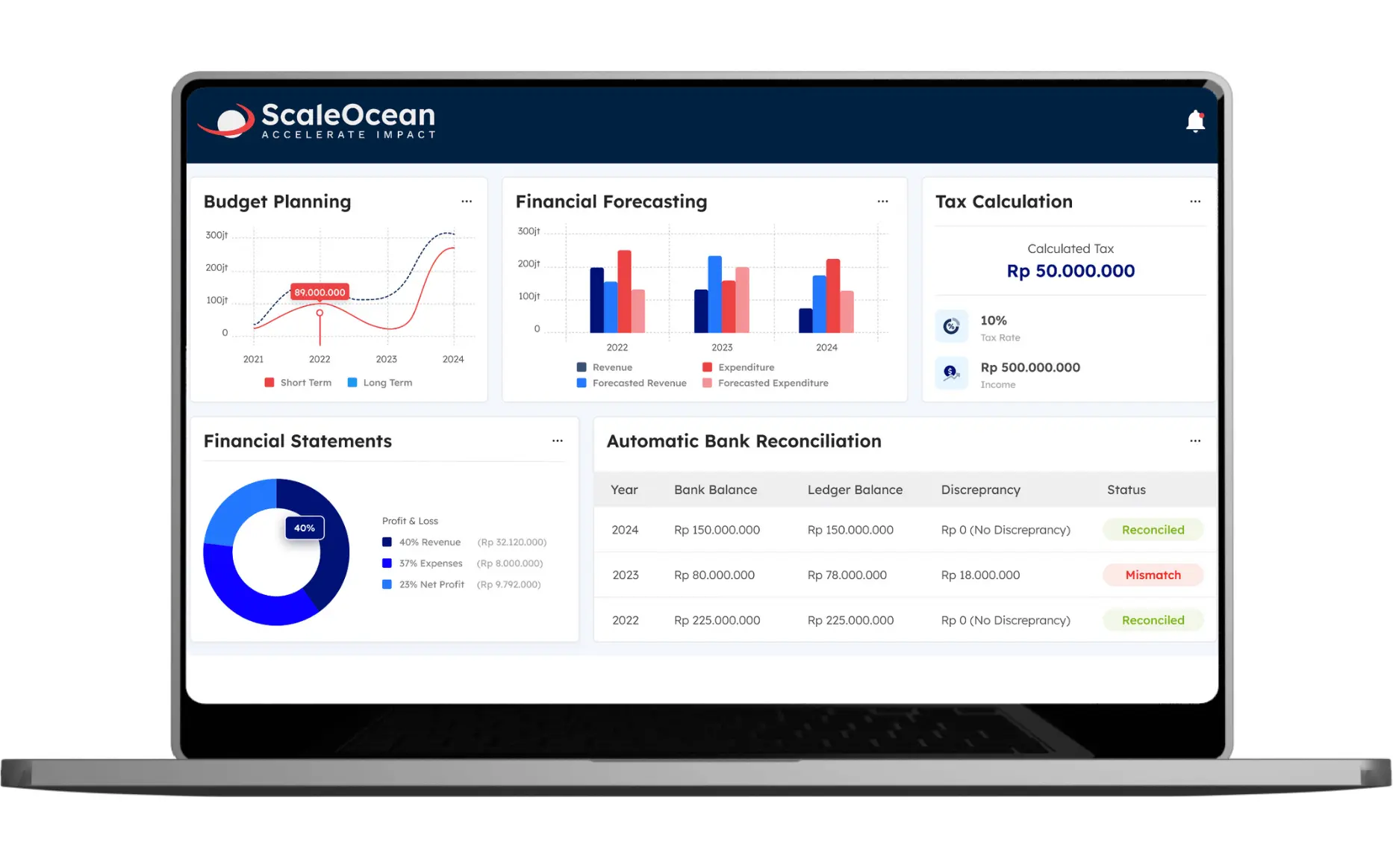
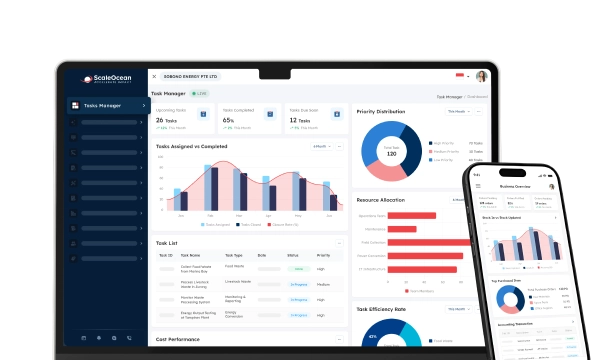
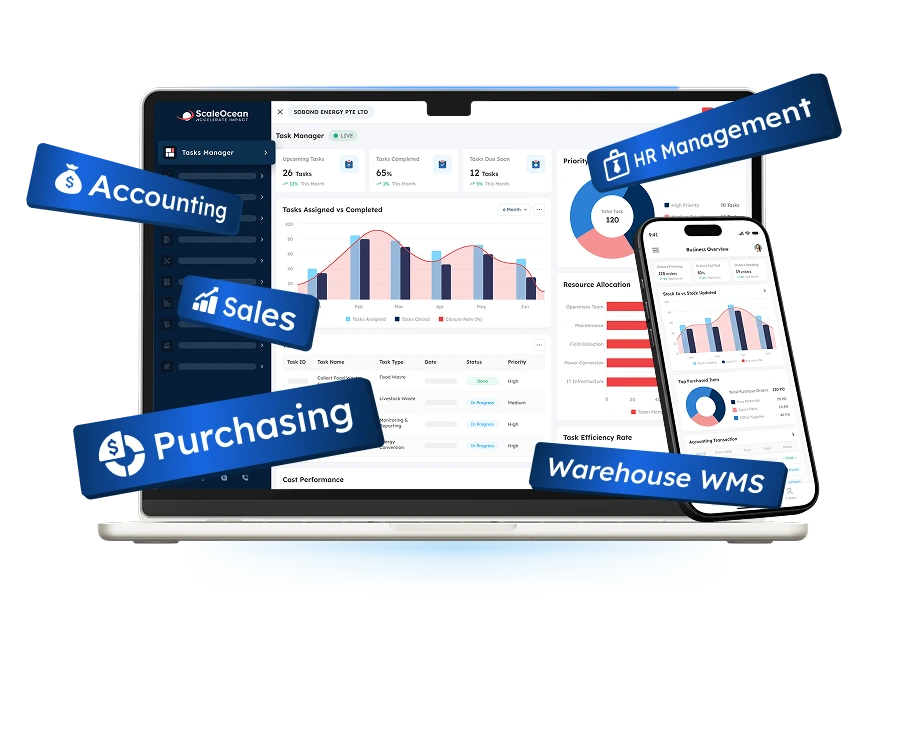
ScaleOcean is a fully-integrated AI accounting platform for medium to large businesses that requires finance, operations, compliance, and reporting in a single platform. It enables businesses to handle accounting, GST workflows, multi-currency transactions, and approval matrices with a single ERP ecosystem, as well as create audit trails, company consolidation, and real-time CFO dashboards.
ScaleOcean Accounting Software is tailored to GST tax compliance and is compatible with Singapore’s financial reporting needs. The system also allows for business transformation projects in accordance with the requirements of the CTC Grant for up to 70%, which helps companies enhance the digital financial processes with more control, accuracy, and scalability.
Additionally, ScaleOcean offers a complimentary demonstration for finance teams to experience first-hand the capabilities of AI Insight, AI Forecast, Smart Alert, and the AI Business Assistant in everyday accounting tasks. The free demo will enable companies to see how the system will cut manual reporting, tie finance data to other departments, and provide better financial visibility for decision makers.
Key features:
- AI Insight with real-time CFO dashboard
- AI Forecast for cash flow and budget planning
- Smart Alert for finance, tax, and compliance risks
- GST-ready accounting with audit trail management
- Multi-company, multi-currency, and consolidation support
- Customizable approval matrix and workflow configuration
- End-to-end ERP integration with unlimited users
| Pros | Cons |
|---|---|
| Built for enterprise complexity, with accounting workflows that can follow entity structure, approval layers, industry processes, and reporting needs. | May be more advanced than what very small businesses need when they only require simple bookkeeping or basic monthly reports. |
| Connects accounting with sales, purchasing, inventory, HR, production, and contracts to reduce data silos across departments. | Final pricing requires consultation because the scope is adjusted to selected modules, integrations, and implementation complexity. |
| Offers flexible configuration for dashboards, approval matrices, reports, workflows, and AI alerts based on operational needs. | Prioritizes long-term accuracy, scalability, and system fit rather than quick deployment with limited generic templates. |
| Provides consultative implementation, so the system is designed from real business processes rather than generic software assumptions. |
Best for: Medium to large enterprises in Singapore with complex accounting workflows, multi-entity structures, GST compliance needs, approval controls, and finance-to-operations integration.
ℹ️ Why Choose ScaleOcean AI Accounting Software?
ScaleOcean enables medium to large businesses to manage finance, GST compliance, multi-company consolidation, approvals, and real-time reporting in one integrated platform. AI Insight identifies financial trends and anomalies, while AI Forecast supports more accurate cash flow planning. The system also integrates with IRAS to streamline tax reporting and compliance.
2. Xero
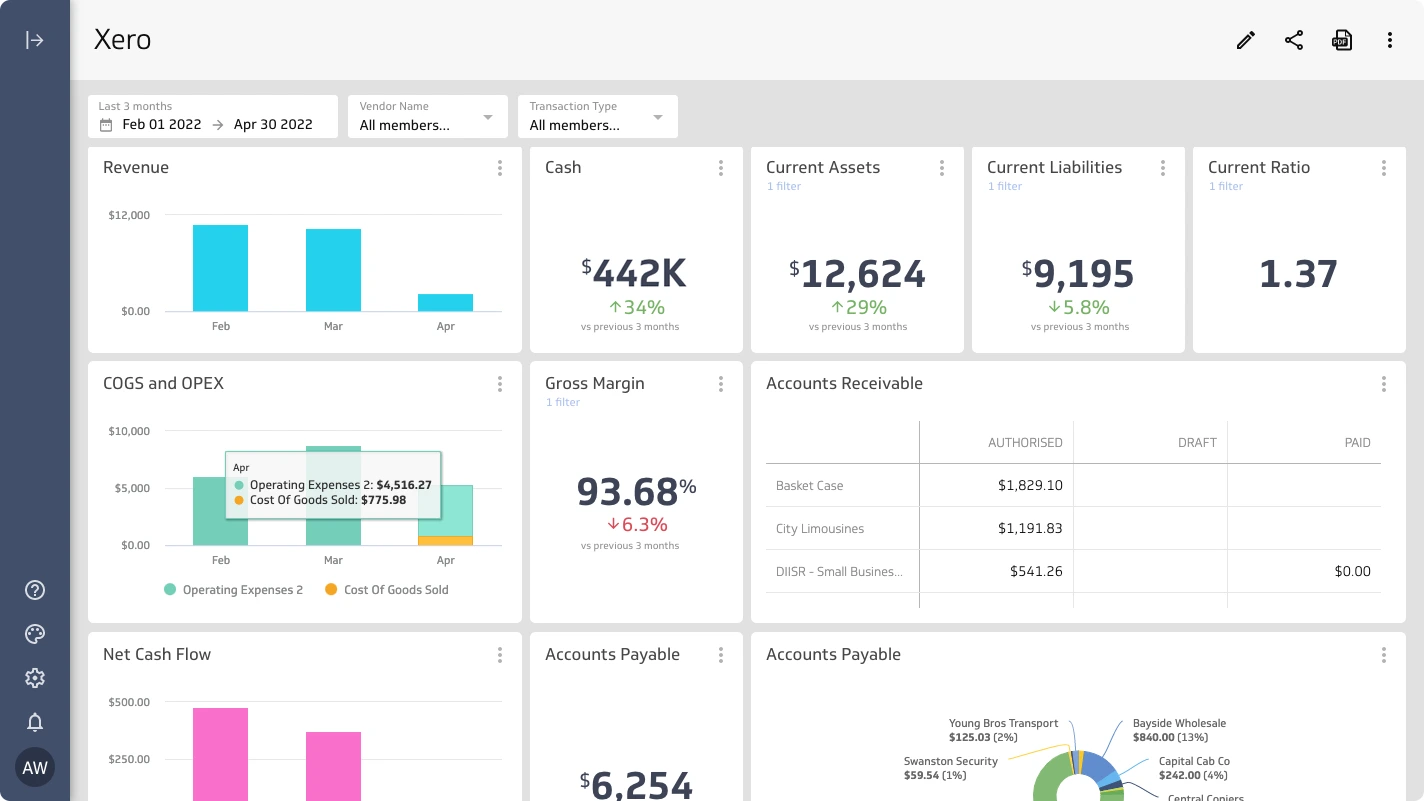
Xero is cloud accounting software commonly used by small businesses, accountants, and growing teams that need invoicing, bank reconciliation, expense tracking, and standard financial reports. It helps users manage daily bookkeeping through a cloud-based interface that can connect with banks and selected third-party apps.
Xero is applicable to AI accounting as it keeps introducing automation for reconciliation and transaction review. It’s right for companies looking for cloud accounting with accountant collaboration, easy financial visibility, and simpler day-to-day accounting.
Key features:
- Cloud bookkeeping
- Bank feeds and reconciliation
- Expense tracking
- Standard financial reports
- App marketplace integrations
- Accountant collaboration tools
| Pros | Cons |
|---|---|
| Provides cloud-based bookkeeping tools that help small finance teams manage invoices, expenses, and bank reconciliation. | May require additional apps for deeper enterprise reporting, advanced approvals, or complex operational integration. |
| Supports accountant collaboration, making it easier for business owners and advisors to review financial records. | Less ideal for companies that need highly customized workflows across multiple departments and entities. |
| Offers a familiar cloud interface for routine accounting tasks and standard financial reporting. | Advanced automation may depend on feature availability, subscription plan, and connected applications. |
Best for: Small companies and growing businesses with routine bookkeeping, invoicing, and cloud accounting needs.
ℹ️ Why Choose Xero Accounting Software?
Xero is a practical choice for small businesses that need straightforward bookkeeping and easy accountant collaboration.
3. QuickBooks Online
QuickBooks Online is an online accounting solution that is being widely used by small businesses, accountants, and growing businesses. It assists the users in managing the income and expenditure, invoices, bills, cash flow, and financial reports from a cloud system.
It is the AI-powered features that facilitate ease of bookkeeping, such as transaction suggestions, categorization, matching, and anomaly support, that focus on the areas of AI-related activities. QuickBooks Online might be helpful for companies that do not require an extensive ERP setup.
Key features:
- Invoice management
- Expense tracking
- Transaction categorization
- Cash flow tools
- App integrations
| Pros | Cons |
|---|---|
| Helps small businesses manage income, expenses, invoices, and cash flow from a single cloud accounting platform. | May need additional tools for enterprise consolidation, complex approval workflows, or advanced compliance reporting. |
| Provides useful automation for transaction categorization, matching, and routine bookkeeping tasks. | Reporting flexibility may depend on plan selection, configuration, and third-party applications. |
| Offers an accessible interface for owners and accounting teams that need straightforward financial management. | Less suitable for companies that require deep integration between accounting, inventory, procurement, HR, and production. |
Best for: Small businesses and growing companies with straightforward accounting, invoicing, and cash flow tracking needs.
ℹ️ Why Choose QuickBooks Online?
QuickBooks Online helps small businesses manage invoices, expenses, cash flow, and routine bookkeeping in one cloud system.
4. Digits
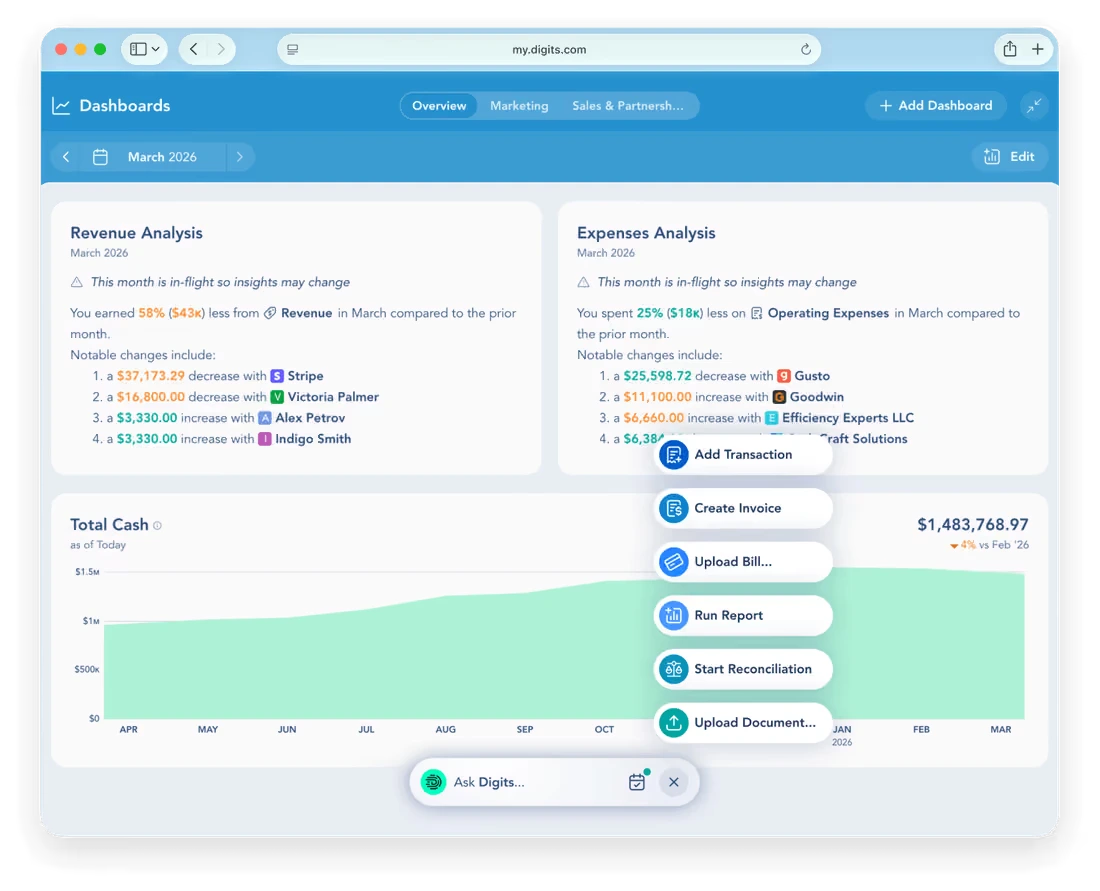
Digits is an AI-first accounting app that focuses on automated bookkeeping, real-time financial visibility, bill pay, invoicing, month-end close, and general ledger workflows. It’s strategically placed for companies that desire a contemporary system that integrates AI into the typical accounting workflow.
The platform can support teams to minimize manual bookkeeping tasks and continuously analyze financial data. This is particularly important for businesses looking to gain greater visibility of their finances, such as start-ups and digital-first companies, who do not wish to over-depend on traditional accounting methods.
Key features:
- AI-native general ledger
- Automated bookkeeping
- Real-time financial reports
- Month-end close support
- Reconciliation workflows
| Pros | Cons |
|---|---|
| Provides an AI-native accounting experience for teams that want automated bookkeeping and real-time financial visibility. | May not match every enterprise requirement for localized compliance, multi-entity structures, or complex ERP workflows. |
| Supports modern finance operations with general ledger, bill pay, invoicing, and month-end support in one system. | May require careful evaluation for companies with heavy operational integration needs across departments. |
| Can help founders and finance teams access financial information faster without waiting for manual bookkeeping cycles. | Best value depends on whether the company wants AI-first accounting rather than a broader enterprise ERP platform. |
Best for: Startups and small to mid-sized companies that want AI-native accounting and faster financial visibility.
ℹ️ Why Choose Digits AI Accounting?
Digits suits digital-first businesses that want faster financial visibility with less manual processing.
5. Vic.AI
Vic.AI is an AI-focused accounts payable automation platform. It helps finance teams process invoices, reduce manual coding, manage approvals, prevent duplicates, and improve visibility over AP workflows.
It can benefit businesses with a higher number of invoices that may cause delays in AP. It can complement an existing accounting system, handle invoice-related tasks, and enhance AP efficiency without replacing the entire accounting system.
Key features:
- AI invoice processing
- Invoice coding
- Approval routing
- Duplicate detection
- Payment visibility
- AP performance insights
| Pros | Cons |
|---|---|
| Strongly focused on AP automation, helping teams reduce manual invoice processing and approval delays. | Not designed as a full ERP accounting platform for companies that need end-to-end finance and operations integration. |
| Helps improve invoice accuracy, duplicate detection, and payment workflow visibility. | Best results depend on how well it connects with existing accounting, procurement, and approval systems. |
| Useful for finance teams that handle high volumes of supplier invoices and recurring AP tasks. | May be less suitable for businesses that need broader accounting modules beyond AP automation. |
Best for: Medium and large companies with high invoice volumes and AP-heavy workflows.
ℹ️ Why Choose Vic.ai?
Vic.ai helps finance teams process high invoice volumes through AI-based coding, approval routing, and duplicate detection.
6. Ramp
Ramp is a financial operations platform that includes corporate cards, expenses, procurement, bill payments, and accounting automation. It is useful to companies for managing expenses, approvals, reimbursements, and finances from a central platform.
Ramp makes sense for AI accounting because it provides companies with more control over spending prior to transactions entering the accounting system. It can assist expense teams in reducing manual expense evaluation, boosting policy compliance, and speeding up month-end processes.
Key features:
- Expense management
- Bill payments
- Procurement workflows
- Accounting automation
- Spend controls
- Finance integrations
| Pros | Cons |
|---|---|
| Helps companies control expenses, cards, procurement, and bills before they become accounting problems. | May still need a separate accounting or ERP system for complete financial reporting and compliance workflows. |
| Supports faster expense review, policy control, and month-end preparation through automated finance workflows. | Best suited for companies whose main pain point is spend management rather than full accounting transformation. |
| Provides useful visibility into company spending, vendor payments, and employee expense activity. | Localization, tax, and reporting requirements should be reviewed carefully for each operating country. |
Best for: Small to mid-sized companies that need spend management, expense control, and AP workflow automation.
ℹ️ Why Choose Ramp?
Ramp centralizes corporate cards, expenses, procurement, and bill payments while improving control over company spending.
7. Dext Prepare
Dext Prepare is an accounting automation software for receipts, invoices, and financial documents. It enables users to retrieve information, classify transactions, and synchronize them into linked accounting systems.
It can be particularly beneficial for bookkeepers, small businesses, and accounting offices that process numerous receipts and supplier papers. It decreases manual paperwork and aids the finance team in keeping records more complete and organized.
Key features:
- Receipt capture
- Invoice extraction
- Email document submission
- Data categorization
- Accounting software sync
- Document storage
| Pros | Cons |
|---|---|
| Helps reduce manual data entry by capturing and extracting information from receipts and invoices. | Works best as a supporting document automation tool rather than a complete accounting or ERP platform. |
| Useful for accounting firms and bookkeepers that manage large volumes of client documents. | May require integration with another accounting system for complete reporting, tax, and reconciliation workflows. |
| Supports cleaner recordkeeping by storing documents and syncing extracted data into accounting workflows. | Less suitable for enterprise teams that need customized approvals, consolidation, and multi-department finance control. |
Best for: Small businesses, bookkeepers, and accounting firms that need document capture and receipt automation.
ℹ️ Why Choose Dext Prepare?
Dext Prepare captures data from receipts, invoices, and financial documents before syncing it with connected accounting software.
8. Trullion
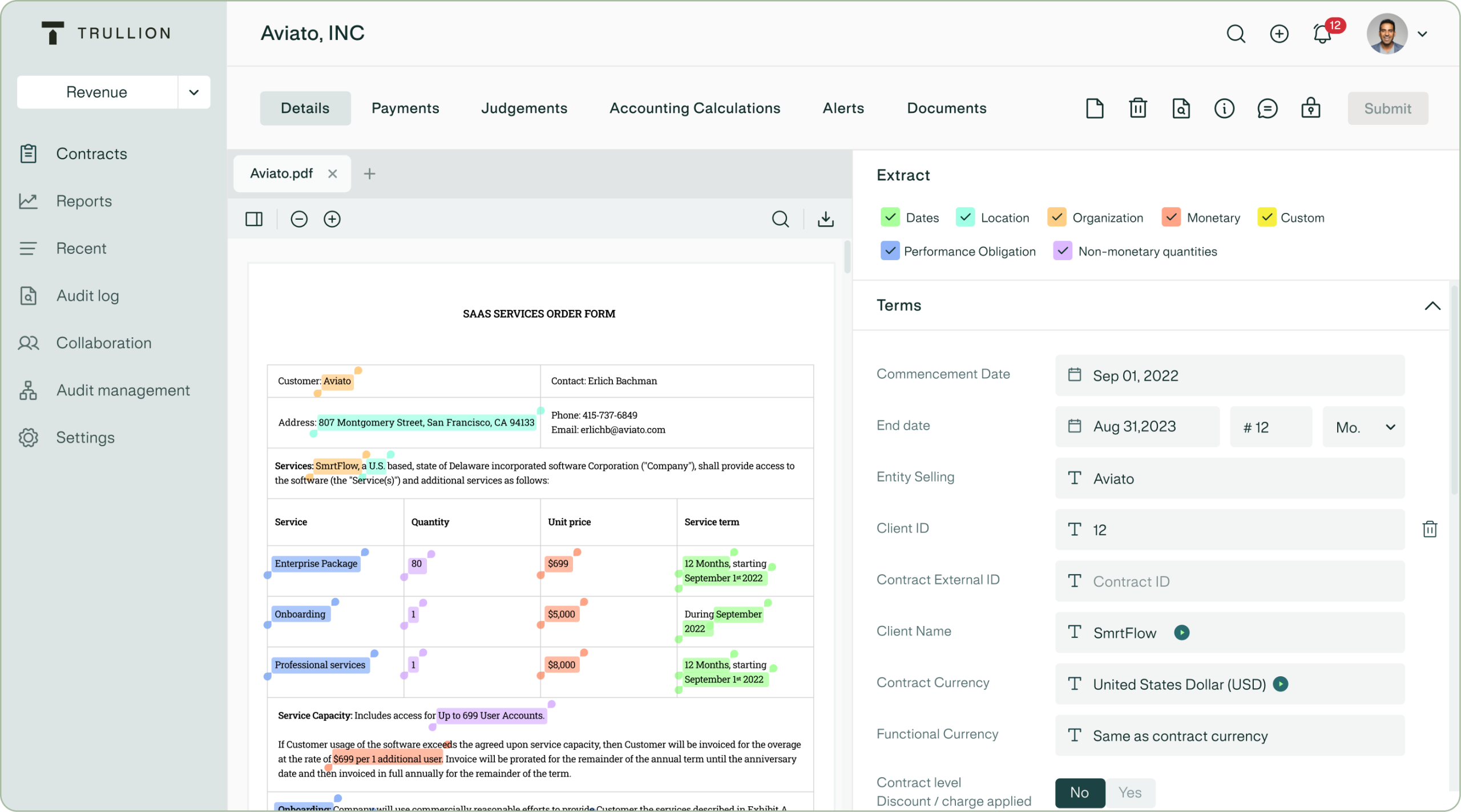
Trullion is an AI-driven accounting solution with applications in lease accounting, audit workflows, and financial document automation. It enables finance teams to pull data from documents, normalize calculations, keep track, and make it easy for audit review.
It applies to businesses that perform complex lease accounting, revenue accounting, and audit documentation. It works best in contexts where interpreting documents, making calculations, and creating compliance documentation are a crucial aspect of the accounting work.
Key features:
- Lease accounting automation
- Audit workflow support
- Contract data review
- Traceable calculations
- Evidence management
| Pros | Cons |
|---|---|
| Supports complex accounting areas such as lease accounting, audit evidence, and document-based compliance work. | May not replace a full accounting or ERP system for daily bookkeeping and operational finance workflows. |
| Helps teams extract contract data, standardize calculations, and maintain traceable documentation. | Best suited for companies with specific compliance or audit-heavy use cases. |
| Improves audit readiness by keeping evidence, calculations, and document references more structured. | May require integration with existing ERP, CRM, or accounting systems for complete transaction visibility. |
Best for: Medium to large companies with lease accounting, revenue recognition, audit, or document-heavy compliance needs.
ℹ️ Why Choose Trullion?
Trullion is particularly valuable for finance teams that need traceable calculations and stronger audit readiness.
9. MindBridge
MindBridge is a financial risk and audit analytics platform that utilizes AI. It enables teams to review financial information in greater depth than traditional sampling, identify transactions, and detect anomalies and unusual patterns.
This is particularly beneficial for those within the finance department, internal control, or audit teams, where more control is desired. It facilitates risk-based review by identifying transactions that require review, instead of team members having to review each transaction in the same way.
Key features:
- Transaction risk scoring
- Audit analytics
- Full transaction review
- Control breakdown detection
- Financial pattern analysis
| Pros | Cons |
|---|---|
| Helps auditors and finance teams review transaction populations with stronger anomaly and risk detection. | Focused more on oversight and analytics than on daily accounting operations or ERP process management. |
| Supports risk-based auditing by highlighting unusual entries, control issues, and unexpected financial patterns. | Requires clean and well-prepared data inputs to generate useful risk analysis. |
| Can improve audit coverage by moving teams beyond sample-based review approaches. | May need to be paired with accounting or ERP systems for complete workflow execution. |
Best for: Audit teams, internal control teams, and finance departments that need anomaly detection and transaction risk analysis.
ℹ️ Why Choose MindBridge?
MindBridge helps audit and internal control teams focus their reviews on higher-risk transactions instead of relying only on manual sampling.
10. Odoo
Odoo is an ERP solution with accounting, invoicing, CRM, inventory, sales, purchasing, POS, project management, and more business applications as part of the same solution. In many cases, it is employed by businesses that wish to have a flexible package of business tools within an environment.
Odoo is relevant for AI accounting since it links accounting and operational modules. This can aid businesses in streamlining manual data transfer from purchasing, inventory, sales, and finance, but might require configuration and integration with apps for advanced capabilities of AI accounting.
Key features:
- Accounting
- Inventory
- Sales and CRM
- Purchasing
- Modular ERP apps
- Reporting tools
| Pros | Cons |
|---|---|
| Provides a modular ERP environment where accounting can connect with inventory, sales, CRM, and purchasing. | May require configuration or implementation support to fit more complex accounting and compliance workflows. |
| Useful for businesses that want several operational applications inside one software ecosystem. | Advanced localization, reporting, or approval controls should be reviewed against company requirements. |
| Can support companies that want to expand from accounting into broader business process management. | May be less tailored for enterprises that need consultative, industry-specific finance transformation from the start. |
Best for: Small to mid-sized companies that need modular ERP apps with accounting and operational workflows.
ℹ️ Why Choose Odoo Accounting?
Odoo connects accounting with inventory, sales, CRM, purchasing, and other business applications in one modular ERP environment.
Who Typically Uses AI Accounting?
CPA firms, corporate finance teams, and bookkeepers frequently employ AI accounting solutions to decrease manual data entry, speed up month-end closing, and assist in more exact forecasting.
It enables professionals to spend more time on strategic analysis, client advisory, risk review, and higher-value financial decision-making tasks because of its ability to handle repetitive finance tasks.
1. CPA Firms and Tax Professionals
CPA firms and tax professionals use AI accounting tools to reduce repetitive work in bookkeeping, document review, tax preparation, and client reporting. AI can help classify transactions, extract supporting documents, identify missing records, and prepare cleaner working papers.
This is especially useful for firms managing many clients at once. With AI accounting tools, CPA firms’ 2026 workflows can become more scalable because staff can spend less time sorting documents and more time reviewing tax positions, advisory opportunities, and compliance risks.
2. Auditors
Auditors use AI accounting software to analyze transaction patterns, detect anomalies, and review larger data populations. Instead of relying only on sampling, AI can help highlight unusual transactions, duplicate payments, suspicious journals, and control breakdown indicators.
However, auditors still need professional judgment. AI can guide attention toward higher-risk areas, but humans must validate evidence, assess materiality, interpret standards, and decide whether findings require adjustment or further investigation.
3. CFOs & Financial Analysts
CFOs and financial analysts use AI accounting software to monitor cash flow, margin, budget variance, revenue trends, and business performance. AI helps turn transaction-level data into management insights that support planning and decision making.
For enterprise CFOs, real-time visibility is critical. A system like ScaleOcean can combine AI Insight, AI Forecast, and Smart Alert so leaders can identify risks earlier, plan funding better, and understand financial impact across departments.
4. Accounting Firms (Public Accounting)
Public accounting firms use AI accounting tools to improve productivity, standardize review processes, and support client advisory services. AI can help automate bank reconciliation, invoice processing, expense classification, document matching, and report preparation.
This allows firms to move beyond compliance-only services. When repetitive work is reduced, accounting professionals can deliver more valuable insights on flow, tax planning, profitability, process improvement, and financial controls.
5. Mid-to-Large Enterprises
AI Accounting Software is employed by mid-to-large companies for large volumes of transactions, multiple departments, layers of approval, taxes, and consolidated reporting.
For this segment, integrated ERP accounting is often more effective than standalone tools. ScaleOcean supports this need by connecting finance with core business modules, allowing accounting data to flow from real operations and reducing manual reconciliation between systems.
Examples and Common Use Cases for AI Accounting Software
Based on the data our team collected from Gartner, 59% of finance leaders reported using AI in their finance function in 2025, while 67% of those using AI became more optimistic about finance AI than the previous year. This shows that AI accounting is moving from experimental use into practical finance workflows.
One common example is invoice processing. AI can read invoices, extract supplier details, match invoice lines with purchase orders, check tax details, and route documents for approval. This reduces manual entry and helps prevent late payment, duplicate payment, and mismatched invoice issues.
Another use case is continuous reconciliation. AI can compare bank feeds, journal entries, AR records, AP records, payment references, and receipts to identify matching transactions. This helps finance teams detect unreconciled items earlier instead of waiting until month-end.
AI accounting software also supports GST and compliance workflows. For tax-related workflows, companies may also evaluate the best tax software if they need dedicated support for tax filing, GST preparation, and compliance reporting.
Furthermore, AI can detect unusual vendor payments, repeated invoice numbers, unexpected expense categories, abnormal cash movement, and transactions outside historical patterns. This helps finance leaders act before small issues become material risks.
Cash flow forecasting is also becoming a key application. AI can analyze AR aging, AP schedules, sales trends, recurring costs, payroll, inventory purchasing, and seasonal patterns to predict future liquidity. This helps CFOs plan funding, supplier payments, and investment decisions more confidently.
What is the Importance of Using AI in Accounting?

With the advent of advanced AI accounting software, artificial intelligence (AI) has increasingly entered the mainstream of financial processes, enabling teams to transition from manual data entry to strategic guidance, more precise forecasting, risk management, and streamlined decision-making processes, all contributing to business growth.
1. Automated Data Extraction & Capture
AI can read data on invoices, receipts, bank statements, tax documents, and any supporting documents. This decreases manual entry and makes it easier for finance teams to process more documents without any misspellings.
Additionally, automated capture ensures uniformity of documents. By pulling data in a structured manner, accounting teams can match up records more quickly, keep audit trails more intact, and minimise the risk of missing documents.
2. Real-Time Financial Reporting
AI accounting software can streamline the process of producing financial reports, eliminating the delays associated with lengthy manual reporting cycles. This enables CFOs quicker access to cash flow, revenue, cost, margin, and budget data.
Real-time reporting is particularly valuable for businesses that have multiple locations or entities. Leaders are able to track performance through the business on one dashboard when data is linked back from operations.
3. Agile Decision Making
AI can assist in making quicker decisions by transforming financial data into meaningful insights. It can alert you to cost overages, declines in revenue, late payments, budget overages, and cash flow risks, before they become serious issues.
This can help executives to make decisions with greater confidence. Unlike the traditional approach with static month-end reports, AI insights can enable finance leaders to make decisions ahead of time regarding spending, pricing, purchasing, hiring, or investment.
4. 100% Audit Coverage
In a traditional audit, sampling is frequently a key component of the process, as it would not be practical to audit every transaction on its own. AI can be used to review all transactions and identify records that need to be reviewed in greater detail.
This ensures better visibility and minimizes blind spots. Finance and audit staff may concentrate on unusual transactions, risky vendors, duplicate payments, and transactions that aren’t expected.
5. Continuous Reconciliation
Reconciliation on a continuous basis enables finance teams to reconcile throughout the period rather than at the month-end. AI can automatically match bank transactions, invoice data, payments, and ledger data.
This simplifies the month-end closing. Teams will have more time to get to the bottom of issues and less pressure from a last-minute reconciliation.
6. Predictive Cash Flow Forecasting
By examining past cash flow trends, outstanding invoices, supplier bills, payroll cycles, repetitive costs, and projected sales, AI can predict cash flow. This assists finance teams in gaining insight into the future liquidity situation.
Predictive forecasting can prove helpful for CFOs who are dealing with working capital. Enables businesses to make better-informed decisions on their supplier payments, credit collection, inventory procurement, loan requirements, and when to invest with greater transparency.
7. Scenario Modeling
Scenario modeling enables finance teams to run different business scenarios. AI can be used to assist with simulations on sales growth, cost increases, payment delay, exchange rate changes, and budget changes.
This enhances the quality of planning. Decision makers can test out the different outcomes before making a big financial decision, minimizing the dangers of making decisions based on assumptions.
8. Smart Categorization
Smart categorization is used to identify transactions into the appropriate account, cost center, department, or project. AI is able to learn from records and recommend categories based on transaction patterns.
This reduces the amount of repetitive review work for accountants. It is also a way of making sure there’s consistency throughout teams, particularly as more and more users submit transactions, bills, and expenses from multiple departments.
9. Anomalous Fraud Detection
By analyzing and contrasting transactions with typical user behavior, AI can identify items of suspicious activity. It can detect irregular merchants, duplicate invoices, unusual payment amounts, and odd journal entries.
This will aid in better internal control. AI does not take the place of investigation, but it provides finance teams with a heads-up to consider questionable transactions before approving payments or closing books.
10. Fast Month-End Close
Month-end close often becomes stressful when teams still handle reconciliation, adjustments, approvals, and report preparation manually. AI helps by automating repetitive tasks and identifying incomplete records earlier.
A faster close gives management more time to analyze results. Instead of spending most of the period preparing numbers, finance teams can focus on explaining performance and advising business leaders.
Will the Use of AI Replace Accountants?
AI will not fully replace accountants because accounting still requires judgment, ethics, policy interpretation, stakeholder communication, and professional accountability. AI can automate repetitive tasks, but accountants still need to review accuracy, validate assumptions, interpret standards, and explain financial outcomes.
The role of accountants is changing from manual processor to financial reviewer, analyst, controller, and advisor. This means accounting professionals need stronger skills in data interpretation, system controls, AI governance, and business communication.
For companies, the best approach is not to remove accountants from the process. The better strategy is to use AI accounting software to reduce low-value manual work while giving finance teams more time to improve controls, advise management, and support strategic decisions.
ScaleOcean follows this direction by positioning AI as a support layer inside finance workflows. AI business assistant, AI insight, AI forecast, and smart alert help accountants work faster while keeping human teams in control of review, approval, and decision-making.
The Future of AI in Accounting
While AI is already transforming a lot in accounting, the change is just starting. With the advancement in technology, AI will transcend the role of automating bank reconciliation, invoice processing, and manual data entry.
It will become more important in forecasting, risk assessment, financial planning, and advice, enabling accountants to move from the mundane task of processing information to providing higher-value advice.
1. AI as a Capable Assistant/Advisor
AI is going to become an effective financial assistant for accountants, automating repetitive tasks, generating reports, summarizing differences, and reviewing supporting documents. This will speed up the day-to-day accounting work and guide it.
It is possible that accountants in the future will communicate with software in natural language. Users can query the system regarding any overdue receivables, cash gaps, unusual expenses, or even tax exposure, without having to open several reports.
2. AI as a Competitive Differentiator
Companies that wield AI accounting effectively will have a competitive edge. Rising reporting speed, data cleanliness, forecasting, and controls mean that leaders can make decisions in advance of the competition.
But the benefit is not just from AI, it’s from AI integrated with humans. It is the result of AI, coupled with good data, connected workflows, robust governance, and finance teams that understand how to report the results properly.
3. AI for Enhanced Predictive Analytics
Finance leaders will increasingly rely on predictive analytics to gain insight into what may happen next in the accounting world. AI can predict cash flow, margin pressure, demand impact, credit risk, and cost movement.
This will help CFOs to shift from reporting to planning. Finance teams do not just share last month’s numbers with management, they can also assist them in anticipating risks and opportunities down the road.
4. AI for Real-Time Data Analytics
The reliance on late reporting will be reduced with real-time data analytics. AI accounting software can analyze operational and financial data on an ongoing basis, providing quicker access to the current performance of the business for leaders.
This is particularly beneficial for businesses that have quick-moving operations. Real-time finance data can enable businesses such as retail, distribution, manufacturing, construction, and service firms to manage their costs, inventory, receivables, and profitability in real time.
5. Integrating AI with Blockchain
AI and blockchain can aid in building trust in accounting records. Blockchain can offer a repository for tamper-proof transactions, and AI can scan the records for patterns, risks, and exceptions.
This mix can prove helpful in audit, supply chain finance, intercompany deals, and regulated reporting. But until these technologies are widely deployed, there is still a need for business governance, data quality, and compliance frameworks.
How to Choose the Best AI Accounting Tools for Your Workflows
Selecting the right AI accounting tool requires more than comparing features or subscription prices. Businesses should evaluate how well each solution addresses existing financial bottlenecks, connects with operational systems, supports regulatory requirements, and adapts as transaction volumes and reporting needs become more complex.
- Identify Your Finance Pain Points: Determine whether your main challenges involve manual invoicing, delayed reconciliation, fragmented reports, cash flow uncertainty, GST compliance, audit preparation, or disconnected financial data.
- Consider Business Size and Complexity: Small businesses may only require automated bookkeeping, while larger organisations often need consolidation, multi-currency accounting, approval controls, tax readiness, and real-time reporting.
- Evaluate Integration Capabilities: Choose software that connects accounting with procurement, sales, inventory, payroll, banking, taxation, projects, and document management. Strong integration reduces repeated data entry and manual reconciliation.
- Review Singapore Compliance Support: Ensure the system can accommodate GST processes, detailed audit trails, reporting controls, and applicable local financial standards to reduce compliance and reporting risks.
- Assess AI Capabilities: Look beyond basic automation. Reliable tools should provide intelligent insights, forecasting, anomaly detection, document processing, and alerts that help finance teams respond proactively.
- Compare Standalone and ERP-Based Solutions: A standalone tool may suit basic bookkeeping needs. However, businesses with complex purchasing, inventory, projects, production, or contract workflows may benefit more from an integrated ERP finance platform.
- Check Scalability and Configuration: The selected system should support additional users, entities, currencies, approval levels, and transaction volumes without requiring frequent platform changes.
Ultimately, the best solution should not only solve today’s accounting challenges but also remain flexible as the company’s operations, reporting structures, and compliance requirements evolve. Businesses should therefore consider whether the platform can support both current finance workflows and broader operational growth.
ScaleOcean accounting software combines AI-powered accounting with an integrated ERP ecosystem. With unlimited users, real-time dashboards, AI insights, forecasting, and smart alerts, it helps businesses manage finances more accurately and efficiently. Try our free demo to explore how its capabilities can support your company’s current processes and long-term growth.
Conclusion
AI accounting software is a finance system that uses artificial intelligence to automate accounting tasks, analyze financial data, support reporting, detect unusual transactions, and improve decision-making. It helps accounting teams reduce manual work across invoices, reconciliation, cash flow, reporting, compliance, and audit preparation.
For CFOs and decision makers, the real challenge is not only choosing software with AI features. The system must also solve practical problems such as scattered finance data, slow closing, GST readiness, multi-currency reporting, approval delays, audit documentation, and limited visibility across departments.
ScaleOcean accounting software provides an integrated AI ERP platform for companies that need stronger financial control in Singapore. Try the free demo to see how this software can help your finance team automate accounting workflows, monitor real-time performance, strengthen compliance, and scale with a system designed around your business process.
FAQ AI Accounting:
1. How can AI accounting help companies improve financial accuracy?
AI accounting improves accuracy by automating data entry, invoice matching, reconciliation, and transaction categorization. It also detects unusual patterns, duplicate records, and missing data earlier, so finance teams can review issues before they affect reports.
2. Can professional accountants use AI accounting to upskill?
Yes, professional accountants can use AI accounting to move from repetitive processing into analysis, advisory, compliance review, and financial strategy. By learning AI-based workflows, accountants can strengthen their role in data interpretation, risk control, and decision support.
3. How do companies integrate AI accounting into an existing system?
Companies can integrate AI accounting by connecting it with ERP, bank feeds, payroll, procurement, inventory, tax platforms, and document systems. The process should start with workflow mapping, data cleanup, access control setup, and phased implementation to reduce disruption.
4. Is AI accounting suitable for enterprise companies?
Yes, AI accounting is highly suitable for enterprise companies with complex transactions, multiple entities, approval layers, compliance needs, and large financial datasets. Integrated solutions like ScaleOcean help enterprises connect accounting with operations, reporting, tax, and real-time dashboards.





















.png)