



Master Data Management (MDM) is a technology-based discipline to ensure that the important data that drives an organization’s business is accurate and from a single source. It helps establish consistent ownership, quality rules, and processes for key information across systems.
It can be challenging for enterprise businesses to have master data in disparate systems, such as ERP, CRM, finance, procurement, warehouse, and more. This can then make it more difficult to report on the record and increase the time spent on data reconciliation within teams to use the data.
These problems can be solved with master data management, a solution that standardizes the creation, validation, maintenance, control, and synchronization of key data. MDM provides common rules and authoritative records that can be shared among connected business systems that are connected.
According to our data from IMDA, the adoption rate for digital areas for Singapore SMEs has increased from 94.5% in 2023 to 95.1% in 2024. The same report found that businesses were increasing their use of digital technology across the business, with an average of 2.3 digital areas implemented by the SMEs.
Learn what master data is, how MDM works, the various architectures, typical business scenarios, related disciplines, best practices, and platforms that enterprises can explore.
 Key Takeaways
- Master Data Management (MDM) creates a single source of truth by standardizing, governing, and synchronizing critical business data across organizations.
- MDM platforms help businesses manage essential data domains such as customers, products, suppliers, employees, and locations while improving data accuracy and consistency.
- The best Master Data Management tools include solutions such as ScaleOcean, Informatica Intelligent Data Management Cloud, Semarchy Data Platform, and SAP Master Data Governance.
- ScaleOcean Atlas supports Master Data Management by connecting enterprise data with ERP workflows, configurable processes, and ScaleMind-powered insights for medium and large enterprises.
What is Master Data Management (MDM)?
Master Data Management is a process that involves creating and maintaining a single, consistent, accurate, and authoritative record for the fundamental entities that the organization relies on in various business processes. Items in these entities normally involve customers, products, suppliers, employees, locations, assets, and any other information that is relevant across departments.
Master data defines what entities are involved in the business activities, unlike transactional data, which records the individual business activities. For instance, a sales order is transactional data, and the customer profile that is associated with the sales order is master data. MDM allows each customer, product, or supplier to be consistently represented throughout any use of the information.
An effective MDM approach combines data quality, governance, validation, deduplication, integration, ownership, and lifecycle management. It can also connect with a data warehouse so that standardized information is available for reporting and analytics.
 Also Read: 16 Key ERP Trends in Singapore for 2026 & Beyond
What is Master Data?
Master data are relatively permanent business data that characterize the core entities with which an organization does business or relies on. A company can, for instance, have a single customer record for sales, accounting, customer service, and marketing.
Transactional Data
Transactional data records are data that document individual business transactions at a particular moment in time. Such as sales orders, invoices, purchase orders, payments, shipments, and inventory movements.
This data is generally generated continuously as employees, customers, suppliers, and systems perform business activities. While transactional data changes frequently, it relies on accurate master data to identify the customer, product, supplier, account, or location involved in each transaction.
Reference Data
Reference data is a set of values that are standard, used to categorize, classify, and structure information among business systems. Some examples are country codes, currency codes, payment terms, product categories, tax codes, business-unit classifications, and status values.
Unlike master data, reference data usually provides a controlled list of acceptable values rather than describing individual business entities. Maintaining consistent reference data helps different applications interpret information using the same classifications and definitions.
Why Master Data Management Matters for Business?
Master Data Management (MDM) establishes one source of truth for master data, such as customers, products, and suppliers, in all systems used by the company. MDM offers a formal framework to enable consistent information to be utilized throughout these applications.
1. Enhances Customer Experience (CX)
A unified customer record helps businesses recognize the same customer consistently across sales, service, marketing, billing, and other touchpoints. This reduces duplicate profiles and prevents employees from working with outdated or conflicting information.
With a consistent customer view, teams can respond with more relevant information and avoid repeatedly asking customers to provide details that the organization should already have.
2. Optimizes Supply Chain & Operations
Master data is used in the context of businesses to control products, suppliers, locations, materials, units of measure, and more. Inconsistencies in records can result in misinformation on purchases, duplicate products, lack of efficient inventory management, and reporting errors.
MDM provides shared definitions and validation rules for operational teams to operate from a common set of information. This establishes better grounds for procurement, inventory, warehousing, distribution, and production activities.
3. Ensures Regulatory Compliance & Risk Mitigation
Regulated businesses need reliable information to support reporting, audits, customer verification, financial processes, and other compliance activities. Inconsistent records can make it difficult to demonstrate where data originated, who changed it, and whether the correct information was used.
MDM introduces ownership, approval workflows, validation rules, and auditability around critical records. This makes data management more structured and helps organizations reduce risks caused by inaccurate or uncontrolled information.
Master Data Management Process Lifecycle

Master Data Management (MDM) process lifecycle tracks core business data from initial collection through governance, golden record creation, and final synchronization across systems. The exact workflow varies by organization, but most programs involve several connected stages.
1. Data Collection
The process begins by collecting master data from relevant sources such as ERP systems, CRM platforms, spreadsheets, databases, supplier systems, or other applications.
This involves businesses recognizing where significant records come from and which sources are authoritative in providing information. Knowing the current data landscape sets a basis for building a solid data MDM structure.
2. Validation and Matching
Records collected are compared to rules to detect missing data, incorrect values, duplicate records, and inconsistencies. Matching techniques can decide if records from two different record systems are the same entity or not.
A good example is having two customer records for companies that have slightly different names for the same company. These correlations can be identified via matching rules prior to record consolidation.
3. Cleansing and Enrichment
Cleansing eliminates or corrects the inaccurate, incomplete, outdated, or duplicate data. When appropriate, attributes that are useful and approved from other internal/external sources are added for enrichment.
This stage enhances the usability of master records prior to their distribution to other systems. In addition, a data onboarding process can be used to ensure information is uniform when new data is added or new data sources are implemented.
4. Data Governance
Data governance establishes the policies, ownership structures, responsibilities, approval rules, and quality standards used to manage master data.
Organizations can define who is responsible for creating or approving records, which fields are mandatory, how changes are reviewed, and what actions should be recorded. This prevents master data management from becoming purely an IT responsibility.
5. Synchronization (Integration)
Once master data has been validated and governed, standardized records can be synchronized with connected business systems. Integration may occur through APIs, middleware, data pipelines, or other integration methods to ensure information flows consistently across different applications.
Synchronization ensures that downstream systems receive approved information without requiring employees to repeatedly enter or reconcile the same records manually. This helps businesses maintain data consistency across ERP, CRM, finance, procurement, inventory, and other operational platforms.
For enterprises managing multiple systems and complex data environments, ScaleOcean Atlas supports connected data workflows by integrating master data with broader business operations through one configurable ERP platform. This allows organizations to maintain more consistent information across departments while improving visibility, reducing data silos, and supporting more efficient decision-making.
Types and Implementation Architectures of Master Data Management (MDM)
Architectures for Master Data Management (MDM) solutions explain how the core enterprise data, such as customers, products, suppliers, and more, is gathered, matched, stored, and shared throughout the enterprise.
Singapore is building on its digital transformation efforts to ensure the sharing of secure data and connected systems, according to data our team compiled from GovTech. These initiatives show we need strong data management. Organizations need systems to keep data accurate, accessible, and consistent across platforms, which can be achieved with structured solutions like MDM.
1. Registry Style
Registry-style MDM maintains references to master records across different source systems rather than creating a fully centralized master record. It can detect duplicate records and create links between them without impacting the primary systems.
This can be appropriate for enterprises that require improved visibility into the different systems, without the impact of disrupting any applications.
2. Consolidation Style
MDM of the consolidation type aggregates master data from multiple systems to one central repository. This data can then be cleaned, matched, standardized, and leveraged as an accurate source to report and analyze.
This can be helpful when organizations require a single view of information, but don’t necessarily want to modify the way each operational system writes and stores records right away.
3. Coexistence Style
In the Coexistence mode, master data can be stored in the MDM platform as well as on the existing operational systems. Changes are synced between systems, based on rules and ownership responsibilities.
This model offers more flexibility for organizations moving away from their previous legacy applications and progressively building up robust central data management.
4. Centralized Style
Centralized MDM puts the MDM platform as the central hub for the creation, approval, maintenance, and distribution of master records. Standardized information is consumed by connected systems based on pre-defined integration rules.
The architecture can offer greater consistency and governance, but it often needs more organizational readiness and ownership to be implemented.
Example of Core Domain Managed by Master Data Management
Master Data Management (MDM) is a collection of core business entities grouped into logical domains called master data domains that ensure the existence of a single source of truth.
1. Customer Master Data Management
Customer MDM creates consistent records for customers, organizations, contacts, addresses, identifiers, and other relevant attributes. It helps identify duplicate customers and establish a trusted customer record across sales, CRM, finance, and service systems.
A unified customer record can support more accurate segmentation, reporting, account management, billing, and customer engagement by ensuring different departments refer to the same underlying information.
2. Product Master Data Management
Product MDM manages information such as product names, SKUs, categories, specifications, units of measure, pricing attributes, and product hierarchies.
Consistent product information is important when the same products are used across procurement, inventory, production, sales, e-commerce, and reporting. Standardization reduces discrepancies between systems and improves product information quality.
3. Supplier Master Data Management
Supplier MDM centralizes information such as supplier names, identifiers, addresses, payment details, classifications, and other procurement-related attributes.
This helps organizations identify duplicate suppliers, standardize supplier records, and provide procurement and finance teams with more reliable information for purchasing, payments, and supplier analysis.
4. Locations Master Data Management
Location MDM manages standardized information about warehouses, branches, offices, stores, facilities, distribution centers, and other physical locations.
Consistent location records help businesses coordinate inventory, logistics, sales, finance, assets, and reporting when operations span multiple sites or entities.
Common Uses for Master Data Management
Master Data Management (MDM) creates a single, trusted source of truth for critical business data like customers, products, and suppliers across an entire organization. MDM can be used in a variety of business scenarios that require multiple systems to access the same information.
1. Creating a 360-Degree Customer View
MDM can combine customer information from different business systems into a consistent view. This helps organizations connect customer identities across sales, service, marketing, finance, and other touchpoints.
The resulting view can support more reliable segmentation, account analysis, customer service, and personalized engagement without relying on fragmented customer records.
2. Omni-Channel Personalisation
Standardizing customer information across channels enables businesses to provide uniform experiences across their websites, brick-and-mortar stores, mobile apps, customer service, and more.
MDM ensures that customer attributes remain the same across channels when offers, services, or communications are delivered and that the same customer is recognized by each channel when it comes to offers, services, or communications.
3. Product Information Management (PIM)
MDM can provide a structured foundation for managing product information across internal and external channels. Standardized product attributes can then be distributed to sales systems, e-commerce platforms, catalogs, inventory applications, and other destinations.
This reduces the risk of different channels presenting conflicting product descriptions, classifications, or specifications.
4. E-Commerce Management
The information associated with the product, the customer, the price, the category, and the location is vital to e-commerce operations. These records can be standardized before they are passed on to the platforms of digital commerce by MDM.
This helps businesses to have the same information on each of their online channels and to minimize redundant product records and manual reconciliation.
5. Vendor and Supplier Consolidation
Organizations working with large supplier networks may have the same supplier represented differently across procurement, finance, and operational systems. MDM can match and consolidate these records into standardized supplier profiles.
This provides a clearer view of supplier relationships and supports more consistent purchasing, payment, compliance, and supplier analysis.
6. Post-Merger System Integration
After a merger or acquisition, organizations often need to combine data from different ERP, CRM, finance, and operational systems. Each company may use different naming conventions, identifiers, and data structures.
MDM helps establish common definitions and map equivalent records, creating a structured foundation for integration without requiring every legacy system to use identical structures immediately.
7. Healthcare Patient Data Management (EMPI)
In healthcare environments, master data principles can help organizations identify and maintain consistent patient records across hospitals, clinics, laboratories, and other systems.
An Enterprise Master Patient Index (EMPI) can help identify whether records from different systems belong to the same patient, reducing duplicate identities and supporting more reliable information exchange.
Master Data Management Used in Industry Business

Master Data Management (MDM) is a technology-enabled discipline that unifies a company’s critical core data into a single, trusted source of truth.
As businesses grow and use separate software across departments, data becomes fractured and inconsistent. MDM solves this by cleaning, de-duplicating, and synchronizing information, such as customer, product, and supplier records across all company systems.
1. Retail & E-Commerce
Retail and e-commerce businesses commonly use MDM to standardize product, customer, supplier, location, and pricing information across stores, websites, marketplaces, and internal systems.
A unified product and customer foundation helps organizations maintain consistency across sales channels while supporting inventory visibility, personalization, reporting, and customer service.
2. Banking & Insurance
Financial institutions manage extensive customer, account, product, organization, and reference data across multiple applications. MDM can help standardize these records while strengthening governance and traceability.
For large institutions, consistent data is particularly important when different business units need to share information for risk analysis, reporting, customer management, and regulatory processes.
3. Manufacturing
Manufacturers often manage complex product, material, supplier, customer, plant, equipment, and location information across ERP, production, procurement, warehouse, and engineering systems.
MDM can standardize these entities and reduce discrepancies that affect purchasing, production planning, inventory management, costing, and product reporting.
4. Healthcare
Healthcare organizations may use MDM to manage patient, provider, facility, medication, location, and other critical records across different clinical and administrative systems.
Consistent data helps organizations reduce duplicate identities, improve information exchange, and support more reliable reporting and operational processes.
Comparing Master Data Management to Related Data Disciplines
Master Data Management, Data Governance, and Metadata Management are closely related but address different aspects of enterprise data management.
MDM creates a single, trusted “golden record” for core business entities like customers, products, and suppliers, while related disciplines handle broader policies, metadata, or data movement.
| Data Discipline | Definition | Scope | How It Works |
|---|---|---|---|
| Master Data Management (MDM) | A discipline for creating and maintaining consistent, trusted records for critical business entities. | Focuses on master data such as customers, products, suppliers, employees, and locations. | Collects, matches, cleanses, validates, governs, and synchronizes master records across business systems. |
| Data Governance | A framework that defines how data is owned, managed, protected, and used across an organization. | Covers policies, roles, responsibilities, quality standards, access, security, and compliance across different data types. | Establishes rules, accountability, and controls that guide how data is created, maintained, accessed, and changed. |
| Metadata Management | The practice of managing information that describes data, including its meaning, source, structure, and relationships. | Covers technical, business, operational, and other metadata across enterprise data assets. | Collects and organizes metadata to improve data discovery, understanding, lineage, and context. |
Best Practices for Master Data Management Success
Implementing a data platform is not enough for successful MDM. Clear goals, ownership, governance, and processes are also necessary for the organization to have and be able to maintain as business needs change.
1. Tie the Initiative Directly to Business Outcomes
The first step is to identify the business challenges that are likely to be resolved using MDM. These can be duplicate customer records, inaccurate product data, reporting issues, slow customer onboarding, or integration problems with acquired customers.
Taking the time to connect your MDM objectives to measurable results assists you in focusing on the domains and demonstrating the effect of your MDM effort.
2. Start Small and Scale Up (Iterative Approach)
It’s not necessary for organizations to handle all of these data domains at once. Teams can then expand their efforts with one high-value domain, applying governance rules, workflows, integration techniques, and data quality processes.
This can also minimize the risk of implementation and allow the data owners to become familiar with their roles.
3. Build a Right-Sized Governance Model
Governance should reflect the size, form, risk profile, and complexity of the data of the organization. Identify data owners, stewards, approvers, and users and ensure that there is no confusion about who is responsible for what.
The governance structure also needs to establish the process for new records to be created, the process to approve changes to the records, and how any data quality problems are addressed.
4. Focus on Process Before Tool Selection
The answer to a lack of clarity of ownership and inconsistent definition of the business cannot be solved by the technology. The key first is that it is important to understand how data is currently created and changed, approved, shared, and consumed by the organization.
Once these processes are identified, businesses will be in a position to appraise the platforms according to the real requirements instead of making the decision of using the platforms based on the huge amount of features that are listed.
5. Treat MDM as a Strategy, Not a Project
Master data continuously changes as businesses add customers, products, suppliers, locations, entities, and systems. Therefore, MDM should be treated as an ongoing capability rather than a one-time implementation.
Regular quality monitoring, governance reviews, workflow improvements, and integration maintenance help keep master data reliable over time.
Master Data Management Platforms and Tools
Master Data Management (MDM) platforms are software systems that integrate, purify, and control key business data for an organization, supplying a single source of truth.
When selecting the appropriate MDM platform for the organization’s data domains, architecture, data governance level, and enterprise system integration, there are certain considerations to be made.
1. ScaleOcean
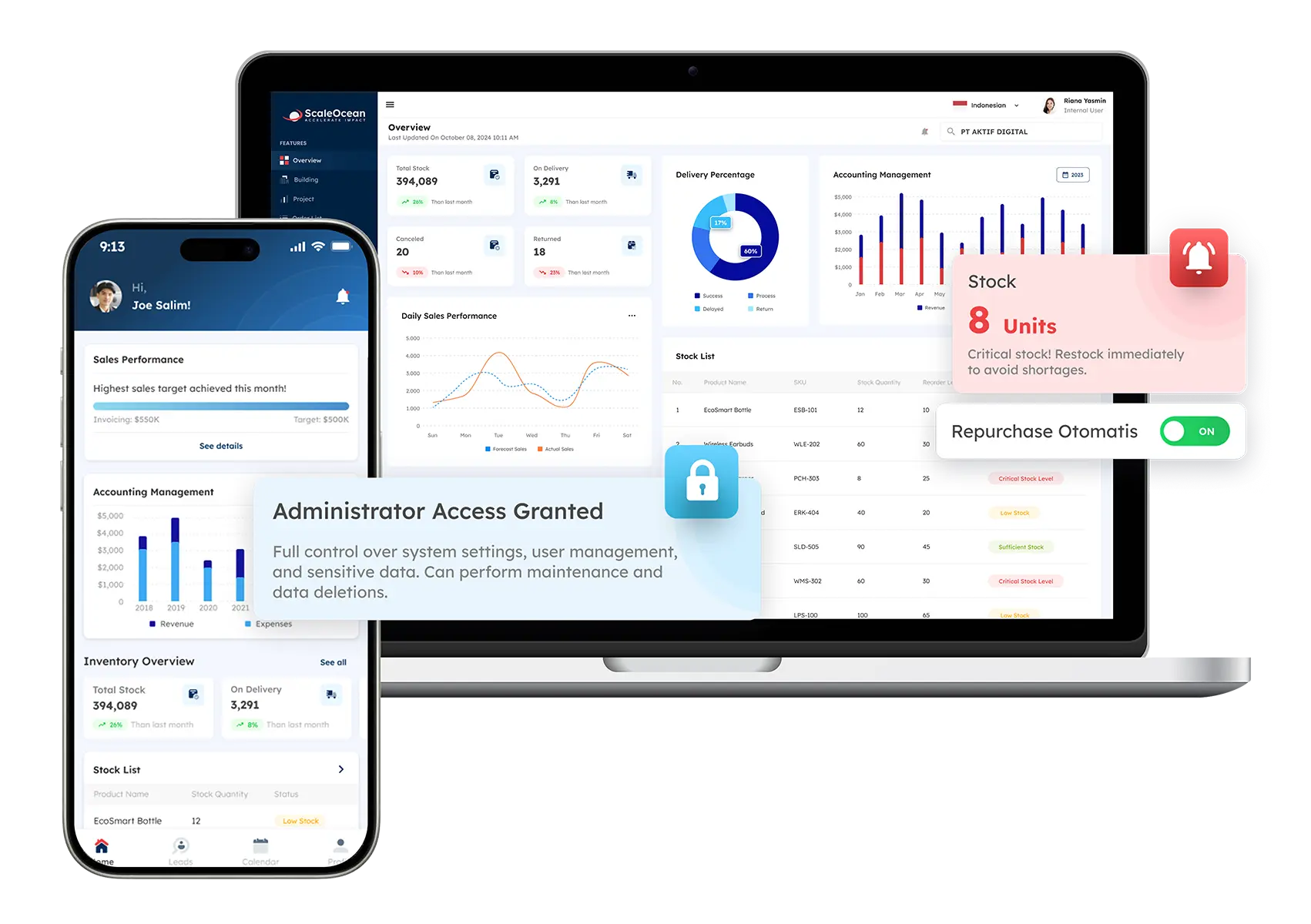
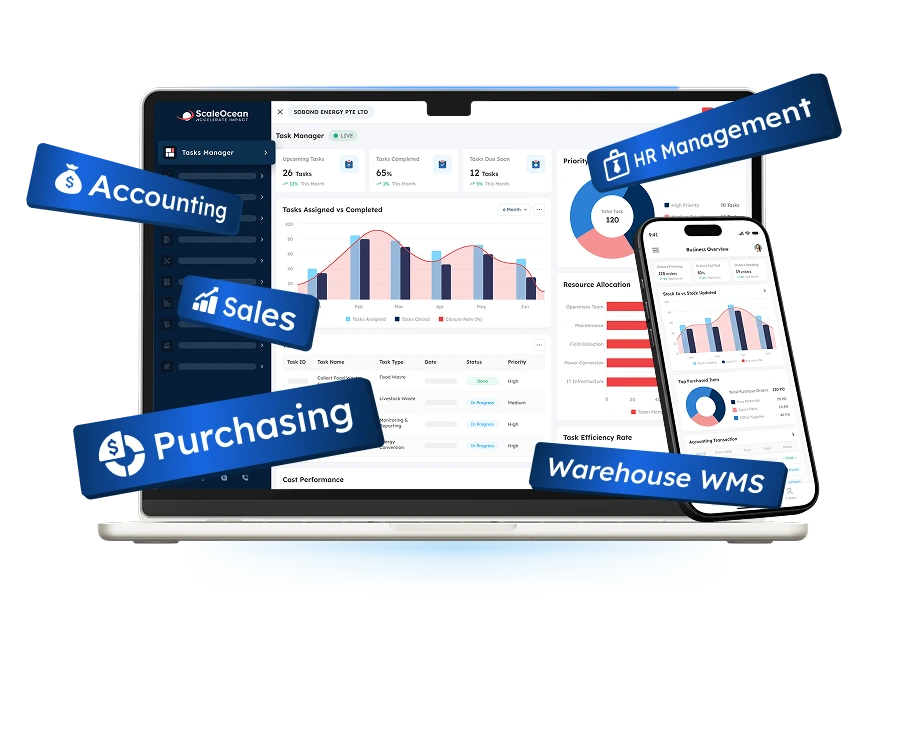
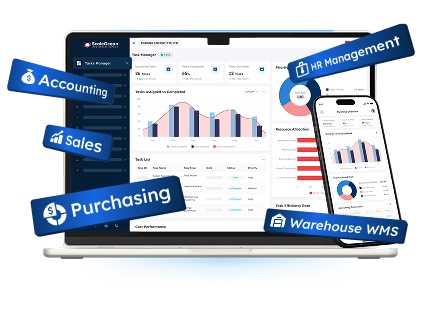
ScaleOcean provides an integrated enterprise platform that can support master data management as part of broader business operations. Rather than treating master data as an isolated repository, its approach connects core business information with operational processes across areas such as customer, product, supplier, inventory, finance, sales, purchasing, and other enterprise functions.
It is designed for medium and large businesses with complex organizational structures and businesses where there is a requirement for the same data foundation in different departments, entities, and business processes. The MDM capabilities can be applied to building a single record and a connection between the record and transactions and processes that use the record.
ScaleOcean Atlas can be the basis of master data management in a single ERP system for businesses to create a single source of truth from a single system. The approach starts with the understanding of processes and data structures, the responsibilities, and the operational needs of an organization, and then the configuration of the appropriate modules and workflows.
With ScaleMind embedded as an AI Business Assistant, users can work with connected business data to obtain information, summaries, insights, and recommendations based on their needs. This adds an intelligence layer to the data foundation without treating ScaleMind as a standalone chatbot or separate MDM product.
The platform can also be integrated with various business functions, have structured approval flows, role-based access, and provide audit trails. The system is optimized to meet the requirements of data management and local financial reporting for PDPA, applicable IRAS, and GST processes in Singapore. Schedule a consultation with our team and find out whether it fits into your business processes as an MDM solution.
Key capabilities:
- Centralized customer, product, supplier, and business-entity data
- Configurable master data workflows
- Data validation and approval processes
- Role-based access and audit trails
- Cross-department data synchronization
- Integrated ERP business modules
- Cloud, on-premises, and hybrid deployment options
| Pros | Cons |
|---|---|
| Connects master data management with ERP operations, allowing customer, product, supplier, inventory, finance, and operational information to remain connected within one platform. | Its enterprise-level capabilities may be more extensive than required for small businesses with simple data management needs. |
| Uses a consultative implementation approach that analyzes business processes, data structures, ownership responsibilities, and governance requirements before configuration. | Final pricing requires an assessment because modules, integrations, deployment options, and business complexity influence the scope. |
| Provides configurable workflows, approval processes, and role-based access to support structured master data management. | Implementation focuses on accurate system design and long-term scalability rather than quick generic deployment. |
| Supports gradual module activation, allowing organizations to expand their data management capabilities according to business priorities. |
Best for: Medium and large enterprises, multi-entity organizations, manufacturers, distributors, financial institutions, healthcare organizations, and businesses managing complex operational data.
ℹ️Why choose ScaleOcean?
ScaleOcean helps enterprises build a connected master data foundation by integrating critical business information with ERP workflows, governance processes, and operational activities.
2. Microsoft Intune
Microsoft Intune is a cloud-based endpoint management platform used to manage devices, applications, users, and access policies across an organization’s digital environment. It helps IT teams control how corporate resources are accessed from computers, mobile devices, and other endpoints.
Its primary role is endpoint and device management rather than traditional business master data management. However, it can contribute to a broader enterprise data environment by enforcing access policies, device compliance, application controls, and identity-related management.
Key features:
- Device and application management
- Identity and access control
- Security policy enforcement
- Compliance monitoring
- Cloud-based administration
| Pros | Cons |
|---|---|
| Provides centralized management for devices, applications, identities, and access policies across enterprise environments. | Organizations requiring customer, product, or supplier master data management may need additional data-focused platforms. |
| Integrates with Microsoft security and productivity ecosystems to support connected workplace management. | Its primary focus is endpoint and device management rather than traditional business data governance. |
| Supports cloud-based administration for distributed teams and remote users. | Organizations may require additional tools to manage complex enterprise data relationships. |
| Helps enforce security standards through compliance policies and access controls. | Configuration and policy management may require dedicated IT resources for complex environments. |
Best for: Medium and large organizations using Microsoft ecosystems that need centralized endpoint, application, and access management.
ℹ️Why choose Microsoft Intune?
Microsoft Intune helps organizations manage enterprise devices, applications, and security policies through a centralized cloud-based management environment.
3. Jamf Pro
Jamf Pro is an Apple-focused device management platform designed to help organizations manage Mac, iPhone, iPad, and other Apple devices at scale. It provides centralized controls for device configuration, application deployment, security policies, and lifecycle management.
The platform is particularly relevant for organizations with large Apple device environments that require consistent configurations and centralized administration. Like Intune, it is primarily an endpoint management solution rather than a conventional business MDM platform.
Key features:
- Apple device management
- Application deployment
- Device configuration control
- Device inventory visibility
- Remote administration
| Pros | Cons |
|---|---|
| Provides specialized management capabilities for Apple devices across enterprise environments. | Businesses seeking broader customer, product, or supplier data management may require additional solutions. |
| Supports centralized device configuration, application deployment, and security management. | Its capabilities are primarily focused on Apple ecosystems rather than cross-domain data management. |
| Helps IT teams maintain consistent device standards and operational controls. | Organizations with mixed device environments may need complementary management tools. |
| Provides visibility into Apple device inventory and lifecycle activities. | Implementation value depends on the organization’s level of Apple device adoption. |
Best for: Organizations, education institutions, and enterprises managing large Apple device environments.
ℹ️Why choose Jamf Pro?
Jamf Pro provides specialized Apple device management capabilities to help organizations maintain consistent configurations, applications, and security standards.
4. VMware Workspace ONE
VMware Workspace ONE is a digital workspace and endpoint management platform that helps organizations manage devices, applications, identities, and access across enterprise environments. It is designed to provide centralized administration across distributed workforces.
Its capabilities support organizations that need to coordinate device access and application usage while maintaining security policies. The platform is therefore more closely associated with unified endpoint and workspace management than traditional customer or product master data.
Key features:
- Unified endpoint management
- Identity-based access control
- Device compliance monitoring
- Digital workspace management
- Security policy automation
| Pros | Cons |
|---|---|
| Provides unified management for devices, applications, identities, and digital workspace environments. | Organizations looking for traditional master data management may need additional data platforms. |
| Supports secure access management across distributed employees and devices. | Its main focus is workspace management rather than business entity data management. |
| Helps organizations manage complex digital environments through centralized controls. | Large deployments may require careful planning and technical expertise. |
| Supports enterprise security through identity, application, and device policies. | Additional solutions may be needed for data quality, governance, and master record management. |
Best for: Medium and large enterprises managing distributed employees, devices, applications, and digital workplace environments.
ℹ️Why choose VMware Workspace ONE?
VMware Workspace ONE helps enterprises manage digital workspaces by connecting device management, application access, and security controls within one environment.
5. NinjaOne
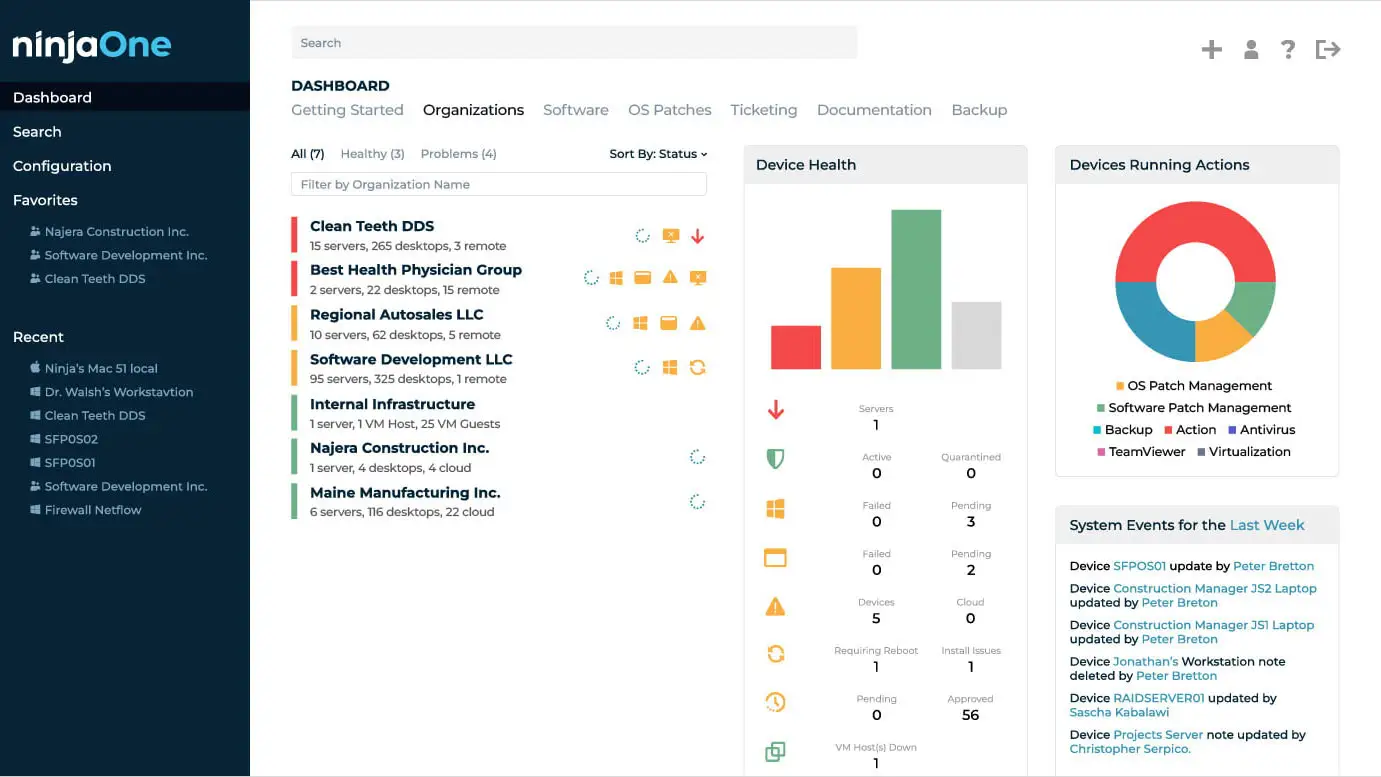
NinjaOne is an IT management platform designed to help organizations monitor and manage endpoints, devices, applications, and IT operations from a centralized environment. It supports automation and visibility for distributed technology infrastructure.
The platform is useful for businesses seeking structured endpoint administration and operational monitoring. Its focus is IT management rather than maintaining traditional master records such as customer, product, or supplier data.
Key features:
- Endpoint monitoring
- Device management
- IT automation workflows
- Patch management
- Technology asset visibility
| Pros | Cons |
|---|---|
| Provides centralized endpoint monitoring and management for organizations with distributed IT environments. | Businesses requiring customer, product, or supplier master data management may need dedicated MDM platforms. |
| Supports automation capabilities that help IT teams improve operational efficiency and reduce repetitive administration tasks. | Its primary capabilities focus on IT operations rather than enterprise data governance and standardization. |
| Provides visibility into managed devices, software status, and endpoint performance from one environment. | Organizations with complex business data requirements may require additional integration and data management tools. |
| Helps IT teams manage technology assets and maintain consistent endpoint processes. | The platform is better suited for technology management use cases than traditional master data management initiatives. |
Best for: Small to large organizations and IT teams managing distributed devices and technology environments.
ℹ️Why choose NinjaOne?
NinjaOne supports IT operations through centralized endpoint visibility, automation, monitoring, and management capabilities.
6. Hexnode UEM
Hexnode UEM is a unified endpoint management platform that helps organizations manage devices, applications, users, and security policies across multiple operating environments. It provides centralized controls for endpoint configuration and compliance.
Its capabilities can support organizations with distributed workforces and multiple device types that need consistent security and management policies. Its primary scope remains unified endpoint management rather than enterprise master data management.
Key features:
- Application management
- Security policy configuration
- Remote device controls
- Compliance monitoring
- Device lifecycle management
| Pros | Cons |
|---|---|
| Supports unified endpoint management across multiple operating systems and device types. | Organizations seeking business-focused master data management may require additional solutions. |
| Provides centralized controls for device security, application deployment, and compliance management. | Its core capabilities are focused on endpoint administration rather than managing business entities. |
| Helps organizations maintain consistent device policies across distributed environments. | Complex enterprise environments may require additional planning for integrations and workflows. |
| Supports remote device management and operational visibility through a centralized platform. | Companies managing customer, product, or supplier data will need complementary data governance capabilities. |
Best for: Organizations managing diverse device environments across mobile, desktop, and enterprise endpoints.
ℹ️Why choose Hexnode UEM?
Hexnode UEM helps organizations maintain centralized control over devices, applications, and security requirements across different operating environments.
7. ManageEngine Endpoint Central
ManageEngine Endpoint Central is an endpoint management platform that helps IT teams monitor, configure, secure, and manage computers and mobile devices from a centralized system.
The platform supports activities such as software deployment, patch management, device monitoring, and endpoint configuration. It is relevant for organizations seeking centralized IT administration, although its primary purpose differs from traditional business-focused MDM.
Key features:
- Endpoint administration
- Software deployment
- Patch management
- Device monitoring
- IT asset tracking
| Pros | Cons |
|---|---|
| Provides centralized endpoint management, software deployment, patching, and device monitoring capabilities. | Organizations needing enterprise master data management may require a separate data-focused platform. |
| Helps IT teams improve visibility and control over computers, mobile devices, and applications. | Its main focus is IT asset administration rather than data quality and master record management. |
| Supports automation for routine IT management activities and operational processes. | Organizations with broader data governance requirements may need additional capabilities. |
| Provides centralized administration for organizations managing large technology environments. | Implementation complexity may increase depending on device scale and organizational structure. |
Best for: Businesses requiring centralized IT administration for computers, mobile devices, applications, and software environments.
ℹ️Why choose ManageEngine Endpoint Central?
ManageEngine Endpoint Central provides centralized IT management capabilities to improve device visibility, software control, and operational efficiency.
8. Informatica Intelligent Data Management Cloud
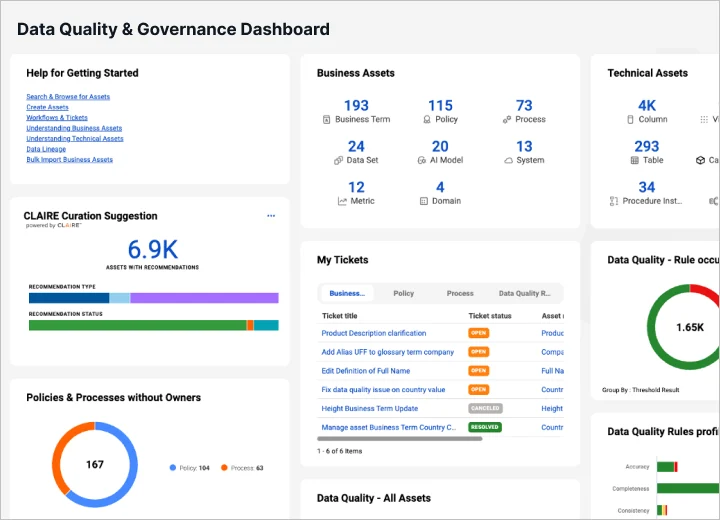
Informatica Intelligent Data Management Cloud is a cloud-based data management platform that supports data integration, quality, governance, cataloging, privacy, and master data management. It is designed to help organizations connect and manage information across complex enterprise environments.
Its broader data management capabilities make it relevant for organizations dealing with multiple data sources and business systems. MDM can be combined with integration and data quality capabilities to create more consistent and governed business information.
Key features:
- Data integration
- Data quality management
- Data governance
- Metadata management
| Pros | Cons |
|---|---|
| Provides comprehensive data management capabilities including integration, quality, governance, and master data management. | Its extensive capabilities may require higher data management maturity and implementation resources. |
| Supports complex enterprise environments with multiple data sources and applications. | Organizations with simpler requirements may need only a smaller-scale data management approach. |
| Combines data quality, integration, governance, and intelligence capabilities within one ecosystem. | Successful implementation requires clear data strategies and defined governance processes. |
| Supports enterprise-wide data initiatives across different business domains and systems. | Configuration and customization may require specialized technical expertise. |
Best for: Large enterprises managing complex data environments across multiple systems, departments, and business entities.
ℹ️Why choose Informatica Intelligent Data Management Cloud?
Informatica provides a comprehensive data management environment that combines MDM, data quality, integration, governance, and metadata capabilities for enterprise-scale data operations.
9. Semarchy Data Platform
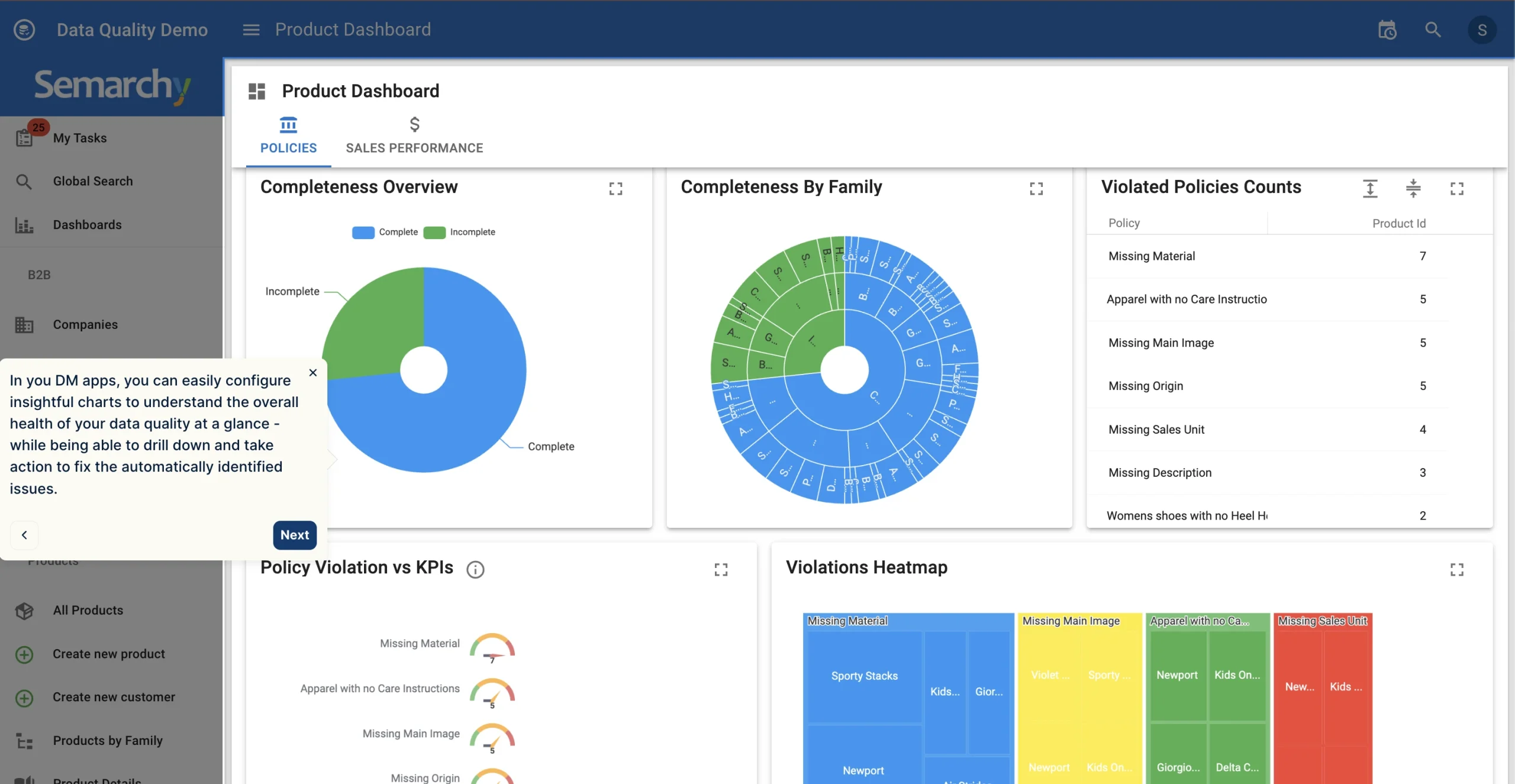
Semarchy Data Platform provides capabilities for managing, governing, integrating, and improving the quality of enterprise data. Its approach supports the creation of trusted records across business domains while connecting information from multiple sources.
The platform can be used to manage domains such as customer, product, supplier, and other critical business entities. Its workflow and governance capabilities help organizations establish processes for validating, enriching, and maintaining master records.
Key features:
- Multi-domain master data management
- Data governance workflows
- Data integration capabilities
- Data stewardship support
- Flexible data modeling
| Pros | Cons |
|---|---|
| Supports management of trusted business records across customer, product, supplier, and other data domains. | Organizations with highly complex enterprise ecosystems may require additional integration planning. |
| Provides workflow and governance capabilities to help maintain consistent data processes. | Successful adoption depends on establishing clear data ownership and governance responsibilities. |
| Helps organizations consolidate information from multiple sources into reliable master records. | Businesses with limited data management needs may not require its full capabilities. |
| Supports flexible data models for different business requirements and domains. | Implementation requires proper planning to align workflows with business processes. |
Best for: Medium and large enterprises seeking flexible MDM implementation across customer, product, supplier, and other data domains.
ℹ️Why choose Semarchy Data Platform?
Semarchy Data Platform helps organizations create, govern, and distribute trusted master data through flexible data models, workflows, and integration capabilities.
10. SAP Master Data Governance
SAP Master Data Governance is designed to help organizations centrally govern and manage critical master data within enterprise environments. It supports domains such as customers, suppliers, products, and financial information while providing workflows for creation, review, approval, and maintenance.
The platform is particularly relevant for organizations operating extensive SAP environments that need master data governance integrated with broader enterprise processes. Its structured governance capabilities can help standardize records and improve consistency across connected business applications.
Key features:
- Data validation rules
- Approval processes
- Data consolidation
- SAP system integration
- Centralized master record management
| Pros | Cons |
|---|---|
| Provides structured governance capabilities for managing customer, supplier, product, and financial master data. | Organizations outside the SAP ecosystem may require additional integration considerations. |
| Integrates with SAP environments to support consistent master data processes across enterprise applications. | Implementation may require significant planning due to enterprise-level complexity. |
| Supports approval workflows, validation rules, and centralized governance processes. | Organizations with simpler requirements may find enterprise features more extensive than needed. |
| Helps large organizations standardize critical business information across multiple systems. | Requires skilled resources to configure and maintain complex governance structures. |
Best for: Large enterprises already operating SAP environments that need structured governance for critical business data.
ℹ️Why choose SAP Master Data Governance?
SAP Master Data Governance helps enterprises standardize and govern critical master data through structured workflows, validation processes, and SAP ecosystem integration.
Conclusion
Master Data Management (MDM) is a structured approach to creating, maintaining, governing, and synchronizing trusted records for critical business entities such as customers, products, suppliers, employees, and locations. By establishing consistent definitions and authoritative records, MDM helps organizations reduce duplication and improve the reliability of information used across departments.
Without effective master data management, enterprises can face duplicated records, inconsistent information, unclear ownership, and difficult system integration. MDM addresses these challenges through data collection, cleansing, validation, and synchronization, while related disciplines such as data governance and metadata management provide complementary controls and context.
ScaleOcean supports master data management through an integrated ERP foundation that connects customer, product, sales, and other business information within one platform. With configurable workflows, role-based access, and ScaleMind as an embedded AI Business Assistant, it can help medium and large enterprises establish a more connected data environment. Schedule a consultation with the ScaleOcean team to assess how its configurable architecture can support your organization’s master data requirements and long-term data strategy.
FAQ Master Data Management:
1. What types of data can be managed using master data management?
MDM commonly manages core business entities such as customer, product, supplier, employee, asset, and location data, as well as selected reference information. The exact domains depend on which data is most critical to an organization’s operations and reporting.
2. How can you determine if a company needs a master data management solution?
A company may benefit from MDM when it has duplicated records, inconsistent information across systems, unclear data ownership, frequent reconciliation, unreliable reporting, or difficulty integrating multiple applications. These challenges usually become more significant as the organization grows across departments, entities, or locations.
3. Can master data management be integrated with the ERP system a company already uses?
Yes, MDM can integrate with an existing ERP through APIs, middleware, data pipelines, or other integration methods. This allows standardized master records to be synchronized with operational systems without necessarily replacing the ERP immediately.
4. How do you choose the right master data management platform for an enterprise?
Enterprises should evaluate the platform based on supported data domains, integration architecture, governance workflows, scalability, data quality capabilities, security, deployment options, and compatibility with existing systems. The choice should also reflect the organization’s business processes and long-term data management strategy.




















.png)