


Database systems store, organize, and manage critical business data, yet many businesses still struggle with scattered information, inconsistent records, and slow retrieval. As data volumes grow, these inefficiencies reduce accuracy, delay decisions, and increase operational costs across teams.
Modern businesses rely on structured data for decisions, but unreliable systems lead to duplicate records, conflicts, and visibility issues. Mordor Intelligence reports the database market was valued at USD 150.38 billion in 2025 and is projected to reach USD 329.05 billion by 2031 at a CAGR of 13.95%, causing performance and access challenges.
A properly designed database ensures centralized control, improves consistency, and enables fast data access across departments. Moreover, it supports scalability, allowing companies to grow without compromising data integrity, security, or system performance in demanding environments.
Ultimately, databases serve as the backbone of digital operations, powering applications, analytics, and automation. Therefore, in this article, understanding what is database system will help businesses optimize processes, reduce inefficiencies, and build stronger data-driven strategies.
 Key Takeaways
- A Database is a structured system that enables efficient data storage, retrieval, and management while ensuring accuracy, consistency, and controlled access for multiple users and integrated applications.
- Key Database Components, such as tables, schemas, indexes, and DBMSs, work together to ensure efficient data organization, fast retrieval, and reliable system performance.
- Databases Matter because they improve data usability, maintain integrity, and ensure security, helping businesses to operate efficiently while supporting compliance and data-driven decision-making.
- ScaleOcean ERP Software centralizes and secures database management, eliminating duplication and ensuring efficient, reliable, and integrated data operations across all systems.

What is a Database?
A collection of data sits neatly arranged inside what we call a database, built to handle storage without mess. Because it works so systematically, pulling up records becomes quick instead of slow. Think of it like a digital filing cabinet, only smarter, since updates happen smoothly across entries.
Accuracy matters here, where mistakes get blocked by design rather than luck. Access stays limited on purpose, allowing only those meant to enter. Managing heaps of details becomes possible because clutter finds its match in structure.
Most times, information sits inside boxes called tables or groups, shaped by what kind of database it is. Fast searches happen easily, changes roll through smoothly, and records move without snag, all of which pulls work steps closer together, so choices can follow right behind new facts.
When databases keep things in check, mistakes and repeats get blocked automatically. Because of this setup, companies hold onto trustworthy records, so every team works with the same correct details no matter where they are.
From inside, databases link up with apps using tools like DBMSs. This supports seamless application integration. Because of that setup, programs work together without hitches, running smoother, growing easier, and performing better overall.
Evolution of the Database
Early databases used simple file systems in that data was kept in separate files that did not have any structure or relationship between them. This, however, was often redundant, and the use of this methodology was scaled down and complicated to manage the complex data that could be accessed in various applications. Eventually, a new structure—hierarchical and network databases. was developed, which created relationships between the elements of data.
While these models had benefits in that their applications benefited businesses, these models were not flexible enough to cater to the varying needs of businesses and changes in data structures. Eventually, relational databases replaced all the various methods of data management with tables, relationships, and structured query languages. This allowed companies to have more control, enhance data integrity, and provide users with more powerful query acceleration capabilities to efficiently query complex data sets.
Contemporary databases come with new systems, which are NoSQL and Cloud-based, and present scalability, flexibility, and superb performance. As a result, organizations can more easily and efficiently manage not only unstructured data, but also real-time processing and large-scale distributed systems.
Key Components of Database
A database is made up of several different parts, all of which play a crucial role in ensuring efficient management of the data. These elements can aid in organizing, storing, and retrieving information; maintain accuracy, system scalability, and performance; and function across multiple systems and applications.
By comprehending these components, businesses can create more effective systems, maximize performance, and ensure the seamless operation of data management processes. Hence, every component plays an important role in getting the database to work properly and fulfill the requirements of the business.
- Tables or Collections: In relational databases, data can be organized into rows and columns with tables, whereas in NoSQL databases, data can be stored within collections, which are similar to tables. They logically organize information and make it much easier to store, retrieve, and handle related data efficiently.
- Schemas: The schema is the structure of the data in a database. They define the relationships, data types, and fields and set constraints that ensure consistency and integrity of the data, while providing rules for data entry validation.
- Indexed: It resolves the problem of speeding up the retrieval of data in systems. They enhance database performance in large databases, but the downside is a need for extra storage and careful management to strike the right balance between efficiency.
- Database Management Systems (DBMSs): These are programs designed to manage a database, including its creation, updates, and access control. They provide a high level of security, consistency, and reliability, and facilitate easier interaction between users and stored data.
Types of Databases
There are different types of databases, and each type is used for different purposes, with different data structures. With the growing complexity of the data, companies need to select the appropriate database to guarantee efficiency, scalability, and proper processing of the information on systems and applications.
Each type of database has its own strengths and weaknesses, and can be used for various purposes, including storing structured data, processing data in real time, or managing unstructured data. Knowing these types can assist companies in picking the appropriate solution to satisfy efficiency expectations and long-term expansion plans.
Furthermore, different databases have their pros and cons regarding speed, flexibility, and scalability. Thus, businesses must assess their workloads to ensure they operate efficiently and handle data safely over a variety of scenarios, including the effects of ERP trends on data system development.
Navigational Databases
Navigational databases are when data is stored with pointers, and records are interconnected in a fixed hierarchy. This method will let users traverse relationships between objects “sequentially” and would be efficient for a specific set of relationships that are clearly predefined.
In a navigational database, however, it is important to have detailed information on the data structure in order to be able to use it efficiently. The lack of flexibility is a disadvantage over today’s systems; however, they are still effective in legacy and specialist applications.
Relational Databases
In relational databases, data is stored in a structure called a table with rows and columns, and is related to one another. They use Structured Query Language (SQL) to work with multiple related data sets and efficiently handle, retrieve, and manipulate the data.
Moreover, relational databases have rules of data integrity that are enforced by constraints and keys. Therefore, they are used extensively in business applications and enterprise systems for their consistency, accuracy, and reliability.
Nonrelational Databases or NoSQL Databases
A nonrelational / NoSQL database can be used to store data in flexible formats like documents, key-value pairs, or graphs. They can perform extremely well for large, unstructured, or rapidly changing data sets efficiently.
Moreover, NoSQL databases are found to be scalable and highly performant, particularly in distributed systems. Hence, they are widely adopted in real-time applications, big data processing, and in today’s modern web-based platforms.
Object-Oriented Databases
Object-oriented databases are databases that are structured like objects in an OOP program. They enable you to model complex data types and relationships in a more natural way in the system.
Consequently, these databases are ideal for business applications that require complex data modelling. Furthermore, they enable consistency of data by being very similar to programming languages and development frameworks.
Vector Databases
Vector databases are used to store and index high-dimensional vector data, which is commonly utilized in AI and machine learning applications. They allow for fast similarity searches, a key component of some recommendation systems and semantic search.
Furthermore, vector databases can also be used with embeddings and unstructured data, providing advanced data analysis capabilities. Therefore, their ability to power intelligent search systems and applications with AI makes them pivotal in the field of search engines.
Cloud Database
Cloud databases are run by the clouds and are accessible remotely, scalable, and flexible. They remove the necessity for on-premises equipment, enabling resources to be scaled depending on need.
Furthermore, cloud databases are available with high availability, backup, and disaster recovery capabilities. Hence, companies could lower the infrastructure expenditure, nd at the same time, maintain secure and trusted information management.
Multi-Model Database
Multi-model databases can manage multiple data models in a single instance, including relational, document, and graph models. This is a flexible ability that lets businesses control different kinds of data from various kinds of databases.
This leads to a simple architecture and low complexity of multi-model databases. Additionally, they boost efficiency by enabling easier integration and management of information across diverse applications. Effective master data management further ensures data consistency, accuracy, and accessibility across systems to support better operational performance.
In-memory Database
Faster by design, these databases keep information inside memory instead of saving it on disks. Because of that, responses come almost instantly – useful when timing matters most.
Even so, since RAM forgets data when power drops, extra steps must happen to save information and bring it back later. That’s why such systems often show up where speed matters most, like live analysis and fast number crunching.
Distributed Databases
Across many places at once, distributed databases hold information but look like one unit. When spread out like this, they keep working even if parts fail. Big tasks needing steady access run more smoothly because of it. Seemingly connected though apart, these systems handle breakdowns without stopping.
When work gets split among several machines, things tend to run faster. If one machine stops working or gets overloaded, others pick up the slack without breaking stride. Growth becomes easier since adding more machines spreads out demand naturally.
Data Warehouses
From different places, information flows into one spot, a Data warehouse, where it gets organized neatly. Because of this setup, businesses look back at old records using clear patterns they find over time. Insights pop up when trends show what worked before. Decisions grow stronger as leaders see where things are headed down the road.
Running reports gets faster when analysis tasks move away from live business operations. That setup lets companies dig into data deeply while keeping everyday functions running smoothly.
NoSQL Databases
Picture this: NoSQL, short for Not Only SQL, skips fixed layouts entirely. Instead of tables, it tucks data into shapes like keys paired with values, freeform documents, and even column sets. Handling heavy loads comes naturally, thanks to built-in speed and room to grow fast.
Expansion happens sideways across machines, nudging the setup toward a spread-out network design. That layout fits big operations well,think live number crunching or apps juggling constant influxes under shifting demands.
Graph Databases
Nodes link together through connections, forming a web instead of rows across tables. Unlike traditional setups where links stay tucked away, here they stand out clearly. Moving from one point to another feels natural, almost like following paths in a forest.
Because of this flow, spotting patterns becomes easier, especially useful in friend networks or catching suspicious activity. Recommendations also benefit, since tracing how things relate unfolds step by step. Understanding ties between pieces of data turns deeper, simply because the shape shows more than numbers alone.
Open Source Databases
Most open source databases let developers tweak the code however they want. Because there are no strict license rules, companies pick what fits best for them instead of settling. A strong network of users backs many of these systems, pushing updates often.
Over time, fixes and upgrades come through naturally thanks to shared effort. Reliable performance stays high even though costs stay low. Scalability rarely becomes an issue when using well-maintained versions.
Document/JSON Database
Document databases handle complex, nested info through JSON-style formatting. When designs shift often, these fit right into fast-moving projects where updates happen daily. Coding feels smoother since its structure mirrors today’s languages more closely.
You’ll find them running websites, managing digital content, or powering live data streams. Their shape bends easily, which keeps teams moving without rewriting everything each time.
Self-driving Databases
Automated databases handle their own tuning, optimization, and management using smart systems behind the scenes. Running queries gets faster because adjustments happen without someone needing to step in.
Patches roll out on their own schedule, just like backup routines that keep data safe every time. Fewer manual steps mean fewer slips by people overseeing operations. With less routine work weighing teams down, attention shifts toward bigger goals. Performance stays strong, defenses hold firm, and uptime improves – all quietly managed from within the system itself.
How it Works: a Database

The role of a database is to organise, store,e and retrieve data using structured systems which allow the data to be efficient and accurate. It processes user requests, manages data relationships, and returns results promptly, allowing applications to operate seamlessly between other business operations and environments.
Furthermore, databases on top of that have several components that are interrelated and collaborate to take care of data integrity and performance. As a consequence, users can easily access, modify, and manipulate data in the database while keeping the database system enforcing rules, relationships, and securing access.
An understanding of the interaction of these components to process and deliver data is essential to understanding what a database system is.
Database Hardware
Database hardware is a physical component of a database system, such as servers, storage devices, and networks, that provide the physical basis for the system’s database operations. The components of a DataBase which signify its high speed and reliability in storing and retrieving data.
Furthermore, because of its high-performance hardware, it has a high level of performance and reduces latency. As a result, businesses are capable of dealing with extensive data, having several users, and obtaining a steady DBMS.
Data Models and Database Models
Data models make up the mapping of data, how it is structured inside a database system, how it is stored, and how it correlates. They set up a set of guidelines that outline the organisation of information and users’ interaction with it.
Moreover, the data model used (relational or hierarchical) also impacts data relationships. This makes selecting the appropriate model crucial for efficient data management and catering to specific business needs.
Database Schemas
Database schemas are the structures that define a database, including tables, fields, and relationships. They are used to design the database system with consistency and uniformity. Moreover, schemas also set up guidelines, including data types as well as constraints that ensure accuracy and stop incorrect data entries. As such, they do have an important role to play when it comes to data integrity and structure.
Database Management Systems (DBMSs)
A software system called a Database Management System (DBMS) manages, controls,s and accesses databases. A database system is actually the whole working relationship between the database and the management tools.
They enable data creation, reading, updating, deletion, and security and consistency of data. Additionally, the DBMSs must perform some difficult tasks, such as transaction processing, backup, and concurrency control. In turn, this helps them ensure the seamless running of data operations and ensure a consistent and stable environment for managing large-scale databases.
Database Languages
A Database Language is a language used for communicating with and controlling a database; used by users to perform database operations (e.g., query, insert, and update). The most widely used language is SQL in relational databases.
Furthermore, data languages have commands for managing the structure and content of data, which are called data definition commands and data manipulation commands. So they enable users to access databases efficiently, with accuracy and consistency.
Why Databases Matter
Databases play a critical role in modern business by efficiently organizing and managing large volumes of data. As businesses grow, they face increasing data complexity, making it difficult to track, access, and use information without a structured system.
Moreover, businesses rely on databases to support decision-making, streamline operations, and maintain consistency across departments. Without a reliable database, teams struggle with inefficiencies, making it harder to track and improve overall productivity.
In addition, databases enable scalability, allowing systems to grow alongside business demands without losing performance. Consequently, they serve as a foundation for digital transformation, supporting applications, analytics, and automation across various industries.
Databases are a fundamental part of today’s businesses, where it efficiently manages and organize large amounts of data. As companies scale, data becomes more complicated, and without a structured system, it is difficult to observe, access, and use info. Furthermore, companies use databases to help them make decisions, organise things, and keep things consistent between departments of the company.
Without a proper database, teams tend to give rise to inefficiencies, and it will be more difficult to monitor performance metrics and boost productivity generally. Moreover, databases offer scalability, which means that the systems can expand based on the business requirements without compromising the performance they offer. As a result, they form the basis for the digital transformation of various sectors, including applications, analytics, and automation.
Data Usability
This makes it easy to query, store, and retrieve data without any problems. What’s more, improved usability means that teams can make more informed choices and quicker decisions. This means that businesses can boost productivity, minimise manual tasks, and keep data onboarding readily available when required.
This ensures the data can be easily queried, stored, and retrieved without issues. Furthermore, enhanced usability enables teams to make faster and more informed decisions. As a result, businesses can improve productivity, reduce manual effort, and ensure that data is consistently available when needed.
Data Integrity
Data integrity guarantees that the data in the database is accurate, consistent, and dependable for a long period of time. Helps avoid errors, data duplication, and unauthorized changes, which may affect data quality.
Besides the enforcement of integrity by rules, constraints, and validation mechanisms defined in databases. This means companies can rely on their data when reporting, analyzing, and making decisions without fear of inconsistencies or corruption.
Data Security and Compliance
Databases ensure the security of sensitive data by implementing various security protocols like encryption, access restrictions, and authentication systems. These features help to guarantee that vital data can only be accessed and changed by authorised users.
Moreover, databases help businesses comply with regulatory standards and data protection laws. As a result, businesses can safeguard customer information, reduce risks, and maintain trust while strengthening ERP security practices.
As businesses understand databases better, they need solutions to manage data efficiently across systems. ScaleOcean ERP software is an integrated solution that centralizes databases, eliminates fragmented data, reduces duplication, and offers full departmental visibility.
ScaleOcean ERP software provides a centralized platform that integrates all business data into a single system, ensuring real-time access, scalability, and consistency. As a result, businesses can manage data more efficiently while maintaining accuracy and operational performance. Request a free demo of ScaleOcean today to start optimizing your data.

What Is Database Software?
Database software is a system that allows users to create, manage, and interact with databases efficiently. It provides tools to store, organize, and retrieve data while ensuring consistency, accuracy, and controlled access across different applications.
Moreover, database software simplifies complex data operations by offering user-friendly interfaces and automation features. As a result, businesses can manage large volumes of data without requiring deep technical expertise for everyday database tasks.
In addition, this software supports integration with applications, enabling seamless data flow between systems. Consequently, businesses can improve productivity, reduce manual work, and maintain reliable data across all operations.
What Is a Database Management System (DBMS)?
A Database Management System (DBMS) is specialized software that controls how data is stored, organized, and accessed within a database. It acts as an interface between users and the database, ensuring efficient data handling.
Furthermore, DBMS manages essential functions such as data security, backup, recovery, and transaction processing. As a result, it ensures that data remains consistent, protected, and available even in complex or high-demand environments.
Additionally, DBMS supports multiple users simultaneously while maintaining data integrity and preventing conflicts. Consequently, it plays a central role in modern data systems by enabling reliable and scalable database operations.
Database Challenges

When data gets bigger, faster, and more tangled, problems keep popping up in databases. Scaling businesses often see slowdowns, weak spots in protection, shaky dependability – side effects of rising demands on their systems.
- Managing large data volumes: When databases get too full, things start slowing down. Heavy loads test their limits, storage fills up, and responses lag. Handling more information means upgrading tools or adjusting methods behind the scenes.
- Ensuring data security: Start with locks on the digital doors. Hacking attempts, sneaky entries, and even accidental slips can expose critical records. That means firms need strong scrambling of data, strict entry rules, alongside round-the-clock watch systems, which makes protection grow when layers stack without gaps.
- Maintaining data consistency: When information spreads out over many places, keeping it the same everywhere gets tricky. One spot might update while another stays behind – that mismatch pops up without warning. These obstacle happen even if everything seems to run smoothly on the surface.
- Integrating multiple systems: When databases link to various apps, mismatches might pop up. So it’s on companies to keep information moving smoothly while matching system needs.
The Role of Databases in AI Initiatives
Most of what AI does rests on databases, they feed it everything needed to learn, think, and respond. When data lives in messy or faulty setups, the results stumble, often missing the point entirely.
- Providing high-quality training data: Training AI takes both organized info and messy real-world inputs. When what feeds the system gets cleaned up, guesses tighten. Performance climbs simply because the foundation shifts under it.
- Enabling large-scale data processing: When it comes to handling massive volumes of data, databases make storing and accessing information smooth. Because of this setup, artificial intelligence works faster, pulling useful patterns from huge collections without delay.
- Supporting real-time insights: Right now, databases feed live data straight into AI tools. Because of this flow, companies react quickly using fresh details and shifting situations. Fresh numbers mean choices happen sooner.
- Enhancing scalability and performance: When workloads get heavier, today’s databases stretch to meet demand. Because of how they’re built, speed stays steady no matter the size. Complexity grows, yet response times hold firm.
How Does ScaleOcean ERP Manage Databases in an Integrated Manner in One Platform?
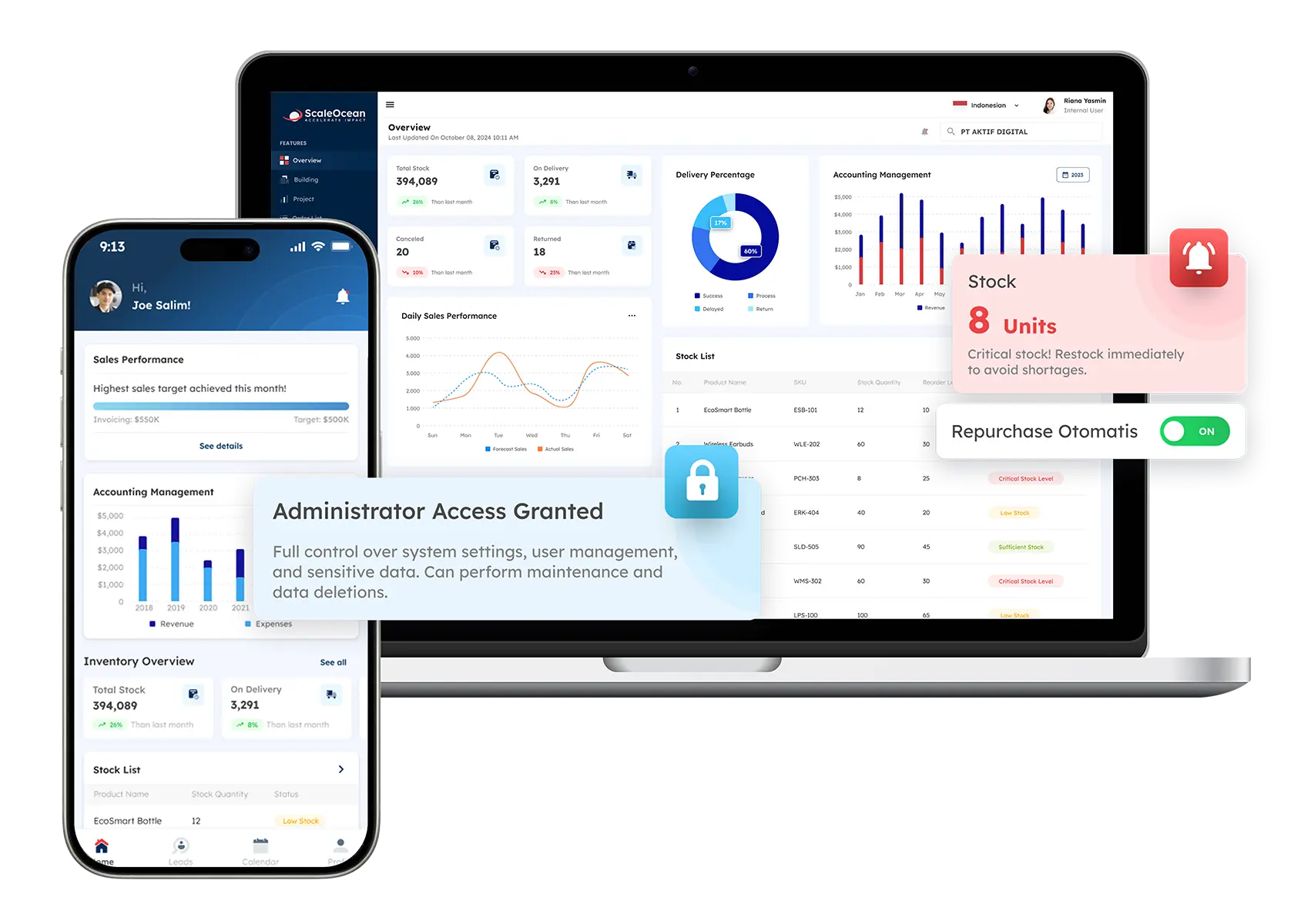
From one hub, ScaleOcean ERP Software links every business function, joining operations into a unified setup. Data lives together, so teams pull from the same source instead of juggling copies. This connection cuts repeats, keeps details sharp, while smoothing work everywhere. Information flows straight, reducing errors because everyone sees what others see.
Each department moves in step, thanks to live updates built right in. No silos slow things down since changes show up instantly across units. The whole structure runs clean, driven by constant alignment behind the scenes. Consistency sticks because inputs feed one shared engine throughout.
Security begins with strong encryption built into every part of ScaleOcean’s system. When data sits still or moves between servers, it stays locked down using advanced methods. Protection does not weaken even during transfers across networks.
Now and then, ScaleOcean runs automatic backups while quietly tending databases behind the scenes, keeping information whole and trouble at bay. Stored safely away, files snap back fast if systems stumble, letting companies carry on without skipping a beat or losing records.
Cloud setup lets the system grow easily, handling tons of information smoothly. When more people join, nothing slows down – cost stays flat, no matter how big the team gets. Big companies benefit simply: they get room to stretch, adapt fast, and keep everything in one place.
Conclusion
Databases play a vital role in modern business by ensuring data is stored, managed, and accessed efficiently across systems. Understanding what is database and why it matters helps businesses choose the right structure to maintain performance, security, and scalability.
To achieve these outcomes, businesses need a system that can unify data, reduce duplication, and ensure strong protection and reliability. ScaleOcean ERP software provides a centralized, integrated database that connects all operational modules on a single platform, enabling seamless data flow with high-level encryption and secure access.
Moreover, ScaleOcean offers automated backups, continuous maintenance, and scalable cloud infrastructure to manage large datasets. With unlimited user access and strong performance, it boosts efficiency and data integrity. Request a free demo of ScaleOcean ERP software today to see how it can improve and manage your database operations.
FAQ:
1. What are the three databases?
Databases are primarily categorized based on their data models into three main types:
1. Relational
2. Hierarchical
3. Network
Each type differs in how data is structured, stored, and used.
2. What is a database for beginners?
A database is a system for storing data in an organized, structured way on a computer, typically using tables. This structure makes it easier to store, search, and manage large amounts of information efficiently.
3. Which type of database is best?
Relational databases are best when managing complex relationships between data entities. Non-relational databases store related documents together for quick access, but if that doesn’t suit your needs, relational databases are usually the preferred option.
4. How do I create a database?
To create a database:
1. Open the File tab and select New.
2. Choose Blank Database.
3. Enter a file name in the File Name box.
4. Click Create.
5. Start entering data manually or paste data from another source as needed.
























.png)