
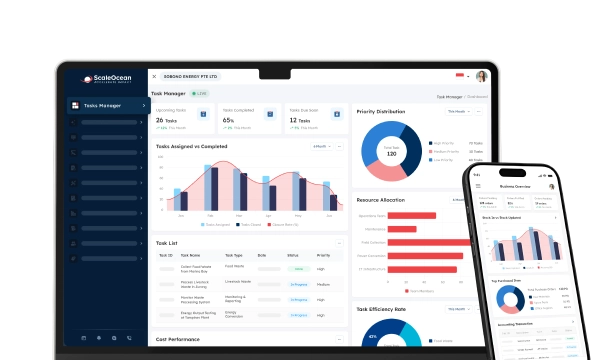

Software as a Service (SaaS) is a cloud-based software delivery model that allows businesses to access applications through the internet without installing or maintaining infrastructure. Consequently, companies reduce IT complexity while scaling operations faster.
However, most companies are still somewhat struggling because, apart from the core system, many teams like finance, sales, HR, procurement, warehouse management, and branch offices use individual applications. As a result, these departmental teams have to consolidate Excel files themselves before preparing management reports, which delays business decision-making.
In addition, disconnected systems generate duplicate records, inconsistent data, and out-of-date information across the departments. Hence, managers frequently make key strategic decisions based on unreliable information, thereby raising operational risk and reducing organizational effectiveness.
In terms of quality management, SaaS consolidates processes, maintains data standardization, and enables department-to-department cooperation in real time. In addition, by knowing what is Software as a Service, enterprises improve compliance, reduce reporting time, and maintain quality standards by eliminating high infrastructure investments.
 Key Takeaways
- Software as a Service is a platform that delivers cloud-based applications through subscriptions, reducing infrastructure costs while improving accessibility, scalability, and collaboration.
- Benefits of SaaS include cost savings, rapid deployment, universal accessibility, seamless integrations, and automated updates that improve productivity, collaboration, and quality management.
- Leading SaaS platforms like ScaleOcean, Zendesk, and HubSpot offer specialized capabilities, enabling organizations to choose solutions matching their industry requirements and business size.
- ScaleOcean Atlas extends beyond standard SaaS ERP with configurable workflows, integrated AI, flexible deployment, and enterprise capabilities that support sustainable business growth.
What is Software as a Service (SaaS)?
Software as a Service (SaaS) is a paid model of computer applications in which the application provider hosts the application and makes it available over the internet through a web browser. So, the business needs to subscribe to the application rather than buy and run the application on the premises.
Unlike conventional software, SaaS eliminates the need for multiple complex installations, hardware investments, and extensive maintenance. The software vendor is responsible for security, infrastructure, backups, and updates, so the organization can focus on achieving operational excellence and quality improvement.
What is the History and Current State of SaaS?
SaaS emerged from application service providers that emerged in the late 1990s as internet technology evolved rapidly. As technology evolved, adoption was driven by cloud computing, which provided dependable, scalable, and affordable software for industries.
Now, with artificial intelligence, automation, and analytics, SaaS helps companies of all sizes. As a result, companies tend more and more to use SaaS platforms for effective collaboration, regulatory compliance, productivity, and quality management at a distance.
As covered by Reuters Breakingviews, Adobe’s transition from selling perpetual software licenses to its cloud-based Creative Cloud subscription service. This SaaS transformation enabled continuous feature updates, predictable recurring revenue, and stronger customer engagement, becoming one of the most influential SaaS success stories in the software industry.
How Does Software as a Service (SaaS) Work?
SaaS software runs applications in a secure cloud environment and delivers services via the internet. Software is delivered to users via browsers rather than on local PCs or company servers.
Meanwhile, providers maintain application performance, patch security, backups, and infrastructure availability in central environments, where customers consistently see better service while reducing control costs.
Key Characteristics of SaaS Software

Software as a Service platform is a synthesis of flexible licensing, cloud computing, centralized management, and continuous innovation. As a result, businesses can operate more efficiently and reduce infrastructure and management costs.
These features also support unified quality control management, as standardized procedures can be used across all departments and business locations. Additionally, the companies can respond more quickly to operational changes while maintaining stable quality and compliance.
1. Subscription-Based Pricing
Subscription pricing in Software as a Service software enables enterprises to pay for software on a per-use basis rather than purchase permanent software licenses. This way, enterprise software can keep technology costs under control and upsize or downsize subscriptions as business needs evolve.
Furthermore, known regular monthly or annual payments make financial planning much easier and spare organizations from large CAPEX when new software must be deployed. As a result, corporates can focus on innovation, process improvement, and quality.
2. Universal Accessibility
Universal accessibility allows workers to securely access Software as a Service platform from any site with any connected device. So that the teams can collaborate without geographical restriction, whether they are working in offices, factories, or warehouses,
In addition, centrally provided cloud access ensures that key users can consistently access loaded data and common processes. Consequently, companies increase efficiency by eliminating cycle-time delays, enhancing decision-making, and implementing quality management across sites.
3. Automated Updates
SaaS providers deliver software updates, feature additions, and security improvements automatically, so customers do not have to. This means that every time the customer accesses the software, they are using the current version and do not have to endure painful upgrades or lengthy downtime.
In addition, system updates automatically deliver security improvements, bug fixes, and performance enhancements. As a result, all users get the new features instantly. Hence, even minimal administration is needed to ensure uninterrupted systems.
4. Multitenant Architecture
The multitenant architecture enables a single version of the application to securely serve multiple customers by providing each customer with a dedicated virtual application instance, while still allowing providers to maximize infrastructure utilization.
Furthermore, this architecture enables easier maintenance, as vendors only need to manage a single common platform for all customers. This means reduced downtime, faster innovation, and lower running costs through pooled cloud resources.
What’s the Difference Between SaaS, PaaS, IaaS, and MaaS?
Although SaaS, PaaS, IaaS, and MaaS are all forms of cloud computing, they serve different business requirements. Therefore, understanding each model helps organizations choose suitable technology for their operational and quality management objectives.
The primary difference lies in how much infrastructure providers manage and how much responsibility remains with customers. Consequently, businesses should evaluate technical expertise, customization needs, scalability, and operational priorities before selecting a cloud service model.
| Cloud Model | Who It Is For | What Is Managed by the User | How It Works |
|---|---|---|---|
| SaaS (Software as a Service) | Businesses and end users needing ready-to-use applications | User accounts, business data, configurations, and workflows | The provider hosts and maintains the application, while users access it through a web browser using a subscription. |
| PaaS (Platform as a Service) | Developers build, test, and deploy applications | Applications, source code, databases, and runtime configurations | The provider supplies development platforms and infrastructure, allowing developers to focus on application creation instead of server management. |
| IaaS (Infrastructure as a Service) | IT teams requiring maximum infrastructure control | Operating systems, applications, middleware, storage, networking, and security configurations | The provider delivers virtualized computing resources, while customers configure and manage their own technology environment. |
| MaaS (Monitoring as a Service) | Organizations needing centralized monitoring for applications, networks, and cloud environments | Monitoring policies, alert rules, dashboards, and response procedures | The provider offers cloud-based monitoring tools that continuously collect system data, detect issues, and generate alerts through centralized dashboards. |
Key Benefits of Using SaaS

SaaS offers the cost benefits of ease of software deployment, translating into tangible cost reductions for companies across industries. As a result, a company can increase efficiency, cut costs, bolster teamwork, and support continuous quality management by implementing cloud-based applications.
1. Drastic Cost Savings
SaaS reduces the costs associated with buying expensive hardware, software licensing, and infrastructure management in traditional deployments. As a result, businesses can reduce capital investments and shift IT investments toward predictable operational costs.
Other service providers include billing, provisioning, payment processing, maintenance, security, and infrastructure management, all of which are included in subscription fees to reduce internal operating costs. As a result, businesses reduce IT costs while increasing efficiency and financial planning.
2. Rapid Deployment and Scalability
Enterprises benefit from the rapid deployment of SaaS applications, as providers deliver ready-to-use environments over a secure infrastructure. Hence, implementing SaaS Applications can take much less time than developing software solutions on-premises.
In addition, companies can easily scale up or down users, storage, and applications as business demands change. Changing SaaS thus makes sustainable growth affordable, with no need for costly infrastructure upgrades and long implementation times.
3. Ultimate Accessibility and Flexibility
Employees remotely log in to SaaS applications on their desktops, laptops, tablets, and smartphones via the internet. This instantly increases collaboration among business workers, no matter where the system resources are located.
Additionally, shared cloud environments guarantee that consistent data and procedures are followed daily. This results in overall increased efficiency, while enabling effective telecommuting, branch support, and cooperation with other departments.
4. Effortless Upgrades and Technical Continuity
Application vendors provide updates, security patches, and improvements that enhance application performance. This is done in the background with minimal business disruption, providing out-of-the-box functionality with current software versions and minimizing ongoing maintenance.
Also, it ensures automatic updates that address compatibility issues and eliminate complicated upgrade initiatives that require the enterprise to expend several internal resources. As a result, the enterprise can use the platform to support its stable businesses while unlocking advanced platform functionalities.
5. High Compatibility and Integration
Today, modern SaaS solutions integrate with corporate systems using APIs, connectors, and data exchange standards. This enables companies to integrate their finance, human resources, customer relationship management, ERP, and quality management processes into a single flow.
In addition, smooth application integration is key to avoiding duplicate data entry and improving reporting accuracy across multiple areas of the business. This, in turn, helps ensure that company decision-makers have the accurate, real-time data needed to improve operational efficiency and quality efforts.
8 Examples of Software as a Service (SaaS)
Software as a Service software supports a wide range of business functions, from enterprise operations to customer engagement and collaboration. Therefore, organizations can choose specialized SaaS platforms that align with their operational requirements and long-term growth strategies.
Common examples for Software as a Service:
- Enterprise Resource Planning (ERP): Platforms like ScaleOcean integrate finance, procurement, inventory, manufacturing, sales, and HR within one cloud-based business system.
- Productivity Suites: Solutions like Google Workspace, ScaleOcean, and Zoho Workplace provide cloud-based email, documents, spreadsheets, presentations, calendars, and file collaboration.
- Customer Relationship Management (CRM): Platforms like Salesforce, HubSpot, Zoho CRM, and Pipedrive help businesses manage customer relationships, sales pipelines, marketing campaigns, and lead generation.
- Cloud Storage & File Sharing: Services like Dropbox, Google Drive, Microsoft OneDrive, and Box enable secure file storage, synchronization, backup, and document sharing across multiple devices.
- Customer Service & Help Desk: Solutions like ScaleOcean, Zendesk, Freshdesk, Intercom, and Zoho Desk centralize customer support through ticketing, live chat, knowledge bases, and omnichannel communication.
- Marketing Automation & CRM: Solutions like HubSpot, ScaleOcean, and others combine email marketing, marketing automation, CRM, lead nurturing, and customer engagement within cloud-based platforms.
1. ScaleOcean
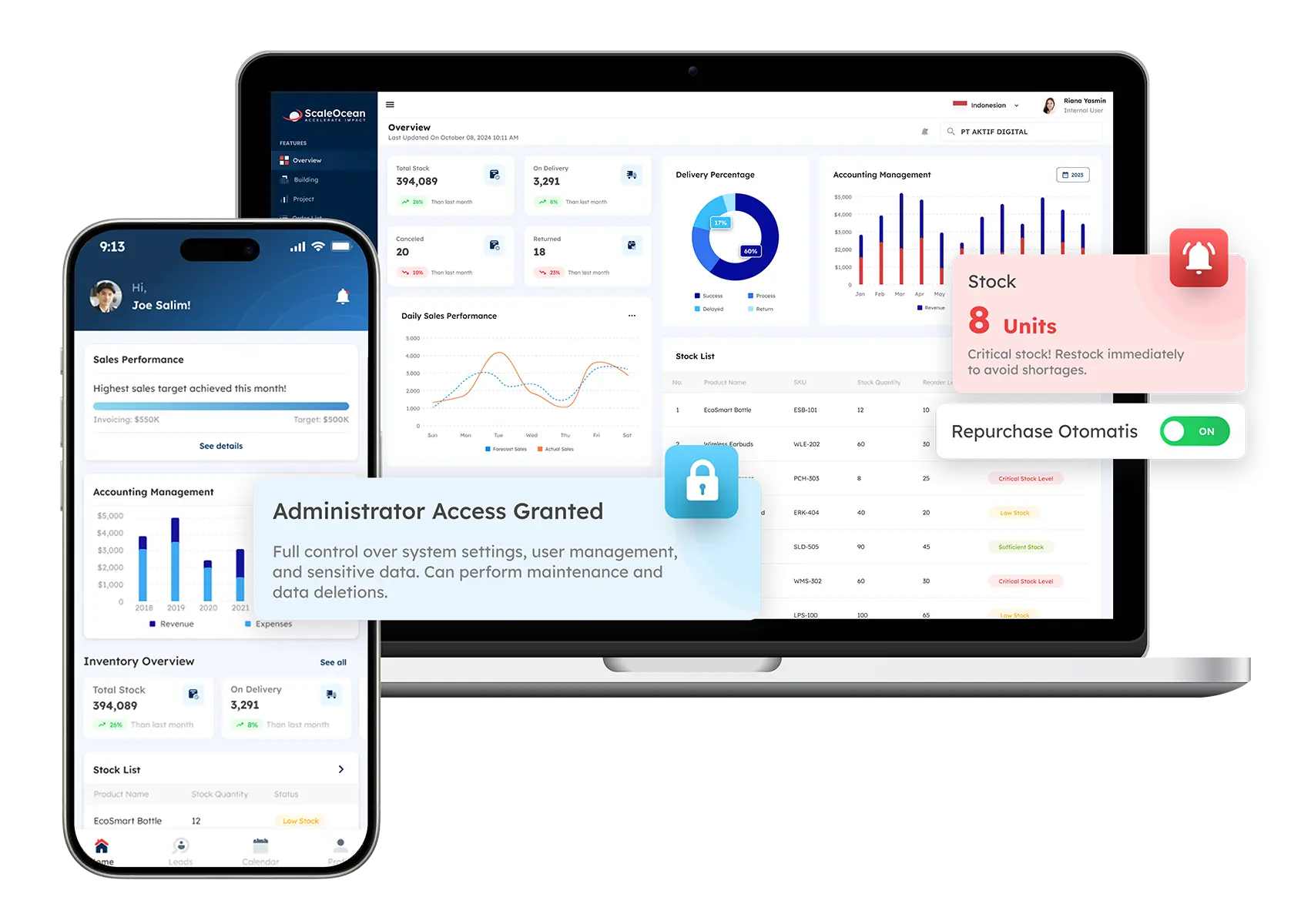
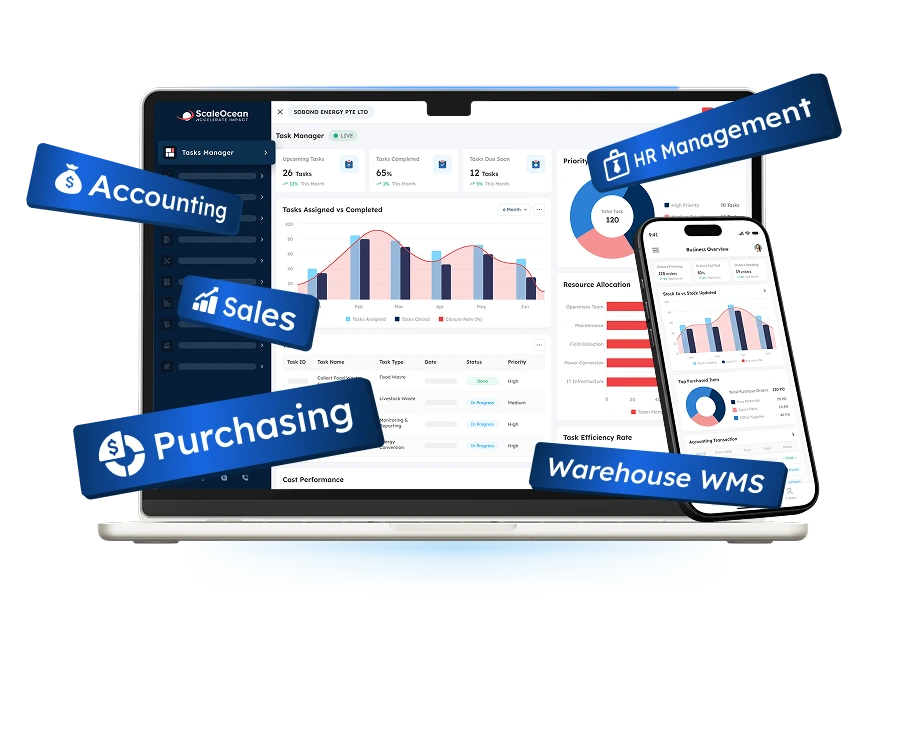
ScaleOcean Atlas is an enterprise ERP platform that helps businesses manage finance, procurement, inventory, manufacturing, sales, HR, and quality management through one integrated system. Consequently, organizations standardize operations while gaining real-time visibility across departments and business entities.
Unlike standard SaaS ERP solutions, ScaleOcean Atlas provides consultative implementation, over 200 integrated modules, flexible workflows, unlimited users, and cloud or on-premises deployment options. Furthermore, ScaleMind AI, flexible API integrations, and long-term local support make it suitable for growing SMEs and complex multi-entity enterprises.
Schedule a consultation with our experts to explore how ScaleOcean fits your operational requirements and digital transformation goals. See its integrated features in action and discover how they improve efficiency across your business.
ℹ️ Why Choose ScaleOcean
ScaleOcean Atlas adapts to each company’s processes instead of forcing standardized workflows, helping businesses streamline operations, integrate existing systems, and scale confidently as operational complexity increases.
2. Google Workspace
Google Workspace is a cloud-based productivity suite that includes Gmail, Docs, Sheets, Slides, Drive, Meet, and Calendar for business collaboration. Therefore, teams can create, edit, and share documents simultaneously from virtually any connected device.
Its greatest strength is real-time collaboration combined with Google’s reliable cloud infrastructure and security features. Consequently, Google Workspace best suits startups, educational institutions, SMEs, and distributed teams prioritizing productivity and remote collaboration.
ℹ️ Why Choose Google Workspace
Google Workspace is an excellent choice for organizations needing reliable cloud productivity tools with real-time collaboration, simple administration, and strong integration across Google’s ecosystem.
3. Salesforce
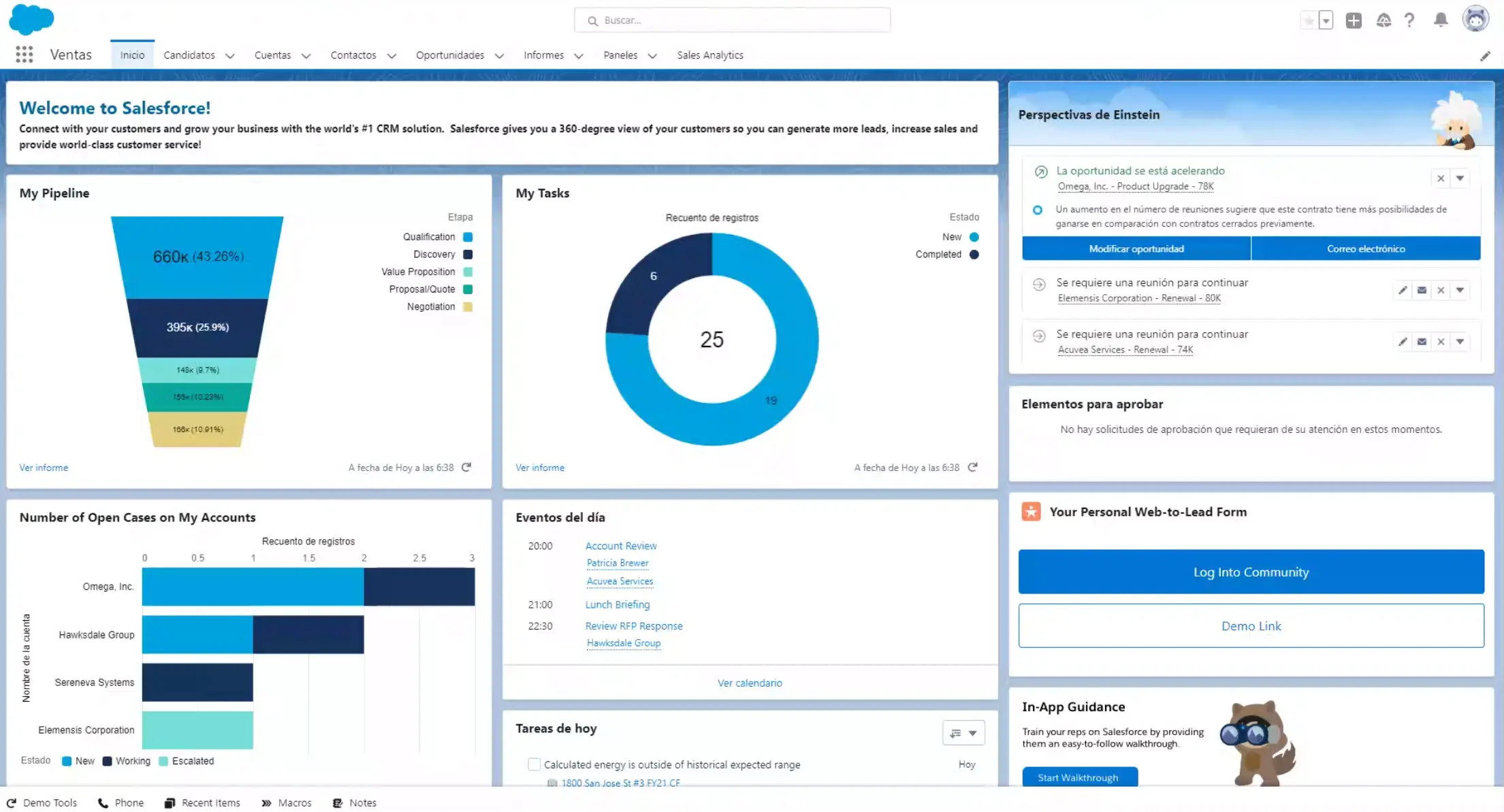
Salesforce is a cloud-based Customer Relationship Management (CRM) platform designed to manage sales, customer service, marketing, and customer engagement processes. As a result, businesses gain complete visibility into customer interactions throughout the sales lifecycle.
The platform offers customization, automation, and analytics. Therefore, Salesforce is particularly suitable for medium-sized businesses and global enterprises managing complex customer relationships.
ℹ️ Why Choose Salesforce
Salesforce suits organizations requiring advanced CRM capabilities, extensive automation, AI-powered insights, and highly customizable workflows supporting long-term business growth.
4. Dropbox
Dropbox is a cloud storage and file-sharing platform that enables users to securely store, synchronize, and access files across multiple devices. Consequently, employees collaborate efficiently without relying on local storage or physical file transfers.
Its interface, synchronization, and third-party integrations make document management straightforward for every user. Therefore, Dropbox works well for freelancers, creative teams, SMEs, and businesses managing shared project documentation.
ℹ️ Why Choose Dropbox
Dropbox is ideal for organizations seeking secure cloud storage, effortless file synchronization, and simple collaboration across distributed teams and multiple devices.
5. Zendesk
Zendesk is a cloud-based customer service and help desk platform that centralizes support requests from multiple communication channels. Consequently, businesses provide faster and more consistent customer experiences across email, chat, phone, and social media.
Its ticketing system, automation capabilities, and reporting dashboards help support teams improve efficiency and service quality. Therefore, Zendesk is particularly suitable for growing businesses and enterprises managing high customer support volumes.
ℹ️ Why Choose Zendesk
Zendesk is a strong option for businesses needing scalable customer support software with omnichannel communication, automation, and comprehensive performance reporting.
6. Slack
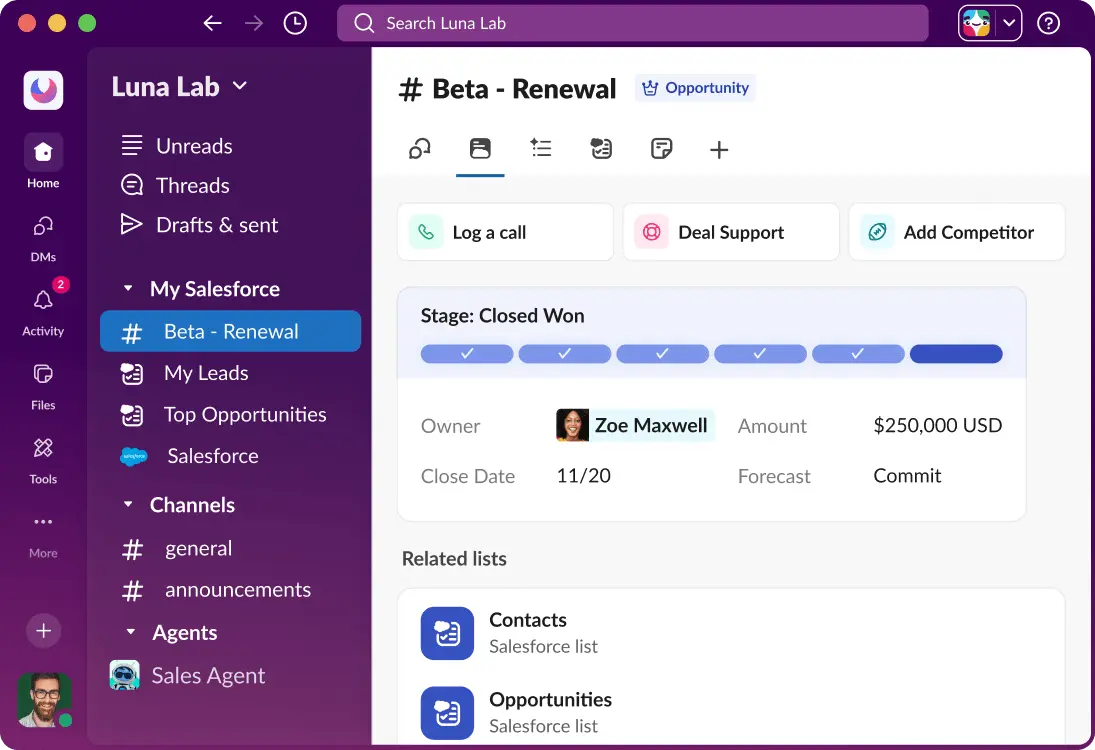
Slack is a cloud-based team communication platform that organizes conversations through channels, direct messaging, voice calls, and workflow integrations. As a result, organizations reduce internal emails while improving collaboration across departments.
Its application integrations and searchable communication history significantly simplify teamwork and project coordination. Consequently, Slack is well suited for technology Software as a Service companies, remote teams, startups, and cross-functional organizations.
ℹ️ Why Choose Slack
Slack is best for businesses seeking fast internal communication, seamless collaboration, and extensive integrations with existing productivity and business applications.
7. ClickUp
ClickUp is a cloud-based project and work management platform that combines task management, documentation, collaboration, automation, and reporting within one application. Therefore, organizations coordinate projects without switching between multiple software solutions.
Its workflows, dashboards, and productivity features accommodate teams across different departments and industries. Consequently, ClickUp is ideal for marketing agencies, software developers, project managers, and growing businesses.
ℹ️ Why Choose ClickUp
ClickUp is suitable for teams requiring flexible project management software with automation and comprehensive collaboration capabilities in one platform.
8. HubSpot
HubSpot is a cloud-based CRM and marketing automation platform that combines sales, customer service, content marketing, and lead management tools. Consequently, businesses manage the complete customer journey through one integrated ecosystem.
Its user-friendly interface, automation features, and product suite simplify customer acquisition and relationship management. Therefore, HubSpot is particularly suitable for SMEs, marketing teams, and businesses focused on inbound growth strategies.
ℹ️ Why Choose HubSpot
HubSpot is a solution for organizations looking to unify CRM, marketing, sales, and customer service while supporting scalable business growth through automation.
Future Trends in SaaS Software
As organizations require more flexibility and automation, as well as industry-tailored capabilities, SaaS is still evolving to meet these needs by launching new technologies that enhance user experience, business agility, and efficiency.
By learning what is Software as a Service and its trends, you will bolster your quality management by enabling quicker integration, smarter processes, and scalable digital transformation efforts. As a result, modern SaaS landscapes will provide your business with stronger competitive advantages in fast-changing markets.
1. XaaS (Everything as a Service)
Anything as a Service (XaaS) turns the subscription model to hardware, infrastructure, platforms, security, analytics, and business processes. This means business organizations can adopt entire technology ecosystems without building and maintaining complicated in-house architectures.
In addition, XaaS allows Software as a Service companies to combine various cloud services with consumption-based pricing schemes. As a result, companies enhance the scalability of the IT environment while at the same time reducing investment in infrastructure and easing digital transformation projects.
2. Vertical SaaS
Vertical SaaS refers to industry-specific SaaS solutions for manufacturing, healthcare, retail, logistics, and quality management. They offer industry-specific workflows, compliance, and best practices.
Furthermore, these portals require less customization because providers develop functionality based on industry needs from the beginning. Thus, implementation among organizations is faster as they allow concurrent increases in productivity and compliance.
3. Micro-SaaS
Micro-SaaS aims to address a particular business pain rather than developing a universal platform with generic features for all enterprise scenarios. This leads to lean solutions for particular operational pains in businesses.
Furthermore, Micro-SaaS products can connect to other business systems via current APIs and cloud services. That means businesses can enrich their current software systems instead of replacing core enterprise applications.
4. API Integration
Integrating with APIs enables SaaS platforms to connect with other systems such as ERP, CRM, HR, finance, and other third-party applications, automating business data migration in a hassle-free manner.
In addition, connected systems increase operational transparency as personnel share real-time information between departments and business locations. As a result, good decisions are made in less time with maintained quality management and process automation.
5. Mobile-First Development
A mobile-first approach ensures a responsive user experience on smartphones and tablets first, before considering the desktop. As a result, staff members can engage with business applications anytime without being tied to the office.
Additionally, mobile functionality helps field staff, warehouse employees, auditors, and managers access operational details instantly. Businesses can then expedite approvals, inspections, reporting, and quality control from any location.
6. Evolving Pricing Models
More and more SaaS vendors are providing multiple pricing models beyond the usual monthly or yearly subscriptions. As a result, organizations opt for consumption-based, feature-based, user-based, or hybrid pricing structures that align with organizational needs.
Furthermore, affordable technology boosts organizational flexibility. As businesses evolve, flexible pricing enables organizations to make optimal investments according to market demands. Thus, organizations increase cost-effectiveness without investing in redundant software.
Conclusion
Software as a Service simplifies software delivery through cloud-based subscriptions while improving accessibility, scalability, and operational efficiency. Consequently, businesses streamline processes, reduce IT costs, and support quality management with centralized, continuously updated applications.
ScaleOcean Atlas extends beyond standard SaaS ERP by adapting workflows, integrations, and deployment to each business instead of enforcing fixed processes. Furthermore, consultative implementation, ScaleMind AI, and over 200 integrated modules support complex enterprise operations.
You can book a consultation with our expert to discover how ScaleOcean streamlines operations with real-time visibility and integrated workflows. Therefore, your business can accelerate digital transformation while supporting sustainable growth and continuous quality improvement.
FAQ Mining Industry Software:
1. Is SaaS being replaced by AI?
No. AI is transforming SaaS rather than replacing it. Modern SaaS platforms increasingly embed AI for automation, analytics, and decision support, making cloud software more intelligent instead of obsolete.
2. What is the difference between SAS and SaaS?
SAS is a company that develops analytics and business intelligence software. SaaS, or Software as a Service, is a cloud delivery model where users access subscription-based applications through the internet without installing or maintaining them locally.
3. What are good examples of SaaS?
Popular SaaS examples include ScaleOcean, Google Workspace, Salesforce, Dropbox, Zendesk, and HubSpot. These applications are cloud-hosted and accessible through a web browser using a subscription model.
4. How to build a SaaS product?
Start by identifying a real customer problem, validating demand, designing an MVP, selecting a scalable cloud architecture, implementing subscription billing, ensuring security, testing thoroughly, then launching and improving continuously based on customer feedback.


















.png)