
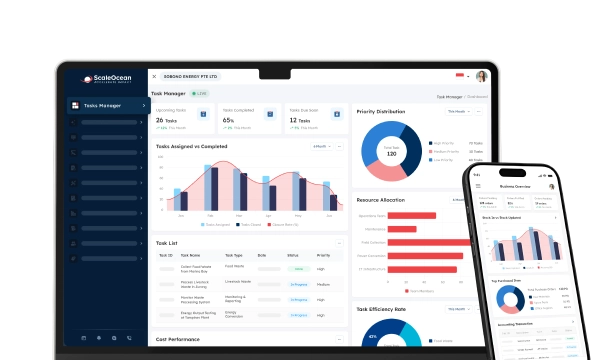

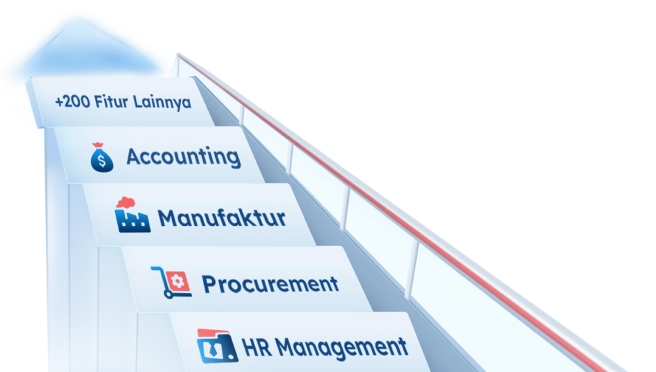
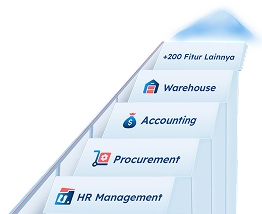
Those with complex business processes and fragmented management controls often encounter numerous issues that impact operational efficiency. Therefore, companies with enterprise business processes must utilize enterprise software to manage all their business processes within a single platform.
Without enterprise software, companies with multiple markets to manage, such as Singapore, will often experience delays in decision-making due to fragmented management controls and even errors and inconsistencies in information between departments within the company.
According to GGI Global Information, the enterprise software market in Singapore is experiencing significant growth, with the ERP software market valued at approximately USD 481.29 million in 2023 and projected to reach USD 910.77 million by 2029, reflecting a CAGR of 11.05% during this period.
This growth is driven by the increasing adoption of cloud-based solutions, which offer scalability and flexibility, particularly among medium and large enterprise companies. The central region of Singapore leads in market share, as businesses there integrate EAS into their digital transformation strategies to enhance efficiency and decision-making.
This article will discuss enterprise software, including its features, key components, types, and examples that you can use to optimize your enterprise management. Learn more here.
 Key Takeaways
- Enterprise software is computer system software that assists large companies and organizations in managing and optimizing business operations.
- Key characteristics of enterprise software are streamlined operations, centralized data, scalability, advanced analytics, integration, business process management, and customization
- Types of enterprise software are ERP, CRM, BI, SCM, HRM, project management, enterprise asset management, enterprise content management, sales and marketing, and more
- Examples of enterprise software are ScaleOcean, Oracle NetSuite, SAP S/4HANA, Salesforce, Microsoft Dynamics 365, Workday, and more
- ScaleOcean is one of the best examples of enterprise software that can integrate and automate critical business functions in one platform.

What is Enterprise Software?
Enterprise software, also known as enterprise application software (EAS), refers to large-scale, all-encompassing tools built to simplify, automate, and oversee intricate business processes within organizations.
These solutions enhance efficiency, security, and data-informed decision-making across various departments. Typical examples include ERP, CRM, and HR systems.
These powerful, scalable tools simplify daily tasks, foster interdepartmental collaboration, and offer data insights for better decision-making.
Why is Enterprise Software Important?
Enterprise software plays a vital role in modern businesses, driving operational efficiency and supporting growth. These systems are specifically designed to address the unique needs of large organizations, providing tools that optimize processes across multiple departments.
Here are the key reasons why software is essential for enterprise management today, including:
Streamlined and Increased Efficiency
Enterprise application software automates repetitive tasks, reducing manual intervention and the risk of human error. By streamlining workflows, businesses can achieve faster execution of processes, allowing employees to focus on higher-value tasks.
The integration of various business functions into one system further reduces time spent on managing separate systems, resulting in smoother operations, faster decision-making, and overall efficiency improvements. Following the best practices of ERP consolidation ensures seamless data flow and better coordination across departments.
Real-Time Insights
With enterprise software, businesses can access real-time data analytics, allowing leaders to make well-informed decisions based on up-to-date information. This visibility into business performance helps organizations identify trends, opportunities, and potential issues early on.
Having access to accurate, real-time insights ensures timely and proactive adjustments, enabling companies to respond swiftly to changing market conditions and customer demands.
Enhanced Collaboration
Using enterprise application software also helps companies to promote seamless collaboration across departments by providing a unified platform where all relevant data is accessible.
This helps break down silos within the organization, ensuring that employees from different functions can communicate and share information efficiently. The result is improved teamwork, faster problem-solving, and a more cohesive approach to meeting organizational goals.
Cost Reduction
By automating key processes and optimizing resource management, an enterprise system helps companies reduce operational costs. It can eliminate inefficiencies like redundant tasks, minimize the need for manual data entry, and enhance overall process accuracy.
Additionally, with integrated systems, businesses can better manage inventory, track expenses, and avoid unnecessary spending, leading to significant cost savings in the long run.
Improved Customer Service
Enterprise IT systems integrate customer relationship management (CRM) tools that provide a holistic view of customer interactions. This enables businesses to deliver personalized, timely, and effective Software as a Service (SaaS). Choosing between custom and off-the-shelf ERP can further optimize CRM functionality based on business needs.
The ability to track customer queries, preferences, and purchasing history leads to more informed responses, quicker resolutions, and stronger customer relationships, ultimately enhancing customer satisfaction and loyalty.
Risk Management and Compliance
Enterprise application software helps businesses manage risks and maintain compliance with industry regulations by automating and tracking key processes. It ensures that financial records, employee data, and other critical information are handled securely and in accordance with legal requirements.
Using an enterprise IT system also reduces the likelihood of compliance breaches, mitigates legal risks, and protects the business from potential fines and penalties.
Improved Data Accuracy
An enterprise system centralizes organizational data, ensuring consistency, reliability, and easy access across departments. This eliminates duplicate entries and contradicting data, resulting in a single source of truth for decision-making.
Through effective system integration, enterprise systems improve data accuracy, reduce errors, strengthen trust in data-driven strategies, and support compliance with regulatory requirements.
Better Decision-Making
An enterprise IT system provides real-time data and advanced analytics, empowering leaders to make informed decisions quickly. Features like dashboards and reporting tools highlight trends, opportunities, and risks.
This supports strategic planning, enhances responsiveness to market changes, and ensures that decisions are based on accurate, up-to-date information.
Key Characteristics of Enterprise Software
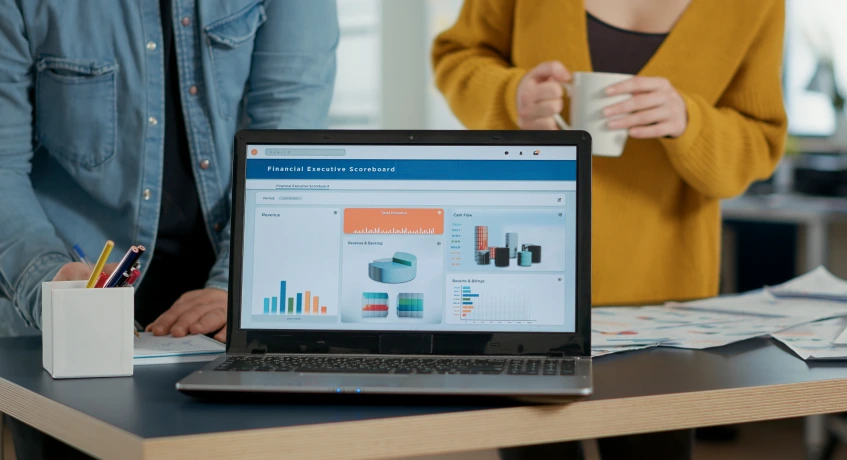
Enterprise IT software, as the name suggests, supports the complex business demands of large organizations by providing features that enable effective enterprise resource planning and other critical business processes.
The enterprise IT system has characteristics that help organizations make more efficient use of advanced enterprise application software. The following points highlight the characteristics of the enterprise IT system:
Streamlines Operations
Enterprise IT software helps streamline business operations by automating and centralizing the processes that are redundant to the business. This reduces the amount of manual work and the associated risks that come with it, such as reduced workload for the enterprise staff.
Automation in processes like inventory management, order management, and payroll management through the enterprise IT system can enhance productivity.
Centralized Data and Collaboration
A single system is established throughout the organization through which all the information can be managed and shared across various departments.
The centralized system ensures that each and every individual is using accurate and updated information, helping with informed decision-making processes. Furthermore, different teams can collaborate easily through the system.
Scalability
The enterprise software should be designed and structured such that the business can grow easily while meeting new and emerging ERP trends without many problems.
This may include expanding the number of users, markets, and business processes for which the enterprise software will be used. This characteristic allows the business to have value for a longer duration from the software as it will not need to be replaced constantly.
Advanced Analytics
To facilitate business operations, enterprises utilize complex information for analysis, which they obtain through enterprise IT software by using advanced features and techniques such as predictive analytics tools that allow for the assessment of future trends based on historical data and provide a competitive edge over competitors.
Integration
Another characteristic of the application software for enterprise is that it has the ability to be integrated with other existing applications and business processes that are prevalent in the business.
The process helps in bridging the data silos that are developed across different businesses, resulting in higher business process automation.
The application integration helps in maintaining consistency and effectiveness within the business application software system. It is vital to understand the finance module in the ERP.
Robustness
The enterprise application software is supposed to be very stable, durable, and capable of withstanding even demanding situations by processing a large volume of data and handling multiple users at the same time without hampering its working performance.
Use of enterprise IT software ensures uninterrupted processes, even during peak load time.
Business Process Management
A significant function of enterprise IT software is to manage all the business processes through a business process management (BPM) feature, so that they can be optimized in terms of business operations, grant management in Singapore, and making processes more relevant by identifying inefficient workflows in the system.
Security
Security has a significant role in enterprise IT software because business-sensitive data needs to be protected.
With advanced and robust features, the enterprise IT system makes it safe for business owners, while they can ensure that sensitive data belonging to their business remains protected from any potential threat and it adheres to compliance standards of the industry in general, while using its unique security features such as multi-factor authentication with multiple factors and data encryption.
Customization
Enterprise systems also provide extensive customization options to accommodate a company’s specific needs and workflows, including advanced WIP management features. The advantages of two-tier ERP come into play here, allowing businesses to tailor solutions for both corporate and subsidiary operations effectively.
Businesses can customize features, modules, and user interfaces to meet their specific needs. This flexibility improves operational efficiency and user experience, making EAS more adaptable to industry-specific requirements and changing business strategies.
13 Types of Enterprise Software
Enterprise software solutions come in a wide range of types, each designed to support specific business functions and optimize various processes. These software systems integrate, streamline, and enhance key operations within large organizations, improving efficiency and decision-making.
Let’s explore the different types of enterprise software and how they benefit businesses in various industries.
1. Enterprise Resource Planning (ERP)
Enterprise Resource Planning (ERP) software is an integrated suite of applications designed to streamline and automate core business processes, such as finance, procurement, production, and inventory management.
Using the top ERP software in Singapore centralizes data across various departments, providing a unified platform that enhances collaboration, reduces redundancy, and ensures consistency in business operations, ultimately driving efficiency and improving decision-making.
2. Customer Relationship Management (CRM)
Customer Relationship Management (CRM) software helps businesses manage interactions with customers and prospects. CRM systems track customer information, communication history, and purchasing behavior, providing valuable insights for marketing, sales, and customer service teams.
By centralizing customer data, customer relationship management software enhances customer satisfaction, improves lead management, and fosters stronger relationships, driving sales growth and loyalty.
3. Business Intelligence (BI)
Business Intelligence (BI) software enables businesses to analyze and visualize data, providing actionable insights that inform decision-making. BI tools aggregate data from multiple sources and transform it into interactive reports, dashboards, and visualizations.
With BI, companies can easily uncover trends, monitor performance metrics, and make data-driven strategic decisions to improve business operations and gain a competitive edge.
4. Supply Chain Management (SCM)
Supply Chain Management (SCM) software is intended to ensure the smooth flow of goods, services, and information throughout the entire supply chain.
Such systems aid businesses in managing the procurement, production, inventory, and distribution, so that they operate effectively between the company’s suppliers and clients.
SCM software improves real-time tracing, diminishes delays, facilitates improved communication, and leads to overall cost-efficiency while aiding businesses to provide goods within a reasonable time and at minimal cost.
5. Human Resource Management (HRM)
Human Resource Management (HRM) software facilitates the efficient management of information about an employee, the entire recruitment process, payments, performance evaluations, and benefits that the employees receive.
Automated HR processes decrease administrative workload, ensure the business stays within legal and business guidelines, and ensure the employees remain satisfied. HRM systems aid in efficient management of human resources.
Furthermore, they streamline the process of recruiting an employee to the firm, that of off-boarding an employee from the firm, and also allow an insight into the productivity of the workforce, enabling organizations to optimally utilize their human resources.
6. Enterprise Asset Management (EAM) Software
Enterprise Asset Management (EAM) software helps organizations to manage their physical assets, like machinery, equipment, and premises. It supports tracking the performance of the assets, scheduling maintenance, and managing repairs.
This reduces downtime and prolongs the lifespan of assets. With its function of regulating assets’ usage and ensuring they conform to regulations, the implementation of EAM software in businesses increases operational efficiency and reduces maintenance expenses.
7. Project Management Software
Project management software is a type of enterprise software used to plan, implement and track tasks within an organization. With this tool, employees within an organization can be assigned to their jobs, deadlines can be set up, and task progress can be tracked effectively.
Features like project timelines and Gantt charts in the project management software ensure that a company’s project tasks and progress are visible to all parties and improve teamwork.
8. Enterprise Content Management (ECM)
Enterprise Content Management (ECM) software is designed to capture, manage, store, and share business documents and content throughout an organization.
ECM systems help to manage documents better than other methods through centralized document storage, ensuring version control and increasing the accessibility of critical data.
By automating workflow and improving the security of documents, it reduces the chances of non-compliance and improves teamwork among members.
9. Project Portfolio Management (PPM)
Project Portfolio Management (PPM) software helps businesses to manage different projects within an organization by allowing for their integration into business objectives, as well as tracking the progress of these projects and managing the resources that have been allocated to them.
PPM tools provide a holistic overview of all projects, which will then enable decision-makers to effectively prioritize tasks and allocate resources, measure performance, and ensure projects remain aligned with company goals and targets, within time and budget.
10. Sales and Marketing Software
Sales and Marketing software is a type of enterprise software used to improve the process of creating marketing campaigns and also monitor sales performance.
These tools, which support marketing automation, lead generation and nurturing, enable sales teams to deliver targeted messages to the right audience. Analytics within the system offer insights into campaign performance so as to identify effective strategies and improve conversion rates in the organization.
11. Finance Management Software
Finance Management software is a type of enterprise software that helps a company to control, analyze, and manage financial information, including budgeting, financial reporting, and accounts.
Such systems enhance accounting and other financial processes by automating calculations and improving accuracy. Financial Management software, as a type of EAS, gives real-time data about cash flow, margins, and profits to facilitate the business’s decision-making and also maintain financial stability.
12. Customer Service Software
Customer service software is used to efficiently manage customer inquiries, track support tickets, and monitor service requests.
Through managing and storing different communication methods such as emails, phone calls, and online chat messages, support personnel can swiftly respond and follow up on the issues at hand.
It enhances communication with customers and helps businesses analyze trends and customer issues; it is improved from time to time.
13. IT Analytics
IT Analytics is an enterprise software used by companies to evaluate and optimize their IT infrastructure through analyzing the performance of systems, the stability of networks, and also data usage.
This software collects data related to IT tasks to find inefficient processes and to detect possible security risks and optimize resources for the smooth running of the business.
Through this, companies are enabled to improve uptime and reduce costs and security risks for efficient business operations.
Risks and Challenges of Using Enterprise Software
There are advantages to using enterprise software, but it does present certain risks and challenges to businesses. Below are some of the main obstacles businesses might face with an ERP implementation:
High Implementation Costs
Using an enterprise IT system deployment is often characterized by the associated costs. This could include expenses associated with licensing, modifying, and training to use the system, which may affect many of the businesses.
Care planning and a gradual implementation may overcome this hurdle, and, in spite of the cost of setup, efficiency will increase. Hiring the right cloud ERP service providers will help ease the implementation process.
Complex Integration
Integrating an enterprise system with existing legacy systems or third-party applications could lead to unexpected problems in business operations.
There could be problems in communication between these systems, which may require expert knowledge to fix, or time for research to find compatible components.
Integrating an enterprise system with legacy systems may sometimes result in downtime due to incompatible systems, demanding specialized skills and time. The need for communication between teams is also important during integration.
User Resistance
Employees may resist the new system due to concerns about change or the fear that it could affect them in the future. Employees might lack familiarity with the software and therefore hinder the efficient usage of the system, delaying an array of organizational benefits.
To overcome this challenge, organizations need to focus on providing adequate training to all employees, involving them in the entire process of implementation, and making them understand how they benefit from using the new system.
Data Security Concerns
A centralized data storage for EAS can be easily attacked, posing serious risks. Data encryption, firewalls, and consistent auditing are necessary security features that would guarantee that sensitive data is safe from attackers.
A proactive security approach minimizes risk and ensures regulatory compliance.
Inadequate data security measures are one reason for ERP failure, because they expose sensitive information in the system, which could create trouble for businesses through disruption in operations and violation of data regulations.
15 Examples of Enterprise Software, Applications, and Tools
Enterprise software applications help a business streamline its various functions through automation. Such functions range from accounting to customer service, human resource management, and project management.
Below is a list of some of the prominent types of enterprise software solutions available for different functions. An analysis of the pros and cons, and some actual use case scenarios, shows how enterprise software could impact business processes.
1. ScaleOcean
ScaleOcean enterprise software is a top-class Enterprise Resource Planning (ERP) software; it integrates all key business functions into one streamlined and automated software system.
It incorporates the processes of accounting, sales, inventory, purchasing, manufacturing, and HR, among others.
The Scalability aspect is optimized for all businesses, from SMEs to large enterprises and various sectors, to ensure optimal operational efficiency and informed decision-making.
This package allows for unlimited users and scalable (cloud or on-premise) solutions for your business, which will increase your productivity and reduce human errors.
ScaleOcean offers free demo access to businesses in Singapore so as to experience the system and decide if it is appropriate for the business’s operations.
ScaleOcean’s limitless users, scalable (cloud or on-premise) systems, along with a seamless integrated suite of modules, provide businesses a considerable edge over their rivals.
It minimises human errors, improves production time, and promotes collaboration between departments in a company.
Key Features:
- Integrated Business Intelligence (BI) Tools: Provides tools like dashboards, KPIs, and custom BI reports for advanced data visualization and analysis.
- Cross-Module Integration: Seamlessly connects modules like inventory, sales, purchasing, and finance to ensure consistent and accurate data flow.
- Inventory Tracking with RFID and Barcode: Offers advanced tracking tools for inventory using RFID and barcode technologies to enhance accuracy and efficiency.
- Vendor Rating and Evaluation: Includes features to evaluate and rate vendors based on punctuality, pricing, and service quality.
- Automated Financial Reconciliation: Integrates with bank systems to automate and streamline processes like bank statement reconciliation and payment schedules.
| Pros | Cons |
|---|---|
|
|
2. Oracle NetSuite
Oracle NetSuite is a cloud-based Supply Chain Management solution that integrates and automates end-to-end business processes, including procurement, order management, inventory, and product development.
It enables organizations to efficiently manage their supply chain operations, enhance visibility, and respond swiftly to changing market demands.
Key Features:
- Integrated Supply Chain Planning
- Comprehensive Procurement Management
- Advanced Order Fulfillment Management
- Robust Inventory and Warehouse Management
| Pros | Cons |
|---|---|
|
|
3. SAP S/4HANA
SAP S/4HANA is an integrated enterprise resource planning (ERP) suite that leverages in-memory computing to process large volumes of data in real time. It streamlines business processes across finance, supply chain, procurement, and more, enabling organizations to operate with increased efficiency and agility.
Key Features:
- Real-Time Data Processing
- Integrated Financial Management
- Advanced Supply Chain Management
- Embedded Analytics and Reporting
| Pros | Cons |
|---|---|
|
|
4. Salesforce
Salesforce CRM is a cloud-based customer relationship management platform that enables businesses to manage sales, marketing, and customer service operations efficiently. It offers tools for lead management, opportunity tracking, sales forecasting, and customer support, facilitating streamlined processes and enhanced customer interactions.
Key Features:
- Lead Management System
- Opportunity Tracking Tools
- Sales Forecasting Capabilities
- Customer Support Management
| Pros | Cons |
|---|---|
|
|
5. Microsoft Dynamics 365
Microsoft Dynamics 365 is a cloud-based business analytics tool that helps businesses visualize and share data-driven insights. By connecting to multiple data sources, it transforms raw data into dynamic dashboards and reports to support informed decision-making.
Key Features:
- Data Visualization Tools
- Integration with Microsoft Ecosystem
- Real-Time Data Access
- Customizable Dashboards
| Pros | Cons |
|---|---|
|
|
6. Workday
Workday is a cloud-based enterprise IT systems designed to manage human resources, finance, and planning functions. It provides a unified system for managing employee data, financials, and payroll, with powerful analytics for decision-making and compliance.
Key Features:
- Cloud-based HR and finance solutions
- Real-time reporting and analytics
- Employee and talent management
- Financial and procurement management
| Pros | Cons |
|---|---|
|
|
7. IBM Maximo
IBM Maximo is an asset management software designed to optimize the performance and lifecycle of physical assets. It helps businesses manage maintenance, repair, and asset performance across industries like manufacturing and utilities.
Key Features:
- Asset lifecycle management
- Predictive maintenance analytics
- Integration with IoT devices
- Inventory and procurement management
| Pros | Cons |
|---|---|
|
|
8. Zoho One
Zoho One is an all-in-one suite of cloud-based business applications that helps businesses manage marketing, sales, customer support, accounting, HR, and more. It integrates multiple software tools into a single unified platform, enabling mobile ERP work for seamless access and management on the go.
Key Features:
- CRM for customer relationship management
- Marketing automation tools
- Accounting and financial management
- Mobile access for business operations
| Pros | Cons |
|---|---|
|
|
9. Infor CloudSuite
Infor CloudSuite is a suite of industry-specific software applications that provides businesses with enterprise resource planning (ERP), supply chain management, and asset management solutions. It helps companies manage operations, reduce costs, and improve efficiency.
Key Features:
- Cloud-based platform for scalability
- Supply chain management tools
- Advanced analytics and reporting
- Mobile access for remote operations
| Pros | Cons |
|---|---|
|
|
10. HubSpot
HubSpot is a comprehensive CRM platform designed to help businesses manage customer relationships, marketing, sales, and service. It offers tools to attract, engage, and delight customers, with a focus on inbound marketing.
Key Features:
- CRM with marketing automation
- Sales pipeline management
- Customer service tools and ticketing system
- Reporting and analytics tools
| Pros | Cons |
|---|---|
| Easy-to-use interface Strong inbound marketing capabilities Free version available for smaller teams | Limited customization in the free version It can become expensive with premium features |
11. Jira
Jira by Atlassian is an issue and project tracking software that helps teams plan, track, and manage agile development processes. It is commonly used in software development and project management to streamline workflows and improve team collaboration.
Key Features:
- Agile project management tools
- Customizable workflows
- Integration with other Atlassian products
- Bug and issue tracking
- Reporting and analytics capabilities
| Pros | Cons |
|---|---|
|
|
12. Slack
Slack is a collaboration and communication platform designed to streamline team communication through channels, direct messaging, and file sharing. It helps teams work together more effectively, especially in remote environments. This enhances the benefits of hybrid ERP by facilitating seamless communication across departments.
Key Features:
- Real-time messaging and file sharing
- Customizable channels for team collaboration
- Integration with third-party apps
- Searchable message archive
| Pros | Cons |
|---|---|
|
|
13. Google Workspace
Google Workspace (formerly G Suite) is a cloud-based suite of productivity and collaboration tools, including Gmail, Docs, Drive, Meet, and more. It enables teams to collaborate in real-time and manage documents, emails, and meetings efficiently.
Key Features:
- Google Docs, Sheets, and Slides for document collaboration
- Google Drive for cloud storage
- Google Meet for video conferencing
- Integrated calendar and scheduling tools
| Pros | Cons |
|---|---|
|
|
14. Tableau
Tableau is a powerful data visualization tool that helps businesses analyze data and create interactive dashboards. It allows users to transform complex data into visually compelling insights to drive decision-making.
Features:
- Real-time data analytics
- Drag-and-drop interface
- Integration with multiple data sources
- Customizable dashboards
| Pros | Cons |
|---|---|
|
|
15. Adobe Experience Manager (AEM)
Adobe Experience Manager (AEM) is a comprehensive content management solution for building and managing digital experiences across web, mobile, and social platforms. It helps businesses create, deliver, and optimize personalized content.
Key Features:
- Web content management (WCM)
- Digital asset management (DAM)
- Personalization and targeting tools
- Integration with Adobe Marketing Cloud
| Pros | Cons |
|---|---|
|
|
If you’re unsure which enterprise software is best for your business, you can choose software that can adapt to your specific needs and challenges. ScaleOcean is a top recommendation.
Simply consult with their dedicated team and explain the complex issues you frequently encounter. The ScaleOcean team will then recommend the most appropriate system to address them. Let’s request a free demo to get solutions that fit your business.

How to Select the Right Enterprise Software
Choosing the right enterprise software is important to maximize organizational efficiency and achieve long-term goals. Below are key considerations to guide businesses in making informed decisions.
Assess Organizational Needs
Start by evaluating your company’s specific requirements, workflows, and ERP price considerations. Identify the challenges the software needs to address and ensure it aligns with your business objectives.
By clearly defining needs, businesses can avoid overpaying for unnecessary features and select software that truly adds value to their operations.
Consider Scalability and Flexibility
Choose software that can grow alongside your business and adapt to evolving needs. Scalability ensures the system handles increased data and user demands, while flexibility supports industry-specific customizations. Investing in adaptable software prevents the need for expensive replacements as the firm grows.
Evaluate Vendor Support and Training
Select an enterprise software vendor offering strong customer support and training resources to ensure smooth implementation and adoption. Reliable support minimizes downtime during integration, while comprehensive training helps employees quickly adapt to the new system.
Partnering with a supportive vendor enhances the overall success of enterprise IT system deployment. According to Wikipedia, for Internet servers, downtimes above 1% per year can be regarded as unacceptable, as this means a downtime of more than 3 days per year.
Review Security Features
Prioritize enterprise systems with robust security protocols, such as encryption, user authentication, and regular updates. Protecting sensitive business data is essential to avoid breaches and ensure compliance with industry regulations. Strong security features safeguard organizational integrity and build stakeholder trust in the software solution.
Conclusion
Enterprise software plays a crucial role in streamlining operations, enhancing collaboration, and providing valuable insights for businesses looking to optimize their processes. By investing in the right solution, organizations can achieve greater efficiency and scalability.
For businesses in Singapore, ScaleOcean Enterprise Software offers a comprehensive suite of enterprise system tailored to meet the unique challenges of various industries, helping you manage everything from finance to HR with ease. Consider ScaleOcean as your trusted partner in driving business growth and success. Do a free demo to get the whole solution.
FAQ:
1. What is enterprise software vs SaaS?
Enterprise software usually requires a substantial one-time purchase and installation on your own servers. In contrast, SaaS follows a subscription-based model with lower initial costs. Although the total cost of ownership may balance out over time, the upfront investment for SaaS is considerably lower.
2. What is another name for enterprise software?
Enterprise Resource Planning (ERP) systems, enterprise management systems, and Customer Relationship Management (CRM) software.
3. What is the difference between software and enterprise software?
Software is typically designed for various user types, but enterprise software goes a step further by supporting multiple users simultaneously. It manages tasks like customer relationship management (CRM), supply chain management, resource planning, and more.
4. What is enterprise software most often used for?
Enterprise software is a computer application designed to help large companies address various needs, including data analysis, sales and marketing management, customer service, and more.
























.png)