
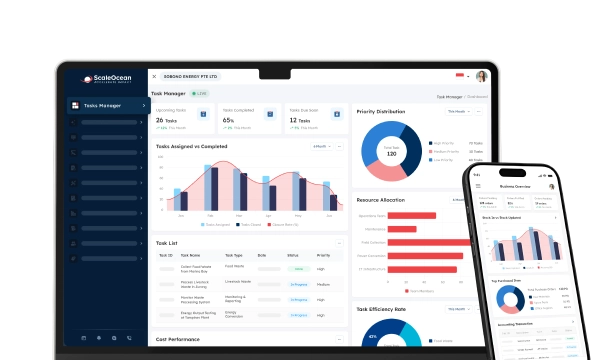

A financial reporting software is a system that helps business organizations gather, assimilate, investigate, and deliver data to support financial reports from many different sources, including their general ledgers, ERP, CRMs, as well as bank transactions, spreadsheets, and various operational systems. They utilize all that data to produce accurate, as well as formatted, management reviews, financial statements, KPI reports, and more.
One problem that financial officers and controllers encounter nowadays is having scattered financial data throughout different and disparate business systems. This implies that accounting managers have to maintain inconsistent financial data, such as margin, cash flow, revenue, and expense metrics, in their respective branches and departments.
This is where financial reporting software becomes a practical solution. By using an integrated system, companies can centralize financial data, automate consolidation, standardize report formats, and monitor key metrics from one dashboard. This helps finance teams reduce manual balancing, improve reporting accuracy, and give decision makers faster access to reliable financial information.
According to the data our team collected from ACRA, finance teams in Singapore face growing pressure to prepare accurate financial statements in XBRL format, map report items to the right taxonomy, and submit filings through BizFinx or approved accounting software. This makes manual reporting riskier, especially when companies manage multiple entities, high transaction volumes, and complex reporting structures.
In this report, we will discuss the principles behind financial reporting software, why accurate financial reporting is vital for any contemporary finance department, the best 10 financial reporting tools available, and best practices in selecting a suitable Financial Reporting Software for your business needs and requirements.
 Key Takeaways
- Financial reporting software is a system that automates financial data processing and turns accounting records into accurate, decision-ready reports.
- A comparison of financial reporting software can help businesses choose the right tool by reviewing use cases, integration capabilities, reporting complexity, and compliance needs.
- Top recommendations for financial reporting software are ScaleOcean, QuickBooks Online, Xero, Syft Analytics, Fathom, Abacum, Sage Intacct, Jirav, Workiva, NetSuite, and OneStream.
- ScaleOcean’s accounting software provides a unified platform to streamline your financial reporting, offering real-time insights and robust features to support your company’s growth.

What is Financial Reporting Tools Software?
Financial reporting software is a system that helps businesses automate, combine, and interpret financial data. It transforms raw accounting records into clear financial statements, enabling companies to prepare accurate balance sheets, cash flow reports, and customized financial reports for both internal management and external stakeholders.
Financial reporting software becomes critical to large and multinational organizations because it provides the flexibility to report beyond individual firm files. Companies that have regional offices may possess unique processes of approval, taxes, and currencies, and even budgets and staff for each unit, which all must be incorporated into one report.
Many contemporary financial reporting devices nowadays have attributes for automating real-time dashboards, synchronized data capture, multi-entity consolidation, XBRL translation, audit logs, and compliance with regulatory needs. These tools offer CFOs more control over finances and allow them to proactively manage their company’s funds.
How Does Financial Reporting Software Work?
Financial reporting software works by connecting different financial and operational data sources into one reporting environment. It may connect to ERP, accounting, sales, procurement, payroll, inventory, bank feeds, and spreadsheet data, depending on the company’s structure.
After the data is connected, the system maps accounts, validates transactions, applies reporting rules, and generates financial statements. It can also automate intercompany eliminations, currency conversions, variance analysis, and recurring management reports.
For example, imagine a Singapore company with three entities, such as Singapore HQ, Indonesia branch, and Malaysia branch. Each entity records revenue, expenses, GST/VAT, payroll, and inventory costs in local currency. Without automation, finance teams must export data, convert currencies, reconcile balances, and consolidate reports manually.
With financial reporting software, each entity’s trial balance can be synced into one dashboard. The system converts USD, SGD, IDR, and MYR using configured rates, eliminates intercompany transactions, and produces consolidated P&L, balance sheet, and cash flow reports.
| Entity | Revenue | Expense | Currency | Reporting Issue | Software Output |
|---|---|---|---|---|---|
| Singapore HQ | 950,000 | 610,000 | SGD | GST reporting and group consolidation must be prepared accurately for management review. | Generates consolidated SGD reports with updated profit, cash flow, and tax-related figures. |
| Indonesia Branch | 4,200,000,000 | 3,100,000,000 | IDR | Local transactions must be converted into the reporting currency before consolidation. | Automatically converts IDR figures into SGD using configured exchange rates. |
| Malaysia Branch | 1,500,000 | 980,000 | MYR | Intercompany payables must be identified and removed from the consolidated report. | Eliminates intercompany balances and produces cleaner consolidated financial statements. |
In this scenario, the CFO can review group profit margin, cash flow movement, and budget variance without waiting for manual spreadsheet updates. The accounting manager can also trace each report figure back to its transaction source.
Comparison table: Financial Reporting & Analysis Tools Software
The financial reporting software list below compares different tools based on their typical use cases. The best option depends on company size, reporting complexity, system integration, and compliance needs.
| Tools | Best For | Key Strengths |
|---|---|---|
| ScaleOcean | Medium to enterprise companies in Singapore that need integrated accounting, consolidation, tax reporting, and real-time financial visibility in one system. | Integrated ERP, GST readiness, XBRL support, multi-currency reporting, audit trails, real-time dashboards, and unlimited user access. |
| QuickBooks Online | Small businesses that need simple accounting reports, invoice tracking, and basic financial summaries. | Cloud accounting, standard reports, invoice management, cash flow tracking, basic KPI views, and simple report customization. |
| Xero | Small businesses and finance teams that need cloud bookkeeping, bank reconciliation, and routine reporting. | Bank feeds, invoicing, expense tracking, standard reports, app connections, and accountant collaboration features. |
| Syft Analytics & Fathom | Finance teams and advisors who need visual reports, KPI dashboards, and financial performance analysis. | Dashboard reporting, KPI tracking, forecasting support, consolidation options, financial analysis, and visual report presentation. |
| Abacum | Finance planning teams that need budgeting, forecasting, and structured planning workflows. | Budget planning, financial modeling, scenario analysis, forecasting workflows, data connections, and collaboration tools. |
| Sage Intacct | Growing companies that need stronger financial reports, dashboard views, and accounting management capabilities. | Financial reporting, custom reports, dashboards, dimensional accounting, multi-entity features, and user access controls. |
| Jirav & Fuel Finance | Startups and growing finance teams that need forecasting, planning, and performance tracking. | Budgeting, forecasting, financial models, scenario planning, planning dashboards, and performance monitoring. |
| Workiva | Companies that need structured reporting workflows, document control, and regulated reporting support. | Connected reporting, disclosure workflows, audit trails, XBRL support, access controls, and report governance. |
| NetSuite | Companies that need ERP-based financial management, centralized reporting, and multi-entity visibility. | Financial management, consolidation, multi-currency reporting, dashboards, accounting workflows, and data integration. |
| OneStream | Large organizations that need financial close, consolidation, planning, and reporting across complex structures. | Close management, consolidation, planning, reporting, reconciliation, analytics, and performance management features. |
10 Best Financial Reporting Tools Software That CFO and Companies Can Use
In 2026, CFOs and finance leaders need more than basic accounting reports to manage growth, compliance, and business complexity. The right financial reporting software helps companies consolidate data, analyze performance, monitor cash flow, and generate accurate reports faster.
Below are 10 financial reporting tools that companies can consider based on their size, reporting needs, and operational complexity.
1. ScaleOcean
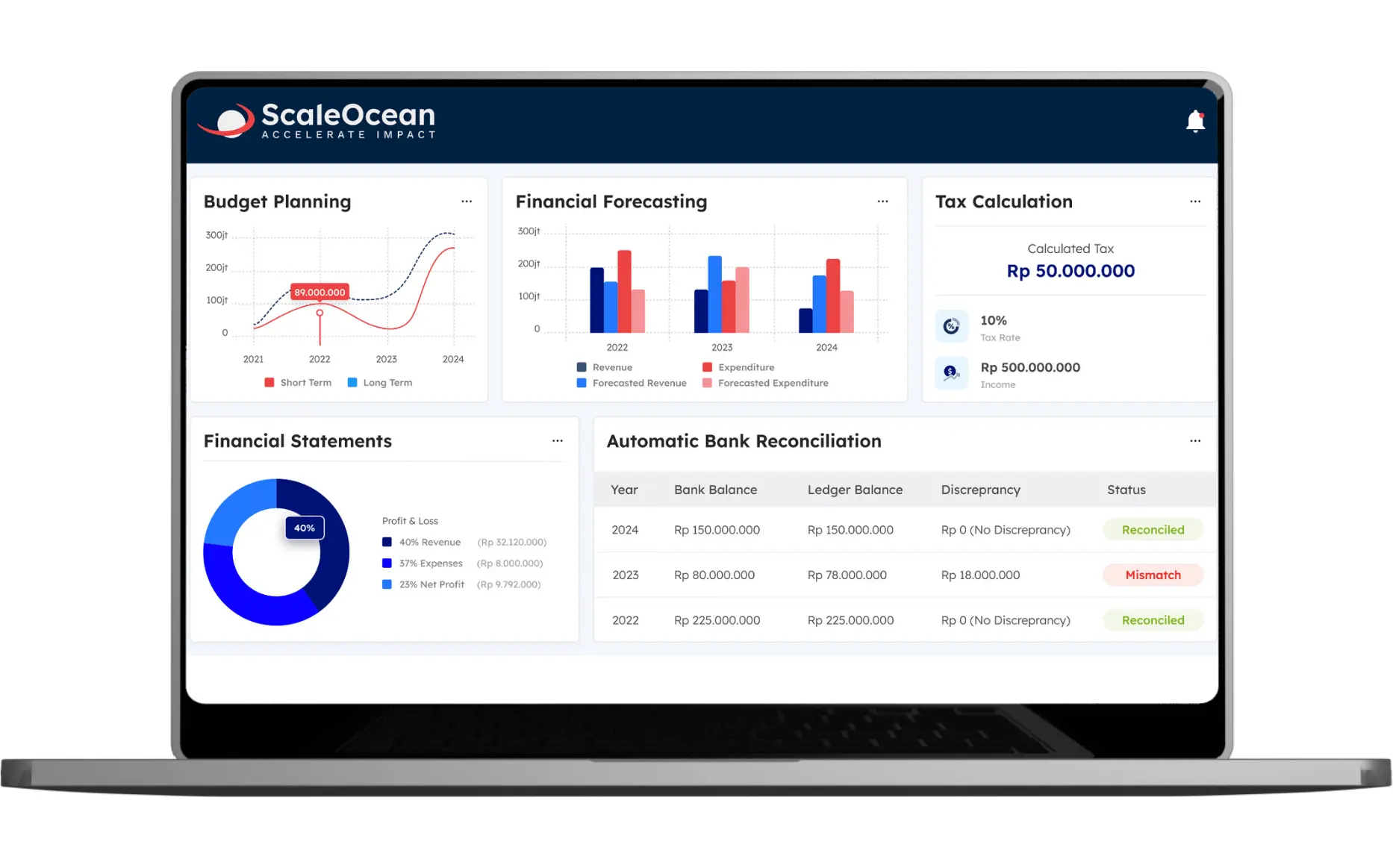
ScaleOcean is an integrated financial reporting platform designed for companies that need accounting, budgeting, consolidation, compliance, and real-time financial visibility in one system. With 200+ modules and 30,000+ features, this software helps finance teams manage multi-entity structures, regional operations, multi-currency transactions, approval workflows, and reporting processes from a centralized platform.
For Singapore companies, ScaleOcean is optimized for GST tax compliance and aligned with local financial reporting standards. The system also supports EDG and CTC Grant requirements by helping businesses strengthen digital finance workflows, improve reporting accuracy, and build a more scalable accounting process for long-term growth.
You may get into a free demo option so as to test how ScaleOcean can fit your financial needs and to witness the control it may present on the reporting process, along with the reduced manual effort you would experience from your employees. This software offers ease of use to test your financial reporting.
Key features:
- XBRL mapping for BizFinx-ready statements.
- IRAS SFFS e-filing for Form C-S, C-S Lite, and Form C.
- InvoiceNow integration for Peppol-based e-invoicing.
- Direct bank feeds for faster reconciliation.
- Real-time FX tracking for gain or loss visibility.
- Group consolidation for subsidiary reporting.
- Corppass/Singpass login for secure access.
| Pros | Cons |
|---|---|
| Starts every implementation by understanding the customer’s real business process, ensuring the system is aligned with operational needs. | It may be less suitable for small businesses that only need basic bookkeeping, simple monthly reports, or standard financial statements. |
| Offers flexible configuration for reports, dashboards, modules, approvals, and integrations, so the system can follow each company’s finance workflow. | Final pricing requires prior discussion because the cost is adjusted to the selected modules, reporting scope, and implementation complexity. |
| Provides need-based pricing, allowing companies to invest in the financial reporting features, modules, and integrations they actually use. | Focuses on long-term accuracy, stability, and scalability rather than quick setup with limited generic reporting features. |
| Connects accounting, inventory, sales, purchasing, HR, production, and contract management in one ERP ecosystem to reduce financial data silos. |
Best for: Medium to large enterprises with complex financial reporting needs, multi-entity structures, approval workflows, and compliance requirements.
2. QuickBooks Online
QuickBooks Online is an accounting software program that’s commonly used by small businesses, accountants, and fast-growing companies. The software’s financial reporting tools let you analyze your financial reports, management reports, key performance indicators, charts, and more, based on accounting data.
Advanced management reports, which can incorporate financials, KPI trends, charts, brand, and narrative reporting, are all beneficial for businesses that require a structured and clear presentation of their financials to their stakeholders.
Key features:
- Balance sheet reporting
- Cash flow reports
- Management reports
- Customizable report views
- KPI and chart support
- Integration with selected business apps
| Pros | Cons |
|---|---|
| Provides accessible cloud accounting reports for tracking income, expenses, cash flow, and basic business performance. | May need additional tools for advanced consolidation, complex approvals, or enterprise-level financial reporting workflows. |
| Helps small finance teams manage invoices, bills, bank transactions, and routine reports from one cloud-based system. | Advanced reporting flexibility may depend on the subscription plan, configuration, or connected third-party applications. |
| Offers a familiar interface that makes basic financial reporting easier for business owners and accounting teams. | Less ideal for companies with multiple entities, complex compliance needs, or deeper finance-to-operations integration. |
Best for: Small companies and growing businesses with straightforward accounting and reporting needs.
3. Xero
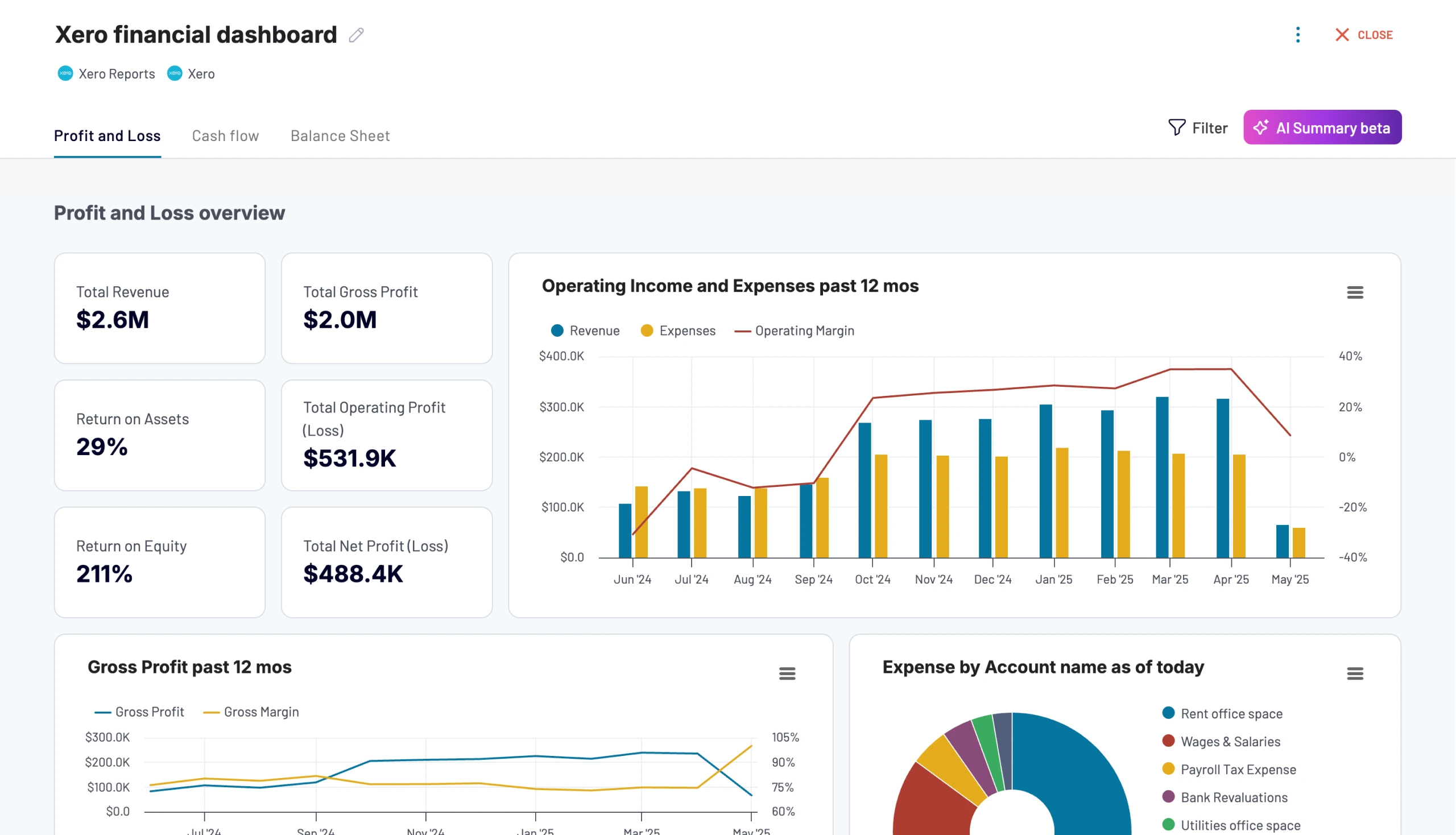
Xero is a cloud-based accounting platform that streamlines various financial tasks like handling invoices, expenses, bank feeds, and reports for smaller businesses. It offers a user-friendly system that has workflows available in the app, making it the perfect option for businesses that are looking for an easy-to-use accounting system.
Xero integration with banks, accountants, bookkeepers, and other business applications enables you to see what’s happening to your cash flow and business finances in real time.
Key features:
- Standard financial reports
- Cash flow visibility
- App integrations
- Expense tracking
- Cloud accounting access
- Collaboration with accountants
| Pros | Cons |
|---|---|
| Supports cloud-based bookkeeping, bank reconciliation, invoices, expenses, and standard financial reports for small businesses. | Advanced reporting, forecasting, and consolidation may require add-ons or connected reporting applications. |
| Offers bank feed connections that help finance teams keep daily transaction records more up-to-date and easier to reconcile. | May not fully support complex multi-entity reporting requirements without additional configuration or external tools. |
| Provides app integrations that allow businesses to expand reporting, payroll, inventory, or payment workflows when needed. | Companies with industry-specific reporting needs may still need customization through apps, advisors, or separate systems. |
Best for: Small businesses, cloud-first finance teams, and companies that need simple financial reporting tools.
4. Syft Analytics & Fathom
Syft Analytics & Fathom include the ability to connect with accounting software and spreadsheets, providing detailed reporting and analytics capabilities. They enable finance teams to design dashboards, management reporting, forecasts, and financial analyses that are visually appealing.
Syft and Fathom are two powerful all-in-one solutions for business. Syft is an interactive financial reporting dashboard that offers consolidation, forecasting, and reports, while Fathom is a financial reporting dashboard that includes consolidation, forecasting, and reports.
Key Features:
- Forecasting
- Consolidation
- Management reports
- Performance analysis
- Visual reporting
- Integration with accounting platforms
| Pros | Cons |
|---|---|
| Helps finance teams turn accounting data into visual dashboards, management reports, KPI analysis, and performance summaries. | Reporting accuracy still depends on the quality, structure, and completeness of data from the source accounting system. |
| Supports clearer financial storytelling through charts, ratios, forecasts, and presentation-ready reporting formats. | Generally works as a reporting and analytics layer, not as a full accounting or ERP system. |
| Useful for accountants, advisors, and finance teams that need better visibility from existing accounting platforms. | Advanced dashboards, consolidation, or forecast models may still require proper setup and ongoing report maintenance. |
Best for: Small to mid-sized companies and accounting advisory teams that need better reporting, presentation, and analysis.
5. Abacum
Abacum is an FP&A platform designed for CFOs and finance teams that need planning, forecasting, reporting, and collaboration. It is positioned as an AI-native FP&A platform that connects data, workflows, and teams.
The platform supports planning, reporting, modeling, and forecasting in one environment, with source system connections and automation for finance workflows.
Key features:
- FP&A reporting
- Budgeting
- Forecasting
- Scenario planning
- Data integrations
- Workflow collaboration
| Pros | Cons |
|---|---|
| Supports finance teams with budgeting, forecasting, scenario planning, and structured FP&A workflows. | More focused on planning and analysis than end-to-end accounting, tax, or statutory financial reporting. |
| Helps teams collaborate on financial plans, assumptions, models, and performance reviews in one planning environment. | Requires reliable data integration with accounting, ERP, CRM, or operational systems to produce accurate planning outputs. |
| Useful for companies that want to improve forecasting discipline and reduce spreadsheet-heavy planning processes. | May be more advanced than needed for companies that only require simple financial statements or monthly reports. |
Best for: Medium-sized companies and FP&A teams that need structured planning, forecasting, and management reporting.
6. Sage Intacct
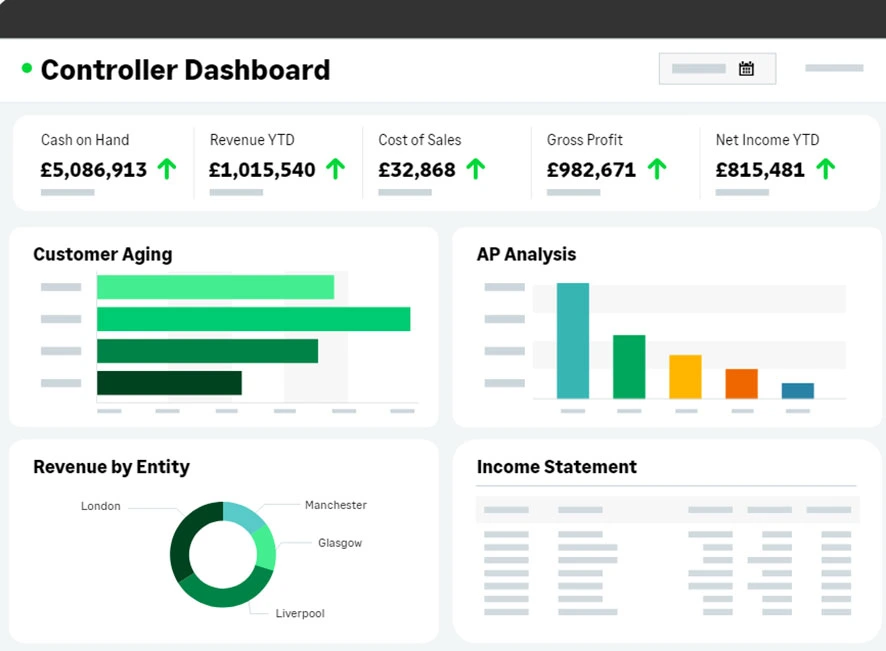
Sage Intacct is a cloud financial management platform used by finance teams that need accounting, reporting, dashboards, and financial visibility. It is commonly positioned for mid-market companies with more advanced reporting requirements.
Sage states that Intacct provides 150 built-in financial reports and custom reporting capabilities. This helps teams move away from Excel-heavy reporting and build reports based on finance dimensions.
Key features:
- Built-in financial reports
- Custom report builder
- Financial management
- Multi-entity support
- Budgeting and forecasting options
- Role-based access
| Pros | Cons |
|---|---|
| Provides stronger financial reporting, dashboards, and accounting management features for growing finance teams. | Initial setup may require careful configuration to match reporting dimensions, entities, and internal finance processes. |
| Supports dimensional reporting that helps companies analyze financial data by department, project, location, or entity. | May require implementation support for companies with more complex reporting or integration requirements. |
| Offers cloud-based finance visibility that helps teams monitor reports, approvals, and performance more consistently. | Can be more comprehensive than necessary for businesses with very simple reporting structures. |
Best for: Medium-sized companies needing robust financial reporting and cloud finance management.
7. Jirav & Fuel Finance
Jirav & Fuel Finance is a financial planning and analysis solution for accounting and finance teams. It supports forecasting, budgeting, reporting, dashboarding, and financial modeling for companies that want to move beyond static spreadsheets.
Fuel Finance offers FP&A capabilities for forecasting, budgeting, and tracking, supported by AI and financial experts. Both tools are more focused on planning and forecasting than on full accounting operations.
Key Features:
- Reporting dashboards
- Financial modeling
- Scenario planning
- Performance tracking
- Planning workflows
- Financial analysis
| Pros | Cons |
|---|---|
| Helps startups and growing teams build budgets, forecasts, financial models, and performance dashboards. | Does not usually replace core accounting software for transaction recording, compliance, or statutory reporting. |
| Supports planning workflows that help finance teams compare actual performance with forecast assumptions. | Reporting quality depends on how well the system connects with accounting, payroll, CRM, or operational data sources. |
| Useful for teams that need more structured planning than spreadsheets but still want a practical finance view. | May be less suitable for companies that need complex consolidation, local compliance, or ERP-level finance integration. |
Best for: Small to medium companies, startups, and FP&A teams that need forecasting-focused tools.
8. Workiva
Workiva is a connected reporting platform for financial reporting, disclosure management, risk, audit, and sustainability reporting. It is often used by regulated companies that need governed data, document control, and reporting transparency.
Workiva states that its financial reporting platform connects data and disclosures, automates workflows, and supports secure AI-powered reporting. It also provides capabilities for SEC reporting, XBRL, and disclosure workflows.
Key Features:
- Disclosure management
- Regulatory reporting
- Workflow automation
- Access controls
- Audit-ready reporting
- AI-supported reporting tasks
| Pros | Cons |
|---|---|
| Supports governed reporting workflows with document control, approvals, audit trails, and connected reporting data. | Works more as a connected reporting and disclosure platform than a full accounting or ERP system. |
| Useful for companies that manage regulated reporting, disclosure processes, XBRL, and audit-ready documentation. | May require structured internal processes before teams can fully benefit from its workflow and governance features. |
| Helps teams reduce version control issues when multiple stakeholders review financial reports and disclosures. | Can be more advanced than needed for businesses that only require simple management reports. |
Best for: Large companies, listed companies, and teams with complex disclosure or regulatory reporting needs.
9. NetSuite
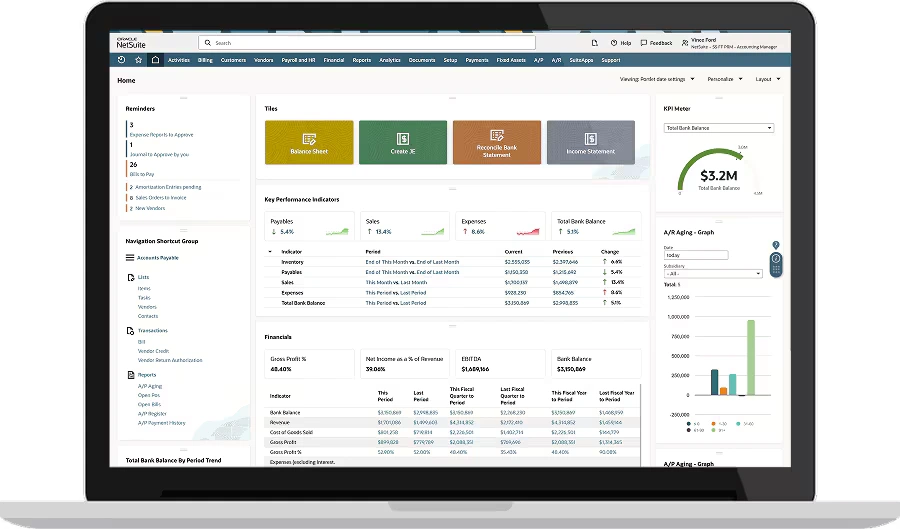
NetSuite is a cloud ERP platform with financial management, accounting, consolidation, reporting, and analytics capabilities. It is often used by companies that need ERP-level financial control across subsidiaries, regions, and business units.
NetSuite states that its financial management solution supports centralized accounting, financial consolidation, reporting, and compliance across multiple business units and subsidiaries.
Key features:
- ERP financial management
- Multi-entity consolidation
- Financial reporting
- Accounting workflows
- Multi-currency support
- Dashboard analytics
| Pros | Cons |
|---|---|
| Provides ERP-based financial management that connects accounting, reporting, consolidation, and operational data. | Implementation can be complex for companies that need deep customization, multiple entities, or broad process changes. |
| Supports multi-entity, multi-currency, and centralized reporting for companies with broader business operations. | Cost and setup requirements may be higher than what small businesses need for routine financial reporting. |
| Helps finance teams gain wider visibility by linking reports with transactions, departments, and business units. | Local reporting details, workflows, or industry-specific needs may still require configuration and implementation support. |
Best for: Medium to large companies needing ERP-based finance, consolidation, and reporting.
10. OneStream
OneStream is an enterprise finance application that is dedicated to financial close, consolidation, planning, reporting, and analytics. It is widely used for very large companies that require extensive reporting.
OneStream’s platform aims to simplify the process of data loading, data reconciliation, reporting, and financial close and consolidation, giving a single place to keep track of all financial activities.
Key features:
- Financial close automation
- Consolidation
- Planning
- Reporting
- Enterprise performance management
- AI-supported finance workflows
| Pros | Cons |
|---|---|
| Supports enterprise finance teams with financial close, consolidation, planning, reporting, and performance management. | May be too advanced for small companies or teams that only need basic reporting and accounting summaries. |
| Helps large organizations standardize finance processes across entities, business units, and complex reporting structures. | Requires strong implementation planning, data governance, and internal resources to support enterprise-level usage. |
| Combines reporting, analytics, reconciliation, and planning features to support broader finance transformation. | Best suited for companies with high reporting complexity, rather than businesses looking for a lightweight solution. |
Best for: Large enterprises with complex consolidation, close, planning, and reporting requirements.
Why Should Companies Use Appropriate Financial Reporting Tools Software?
Financial reporting software is essential for companies that need accurate, timely, and well-structured financial reports. By automating data consolidation, reducing manual errors, and creating a single source of truth, the system helps finance teams work more efficiently while giving executives faster access to reliable insights for decision-making.
1. Minimize Manual Errors and Operational Risks
Manual reporting often requires finance teams to copy, paste, and reconcile data across spreadsheets. This increases the risk of duplicated journals, missed transactions, outdated numbers, and inconsistent report versions. Financial reporting software reduces those risks by automating data collection, report generation, and validation.
It gives finance teams a controlled process where every adjustment, approval, and data source can be traced. For CFOs, this is not only about saving time. It is about reducing the risk of decisions being made from incomplete or incorrect financial reports.
2. Simplify Financial Data Consolidations
Multi-entity consolidation is one of the most difficult reporting tasks for growing companies. Finance teams must combine ledgers, convert currencies, eliminate intercompany transactions, and align report formats. Financial reporting tools simplify this process by applying consolidation rules automatically.
This is especially useful for companies with subsidiaries, cross-border transactions, and multiple accounting teams. Instead of waiting for each branch to submit spreadsheets, CFOs can monitor progress from a central dashboard. This helps accelerate closing timelines and improve reporting consistency.
3. Drive Smarter Decisions with Real-Time Insights
When CFOs only receive financial reports after the month-end close, they lose the opportunity to act early on cash flow, margin, and cost issues. Financial report analysis software provides real-time or near-real-time visibility into revenue, expenses, cash flow, budget variance, and profitability.
For example, a CFO can detect rising operating expenses while the month is still running. A business unit leader can also see whether the sales margin is below target and adjust the strategy quickly. Real-time insights also help companies improve forecasting.
4. Improve Compliance and Audit Preparedness
Finance teams must prepare reports that meet internal policies, accounting standards, tax requirements, and external audit expectations. Manual reporting makes this more difficult because supporting documents may be scattered across different folders and systems.
Financial reporting software helps centralize documents, approvals, audit trails, and report versions. This makes it easier to prove where each number came from, which data source was used, and who approved each change during the reporting process.
For companies that need stronger control, ScaleOcean accounting software is a good recommendation because this software can help organize financial records, approval histories, tax reports, and audit evidence in one integrated system.
5. Regulatory Compliance and Stronger Stakeholder Confidence
Accurate financial reporting builds confidence among investors, lenders, auditors, regulators, and board members. Stakeholders rely on transparent reports before approving budgets, assessing risks, or evaluating company performance. With business budgeting software in Singapore, companies can improve financial accuracy, streamline reporting, and support better decision-making.
A suitable financial reporting software helps ensure that financial statements are consistent, traceable, and aligned with reporting requirements. It also reduces the risk of last-minute changes that weaken confidence in reported numbers.
Key Features to Look For in Financial Reporting Software

When choosing financial reporting software, companies should focus on core capabilities that directly improve reporting accuracy, efficiency, and scalability.
1. Automated Data Syncing
Automated data syncing allows financial reporting software to pull information directly from accounting, ERP, CRM, payroll, sales, procurement, inventory, and bank systems. This reduces the need to manually export and import spreadsheet files.
This feature is especially important when companies manage large transaction volumes. Without automation, every reporting cycle becomes dependent on manual updates and human checking. This helps accounting teams identify missing data, failed imports, or unusual movements before reports are finalized.
2. Unified Data Layer
A unified data layer brings financial and operational data into one structured environment. It helps ensure that reports use the same account mapping, entity structure, currency logic, and business dimensions. Without a unified layer, different teams may define revenue, margin, expense categories, or budget variance differently.
For enterprise companies, the unified data layer becomes the foundation for scalable reporting. It allows management to compare entities, departments, and projects using consistent rules. When financial data is standardized, reporting teams can reduce duplicate records and improve confidence in every report output.
3. Native API Connectors
Native API connectors allow financial reporting tools to connect with other systems without heavy manual integration. They help move data between platforms such as ERP, accounting, CRM, payroll, banking, and BI systems. This is useful because most companies do not run finance from one isolated application.
A strong connector ecosystem reduces implementation friction. It also helps companies maintain data continuity as their software stack grows. For CFOs, API connectivity supports faster reporting and better control.
4. Intercompany Eliminations
Intercompany eliminations are essential for companies with subsidiaries or related entities. These transactions must be removed from consolidated financial statements to avoid overstating revenue, expenses, assets, or liabilities.
Financial reporting software can automate elimination rules based on account mapping, entity relationships, and transaction categories. This helps reduce manual checking during group reporting.
For example, if one subsidiary sells services to another subsidiary, the system can identify and eliminate the internal revenue and expense. The consolidated report then reflects external business performance more accurately.
As the one of the best recommendation, ScaleOcean accounting software can configure consolidation rules based on their entity structure, chart of accounts, and internal reporting workflow. This flexible setup helps finance teams create cleaner group reports without forcing a generic reporting process.
5. Multi-Currency Conversion
Multi-currency conversion helps companies report transactions from different countries in one reporting currency. It is especially important for Singapore companies managing USD, SGD, IDR, MYR, EUR, or other currencies.
The software should support exchange rate configuration, realized gains or losses, unrealized foreign exchange movements, and reporting currency conversion. This keeps reports consistent and audit-ready.
6. Dynamic Report Builder
A dynamic report builder allows finance teams to create customized reports without depending fully on IT teams. Users can select dimensions, filters, metrics, entities, periods, and comparison views.
This is useful because CFOs, auditors, department heads, and investors often need different report formats. Instead of rebuilding spreadsheets, finance users can adjust views and export reports directly.
7. Rolling Forecasts
Rolling forecasts allow finance teams to update future projections continuously based on actual performance. Instead of relying only on annual budgets, companies can revise forecasts monthly or quarterly.
This helps management respond to changing market conditions, demand shifts, cost increases, and cash flow risks. It also makes financial planning more realistic.
Financial reporting software with forecasting features can compare actuals against budgets and projected outcomes. When connected with the best financial ERP software, it helps CFOs identify gaps earlier and recommend corrective action.
8. Immutable Audit Trails
Immutable audit trails record every change made in the system. This includes who changed a figure, when it was changed, what was changed, and why the change happened.
This feature is important for compliance, audit readiness, and internal control. It prevents reporting teams from losing track of adjustments made during the close process, especially when multiple users review, revise, or approve financial data.
As one of the best recommendations for accounting software, ScaleOcean strengthens this control with role-based access and traceable approval workflows, so each adjustment can be monitored based on user responsibility. This helps finance teams maintain accountability without slowing down report preparation.
9. Regulatory Alignment
Regulatory alignment means the software supports relevant financial reporting, tax, and compliance requirements. In Singapore, this may involve GST, ACRA XBRL, SFRS/SFRS(I), IRAS reporting, and InvoiceNow requirements.
A strong financial reporting platform should provide templates, mapping, validations, and export formats that support local compliance. This reduces last-minute manual formatting before submission.
10. BI and AI capabilities
BI and AI capabilities help finance teams move beyond static reports. BI dashboards visualize performance trends, while AI can support anomaly detection, narrative summaries, forecasting, and variance explanation.
These capabilities help CFOs understand not only what happened, but why it happened. For example, the system may highlight unusual expense increases or revenue drops by department.
11. Advanced security
Advanced security protects financial data from unauthorized access, accidental changes, and data leakage. It should include role-based permissions, multi-factor authentication, encryption, and secure login controls.
This is important because financial reports contain sensitive information about revenue, profit, payroll, cash position, and strategic plans. Any breach can damage business confidence. Security should also support segregation of duties.
12. Integration & Scalability
Integration ensures the software can connect with existing systems, while scalability ensures it can support future business growth. These two factors are essential for companies planning expansion.
A small business may start with basic accounting reports. However, as it grows, it may need multi-entity consolidation, advanced approvals, project reporting, inventory cost reporting, and compliance workflows.
Scalable software reduces the need to replace systems too often. As the business moves through each accounting cycle, it allows companies to add modules, users, entities, and reporting dimensions as requirements evolve.
Key Selection Criteria for Choosing Financial Forecasting Software
Choosing financial forecasting and reporting software should start with the company’s scale. A startup does not need the same reporting depth as a regional enterprise with multiple subsidiaries, currencies, and compliance obligations.
| Business Size | Primary Needs | Typical Software Match | Key Benefits |
|---|---|---|---|
| Small Business | Basic accounting reports, invoice tracking, cash flow visibility, and simple financial summaries. | QuickBooks Online, Xero | Easy setup, simple reporting, better cash monitoring, and accessible financial records. |
| Medium Business | Budget tracking, departmental reporting, approval workflows, tax reporting, and stronger finance control. | ScaleOcean, Sage Intacct, Syft Analytics, Fathom | Faster reporting, clearer budget control, improved collaboration, and better management visibility. |
| Large Business | Multi-entity reporting, audit trails, compliance control, consolidated dashboards, and system integration. | ScaleOcean, NetSuite, Workiva | Stronger governance, faster consolidation, more accurate reporting, and better executive decision support. |
| Enterprise Group | Regional reporting, multi-currency consolidation, intercompany eliminations, advanced approvals, and complex compliance needs. | ScaleOcean, OneStream, NetSuite | Group-level visibility, standardized reporting, reduced manual consolidation, and stronger audit readiness. |
| High-Complexity Business | Local tax compliance, XBRL reporting, ERP integration, operational data visibility, and scalable finance workflows. | ScaleOcean, Workiva, OneStream | Connected reporting, stronger compliance control, lower manual risk, and more scalable finance operations. |
For Singapore companies, the selection should also consider local reporting requirements. Features like GST reporting, XBRL readiness, InvoiceNow integration, and SFRS/SFRS(I)-aligned templates can reduce manual compliance effort.
Companies should also evaluate whether the software only creates reports or truly connects finance with operations. For example, an ERP-based system can connect accounting with sales, purchasing, inventory, projects, and procurement.
This matters because financial reporting quality depends on transaction quality. If source data is delayed, incomplete, or inconsistent, the final report will still require manual correction.
How to Choose the Right Financial Reporting Software for Your Business

Choosing the right financial reporting software starts with understanding your business size, data sources, reporting structure, and internal finance workflows. Before comparing vendors, companies should identify the reports they need, the systems they want to connect, the level of automation required, and the compliance requirements the software must support.
1. Assess Your Current Tech Stack and Data Infrastructure
Start by reviewing all systems that currently feed your financial reports. This may include accounting software, ERP, CRM, payroll, inventory, procurement, project management, banking platforms, and spreadsheets. Then identify which data points are still collected manually.
Manual data collection often creates delays, version conflicts, and reconciliation issues during the reporting cycle. A good financial reporting software should integrate with the systems you already use. It should also help reduce disconnected spreadsheets that require repeated manual updates.
2. Define Your Core Reporting Complexity
Not every company needs enterprise-level financial reporting tools. Some companies only need standard P&L, balance sheet, cash flow, and tax reports. Companies with subsidiaries, branches, multiple currencies, regulatory obligations, or department-level budgets need stronger reporting capabilities.
According to the data our team gathers from Consero, 74% of CFOs already use AI tools in financial reporting. These companies should prioritize consolidation, audit trails, approvals, and compliance features to manage complex reporting more accurately.
3. Determine the Preferred User Interface
Finance software must be powerful, but it must also be usable. Evaluate whether the software provides clear dashboards, intuitive report builders, guided workflows, and role-based views. Different users may need different levels of detail.
A CFO may prefer high-level dashboards for cash flow, profitability, and risk. An accounting manager may need journal details, reconciliation status, and audit logs. It helps finance teams use the system consistently rather than treating it as another administrative requirement.
4. Evaluate Scalability and Future Roadmap
Financial reporting needs to change as companies grow. A company may begin with one entity, then expand into multiple branches, countries, currencies, and operating models. Choose software that can scale with these changes. Look at user capacity, entity support, integration flexibility, module availability, and customization options.
It is also important to evaluate the vendor’s product roadmap. A solution that continuously improves automation, AI, compliance, and integration capabilities will be more valuable over time. For enterprise companies, scalability should include implementation support.
5. Calculate Total Cost of Ownership (TCO) and ROI
TCO includes more than subscription fees. It also includes implementation, customization, user licenses, integrations, training, maintenance, support, and future add-ons. A cheaper system may become expensive if companies need multiple add-ons to complete reporting workflows.
Finance leaders should estimate how many hours are saved each month. For medium and large companies, reporting accuracy and speed can directly affect strategic decisions. A system that helps management act faster can deliver value beyond administrative efficiency.
Conclusion
Financial reporting software is an essential tool for companies that need accurate, timely, and structured financial reports. It helps finance teams consolidate data, reduce manual errors, track business performance, and prepare financial statements with stronger control across departments, entities, and reporting periods.
For CFOs and decision makers, choosing the right system should not only focus on report generation. The software must also support integration, compliance, audit trails, forecasting, scalability, and real-time financial visibility. This is especially important for companies in Singapore that manage GST, XBRL, multi-currency transactions, and local reporting standards.
ScaleOcean accounting software provides a unified platform to streamline your financial reporting, offering real-time insights and robust features in one platform to support your company’s growth. Try our free demo to see how your finance team can build faster reports, improve accuracy, and gain clearer control over business performance.
FAQ:
1. What is the best financial reporting software for mid-market and enterprise businesses?
For mid-market and enterprise companies, the right financial reporting software depends on the structure of their financial data, the complexity of their reporting models, and the scale of reports they need to produce. CFOs and financial analysts often use these platforms to automate month-end closing, consolidate data across entities, and create board-ready financial reports.
2. Does financial reporting software support visual dashboards and real-time reports?
Yes, modern financial reporting software is designed to support real-time reporting and visual dashboards. Instead of relying on manual spreadsheet exports, these platforms pull live data directly from the general ledger, helping businesses monitor cash flow, runway, expenses, and other key financial metrics instantly.
3. How can financial reporting software help with audit-ready compliance?
Financial reporting software helps businesses achieve audit-ready compliance faster by automating data collection, strengthening internal controls, and creating secure audit trails. As a result, compliance becomes a more continuous, transparent, and accurate process instead of a rushed manual task during audit periods.
4. What are the 4 basic financial reports?
The four primary financial statements include the balance sheet, income statement, cash flow statement, and statement of shareholders’ equity.
























.png)