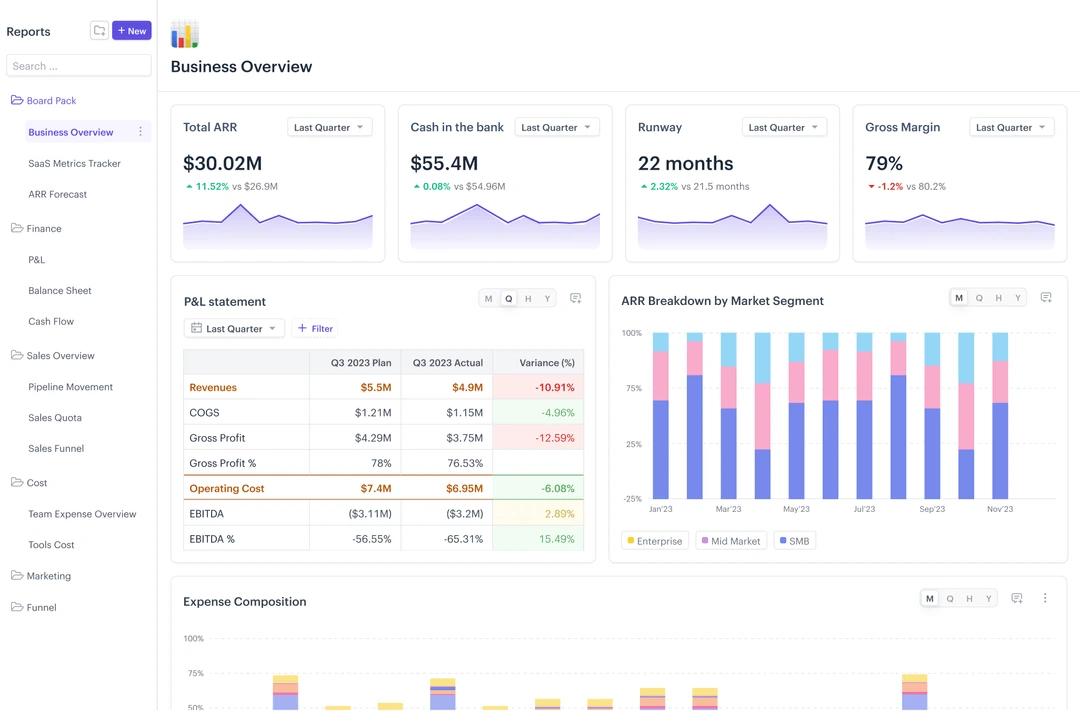
Business budgeting software is a financial planning tool that allows businesses to develop budgets, distribute resources, compare results to targets, modify budgets, and even view financial scenarios. It is designed to link assumptions with operational drivers, spending information, and financial results in a structured planning process, in contrast to static spreadsheets.
Due to changes in workforce costs, GST treatment, supplier pricing, and cross-border costs after the annual plan is approved, budgeting in Singapore can become quick and outdated. One other instance of a financial team recording the wrong margins is by adding GST to the operating income or operating expense.
Business budgeting software addresses these issues by connecting the budget and the actual, committed, cost, forecast, procurement, projects, workforce, cash flow, and financial data. Finance teams can modify their assumptions without having to re-calculate entire spreadsheets, play “what if” scenarios, combine various entities and currencies, and monitor budget-to-actual as business operations change.
Our team received information from CNA that the Local Qualifying Salary (LQS) for full-time local workers in firms employing foreign workers will be increased from S$1,600 to S$1,800 from 1 July 2026 onwards. The co-funding for qualifying wage increases will also rise to 30% in 2026. Such changes have the potential to have a material impact on payroll, headcount, margin, and cash-flow assumptions in an active budget year.
Read this article to understand what business budgeting software is, how its benefits differ by company size, which budgeting methods can be optimized through software, what features executives should prioritize, critical selection blind spots, and 12 business budgeting tools Singapore companies can consider in 2026.
Key Takeaways
Business budgeting software connects budgets, actuals, forecasts, cash flow, operational drivers, and financial performance so companies can adjust plans as conditions change.
Company size influences budgeting requirements, as small businesses typically need simple accounting-linked budgets, while enterprise companies require rolling forecasts, multidimensional planning, and stronger governance.
Top business budgeting software recommendations include ScaleOcean, Anaplan, Workday Adaptive Planning, SAP Analytics Cloud, Drivetrain, Vena, Jedox, Payhawk, QuickBooks Online, Xero, Budgyt, and Ramp.
ScaleOcean Business Budgeting Software connects planning with actual and committed costs, workforce, procurement, projects, cash flow, and operational data within one configurable platform.
Business budgeting software is a system that helps companies plan expected revenue, expenses, workforce costs, capital allocation, cash requirements, and other financial targets over a defined period. It replaces disconnected spreadsheets with structured models where finance teams can enter assumptions, review proposals, approve allocations, and compare results against actual performance.
On more advanced platforms, budgeting goes up to an annual level. They allow you to handle rolling forecasts, scenario planning, driver-based models, multi-entity consolidation, cash flow forecasting, workforce planning, and budget versus actual analysis. This allows executives to modify the financial forecasts if they change the number of employees, demand, price, supplier cost, projects, and/or market conditions.
Budgeting should also be related to accounting practices. Financial activities that occur throughout the accounting cycle, budgeting, and forecasting involve using past and present information to predict the future. Connecting these two will help to bridge the gap between the management vision and business reality.
Core Benefits of a Budgeting Software for All Business Sizes
Business budgeting software improves financial planning and resource allocation by consolidating assumptions, automating comparisons, coordinating budget owners, and making changes in actual business conditions easier to incorporate into forecasts.
For Enterprise-Level Businesses
Large companies generally have several entities, currencies, departments, cost centers, projects, and reporting configurations. It may be helpful for finance teams to have budget software to help streamline these aspects without the need to create separate spreadsheet models for each subsidiary or operational unit.
Enterprise platforms can also help to integrate financial planning with operations planning. The information on procurement committed costs may be utilized for revenue forecasting by sales volume, workforce budget owners, or project budget owners. Companies that want to enhance wider integrations between planning and transactional finance can then evaluate financial ERP software.
For Mid-Market Companies
As companies get bigger, an annual spreadsheet budget may no longer be enough to keep up with the changing business environment. The more new employees are hired, new branches are opened, costs of vendors rise, sales pipelines shift, and project portfolios grow, the more important it is to forecast monthly or quarterly.
Budget software gives the finance team a structure to access departmental assumptions, record changes, confirm actuals, and see other options. This assists scaling businesses in putting in place better financial discipline before they attain enterprise-level complexity.
For Small Businesses
Small businesses may not require sophisticated multidimensional financial models. Their priorities are usually maintaining bookkeeping consistency, setting expenditure targets, tracking actual spending, understanding cash availability, and identifying whether the business is exceeding its planned costs.
Accounting platforms with native budgeting functions may therefore be sufficient initially. As the company grows, additional forecasting, headcount planning, approval, and consolidation requirements can indicate when it is time to move beyond basic accounting-based budgeting.
Real-World Example of Business Budgeting Software
Business budgeting platforms can create measurable improvements when companies have many contributors and fragmented financial models. The benefit is not simply producing a budget faster, but shortening the distance between updated operational data and management decisions.
Based on the data our team got from Workday’s CORT customer story, CORT previously consolidated spreadsheets from 50 operating districts in a process that took six months. After implementing Workday Adaptive Planning, the company reduced corporate reporting time by three months, improved forecasting by 80%, and supported around 400 contributors.
Core Selection Framework of Best Business Budgeting Software for Singapore Businesses
Top business budgeting software varies by company size and planning needs, with Xero and QuickBooks Online often suited to smaller businesses, while ScaleOcean and other specialized platforms support scaling and enterprise companies that need rolling forecasts, workforce planning, multi-entity consolidation, scenario planning, and deeper operational integration.
Business Stage / Size
Key Requirements
Recommended Software Strategy
Startup / Small Business
Bookkeeping consistency, basic spending targets, simple budget-versus-actual reporting, cash visibility, and an accessible user interface.
Start with native budgeting functions inside accounting platforms such as QuickBooks Online or Xero. Dedicated tools such as Budgyt may become relevant as forecasting requirements increase.
Mid-Market / Scaling
Rolling forecasts, headcount plans, department collaboration, ERP and accounting integrations, scenario planning, and approval workflows.
Consider ScaleOcean when budgeting needs to connect with actual operational workflows and modules tailored to the company or industry. Dedicated FP&A tools such as Drivetrain, Vena, or Jedox can also support more structured planning.
Large Enterprise
Multidimensional models, multi-entity and multi-currency planning, enterprise security, cross-department planning, consolidation, auditability, and operational integration.
Evaluate ScaleOcean when the company requires configurable modules, industry-specific budget drivers, and connected ERP processes. Anaplan, Workday Adaptive Planning, and SAP Analytics Cloud are additional enterprise planning options.
12 Best Business Budgeting Software Tools in 2026 for Singapore Businesses
The finance team needs more than annual spreadsheets to handle the following issues in 2026: Workforce cost management, department allocation, operational drivers, and unforeseen changes throughout the year. Correct business budgeting software that is correct can blend assumptions, contrast budget to actual outcomes, coordinate budget contributors, and provide improved financial visibility for budgeting choice making.
Here are 12 business budgeting software tools that are worth considering, that are dependent on the company’s size, the level of financial complexity, the approach to business budgeting, the need for forecasting, operational integrations, collaboration requirements, governance, and applicability in Singapore and long-term scalability.
Large Enterprise Companies
1. ScaleOcean
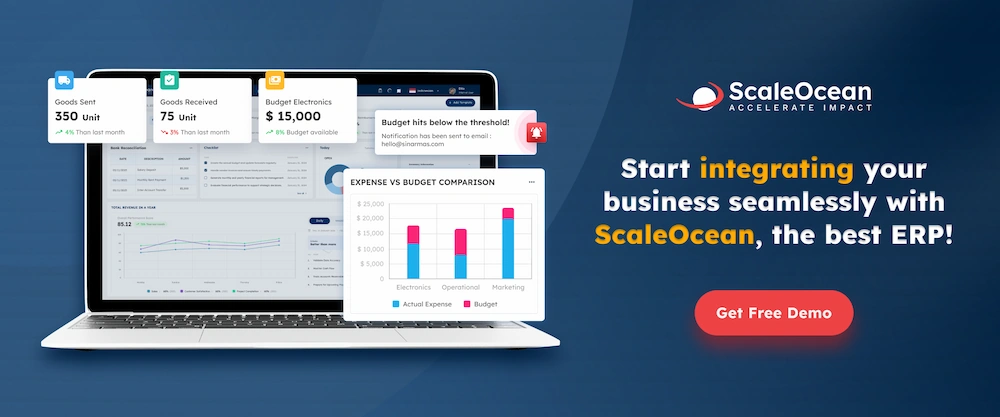
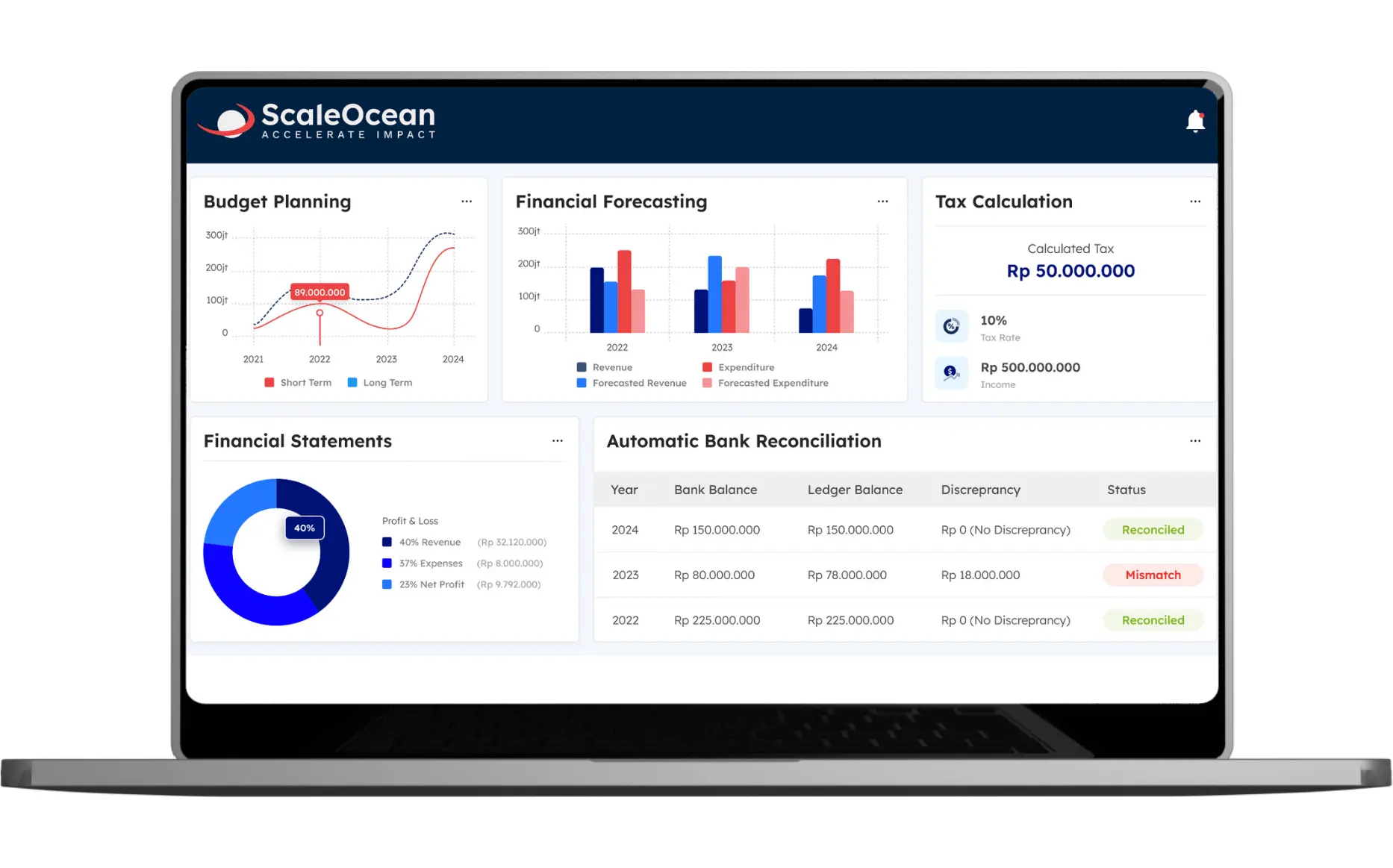
ScaleOcean is an integrated business budgeting application for medium to large businesses that need to plan budgets, compare actual and committed costs, update budgets, and manage financial planning throughout departments, entities, branches, currencies, and cost centers. Financial plans are not budgeted as an individual finance activity but, rather, are integrated with business activity each day.
ScaleOcean Atlas is ScaleOcean’s flagship ERP solution that combines business budgeting software with finance, accounting, procurement, payroll, sales, inventory, projects, and operational data in One Platform. The adaptive nature of the design also takes into account the variance in budget drivers of most industries, such as project valuation, shipment level, manpower, production, transactions, and more.
Finance teams can use ScaleMind in Atlas to detect when there are budget variances, aggregate the probable variance, and reduce the time spent updating rolling forecasts to budget, actual spend, and committed spend. There are no excuses for user-based licensing to get in the way of finance teams and budget owners collaborating, and businesses can plan across entities and currencies.
ScaleOcean Business Budgeting Software also supports PDPA-aligned data governance and Singapore-ready financial processes, including GST, InvoiceNow, audit trails, role-based access, and version history. With configurable approval workflows, workforce and CPF budgeting, and flexible deployment options, the platform can be adapted to each company’s financial structure and planning needs. Schedule a free consultation to assess how ScaleOcean fits your budgeting process.
Key features:
Multi-entity and multi-currency budgeting
Budget, actual, and committed-cost comparison
Rolling forecasts and scenario planning
Cash-flow forecasting
Driver-based budgeting
Integration with operational data
Pros
Cons
Uses a consultative implementation approach that starts with mapping the company’s budgeting process, financial structure, approval responsibilities, and operational priorities before configuration begins.
Its enterprise-level depth may be unnecessary for small businesses that only need a basic scheduling calendar or digital job sheet.
Applies scope-based pricing according to the modules and implementation requirements selected, helping companies align their investment with the capabilities they actually need.
Final pricing requires an initial consultation because modules, locations, integrations, deployment, and business complexity influence the scope.
Allows modules to be introduced gradually based on business priorities, making it easier for companies to expand their budgeting and financial planning environment without implementing everything at once.
Implementation prioritizes design accuracy, system stability, and long-term suitability rather than an immediate generic setup.
Prioritizes implementation accuracy and business readiness over rapid generic deployment, helping reduce configuration gaps and unnecessary rework as budgeting requirements become more complex.
Best for: Medium and large enterprises, multi-entity companies, project-based businesses, manufacturers, distributors, construction companies, logistics operators, and Singapore organizations requiring budgets to remain connected with operational data.
ℹ️Why choose ScaleOcean?
ScaleOcean connects budgets, actuals, committed costs, forecasts, workforce, cash flow, projects, procurement, and operational data within a configurable enterprise platform.
2. Anaplan
Anaplan is an end-to-end business planning platform. It has budgeting capabilities that allow finance teams to develop driver-based budgets and associate financial inputs with planning activities throughout sales, workforce, operations, and other business processes.
It provides multi-dimensional planning and forecasting, scenario modelling, budget versus actuals, and large-scale collaboration. It’s flexible and can be particularly critical for companies that must go beyond the business unit budget.
Key features:
Multidimensional financial modelling
Driver-based budgeting
Connected enterprise planning
Scenario and what-if modelling
Budget-versus-actual analysis
Pros
Cons
Provides a locally oriented option for Singapore businesses operating mobile service teams.
Large regional enterprises should assess whether governance and reporting depth supports all entities and approval layers.
Covers the operational flow from service requests and quotation preparation to job completion.
Public pricing information is limited, requiring consultation before the full investment can be compared.
Can help growing teams move away from manually coordinated technician activities.
Highly regulated businesses may need to evaluate additional quality, compliance, and enterprise integration requirements.
Best for: Large enterprises and multinational organizations requiring complex connected planning across multiple functions.
ℹ️Why choose Anaplan?
Anaplan supports large-scale connected planning where financial budgets need to incorporate operational drivers, scenarios, and multiple business dimensions.
3. Workday Adaptive Planning
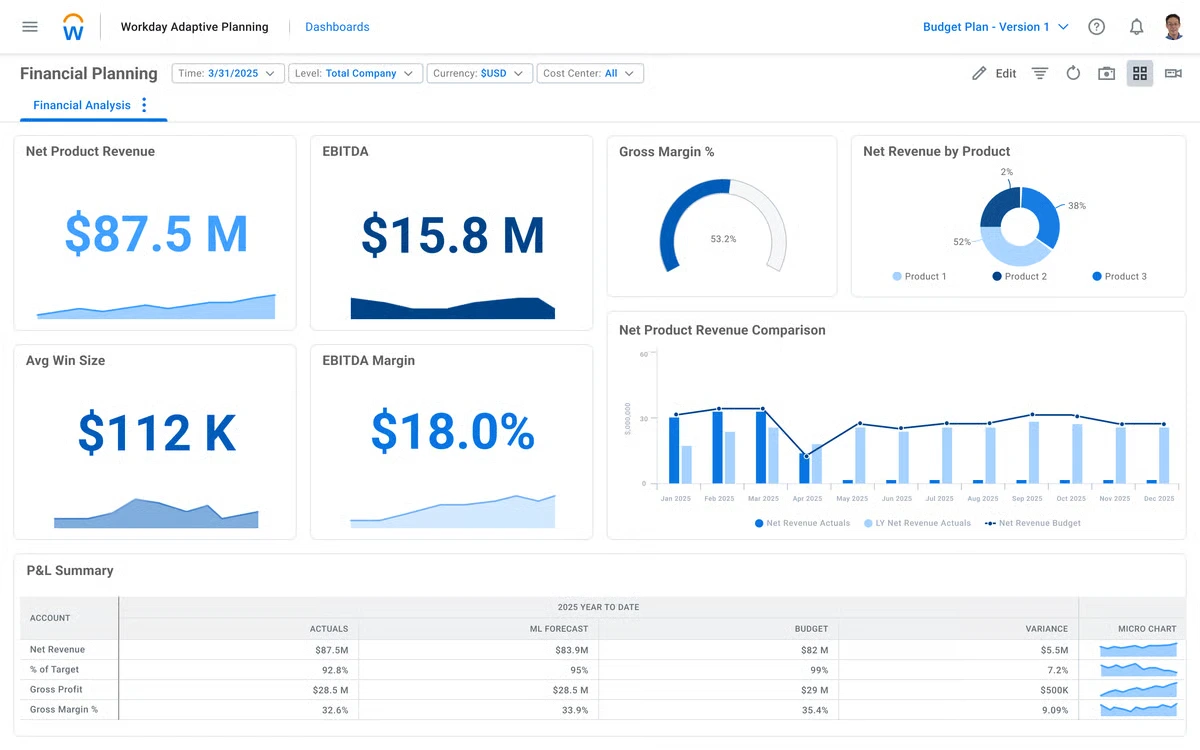
Workday Adaptive Planning is an enterprise planning platform for financial, workforce, and operational planning. It can be used by finance teams for budgets, annual rolling forecasts, scenario analysis, management reporting, and financial modelling.
It provides workforce planning functionality that can connect workforce planning assumptions to finances, and data integrations can sync forecasts with the latest data from other systems. Workday also focuses the platform on AI-powered forecasting and enterprise-scale collaborative planning.
Key features:
Budgeting and forecasting
Workforce planning
Scenario modelling
Operational planning
Management reporting
Pros
Cons
Combines financial, workforce, and operational planning in one planning environment.
Organizations may require a structured implementation for complex models and integrations.
Suitable for rolling forecasts and changing headcount assumptions.
Extensive enterprise functionality may exceed the requirements of smaller finance teams.
Supports collaborative planning across departments.
Companies should evaluate how it fits alongside their existing ERP and accounting environment.
Best for: Medium to large organizations requiring strong financial and workforce planning
ℹ️Why choose Workday Adaptive Planning?
Workday Adaptive Planning combines budgeting, forecasting, workforce planning, scenario analysis, and enterprise reporting for organizations with changing planning requirements.
4. SAP Analytics Cloud
SAP Analytics Cloud is an Enterprise Planning (EP) platform for structured budgeting, forecasting, and performance management that is driven by finance. Applicable particularly to organizations that already have SAP.
Models can be developed, versions controlled, rolling forecasts can be generated, variances can be examined, and financial scenarios can be run. The integration with the more comprehensive SAP environment can continue to assist in integrating planning with existing enterprise data and reporting.
Key features:
Enterprise budgeting
Rolling forecasts
Predictive forecasting
Driver-based planning
Scenario modelling
Pros
Cons
Combines enterprise analytics and planning capabilities.
Companies outside the SAP ecosystem should assess integration effort carefully.
Strong fit for structured financial planning and reporting requirements.
Sophisticated planning models may require experienced administrators or implementation partners.
Supports scenarios, predictive planning, and multiple planning versions.
Smaller businesses may not require its enterprise-level scope.
Best for: Large enterprises, particularly organizations already using SAP applications and data environments.
ℹ️Why choose SAP Analytics Cloud?
SAP Analytics Cloud combines enterprise planning, forecasting, analytics, and scenario modelling for organizations requiring structured financial planning.
Mid-Market and Scaling Companies
5. Drivetrain
Drivetrain is a financial planning and analysis software, focused on budgeting, forecasting, reporting, and scenario modelling. It enables department owners to add assumptions relating to budget and finance, gathers all those inputs together, and builds a company-level budget.
It provides monitoring, approval workflow, role-based access, ERP and CRM integration, and AI-powered variance commentaries, among other features. It could be useful for departmental budget to departmental budget, cost center to cost center, regional to regional, vendor to vendor, or customer to customer modelling.
Key features:
Collaborative budgeting
Rolling forecasts
Scenario planning
Approval workflows
Financial data integrations
Pros
Cons
Designed around collaborative FP&A workflows rather than isolated spreadsheet models.
Businesses requiring full ERP transactional processes still need connected source systems.
Supports fast reforecasting and scenario analysis.
Finance teams need to establish reliable integrations and model ownership.
Provides consolidated budget information across different organizational dimensions.
May provide more capability than companies needing only basic accounting budgets.
Best for: Mid-market and scaling companies developing a dedicated FP&A function.
ℹ️Why choose Drivetrain?
Drivetrain helps growing finance teams coordinate budgeting, actuals, rolling forecasts, scenarios, and department inputs in a structured FP&A environment.
6. Vena
Vena is a financial data, workflow, approval, forecasting, and enterprise planning native platform for Excel that provides a familiar spreadsheet interaction with centralized financial data and financial planning controls. It is designed for finance teams who want to formalize and govern the structure and governance of their current Excel-based modelling environment and still have the ability to work within Excel.
It has budgeting features to support top-down, bottom-up, bottom up and hybrid budgeting processes, and business drivers can be mapped from ERP, CRM, HRIS, and other systems. In addition, Vena offers workflows, approvals, scenario modelling, variance analysis, and AI-fueled financial insights.
Key features:
Excel-native budgeting
Centralized financial database
Rolling forecasts
Scenario modelling
Workflow and approvals
Pros
Cons
Maintains a familiar Excel experience for finance users.
Organizations deliberately moving away from spreadsheet-style interaction may prefer a different interface model.
Adds centralized data, governance, and workflows around budgeting.
Complex models still require disciplined template and process management.
Supports both financial and operational planning inputs.
Implementation effort grows with the number of source systems and planning models.
Best for: Mid-market and larger finance teams that rely heavily on Excel but need stronger FP&A governance.
ℹ️Why choose Vena?
Vena combines Excel-based planning with centralized data, workflows, approvals, forecasting, and financial governance.
7. Jedox
Jedox is an FP&A and enterprise performance management tool to budget, forecasting, reporting, financial modelling, and consolidation. It unites financial and non-financial data, offering a common planning data foundation.
Finance is able to build decentralized planning models, update rolling forecasts, build scenarios, tie up ERP and CRM data, and enable effective cross-departmental planning. Jedox also enables transitions from an income statement, balance sheet, and cash-flow planning perspective.
Key features:
Budgeting and forecasting
Driver-based planning
Scenario modelling
Data integration
Management reporting
Pros
Cons
Supports financial planning from P&L through balance sheet and cash flow.
Broader FP&A functionality requires more configuration than basic budget applications.
Connects financial and operational drivers.
Complex planning structures need clear ownership and modelling standards.
Supports centralized and decentralized planning.
Smaller companies may not require the full FP&A scope.
Best for: Mid-market and large organizations requiring structured FP&A and financial consolidation.
ℹ️Why choose Jedox?
Jedox provides budgeting, forecasting, scenario modelling, consolidation, and management reporting in a centralized FP&A environment.
8. Payhawk
Payhawk is primarily a business spend-management platform rather than a conventional full FP&A suite. Its budgeting functions help finance teams assign budgets, give budget owners visibility over utilization, and connect spending activity with approval and expense processes.
It can be particularly useful when the budgeting problem is not building complex financial statements but enforcing expenditure policies after allocations have been approved. Payhawk itself positions its budget functionality as an extension that can work alongside FP&A tools.
Key features:
Budget ownership and utilization
Spend controls
Expense management
Approval workflows
Corporate cards
Pros
Cons
Connects budget limits directly with actual company spending.
It is more spend-management focused than a complete corporate FP&A platform.
Gives budget owners visibility into available and used allocations.
Complex financial statement modelling may require a complementary planning system.
Combines approvals, expenses, cards, and budget monitoring.
Businesses should assess regional payment and card availability for their entities.
Best for: Mid-market and scaling companies prioritizing budget enforcement, expenses, and corporate spend visibility.
ℹ️Why choose Payhawk?
Payhawk connects company budgets with corporate spending, approval workflows, expenses, and budget-owner visibility.
Startup and Small Business
9. QuickBooks Online
QuickBooks Online is an accounting platform for small and medium businesses that includes bookkeeping, invoicing, expense tracking, reporting, and selected budgeting functions. Singapore-specific versions also support local accounting workflows and GST-related financial tracking.
Companies can prepare budgets and use budget-versus-actual reporting to compare planned amounts with recorded transactions. This makes QuickBooks suitable when budgeting remains closely tied to the company’s existing accounting structure rather than requiring dedicated FP&A models.
Key features:
Budget creation
Budget-versus-actual reports
Expense tracking
Cash-flow visibility
Accounting reports
Pros
Cons
Keeps basic budgeting close to bookkeeping and accounting data.
Advanced multidimensional planning and complex scenario modelling may require additional tools.
Accessible for smaller finance teams.
Scaling companies may eventually require deeper workforce or operational planning.
Scaling companies may eventually require deeper workforce or operational planning.
Best for: Startups and small to medium Singapore companies wanting budgeting within their accounting environment.
ℹ️Why choose QuickBooks Online?
QuickBooks Online combines accounting, expense tracking, financial reporting, and basic budget-versus-actual management for smaller businesses.
10. Xero
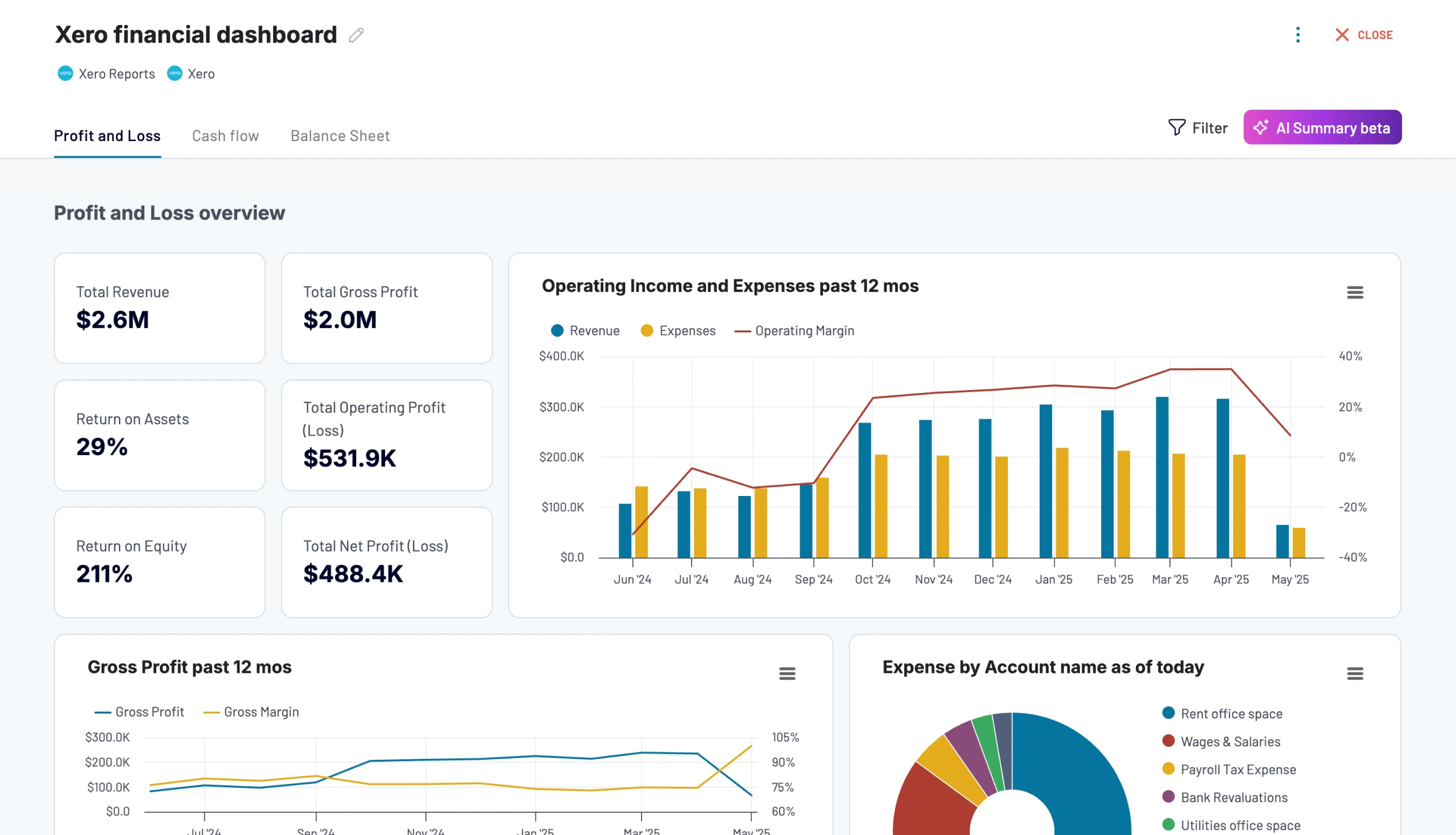
Xero is cloud accounting software that supports accounting, bank feeds, reporting, and budget management for small businesses. Budget Manager lets users create budgets and compare planned figures against actual accounting results through Budget Summary and Budget Variance reports.
Its budgeting functionality is suited to businesses whose requirements remain primarily account-based. Companies can connect financial transactions and budget reports without implementing a separate enterprise FP&A environment.
Key features:
Budget Manager
Budget variance reporting
Bank feeds
Cash-flow information
Financial reporting
Pros
Cons
Provides a straightforward budgeting extension to cloud accounting.
Complex rolling forecasts and multidimensional models may require additional applications.
Actual accounting transactions can be compared directly with budget figures.
Large multi-entity groups may need more extensive consolidation capability.
Suitable for collaboration with accountants and finance advisers.
Budgeting depth is oriented more toward smaller-business requirements.
Best for: Startups and small businesses that want basic budgeting within their accounting platform.
ℹ️Why choose Xero?
Xero gives small businesses accounting-linked budgeting, variance reporting, bank data, and financial reporting in a cloud environment.
11. Budgyt
Budgyt is dedicated budgeting and forecasting software designed to replace spreadsheet-heavy planning processes. Its functionality includes rolling reforecasts, dashboards, payroll allocation, cash-flow forecasting, and integrations with accounting systems.
Unlike accounting platforms where budgeting is one feature among many, Budgyt focuses specifically on planning and forecasting. It can therefore suit smaller or mid-sized finance teams that have outgrown spreadsheet budgeting without requiring a broad enterprise planning suite.
Key features:
Budget creation
Rolling reforecasts
Cash-flow forecasting
Payroll allocation
Dynamic dashboards
Pros
Cons
Provides a locally oriented option for Singapore businesses operating mobile service teams.
Large regional enterprises should assess whether governance and reporting depth supports all entities and approval layers.
Covers the operational flow from service requests and quotation preparation to job completion.
Public pricing information is limited, requiring consultation before the full investment can be compared.
Can help growing teams move away from manually coordinated technician activities.
Highly regulated businesses may need to evaluate additional quality, compliance, and enterprise integration requirements.
Best for: Small and mid-sized businesses requiring dedicated budgeting and forecasting without an extensive enterprise planning implementation.
ℹ️Why choose Budgyt?
Budgyt provides dedicated budgeting, rolling forecasts, cash-flow planning, payroll allocation, dashboards, and accounting integrations.
12. Ramp
Ramp is a financial operations and spend-management platform combining corporate cards, expense management, procurement, accounts payable, approvals, and budget controls. Ramp Budgets provides finance leaders and budget owners with current visibility into organizational spending.
Its budgeting value is concentrated on spending visibility and enforcement rather than comprehensive corporate financial modelling. Ramp also documents Singapore-dollar-denominated card capabilities for eligible Ramp Enterprise organizations with Singapore entities.
Key features:
Department and team budgets
Spend tracking
Corporate cards
Approval workflows
Expense management
Pros
Cons
Connects budget allocations directly with company purchasing and expenses.
It is oriented more toward spend management than full FP&A modelling.
Can provide budget owners with current spending visibility.
Long-range revenue, workforce, and financial-statement planning may require another planning platform.
Combines cards, expenses, procurement, and financial operations.
Highly regulated businesses may need to evaluate additional quality, compliance, and enterprise integration requirements.
Best for: Small to mid-sized companies prioritizing expenditure visibility, corporate cards, approvals, and spend limits.
ℹ️Why choose Ramp?
Ramp helps finance teams connect budgets with corporate spending, cards, approvals, expenses, procurement, and financial operations.
Types of Business Budgeting Methods That Can Be Optimized Using Software
The budgeting software that is required for a business is not the same for each business. The most suitable option will depend on the degree of financial maturity, stability of the business, management priorities, availability of data, and the rate of change in underlying assumptions.
Business budgeting techniques of the modern era can also be employed to aid several techniques in the same organization. Targets may be established from above by headquarters, and estimates of costs may be prepared from within the departments for more detailed operational inputs.
1. Top-Down Budgeting
Top-down budgeting starts at the corporate level with financial objectives set by the top management, and then budgets are approved for departments, regions, projects, or cost centers. This approach will enable leadership to play a stronger role in the priorities and strategic goals of spending.
Software helps to determine the departmental boundaries from the high-level targets and offers a comparison of plans submitted with company targets. Approval workflows can also be used to manage exceptions for the budget owner who requests additional resources.
2. Bottom-Up Budgeting
The bottom-up budgeting approach starts at the lower level of the organization, with the employees and managers who interact with day-to-day operations. The Department head estimates the costs of the workforce, suppliers, activities, projects, revenue, and other costs before finance consolidates the departmental submissions.
Budget software helps reduce spreadsheet collection and version conflicts. Contributors can work within controlled templates, while finance monitors completion, reviews assumptions, and consolidates the company-wide plan. When connected with financial ERP software, budgeting can also stay aligned with actual financial and operational data.
3. Zero-Based Budgeting
The idea of zero-based budgeting is for expenses to be justified again for each planning period and not automatically continued from previous years. This can help to achieve a better spending discipline, but typically involves more budget ownership.
Software simplifies the process with the ability to document cost drivers, facilitate approvals, simulate and compare multiple scenarios, and use historical actuals as a reference while not assuming that past expenditures are the new norm.
4. Incremental Budgeting
Incremental budgeting takes the prior budget or actual performance figure and increases or decreases the amount of money in the budget based on expectations. Not difficult and will work if the conditions under which it is operated are stable.
The weaknesses are more apparent if big cost drivers shift. For instance, if Singapore finance teams were to include a single percentage in workforce budgets, CPF obligations and Progressive Wage would impact cost categories differently, as would the composition of the workforce and the levels of salary.
Key Features to Consider Based on Business Scale
Business budgeting software’s functionality increases as the business expands. A startup business won’t require the same amount of preparation as a multi-entity business, but if you decide on a system that offers too few functions, you could find yourself in a situation where you have to begin the budgeting process over again later on when the business you have started has developed much faster.
For Enterprise-Level Businesses
1. Multidimensional Data Modeling
Enterprise budgets should support dimensions such as company, entity, department, branch, currency, product, project, cost center, customer, and period.
This allows management to analyze the same plan from different perspectives without creating separate spreadsheet files.
2. Connected Strategic Planning
Financial budgets should tie into workforce, sales, projects, procurement, inventory, and operational budgets. This provides management with increased insight into the relationship between strategic assumptions and business actions and the financial results.
3. Advanced What-If Sandboxes
New scenario testing for businesses needs special places where they can test it without affecting their approved budget. They may be contemplating a new branch, rising supplier costs, a hiring freeze, sales reduction, the capital program, or anything else and propose a solution.
4. Enterprise Security Standards
When various kinds of information (salary, revenue, investment, strategic planning, and more) are shared across the organization, role-based access, audit trails, version control, authentication, and administrative governance become more important than ever.
For Mid-Market Companies
5. Automated Accounting Connectors
Cut down on manual data transfers from planning to accounting for expanding companies. Automated connections allow real financial results to be passed into budget vs actual reporting faster and easier, with less data preparation.
6. Granular Workforce Planning
Headcount becomes one of the largest and most dynamic expense categories for many scaling companies. Planning should therefore support employee categories, departments, vacancies, salary assumptions, CPF, and expected hiring dates.
7. Dynamic Rolling Forecasts
A forecast that is continuously extended as each month or quarter ends is called a rolling forecast. This would offer management a more “current” view than the one they had a few months ago through a budget.
8. Collaborative Control Workflows
There must be well-defined stages in a budget submission, review, revision, and approval process within the Finance teams. Budgeted departments and delayed budgets/changed assumptions are shown through clear workflows.
For Small Businesses
9. Automated Card Synchronization
Where supported, connecting company card transactions with financial records gives businesses faster visibility into actual spending and reduces manual transaction entry.
10. Basic Target Alerts
Simple notifications for when expenditures start to approach or go over a limit can be useful for small businesses. This provides financial control without the need to create a very complicated enterprise analytics environment.
11. Intuitive Variance Dashboards
Managers should be able to compare budget against actual results without building manual reports. Clear variance dashboards make overspending and revenue gaps easier to identify.
Organizations requiring deeper statutory, management, or consolidated outputs can also compare dedicated financial reporting software tools.
12. Cash Runway Forecasts
For startups and smaller businesses, liquidity can matter more than complex multidimensional planning. Cash forecasts estimate how long available funds can support planned expenditure under changing revenue assumptions.
Critical Operational Blind Spots to Consider in Good Business Budgeting Software
Feature checklists alone do not reveal whether a platform will perform effectively after implementation. Executives should examine costs, integration requirements, user adoption, planning methodology, and how forecasts remain connected with operational reality.
1. Total Cost of Ownership (TCO)
Subscription cost is only one component. Businesses should include implementation, configuration, integration, migration, training, consulting, administration, additional modules, and future changes when estimating total investment.
Per-user pricing also deserves attention when dozens or hundreds of department managers need to contribute. The cheapest starting subscription does not necessarily remain the lowest-cost solution after wider adoption.
2. Integration Depth
A connector name in a product list does not explain what information actually flows through it. Finance teams should determine whether integrations can retrieve chart-of-account data, actual transactions, headcount, purchase commitments, project costs, sales pipelines, inventory, or other required drivers.
The organization should also identify which system remains authoritative for each dataset. Otherwise, multiple platforms may calculate different versions of the same figure.
3. Data Consolidation
Multi-entity companies need more than simply adding several spreadsheets together. Finance teams may need entity mappings, different charts of accounts, currencies, intercompany activity, ownership structures, and group reporting dimensions.
The software should therefore be evaluated against the organization’s real consolidation complexity, not only the number of legal entities. This assessment should also consider how consolidation fits into the broader accounting cycle, from transaction recording and reconciliation to reporting and period-end review.
4. Adoption Friction
Budgeting software provides little value if department heads continue sending spreadsheets to finance. Evaluate how easy it is for occasional users to submit assumptions, explain changes, approve requests, and understand their remaining budget.
Implementation should also include clear ownership. Finance may own the budgeting framework, but individual departments must remain accountable for the assumptions they submit.
5. Automation and AI-Assisted Workflows
Automation can consolidate actuals, route approvals, detect missing submissions, generate variance commentary, and notify budget owners when spending moves outside expected ranges. AI assistance can further support anomaly identification and scenario analysis.
However, automated output should remain traceable to reliable data. Financial decisions still require approval rules, data validation, explainable assumptions, and appropriate human review.
6. Forecasting and Scenario Planning
Some products labelled budgeting software mainly create annual targets and compare them with actual results. Businesses facing volatile operating conditions should assess whether the software can update assumptions and maintain rolling forecasts without rebuilding the entire model.
Scenario planning should also allow management to test alternative conditions independently. A company may need base, downside, and growth scenarios involving revenue, workforce, procurement, projects, or exchange-rate assumptions.
How Executive Teams Choose the Right Business Budgeting Software
Executive teams should evaluate budgeting software based on how well it supports real financial decisions, existing workflows, and future planning needs, not simply on the number of features available.
Start with the decisions the business needs to make. Identify what each stakeholder expects from the budgeting process. CFOs may prioritize cash flow and profitability forecasts, while business unit leaders may focus on headcount, project budgets, procurement commitments, and departmental targets.
Map the current budgeting workflow. Review how teams capture assumptions, submit and approve budgets, consolidate data, prepare reports, conduct management reviews, and update forecasts throughout the year.
Identify spreadsheet and data gaps. Determine where spreadsheets still work well, where manual processes create delays, and which financial or operational data must be integrated or migrated into the new budgeting system.
Test shortlisted platforms with realistic scenarios. Ask vendors to demonstrate situations such as adding a new entity, increasing workforce costs, missing revenue targets, handling project delays, changing costs, managing multiple currencies, or conducting a mid-year reforecast. The right software should handle these scenarios without making everyday budgeting unnecessarily complex.
Conclusion
Business budgeting software is software for financial planning, which is used by businesses to make budgets, allocate resources, compare results and targets, update financial plans, and analyze financial options. It can be as simple as accounting-based budgeting for smaller entities or as complex as multiple-entity, multi-currency, multi-workforce, multi-project, or multi-operational planning for larger entities.
Without structured budgeting, companies can struggle with outdated assumptions, disconnected spreadsheets, unclear spending commitments, weak cash projections, and slow reforecasting when business conditions change. Budget software addresses these gaps through consolidated data, budget-versus-actual reporting, scenario planning, rolling forecasts, collaborative workflows, and integrations with accounting and operational systems.
ScaleOcean Business Budgeting Software connects budgets, actual costs, forecasts, cash flow, projects, and operational data within one configurable platform. With ScaleMind-assisted analysis, multi-entity planning, and role-based access, it supports more connected financial planning. Schedule a consultation with our team to assess how it fits your budgeting needs.
FAQ Business Budgeting Software:
1. Which companies need business budgeting software in Singapore?
Business budgeting software is particularly useful for companies managing multiple departments, projects, headcount plans, entities, currencies, or frequently changing costs, although smaller businesses can also benefit from basic accounting-linked budgeting and cash-flow planning.
2. Does company revenue or headcount affect the choice of budgeting software?
Yes. As revenue, employees, departments, entities, and budget contributors increase, businesses generally require stronger forecasting, consolidation, user permissions, workflow approvals, integrations, and planning governance.
3. Do companies need to replace their existing accounting software?
Not necessarily. Many budgeting platforms can work alongside existing accounting or ERP systems, allowing actual financial data to support forecasts and budget-versus-actual analysis without replacing the company’s primary accounting application.
4. Can Singapore companies prepare budgets across multiple entities and currencies?
Yes. Enterprise budgeting platforms can support planning across multiple companies, branches, currencies, departments, projects, and cost centers, although consolidation, exchange-rate handling, and intercompany capabilities differ between platforms.














 Key Takeaways