
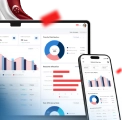



The best customer portal software for 2026 features top choices such as ScaleOcean for secure, regulated sectors and real-time analytics, Zendesk for AI-driven support, and SuiteDash for freelancers. These platforms enhance communication, file sharing, and project management.
The customer portal is not just software. It’s about building stronger client relationships through the best customer portals. According to EDB Singapore, negative customer interactions jeopardize 5.3% of a firm’s revenue.
With changing customer expectations, optimizing the experience is more important than ever. Businesses must prioritize customer pleasure, and dedicated portals are critical to addressing these objectives.
We’re going to dive into what makes the best customer service portals stand out. We will explore the essential features, review the best customer and client portals software in Singapore, like ScaleOcean, Zendesk, Hubspot, and more, and guide you on how to make the right choice for your company’s continued growth. Learn more here!
 Key Takeaways
- Customer portal software is a secure, centralized hub that provides customers with self-service options.
- The features of customer portal software are a self-service knowledge base, a ticket management system, secure document sharing, account management, communication tools, project management, and many others
- 16 best customer and client portal software, including top platforms like ScaleOcean, Zendesk, HubSpot Service Hub, Freshdesk, and Salesforce.
- To choose the right customer and client portal software, you must carefully evaluate your unique business needs, security requirements, existing technology, and features.
- ScaleOcean’s customer and client portal software is engineered to solve these challenges, offering a highly secure and customizable platform to elevate your customer experience.

What is Customer Portal Software?
Customer portal software is a secure, centralized hub that provides customers with self-service options. Customers can simply discover information, manage their accounts, and send support issues all in one spot, eliminating the need for continual communication with your team.
Customer portals often provide one-to-many relationships by providing self-service support, knowledge bases, and frequently asked questions. Client portals, on the other hand, are intended for one-on-one B2B interactions, with a focus on secure file exchange and project collaboration for more personalized experiences.
Why Do Businesses Need Customer Portal Software?
Customer portal software is essential for businesses looking to improve efficiency, reduce operational costs, and enhance customer satisfaction. It provides a centralized platform where customers can access critical information, manage accounts, and resolve issues independently, reducing the need for direct support.
By offering self-service features like knowledge bases and ticket management systems, businesses can streamline customer interactions, ensuring faster response times and improved service quality.
Moreover, customer and client portal software facilitates secure document sharing, communication, and collaboration, creating a seamless experience for both customers and support teams.
Ultimately, investing in a customer portal helps businesses provide a better user experience while optimizing internal processes and reducing overhead.
The Benefits of Customer and Client Portal Software
Client and customer portal software offer businesses essential tools to enhance the overall client experience. Once, while streamlining operations. These portals can also provide significant optimisations, benefits, and efficiencies by automating processes, allowing self-service to secure communications channels.
Here are some of the benefits to consider when looking at client and customer portal software:
1. Reduced Support Costs
Client and customer portals significantly reduce the need for direct customer support by empowering users to solve their own issues through self-service options like knowledge bases and FAQs.
With fewer support inquiries, businesses can lower operational costs, allowing support teams to focus on more complex cases. This reduces staffing needs and minimizes costs related to traditional support channels.
2. Improved Customer Satisfaction
Portals enhance the customer experience by providing quick access to information and services, such as order tracking, account management, and real-time communication.
Most folks like knowing what to expect clarity brings comfort. A straightforward path through a service often leads to smiles, which tend to bring customers around later on. Think about stepping into a place where everything flows; chances are, you return without even deciding to. Smooth moments build quiet trust over time.
3. Increased Agent Productivity
When tickets move through systems without help, when updates happen by themselves, even when answers appear before they are asked, support teams find space to do work that really needs a person. Automated steps quietly handle the repeat stuff, so attention shifts where it matters most.
With fewer steps to follow, agents sort through questions faster because the system brings messages and user details together. Because of that flow, teams keep up with heavier loads without slowing down. What happens next is steady progress – no extra effort needed.
4. Centralized Information
Inside a client portal, everything ties together – support history, account facts, messages – all visible at once. Details stack neatly where access links each piece without effort. Past conversations sit close to current settings, making jumps between topics feel natural. Information is gathered here instead of being scattered across emails or calls. Each section connects, so nothing feels lost or far away.
When details live in one spot, folks on both sides see what they need without hunting around. Because updates show up in real time, mix-ups drop off while clarity grows. With nothing buried or missing, choices come faster since facts sit waiting. Everything lines up when access stays open and straightforward.
5. Enhanced Security
Hidden behind layers of code, portals let companies and clients exchange private details safely. Protection kicks in the moment someone logs in, shielding everything from contracts to payments. Information stays locked down, seen only by those allowed through the door.
Security gets stronger when extra layers like login approvals and user permissions are added. Because of this setup, companies and their customers feel more confident using the system. Trust builds easily when access is managed based on who needs what. Risks drop noticeably once these tools are active behind the scenes.
6. Actionable Insight
Out here, customer portals collect details about how people act, what they like, and how they interact with support. Because of that, teams can study patterns in the way users engage. Sometimes trends show exactly where changes work better. Needs to become clear when usage points to gaps. Improvement hides in plain sight once someone looks close enough.
Most times, a business knows what its people really want, and decisions start fitting those needs much better. Good choices show up in sharper products, smoother help, and stronger service behind the scenes. Growth sticks around when fixes come from real clues, not guesses. Happy users usually follow once changes reflect actual feedback. What gets measured tends to get improved – quietly, steadily.

Key Features of Customer Portal Software

One way firms boost support is through online access points packed with useful functions. Not only do they let clients help themselves, but they also open clearer paths for replies and updates. These systems often cut down wait times because answers appear faster than before.
Some teams find fewer repeat questions once users explore on their own. Smooth exchanges happen more when information flows both ways without delays. A quiet benefit? Staff can focus on trickier tasks instead of routine ones.
Below are some of the key consideration features of customer and client portal software, including:
1. Self-Service Knowledge Base
Answers wait ready whenever someone visits, searching on their own. Help shows up fast when people look it up instead of waiting for replies. Finding what they need happens straight away through a collection built for users. Questions get solved because the system holds clear details. No messages back and forth are necessary if guidance lives where it can be seen.
Got questions. The system holds a full collection of how-tos, answers, and fixes so people can sort problems themselves. Because help is on hand fast, customers feel better about using it. Fewer delays, fewer tickets piling up.
2. Ticket Management System
Every time someone reaches out, they get a unique identifier tagged to their issue. That little number brings order, letting teams sort what needs attention first while watching progress unfold step by step.
Instead of scattered messages floating around, every concern lands in a single stream – clear, visible, manageable. Efficiency shows up quietly when nothing slips through the cracks. Focus shifts naturally toward fixing things instead of chasing details across folders and emails.
With every request tracked, nothing slips through the cracks – clarity shows up for users and support staff alike.
3. Document Security
Because security matters, companies now share private files using secure connections. For this reason, picking software with strong coding feels like a smart move toward staying within the rules.
When business owners use this feature, files like contracts or invoices stay safe. It keeps personal details hidden yet lets people share what they need without hassle. Customers tend to trust more when their privacy is clearly respected.
4. Account Management
Some systems allow people to handle account tasks on their own. When access is limited, individuals still see personal data, change it if needed, while also checking past orders along with adjusting how they prefer bills handled.
With self-service, customers find what they need fast – no waiting. Control shifts into their hands when tools let them manage details on their own. Quick access to account data shapes how smoothly things move forward. Doing tasks without help often feels more satisfying than expected. The ability to act independently changes how people view support options.
5. Communication Tools
Usually, these platforms include ways to talk – like live messaging, emails, or calling – built right into them. Usually, a salon business of will need to be supported by the best salon software
Most businesses now use systems letting them chat live with customers whenever problems pop up. Because answers come fast, people feel heard – conversation flows easier this way. Satisfaction grows when back-and-forth happens without delays piling up. Engagement improves simply because waiting fades into background noise.
6. Project Management
Project management tools within a customer portal enable businesses and customers to track project progress, timelines, and milestones.
It allows for collaboration on tasks, assignment of responsibilities, and visibility of updates. This feature helps ensure that projects stay on track and fosters transparent communication between all involved parties.
7. Customization and Branding
Customization and branding features in customer and client portal software allow businesses to tailor the portal’s look and feel to match their brand identity. Select platforms that offer white-labeling options to align with your brand identity.
With options to modify color schemes, logos, and layout, businesses can offer a personalized and consistent user experience. This feature reinforces brand identity and enhances customer loyalty.
8. Integration Capabilities
Customer portals often integrate with various business systems such as CRM, ERP, and ticketing platforms. These integrations ensure that all customer data, support tickets, and account information are centralized, providing a seamless experience.
Make sure the portal is compatible with your current CRM and project management tools to ensure the integration capabilities improve efficiency and reduce the need for manual data entry, helping businesses operate smoothly.
Businesses that manage rentable assets may also benefit from tools like equipment rental software in Singapore to streamline inventory and booking workflows.
9. Mobile Responsiveness
Mobile responsiveness ensures that the customer portal UI design is optimized for smartphones and tablets. Customers can easily access their accounts, track orders, and communicate with support from any device.
This feature of customer portal software can improve accessibility, making it convenient for customers to engage with the business at their convenience.
The Best 16 Customer and Client Portals in Singapore
So, a great customer portal is super important, we know that, but then picking the right one? That’s the real challenge, with so many options out there, each having its own good points and some not-so-good ones. In Singapore, a few providers stand out for their strong capabilities tailored to the local market.
What we’ve put together here is a bit of a rundown, looking at some of the best customer service portals you can find right now. It’s a solid mix of big international names and niche platforms, helping you find the perfect match. Here are the top 16 customer portals in Singapore to consider:
1. ScaleOcean
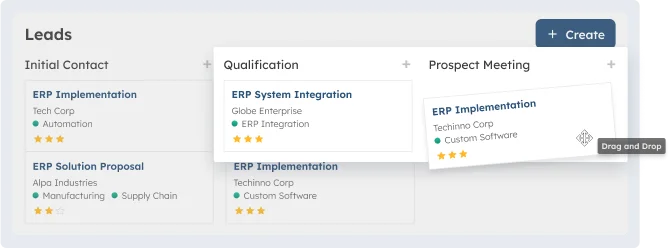 Businesses in need of a safe, adaptable customer portal can use ScaleOcean’s customer portal software. It guarantees that your branded experience fully reflects the identity of your business and gives you the freedom to adjust anything from user permissions to workflows.
ScaleOcean is a flexible platform that integrates project management, billing, CRM, and a robust client site. Businesses may improve customer happiness and streamline operations by using this integration, which offers a thorough 360-degree perspective of your consumers.
They can test out ScaleOcean’s functionality by utilizing its free demo. The company can evaluate how well the portal fits its needs by testing its features. ScaleOcean is also eligible for the CTC grant, which offers funding for execution.
PT Bukaka Inti Aircon, as one of ScaleOcean’s clients, has been using ScaleOcean’s customer portal software, which allows their clients to access their own data, view real-time updates, and make requests directly, which makes the entire process more efficient.
Everything is more organized, work is faster, and the results are significantly better, empowering customers to manage their own interactions seamlessly. Here are the key features of ScaleOcean’s customer portal software:
Key Features:
- Secure access and user management: ScaleOcean ensures secure access, allowing businesses to manage user permissions and maintain high security.
- Self-service options: The platform includes knowledge bases and ticket submissions, empowering customers to resolve issues independently.
- Document management and sharing: ScaleOcean supports efficient document sharing, allowing clients to securely access and manage files.
- Real-time reporting and analytics: Businesses can leverage real-time insights into customer behavior and portal interactions to improve decision-making.
- Integration with other business systems: ScaleOcean integrates seamlessly with project management, CRM, and billing systems, providing a comprehensive view of customer data.
| Pros | Cons |
|---|---|
|
|
Best For: Singaporean businesses of all sizes looking for a versatile, all-in-one platform to streamline operations, improve efficiency, and support growth across retail, manufacturing, and service sectors can also benefit from CTC grants of up to 70% funding, making it even more accessible to implement ScaleOcean’s solutions.
G2 Review: “The ROI we’ve experienced in the first month alone is outstanding, around 75%. The system’s ease of integration with our existing software and the customer support team have made this transition painless.”
ScaleOcean’s G2 Review: 5/5 stars
2. Zendesk
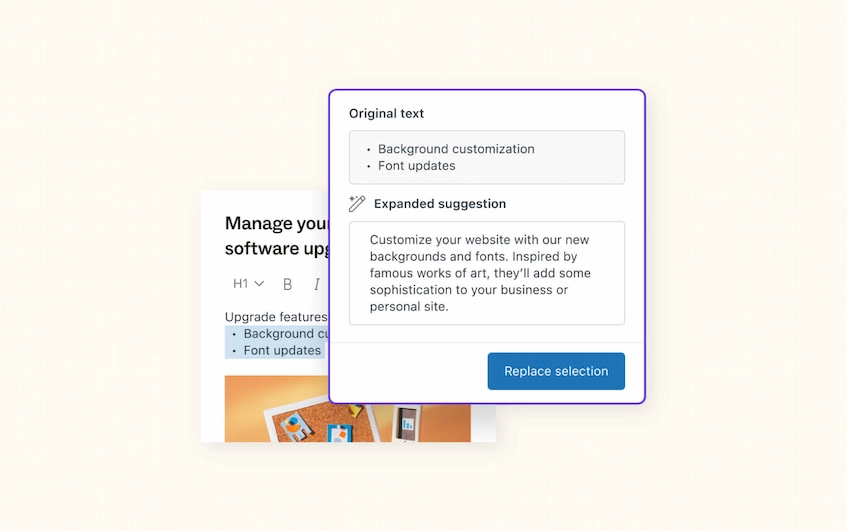 Zendesk is a well-known customer support program. Businesses wishing to facilitate peer-to-peer support and consolidate support requests into a single central system will find it ideal.
Customers may easily follow support requests thanks to the ticketing system’s seamless integration with the portal. Because the platform offers an integrated customer service experience, it’s a good choice for companies that are already utilizing other Zendesk features.
Key Features:
- Centralized knowledge base.
- Community forum for peer-to-peer support.
- Integrated ticketing system.
- Multi-channel support.
- Automation for ticket handling.
| Pros | Cons |
|---|---|
|
|
Best For: Businesses looking for a complete, integrated customer service platform, particularly those requiring automation and multi-channel support, as well as those already utilizing other Zendesk solutions, will find Zendesk to be the most suitable.
G2 Review: “The generative AI service is a favorite of mine because it helps us create multi-level responses based on our knowledge base, addressing customer queries without needing a live agent and prioritizing issues based on severity.”
Zendesk’s G2 Review: 4.3/5 stars
3. SuiteDash
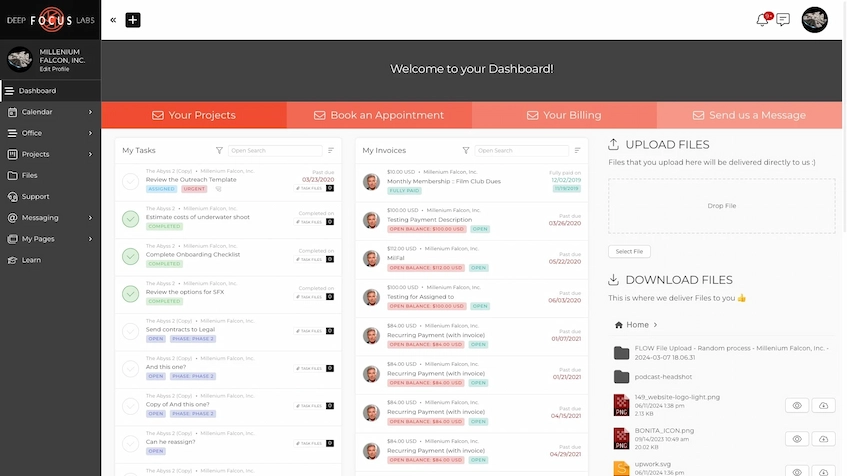 SuiteDash is a customer and client portal software platform that combines CRM, project management, and client portal features, designed to streamline business operations and client communication.
Key Features:
- Integrated CRM and project management.
- Client portal with file sharing and invoicing.
- Time tracking and task management.
- Workflow automation for efficiency.
| Pros | Cons |
|---|---|
|
|
Best For: Small to medium-sized businesses looking for an affordable, all-in-one solution.
G2 Review: “SuiteDash allows us to have that client-first approach while also directing our existing clients to our website, as this is our main source of advertising.”
SuiteDash’s G2 Review: 4.8/5 stars
4. HubSpot Service Hub
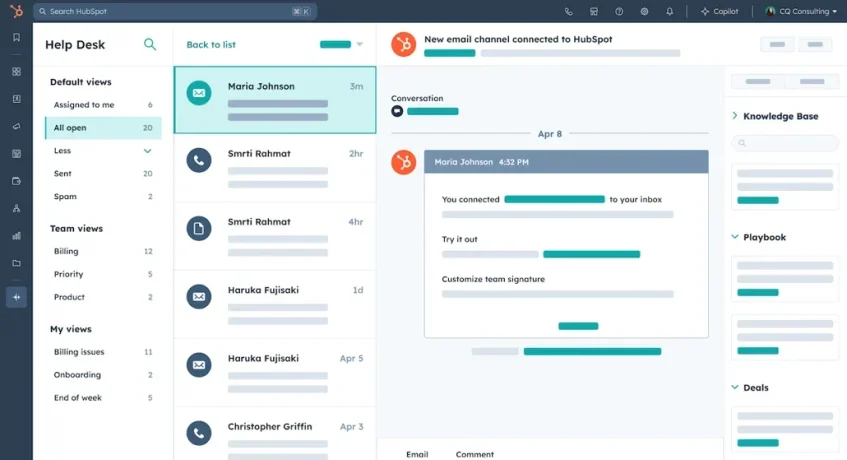
HubSpot Service Hub offers a single customer experience and simple access to client data. Through the portal, companies may better customize experiences by utilizing their current customer data.
Because it produces a streamlined, integrated service experience, it is especially advantageous for individuals who are already a part of the HubSpot ecosystem.
Key Features:
- Integration with HubSpot CRM, marketing, and sales tools.
- Centralized customer data for personalized experiences.
- Multi-channel support, including email and chat.
- Task and ticket automation.
- Knowledge base and help desk integration.
| Pros | Cons |
|---|---|
|
|
Best For: For companies that currently use HubSpot’s CRM, marketing, and sales technologies, HubSpot Service Hub is ideal. For those seeking a single, efficient customer support portal with integrated data from throughout their company, it’s a good option.
G2 Review: “The sections are intuitive, so information does not get lost or buried, which makes it easy to stay organised and efficient.”
HubSpot’s G2 Review: 4.4/5 stars
5. Freshdesk
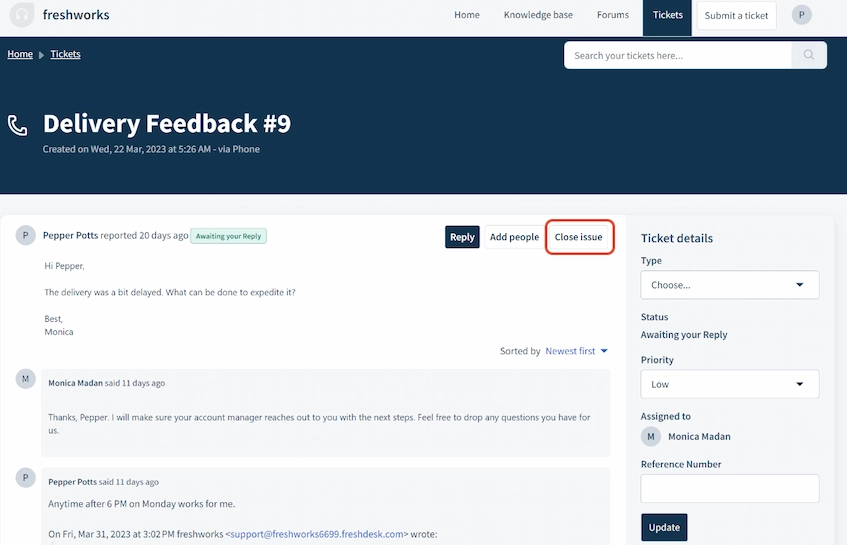 Freshdesk provides an easy-to-use customer interface that is simple to set up and navigate. With tools including community forums, solution articles, and an AI chatbot that helps automate customer interactions, it places a strong emphasis on self-service.
The platform, which provides a central point to track interactions across many media, is perfect for small to medium-sized enterprises. It is designed to simplify customer support activities and promote self-service solutions while being strong and reasonably priced.
Key Features:
- User-friendly interface for easy setup.
- Self-service features like solution articles and forums.
- AI chatbot for automating customer chats.
- Multi-channel support for tracking conversations.
- Customizable ticketing and reporting tools.
| Pros | Cons |
|---|---|
|
|
Best For: Small to medium-sized enterprises that require a user-friendly, scalable customer portal with self-service features would find Freshdesk ideal. For people who wish to handle client communications across several channels in one location, it’s perfect.
G2 Review: “The automation has helped us save a ton of time on repetitive tasks, and the reporting has helped us track our performance as a team.”
Freshdesk’s G2 Review: 4.4/5 stars
6. Salesforce
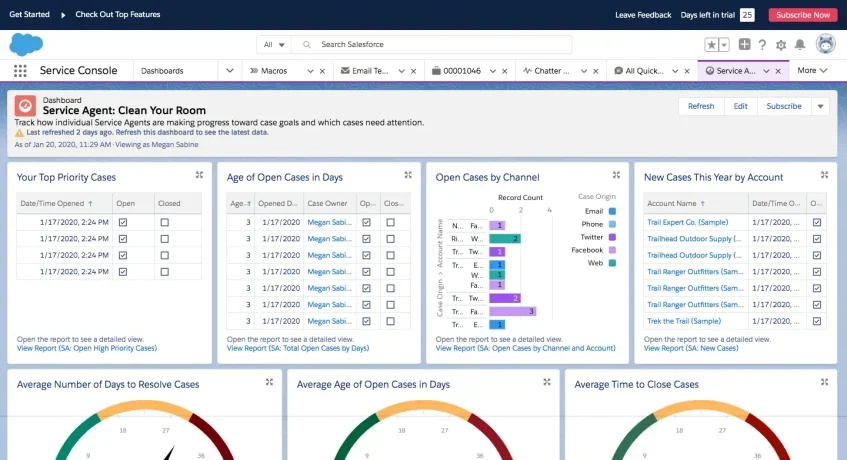
Salesforce provides a rich and engaging experience for clients and customers while providing a great deal of customization to handle intricate business operations.
This platform’s interaction with the Salesforce ecosystem, which permits robust data management and workflow automation, is one of its main advantages. Because of this, it is a scalable option for companies seeking a platform that can expand with them.
Key Features:
- Deep customization for complex business needs.
- Integration with Salesforce CRM for unified data.
- Scalable with automation and workflow management.
- Rich, interactive experience for customers and partners.
- Advanced reporting and analytics tools.
| Pros | Cons |
|---|---|
|
|
Best For: For big businesses that already use Salesforce CRM and require a highly configurable, scalable portal, Salesforce Service Cloud is ideal. Businesses wishing to combine customer service with other intricate business procedures and data management systems would find it suitable.
G2 Review: “I love the ability to drill down into individual customer records and find trends in their data. This helps me to quickly identify potential opportunities and better serve my customers.”
Salesforce’sG2 Review: 4.3/5 stars
7. Zoho Creator / Zoho Desk
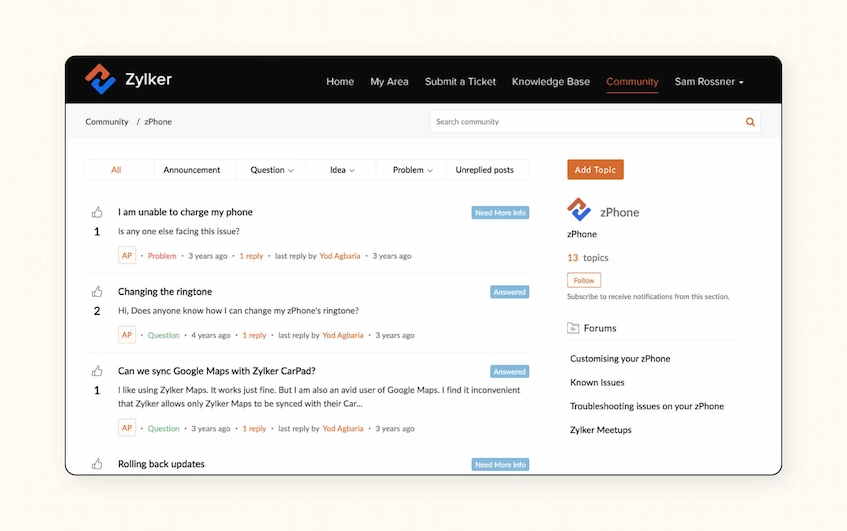 Zoho Creator/Zoho Desk enables companies to create unique apps, such as customer and client portals. Because it gives businesses total control over the features and design, they may customize the portal to fit their own demands and specifications.
For companies with needs that off-the-shelf alternatives cannot satisfy, this platform is perfect. Although setting it up needs some technical know-how, the personalization it enables is good, offering a genuinely customized portal experience.
Key Features:
- Low-code platform for custom app development.
- Full control over features and design.
- Allows integration with third-party tools.
- Provides automation and workflow features.
- Scalability for growing businesses.
| Pros | Cons |
|---|---|
|
|
Best For: Businesses with particular needs that cannot be met by pre-made solutions are best suited for Zoho Creator. Businesses that require complete customization and flexibility while developing a customer portal and other apps would find it suitable.
G2 Review: “It keeps tickets organized, improves communication with customers, and the automation features save us a lot of time once everything is configured.”
Zoho Creator’s G2 Review: 4.4/5 stars
8. Accelo
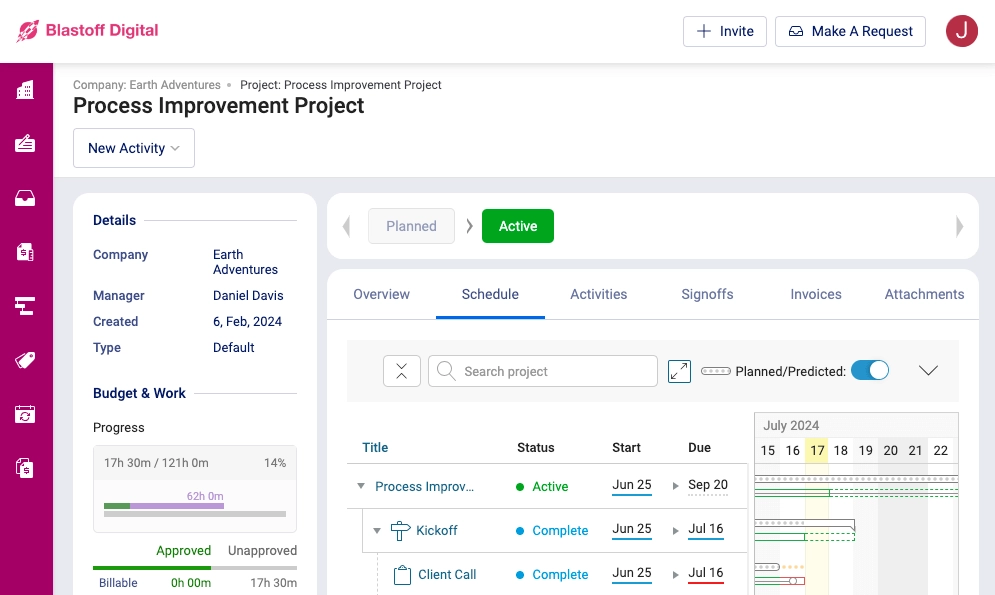 Accelo is designed for companies that provide professional services, such as accounting firms, consultants, and agencies. Its client site, which offers clients real-time updates on project progress and budgets for more transparency, focuses on project management, billing, and collaboration.
Because it was created especially to handle the special interactions present in professional services, this portal is fit for service-based organizations. It is a specialist tool for these businesses because of its emphasis on customer communication and project tracking.
Key Features:
- Project management and tracking.
- Real-time client updates on project progress.
- Invoicing and budget management.
- Collaboration tools for clients and teams.
- Customizable to suit different service industries.
| Pros | Cons |
|---|---|
|
|
Best For: Professional service companies, such as agencies, consultants, and accountancy firms, are the ideal candidates for Accelo. It is perfect for businesses that require specialized tools to handle client relationships and projects because of its emphasis on project management, invoicing, and client cooperation.
G2 Review: “Being able to assign clients their own job boards, tasks with assignees, communication features in general stream, task streams, checklists per task as well as being able to track time per task – along with lists that are customizable to track everything literally.”
Accelo’s G2 Review: 4.4/5 stars
9. MyDocSafe
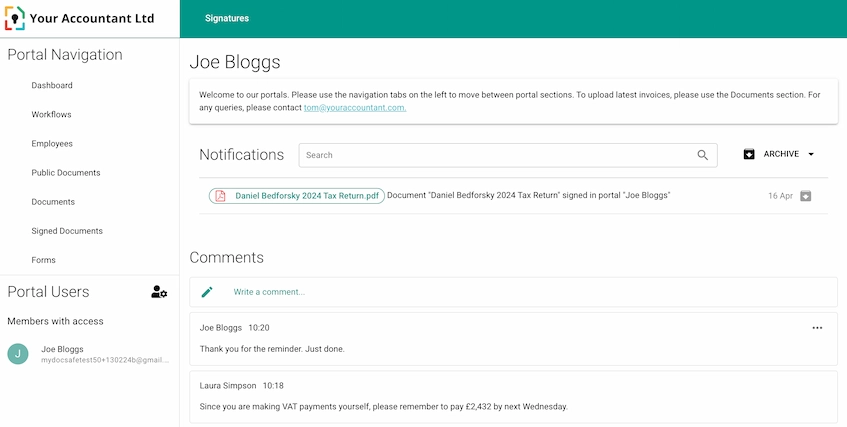 MyDocSafe is well-known in sectors including legal, accounting, and financial services because of its expertise in safe document management and communication. It prioritizes data security while providing digital signatures, onboarding processes, and safe file exchange.
MyDocSafe is a reliable, compliant solution that simplifies document-heavy procedures while maintaining high security, and it was created for companies that handle sensitive documents. It’s perfect for businesses that need the highest level of client data protection and compliance.
Key Features:
- Secure document management and sharing.
- Digital signature functionality.
- Onboarding workflows for client interaction.
- High-level data encryption and security.
- Compliance with industry regulations.
| Pros | Cons |
|---|---|
|
|
Best For: For companies in sectors like legal, accounting, and financial services who require a highly secure and compliant solution for handling sensitive documents, MyDocSafe is a good option. Organizations that handle a lot of paperwork and need stringent data protection would find it suitable.
G2 Review: “Quick and easy to use. Looks safe enough. Several features built in, even for signing and selection, make it easy.”
MyDocSafe’s G2 Review: 3.9/5 stars
10. Clinked
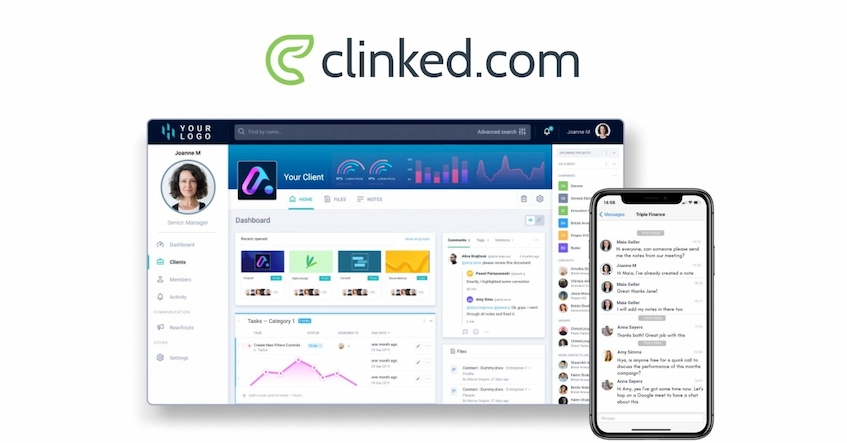 Clinked is a branded client site that emphasizes safe file sharing and teamwork. It is a fantastic choice for companies looking to enhance communication with customers, partners, and teams because it has features like group chat, task management, and event calendars.
This flexible platform facilitates a variety of tasks, including project management and customer onboarding. The mobile app improves flexibility and collaboration by ensuring users remain connected and productive even while working remotely or from various places.
Key Features:
- Group chat for team and client communication.
- Task management and event calendars.
- Secure file sharing and storage.
- Custom branding for a professional appearance.
- Mobile app for on-the-go access.
| Pros | Cons |
|---|---|
|
|
Best For: Businesses seeking a flexible, safe portal to improve teamwork, manage assignments, and interact with clients and teams are best served by Clinked. It is especially well-suited for people who require a mobile-friendly, branded solution for daily operations.
G2 Review: “The platform helps present our agency in a polished, organized way while keeping sensitive information accessible only to the right stakeholders.”
Clinked’s G2 Review: 4.8/5 stars
11. OneHub
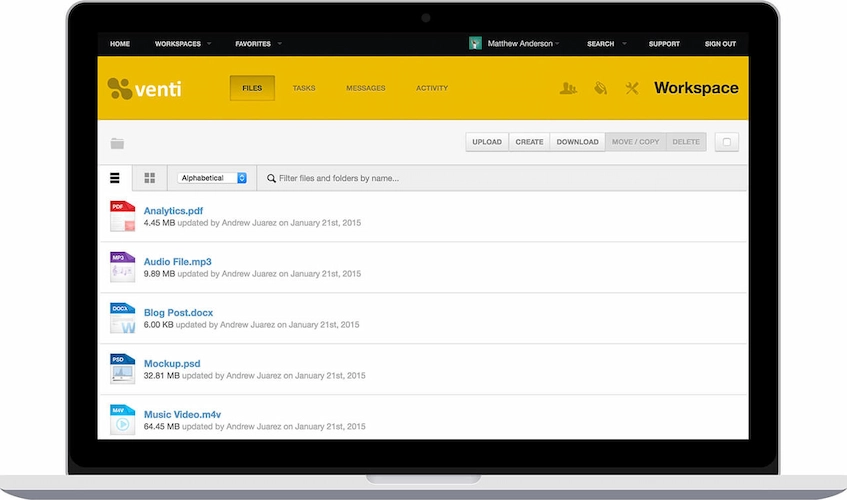 OneHub is a customer and client portal software that secure file-sharing and collaboration portal that helps businesses manage documents and client interactions through customized client portals.
Key Features:
- Secure file sharing and storage.
- Customizable client portals.
- Document tracking and version control.
- Client-specific branding options.
| Pros | Cons |
|---|---|
|
|
Best For: Companies needing secure document management with robust file sharing and client-specific portals.
G2 Review: “Allows tracking of documents, where you can monitor the recipient’s time on each page, most searched words in the document, and much more.”
OneHub’s G2 Review: 4.2/5 stars
12. Moxo
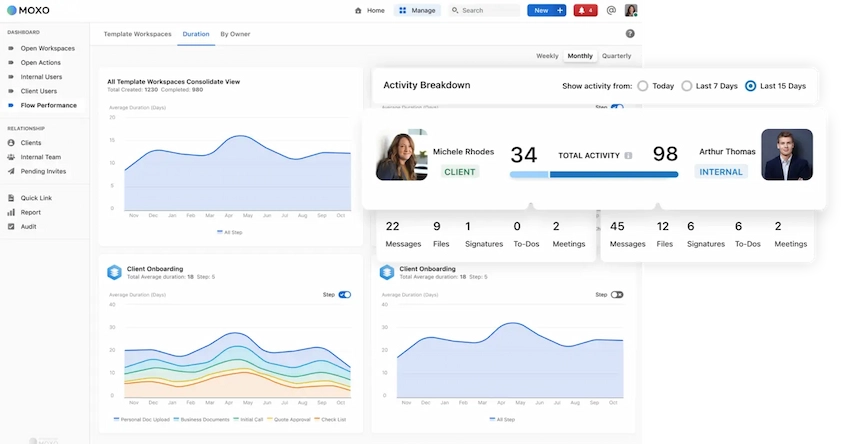 Moxo is a customer portal software that offers a client and customer solution focusing on providing streamlined communication, project management, and customer support.
Key Features:
- Client communication tools (chat, video calls).
- Project and task management features.
- Secure document sharing.
- Workflow automation and task tracking.
| Pros | Cons |
|---|---|
|
|
Best For: Businesses focusing on client communication and collaboration, especially for project-based work.
G2 Review: “The platform has completely streamlined the way we communicate with clients, organize tasks, and keep our internal team aligned.”
Moxo’s G2 Review: 4.5/5 stars
13. SuperOkay
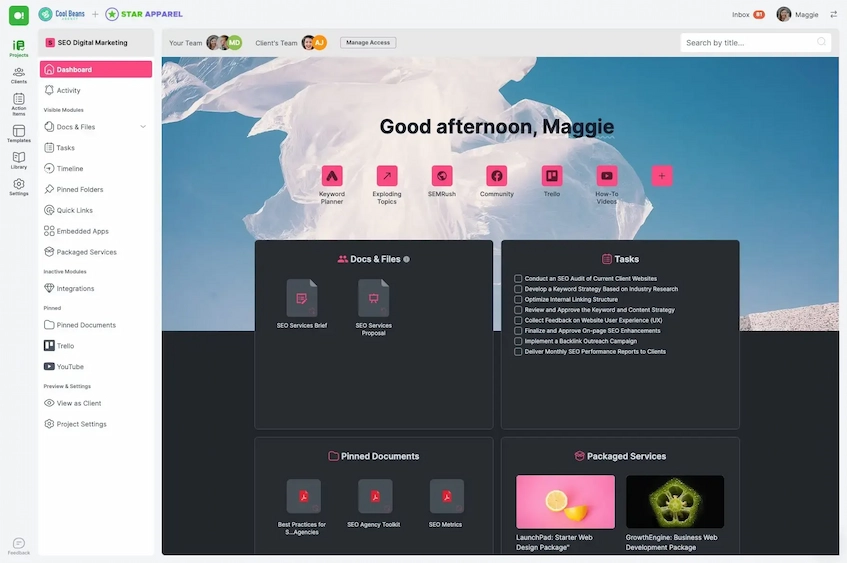 SuperOkay is used mostly by freelancers or small teams who need a tidy spot to show client work. A single dashboard holds every file, task update, or shared link without clutter. Messages go in there, too, so nothing gets lost in long email chains. It replaces scattered conversations across apps and platforms. The interface carries your branding, making it feel like part of your business.
Key Features:
- Branded client portals.
- Reusable templates & blocks.
- File sharing and embeds.
- Secure access and permission.
| Pros | Cons |
|---|---|
|
|
Best For: Creative shops, ad agencies, designers, solo pros.
G2 Review: “The interface is intuitive, the design is sleek, and the features offered allow you to structure projects well, centralize documents, and facilitate communication..”
SuperOkay’s G2 Review: 4.6/5 stars
14. HoneyBook
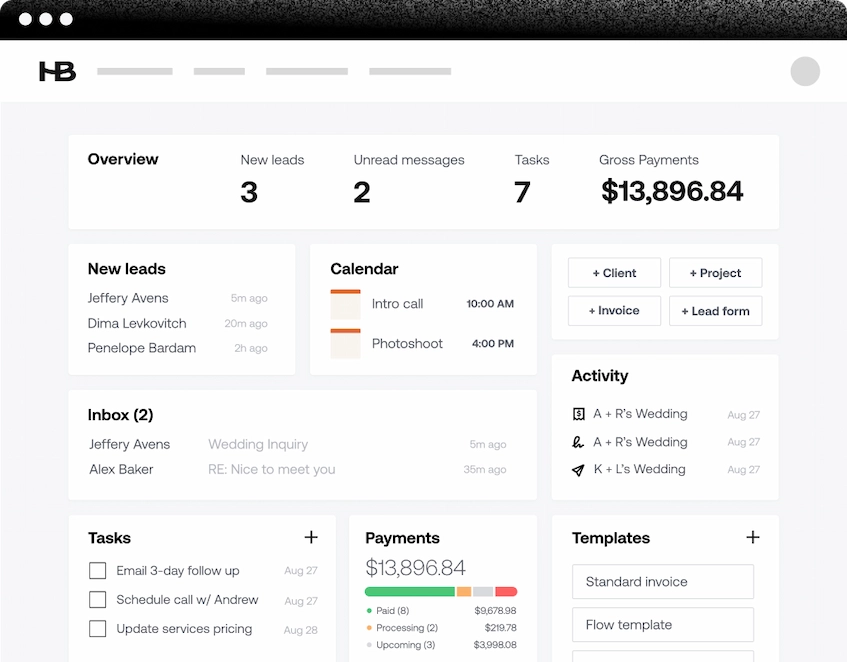 HoneyBook works as a full toolkit for managing clients and daily operations, built especially with solo creators, consultants, and small creative teams in mind. Inside it, users set up a personalized online hub where people they work with can check job updates, sign paperwork, see payment requests, track timelines, and exchange messages, all gathered under one consistent look.
Key Features:
- Customizable fonts and colors.
- Automated reminder and workflows.
- AI-assisted tools for drafting emails and summaries.
- Integrated scheduling.
| Pros | Cons |
|---|---|
|
|
Best For: Photographers, event planners, consultants, designers, coaches, and other freelancers who rely on strong client experiences and efficient project workflows.
G2 Review: “They are always improving the tool as well, with even more helpful features that small businesses/consultants actually need.”
HoneyBook’s G2 Review: 4.4/5 stars
15. Softr
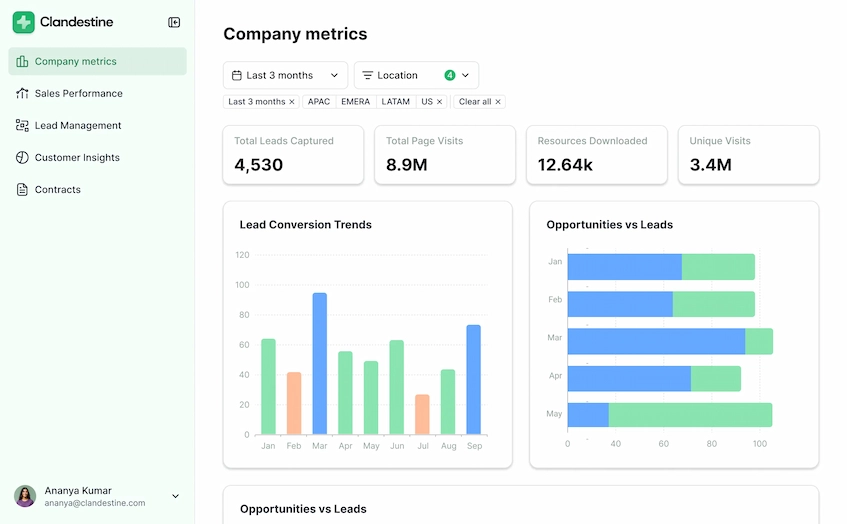 Softr system hooks into spreadsheets or stored info – say, Google Sheets or Airtable. Pages show up only to those who should see them. Blocks snap together to form working sites, and building something fresh takes less time this way. This makes access stay locked down unless invited.
Key Features:
- Drag and drop builder templates.
- User authentication and permission.
- Self-service tools.
- Custom dashboard and workflows.
| Pros | Cons |
|---|---|
|
|
Best For: For smaller companies, freelancers, project helpers, or workflow groups needing safe client gateways with their own look.
G2 Review: “The initial setup was very easy for me since I used the AI assistant, which I thought was very in tune with what I was looking for and had better capabilities than other software I had tried.”
Softr’s G2 Review: 4.7/5 stars
16. Happyfox
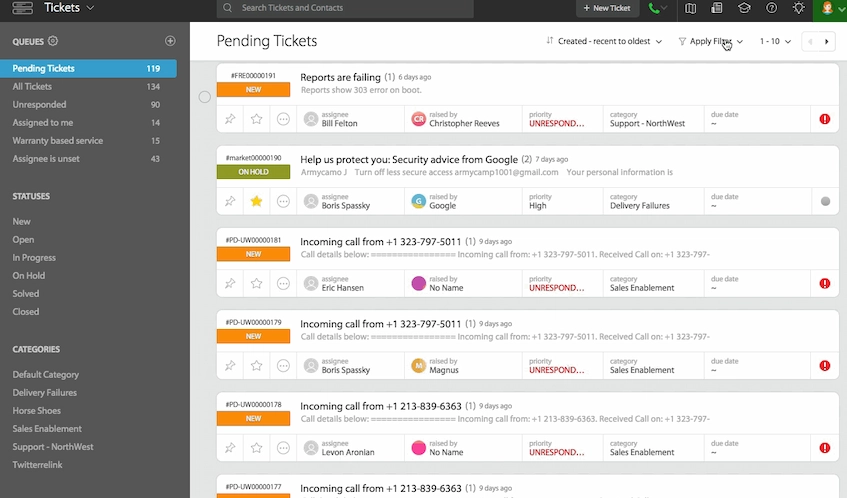 HappyFox gathers customer inquiries across platforms into structured tickets. One system holds every request, whether it arrives by chat, call, form, or inbox. This setup reduces scattered efforts, replacing them with methodical processes, allowing customer interactions to stay logged, searchable, and assigned within a single environment
Key Features:
- Omnichannel ticketing.
- Automation and smart rules.
- Self-service knowledge base.
- Multilingual support.
| Pros | Cons |
|---|---|
|
|
Best For: Midsize companies often find HappyFox fits their needs. Where support demands grow over time, this platform maintains structure across departments.
G2 Review: “It is easy to maintain, easy to integrate with existing platforms, and also extensible via their powerful API.”
HappyFox’s G2 Review: 4.5/5 stars
Difference Between a Customer Portal Software and a Client Portal Software?
The terms customer portal software and client portal software are often used interchangeably, but there are subtle differences based on the type of relationship and service provided.
A customer portal typically refers to a platform designed for individuals who make purchases or use services on a more transactional basis. It offers self-service features such as account management, order tracking, support tickets, and access to knowledge bases.
It is often used in retail or service-based industries, providing customers with a way to manage their accounts and resolve issues independently.
On the other hand, a client portal is often more specialized and tailored to businesses that maintain long-term, ongoing relationships with their clients. Client portals are used by organizations to provide a higher level of service, such as project tracking, document collaboration, invoicing, and detailed reporting.
They are typically used in B2B contexts, where the relationship is more consultative and involves more complex services. Client portals often include more advanced features such as secure file sharing, collaboration tools, and integration with the company’s CRM or ERP systems to manage ongoing projects and communication.
In summary, while both types of portals offer secure, personalized access to information, the customer portal focuses on simpler, transactional interactions, while the client portal offers more robust, service-oriented features for deeper, long-term business relationships.
What Should the Ideal Customer Portal Software Include?
The best customer portal software goes beyond basic functionality to offer an intuitive, secure, and efficient platform that enhances both the customer and business experience. Key features such as ease of use, security, integration capabilities, and customization play a pivotal role in ensuring the software delivers maximum value.
Below are the essential qualities that define top-tier customer portal software:
1. User-Friendly Interface
A customer portal should have an intuitive, easy-to-navigate interface. The design must be clean, simple, and organized to ensure that users can quickly find the information or tools they need.
A complex or confusing interface can frustrate users, leading to decreased engagement and satisfaction. A user-friendly portal enhances the overall experience and encourages self-service.
2. Advanced Security Features
Top customer portal software prioritizes security with features like encryption, multi-factor authentication, and role-based access controls. These features ensure that sensitive customer data and business information remain protected from unauthorized access.
A secure portal builds trust with customers, offering them confidence in sharing personal details and engaging with the platform.
3. Comprehensive Integration Capabilities
The best portals seamlessly integrate with existing systems, such as CRM, ERP, and support ticketing software. Integration capabilities allow for centralized management of customer data, enabling support teams to access up-to-date information in real-time.
This integration also enhances business efficiency by automating workflows and reducing manual data entry.
4. Customization and Branding Options
A customer and client portal software should offer the flexibility to be customized to reflect the business’s branding and unique needs.
Customization options such as personalized layouts, logos, and color schemes enable businesses to maintain consistency in their customer-facing platforms. This feature not only strengthens brand identity but also improves the overall user experience by making the portal feel more familiar and tailored.
5. Mobile Responsiveness
With an increasing number of customers accessing services via mobile devices, the best customer portal software is fully optimized for mobile use.
Mobile responsiveness ensures that customers can easily access their accounts, make transactions, and communicate with support teams, no matter where they are. A mobile-friendly portal increases accessibility and ensures a seamless experience across devices.
6. Self-Service Capabilities
The best customer portal software includes robust self-service options, such as a knowledge base, FAQs, and support ticket management. These features empower customers to resolve issues independently, reducing the need for direct support.
Providing users with the tools to find answers on their own can improve satisfaction and reduce support costs for businesses.
How to Choose the Best Customer and Client Portal Software for Your Business
You’ve looked at a number of excellent customer portal alternatives, but how do you pick the best one? You should take your time making this choice because the portal you choose will have a significant impact on your customers’ experiences. Pay attention to your particular business requirements.
Think about a few specific areas to help you focus your choices and make the selection easier. It’s critical to find a platform whose advantages match your company’s requirements. To help you navigate the selection process, let’s dissect some doable tasks. Here’s how to choose the right portal for your business:
1. Know Your Business Type and Needs
First, specify exactly what you require from the gateway. Do you run a B2C company handling thousands of support tickets or a B2B corporation requiring secure file sharing? It will depend on your business strategy what kind of client portal you need.
Make a list of the main issues you’re attempting to resolve, such as managing subscriptions, enhancing client onboarding, or cutting down on support calls. You can concentrate on consumer portals made especially to satisfy those wants with the aid of this clarity.
2. Prioritize Security and Compliance
When selecting client portal software, security is essential. Customer data protection is your responsibility as a business. To make sure your clients’ data is secure, always review the vendor’s security protocols, paying particular attention to encryption standards and access limits.
Never be afraid to inquire about a vendor’s adherence to regional laws, such as Singapore’s PDPA. Reputable providers will be open and honest about their compliance, which will reduce risks and foster client trust.
3. Consider Your Existing Tech Stack
Think about your current tech stack, which includes your communication platforms, accounting systems, and CRM. To prevent data silos and additional manual labor, which reduce efficiency, the new customer portal should easily interface with these platforms.
Examine each portal on your list for integration capabilities. Make sure they have a flexible API for custom solutions or pre-made connectors for your equipment. To make sure the portal improves rather than complicates your operations, this technical due diligence is essential.
4. Identify Your “Must-Have” Features
Honestly, it’s pretty easy to get sidetracked by all those flashy, maybe-you-don’t-even-need features. To keep yourself on track, try making a clear checklist of your “must-have” versus “nice-to-have” features. This list should stem from your core business needs, focusing on functionality that delivers the most value.
Then, use this checklist to objectively evaluate each vendor, which helps level the playing field when you’re comparing platforms. This approach also helps ensure you aren’t paying extra for features you’ll never actually use, keeping the focus squarely on solving your core business problems with the right tools.
5. Test It Out with a Free Trial or Demo
Seriously, you should never, ever commit to a customer portal without actually seeing it work in real time. Always go for a free trial or set up a personalized demo. It’s genuinely the best way to get a feel for the user interface and confirm it’s as intuitive as the marketing promises, which is a crucial reality check.
During your trial period, it’s important to gather feedback from both your internal team and, if possible, a few trusted customers. Their real-world experiences will be incredibly valuable for making the final decision. Ultimately, this hands-on testing is the best way to confirm that the portal is a good fit for everyone who will be using it.
Conclusion
Selecting Singapore’s top customer portal for your company is a calculated move that involves more than simply software purchases. It’s about increasing customer relationships and efficiency. The correct gateway transforms interactions by empowering customers with self-service.
The procedure entails assessing vendor capabilities, security, and integration to match your company’s objectives. A powerful online customer portal from ScaleOcean easily connects with your current systems. To assist companies in determining whether it is a good fit for their requirements, the vendor also offers a free demo.
FAQ:
1. Is a Client Portal Software Worth the Investment?
Determining whether client and customer portal software is worth the investment depends on your business needs, but for most service-oriented companies, the answer is yes. The time savings often offset the costs within a few months, and the boost in client satisfaction continues to deliver long-term value.
2. How Much Does a Client Portal Cost?
The cost of customer and client portal software typically varies based on per-user, per-client, tiered, or flat-fee pricing models. Pricing can also be influenced by compliance features such as SOC 2, GDPR, encryption, and audit logs, which are essential for accounting firms. Small firms generally pay between $30–$100 per user per month, with costs rising for mid-sized firms.
3. Who Needs a Customer and Client Portal?
Client and customer portals software are perfect for businesses that collaborate closely with clients on project management. They enable the sharing of project timelines, task lists, and progress updates, allowing clients to track project status, offer feedback, and upload required documents.
4. Is a Customer Portal Software Necessary?
Customer portals simplify access to essential data and services, giving customers the tools they need to manage their own needs. This aligns with the modern expectation for efficiency and independence, making customer portals not just useful, but essential for businesses today.
























.png)