

Quoting software is a tool that helps businesses configure products or services, make pricing decisions, provide customer quotes, obtain approvals, and more. On more advanced systems, the same authorized information can be passed on to sales orders, contracts, invoices, and procurement and fulfilment processes.
The actual challenge for enterprise sales teams is that they simply do not have the time to develop a quotation document. Some of the major causes of delays include slow approvals, fluctuating prices, out-of-date catalogs, misunderstanding margin requirements, different versions of documents, and the lack of integration between CRM, inventory, finance, and orders.
That’s why the entire process needs to be handled by an effective quotation system, not only a PDF export of a quotation. It should apply approved pricing rules, route exceptions according to risk, record every revision, protect margins, and transfer accepted quotations into downstream operational workflows.
According to the data our team found from Gartner’s, AI tools can save sellers 4.8 hours per week. But 72% of sales organizations say they reinvest these time savings in lower-level activities, which suggests that technology isn’t working as well as it could if sales organizations also revamped processes around it.
You will find out the many differences between quoting software and CPQ, learn how to apply it to various industries, and identify the essential features and integrations you need to consider, as well as the one that suits your sales processes the best.
 Key Takeaways
- A comparison of quoting software in Singapore helps companies evaluate each platform based on pricing complexity, integrations, automation, scalability, and total ownership cost.
- Top quoting software recommendations include ScaleOcean, PandaDoc, HubSpot, Salesforce, Quotient, Quote 10, QuoteWerks, Conga CPQ, Oracle CPQ, and Qwilr.
- Quoting software helps businesses create accurate quotations, apply pricing rules, manage approvals, track revisions, and convert accepted quotes into sales orders.
- ScaleOcean sales software supports configurable pricing, margin rules, multi-level approvals, audit trails, and connected quotation-to-order workflows for complex enterprises.
Quick Recommendation of Quoting Software Tools in Singapore
There is a different level of sales difficulty in each platform. Templates, online follow-up reminders, configuration of standard products, multi-level approvals, pricing options for customers, GST settings, inventory checks, and automation of quote-to-order may be more significant for businesses that sell standard products, but not necessarily for businesses in other regions.
The following table provides a quick comparison before the detailed reviews.
| Software or Tool | Primary Focus | Best Suited For | Key Features |
|---|---|---|---|
| ScaleOcean | Connected enterprise quotation and sales operations | Medium and large enterprises with complex pricing, approval, entity, and integration requirements | Dynamic pricing, margin controls, configurable approvals, embedded intelligence, GST settings, audit trails, and quote-to-order workflows |
| PandaDoc | Document and quotation automation | Small and medium sales teams producing quotations, proposals, and agreements | Product catalogues, pricing tables, templates, e-signatures, payments, and CRM integrations |
| HubSpot | CRM-connected quotation management | Growing businesses already managing sales pipelines in HubSpot | Branded quotations, product libraries, tiered pricing, signatures, payments, approvals, and tracking |
| Salesforce | Enterprise revenue lifecycle management | Medium and large organizations operating within the Salesforce ecosystem | Product configuration, pricing rules, approvals, orders, subscriptions, contracts, billing, and analytics |
| Quotient | Straightforward online quotation creation | Small and medium service companies | Interactive options, templates, online acceptance, customer discussions, follow-ups, and accounting connections |
| Quote 10 | Basic open-source quotation tracking | Small organizations with internal technical resources | Quotation records, PDF documents, attachments, status tracking, invoicing, and reports |
| QuoteWerks | Structured quoting and proposal processes | SMBs, resellers, technology providers, and service businesses | Product catalogues, pricing controls, approvals, CRM integrations, purchasing, online acceptance, and payments |
| Conga CPQ | Complex configuration and commercial governance | Medium and large businesses with extensive catalogues and advanced pricing rules | Guided configuration, price optimization, discount controls, approvals, sales agreements, and AI assistance |
| Oracle CPQ | Enterprise opportunity-to-order management | Midsize and large companies using Oracle applications or complex sales channels | Configuration rules, centralized pricing, discounting, approvals, AI insights, order management, and fulfilment integration |
| Qwilr | Interactive web-based quotations and proposals | Sales teams prioritizing buyer experience and engagement analytics | Interactive pricing, e-signatures, payments, reusable content, security controls, and page analytics |
10 Best Quoting Software Tools in Singapore
There is no better way to keep up with businesses in 2026 than by entering product pricing, discounts, approvals, revisions, and customer quotations into spreadsheets, having an email thread, or doing it manually. The proper quoting software can speed up the quoting process, normalize pricing, automate approval workflows, monitor quotes received, and link accepted quotes to CRM, inventory, sales orders, and finance.
Here are the top 10 quoting software tools available for businesses in Singapore based on the following: business size, catalogue complexity, pricing, approval workflows, customizability of integration, document features, AI tools, security features, deployment, and scalability.
1. ScaleOcean
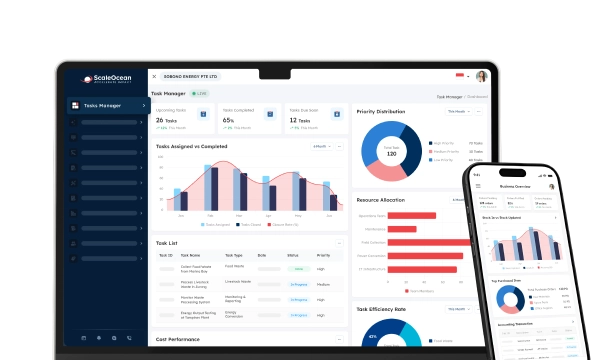
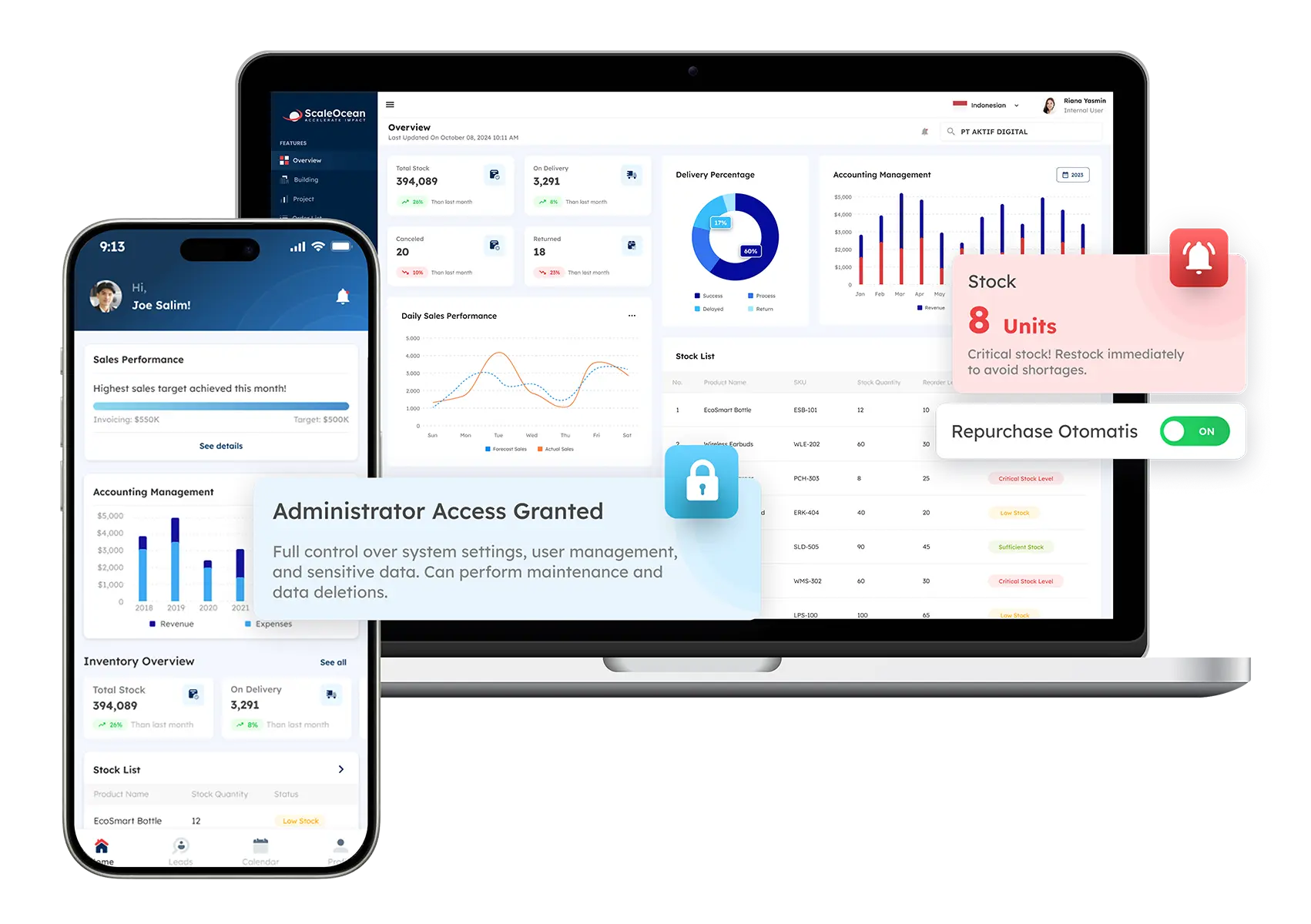 ScaleOcean quoting software provides a sales environment for organizations needing to manage quotations across entities, branches, product groups, currency, sales roles, and approval levels. It is meant to take quotation management beyond the creation of documents and link pricing to bigger records of operation.
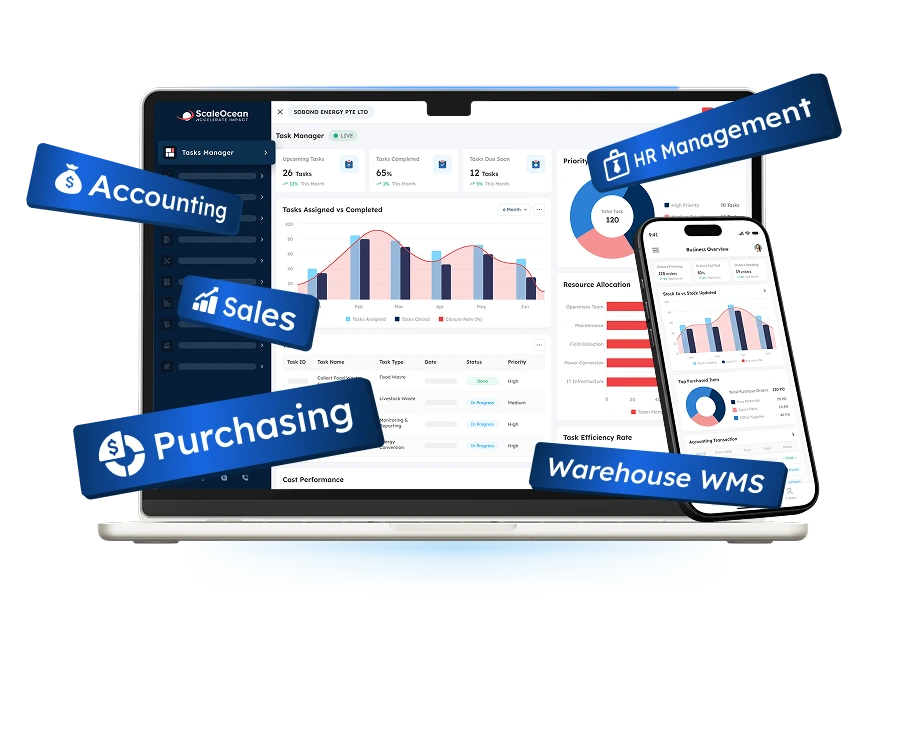
Quoting software as modul from ScaleOcean Atlas, which ScaleOcean’s flagship enterprise platform integrates all the business functions required for a successful quotation process, including quotation, CRM, inventory, procurement, sales order, contracts, fulfilment, accounting, and management reporting, with a single flexible backbone. This enables a quotation to be accepted as part of a controlled commercial flow and not a one-off document to be re-entered into other systems by employees.
ScaleOcean Atlas includes ScaleMind as part of its connected workflows. Users can use natural-language prompts to find previous quotations, summarise sales performance, identify margin risks, retrieve customer information, and review follow-up priorities based on their authorised access.
ScaleOcean sales software is optimized for Singapore operations, with controls that support PDPA-aligned data governance and local financial reporting workflows. Eligible businesses may also structure implementation proposals around EDG or CTC Grant requirements, subject to company eligibility, qualifying project costs, and workforce outcomes. Schedule a consultation with ScaleOcean to evaluate catalogue complexity, pricing governance, integrations, deployment options, and implementation priorities.
Key features:
- Automated pricing and margin controls
- Configurable approval routing
- Integrate CRM, inventory, sales order, and finance
- Multi-entity, multi-currency, and GST settings
- Version control and audit history
- Quotation analytics and embedded intelligence
| Pros | Cons |
|---|---|
| Begins implementation by mapping pricing policies, responsibilities, organizational structures, and approval risks rather than applying one standard quotation template. | Its enterprise-level capabilities may be broader than required by a small business that only needs simple quotation documents. |
| Offers scope-based pricing and unlimited-user options, helping enterprises avoid selecting functionality solely according to individual user licenses. | Pricing requires an initial business assessment because the final proposal is tailored to the company’s specific modules, entities, integrations, deployment model, and process requirements. |
| Allows modules and workflows to be activated in phases, so companies can address priority sales processes before expanding into other operational areas. | Implementation prioritizes accurate process design, governance, and long-term stability rather than an immediate generic setup. |
| Provides an integrated enterprise ecosystem rather than requiring separate applications for every sales, inventory, financial, and contractual process. |
Best for: Medium and large enterprises, multi-entity organizations, regional distributors, manufacturers, logistics providers, construction companies, and professional service firms with complex quotation governance.
ℹ️Why choose ScaleOcean?
ScaleOcean is relevant for medium and large enterprises seeking an industry-specific quotation system that can be configured for manufacturing, distribution, construction, logistics, professional services, and other complex sectors. Its unlimited-user options, flexible deployment, and embedded ScaleMind intelligence allow the platform to adapt to each company’s workflows rather than forcing the business into a fixed template.
2. PandaDoc
PandaDoc is a document automation solution to create, send, approve, sign, and track quotations, proposals, contracts, and other commercial documents. The content of products, prices, and tables can be repeatedly prepared by sales teams by templating information, variables, and approved content to avoid repetitive preparation.
Its quotation capabilities come in handy when businesses have to embed pricing in proposals, e-signatures, payments, and document analytics in visually structured documents. Other more sophisticated modules like product, CRM, and workflow might require the various subscription packages.
Key features:
- Reusable quotation templates
- Product catalogue
- Electronic signatures
- Payment collection
- CRM integrations
| Pros | Cons |
|---|---|
| Combines document creation, quotation presentation, e-signatures, and payment collection within one customer-facing process. | Complex engineering configurations may require a dedicated CPQ or operational platform. |
| Provides reusable templates and product information for teams producing frequent proposals. | Advanced quotation and integration capabilities may be limited to higher subscription tiers. |
| Supports CRM connections that reduce repeated entry of customer and deal information. | Processes after customer acceptance may still depend on external order, inventory, and accounting systems. |
Best for: Small and medium businesses, consulting firms, agencies, technology companies, and growing sales teams producing high volumes of commercial documents.
ℹ️Why choose PandaDoc?
PandaDoc is suitable for teams that want to combine polished quotations, proposal content, approvals, signatures, payments, and document engagement information.
3. HubSpot
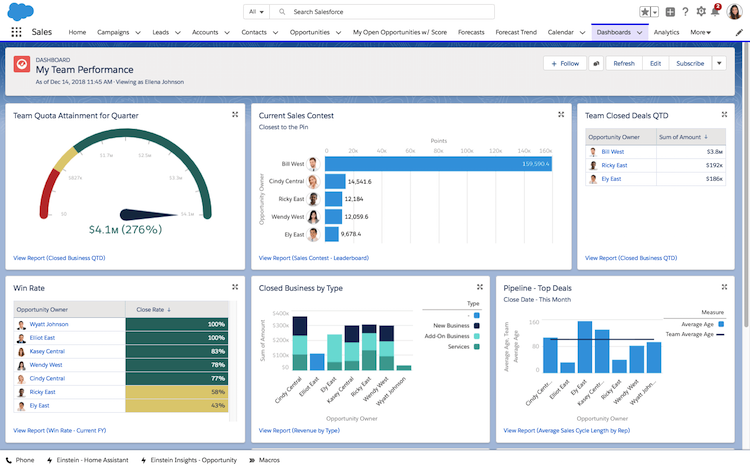
HubSpot provides quotation functionality within its customer and commerce ecosystem. Sales representatives can build branded quotations from CRM deal records, add products and pricing, record acceptance, collect signatures, receive payments, and track document status.
Its current quotation offering supports flat-rate, tiered, and ramp pricing alongside personalized cover letters and line items. Some newer quotation features require Commerce Hub Professional or enterprise access, so companies should verify packaging and seat requirements before implementation.
Key features:
- CRM-connected quotation creation
- Product and service library
- Visual template editor
- Approval processes
- Electronic signatures
| Pros | Cons |
|---|---|
| Keeps quotations connected with contacts, companies, deals, activities, and pipeline records. | Specific quotation features require eligible Commerce Hub subscriptions and user access. |
| Supports buyer acceptance, signatures, and payments without transferring information into an unrelated document tool. | Extensive product-engineering rules may require more specialized configuration capabilities. |
| Can be straightforward to adopt for organizations already managing sales activities in HubSpot. | Total costs can rise as additional hubs, seats, and advanced commercial functions are added. |
Best for: Small and medium companies, SaaS businesses, professional service firms, and growing teams already operating within HubSpot CRM.
ℹ️ Why choose HubSpot?
HubSpot is relevant when a business wants quotation creation, acceptance, payment, and tracking to remain closely connected with its CRM pipeline.
4. Salesforce
Salesforce has a quotation and revenue process with Agentforce Revenue Management (previously known as Revenue Cloud). It offers product catalogues, configuration, pricing, quotations, subscriptions, orders, contracts, billing schedules, analytics, and more.
Salesforce has stopped selling its legacy Salesforce CPQ package to new customers and is directing new implementations towards its current revenue management offering. Existing users should evaluate migration timing, feature parity, customization dependencies, and long-term administration requirements rather than treating the transition as a simple license replacement.
Key features:
- Pricing and discount rules
- Quotation generation
- Approval automation
- Billing schedules
- AI and revenue analytics
| Pros | Cons |
|---|---|
| Provides broad revenue lifecycle capabilities for organizations already using Salesforce customer and opportunity data. | Implementation and administration may require experienced Salesforce and revenue-management specialists. |
| Supports complex pricing, subscriptions, contracts, orders, amendments, and billing processes. | Licensing, consulting, integration, and long-term administration costs may be significant. |
| Keeps commercial records within a widely used enterprise CRM environment. | Existing Salesforce CPQ customers may need careful transition planning for the newer platform direction. |
Best for: Medium and large enterprises, subscription businesses, technology providers, telecommunications companies, and organizations committed to the Salesforce ecosystem.
ℹ️Why choose Salesforce?
Salesforce is relevant for organizations that require advanced quoting, contracting, subscriptions, orders, billing, and revenue processes built around Salesforce CRM records.
5. Quotient
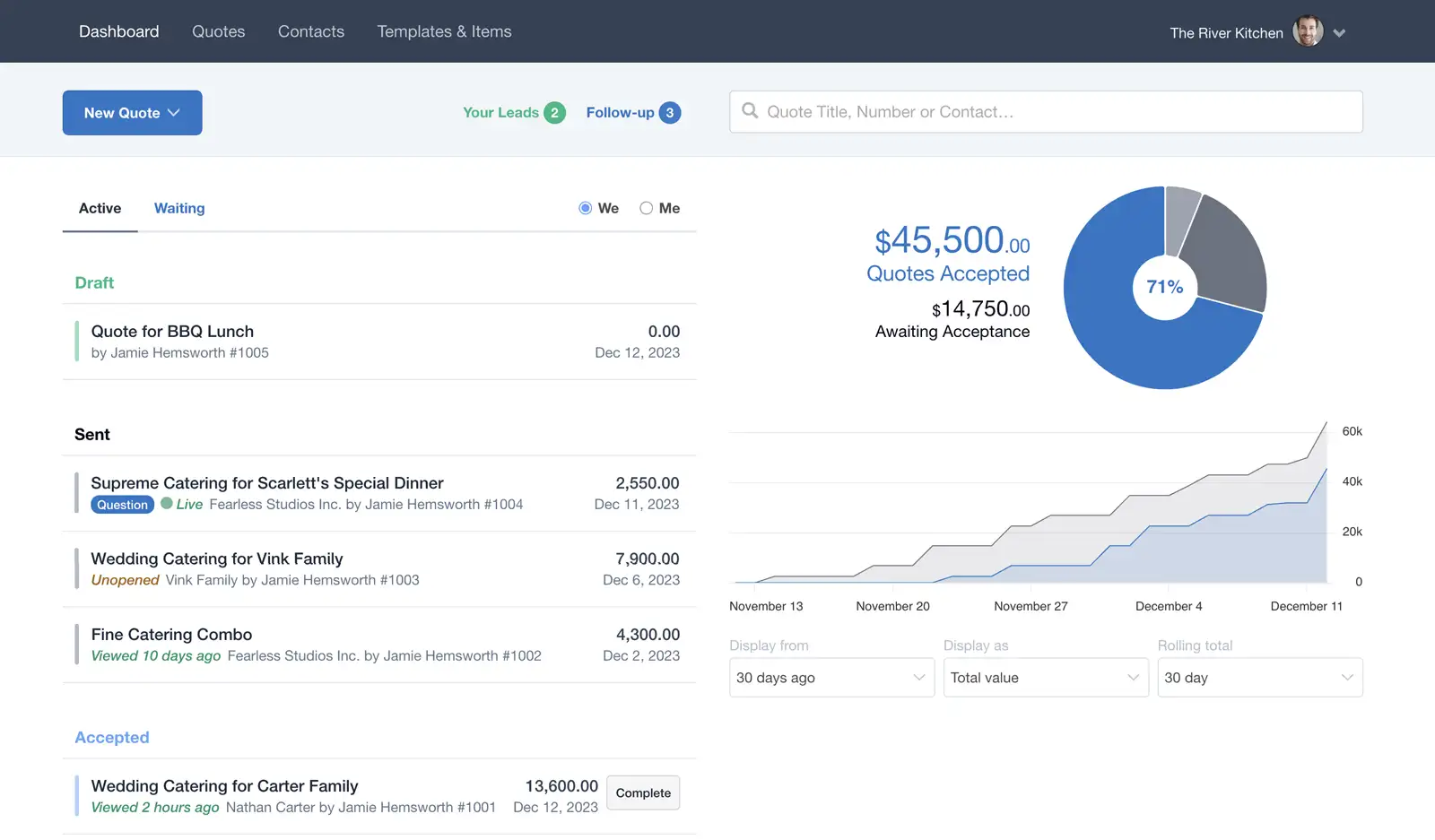
Quotient is an online quotation system designed to help with the preparation, sending, discussion, revision, and acceptance of quotes. A user can create reusables that they can add options to, add files, show images, and interact with customers in the quotation.
Customers can place their orders online, and sales can view the submitted orders and trigger follow-up automations. Quotation information accepted can also be embedded in accounting programs.
Key features:
- Online quotation pages
- Optional and selectable items
- Reusable templates
- Customer discussion area
- Automated follow-ups
- View notifications
| Pros | Cons |
|---|---|
| Provides an accessible interface for creating and delivering professional online quotations. | May not offer sufficient configuration depth for highly engineered products. |
| Allows buyers to select options, ask questions, and accept directly within the quotation. | Large enterprises should assess whether governance supports all required entities and approval layers. |
| Provides follow-up and viewing information that can help sales teams prioritize outreach. | Inventory, fulfilment, contract, and financial processes depend on external integrations. |
Best for: Small and medium service companies, consultants, agencies, trades, and businesses requiring straightforward online quotations.
ℹ️Why choose Quotient?
Quotient is useful for businesses seeking interactive online quotations with customer discussions, selectable options, acceptance, and automated follow-ups.
6. Quote 10
Quote 10 is an open-source web-based application for creating, submitting, tracking, and invoicing quotations. It supports PDF output, attachments, email delivery, document history, status tracking, and reporting.
Its public product page provides limited information about recent development activity, security maintenance, integration standards, and support arrangements. Businesses should therefore conduct technical due diligence before using it for confidential or business-critical commercial records.
Key features:
- Quotation record management
- Custom PDF forms
- Supporting attachments
- Document version history
- Email delivery
| Pros | Cons |
|---|---|
| Offers an open-source approach for organizations that want greater technical control over deployment. | Public information about its current maintenance schedule and development roadmap is limited. |
| Covers basic quotation, attachment, invoicing, and reporting processes. | Installation and maintenance may require internal technical capability. |
| May be appropriate for organizations with straightforward internal requirements. | Modern security, API, mobile, compliance, and enterprise scalability requirements require separate validation. |
Best for: Small organizations and technical teams considering a basic self-managed quotation and invoicing application.
ℹ️Why choose Quote 10?
Quote 10 may suit organizations that want an open-source quotation system and have the resources to assess, secure, maintain, and customize it internally.
7. QuoteWerks
QuoteWerks is a quoting and proposal platform that manages product information, pricing, quote preparation, approvals, customer acceptance, payments, and purchasing handovers. It is available through browser-based and desktop-oriented product options.
The system connects with CRM, accounting, distributor, procurement, and other commercial applications. It also supports centralized catalogues, automated prices and margins, interactive quotation delivery, electronic approvals, payments, and purchase-order generation.
Key features:
- Centralized product catalogue
- Pricing and margin controls
- Product configurator
- Approval requirements
- CRM and accounting integrations
- Interactive quotation delivery
| Pros | Cons |
|---|---|
| Provides structured quotation control for companies replacing spreadsheet-based processes. | Selecting between editions, add-ons, and integrations may require detailed planning. |
| Connects quotation activities with CRM, accounting, distributor pricing, purchasing, and customer acceptance. | Businesses should test interface suitability with the intended sales and administrative users. |
| Supports product catalogues, pricing controls, approval rules, and purchasing handovers. | Large regional enterprises should assess multi-entity reporting and governance requirements carefully. |
Best for: Small and midsize businesses, technology resellers, managed service providers, distributors, and service companies with structured product catalogues.
ℹ️Why choose QuoteWerks?
QuoteWerks is relevant for businesses that need structured quoting, pricing, approvals, customer acceptance, purchasing, and CRM connectivity.
8. Conga CPQ
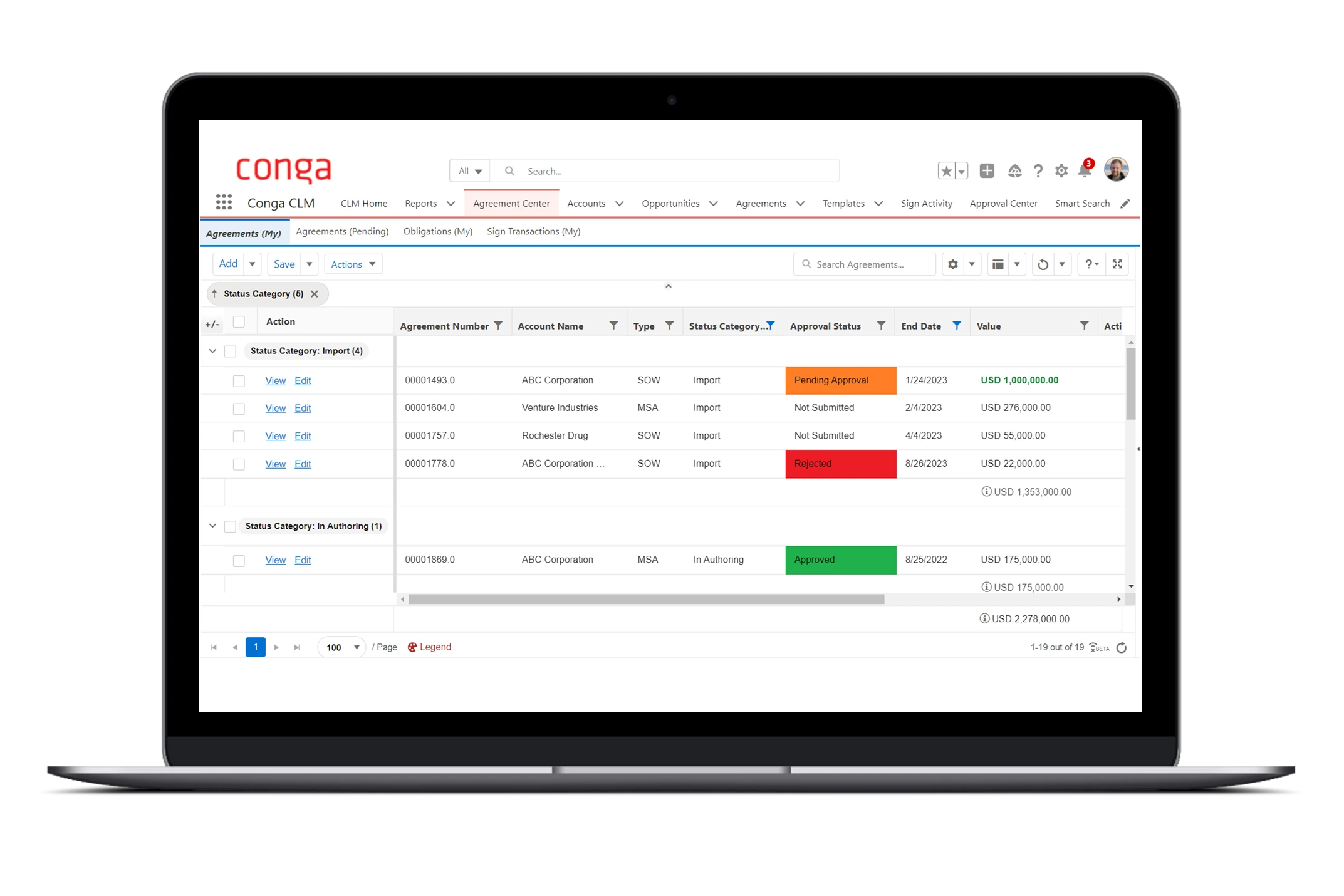
Conga CPQ is designed for organizations selling complex products, services, bundles, subscriptions, and customer-specific commercial agreements. It applies configuration rules, price lists, discounts, promotions, and approvals while guiding sales representatives through valid selections.
Its capabilities include product configuration, price optimization, controlled discounting, cart versioning, quote approvals, sales agreements, and conversational AI assistance. The platform is most relevant when commercial rules are too complex for standard document tools or basic CRM quotation add-ons.
Key features:
- Guided product configuration
- Pricing and discount rules
- Price optimization
- Approval workflows
- Cart and quotation versioning
| Pros | Cons |
|---|---|
| Handles extensive catalogues, product dependencies, bundles, and sophisticated pricing requirements. | Implementation commonly requires specialist CPQ knowledge and detailed commercial-rule design. |
| Provides strong controls for discounts, prices, margins, promotions, and contractual terms. | Its functional depth may be excessive for companies with simple products and fixed price lists. |
| Can extend quotation governance into agreements, orders, renewals, and other revenue processes. | Total ownership costs should include implementation, integration, administration, and change management. |
Best for: Medium and large enterprises, manufacturers, telecommunications providers, technology vendors, and companies with complex product or subscription models.
ℹ️Why choose Conga CPQ?
Conga CPQ is suitable when complex configuration, pricing, discounts, approvals, and commercial agreements exceed the capabilities of a standard quote builder.
9. Oracle CPQ
Oracle CPQ helps sellers select appropriate products and services, apply configuration and pricing rules, route approvals, and produce accurate quotations. It supports enterprise and midsize businesses across opportunity-to-quote-to-order processes.
Oracle has increasingly connected CPQ with its wider sales, ERP, order management, fulfilment, and AI capabilities. Its current positioning includes guided pricing, margin protection, product recommendations, win-probability information, and consistent quoting across seller, partner, and self-service channels.
Key features:
- Guided configuration
- Centralized pricing rules
- Approval automation
- AI pricing insights
- Professional quote generation
| Pros | Cons |
|---|---|
| Supports complex opportunity-to-order workflows within a broad enterprise application environment. | Implementation can require substantial process, data, integration, and technical expertise. |
| Centralizes product, configuration, pricing, discount, approval, and quotation rules. | The platform may be disproportionate for small businesses with standard quotation requirements. |
| Can connect quoting with Oracle sales, order management, ERP, and fulfilment processes. | Buyers should assess the broader Oracle architecture and ownership costs rather than evaluating CPQ alone. |
Best for: Midsize and large enterprises, manufacturers, industrial businesses, technology companies, and organizations already using Oracle applications.
ℹ️Why choose Oracle CPQ?
Oracle CPQ is relevant for organizations that need enterprise product configuration, controlled pricing, approvals, AI insights, and order integration across several sales channels
10. Qwilr
Qwilr presents quotations and proposals as interactive web pages rather than relying only on static document attachments. Sales teams can combine commercial content, selectable pricing, videos, calculators, terms, signatures, and payment options through a branded link.
The platform also provides page analytics, buyer insights, reusable content, password controls, link expiry, e-signatures, and CRM-driven document generation. It is particularly useful when the presentation and buyer interaction surrounding a quotation are central to the sales process.
Key features:
- Interactive web quotations
- Flexible pricing options
- Electronic signatures
- Integrated payments
- Buyer-engagement analytics
- Reusable content
| Pros | Cons |
|---|---|
| Provides a visually engaging alternative to conventional quotation and proposal attachments. | Complex manufacturing configurations may still require a specialized CPQ engine. |
| Combines interactive pricing, signatures, payments, and buyer-engagement analytics. | Some regulated or procurement-led buyers may still request conventional document formats. |
| Helps sales teams maintain approved branding and reusable customer-facing content. | Back-office order, inventory, contract, and accounting processes rely on integration design. |
Best for: Small and medium companies, SaaS providers, agencies, consultants, and sales teams prioritizing interactive buyer experiences.
ℹ️Why choose Qwilr?
Qwilr is suitable for teams that want quotations to become interactive sales experiences with pricing choices, signatures, payments, and engagement analytics.
What is Quoting Software?
A software is a system for creating, calculating, authorizing, transmitting, editing, and keeping track of commercial quotations. It removes data in the form of word-processing documents and spreadsheet files that are traditionally managed by human beings, and which contain information including: customer, product, price, quantity, discount, tax, term, and validity information.
A fundamental quotation system can create a template, line items, totals, produce PDFs, and accept online. Quotation system software might be more sophisticated and can even validate product combinations, customer-specific pricing, minimum margins, exception routing, revision history, and more, and even convert accepted quotations to sales orders.
The importance of an enterprise cannot be limited to only the speed of producing documents. The integrated quotation solution will seamlessly synchronize all commercial data with stock, procurement and contracts, project budgets, fulfilment capacity, and invoicing and financial reporting for data that is committed to a customer.
Quoting Software vs. CPQ Software: What’s the Difference?
Quoting software typically involves creating and presenting business quotes. Adaptable to products that are relatively simple and where the main objective is to improve the speed, accuracy, and presentation of quotations.
CPQ means Configure, Price, Quote. It introduces configuration rules, guided selling, compatibility validation, complex pricing, margin controls, and risk-based approvals. The two categories overlap, but CPQ is usually more suitable when a salesperson cannot build a valid offer simply by selecting standard items from a price list.
| Aspect | Quoting Software | CPQ Software |
|---|---|---|
| Main Purpose | Creates, approves, sends, and tracks professional customer quotations. | Configures valid offerings, applies governed prices, and produces accurate quotations. |
| Product Complexity | Best suited to standard products, services, packages, and price lists. | Handles dependencies, exclusions, bundles, engineered products, and configurable services. |
| Pricing Logic | Usually manages standard prices, quantities, taxes, discounts, and optional items. | Supports tiers, customer agreements, subscriptions, usage models, bundles, and advanced margin rules. |
| Approval Controls | May provide straightforward manager approval and document review. | Routes approval according to discount, margin, value, product risk, region, and contract terms. |
| Configuration Validation | Often depends on users selecting the correct products or services. | Prevents incompatible, incomplete, or commercially invalid combinations through rules. |
| Typical Users | Consultants, agencies, trades, service providers, and businesses with standard catalogues. | Manufacturers, distributors, technology providers, telecommunications companies, and regional enterprises. |
| Implementation Scope | Usually simpler when templates, products, and approvals are straightforward. | Requires detailed mapping of catalogues, dependencies, pricing rules, approvals, and integrations. |
| Best Use Case | Improving routine quotation speed, consistency, and presentation. | Controlling complex selling while protecting accuracy, margins, and governance. |
Which Industries can Use Quoting Software?
Industries that use quotation software are those with different software prices and custom product or service packages. It is used by IT services companies, construction, and manufacturing companies to create accurate quotes, apply discounts, and standardize approvals.
In Singapore, quotation system software also supports logistics, consulting, HVAC, and wholesale businesses. It helps reduce errors, accelerate responses, and improve sales visibility.
1. Manufacturing
Manufacturers frequently calculate quotations from raw materials, components, dimensions, machine time, labor, subcontracting, overheads, engineering requirements, and production capacity. A structured system helps commercial and technical teams work from consistent assumptions.
For configurable or made-to-order products, sales management software in Singapore can connect quotation workflows with component validation, cost estimates, margin rules, production planning, bills of materials, procurement, and job costing.
2. HVAC
HVAC services quotes may include equipment, labor to install the equipment, ductwork, transportation, warranties, maintenance services, and site-related variables. There must be a system in place for salespeople to follow when selecting which units to purchase and what they will purchase and not purchase.
A suitable quotation platform can standardize equipment packages, technician rates, installation charges, discounts, and recurring service agreements. Mobile access also helps estimators prepare or revise offers after inspecting customer sites.
3. Construction
Construction quotations rely on labor, materials, equipment, subcontractors, mark-ups, overheads, contingencies, and project-specific risks. Manual spreadsheets become difficult to govern when rates, quantities, and assumptions change repeatedly.
Quoting software can organize rate libraries, bills of quantities, revisions, approval thresholds, attachments, and commercial exclusions. Connecting the approved offer with contracts, procurement, project budgets, and progress billing also reduces inconsistencies after an award.
4. Consulting
Consulting firms commonly quote according to scope, expertise, estimated hours, deliverables, milestones, travel costs, and payment schedules. Their quotations must communicate value clearly while establishing boundaries that protect the client and service provider.
A quotation system can store approved service descriptions, rate cards, project structures, terms, and payment milestones. It can also route non-standard discounts, resource commitments, or legal conditions to the appropriate reviewer.
5. Logistics
Logistics quotations may include transport modes, routes, dimensions, weights, handling, fuel surcharges, storage, customs services, partner costs, and service-level commitments. These values can change frequently and may come from several internal and external sources.
Once accepted, the same information can support booking, partner coordination, shipment execution, billing, and shipment-level profitability analysis. Sales quotation software can further streamline this process by centralising quotation data, improving accuracy, and ensuring smoother coordination across sales and operations teams.
6. Professional Services
Professional service businesses sell expertise through projects, retainers, subscriptions, deliverables, or time-based arrangements. Their quotations must present scope professionally while preventing uncontrolled concessions and future disputes.
It must also have control over service catalogues, costs per service, milestones, recurring costs, optional packages, and statement-of-work content. Resource planning, contracts, timesheets, project accounting, and invoicing integration help to ensure the assumptions that were agreed when you have sold a contract.
7. Wholesale Distribution
Professional service businesses sell expertise through projects, retainers, subscriptions, deliverables, or time-based arrangements. Their quotations must present scope professionally while preventing uncontrolled concessions and future disputes.
The system should support service catalogues, role-based rates, milestones, recurring fees, optional packages, and statement-of-work content. ScaleOcean sales software strengthens these processes through configurable workflows, unlimited-user options, integrated connections with resource planning, project accounting, and invoicing, helping businesses preserve the commercial assumptions agreed during sales.
Key Features to Evaluate in Quoting Software

Consider integration options, automatic pricing rules, and tracking analytics when considering quoting software. These capabilities can aid in speeding up the process of creating quotes, making sure that pricing is consistent, and improving sales productivity.
Examine vendors on the following features: the right “quotes system” should be aligned with your sales process, reduce the amount of manual work required, increase the accuracy, visibility, and conversion of your quotes.
1. Dynamic Pricing Tables
Dynamic pricing tables allow users to add products, services, quantities, discounts, taxes, recurring charges, and optional selections without manually rebuilding calculations. Customers can see how their choices affect the total value.
If you are running a business where you might require a more complicated setup, the table has to be able to return the customer agreement, the quantity tiers, the currencies, the promotions, the validity dates, as well as the approved price books. The ability of a salesperson to edit other fields should be restricted for administrators as well.
2. CRM & ERP Integration
CRM integration transfers customer, contact, opportunity, activity, and pipeline information into the quotation process. ERP integration connects the resulting commercial offer with products, inventory, purchasing, orders, fulfilment, invoices, and accounting records.
By connecting quotation system software with inventory and cost data, sales teams can check stock availability, access current pricing, and avoid quoting unavailable or unprofitable items. This connected data flow improves quote accuracy and keeps sales decisions aligned with purchasing, inventory, fulfilment, and finance.
3. Automated Follow-ups
Automated follow-ups remind customers about quotations awaiting review without requiring representatives to check every open document manually. The message time expires, the expiration of the quotation, the quotation activity date of the buyer, and the status of the quotation are the various ways to activate it.
Teams should be able to control frequency, recipients, templates, and stop conditions. The automation must stop when a quotation is accepted, rejected, replaced, withdrawn, or no longer commercially valid.
4. Real-Time Analysis
Real-time analysis shows open, viewed, approved, rejected, expired, revised, and accepted quotations. Managers can monitor quotation values, conversion rates, sales-cycle duration, average discounts, approval delays, and expected revenue.
The most useful analysis connects quotations with actual operational and financial results. A strong conversion rate may still hide excessive discounts, delivery costs, project overruns, or payment delays.
5. Approval Workflows Management
Approval workflows route quotations according to predefined commercial risks. A standard offer may proceed automatically, while a low-margin deal, large discount, unusual payment term, or contract exception requires review.
A suitable system should support sequential and parallel approvals, delegation, escalation, comments, evidence, and timestamps. Sales representatives should also understand why approval is required and what must be amended.
6. Product and Pricing Configuration
Product configuration guides users towards valid products, bundles, components, services, or subscriptions. It prevents incompatible selections and requests information needed to complete a technically valid offer.
Pricing configuration applies price lists, customer agreements, tiers, currencies, taxes, promotions, mark-ups, and margin requirements. Central governance reduces dependence on personal spreadsheets and outdated email instructions.
7. Quote Templates Customization
Customizable templates ensure that quotations follow approved brand, legal, and commercial standards. Administrators should be able to manage layouts, sections, tables, logos, terms, attachments, and signature areas.
Templates should create consistency without forcing every transaction into an identical format. Different entities, regions, sales channels, tenders, and customer groups may require separate approved structures. With AI for sales management, businesses can further optimize these templates by analyzing sales patterns, recommending suitable formats, and ensuring workflows remain aligned with specific customer.
8. AI-Powered Quoting
AI-assisted quoting can help users retrieve relevant records, summarize deal histories, draft descriptions, recommend products, identify missing information, and flag unusual pricing or discounts.
AI output must remain governed by permissions, validated data, pricing rules, and approval controls. A convincing recommendation is not valuable when it exposes restricted information or proposes an offering that cannot be supplied.
9. Document Management
Document management stores quotations, specifications, attachments, approvals, terms, revisions, and signed records in an organized repository. Users can locate the latest authorized version without searching through email chains.
Strong version controls should record who changed pricing or terms, when the revision occurred, why approval was required, and which version the customer ultimately accepted. This reliable quotation history also gives the best sales forecasting software cleaner data for analysing pipeline value and expected revenue.
10. Collaboration & Sharing Tools
Collaboration tools allow sales, finance, legal, engineering, operations, and management teams to review quotations within one controlled environment. Comments, tasks, mentions, and approval requests reduce fragmented internal communication.
External sharing should include controlled customer access, expiry dates, authentication options, acceptance records, and activity tracking. Sensitive commercial information should not remain accessible indefinitely through an unrestricted link.
11. Security and Compliance
Personal information, negotiated prices, payment terms, confidential products, contractual information, and more are allowed in quotations. Access, authentication, encryption, backup, external sharing restrictions, and audit trail are all essential security issues.
Singapore businesses should also evaluate how software controls support their responsibilities under the PDPA. Technology can support lawful data handling, but legal compliance still depends on organizational policies, purposes, retention practices, training, and governance.
Primary Benefits of Quoting Software for Business
Quoting software helps businesses improve sales by delivering faster turnaround times, reducing pricing errors, and increasing overall conversion rates.
1. Accelerated Deal Speed
Quoting software reduces the time employees spend searching for specifications, calculating prices, formatting documents, and requesting routine approvals. Sales teams can respond while the customer’s requirements and purchasing intent remain active.
Research in McKinsey’s sales automation article found that early adopters reported efficiency improvements of 10% to 15%. One advanced-industry company reduced proposal preparation from three weeks to two hours by automatically populating approved documents with ERP data, contributing to a reported 5% revenue uplift.
The same principle can apply when manufacturers populate technical offers from product records, distributors convert accepted quotes into orders, or service firms generate approved scopes from standard rate and contract data.
2. Eliminated Misquoting
Misquoting occurs when representatives choose the wrong product, use an expired price, omit a charge, or offer an unauthorized discount. These mistakes can cause customer disputes, margin losses, additional purchasing, and order rework.
Configuration rules, controlled price lists, required fields, and approval thresholds reduce dependence on individual memory. Exceptions can still be permitted, but they become visible and authorized.
3. Better Conversion Rate
Professional and timely quotations make it easier for customers to understand the offer and decide how to proceed. Clear pricing, optional packages, digital acceptance, and responsive revisions reduce unnecessary friction.
Conversion should be measured alongside margin, deal value, cycle duration, customer segment, and fulfilment performance. A high acceptance rate is less valuable when it depends on excessive discounts or unrealistic delivery commitments.
4. Elimination of Costly Errors
Errors in quantities, taxes, currencies, freight, labor, discounts, or payment terms may become expensive after a quotation is accepted. Correcting them can require credits, replacement orders, additional approvals, or customer compensation.
A quotation system applies structured calculations and validation before an offer reaches the customer. Its audit records also help managers investigate discrepancies and improve future policies.
5. Enhanced Visual Professionalism
A well-organized quotation demonstrates that the business can communicate value, scope, assumptions, pricing, and obligations clearly. Consistent presentation also makes it easier for customers to compare alternatives.
Templates, approved content, product images, selectable packages, and digital signatures can improve the experience. Visual design should nevertheless support clarity rather than obscure exclusions or contractual terms.
6. Actionable Pipeline Visibility
Quotation records show which opportunities have reached a meaningful commercial stage. Managers can review open value, ageing, approval delays, customer engagement, conversion, expiry dates, and expected orders.
When quotation data connects with CRM and order records, forecasts become more reliable. Leaders can distinguish early opportunities from reviewed proposals, delayed approvals, and accepted deals progressing into fulfilment.
Software Tools Should Integrate with Quoting Software

Software tools should integrate with quoting software to eliminate duplicate data entry, accelerate sales cycles, and maintain accurate pricing and customer information across connected systems.
Strong integrations also connect quotations with accounting, inventory, contracts, payments, and other business workflows. This helps teams reduce errors, improve visibility, and manage the sales process more efficiently.
1. Accounting and Billing Software
Accounting integration transfers customer details, approved prices, taxes, payment terms, deposits, and billing schedules into financial workflows. This reduces the need to re-enter commercial information after acceptance.
The connection should also address currencies, credit limits, recurring fees, and posting rules. Finance teams must retain control over accounting treatment and final invoice approval.
2. E-Signature
E-signature tools allow customers and authorized representatives to approve quotations or related agreements digitally. This can shorten the interval between commercial agreement and operational execution.
Businesses should define signing authority, verification requirements, document retention, and evidence standards. Higher-risk contracts may still require legal review or additional identity checks.
3. Inventory Management
Inventory integration allows representatives to check available stock, committed quantities, incoming supply, alternatives, and lead times while preparing quotations. This reduces commitments based on outdated inventory information.
After acceptance, the system may reserve stock, create demand, or trigger purchasing. Companies must define whether quoted availability is informative, temporarily reserved, or formally allocated.
4. Document Generation Software
Document-generation tools create quotations, proposals, order forms, contracts, statements of work, and supporting schedules from structured data. They are useful when one transaction requires several coordinated documents.
Templates should retrieve approved values from the source record, allowing sales management workflows to maintain consistent commercial data. Uncontrolled manual editing after generation can reintroduce discrepancies between quotations, contracts, and orders.
5. Subscription Management Software
Subscription management is relevant when quotations include recurring fees, usage charges, renewals, upgrades, ramp pricing, or minimum commitments. It maintains commercial terms after the initial sale.
The integration should preserve billing frequency, start dates, quantities, pricing periods, renewal policies, and amendment history. Otherwise, the active subscription may gradually diverge from the accepted quotation.
6. Contract Management Software
Contract management connects quoted products, prices, service levels, obligations, and negotiated terms with the final agreement. Legal and commercial teams can review exceptions without maintaining several unrelated files.
After signing, contract data can guide renewals, price adjustments, performance obligations, and compliance checks. Integration also reduces contradictions between quotations, contracts, invoices, and service delivery.
How to Choose the Right Quoting Software for Your Business
Start by documenting your current quote processes from customer enquiry to order acceptance. Note down stakeholders, data sources, calculations, approvals, time delays, error- prone steps, documents generated, and downstream systems updated after quote acceptance.
The decision makers should assess the criteria listed below:
- Quotation complexity: Analyze your business’s offerings (standard products, configurable products, services, subscriptions, project-based, or a combination).
- Pricing governance: Examine your price lists, client agreements, discount limits, margins, taxes, currencies, promotions, and exceptions.
- Approval structure: Outline your approval workflow rules based on value, margin, discount, credit, product, legal terms, entity, and region.
- Integration requirements: Identify the CRM, inventory, purchasing, accounting, contract, payment, order, and reporting systems involved.
- Regional operations: Consider entities, branches, currencies, GST treatment, access controls, and consolidated reporting.
- Security and traceability: Evaluate permissions, authentication, data backups, document retention policies, approval evidence, and revision history.
- Scalability: Determine whether the system can support additional users, products, entities, sales channels, and approval levels.
- Implementation approach: Consider data preparation, process design, testing, training, support, governance, and realistic implementation timeline.
- User experience: Test whether sales representatives can create accurate quotations without relying on unofficial workarounds.
- Total ownership cost: Consider licenses, implementation, migration, integrations, administration, support, upgrades, and change management.
A product demonstration should use genuine business scenarios rather than a generic sample. Ask the vendor to demonstrate a customer-specific price, rejected discount, revised quotation, unavailable product, approval escalation, accepted offer, and resulting sales order.
The product you choose should enhance your commercial architecture rather than the quality of your sales document output. Those who have simplistic needs should shy away from CPQ complexity, and those who depend on complex pricing structures and business operations should not settle for a basic templating tool.
Conclusion
Quoting software is a computer program used in the preparation, calculation, approval, submission, revision, tracking, and conversion of customer quotes. Its capabilities may include templates, pricing tables, product configuration, approval controls, electronic acceptance, document management, analytics, and operational integrations.
Without a structured quotation system, businesses may face slow approvals, inconsistent pricing, unauthorized discounts, duplicate entry, outdated versions, weak margin visibility, and discrepancies between quotations, orders, invoices, and fulfilment. A properly selected platform centralizes all commercial data throughout the lifecycle from opportunity to customer.
ScaleOcean sales software connects quotation processes with CRM, inventory, purchasing, contracts, sales orders, fulfilment, accounting, and enterprise reporting through an adaptable platform. With embedded ScaleMind intelligence, configurable workflows, multi-entity controls, unlimited-user options, and phased implementation. Schedule a consultation with the ScaleOcean team to assess catalogue complexity, pricing policies, approval structures, integrations, governance, and implementation priorities.
FAQ Quoting Software:
1. Can quoting software handle complex pricing structures?
Yes. Advanced quotation and CPQ systems can manage customer-specific prices, quantity tiers, bundles, subscriptions, multiple currencies, promotions, mark-ups, taxes, and minimum-margin rules.
2. Is quoting software suitable for small and large businesses in Singapore?
Yes. Small businesses can use it for faster quote creation, while large enterprises can manage complex pricing, multi-level approvals, multiple entities, and integrated sales processes.
3. Can quoting software integrate with an existing CRM platform?
Yes. Most modern quoting software can connect with CRM platforms to synchronize customer records, opportunities, products, quotation status, and sales activities.
4. How does quoting software improve the sales process?
Quoting software reduces manual calculations, duplicate entry, pricing errors, and approval delays, helping sales teams create accurate quotations faster and improve deal visibility.





















.png)