Asset management is a strategy, not just a duty, in Singapore’s fast-paced business environment. It might be difficult to keep track of everything, from digital licensing to actual equipment. Sustaining operational flow requires effective asset management software.
The Equity Market Development Programme (EQDP), according to MAS, is to increase investor interest in Singapore’s stock market while fortifying the local asset management and research ecosystem. This program promotes the use of cutting-edge asset management tools to boost productivity and competitiveness.
With a focus on programs like ScaleOcean, IBM Maximo, SAP, and Asset Panda, this article will examine the top asset management software available in Singapore. To learn which solutions can improve overall efficiency and streamline asset management, business owners should continue reading.
Key Takeaways
Asset management software is a digital and centralized tool that provides a single source of truth for all asset data and tracks a company’s assets’ entire lifecycle.
The key benefits include enhanced asset lifecycle management, maximized asset lifespan, strengthened inventory control, and enhanced security and regulatory compliance for the business.
The list for the best asset management software for your business includes ScaleOcean, IBM Maximo, SAP, Asset Panda, AssetTiger, and more.
ScaleOcean’s asset management solution is a complete platform made to address asset management issues. It’s an all-in-one approach that streamlines operations.
Asset management software is a digital and centralized tool that provides a single source of truth for all asset data and tracks a company’s assets’ entire lifecycle. It guarantees that companies have correct, current asset information and provides transparent oversight.
It tracks maintenance, depreciation, and compliance data, among other aspects of managing the full asset lifecycle. This software improves operational clarity and efficiency throughout the company by bringing order to the frequently disorganized mix of digital and physical assets.
How Does Asset Management Software Help Your Business?
Beyond simple organization, asset management software enhances long-term planning and day-to-day operations. It enables companies to use their current resources more effectively rather than merely harder. Let’s examine how it can lead to notable advancements in several important areas:
Enhance asset lifecycle management: This software tracks assets from acquisition to disposal. It provides full visibility into every stage, ensuring you manage depreciation and replacement cycles with total precision.
Maximized asset lifespan: Tracking usage and preventive maintenance keeps assets in top condition. According to IMDA, AI adoption is rising, with larger enterprises leading at 44%, helping improve predictive maintenance and extend asset life.
Improved decision-making: Real-time data and reports on asset performance empower leaders to make smart, data-driven choices. It helps pinpoint underutilized assets and improves the accuracy of future budgeting.
Enhanced security and compliance: Detailed records simplify audits and ensure industry compliance. It also boosts security for IT assets by monitoring access, helping to identify missing items, and preventing data breaches.
Strengthen inventory control: Integrating asset data improves stock management. It ensures the right parts are available for maintenance, preventing delays while minimizing excess inventory costs.
Improve record accuracy and reliability: Automated tracking eliminates manual entry errors. This ensures your database remains a single, trustworthy source of truth for audits, financial reporting, and daily operations.
Prevent Unnecessary Asset Purchases: Clear visibility into current inventory stops you from buying items you already own. This optimizes your budget by utilizing existing resources more effectively.
Essential Features to Look For in Asset Management Software
When you begin exploring different asset management software tools, it’s quite common for the sheer number of features to feel a bit overwhelming, really. But not every single feature carries the same weight, and some are just plain essential for any system that’s going to be truly effective.
Knowing what features tolook for can help you cut through all that noise. So, here are the key features:
Scheduled Maintenance: Plan routine inspections and repairs. This ensures timely care for every asset and reduces the risk of unexpected equipment failure. Additionally, regular maintenance helps slow down asset depreciation, extending asset life and maximizing ROI.
Preventive Maintenance Features: Identify potential issues before they become costly problems. This shifts your strategy from reactive fixing to proactive, long-term care.
Work Assignment Functionality: Delegate tasks directly to team members through the platform. This ensures clear accountability and keeps maintenance projects moving on schedule.
Alert and Notification System: Receive automated reminders for service dates or warranty expirations. This ensures critical maintenance tasks never slip through the cracks.
Customizable Workflows: Tailor the system processes to match your specific business operations. Flexibility allows the software to adapt to your unique organizational needs.
Comprehensive Analytics: Gain deep insights via data-driven reports on asset performance. This empowers leaders to make smarter decisions regarding repairs and budgeting.
Software Integration Capabilities: Connect the system seamlessly with existing ERP or accounting tools. Smooth integration prevents data silos and creates a unified management ecosystem.
User-Friendly Interface: A simple, intuitive design encourages team adoption. Easy navigation helps staff record data accurately and perform daily tasks more efficiently.
Cloud Technology Support: Access your asset data from anywhere at any time via secure hosting. This ensures real-time updates and collaboration across multiple locations.
Mobile-Friendly Compatibility: Allow technicians to update asset status directly from the field. Mobile access increases flexibility and speeds up data entry on the go.
Understanding the Types of Asset Management Software
There are various kinds of asset management software, each intended to meet particular asset requirements. It is essential to comprehend these distinctions to choose the best option for your company. Let’s examine the many kinds of software for asset management:
Enterprise Asset Management (EAM)
EAM systems are really built for overseeing the whole journey of physical assets throughout a big organization, which is quite a comprehensive task. We’re talking about everything here, from the massive industrial machinery to vehicle fleets and even entire facilities. It’s truly a holistic approach to physical asset management.
Typically, these systems come packed with features for maintenance, managing inventory, and even procurement, making them quite robust. You’ll find them most commonly deployed in industries that are really heavy on assets, like manufacturing, utilities, and transportation, where managing vast physical resourcesis critical.
IT Asset Management (ITAM)
Now, ITAM, this really zeroes in on managing both hardware and software assets within an organization’s entire IT infrastructure. The core goal is to meticulously track and manage all technology assets from their purchase through to disposal; it’s a practical approach that helps optimize IT spending and reduce risk in a big way.
Often, these ITAM tools have the neat ability to automatically discover all the hardware and software across your network, which is a huge time-saver. Frankly, they’re essential for things like properly managing software licenses and, importantly, for ensuring cybersecurity compliance, which is non-negotiable these days.
Software Asset Management (SAM)
SAM, or Software Asset Management, is actually a specific part of ITAM, focusing just on the software assets your company uses. This really covers the whole process: optimizing the purchase, getting it deployed, maintaining it, and then eventually disposing of software applications.
When you have effective SAM in place, it really can save a company significant money by helping you avoid over-licensing software you don’t actually need. More critically, it helps prevent those nasty legal and financial risks that pop up from non-compliance, especially when you face a software audit situation.
Fixed Asset Management
Fixed asset management software is specifically designed for tracking those long-term physical assets a company owns for its daily operations, not the stuff they plan to resell. We’re talking about big items here, things like buildings, office furniture, and all that essential office equipment.
These fixed asset management tools are invaluable for helping businesses stay compliant with all those various accounting standards. What’s more, they automate the often very complex process of calculating depreciation, which can be a real headache without them, really making compliance much smoother.
Digital Asset Management (DAM)
Finally, we have DAM systems, or Digital Asset Management, which are specifically for handling and storing a company’s rich media assets, think images, videos, and important documents. These platforms are designed to make it incredibly simple to organize, locate, and then share all your digital content effectively.
Honestly, DAM is pretty crucial for any company that’s churning out a lot of branded content regularly. It’s not just about storage. It actively helps ensure strong brand consistency and, quite importantly, protects valuable intellectual property, which is a big deal in today’s digital world.
Table Comparison of the Best Asset Management Software in Singapore
Choosing the right asset management software can significantly improve efficiency and reduce costs. To help you make an informed decision, we’ve compared some of the top solutions available in Singapore. Here’s a detailed table comparison:
Vendor
Free Version
Price
Mobile App / Mobile Support
ScaleOcean
No
Flat pricing, customized by business needs
Yes, mobile access included
IBM Maximo
No
Starts below USD 40,000 (SGD 53,000+) annually for basic modules
Yes, mobile support is available
SAP
No
From $1.7 million per user/month (subscription), $98/user/month for SAP Business One
Yes, SAP mobile services/app
Asset Panda
No
Starts at $3,000 USD/year for the Starter package
Yes, mobile-first platform
AssetTiger
Yes (small tier)
Starts at $20/month for 500 assets
Yes, mobile companion app
ServiceNow
No
Starts around USD 100 per user/month (Standard package)
Mobile support via the ServiceNow app
ManageEngine AssetExplorer
Yes (up to 25 nodes)
Starts at $115 per month (~S$155) for 250 assets
Mobile access available
Freshservice
Yes
Starts at $19 USD/month
Mobile app included
Flexera
No
Around $30,410 per year
Limited mobile support (not a full app)
InvGate
Yes (starter)
Starts at $0.21 per node/month (billed annually)
Mobile-friendly UI
SolarWinds
No
Starts at $19 per month
Limited mobile support (dependent on modules)
MaintainX
Yes
Subscription-based per user
Yes, mobile-first platform
UpKeep
Yes (limited)
$45–$99+/month per tech
Yes, a mobile app is available
eMaint Asset and Maintenance
No
Custom quote based on subscription
Mobile support available
Limble
No
$33/month (Standard) and $79/month (Premium)
Yes, mobile app included
Fiix Cloud
No
Starts from $45 per user/month for the Basic package
Yes, mobile app included
The 16 Best Asset Management Software in Singapore
Among the many options available, industry, company size, and asset kinds all play a role in choosing the finest asset management software in Singapore. Let’s examine some of the leading candidates that companies are finding useful for their particular requirements in more detail:
1. ScaleOcean’s Asset Management Software
ScaleOcean’s asset management solution in Singapore is a comprehensive platform that streamlines operations and tracks a variety of assets, from heavy machinery to IT systems. It alsooffers expert consultation from a dedicated team to help businesses optimize their asset management strategies.
ScaleOcean empowers teams with robust reporting and mobile access, meeting the efficiency and compliance needs of Singaporean companies. Eligible for the CTC grant, ScaleOcean offers scalable, integrated solutions. Book a free demo to see how it can optimize your asset management.
Key Features:
Automated asset tracking and discovery: Tracks and identifies assets automatically, ensuring accurate, real-time records across the organization without manual effort.
Lifecycle management: Manages the entire lifecycle of assets, from acquisition and usage to disposal, ensuring optimal asset performance and cost management.
Preventive maintenance scheduling: Automates maintenance scheduling to reduce downtime, enhance asset lifespan, and ensure timely preventive care tasks.
Integrated reporting and analytics: Provides real-time data and insights on asset performance, helping managers improve decision-making and efficiency.
Customizable dashboards: Customize dashboards to display key metrics and insights tailored for specific roles or departments in organizations.
Pros
Cons
Allows easy adaptation as the business grows, ensuring continuous, effective asset management.
Customizable to suit internal workflows and asset management needs, optimizing efficiency and productivity.
Offers immediate assistance, ensuring smooth implementation and ongoing support for system performance.
Provides solutions designed for specific industries, ensuring asset management meets sector-specific challenges.
Maximizes asset usage and operational efficiency, leading to quicker return on investment.
Initial setup and customization require time to fully align with business needs.
Price: ScaleOcean offers flat pricing with no hidden fees, customized according to the scope and complexity of your business.
Best for: Ideal for medium to large enterprises, adaptable to any business process and industry.
2. IBM Maximo Asset Management Platform
Prominent enterprise asset management (EAM) platform IBM Maximo is renowned for its cutting-edge features, which include predictive maintenance and analytics driven by artificial intelligence. It is designed for large businesses that manage intricate physical assets and provides powerful asset management solutions.
Despite its extensive customization, IBM Maximo’s steep learning curve might make it difficult for novice users. It is best suited for companies with extensive asset management requirements looking for a complete solution because it necessitates a substantial investment.
Key Features:
Predictive maintenance powered by AI.
Asset lifecycle management for comprehensive control.
Advanced analytics for data-driven decision-making.
Highly customizable to fit specific needs.
Mobile accessibility for on-the-go asset management.
Best for: Best suited for large enterprises in Singapore with complex physical assets requiring AI and IoT integration.
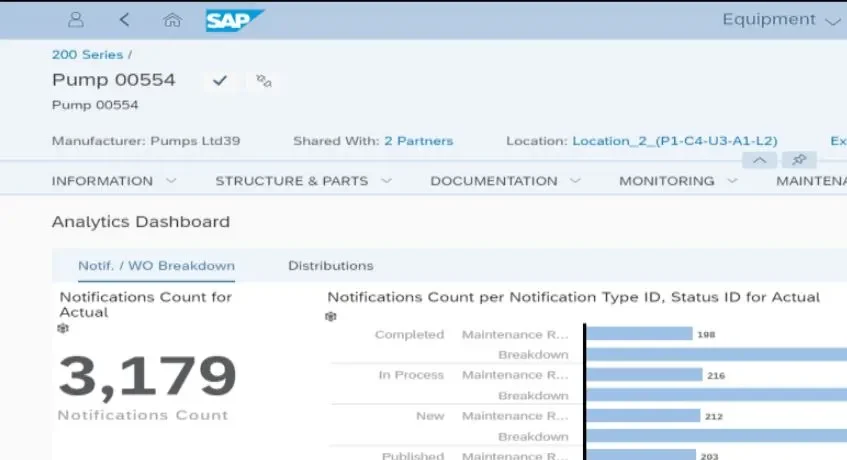
3. SAP Asset Management
SAP Asset Management is a component of a full suite of enterprise asset management products that are made to work closely with other SAP business software. It links asset management to the whole supply chain, making it fit for businesses that are currently utilizing the SAP ecosystem.
A comprehensive perspective of operations is provided by this integration, which offers strong decision-making insights. However, SAP can be complicated and may take a lot of work to integrate and deploy successfully for companies that aren’t already using it.
Key Features:
Full integration with SAP business software.
Comprehensive asset lifecycle management for efficiency.
Real-time monitoring of asset performance.
Advanced reporting capabilities for better decision-making.
Price: In Singapore, professional license pricing can reach $1.7 million per user/month (subscription), with SAP Business One (for SMEs) starting at $98/user/month with high implementation costs.
Best for: Ideal for medium to large enterprises in Singapore that need complex asset tracking integrated with SAP ERP/S/4HANA.
4. Asset Panda Software
A versatile asset management platform made for a range of businesses is Asset Panda. Because of its mobile-first design, firms that require real-time asset management may easily track assets using a smartphone. It is renowned for having a strong customization feature and an easy-to-use UI.
Because of the platform’s flexibility, companies can build it for different kinds of assets. Asset Panda can be customized to meet various corporate objectives, whether they involve premises, inventories, or equipment management. It is best suited for non-profits and small enterprises alike.
Key Features:
Real-time asset tracking using mobile apps.
Customization options fit unique asset management needs.
Supports lifecycle management from acquisition to disposal.
Pros
Cons
Adaptable to various industries and asset types.
Mobile access supports remote teams.
Simple interface that requires minimal training.
Real-time asset tracking for quick updates.
Scalable for businesses of all sizes.
Requires mobile device access for full functionality.
Customization might need additional technical support.
Lacks certain advanced features for larger companies.
Setup time may vary depending on complexity.
Limited third-party software integrations.
Price: Subscription-based pricing starts around $3,000 USD/year for the Starter package and can go up to $7,500+ USD for more advanced options, often tailored based on the number of assets.
Best for: Ideal for medium to large businesses in Singapore with a need for real-time asset tracking and flexibility in customization.
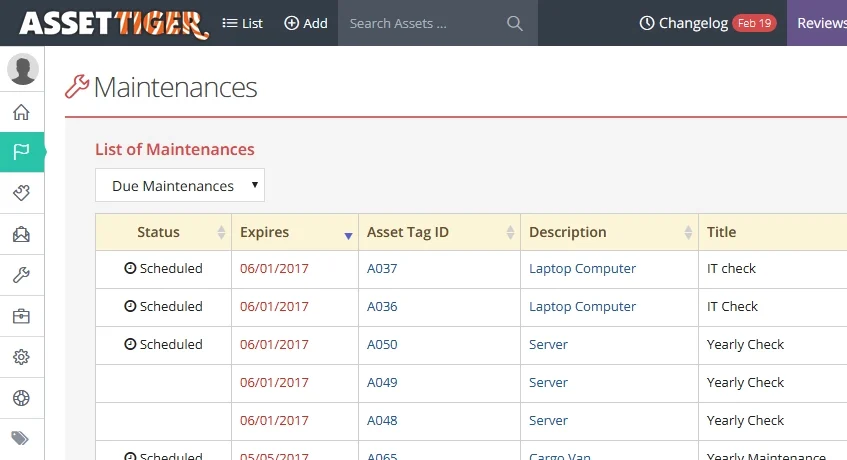
5. AssetTiger Management System
A cloud-based asset management application called AssetTiger is appropriate for small enterprises that need to keep track of their basic assets. The platform provides a straightforward approach to asset management without the complexities of more.
AssetTiger covers the fundamentals of asset tracking. However, it lacks the sophisticated capabilities of premium systems. For small enterprises or organizations that want basic functionality without the complexity or extra capabilities of larger systems, this makes it an excellent entry-level choice.
Key Features:
Cloud-based access allows management from anywhere.
Tracks up to 250 assets with no additional charges.
User-friendly interface makes setup quick.
Asset categorization helps to organize different types.
Offers basic maintenance tracking for each asset.
Pros
Cons
Easy to use for small businesses.
Allows tracking up to 250 assets without fees.
Simplifies asset management with an intuitive interface.
Cloud-based solution supports remote access.
Provides essential features for basic asset management.
Limited to 250 assets for free usage.
Lacks advanced features for larger organizations.
Does not integrate with other software solutions.
It may not scale well for growing businesses.
Offers basic reporting tools without customization options.
Price: Subscription plans include a free option for up to 250 assets and pricing starts at $20/month for 500 assets.
Best for: Best for small businesses and organizations seeking basic asset management functionality without the complexity of larger systems.
6. ServiceNow Asset Management Solution
As a component of its larger platform, ServiceNow provides a complete IT asset management solution. It assists companies in effectively monitoring the inventory, contractual, and financial information of IT assets. The platform increases operational efficiency and streamlines procedures.
ServiceNow is made to combine asset management and IT service management into a single system for businesses. Because it is scalable, it may be used by companies of all sizes, especially those with intricate asset management requirements that are prepared to expand in the future.
Key Features:
Manages IT asset lifecycle through automation.
Integrates IT service management and asset management.
Tracks financial, contractual, and inventory details.
Provides a unified platform for better coordination.
Scalable to support growing business needs.
Pros
Cons
Automates asset management tasks.
Seamlessly integrates with IT services.
Provides a comprehensive asset overview.
Supports scalability for larger organizations.
Improves operational efficiency through automation.
May require a complex setup for full functionality.
Customization can demand specialized knowledge.
Learning curve for new users.
It might be overwhelming for smaller businesses.
Requires regular updates and maintenance.
Price: Starts around USD 100 per user/month (Standard package) and can go up to over USD 160 for professional editions with AI.
Best for: Starts around USD 100 per user/month (Standard package) and can go up to over USD 160 for professional editions with AI.
7. ManageEngine AssetExplorer Solution
A complete IT asset management (ITAM) solution called AssetExplorer was created to help you efficiently manage your IT infrastructure. With capabilities like purchase order tracking, network inventory, and software license management, it provides enterprises with complete insight into their IT assets for effective administration.
The platform is renowned for its adaptability and breadth of features, which make it appropriate for businesses of all sizes. With capabilities to seamlessly maintain, monitor, and optimize the usage of IT resources, it helps mid-sized enterprises with a range of IT management requirements.
Key Features:
Tracks software licenses for compliance.
Manages purchase orders for IT assets.
Provides complete network inventory tracking.
Delivers real-time visibility of IT infrastructure.
Offers an easy-to-use dashboard for monitoring assets.
Pros
Cons
Comprehensive IT asset management features.
Helps ensure compliance with software licenses.
Real-time insights into IT infrastructure.
Centralized asset tracking across departments.
Simple, intuitive interface for teams.
Might require technical expertise for setup.
Some advanced features require additional configuration.
Limited integrations with third-party tools.
It can become complex for smaller teams.
Customization may need additional support.
Price: Subscription-based pricing starts at $115 per month (~S$155) for 250 assets, offering scalable options with a free version for up to 25 nodes.
Best for: Ideal for medium to large businesses in Singapore, with comprehensive asset discovery and management features across departments.
8. Freshservice Asset Management Module
An extensive IT asset management module is also included in the IT service desk solution Freshservice. Teams can monitor and manage software and physical assets from a single platform thanks to this connection. Because of its user-friendly design, teams with less technical knowledge can use it.
A cohesive experience is offered by the integration of the asset management and helpdesk systems. Because they have access to all pertinent asset information, IT personnel can handle problems more quickly. It streamlines procedures and boosts overall productivity with a centralized perspective.
Key Features:
An IT asset management module tracks hardware and software assets.
The central dashboard provides real-time insights into assets.
Integration with Helpdesk allows streamlined issue resolution.
User-friendly interface that minimizes training requirements.
Automated workflows to speed up asset management processes.
Pros
Cons
Seamless integration between Helpdesk and asset management.
A centralized platform simplifies IT management tasks.
Requires an internet connection for full functionality.
Customization options may require technical expertise.
Limited integration with third-party software tools.
It may not suit non-IT teams for asset management.
Initial setup may take some time, depending on complexity.
Price: Pricing starts at $19 USD/month, with free and enterprise plans available.
Best for: Suitable for small to enterprise businesses that need efficient IT asset management, lifecycle tracking, and ITSM integration based in the cloud.
9. Flexera Asset Management Software Tools
Flexera is a leading provider of software asset management (SAM) and IT asset management (ITAM), serving big businesses with intricate IT requirements. It gives firms comprehensive insights into technology deployment, optimizes software utilization, and guarantees license compliance.
Despite its strength, the platform’s tools can be difficult to properly set up and use. It works well for businesses that oversee a large amount of software and IT resources, and where the ROI outweighs the work needed for setup and continuing administration.
Key Features:
Tracks software usage across the enterprise.
Ensures compliance with software licensing requirements.
Helps optimize IT asset management processes.
Provides deep insights into technology deployment.
Offers detailed reporting and analytics for decision-making.
Pros
Cons
Strong focus on software compliance.
Provides detailed insights into software usage.
Excellent for large enterprises with complex IT needs.
Improves IT asset management efficiency.
Helps optimize software utilization across the organization.
Complex setup process requiring dedicated resources.
Requires significant training to use effectively.
Best suited for large enterprises, not small businesses.
Some features can be overwhelming for new users.
May require ongoing customization to meet specific needs.
Price: Flexera’s software pricing typically averages around $30,410 per year.
Best for: Best suited for medium to large enterprises with complex IT infrastructures and a focus on optimizing software usage and license compliance.
10. InvGate Asset Management Tools
A single platform for managing IT and non-IT assets is called InvGate Asset Management. It gives companies full asset awareness across departments with features like software metering, network discovery, and remote desktop capabilities.
The platform is renowned for its easy-to-use UI and powerful reporting features. Teams can embrace and apply it more easily as a result, which aids firms in making better judgments about asset management and long-term planning.
Key Features:
Unified platform for managing diverse assets.
Network discovery tool for automatic asset tracking.
Software metering for usage monitoring.
Remote desktop capabilities for easier control.
Comprehensive reporting functions for decision-making.
Pros
Cons
Manages both IT and non-IT assets.
Easy interface improves user adoption.
Real-time asset tracking enhances accuracy.
Detailed reporting aids in decision-making.
A remote control increases flexibility.
Lacks advanced features for large enterprises.
Customization may need additional support.
Integration with some systems can be difficult.
Some features may need further refinement.
Limited third-party integrations available.
Price: Starts at approximately $0.21 per node/month (billed annually) for the Starter package.
Best for: Great for medium to large businesses needing centralized management for both IT and non-IT assets, with strong reporting and network discovery features.
11. SolarWinds Asset Management Software
A range of IT asset management technologies is available from SolarWinds, especially thanks to its interaction with the Service Desk platform. It makes software license compliance, inventory management, and asset discovery easier. For IT-focused companies looking for dependable asset management solutions.
One major benefit is the integration of SolarWinds with its monitoring tools. It offers a thorough understanding of asset health and IT performance. This makes proactive management possible, which aids businesses in keeping control and guaranteeing effective operations throughout all of their IT systems.
Key Features:
Integrated with Service Desk for asset management.
Asset discovery tool to streamline inventory tracking.
Software license compliance management for compliance assurance.
Seamless integration with SolarWinds monitoring tools.
Proactive asset management for optimized performance.
Pros
Cons
Integrated platform for efficient management.
Simplifies software license compliance.
Provides proactive asset management tools.
Offers strong integration with monitoring tools.
Enhances IT asset visibility for organizations.
Limited features for non-IT assets.
Requires SolarWinds monitoring tools for full functionality.
Setup can be time-consuming for new users.
Customization options may be limited.
It may not be suitable for smaller businesses.
Price: Starts at about $19 per month.
Best for: Ideal for medium to large enterprises looking for automated workflow, IT asset lifecycle management, and performance monitoring across their IT infrastructure.
12. MaintainX Asset Management Platform
MaintainX is a mobile-first platform designed for operations and maintenance management. As a Computerized Maintenance Management System (CMMS), it offers practical capabilities for managing work orders and tracking equipment. Because of this, it works well for expediting maintenance procedures for different teams.
One of MaintainX’s most notable features is its mobile app, which makes information easily accessible and supports frontline personnel in the field. It is appropriate for sectors where mobility and quick access are essential for day-to-day operations, such as manufacturing, hospitality, and facilities management.
Key Features:
Mobile-first platform for field access.
Equipment tracking to monitor assets.
Work order management for task organization.
Real-time updates for immediate action.
Industry-specific customization options are available.
Pros
Cons
Mobile app enhances worker efficiency.
Simplifies work order management.
Provides real-time updates to teams.
Facilitates equipment tracking for maintenance.
Easy-to-use interface for users.
Limited features for non-maintenance tasks.
May require additional setup time.
Lacks advanced reporting options.
Customization options can be complex.
Integration with third-party systems is limited.
Price: Subscription-based per user, with pricing starting from the Basic tier, ranging to Pro and Enterprise.
Best for: Suitable for small to large enterprises, especially in industries where mobile access for maintenance operations is crucial.
13. UpKeep Asset Management Tools
One of the popular CMMS, UpKeep, provides robust asset management tools to help teams track equipment history and manage maintenance tasks. Additionally, the platform monitors the performance of the equipment, giving maintenance staff useful information to assist them in making well-informed decisions.
The program is well-liked for field operations because of its robust mobile functionality and easy-to-use UI. This platform will help businesses optimize their maintenance procedures as they transition from reactive to proactive maintenance practices.
Key Features:
Maintenance task management to streamline operations.
Asset history tracking for better asset insights.
Equipment performance monitoring to ensure uptime.
User-friendly interface for easy adoption.
Mobile functionality for field access.
Pros
Cons
Efficient maintenance task management.
Tracks asset history for valuable insights.
Helps monitor equipment performance.
Easy-to-use interface simplifies adoption.
Mobile access enhances field operations.
Lacks advanced features for larger enterprises.
Limited customization options are available.
Requires internet access for full functionality.
Some features may need improvement.
It can be complex for beginners.
Price: Subscription plans start from $45-$99+ USD per technician/month for advanced features, with a limited free version.
Best for: Best for medium to large companies requiring asset management tools for intensive physical assets and mobile operations.
14. eMaint Asset and Maintenance Management Solution
Large industrial enterprises employ Fluke’s eMaint CMMS, a powerful solution for asset and maintenance management. It helps firms maintain operating efficiency and control maintenance expenses by providing features like predictive maintenance and dependability tools.
Because of the platform’s well-known scalability and configurability, businesses can use it as their needs change. Because it gives businesses the flexibility to adjust as they expand and need more extensive maintenance solutions, it is especially helpful for asset-intensive industries.
Key Features:
Predictive maintenance tools for proactive management.
Scalable platform that grows with business needs.
Configurable interface to meet specific requirements.
Robust asset management tools for better control.
Comprehensive maintenance management capabilities for industries.
Pros
Cons
Scalable to meet growing demands.
Predictive maintenance enhances reliability.
Configurable interface to tailor solutions.
Comprehensive asset management features.
Provides insights into asset health.
Complex setup process for new users.
May require dedicated training for full utilization.
Some advanced features are complex.
Interface may be overwhelming for small businesses.
May need additional customization for unique needs.
Price: Pricing based on subscription (SaaS), with customized quotes depending on the features chosen, starting from entry-level.
Best for: Great for medium to large enterprises needing a comprehensive CMMS solution for asset tracking, stock management, and mobile maintenance.
15. Limble CMMS Tools
A maintenance management tool called Limble CMMS makes it easier to track assets and arrange maintenance work orders. It facilitates asset data management and preventive task scheduling. Any team may quickly and easily set up the program.
Limble CMMS helps minimize downtime despite its simplicity. Operations workflows can be enhanced by companies through task simplification and effective maintenance management. Small to medium-sized maintenance teams looking for useful management tools will find it appropriate.
Key Features:
Easy-to-use interface for teams.
Organizes maintenance work orders efficiently.
Schedules preventive maintenance tasks.
Tracks asset data for optimized management.
User-friendly setup for quick deployment.
Pros
Cons
Simple and intuitive interface.
Efficient task and asset management.
Reduces costly downtime in operations.
Ideal for small to medium teams.
Fast and easy setup process.
Limited advanced features for larger businesses.
Customization options may be restrictive.
Primarily suited for small to mid-sized teams.
Some features may require integration.
Lacks scalability for large enterprises.
Price: Standard $33/month per user for Standard and $79/month for Cloud Premium+. Offers custom quotes for larger enterprises.
Best for: Suitable for small to large enterprises looking for easy-to-use, flexible asset management and maintenance scheduling tools with mobile capabilities.
16. Fiix Cloud CMMS Software
Task scheduling, tracking, and organization are all made easier with Fiix, a cloud-based CMMS. It provides comprehensive equipment maintenance history and strong asset management features. For better operations, the platform is made to combine data, teams, and tools.
Fiix is fit for complicated environments since it has robust reporting features and integration capabilities. It works well in sectors like manufacturing, where it’s essential to optimize maintenance procedures. With improved management features, the software assists companies in modernizing their operations.
Key Features:
Cloud-based maintenance management system.
Complete asset management with maintenance history.
Scheduling and tracking maintenance tasks efficiently.
Powerful reporting tools for better decision-making.
Integration with other tools for streamlined operations.
Pros
Cons
Cloud-based for remote access.
Comprehensive asset management features.
Efficient maintenance scheduling and tracking.
Detailed reporting for decision-making.
Integration with various tools.
May require customization for unique needs.
It can be complex for small teams.
May need additional training for full usage.
Some features are industry-specific.
Not as intuitive for beginners.
Price: Pricing starts from $45 per user/month for the Basic package.
Best for: Flexible for small to large businesses needing asset management, maintenance history tracking, and integration for optimized maintenance processes.
How to Choose the Right Asset Management Software
Selecting the appropriate asset management software is essential since it will influence your company for many years to come. Finding a solution that genuinely meets your needs is more important than features alone. Let’s dissect how to go about making this choice:
Define Your Objectives
Before investigating suppliers or asset management systems, clearly define your goals. Setting clear objectives makes it easier to concentrate on what really matters, such as reducing downtime, improving compliance, or obtaining an accurate asset inventory. Are you monitoring machines, cars, or IT equipment?
Speak with various departments to learn about their difficulties. With a better understanding of their requirements, you can determine what the program must accomplish for the entire company and make sure all criteria are successfully satisfied.
Evaluate the Products’ Ability and Scalability to Track a Company’s IT Assets
After you’ve defined your goals, start evaluating asset management software based on its ability to track your company’s IT assets. Focus on features like software license management, hardware maintenance schedules, and tracking external devices connected to your network.
Avoid getting distracted by unnecessary features that may not benefit your business. Instead, prioritize core functionalities that help you effectively manage IT assets and ensure the platform can scale as your business grows.
Prioritize Integrations
It’s super important to think about how any new asset management software will actually fit into your current technology stack, you know, what you’re already running. Will it need to talk with your accounting system, your ERP, or other critical platforms, since otherwise, poor integration can create data silos and a ton of unnecessary manual work?
Definitely ask vendors for a clear list of their standard integrations available, which is always a good starting point. If you happen to need a custom integration for something specific, it’s really vital to find out if that’s even possible and, of course, what the exact cost for that kind of custom work would look like.
Assess Usability and Request Demos
Honestly, the most powerful asset management software out there, even the best asset management software, is pretty much useless if your team simply isn’t going to use it effectively. The interface really ought to be intuitive and just plain easy to navigate, and the best way to get a real feel for this is to request live demos and free trials.
Make sure to get your whole team involved in the evaluation process, as their feedback is absolutely crucial for picking a system. This involvement will ensure the chosen system actually gets adopted successfully across the organization, which is really what you want.
Conclusion
For Singaporean enterprises, selecting the appropriate asset management software is essential. Investing in a system that increases productivity, lowers expenses, and assists you in making more informed decisions that are customized to your needs is more important than simply purchasing a tool.
Investigate thoroughly and consult with your team before making a choice. Comprehensive asset management solutions that can expand with your company are available from vendors like ScaleOcean. To find out how their solution can meet your changing needs, schedule a free demo.
FAQ:
1. Is Google Drive a DAM?
No, Google Drive is not classified as a Digital Asset Management (DAM) system. It offers file storage and sharing features, but it doesn’t provide the advanced functionalities such as metadata tagging, version control, and workflow management typical of DAM solutions.
2. Is Dropbox a DAM?
No, Dropbox is a cloud storage service, not a dedicated DAM system. It allows for file storage and sharing but lacks advanced asset management features like metadata tagging, version control, and rights management, which are essential for DAM platforms.
3. Is Adobe Workfront a DAM?
No, Adobe Workfront is not a DAM. It’s a project management tool designed to streamline work processes, from planning to execution. While it integrates with Adobe’s DAM products like Adobe Experience Manager Assets, Workfront itself does not function as a standalone DAM.
4. What is the best CRM for asset management?
Salesforce is frequently recognized as one of the top CRM platforms for asset management, providing tools like portfolio management and compliance onboarding. However, ScaleOcean excels with features like real-time asset tracking, seamless integrations, and strong compliance monitoring.








 Key Takeaways
 Beyond simple organization, asset management software enhances long-term planning and day-to-day operations. It enables companies to use their current resources more effectively rather than merely harder. Let’s examine how it can lead to notable advancements in several important areas: