

Customer Data Integration (CDI) unifies customer data from diverse sources into a consistent, accessible data framework. For companies operating in Singapore, it links data from sales, marketing, service, commerce, and finance.
But customer information is often spread across several sources, such as CRM, e-commerce, spreadsheets, loyalty tools, support systems, and others. Teams may be working with broken, duplicate, or obsolete profiles.
In addition, irregular customer data causes friction when staff repeatedly cross-check information, alternate between systems, and reconcile conflicting records. This disjointed information can slow down service delivery while limiting understanding of customer behavior.
The growing customer data platform market highlights the increasing importance of unified customer information. Our team found that MarketsandMarkets projected it to reach USD 14.04 billion by 2031. The market is expected to grow from USD 7.34 billion in 2026 at a CAGR of 13.8%.
So, Customer Data Integration provides a means for businesses to conjoin information while maintaining data integrity and governance. Linking records across one or more functions enables organizations to reduce repetition and build a foundation for personalization.
 Key Takeaways
- Customer data integration is a platform that unifies fragmented customer information, helping Singapore businesses improve data visibility, quality, customer experiences, and operational efficiency.
- Businesses benefit from CDI through smoother support, personalization, reduced regulatory risks, fewer data silos, unified customer views, and better decisions.
- Essential CDI components include integration tools, MDM, customer data platforms, real-time processing, APIs, and middleware for connecting information.
- Comparing leading enterprise CDI tools in Singapore, including ScaleOcean, Salesforce Data Cloud, Segment, Workato, and Denodo, shows that each serves different integration requirements.
- ScaleOcean CRM Software connects customer information with broader business operations, helping enterprises reduce fragmentation and build a more integrated data environment.
What Is Customer Data Integration (CDI)?
Customer Data Integration (CDI) is a set of technologies and processes that enable integration of customer information scattered across multiple sources into a common customer data repository. It unifies customer records while maintaining relationships among customers, transactions, interactions, and activities.
Additionally, CDI does more than move data from application to application. It standardizes, matches, validates, and synchronizes customer records, enabling employees to find the needed information without reconciling different versions across different applications.
For instance, a consumer could visit a website, visit a brick-and-mortar store, call customer service, and receive a direct-mail piece. CDI links this activity so that a business knows they are dealing with the same consumer each time.
In the end, understanding what is customer data integration means consistent customer experiences, as different departments can operate from the same information. It also reinforces the underpinnings of analytics, automation, personalization, and compliance as companies handle customer data across several platforms.
How Customer Data Integration Works
Customer data integration involves taking customer information from various business systems such as the best CRM software, the Web, POS systems, marketing systems, and service systems and integrating it. Each of these systems can have the same records.
Additionally, CDI refines the data that it receives, standardizes details, and reconciles it between external sources. As a result, companies can merge duplicate profiles, correct incompatible formats, and create sound linkages for information in relation to a single customer.
Next, identity resolution and synchronization allow interconnected systems to identify customers reliably and keep them informed of pertinent information. Then, governance and security controls provide organizations with the means to manage access, safeguard personal data, and enforce proper practices.
Customer information is finally integrated and made available for further use by various downstream applications, such as analytics, marketing, sales, or customer care. Thus, a business can turn disparate data into usable insights and consistent experiences across all customer interactions.
1. Data Collection
To begin, CDI collects customer information from CRM programs, websites, mobile apps, point-of-sale systems, service tools, and marketing channels. This establishes the baseline for merging disparate records.
Furthermore, integration tools can access data through APIs, database links, file transfers, and automation. Robust data pipelines minimize manual extraction and promote a predictable flow between applications and the database.
2. Data Cleaning & Standardization
CDI then detects insufficient, unreliable, or improperly formatted data before merging client entries. Companies can standardize first names, last names, corporate names, mailing addresses, phone areas, and a host of other fields across applications.
Therefore, cleaning also eliminates errors that could interfere with accurate matching later on in the flow. An automated validation system can catch missing values, wrong values, and inconsistent formats so teams know what to fix.
3. Data Matching & Merging
Once data has been standardized, CDI compares it between systems to identify common customers. Comparison rules include matching by email address, phone number, customer number, or even name or buying behavior.
After that, related records can be combined into a single profile with historical details kept from each source. This minimizes duplicate entries and provides cleaner data for applications used for reporting, servicing, marketing, or other operations.
4. Identity Resolutions
Identifying whether multiple records represent the same individual, household, or organization across customer touchpoints. This is particularly important when the customer may have a different email, phone number, accounts, or other identifiers.
In addition, identity resolution can apply both deterministic and probabilistic matching so that it can be more confident with mismatched identifiers. This way, companies can identify repeat customers without creating a new profile each time.
5. Data Synchronization
After integration, CDI synchronizes customer data across the integrated systems and systems of record. Data updates flow between systems, allowing employees and applications to leverage information reflecting the most recent customer activity.
Synchronization is configurable to run in real time, near real time, or at scheduled intervals, as needed. Selecting the right synchronization frequency enables organizations to optimize data freshness while balancing system performance, integration complexity, and operational priorities.
6. Data Governance and Security
CDI must have controls that specify access, handling, storage & retention of customer data during the entire lifecycle. Organizations should implement permissions, ownership, validation rules, audit trails, and security controls.
Robust controls help protect customer data while also complying with Singapore’s personal data protection law. Limiting access and tracking utilization minimizes the potential for unneeded disclosures.
7. Downstream Activation
Then integrated customer data can transfer into applications that enable customer-facing and operational activities. Companies could leverage consolidated profiles for targeted marketing, recommendations, customer support, analytics, sales, and automated engagement.
Activation, then, not only turns integrated information into action but also stores it in a memory bank as one comprehensive record. Teams can act based on the present situation and event, and automated systems can activate actions for action-matching behaviors and features.
For enterprises seeking a unified approach, ScaleOcean connects customer information with sales, accounting, inventory, and other business processes through one integrated platform. Along with its configurable customer structure and workflow, ScaleOcean helps teams reduce fragmented data and improve operational visibility.
You can schedule a consultation with ScaleOcean experts to explore how the system fits their existing systems and customer data workflows, discuss integration requirements, and identify a suitable approach for their organization.
Key Benefits of Customer Data Integration for Business

Customer data integration enables companies to deliver an integrated customer experience by making information available throughout the organization and across applications. As a result, teams can use broader context rather than isolated records from individual systems.
In addition, central customer data enhances operational consistency by providing a single source of truth accessible to all functions and offices. This minimizes duplicated efforts and allows a business to manage the full customer lifecycle from marketing, sales, service, finance, and elsewhere.
CDI also improves data quality by tracking down duplicate, incomplete, and inconsistent information as the data flows through the integration. With cleaner data, company reporting, analytics, personalized customer experience, and customer-facing decisions can improve.
In the end, this added benefit of reduced fragmentation can provide Singapore companies with a better way to address their customers’ concerns about being more conscious of their information. CDI provides a better platform for streamlined services, appropriately informed choices, and scalable customer relationships.
1. Frictionless Customer Support
Integrating customer information into a customer service application enables service teams to pull up pertinent data without flipping through multiple separate programs. As a result, agents can more quickly access past conversations, purchases, preferences, problems, and the like.
In addition, having a single source of information reduces multiple questions and users having to repeat themselves when that data is stored elsewhere.
2. Hyper-Personalization
CDI allows brands to integrate behavioral, transactional, demographic, and interaction data into more complete customer profiles. Therefore, marketing and sales teams can personalize offers, recommendations, messages, and journeys according to each customer.
Personalization is also more seamless if teams are leveraging the same customer data across channels. Companies can lessen irrelevant communications and provide experiences based on transactions, preferences, engagement, and customer data integration requirements.
3. Minimized Regulatory Risk
A consolidated view of customer data simplifies determining where personal data is stored and how various systems use it. This helps organizations put controls in place for access, retention, monitoring, and acceptable use.
In addition, enhanced data governance underpins compliance initiatives by providing greater transparency over customer records and data flows. This enables organizations to address privacy requests, investigate incidents more easily, and show they are handling information responsibly.
4. Breaking Down Data Silos
Customer data no longer resides in separate applications, BUs, and departments. Now sales, marketing, service, finance, and operations all work with the same set of data.
In addition, breaking down silos enhances collaboration so teams can see customer activity across systems. A broader view enables teams to work together more easily, hand off work, and manage customers when several functions are involved.
5. Providing a Single Customer View
A single customer view gathers records and interactions into a single customer profile accessible by authorized teams. This allows employees to have more complete information when analyzing relationships, history, and behavior.
Furthermore, it allows businesses to see patterns spanning channels that, with separated systems, may be lost on siloed teams. With a complete view, they better understand customer needs, focus on high-value interactions, and offer a seamless experience from beginning to end.
6. Enhancing Decision-Making
Integrated customer data gives decision-makers a stronger foundation for evaluating customer behavior, campaign performance, service trends, and churn rate. Instead of relying on fragmented reports, leaders can analyze connected information from multiple sources.
Additionally, uniform customer information strengthens analytics by reducing time spent fixing record discrepancies before making decisions. Companies can then catch rising tides sooner, dedicate resources more accurately, and align investments proactively with eager markets.
The Three Methods and Types of Customer Data Integration (CDI)
Customer Data Integration typically employs three methods: consolidation, propagation, and federation. Each approach manages customer information differently, so organizations should choose the one that best fits their data architecture, operational needs, and integration goals.
| Integration Methods | How It Operates | Best Used For |
|---|---|---|
| Consolidation | Collects customer data from multiple sources and combines it into a centralized repository or unified database. | Businesses seeking a centralized customer view for analytics, reporting, and data management. |
| Propagation | Moves customer data or updates between connected systems, keeping information synchronized across applications. | Businesses requiring consistent customer information across CRM, sales, marketing, service, and operational systems. |
| Federation | Provides access to customer information across multiple sources without physically moving everything into one repository. | Businesses needing real-time access to distributed data while retaining existing systems and databases. |
1. Consolidation
Consolidation collects customer information from different systems and stores it within a centralized environment. Consequently, businesses can create a unified repository containing records that previously remained distributed across separate applications.
This approach works particularly well when organizations need centralized reporting, analytics, or customer profiling. However, businesses must maintain strong data quality processes because inaccurate source records can affect the consolidated dataset.
2. Propagation
Propagation distributes customer information or updates between connected systems, allowing changes made in one application to reach other relevant platforms. Therefore, businesses can maintain greater consistency without manually updating every system.
For example, updating a customer’s contact information in a CRM can trigger corresponding changes across marketing or service applications. This approach is useful when multiple systems require current information to support coordinated customer interactions.
3. Federation
Federation allows applications to access customer information from multiple sources without necessarily moving all data into one centralized repository. Instead, integration technologies provide a unified access layer across distributed databases and applications.
As a result, businesses can retain existing data infrastructure while giving authorized users access to information across systems. Federation can be particularly useful when organizations need current information without duplicating large datasets across multiple environments.
Key Components of Customer Data Integration
Customer data integration requires a range of supporting technologies and processes that enable customer data to be connected, managed, synchronized, and activated. These are outlined below by stage of the integration lifecycle.
Organizations may also choose to integrate these components for their current technology landscape and integration requirements. Proper selection of these elements can provide easier access to data, minimize redundancies, avoid manual intervention, and ensure consistent data across customer-facing systems.
1. Data Integration Tools
Data integration software is used to collate data across various databases, applications, files, systems, etc while also allowing operations like transformation and synchronization. It helps enterprises automate data management rather than tedious manual transfers.
In addition, contemporary integration platforms can handle multiple connection types and data formats as part of a common workflow. This enables integration with current systems while developing scalable processes for customer data management.
2. Master Data Management (MDM)
Master Data Management involves developing uniform, authoritative master records for key business entities such as customers across all applications and systems. It defines the processes for capturing, maintaining, validating, and sharing the reliable master data across the enterprise.
As a result, MDM can eliminate duplicate customers and multiple different pieces of information stored in different departments. When used along with CDI, it enables a business to define a trustworthy customer identity that downstream systems can use for applications and analysis.
3. Customer Data Platforms
Customer Data Platform (CDP) gathers and consolidates customer data from various systems into a single, accessible customer profile that persists over time. They incorporate data from behaviors, transactions, demographics, and interactions related to customer touchpoints.
Furthermore, CDPs can deliver unified data to marketing, sales, and service processes. Companies can leverage a single customer view to perform audience segmentation, deliver personalized engagement, analyze customer journeys, and activate customer data.
4. Real-Time Data Processing
Real-time data processing enables the transfer of customer data from one system to another within minutes of the event happening. This enables you to react to customer activity, such as buying a product, changing an account, requesting a service, or browsing a website.
In addition, other application types require up-to-the-minute processing rather than batch processing. For example, businesses can make real-time data available for personalization, fraud detection and alerts, service notifications, and automated customer engagement.
5. APIs and Middleware
APIs and middleware enable connectivity between applications and systems to communicate customer information. APIs make specific functions or data available, whereas middleware coordinates communication among multiple applications and integration workflows.
The result: companies can bring together various technologies without having to go through the pain of a total overhaul. This type of scalable integration architecture enables organizations to connect CRM systems, e-commerce tools, ERP systems, and more to other customer-facing applications.
Challenges of Customer Data Integration
Customer Data Integration can bring visibility and consistency, but its implementation can create technical, operational, and governance issues that must be addressed. Companies must address these issues because integration links information sources with different architectures, capabilities, and security implications.
Furthermore, the challenges may become even more intricate as the systems add applications, customer channels, types of business, and data sources. Lack of clear planning will increase the maintenance burden on the integration project and create additional risks across the whole environment.
1. Disparate Formatting
Customer information is stored similarly in multiple systems but in different formats, conventions, or field formats. For instance, applications might store a name, address, date, or telephone number differently.
As a result, these discrepancies can hinder proper reconciliation and lead to duplicated or truncated customer profiles. Market players require standardization and data transformation procedures to harmonize the data before merging disparate record sets.
2. Incomplete Data Entry
Incomplete Data Entry results in customer records that are missing key fields or contain incomplete data. Missing fields can affect system-to-system data comparisons, resulting in fewer matches and less comprehensive profiles.
Missing data may also affect customization, reporting, and customer care. If a company has established validation rules and data quality controls to ensure missing data is discovered before transmission to interconnected systems, this approach will be effective.
3. Legacy System Limitations
Older systems may not have suitable APIs/integration capabilities or compatible data structures. As a result, organizations may require additional connectors, middleware, or custom development to integrate them.
In addition, upgrading old platforms just for integration brings costs, risk, and disruption. There is a balance to be struck between integration needs and existing technological investments, as well as gradual modernization of systems where possible.
4. Data Pipeline Fragility
Data Pipeline Fragility happens when integration flows are shared across multiple systems, connections, transformations, and processes, which may all fail independently. Any failures along the way can impact the downstream delivery of customer information.
Hence, to keep the data pipeline working reliably, companies need monitoring, error handling, testing, and recovery mechanisms. Additionally, the system must undergo regular maintenance to detect and fix any broken connections, schema updates, or data processing failures.
5. Regulatory Compliance
Regulatory Compliance becomes increasingly difficult when customer information is transferred between multiple applications, business units, and environments. Businesses need to be aware of how personal data is gathered, accessed, used, stored, and distributed within the customer data integration process.
Singapore firms need to address the requirements of the Personal Data Protection Act (PDPA) in designing customer data processes. Ensuring proper access controls, retention practices, consent handling, and accountability mechanisms can help in managing data responsibly.
6. Expanded Attack Surface
An expanded attack surface may also occur when CDI is used to link more applications, databases, APIs, and data pipelines. More links might mean more openings that an attacker could use if the security measures are not good enough.
As a result, organizations require authentication, authorization, encryption, monitoring, and vulnerability management for the integration environments. In addition, security teams need to periodically examine other linked systems to ensure that potential weak links do not compromise other integrated resources.
7. Departmental Data Silos
Departmental data silos are created when departments keep customer information isolated from each other and only make it available to their own applications or databases. This leads to conflicting information being stored in different places and employees not being able to see a full customer history.
In addition, silos need to be broken down not only through technology, but also by ensuring functions agree on ownership, definitions, and ways of sharing information. Well-defined responsibilities can also make it more likely that teams are providing the right data and using shared data in the same way.
8. Lack of Data Governance
Without data governance, there is uncertainty about who owns the customer information, which definitions should be used, and how records should be maintained. Different organizations can maintain inconsistent standards across the linked systems.
Hence, companies need to put data ownership, quality, access, retention, and governance policies in place. Good governance is critical to having a framework for monitoring and ensuring data integrity and security within integrated customer data.
9. High Initial and Ongoing Costs
High initial and recurring expenses may include software licenses, infrastructure, implementation services, integration development, data conversion, testing, and user education. Ongoing demands may consist of persistent resources dedicated to maintenance, monitoring, and upgrades.
But organizations can contain these costs by focusing on high-value integration use cases, using lean, scalable architectures, and phasing in use cases. Steady state is reached faster by controlling initial complexity and pacing the implementation.
Best Practices for Customer Data Integration and How to Solve the Challenges
Customer Data Integration also needs a logical flow into the organization, not only between applications, as the data needs to be stored, managed, and delivered in a reliable, safe, and accessible way. Companies thus need to establish clear procedures throughout the entire integration lifecycle.
In addition, companies should get a handle on data quality, governance, security, and system reliability before further expanding integration to additional sources. This minimizes operational risk while providing a more scalable platform for customer data.
1. Inventory All Data Sources
Companies need to be aware of all of the systems where customers’ data reside, such as CRM systems, e-commerce platforms, POS systems, spreadsheets, and customer service tools. This provides a picture of what data is stored where, and how it is linked.
Moreover, the sources should be noted down, including data owners, formats, update frequency, and integration dependencies. This helps teams identify overlaps, possible gaps, and priority sources before designing the integration framework.
2. Assign a Data Steward
A designated data steward should be responsible for the quality, ownership, definitions, and use of customer data across the systems involved. The steward provides accountability, so teams know where to go when trying to resolve inconsistencies or define standard processes.
Additionally, the data steward can work with the technical and business units on integration problems. Establishing ownership allows organizations to consistently protect customer data, ensuring its accuracy over its entire life cycle.
3. Ensure Data Quality
Implement validation, cleansing, standardization, and de-duplication controls on customer records before merging them. This can help to detect incorrect, inconsistent, or missing data that might lead to erroneous 360-degree customer views.
In addition, organizations should monitor data quality after integration instead of treating cleansing as an isolated task. Data validation should be an ongoing process as systems, customers, and the business evolve.
4. Use Integration Solutions
Businesses can use integration platforms, APIs, middleware, ETL, or other solutions to efficiently connect customer data. Then, the right technology is chosen based on the system’s integrability and business needs.
As a result, integration solutions can automate data transfer and synchronization and eliminate manual operations. Enterprises need to consider scalability, tracking, security, and maintenance when choosing an integration method.
5. Implement Strong Security Measures
Protect shared customer data by using access controls, authentication, encryption, monitoring, and proper authorization policies. This is more critical as an increasing number of systems and applications are accessing the shared information.
Furthermore, organizations must enforce least-privilege policies so employees and applications request only the data necessary to perform their job. Regular security audits can be used to identify vulnerabilities across APIs, databases, integration middleware, and connected applications.
6. Monitor and Optimize Continuously
Monitor the integration workflows so you can troubleshoot failed transfers, detection delays, data quality issues, and irregularities in system behavior. Real-time monitoring and troubleshooting can alert teams before impacting customer-facing services.
Organizations should also assess integration performance when transaction volumes and business needs evolve. Fine-tuning the flow of work, processing capacity, and data pipelines ensures stability as customer data accumulates.
7. Regularly Audit and Optimize Integration
Review data flow, access rights, integration rules, and connected systems periodically to suit your needs. Audits can identify dead links, duplicate processes, and gaps in governance.
Hence, when applications, policies, or company mandates change, organizations must refresh the integration configuration. Continuous optimization ensures CDI resources directly support the business and eliminate excessive, burdensome setups.
Applications of Customer Data Integration (CDI)

Customer Data Integration enables multiple business functions by providing customer data in applications and departments connected through this integration. Thus, organizations can leverage the single source of information to enhance engagement, reporting, operations, and compliance.
In addition, I find that CDI helps to bridge the gap between the front-end customer interaction and back-end business processes. Customers benefit from a seamless flow of information from the system, helping the business to serve the customer better and make more informed decisions.
1. Omnichannel Marketing
Omnichannel Marketing depends on consolidated customer data that enables campaigns to be synchronized across all online and offline channels-websites, email, social media, mobile apps, stores, and points of sale. Rather than focusing on individual touchpoints, organizations focus on how consumer contacts interact and relate to one another.
As a result, marketers gain the ability to deliver more seamless journeys to customers and to eliminate messages that are repeated or not relevant. Integrated profiles enable teams to work together, aligning campaigns with customer interactions, buying history, interests, and interactions.
2. Customer Relationship Management (CRM)
Customer Relationship Management CRM makes use of CDI by pulling in customer information from sales, service, commerce, and other systems. Employees working with leads, accounts, opportunities, and customer interactions can see more of the picture.
Thus, integrated CRM database also leads to less time wasted by employees switching between unconnected software systems. Sales and service functions can then have a more comprehensive view of customer histories while managing activities across various business functions.
3. Personalized Customer Engagement
Personalized Customer Engagement leverages an integrated customer view to customize interactions based on behavior, preferences, transactions, and past messages. Marketers and advertisers can utilize this information to make more targeted offers, suggestions, and communications.
Furthermore, integrated data enables continuous personalization across channels and departments. Clients would notice experiences that coincide with their previous interactions, instead of receiving incoherent communications from different business units.
4. Business Intelligence (BI)
Business Intelligence (BI) applications can leverage integrated customer information to discover trends across multiple transactions, interactions, campaigns, or service operations. As a result, managers can work with larger datasets instead of individual departmental reports.
In addition, analytic consistency can increase because it reduces the time spent resolving conflicting customer information. More knowledge of the data allows firms to measure performance, develop opportunities, and make better strategic decisions.
5. Compliance and Risk Management
Compliance and Risk Management can leverage integrated customer data to enhance insight into personal information, consumption behaviors, and information flow. It enables organizations to pinpoint existing customer information across interlinked applications.
Additionally, centralized visibility can enable audits, access reviews, retention controls, and incident investigations. For Singapore companies, adopting governance within CDI empowers businesses to handle customer information diligently in line with the relevant data protection legislation.
Checklist for How to Implement Customer Data Integration
Implementing Customer Data Integration works best as a phased process that moves from planning and architecture to development, testing, and deployment. Therefore, businesses can reduce integration risks by completing each stage systematically.
Moreover, a structured implementation helps teams identify data quality issues, security requirements, technical dependencies, and governance responsibilities before systems become interconnected. The following checklist provides a practical framework for managing CDI implementation.
Phase 1: Planning and Discovery
The planning and discovery phase establishes the foundation for CDI by defining objectives, understanding available information, and assigning responsibilities. Businesses should complete this stage before selecting technologies or developing integration workflows.
- Define Specific Use Cases: Businesses should determine exactly why they need CDI, such as creating unified customer profiles, improving support, or enabling personalized marketing. Clear use cases help teams establish measurable integration objectives.
- Identify Data Sources: Teams should document every system containing relevant customer information, including CRM platforms, websites, POS systems, ERP software, and spreadsheets. This inventory reveals where information originates and how systems currently exchange data.
- Map Data Elements: Organizations should identify important customer fields and determine where each element exists across connected systems. Mapping relationships between fields helps teams understand which information should be transferred, transformed, or consolidated.
- Assess Data Quality: Teams should evaluate records for duplicates, missing values, inconsistent formats, outdated information, and other quality issues. Identifying these problems early prevents unreliable information from entering the integrated environment.
- Appoint a Governance Team: Businesses should assign responsible individuals to oversee data quality, ownership, security, and integration policies. Establishing accountability early helps teams resolve disputes and maintain consistent standards throughout implementation.
Phase 2: Design and Architecture
The design and architecture phase translates business requirements into a technical integration framework. At this stage, organizations determine how systems will connect, how customer identities will be matched, and how information will remain protected.
- Select the Integration Method: Teams should choose between consolidation, propagation, federation, or a combination based on their requirements. The selected approach should consider data volumes, system capabilities, accessibility needs, and operational priorities.
- Define Identity Resolution Rules: Organizations should establish rules for determining whether records represent the same customer across different systems. These rules may evaluate identifiers such as email addresses, telephone numbers, customer IDs, names, and transaction information.
- Map Fields and Schemas: Technical teams should define how fields and data structures correspond between source and destination systems. Accurate schema mapping prevents information from being incorrectly transformed or assigned during integration.
- Confirm Security Compliance: Businesses should identify security, privacy, access, retention, and regulatory requirements before connecting systems. For Singapore organizations, this should include consideration of applicable PDPA obligations when handling personal data.
- Choose Your Technology: Teams should select integration platforms, APIs, middleware, MDM solutions, or other technologies that support their architecture. Evaluation should consider scalability, compatibility, monitoring, security, implementation requirements, and ongoing maintenance.
Phase 3: Development and Data Cleansing
The development and data cleansing phase converts the approved architecture into functional integration workflows. Businesses should clean source information while building connections that can reliably transfer and synchronize customer records.
- Write Cleansing Scripts: Development teams can create automated processes to standardize formats, remove duplicates, correct invalid values, and handle missing information. These scripts help establish consistent records before information reaches connected systems.
- Build API Connections: Teams should develop and configure APIs that allow applications to exchange customer information securely. Proper authentication, error handling, and data transformation should be incorporated to support reliable communication between systems.
- Configure Conflict Handling: Organizations should establish rules for resolving situations where connected systems contain conflicting customer information. These rules can determine which source takes priority or how teams should review ambiguous records.
- Set Up Monitoring Tools: Businesses should implement monitoring capabilities that track data transfers, synchronization status, failures, and unusual behavior. Early visibility into integration problems allows technical teams to resolve issues before they affect downstream applications.
Phase 4: Testing and Validations
Testing and validation determine whether the CDI environment performs accurately, securely, and reliably before production deployment. Teams should test individual components and complete workflows using representative customer data and realistic scenarios.
- Run Isolated Unit Tests: Developers should test individual integration components, transformations, APIs, and validation rules separately. Unit testing helps identify technical defects before multiple components become dependent on one another.
- Execute End-to-End Tests: Teams should test complete data flows from source systems through processing and into destination applications. This confirms that information moves correctly across every stage of the integration workflow.
- Validate Data Accuracy: Organizations should compare integrated records against source information to confirm that values, relationships, and customer identities remain accurate. Validation should also verify that cleansing and transformation rules produce expected results.
- Perform Load Testing: Businesses should evaluate how integration workflows perform under expected and peak data volumes. Load testing can reveal processing bottlenecks, synchronization delays, infrastructure limitations, and scalability issues before deployment.
Phase 5: Deployment and Optimization
The deployment and optimization phase moves validated integration workflows into production while preparing employees to use the resulting information. Organizations should introduce changes carefully and continue monitoring performance after launch.
- Backfill Historical Data: Teams can migrate relevant historical customer information into the integrated environment after validating the data and migration process. A controlled backfill helps preserve useful customer history without introducing unnecessary or unreliable records.
- Launch Live Synchronization: Businesses should activate ongoing synchronization between connected systems after confirming production readiness. Teams should monitor initial data flows closely to identify unexpected errors, delays, conflicts, or system performance issues.
- Train Business Teams: Employees should understand how integrated customer information appears, how they should use it, and whom to contact when problems occur. Training helps teams adopt new workflows while reducing incorrect data handling.
- Audit System Regularly: Organizations should periodically review integration performance, data quality, security controls, access permissions, and connected systems. Regular audits help identify emerging issues and ensure the CDI environment continues meeting business requirements.
5 Leading Enterprise Customer Data Integration Tools in Singapore
Enterprise customer data integration tools help Singapore businesses connect customer information from CRM, ERP, POS, marketing, e-commerce, and other systems into a more consistent data environment. This is particularly important when fragmented applications create duplicate records, disconnected workflows, and limited visibility across departments.
For enterprises evaluating these solutions, the main differences lie in how each platform handles data unification, integration, automation, governance, and operational workflows. The following five tools represent different approaches, ranging from customer data platforms and integration platforms to broader ERP-based systems.
| Software | Best Used For | Integration Capability | Key Strengths |
|---|---|---|---|
| ScaleOcean CRM Software | Medium to Enterprise-wide customer and business data integration | CRM, ERP, sales, accounting, inventory, and other business systems | Unified business environment, flexible configuration, enterprise-focused |
| Salesforce Data Cloud | Unified customer profiles and customer use cases | Batch, streaming, data federation, and identity resolution | Customer data unification and Salesforce ecosystem integration |
| Segment (Twilio) | Digital customer data collection and activation | Websites, apps, warehouses, and customer engagement tools | Event tracking, customer profiles, broad integrations |
| Workato | Enterprise application and workflow integration | APIs, applications, data pipelines | Broad connectivity, automation, data orchestration |
| Denodo | Distributed customer data access | Data virtualization, cloud, APIs, and other sources | Data access, virtualization, reduced data duplication |
1. ScaleOcean CRM Software
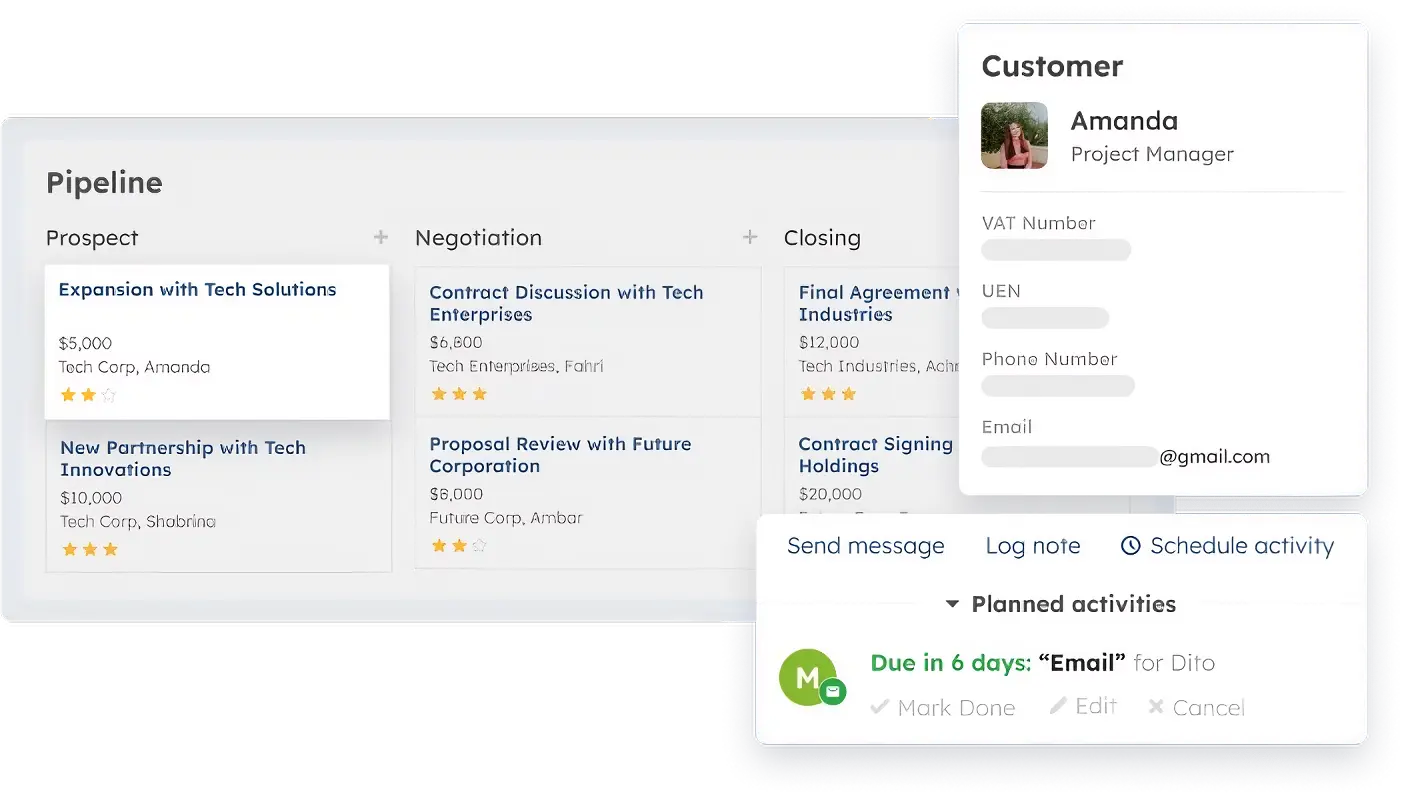
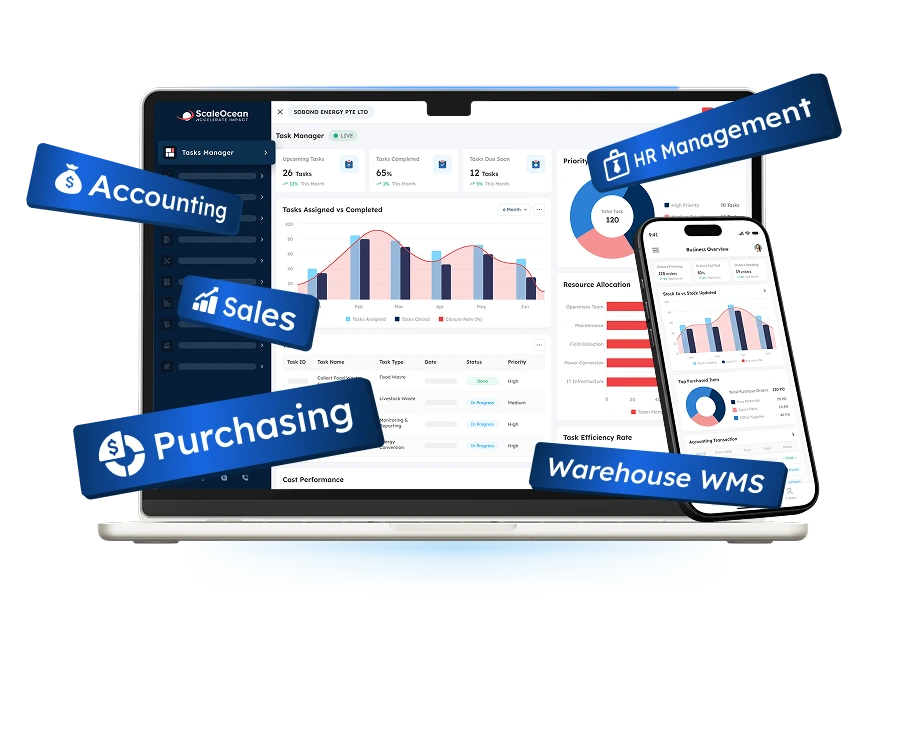
ScaleOcean CRM Software connects customer-facing activities with customer data integration across CRM, sales, service, accounting, inventory, and procurement through its flagship platform, ScaleOcean Atlas. This creates consistent customer context across business processes.
Moreover, Atlas combines customer master records with orders, invoices, payments, service, marketing, portal, and external data. It also supports Singapore operations with PDPA-aligned data handling and local financial reporting requirements involving IRAS and GST.
Schedule a consultation with ScaleOcean experts to explore how Atlas can connect customer information with business processes, improve visibility, and support a unified operational environment across departments and customer touchpoints.
Key Features of ScaleOcean CRM Software:
- Centralized Customer Master Data: Maintain one consistent customer record.
- Configurable Customer Structure & Workflow: Adapt account hierarchies and enterprise workflows.
- Multi-Entity Capability: Manage multiple entities across regional operations.
- Role-Based Access & Audit Trail: Strengthen governance and data traceability.
- Consultative & Phased Implementation: Build integration around data readiness and business priorities.
| Pros | Cons |
|---|---|
|
|
Best For: Medium to large enterprises in Singapore that need to connect customer data with sales, accounting, inventory, service, and other business operations. ScaleOcean is suitable for companies with complex workflows, multiple entities, or industry-specific requirements that need a scalable and integrated business environment.
ℹ️ Why Choose ScaleOcean?
ScaleOcean is a strong choice for franchise enterprises that need more than basic franchisee administration, offering configurable solutions that adapt to complex business structures, workflows, and long-term operational requirements.
2. Salesforce Data Cloud
Salesforce Data Cloud customer data integration tool unifies data from multiple sources to create a consolidated customer view. It supports data ingestion, harmonization, identity resolution, segmentation, and activation across customer-facing applications.
The platform, now rebranded as Data 360, can work with structured and unstructured data, including batch and streaming sources. It is mainly used to connect customer information with Salesforce applications and external data environments.
Key Features of Salesforce Data Cloud:
- Data ingestion and harmonization
- Identity resolution
- Audience segmentation
- Real-time data activation
| Pros | Cons |
|---|---|
|
|
Best For: Large enterprises already using Salesforce across sales, marketing, service, or commerce, particularly those managing customer data across multiple channels and requiring a unified customer view.
ℹ️ Why Choose Salesforce Data Cloud for Customer Data Integration?
Salesforce Data Cloud can be considered when an organization already relies heavily on Salesforce and wants to connect customer information across its wider technology environment.
3. Segment (Twilio)
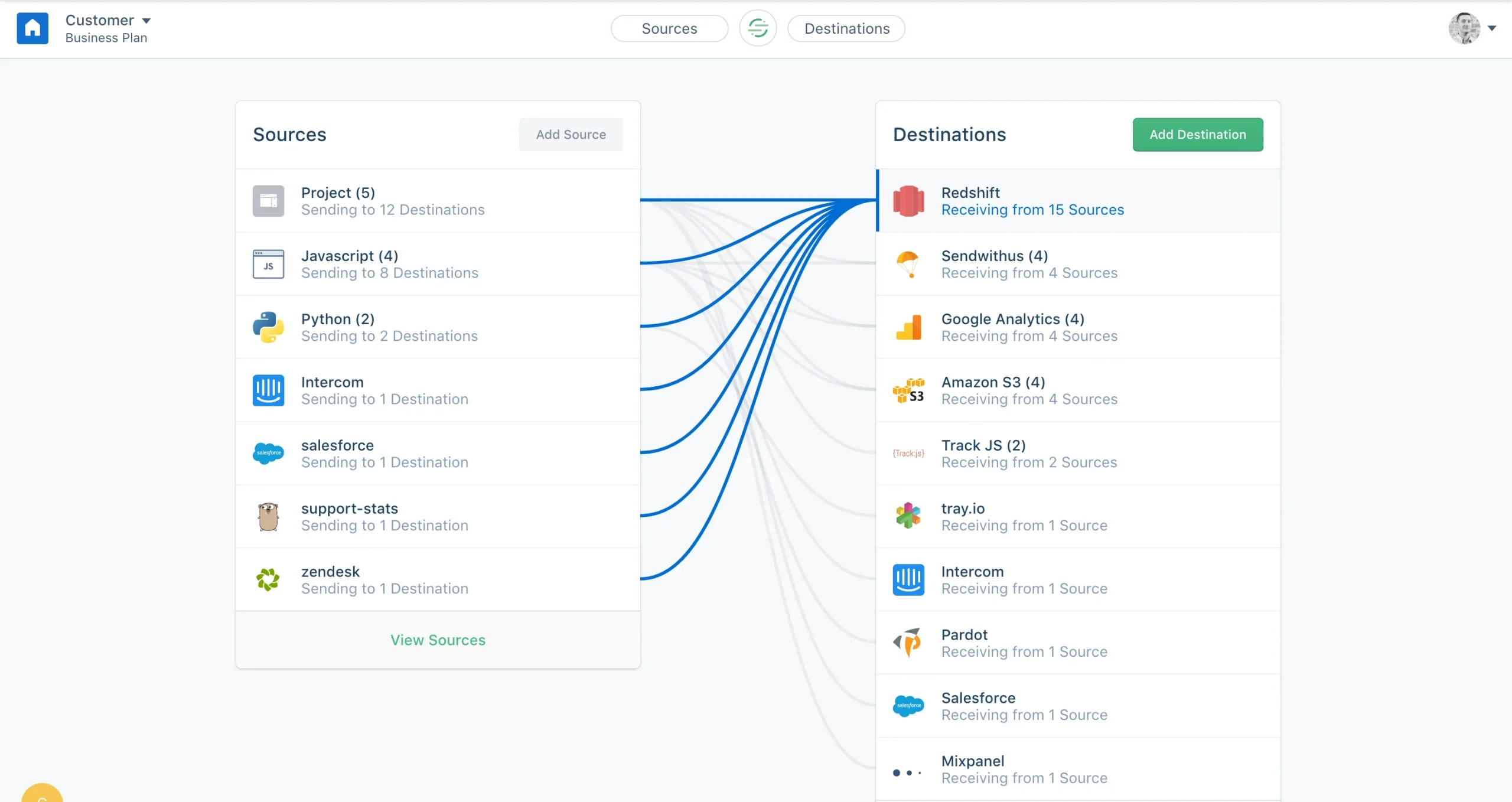
Segment (Twilio) customer data integration tool collects customer information from different touchpoints and organizes it into unified customer profiles. It supports data collection, identity resolution, customer segmentation, and activation across downstream applications.
The platform connects customer data from websites, mobile applications, warehouses, and other sources with marketing, analytics, and engagement tools. This makes it suitable for businesses that need to manage customer interactions across multiple digital channels.
Key Features of Segment:
- Customer data collection
- Identity resolution
- Unified customer profiles
- Data activation
| Pros | Cons |
|---|---|
|
|
Best For: Mid-sized to large digital businesses, including e-commerce, SaaS, and consumer-facing companies that collect customer behavior data across websites, applications, and other digital touchpoints.
ℹ️ Why Choose Segment for Customer Data Integration?
Segment is useful for businesses that prioritize collecting and connecting behavioral customer data across digital channels. Its combination of data collection, profile unification, and downstream activation supports customer-focused integration workflows.
4. Workato
Workato customer data integration tool connects applications, databases, APIs, and data environments to automate data flows and business processes. It supports data movement, transformation, workflow automation, and real-time integration across different systems.
Rather than focusing exclusively on customer data, Workato provides broader integration and automation capabilities for enterprise applications. Businesses can use it to connect CRM, ERP, databases, warehouses, and other systems within automated workflows.
Key Features of Workato:
- Application and data integration
- Workflow automation
- API management
- Data transformation
| Pros | Cons |
|---|---|
|
|
Best For: Mid-sized to large enterprises that need to connect customer data with broader business applications and automate workflows between CRM, ERP, databases, warehouses, and other systems.
ℹ️ Why Choose Workato for Customer Data Integration?
Workato is worth considering when customer data integration is closely connected to broader workflow automation requirements. Its ability to combine application, data, and API integration makes it relevant for organizations managing complex system environments.
5. Denodo
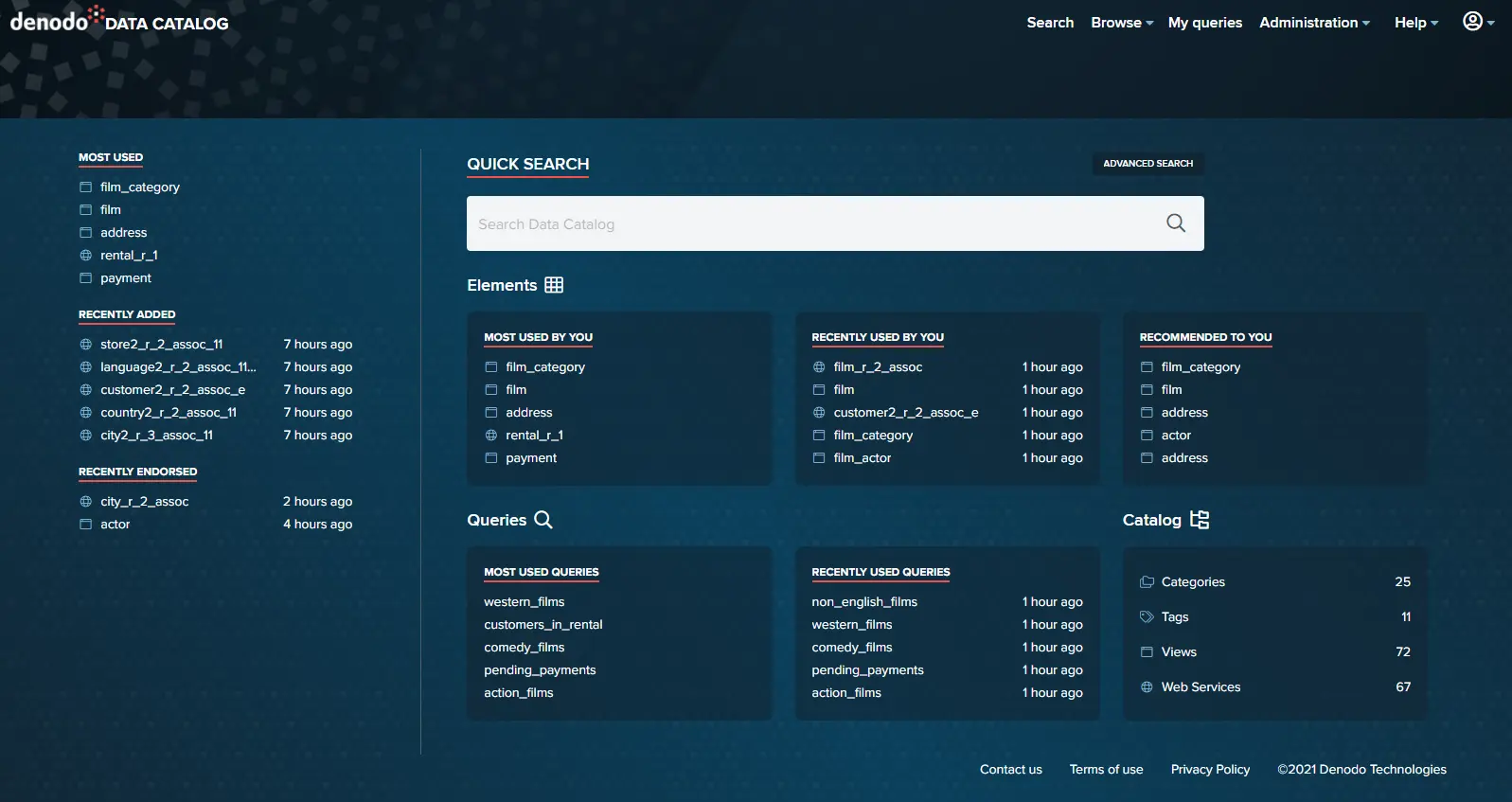
Denodo customer data integration tool provides access to data across distributed systems through data virtualization. Instead of requiring all information to be physically consolidated, it creates a logical access layer for connecting and querying different data sources.
The platform can connect cloud systems, databases, applications, data lakes, and other sources while supporting real-time data access. It is commonly used when businesses need unified data views without extensive data duplication or movement.
Key Features of Denodo:
- Data virtualization
- Real-time data access
- Data catalog and semantic layer
- Data governance
| Pros | Cons |
|---|---|
|
|
Best For: Large enterprises with distributed databases, hybrid environments, or multi-cloud architectures that need a unified customer data view without physically consolidating every underlying data source.
ℹ️ Why Choose Denodo for Customer Data Integration?
Denodo can be suitable when customer information remains distributed across multiple systems and businesses want unified access without extensively moving or duplicating data. Its virtualization approach supports real-time access across heterogeneous sources.
How to Choose a Customer Data Integration Tool
Selecting a Customer Data Integration tool is not only about connectivity. It also involves other factors because different Customer Data Integration Platforms have different architecture, features, security, usability, and pricing. Thus, the selection process should start with business requirements.
In addition, the organization should examine the compatibility of a CDI tool with current systems, technical resources, data loads, and anticipated future growth. A good tool will enhance integration without adding excess complexity and maintenance costs.
Steps to Select a CDI Tool for Your Business
With a systematic selection process, an organization can evaluate a CDI platform against its environment and usage needs. This way, the company will not fall for a solution platform based on feature set and miss out on real-world execution.
- Map Your Current Data Architectures: Create documentation of current data sources and consumption points, including databases, applications, APIs, data flows, and integration dependencies. This enables organizations to analyze system and vendor dependencies to get a clear picture of what is needed.
- Match the Tools to Team Skills: Organizations need to assess whether their internal teams have the required technical skills to set up, operate, and troubleshoot the platform. Good usability of tools can minimize the time needed for training and deployment.
- Run a Proof of Concept (PoC): Organizations need to evaluate the selected tools against a sample of systems, customer records, and integration cases before a final decision. A PoC can highlight performance bottlenecks, integration problems, data quality issues, and user experience problems.
- Negotiate Reliable Pricing: Businesses need to study license models, usage fees, deployment charges, ongoing maintenance prices, and future migration costs. Reliable pricing enables companies to forecast total ownership costs and prevent unforeseen expenses as volume increases.
6 Critical Technical Considerations to Select a CDI
These technical considerations are critical, as the set of features that go beyond basic tasks varies widely among different CDI products. Companies should evaluate these technical factors in the context of their architecture and operational needs.
- Integration Method and Infrastructure: Find out if the tool supports different approaches like APIs, ETL, event-driven integration, federation, or consolidation. It can be helpful to have the same infrastructure as your tool, as it will lower your implementation effort.
- Data Latency and Processing Speed: Determine how rapidly the platform can process and synchronize customer data at the required frequency. Real-time use cases could have vastly different requirements from batch processing.
- Identity Resolution Capabilities: Look at how well the system can find duplicate and matching customer records from various sources. Good identity resolution would allow for configurable matching rules and variations in customer identifiers.
- Security, Privacy, and Compliance: Evaluate features such as encryption, authentication, authorization, monitoring, access controls, and auditing capabilities when choosing a platform. Companies need to make sure that their privacy and regulatory needs are being met.
- Ease of Use and Technical Skill Level: Consider whether business users, data teams, or developers will operate the platform and evaluate the required technical expertise. An easy-to-use interface will lower configuration complexity and reliance on specific skills.
- Pricing Models and Scalability: Understand the cost structure depending on the number of users, data, connectors, processing frequency, and connected systems. The right business will choose a model that is financially sustainable as customer data and integrations grow.
Future Trends in Customer Data Integration Tools
Customer Data Integration tools are adapting as companies get larger data sets, have more touchpoints, and need faster, real-time processes. As a result, new technologies are reshaping the way companies are matching, processing, protecting, and activating customer data.
Furthermore, the growing adoption of cloud computing, artificial intelligence, and automated data management will enhance both system integration and the scalability and accessibility of the platforms. Organizations need to be aware of these trends when planning for the CDI investment, as the platform’s future capabilities may ultimately impact its specifications.
1. AI and Machine Learning for Data Matching
Artificial intelligence (AI) and machine learning can also help in the Customer Data Matching process by finding associations between records that may not be detected with rules. This can be achieved by using these solutions to analyze various data points and patterns to assess the likelihood that two records belong to the same customer.
Furthermore, over time, as machine learning models are trained on a large proportion of validated records and match results, they can become more effective. This can help minimize duplicate records and enable more precise identity resolution within large, multi-channel customer databases.
2. Cloud-Based CDI
Cloud‐Based CDI offers a way to connect customers without total dependence on on-premises infrastructure. Cloud platforms will offer flexible computing services, managed services, and connectivity that can scale to meet evolving integration needs.
For this reason, cloud-based architectures can facilitate scale-out when companies introduce new applications, channels, or sources of information. Enterprises can shift resources to meet workload demands, reducing some of the responsibilities involved in overseeing traditional environments.
3. Real-Time Customer Insights
Real-time customer insights enable organizations to understand customer events & interactions in real time and use this information to support timely personalization & service, recommendations, fraud detection & operational decision-making.
As a result, companies can react to fluctuating customer behaviors, rather than relying on historical or refresh-driven responses. The value of real-time integration grows as companies sell through a combination of digital channels, which record unrelenting customer activity.
4. Blockchain for Data Security
Blockchain for Data Security would offer distributed protocols for recording and validating certain types of data transactions among participating systems. Its tamper-proof characteristics could offer increased traceability for organizations seeking to authenticate a number of data activities.
Nevertheless, blockchain does not solve the problem of CDI in general, as customer data sometimes needs to be altered, removed, and protected. Companies should determine whether blockchain would effectively meet a particular security or verification need.
5. Self-Service Customer Data Management
Self-Service Customer Data Management allows business users who have the proper permissions to access, manage, and possibly configure customer data processes without relying solely on technical staff. This may enable more widespread data management within the organization.
In addition, self-service features can speed up common tasks like building segments, inspecting data, or checking records for accuracy. Proper roles and governance are necessary to ensure control and consistency of customer data.
Conclusion
Customer Data Integration connects fragmented customer information across systems, improving data quality, visibility, personalization, decision-making, and customer experiences. Businesses can strengthen these outcomes through suitable integration methods, governance, security, and technology.
For Singapore enterprises, ScaleOcean CRM Software provides an integrated environment that connects customer information with broader business operations and transactional and operational data. Its flexible platform supports complex workflows while helping businesses manage customer data alongside sales, accounting, inventory, and other processes.
To determine whether ScaleOcean fits your integration requirements,schedule a consultation with our experts. Our team can discuss your existing systems, data workflows, and business priorities to identify an appropriate implementation approach.
FAQ Customer Data Integration:
1. What systems can be connected through customer data integration?
Customer data integration can connect CRM, ERP, e-commerce, POS, marketing, customer service, websites, mobile apps, databases, and data warehouses. APIs, middleware, and integration platforms can link these systems.
2. Must customer data integration be performed in real-time?
No. Real-time integration is useful when businesses need immediate updates, such as personalized engagement or customer support. However, batch integration can be sufficient for reporting, analytics, and processes that do not require instant data updates.
3. What is the difference between real-time sync and batch sync in customer data integration?
Real-time sync updates connected systems shortly after data changes, providing current information. Batch sync processes data at scheduled intervals, making it suitable for large data volumes or workflows where immediate updates are unnecessary.
4. Does customer data integration require a team of data engineers?
Not always. Modern integration platforms can simplify configuration through visual interfaces and prebuilt connectors. However, complex environments may still require data engineers for custom integrations, advanced transformations, troubleshooting, and architecture management.





















.png)