

System integration is the process of linking various software applications, databases, hardware, and business processes together to form a single, unified system. Popular approaches are application programming interfaces, point-to-point communication, enterprise service buses, and integration platforms. Its primary goal is to minimize isolated data and enable quicker business processes.
Most companies do not have applications. Instead, they have their own set of finance, ERP, CRM, manufacturing, warehouse, e-commerce, banking, and reporting systems. Employees have to transfer data manually, approvals are separated from data, and management cannot get the same financial information from various departments, branches, and legal entities.
This is where system integration solutions that go beyond transferring data between apps will come in handy. A reliable architecture should include data mapping, validation, workflow orchestration, role-based access, approval controls, audit trails, monitoring, and governance so every connected transaction remains accurate and traceable.
Our team has gathered data from IMDA to find that at least one of the digital areas was measured by 95.1% of Singapore SMEs in 2024. As companies introduce more cloud, payment, analytics, e-commerce, and AI tools, integration becomes increasingly important for preventing fragmented data and disconnected workflows.
Get insight into system integration, its significance in businesses, advantages of system integration, key system integration architectural techniques, challenges to system integration, stages of a system integration project, examples, and how a professional system integrator can assist.
 Key Takeaways
- System integration is the process of linking different IT systems and applications to function together as a cohesive whole.
- System integration and data integration are related, but they solve different business problems.
- A system integrator is a specialist who connects and supports applications, data, hardware, and business processes.
- ScaleOcean’s ERP software provides a robust foundation, simplifying the integration of core business functions for seamless operations and sustainable growth.
What is System Integration?
System integration is the construction of systems in a coherent manner to enable independent parts of the technology to pass information to one another and to facilitate a coordinated business process. They can be ERP or CRM applications, accounting software, manufacturing machines, e-commerce websites, bank portals, databases, mobile apps, and third-party applications.
Does not have to replace existing applications with a single platform. In many cases, integration can help a business retain its special systems and define the protocols for data, document, approval, and other transaction transfers or for processing operational events between those systems. The aim is to give a stable operating platform, not a collection of isolated technical connections.
Also, a properly designed integration will dictate who owns each business record. This data about the customer might exist in a CRM system, cost data in an ERP system, movement of the products from a warehouse system, and payment confirmation from a bank or gateway. Using integration rules, these records are always kept as transactions flow through the organization.
This broader approach distinguishes system integration from a basic import-and-export process. Successful integration combines connectivity with process design, data governance, user permissions, security, monitoring, error resolution, and accountability.
Why Do Businesses Need System Integration?
System integration becomes a necessity when the lack of integration between applications starts to impact businesses in the following ways, such as slowing down operations, weakening reporting, adding manual work, and generating inconsistent data. This necessity is even more pressing as companies start introducing new branches, entities, sales points, warehouses, production sites, customer platforms, and regulatory functions.
There are several reasons why integration is becoming an important enterprise capability:
1. Elimination of Silos
A data silo is when data is stored in one department or application and not readily accessible to another department or application. While Sales continues to maintain commitment in CRM, finance can continue to maintain payment terms in the accounting software, and warehouse teams can maintain inventory details separately.
Process integration can also be achieved through system integration. There may be more steps in a transaction that include quotation, approval, reserving inventory, procurement, fulfilment, invoicing, and payment. Each stage is standalone, and the departments are only concerned with what they are doing, not the context.
An integrated process notifies of changes in status and of dependencies automatically. Orders that are awaiting shipment don’t need to be collected separately, and finance can even find out what the delays are for the items in the order, as procurement can see what items are in short supply due to customer demand.
2. Increased Efficiency
Disconnected systems require employees to re-enter customer, product, order, supplier, shipment, and financial information. This work consumes time without creating additional business value and exposes every transaction to typing errors, omitted fields, and delayed updates.
Efficiency also improves because integration can trigger workflows based on defined business events. A purchase request may begin when inventory falls below a threshold, while a customer order exceeding a credit limit may be sent automatically to finance for review.
3. Data Integrity
Data integrity is the ability to make sure data is complete, accurate, consistent, and reliable throughout its life cycle. Inconsistencies in a system make integrity impossible because there are multiple combinations of customer names, product codes, currencies, addresses, tax treatments, and units of measure that are used by employees.
System integration improves consistency by applying data mappings and validation rules before information enters another application. It can convert formats, match identifiers, reject incomplete records, and prevent duplicate transactions from moving downstream.
4. Improved Decision-Making
When application operational reports are provided with different definitions and frequency, management decisions are not reliable. The revenue might be up to date, but the fulfilment, costs, and receivables may still be a few days behind.
Integrated information can also help in exception management. Some items that the leader can identify include blocked orders, budgets that are over, inventory that is low or depleted, unaccompanied invoices, and branches that are not on track to meet their performance numbers.
5. Cost Savings
Manual data entry, reconciliation, repeated approvals, duplicate software work, and preventable errors create hidden operating costs. These costs may not appear as one expense line, but they consume employee capacity and delay revenue-producing activities.
Cost benefits should be measured against the total integration investment. Companies need to consider development, platforms, infrastructure, testing, maintenance, monitoring, security, and internal resources when assessing the business case.
6. Compliance and Risk Management
Compliance processes frequently require information from several departments. GST reporting, financial consolidation, audit preparation, customer verification, approval evidence, and data-protection obligations cannot be managed reliably when records are fragmented.
Integration can preserve transaction histories, access records, approval evidence, document references, and data lineage across connected systems. This makes it easier to demonstrate how information moved and which controls were applied.
7. Scalability and Adaptability
A company may manage simple integrations while it has one entity, one warehouse, and a limited number of applications. The same approach can become difficult to maintain after expansion into new locations, channels, business units, or countries.
A scalable integration architecture separates business rules from fragile custom connections. New applications can reuse existing services, data definitions, validation rules, and security controls rather than requiring a new design for every transaction.
Adaptability is equally important because processes change over time. Companies may revise approval limits, introduce new customer channels, acquire another business, replace a legacy platform, or add local reporting requirements.
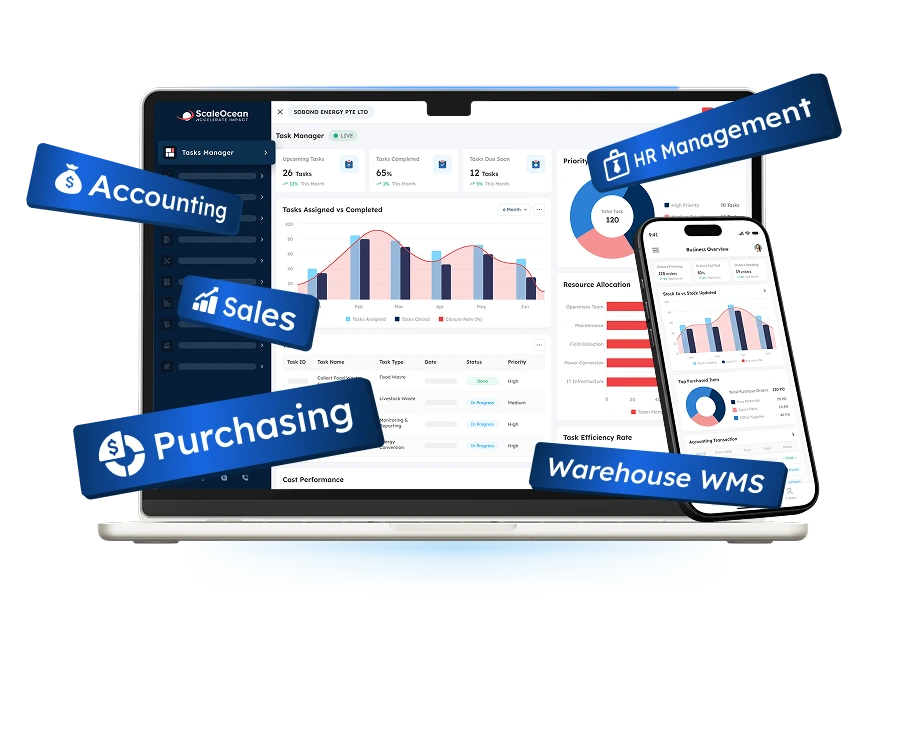
ScaleOcean Atlas supports this requirement by connecting enterprise applications, data, and approvals through an adaptable operational backbone. Documented integration paths, configurable workflows, and ScaleMind AI help businesses coordinate existing systems without requiring every application to be replaced at once.
Key Challenges and Obstacles to Watch Out for in System Integration

While system integration can enhance operations, improper system integration can also lead to new dependencies and risks. Organizations can often get caught up in exchanging data between applications and forget to take into account governance, ownership, exceptions, and long-term maintenance.
The following challenges must be taken up at the planning stage, not at the end of the integration once it is in the production phase.
1. Tight Coupling
Tight coupling occurs when two applications become highly dependent on each other’s internal structure, data format, timing, or availability. A small change in one system may then cause the connected application or workflow to fail.
Looser coupling reduces these dependencies by using stable interfaces, messaging layers, events, or reusable services. Each application can change internally as long as it continues to follow the agreed integration contract.
2. Role & Permission Complexity
The permissions can vary based on the application. A User with access to a Customer’s record in CRM might not have access to edit credit terms in ERP or approve an Invoice in the Finance system.
Each of these processes should be designed in such a way that it can be triggered by a certain user, a specific amount of data can be exchanged, and certain actions must still be approved. Service accounts should not have unlimited privileges; they should have the least amount of privileges possible.
3. Environment Instability
Enterprise integrations usually operate across development, testing, staging, and production environments. Differences between these environments can cause an interface to pass testing but fail after deployment.
Instability may result from inconsistent configurations, expired certificates, unavailable test data, changing APIs, network restrictions, or incomplete dependency management. These issues become harder to diagnose when several vendors manage different parts of the environment.
4. Security Concerns
Integration increases the number of paths through which data can move. APIs, middleware, file transfers, databases, external partners, and cloud services all introduce potential access and exposure points.
Security controls should cover authentication, authorization, encryption, secrets management, input validation, logging, vulnerability management, and incident response. Sensitive data should not be transferred merely because a receiving application can accept it.
The integration should also preserve accountability. Technical logs need to show which user, application, or service initiated a transaction and whether the request passed required controls.
5. Compatibility Between Old and New Systems
Legacy applications may use proprietary protocols, outdated databases, fixed file formats, or unsupported operating environments. Modern applications generally expect APIs, event streams, or current security standards that the older platform cannot provide.
Replacing the legacy system immediately may be impractical because it supports important operations or contains years of business logic. Integration therefore needs an adapter, middleware layer, controlled file exchange, or service wrapper.
6. The Human Element
Staff may be resistant to an integrated process if they are not aware of the reasons for information, responsibility, or approval changing. They may be using spreadsheets or informal messages, even if the technical connection is there.
Successful adoption requires users from each affected department to participate in requirements gathering, testing, and training. They can identify scenarios that technical teams may not see from documentation alone.
Management should also define process ownership after implementation. Employees need to know who resolves rejected transactions, updates master data, approves access, and decides whether an integration rule should change.
System Integration vs Data Integration
System integration and data integration are related, but they solve different business problems. System integration connects applications, actions, workflows, users, and operational events so a business process can move between systems.
Data integration focuses primarily on combining, transforming, synchronizing, or consolidating information from different sources. It is commonly used for reporting, analytics, data warehousing, migration, master-data management, and cross-system consistency.
| Aspect | System Integration | Data Integration |
|---|---|---|
| Main purpose | Connects applications, workflows, services, devices, and users so they can coordinate operational processes. | Combines or synchronizes data from different sources for consistency, reporting, migration, or analysis. |
| Primary focus | Business actions, application behaviour, transaction flow, approvals, and operational events. | Data formats, quality, mapping, transformation, consolidation, and accessibility. |
| Typical timing | Frequently supports immediate, event-driven, scheduled, or transactional processes. | May operate in batches, scheduled pipelines, streaming processes, or migration cycles. |
| Common technologies | APIs, middleware, EAI, ESB, messaging, event buses, EDI, iPaaS, and adapters. | ETL, ELT, data pipelines, replication, transformation tools, data warehouses, and master-data platforms. |
| Example | A confirmed CRM opportunity creates an ERP order, reserves stock, requests approval, and initiates fulfilment. | Sales, inventory, and finance data are combined in a warehouse for consolidated management reporting. |
| Governance priority | Process ownership, permissions, transaction sequencing, availability, exceptions, and auditability. | Data ownership, lineage, quality, definitions, retention, transformation, and reconciliation. |
| Business outcome | Coordinated operations and automated processes across several applications. | Consistent, accessible, and usable information across several sources. |
A system integration project commonly includes data integration, because applications cannot coordinate actions without exchanging compatible information. However, moving data into a reporting database does not necessarily integrate the operational processes that produced it.
Businesses should first identify whether the main problem involves process execution, information consistency, or both. This distinction influences the architecture, tools, testing methods, ownership model, and investment required.
Core Types of System Integration
System integration can be classified according to the components being connected and the business purpose of the relationship. One company may use several types within the same architecture.
Understanding these categories helps decision makers select suitable system integration solutions rather than applying one technical method to every requirement.
1. Legacy System Integration
Legacy system integration connects older applications with newer software, cloud services, databases, or user interfaces. The purpose is to preserve important business functions while reducing the operational limitations of an outdated platform.
A company may expose selected legacy functions through an API, adapter, message queue, middleware layer, or controlled file transfer. This approach allows newer applications to retrieve or update information without accessing the legacy system directly.
2. Enterprise Application Integration (EAI)
Enterprise application integration connects applications used across departments, such as ERP, CRM, HR, procurement, warehouse, manufacturing, and finance systems. The objective is to coordinate enterprise workflows rather than maintaining isolated departmental processes.
EAI commonly uses a central integration layer to route messages, transform formats, and manage application connections. This reduces the need for every system to understand the internal structure of every other system.
3. Third-party System Integration
Third-party integration connects internal applications with services managed by external providers. Examples include payment gateways, logistics platforms, marketplaces, banks, tax systems, credit services, messaging tools, and customer identity providers.
These connections allow businesses to automate activities that extend beyond their internal application landscape. An e-commerce order may request payment authorization, obtain a shipping rate, create a delivery booking, and send a customer notification through several external services.
4. Data Integration
Data integration combines information from databases, applications, files, sensors, and external sources. It may support reporting, analytics, migration, reconciliation, regulatory submissions, or master-data management.
The process typically includes extraction, validation, transformation, matching, and loading. Data may be processed in batches, transferred continuously, or streamed when events occur.
5. Business-to-Business Process Integration (B2B)
Business-to-business integration connects processes between customers, suppliers, distributors, logistics providers, banks, and other commercial partners. It supports transactions that cross organizational boundaries.
B2B integration must account for different data formats and operational standards. One company may use internal product codes while a customer requires a specific catalogue reference or document structure.
6. Hardware Integration
Hardware integration connects physical equipment with software applications and data platforms. Examples include barcode scanners, industrial machines, IoT sensors, weighing systems, access devices, point-of-sale equipment, and warehouse automation.
The connection allows physical events to update digital records. A scanner may confirm a warehouse movement, while a machine sensor may report production output, downtime, temperature, or maintenance conditions.
What are the Methods and Ways of System Integration?

System integration methods describe how applications and technical components communicate. The correct choice depends on transaction volume, latency, security, scalability, existing architecture, and available technical skills.
Many enterprises use a combination of methods. An API may support customer enquiries, EDI may process supplier documents, and ETL may consolidate financial data for reporting.
1. API-based Integration
API-based integration allows one application to request data or actions through a defined interface. The API specifies available operations, required parameters, authentication rules, response formats, and error messages.
APIs are widely used because they can separate the consumer from an application’s internal code. A CRM can request current inventory from ERP without needing direct access to the ERP database.
A successful API strategy requires versioning, security, rate limits, monitoring, and clear ownership. The company must decide whether an API is intended for internal systems, partners, customers, or public use.
2. Point-to-Point (Star/Spaghetti) Model
Point-to-point integration creates a direct connection between two applications. It is often the simplest method for a small number of stable systems and clearly defined data exchanges.
The model becomes difficult to maintain as the number of applications grows. Every new system may require several new connections, producing a network commonly described as a star or spaghetti architecture.
3. Hub-and-Spoke Model
The hub-and-spoke model routes application connections through a central integration hub. Each application connects to the hub instead of maintaining separate direct links with every other application.
The hub may manage data transformation, routing, validation, and protocol conversion. This reduces the number of unique connections and can simplify central monitoring.
4. Enterprise Service Bus (ESB) Model
An enterprise service bus is an architectural pattern in which a central software component manages application connectivity, message routing, protocol conversion, and data transformation.
The ESB can expose reusable services so new applications do not require separate custom interfaces for every function. It has traditionally supported service-oriented architecture and complex enterprise environments.
Compared with a basic hub, an ESB usually provides more structured service mediation and orchestration. It can convert one application’s request into the format and protocol required by another.
5. Deployment Options for Integrated Systems
Integrated systems can operate in cloud, on-premises, or hybrid environments. Cloud deployment may simplify infrastructure provisioning and connectivity to software-as-a-service applications.
On-premises deployment provides greater direct control over infrastructure and may suit specialized legacy, security, or data-residency requirements. The organization must maintain servers, availability, updates, and monitoring.
6. Integration Platform as a Service (iPaaS)
Integration Platform as a Service provides cloud-based tools for connecting applications, APIs, data, events, and business partners. It often includes reusable connectors, visual workflow design, monitoring, transformation, and deployment management.
iPaaS can reduce the infrastructure required to build and operate integrations. It may be particularly useful when businesses use several cloud applications or need to connect cloud and on-premises environments.
The platform does not remove the need for architecture and governance. Poorly designed visual integrations can become as difficult to maintain as custom code when naming, ownership, security, and documentation are inconsistent.
7. Hybrid Integration Platform (HIP)
It provides a common management layer for companies that cannot place every workload in one environment. This is useful for organizations modernizing gradually or operating under different technical requirements.
A HIP may combine API management, messaging, iPaaS, B2B connectivity, data integration, and secure gateways. The exact capability depends on the chosen platform and architecture.
8. Electronic Data Interchange (EDI)
Electronic Data Interchange enables businesses to exchange structured commercial documents in agreed electronic formats. Common documents include purchase orders, invoices, shipment notices, order confirmations, and inventory reports.
Companies also need procedures for acknowledgements, rejected messages, duplicates, and document retention. An EDI transaction should remain traceable to the related ERP, sales, procurement, warehouse, and finance records.
9. ETL (Extract, Transform, Load)
ETL stands for extract, transform, and load. It retrieves information from source systems, applies formatting, and loads the result into a target system such as a data warehouse.
ETL is commonly used for analytics, reporting, migration, consolidation, and reconciliation. It is effective when information does not need to trigger an immediate operational workflow.
10. iPaaS (Integration Platform as a Service)
An enterprise iPaaS operating model defines how a company controls integration development across departments, vendors, and technical teams. The focus extends beyond the platform’s connectivity features.
Some organizations allow trained business teams to create simple integrations while central IT governs sensitive or high-volume processes. This can accelerate delivery without removing accountability.
Important steps of System Integration
System integration should be treated as a business-transformation project rather than only a technical development task. The implementation must connect business objectives, data, applications, people, controls, and measurable outcomes.
The following stages provide a structured path from initial analysis to long-term optimization.
1. Requirements Gathering & Feasibility Analysis
Requirements gathering begins by documenting the current process, applications, users, data, documents, controls, and operational problems. Teams should include standard transactions and difficult exceptions.
The analysis must identify what each department needs from the integration. Sales may prioritize customer and stock visibility, while finance requires approvals, audit trails, and reliable posting rules.
The result should be a prioritized scope with expected benefits, constraints, risks, costs, and ownership. A technically possible connection may still be unsuitable when it creates excessive operational or compliance risk.
2. Architecture & System Design
Architecture design defines how applications communicate, where business rules operate, and which components own each record. It also determines the integration methods, platforms, security, and deployment environment.
Designers should document data flows, field mappings, transaction sequences, validation, approvals, retries, monitoring, and exception handling. These details prevent different teams from making conflicting assumptions.
3. Execution & Development
During execution, developers configure connectors, build APIs, create mappings, establish workflows, and prepare monitoring or logging components. Development should follow documented standards.
Reusable services should be preferred where several processes need the same capability. Customer validation or exchange-rate retrieval should not be rebuilt independently for every application.
4. Rigorous Integration Testing
Integration testing verifies how connected systems behave together. It should cover ordinary transactions, invalid data, missing information, duplicate messages, unavailable systems, delayed responses, and unauthorized requests.
Testing must also confirm that approvals, accounting entries, inventory movements, and audit trails remain correct. A successful API response does not prove that the business outcome is accurate.
Volume and performance tests examine whether the integration can process realistic peaks. Security testing checks authentication, access boundaries, data exposure, and vulnerable inputs.
5. Deployment & System Cutover
Deployment moves the integration into the production environment. The cutover plan should define timing, responsibilities, data migration, validation, communication, and rollback procedures.
Businesses may use a phased launch, parallel operation, pilot entity, or full cutover. The appropriate approach depends on transaction criticality and the organization’s tolerance for disruption.
6. Continuous Maintenance & Optimization
Applications, APIs, users, business rules, and regulatory requirements continue changing after implementation. Integrations therefore require active maintenance rather than occasional repair.
Monitoring should track errors, processing time, unavailable endpoints, rejected records, queue backlogs, and unusual transaction patterns. Clear escalation rules determine who responds.
The company should also review integration documentation and ownership regularly. Knowledge must remain available when employees, vendors, or technical platforms change.
Case Study and Examples of System Integration
Real-world examples show that integration is valuable when it connects operational work rather than merely combining technical systems. The results depend on process design, employee adoption, data quality, and appropriate implementation support.
The following cases illustrate how connected information and workflows can improve productivity, reporting, and management visibility.
1. Hydroflux Marketing’s Customer Lifecycle Integration
Hydroflux Marketing managed thousands of customer records through physical service cards while sales, installation, maintenance, and reporting activities involved substantial manual work. These disconnected processes contributed to difficult record retrieval, scheduling conflicts, inefficient engineer deployment, and time-consuming reporting.
Based on the data our team gathered from the NTUC case study, the company expected the time required for affected tasks to decrease by 40% after implementing a customer lifecycle management System. The connected solution automated customer records, coordinated installations and maintenance, improved reporting, and strengthened data connectivity across administration, logistics, marketing, sales, and installation.
This example demonstrates that integration should follow the customer lifecycle rather than stop at one department. Customer records, sales orders, schedules, service responsibilities, and reporting need to remain connected as work moves between commercial and operational teams.
It also shows the importance of workforce transformation. Technology created value because employees received a clearer process and could spend more time on customer service rather than manual record administration.
2. Sobono Group’s Integrated Operations with ScaleOcean
Sobono Group is a growing clean-energy company that manages project operations, order requests, inventory transfers, delivery schedules, budgeting, and financial reporting across several departments. With more than 150 new projects every week and over 10,000 operational requests each month, the company requires close coordination between its commercial, project, inventory, procurement, and finance teams.
Before adopting an integrated platform, Sobono Group faced fragmented inventory, project, delivery, budget, and financial processes. Manual stock records increased the risk of shortages and excess inventory, while disconnected delivery schedules made it difficult to align material availability with project requirements. Limited budget visibility also reduced management’s ability to compare planned and actual expenditure.
For seven years, Sobono Group has used ScaleOcean ERP as its technology partner to support business expansion. Through the implementation of ScaleOcean for Sobono Group, the company connected inventory, procurement, delivery scheduling, project management, budgeting, and finance within one coordinated operational environment.
This integration gives employees clearer visibility into available inventory, incoming requests, project milestones, delivery requirements, and budget utilization. Instead of transferring information manually between spreadsheets and separate applications, teams can access connected records and continue each process through the same operational backbone.
The transformation also shows why system integration must extend beyond basic data transfer. Project requirements need to remain connected with procurement, stock allocation, delivery activities, expenditure, and financial reporting so every department can work from consistent operational information.
As a result, Sobono Group achieved an 87% increase in profitability and reduced financial-report generation to approximately 10 seconds. Its experience demonstrates how integrated workflows can reduce administrative work, strengthen process visibility, and support faster management decisions as operational volume increases.
Sobono Group’s Founder and Managing Director, Wee Khoon OH, explained how the platform improved daily operational visibility:
“Since we started using ScaleOcean, it’s been so much easier to track our inventory, project milestones, and budgets faster and more accurately. Their team remained highly responsive throughout the implementation, helping the entire process run smoothly.”
This case shows that enterprises do not always need to replace every existing application. With well-designed integration paths, clear data ownership, controlled approvals, and connected workflows, existing systems can operate more effectively as one coordinated environment.
ScaleOcean Atlas connects enterprise applications, operational data, and approvals through one adaptable business backbone. Its consultative implementation begins with process mapping and data-readiness assessment, while ScaleMind AI supports insights, alerts, and controlled actions within authorized workflows.
The platform also supports PDPA-aligned governance and local financial reporting standards. Eligible projects may be structured around relevant EDG and CTC Grant requirements, subject to assessment and approval. Schedule a consultation to explore how ScaleOcean Atlas can reduce manual coordination and improve operational visibility.
To understand more deeply the reasons why Sobono Group chose Scaleocean as its operational solution, you can carefully check the following story.

What is a System Integrator?
A system integrator is an organization or specialist responsible for designing, implementing, connecting, and supporting a combination of applications, data, hardware, infrastructure, and business processes.
The integrator translates operational requirements into a workable technical architecture. Its role may cover business analysis, data mapping, software configuration, custom development, testing, deployment, documentation, training, and ongoing maintenance.
A system integrator should not begin by selecting connectors or writing code. It must first understand what the company is trying to achieve, which systems are involved, who owns each process, and what controls must remain in place.
The quality of the integrator matters because the project will affect several departments and vendors. A technically functioning connection can still fail operationally when it does not reflect approval responsibilities, exception handling, or data ownership.
What Does a System Integrator Do?
The responsibilities of a system integrator extend across business, technical, and governance activities. The exact scope depends on the size and complexity of the project.
For enterprise projects, the integrator frequently acts as the coordination point between management, operational users, internal IT, software vendors, cloud providers, and external partners.
1. Consulting and Assessment
The integrator starts by evaluating the existing workflows, systems, data, users, controls, and business goals. The interviews and process workshops show how work is done in practice.
This evaluation’s top findings include bottlenecks, duplicate entry, disparate records, manual approvals, system restrictions, and integration limitations. It also informs on the need for retaining, modifying, or removing applications.
2. Architecture and Design
The integrator creates the technical and process architecture for the project. This includes data flows, interfaces, platforms, security, infrastructure, monitoring, and deployment environments.
Architecture must balance current requirements with future expansion. A connection that works for two applications should not prevent the company from adding another entity, channel, or platform.
The integrator should explain architectural trade-offs clearly. Decision makers need to understand cost, complexity, performance, security, and maintenance implications.
3. Custom Software Development & Implementation
Existing connectors and/or configuration can satisfy some of the requirements for integration. Others need custom APIs, adapters, transformation logic, user interfaces, or workflow services.
The system integrator is responsible for the design of these elements, based on the agreed architecture. The code should be secure, documented, tested, and version controlled.
Implementation also includes configuring applications so they can exchange information correctly. Fields, status values, users, approvals, and master records must align with the integration design.
4. Physical and Hardware Integration
When the project includes devices or industrial equipment, the integrator connects hardware with software and network infrastructure. This may involve scanners, sensors, controllers, terminals, or machines.
Testing should confirm that device events create accurate system transactions. A warehouse scan, for example, should update the correct item, location, quantity, user, and timestamp.
5. Quality Assurance and Testing
The integrator prepares test plans covering technical connections and business outcomes. It verifies data mapping, workflows, approvals, performance, security, and failure recovery.
Testing should use representative transactions from every affected department. Rare but high-risk exceptions need particular attention.
Defects must be recorded, prioritized, corrected, and retested. The integrator should distinguish between technical errors, incorrect requirements, and user misunderstandings.
6. Security and Compliance Governance
The integrator designs controls for authentication, permissions, encryption, logging, data transfer, and administrative access. Security requirements should apply to every connected component.
Compliance governance connects technical records with business obligations. Audit trails should demonstrate who initiated, approved, changed, or rejected each important transaction.
7. Documenting the Process
Operational documentation should contain information about user responses to rejected transactions, unavailable systems, delayed messages, and data discrepancies.
Technical documentation should always be up to date with changes. An out-of-date diagram increases risks over no diagram, as it lends false confidence to the teams in how the integration is supposed to work.
Conclusion
System integration is the process of connecting applications, databases, hardware, services, and workflows so they operate as one coordinated business environment. Depending on the company’s operational and technical requirements, it can use APIs, middleware, EAI, ESB, EDI, ETL, iPaaS, and hybrid integration architectures.
Without structured integration, businesses may experience duplicated data, disconnected approvals, inconsistent reporting, weak inventory visibility, manual reconciliation, and limited control across departments. System integration solutions address these issues through data mapping, validation, workflow orchestration, role-based permissions, audit trails, monitoring, exception handling, and governance.
ScaleOcean Atlas ERP connects CRM, finance, procurement, manufacturing, logistics, and other enterprise applications through one configurable operational backbone. Its consultative implementation, documented integration paths, multi-entity controls, and ScaleMind AI help companies coordinate existing systems while preserving access rights and approval structures. Schedule a consultation to explore how our software can strengthen productivity, compliance readiness, and operational visibility.
FAQ System Integration:
1. What systems can be connected through system integration?
System integration can connect ERP, CRM, accounting, HR, inventory, warehouse, manufacturing, e-commerce, banking, logistics, payment, database, IoT, and third-party applications.
2. What information is needed before starting a system integration project?
Businesses should prepare process maps, application details, data structures, transaction volumes, user roles, approval rules, security requirements, integration objectives, and known operational exceptions.
3. What are the main goals of system integration?
The main goals are to eliminate data silos, reduce manual work, improve accuracy, coordinate workflows, strengthen visibility, and maintain consistent controls across connected systems.
4. How long does a system integration project take?
The timeline depends on the number of systems, data quality, API availability, workflow complexity, testing requirements, security, and vendor coordination, so it should be estimated after an initial assessment.





















.png)