

Help desk software refers to a computer system that collects, labels, assigns, monitors, and solves customer or employee requests in a structured ticket. It provides support teams with one workspace for all their conversations, service-level agreements, approvals and escalations, knowledge articles, and service performance.
Requests can be received electronically through email, phone, Microsoft Teams, Slack, web forms, or internal portals to enterprise teams. If these channels are not managed as separate systems, then the urgency of issues may be ignored, ownership of tickets may be vague, and agents may spend more time moving from one system to another, instead of working on a ticket.
Hence, the significance of enterprise help desk software solutions is growing in organizations. The system can automatically classify and set the priority, routing, workload balancing, SLA alerts, and escalation process; all of these can help ensure that a specific ticket is routed to the appropriate agent and advances towards resolution sooner.
Our research team found that, according to data from Singapore’s Ministry of Manpower, 72.7% of employers provided at least one of the flexible work options. The demand for online help desk software is growing as users and customers want to have access to the software from any location and device, with a secure connection and link.
This article aims to define what help desk software solutions are, provide a comparison of the top 10 help desk software solutions for 2026, and explore the features, benefits, drawbacks, and applicability of each.
 Key Takeaways
- Help desk software solutions turn service requests into measurable tickets that capture requester details, interaction history, ownership, priority, deadlines, approvals, linked resources, and final resolution.
- A comparison of help desk software solutions helps companies evaluate each platform based on service scope, AI capabilities, integrations, deployment options, scalability, and total ownership cost.
- Top help desk software recommendations include ScaleOcean, Zendesk Suite, Freshdesk, Zoho Desk, HubSpot Service Hub, Hiver, Jira Service Management, SolarWinds Service Desk, ServiceNow, and Freshservice.
- ScaleOcean ticketing system supports AI-assisted ticket management, unlimited users, configurable workflows, over 200 ERP modules, API integration, multi-branch visibility, and cloud or on-premises deployment.
What Is Help Desk Software?
Help desk software is a platform designed to track requests as tickets that are measurable. Good help desk software solutions can hold details of the requester, history of interaction, the group of concern, who is actually responsible, priority, deadlines, linked resources, who has approved it, and its final resolution.
The software does not let support requests sit in individual inboxes or casual chat rooms, but rather is stored in a common queue. Tickets can then be assigned to rules based on department, expertise of agents, location, customer tier, ticket urgency, workload of agents, and impact on business.
A customer service desk typically handles requests for returns, complaints, warranties, billing, products, and orders. An internal help desk could be responsible for employee onboarding, password resets, payroll enquiries, equipment requests, facilities incidents, access permissions, procurement approvals, and more.
Modern help desk ticketing software solutions can be integrated with CRM, ERP, HR, accounting, asset management, project management, communication, and identity systems. The integration lets agents view relevant business context without having to ask the customer for information or switch between applications again and again.
For enterprises, the software should do more than record tickets. It should create consistent service standards, protect sensitive information, manage cross-departmental workflows, preserve organizational knowledge, and give management reliable visibility into demand, capacity, problems, and customer experience.
10 Best Help Desk Software: Key Comparison Matrix
The best help desk software solutions depend on the organization’s service model. Customer-support teams may prioritize omnichannel communication and customer context, whereas IT departments may require incident, problem, change, asset, and configuration management.
The following matrix compares help desk software according to their core target focus and primary operational strengths. Feature availability may vary by subscription level, deployment model, region, and implementation scope.
| Software Solution | Core Target Focus | Primary Strengths |
|---|---|---|
| ScaleOcean | Medium to large enterprises requiring ticketing across customer service, IT, HR, finance, facilities, and operations. | Unlimited users, integrated ERP workflows, AI automation, configurable approvals, multi-branch reporting, and flexible deployment. |
| Zendesk Suite | Customer-support teams are managing high external enquiry volumes across multiple channels. | Omnichannel ticketing, routing, AI agents, knowledge management, agent workspaces, and service analytics. |
| Freshdesk | Growing customer-service teams seeking accessible cloud ticketing and AI assistance. | Straightforward implementation, Freddy AI, workflow automation, self-service, integrations, and multichannel support. |
| Zoho Desk | Businesses requiring configurable customer-support workflows or using other Zoho applications. | Contextual ticketing, Zia AI, skills-based routing, SLA controls, help center, and ecosystem integration. |
| HubSpot Service Hub | Customer-focused businesses connecting support with CRM, sales, marketing, and retention activities. | Unified customer data, AI-assisted help desk, omnichannel service, health scores, feedback, and customer portals. |
| Hiver | Teams managing customer, finance, logistics, or internal enquiries through shared inboxes. | Email-native ticketing, omnichannel support, AI agents, shared inboxes, approvals, collaboration, and automation. |
| Jira Service Management | IT, engineering, DevOps, and technical service teams are managing incidents and changes. | ITSM workflows, development integration, incident response, assets, configuration records, and knowledge management. |
| SolarWinds Service Desk | Internal IT teams requiring service management, IT assets, discovery, and CMDB visibility. | AI-assisted incident management, ITAM, CMDB, dependency mapping, change controls, and multichannel access. |
| ServiceNow | Large enterprises are standardizing complex IT and enterprise service workflows. | Enterprise workflow orchestration, autonomous AI, ITSM, governance, service operations, and extensive configuration. |
| Freshservice | Growing enterprise IT departments require accessible ITSM, ITAM, ITOM, and ESM. | Freddy AI, service operations, asset context, low-code workflows, self-service, and enterprise service delivery. |
10 Best Help Desk Software Reviews: Detailed Analysis
For 2026, businesses need more than shared inboxes and manual follow-ups to manage growing service requests across email, chat, phone, portals, and internal channels. The right help desk software can centralise tickets, automate routing, improve SLA control, support self-service, and give managers clearer visibility into team performance.
The following 10 help desk software solutions are worth considering based on ticket volume, service complexity, team size, integration requirements, deployment preferences, AI capabilities, and long-term scalability.
1. ScaleOcean
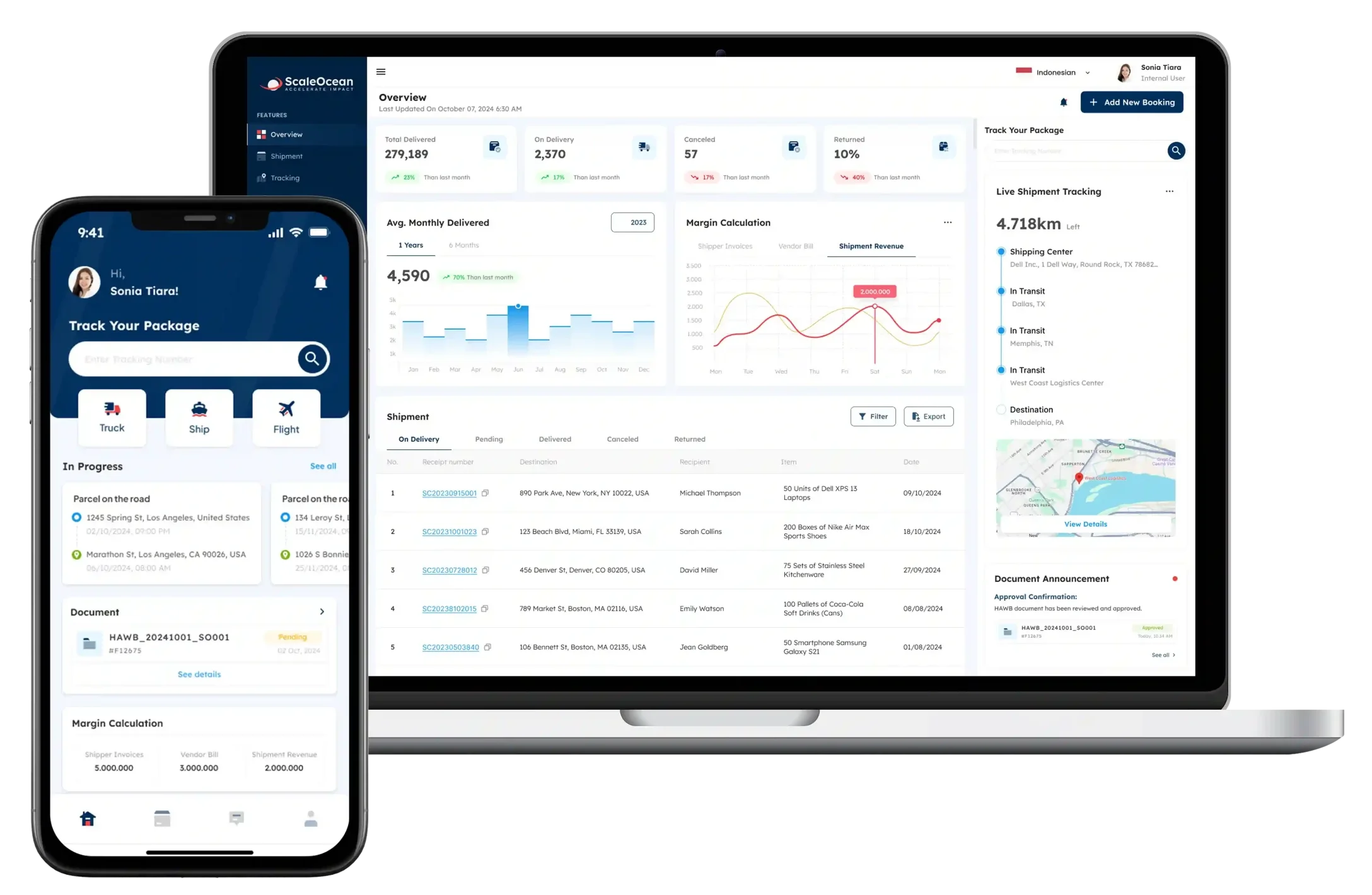
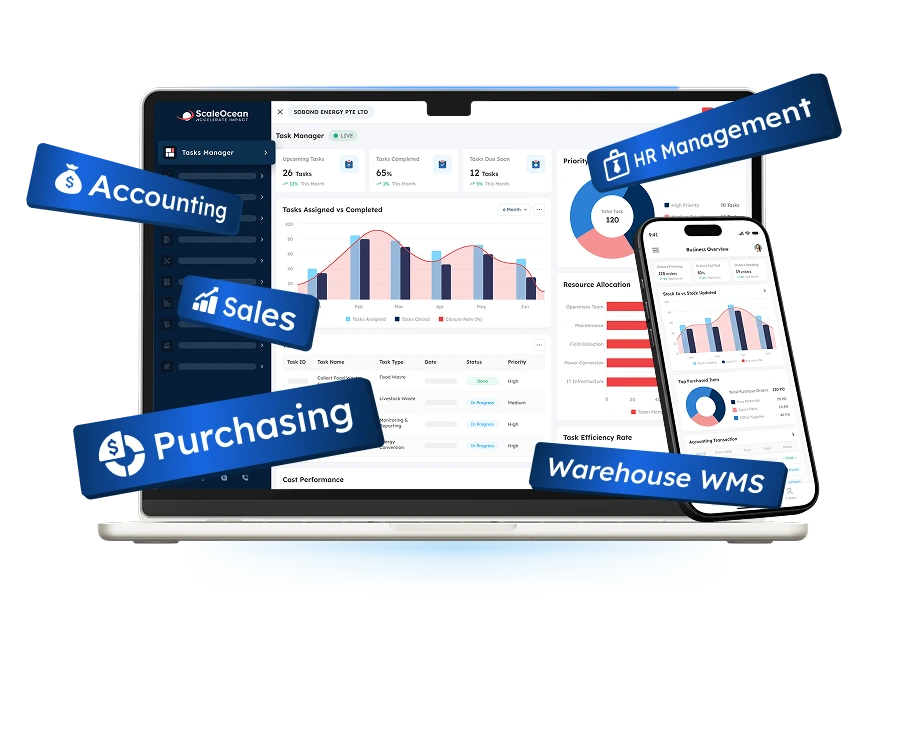
ScaleOcean is an enterprise help desk ticketing platform that centralizes customer requests, employee enquiries, IT incidents, finance questions, facilities issues, approvals, and cross-departmental service processes. It connects ticket handling with CRM, HR, finance, procurement, inventory, asset, project, and document workflows in one integrated system.
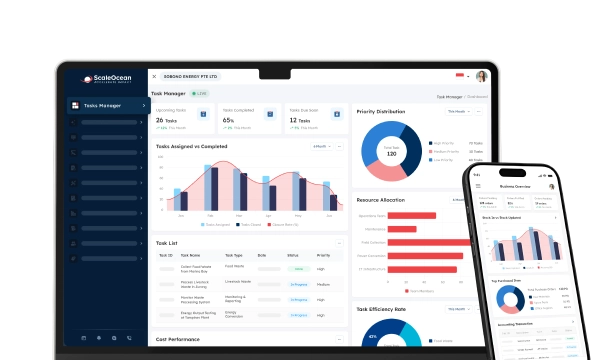
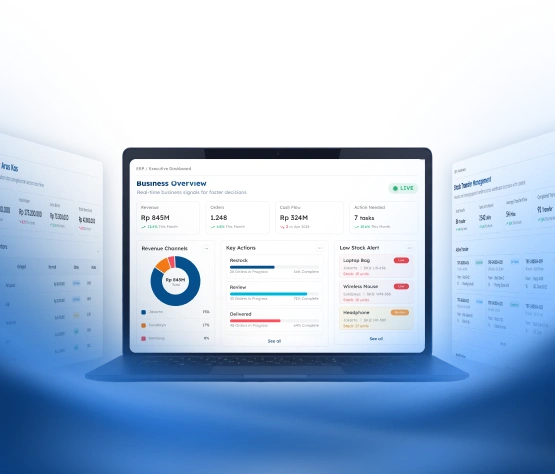
Its dashboard consolidates open and overdue tickets, priorities, SLA performance, agent capacity, response times, recurring issues, and customer sentiment in one view. AI further streamlines service delivery through automated classification, priority recommendations, workload balancing, conversation summaries, response drafting, and early risk detection.
ScaleOcean ticketing system also supports PDPA-aligned controls, local financial reporting standards, and implementation scopes relevant to eligible CTC Grant projects. Try our free demo to assess how unlimited users, configurable workflows, role-based access, API connectivity, multi-branch visibility, and flexible deployment can strengthen service governance across your organization.
Key features:
- Centralized omnichannel ticket management
- AI classification and response assistance
- Automated routing and escalation
- SLA tracking and smart alerts
- Customer and employee portals
- Configurable categories and workflows
- Role-based access and audit trails
- Multi-branch service dashboards
| Pros | Cons |
|---|---|
| Provides highly configurable ticket categories, priorities, SLA rules, approval stages, departments, and escalation workflows. | Initial configuration requires consultation to ensure workflows reflect actual service processes and responsibilities. |
| Supports unlimited users under a flat-fee model, allowing agents, managers, approvers, and branch teams to collaborate without rising per-user costs. | The platform may offer more operational scope than microbusinesses need when replacing only one basic shared inbox. |
| Maintains responsive performance when handling large request volumes, automated workflows, notifications, and operational integrations. | Implementation is more structured because permissions, service levels, integrations, and reporting requirements are mapped before deployment. |
| Connects help desk processes with more than 200 ERP modules, including CRM, HR, finance, procurement, assets, projects, and document management. |
Best for: Medium to large companies with multiple departments, branches, service channels, or connected operational processes.
ℹ️Why choose ScaleOcean?
ScaleOcean combines AI-assisted ticketing, unlimited users, flexible workflows, over 200 integrated ERP modules, API connectivity, and cloud or on-premises deployment to manage complex service operations in one scalable system.
2. Zendesk Suite
Zendesk Suite is a customer-service solution that synchronizes email, messaging, chat, phone, social media, and web forms. Customer information and interaction history are pooled into a common agent workspace for easy team context when tickets move from one channel or owner to another.
Organizations with high volumes of customer-facing tickets, but not necessarily those with extensive ERP-related transactions, are typically thought of as using it. Organizations that have a primary focus on handling significant volumes of customer-facing tickets, but not necessarily those involving a larger amount of ERP-related transactions, would typically be considered as using it.
Key features:
- Omnichannel customer ticketing
- Skills-based ticket routing
- Messaging and voice support
- Knowledge base and self-service
- Reporting and service analytics
- Quality and workforce management
| Pros | Cons |
|---|---|
| Provides mature tools for handling large customer-support volumes across several communication channels. | Advanced AI, quality, and workforce capabilities may depend on the selected plan or additional products. |
| Offers flexible routing, agent workspaces, knowledge management, and customer-service analytics. | Finance, procurement, HR, and operational execution may require separate integrations and applications. |
| Can support established service teams with multiple agents, brands, queues, and service channels. | Administration may become more involved as ticket rules, brands, permissions, and channel structures expand. |
Best for: Mid-sized and large customer-service departments managing substantial external enquiry volumes.
ℹ️Why choose Zendesk Suite?
Zendesk Suite supports businesses that need structured omnichannel customer service, advanced routing, knowledge management, and analytics across large ticket volumes.
3. Freshdesk
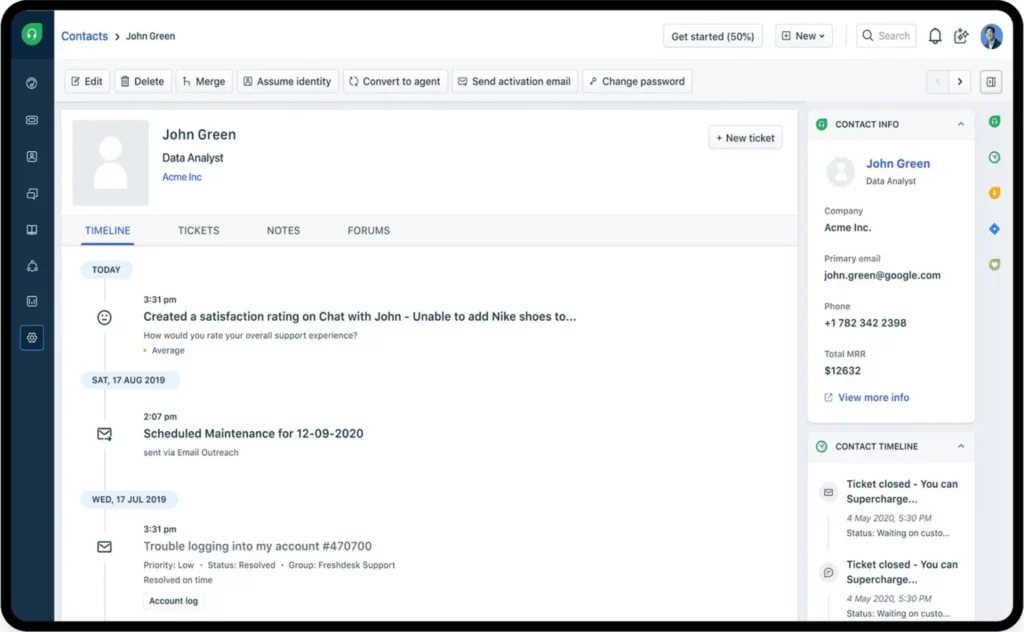
Freshdesk is an online help desk solution that provides you with the tools you need to handle customer inquiries, ticket allocations, internal communication, knowledge base, and support reporting. It facilitates teams to move beyond the traditional inbox workflows and to define ticket ownership, status, and service deadlines.
Its automation capabilities can prioritize incoming requests, filter them with conditions, initiate alerts, and handle specific self-service or AI-based interactions. The platform is mostly applicable to teams looking for cloud ticketing, but who do not wish to start with a big enterprise deployment.
Key features:
- Email and multichannel ticketing
- Automated ticket assignment
- Workflow and scenario automation
- Knowledge base management
- Customer self-service
- Marketplace integrations
| Pros | Cons |
|---|---|
| Provides approachable cloud ticketing for companies, replacing shared inboxes and manual assignment. | Full omnichannel, AI, and advanced reporting requirements may depend on the product and plan selected. |
| Offers automation and self-service capabilities without requiring an enterprise-scale implementation initially. | Highly specialized workflows may require additional marketplace applications or custom integration work. |
| Supports gradual expansion from basic ticketing to AI-assisted customer service. | Internal ITSM requirements are addressed separately. |
Best for: Small, mid-sized, and growing customer-service teams seeking accessible online help desk software.
ℹ️Why choose Freshdesk?
Freshdesk provides cloud-based ticketing, automation, AI assistance, and self-service tools for teams moving from shared inboxes to structured support workflows.
4. Zoho Desk
Zoho Desk is an AI-powered customer service platform that brings conversations, channels, customer context, and ticket info into a single place.
It provides a shared workspace where agents can review request histories, collaborate internally, and track service commitments. Tickets can be routed according to skills, availability, and workloads, while SLA controls manage escalation and deadline tracking.
Key features:
- Contextual support inbox
- Skills-based assignment
- Workflow orchestration
- Shared ticket ownership
- SLA and escalation controls
- Reports and customer tracking
| Pros | Cons |
|---|---|
| Combines ticket management, AI, collaboration, self-service, and reporting in one customer-service environment. | The strongest ecosystem advantages generally apply to organizations already using other Zoho applications. |
| Supports configurable routing and SLA rules for different service teams and request categories. | Complex fields, workflows, and reports require administration to prevent inconsistent configurations. |
| Provides integrations with the wider Zoho suite and numerous third-party applications. | Advanced IT operations and configuration management may require a specialized ITSM platform. |
Best for: Small to large companies requiring configurable customer-service workflows, especially existing Zoho users.
ℹ️Why choose Zoho Desk?
Zoho Desk supports configurable customer-service workflows, contextual ticket handling, AI assistance, and integration with applications in the Zoho ecosystem.
5. HubSpot Service Hub
HubSpot Service Hub is an integration that allows you to sync ticketing and customer service data with HubSpot’s CRM, sales, and marketing information. Agents can view support interactions along with account, deal, and marketing touch data, and customer activity.
The platform provides an AI-powered help desk, intelligent routing, omnichannel communications, SLAs, real-time analytics, feedback management, customer health scores, knowledge bases, and secure customer portals.
Key features:
- CRM-connected ticketing workspace
- Omnichannel communication
- Automated ticket routing
- SLA management
- Customer health scores
- Knowledge base and portal
| Pros | Cons |
|---|---|
| Gives support teams access to sales, marketing, account, and customer-interaction context. | Advanced service automation and reporting may require higher subscription levels. |
| Supports retention activities through health scores, feedback, customer-success workspaces, and CRM records. | It is less specialised for detailed ITIL processes, CMDB records, and technical change management. |
| Reduces customer data fragmentation for businesses already operating on HubSpot. | Companies outside the HubSpot environment may need broader migration and integration planning. |
Best for: Sales-led, SaaS, professional-service, and customer-focused companies using CRM data to improve retention.
ℹ️Why choose HubSpot Service Hub?
HubSpot Service Hub connects support tickets with CRM, sales, marketing, and customer-success data to provide broader context for each customer relationship.
6. Hiver
Hiver offers email-native and omnichannel help desk software solutions for teams who handle enquiries via Gmail, Outlook, shared addresses, chat, Slack, voice, social media, and WhatsApp. All conversations take place in a single workspace, which can be assigned, tracked, prioritized, and reviewed.
Its AI agents and Copilot can categorize requests, compose replies, suggest subsequent steps, and automate certain actions in related apps. Hiver also offers workflow rules, approvals, SLA alerts, customer portals, knowledge resources, integrations, and analytics.
Key features:
- Collaborative shared inboxes
- Omnichannel ticket queues
- Workflow and routing rules
- SLA monitoring
- Internal approvals
- Customer portal and knowledge base
| Pros | Cons |
|---|---|
| Allows teams to adopt assignment, SLA, analytics, and automation while retaining a familiar email environment. | Email-native deployment may be less suitable for organizations seeking a conventional ITSM workspace. |
| Can organize shared addresses for support, finance, logistics, HR, and operational departments. | Detailed asset, configuration, and change-management processes may require other connected systems. |
| Provides collaboration, AI, approvals, and channel management within a relatively familiar interface. | Enterprises should govern permissions carefully when AI actions extend across multiple applications. |
Best for: Small to large teams working through addresses such as support, finance, operations, or HR.
ℹ️Why choose Hiver?
Hiver helps teams manage shared inboxes, assignments, SLAs, approvals, and support collaboration within familiar email-based workflows.
7. Jira Service Management
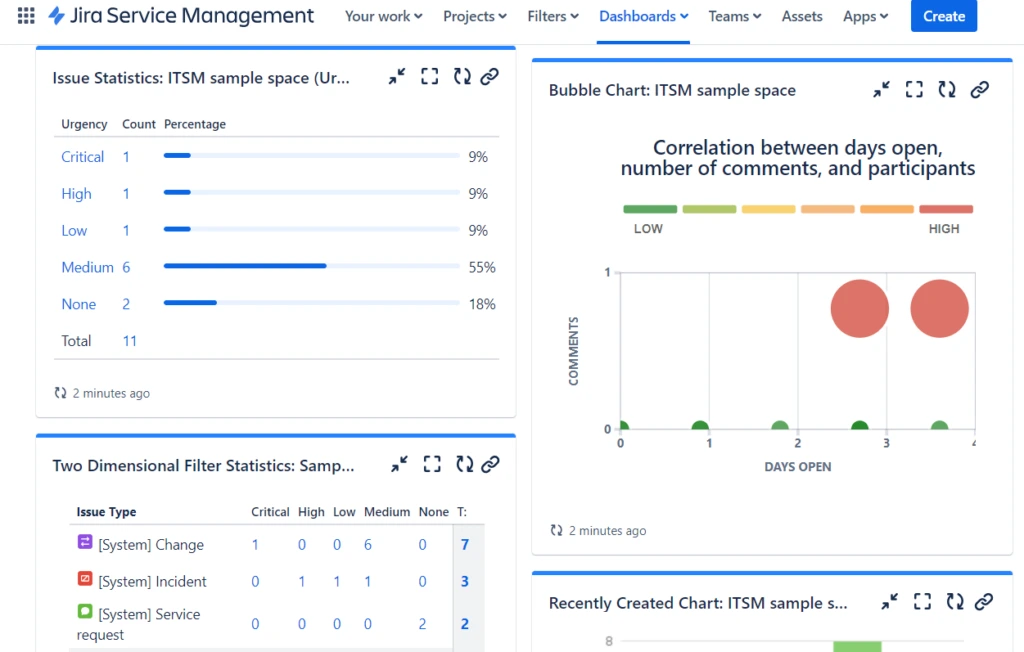
Jira Service Management is an ITSM platform for managing service requests, incidents, problems, changes, assets, configuration items, and knowledge.
Its features help technical teams connect incidents with development activities, understand asset relationships, document workarounds, control changes, and provide self-service knowledge.
Key features:
- Service request management
- Incident and problem management
- Change-management workflows
- Asset lifecycle tracking
- Configuration management
- Knowledge and self-service
| Pros | Cons |
|---|---|
| Connects IT service work with engineering, development, operations, incidents, and technical changes. | Non-technical departments may require additional configuration and onboarding. |
| Provides mature support for incidents, problems, changes, assets, and configuration information. | Knowledge-management processes are closely associated with the wider Atlassian environment. |
| Offers flexible workflows, APIs, and a substantial application marketplace. | Extensive customization can create administration challenges without clear workflow governance. |
Best for: Mid-sized and large IT departments, software companies, engineering teams, and DevOps environments.
ℹ️Why choose Jira Service Management?
Jira Service Management supports IT, engineering, and DevOps teams managing service requests, incidents, changes, assets, and technical workflows within the Atlassian environment.
8. SolarWinds Service Desk
SolarWinds Service Desk is a cloud-based ITSM platform that combines incident management, problem management, changes, automation, reporting, asset management, discovery, and configuration data. It is primarily designed for internal IT service delivery.
Agents can receive requests through the web, email, Microsoft Teams, Slack, or mobile access. Asset and CMDB records can connect devices, dependencies, incidents, problems, and changes, while AI supports solutions, assignment, sentiment monitoring, and contextual responses.
Key features:
- AI-assisted incident management
- Problem and change management
- IT asset management
- Multichannel service access
- Workflow automation
- Reporting and dashboards
| Pros | Cons |
|---|---|
| Connects service requests with device, software, configuration, dependency, and incident records. | Its primary orientation is internal IT rather than broader customer-experience management. |
| Provides practical AI assistance for classification, responses, assignment, and problem correlation. | Asset and CMDB value depend on maintaining accurate discovery and configuration data. |
| Supports structured incident, problem, change, asset, and service-management processes. | Broader HR, finance, procurement, CRM, and ERP workflows may require external integrations. |
Best for: Mid-sized organizations and enterprise IT teams needing ticketing, IT assets, discovery, and CMDB visibility.
ℹ️Why choose SolarWinds Service Desk?
SolarWinds Service Desk connects internal ticketing with IT assets, discovery, CMDB data, and change-management processes for more contextual incident resolution.
9. ServiceNow
ServiceNow ITSM unifies incident, problem, change, and service-request management through an enterprise workflow platform. It is designed for organizations with high ticket volumes, complex service structures, formal governance, and multiple operational departments.
It supports complex enterprise service structures that require extensive workflow configuration, governance, automation, and cross-departmental service management.
Key features:
- Enterprise IT service management
- Autonomous AI specialists
- Employee self-service
- Predictive service reporting
- Enterprise integrations
| Pros | Cons |
|---|---|
| Supports extensive, high-volume service processes across large organizations and multiple departments. | Implementation and administration commonly require specialist knowledge and substantial internal resources. |
| Provides broad workflow orchestration, service governance, AI, reporting, and enterprise configuration. | The platform may be disproportionate for smaller teams with straightforward ticketing requirements. |
| Can standardize service delivery across IT, employees, operations, and other enterprise functions. | Total cost should account for licensing, implementation, integration, administration, and continuing optimization. |
Best for: Large, complex, multinational, or regulated organizations standardizing enterprise service delivery.
ℹ️Why choose ServiceNow?
ServiceNow supports complex enterprise service structures requiring extensive workflow configuration, governance, automation, and cross-departmental service management.
10. Freshservice
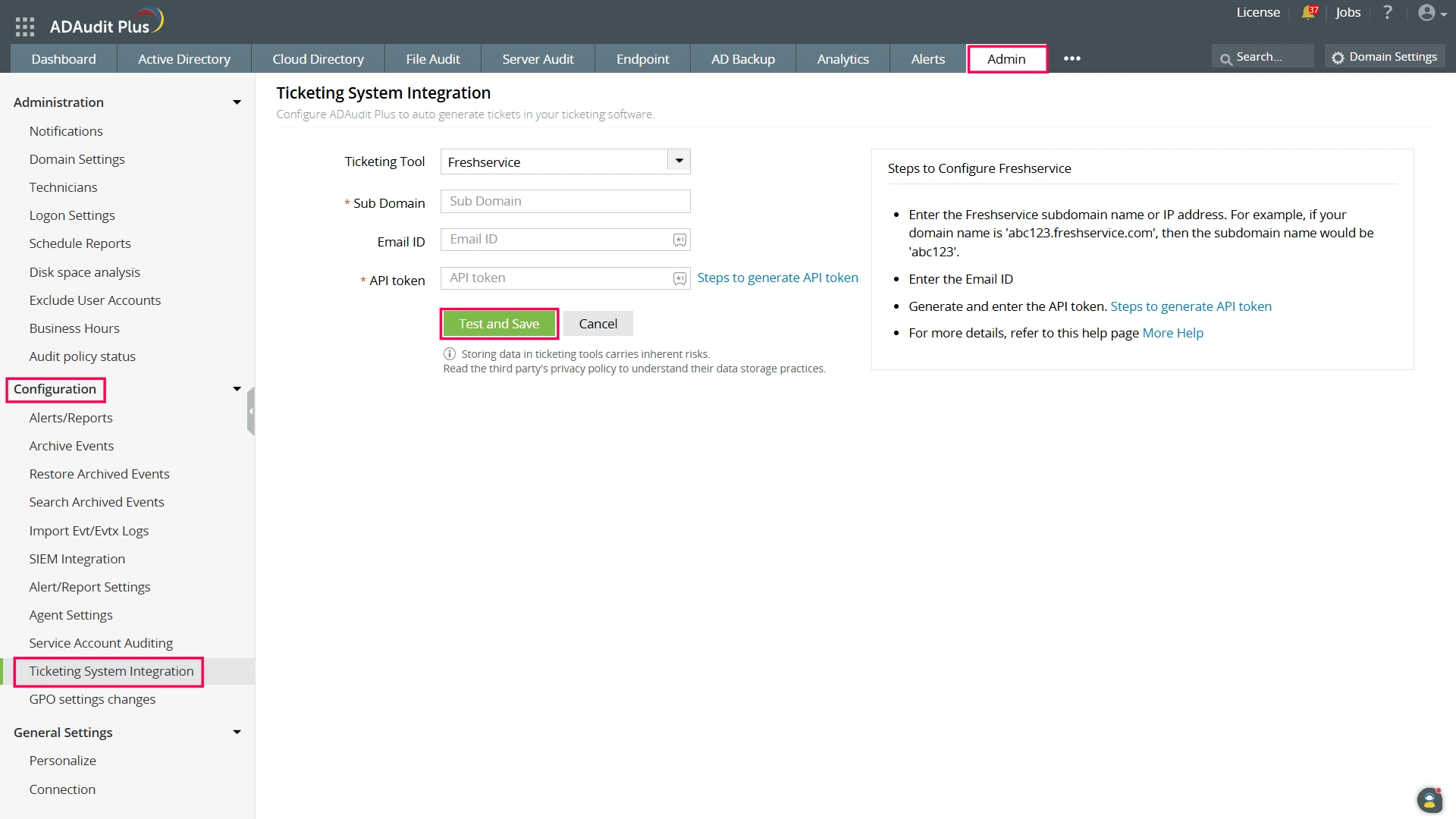
Freshservice is an AI-powered service-management platform that unifies IT service, operations, assets, and employee support. It incorporates ITSM, ITAM, ITOM, ESM, incident handling, on-call management, dependency mapping, and configurable workflows.
The platform can interpret conversational requests, connect them with service context, support self-service, route tickets, and provide agents with asset and CMDB information during resolution.
Key features:
- AI-powered IT service desk
- Incident and request management
- Employee self-service
- Intelligent ticket routing
- Service catalogue management
| Pros | Cons |
|---|---|
| Combines accessible ITSM workflows with AI, assets, automation, service operations, and self-service. | Some advanced service operations and AI capabilities may depend on the selected plan. |
| Can extend service processes from IT to HR, facilities, finance, and other internal departments. | External customer support may be better addressed through Freshdesk or another customer-service platform. |
| Provides an approachable route towards more formal ITSM and enterprise service management. | Organizations should verify how existing monitoring, identity, asset, and collaboration systems will connect. |
Best for: Mid-sized and large IT departments seeking modern ITSM without starting with extensive enterprise configuration.
ℹ️Why choose Freshservice?
Freshservice combines ITSM, AI, asset management, automation, self-service, and enterprise service workflows for growing internal support teams.
What Are the Key Benefits of Help Desk Ticketing Software?
Help desk ticketing software centralizes and logs customer and employee requests in one place on a single dashboard, allowing support teams to take a more streamlined approach to ticket resolution, assign tasks, and track ticket ownership.
It combines all the inboxes and conversations, which then helps to cut down response time, aids cooperation, ensures consistency of services, and makes customers happier.
1. Faster Responses and Greater Efficiency
Use help desk ticketing software solutions to cut down on help desk agents’ time as they sift through inboxes, copy, forward, and locate the owner of a request. All enquiries have a visible status, category, priority, deadline, and assigned agent so that teams have more control over their day-to-day workload.
Automation can sort incoming issues, ask for missing information, send tickets to the next person in the queue, invoke response templates, and escalate overdue tickets. Then agents can concentrate on diagnosis, communication, and problem-solving, rather than on manually doing repetitive ticket administration tasks.
2. Scalability Through Self-Service
Users can find answers, troubleshooting steps, structured forms, and track the progress of their tickets without having to reach out to an agent at every stage in a knowledge base and a customer portal. Increased support staff does not mean that it is justified because of the number of tickets.
Self-service forms can also improve data quality by requesting an asset number, branch, department, issue category, urgency level, or supporting document. Agents receive clearer information and spend less time clarifying incomplete requests.
3. Data-Driven Visibility and Reporting
A central help desk software solution produces consistent data about ticket sources, categories, priorities, response times, resolutions, escalations, reopened requests, agent workloads, and service-level breaches. Managers can identify which teams are overloaded and where delays occur.
Wider operational issues may also be seen in other factors, such as reporting. Recurring enquiries about your invoice can signal confusion on your part with your invoice, frequent logon problems can signal poor identity management policies, and increased complaints about deliveries can signal problems with fulfilment and logistics.
4. Improved Customer and Employee Experience
Users expect the organization to remember previous conversations and provide consistent information. A help desk preserves the interaction history, reducing the need to repeat an issue whenever a request changes agent, department, or communication channel.
Supervisors can follow up on overdue tickets, unhappy tone, multiple transfers, unclosed tickets, and tickets that went to escalation. This visibility will give clarity, preventing poor service or negative impact on the employees’ productivity from negatively affecting the customer relationship.
5. Consolidated Communications
Multiple requests can be created from email, chat, phone, web portals, social media, and internal messaging. Help desk software puts all these conversations together in one queue, but preserves the original channels and history of the conversation.
Agents can review requester details, previous enquiries, attachments, approvals, and related records from one interface, improving accountability and reducing conflicting responses. ScaleOcean ticketing system strengthens this process with AI-assisted routing, configurable workflows, unlimited users, multi-branch visibility, API integration, and connections to over 200 ERP modules.
What Are the Key Features of Help Desk Ticketing Software?
Help desk ticketing software is a product that combines customer and IT support tickets in one platform. Generally encompasses any number of ticket channels, multi-channel ticket automation, AI capabilities for workflows, knowledge base integration, SLA tracking, self-service portals, and service analytics.

1. Omnichannel Ticket Management
Omnichannel management converts enquiries from email, telephone, chat, messaging, social media, web forms, and portals into consistently structured tickets. The system should preserve customer identity, attachments, timestamps, channel history, and ownership.
Must also have the ability to alert teams if there are several enquiries for the same team. If a customer sends an email and then calls the agent again on WhatsApp, the agent should have all the necessary information to know which one he should be referring to.
2. Automation and AI
Automated ticketing workflows, such as ticket creation, categorization, assignment, notifications, SLA reminders, approvals, escalation, and ticket closure, are predictable actions that are managed by automation. AI can be leveraged for functions like intent detection, sentiment analysis, summarizing conversations, composing answers, prioritizing recommendations, and accessing knowledge.
Based on the data our team gathered from IMDA’s Singapore Digital Economy, AI adoption among Singapore SMEs increased from 4.2% in 2023 to 14.5% in 2024, while adoption among non-SMEs rose from 44% to 62.5%. This growth makes practical AI governance an increasingly important consideration when evaluating help desk software solutions.
3. Ticket Routing and Prioritization
Routing determines which agent, team, or branch receives a request. Rules may consider service category, requester type, language, location, agent expertise, customer tier, workload, business hours, or previous ownership.
Prioritization should reflect business impact as well as the requester’s stated urgency. A password reset affecting one employee should not be handled in the same way as an authentication failure blocking an entire department.
4. Knowledge Base and Self-Service Portal
A knowledge base stores approved troubleshooting steps, policies, product instructions, onboarding guides, service procedures, and frequently asked questions. Articles should have owners, review dates, access permissions, and version histories.
A self-service portal makes this information available to authorized users. It can also display service catalogues, request forms, ticket progress, approval status, planned maintenance, and relevant announcements.
5. Workflow Management
Many requests involve more than one response. A new software-access request may require manager approval, IT provisioning, license allocation, security checks, asset updates, and confirmation to the employee.
Workflow management coordinates these steps through conditions, approvals, dependencies, timers, notifications, and integration actions. ScaleOcean strengthens this process with configurable approval matrices, role-based access, audit trails, and cloud or on-premises deployment, keeping every decision visible and reducing unclear responsibility.
How to Evaluate Help Desk Software
Evaluate help desk software by defining your team size, support channels, and budget. Prioritize intuitive UI for agents, robust reporting for tracking operational metrics (First Response Time, CSAT), and scalability. Always take advantage of free trials to test usability under real-world conditions.
To systematically evaluate the best help desk software for your organization, follow this step-by-step framework:
1. Core Functionality
Begin with ticket capture, assignment, categorization, status tracking, SLA controls, escalation, templates, internal notes, search, reporting, permissions, and mobile access. These fundamentals should work reliably before optional AI functions are evaluated.
Test help desk software solutions with actual scenarios, such as a customer complaint, payment enquiry, access request, facilities incident, and major system outage. Follow each request from submission through resolution instead of evaluating isolated interface features
2. Standout Features
Highlighted features need to discuss material business problems. This can be on-premise deployment, unlimited users, ERP integration, specialized IT asset management, agentic AI, multi-brand support, development integration, or unlimited users.
A longer feature list does not automatically create more value. Prioritize capabilities that reduce delays, improve data quality, eliminate duplicate work, control risk, and support measurable service outcomes. ScaleOcean is a strong recommendation for enterprises that need real-time dashboards, multi-branch visibility, audit trails, role-based access, and highly configurable service workflows.
3. Operational Fit and Long-Term Impact
Operational fit measures how accurately the software reflects existing responsibilities, approval structures, branch arrangements, service hours, data policies, and escalation paths. An intuitive interface alone does not guarantee long-term suitability.
Evaluate whether the platform can support new departments, entities, countries, service channels, languages, products, and AI use cases. Management should also understand how easily processes can change without excessive vendor dependency.
4. Integration Capabilities
Examine native connectors, APIs, webhooks, identity support, authentication options, data exports, and middleware options. These systems that are prioritized may involve CRM, ERP, HRIS, accounting, procurement, asset management, and project management.
The integration should offer context and not just ticket numbers. A sales order, invoice, approval, delivery status, and payment record could all be required in the same workflow by an agent who is involved in an invoice dispute.
5. Channel Variety
Singapore businesses commonly use Microsoft 365, Outlook, Microsoft Teams, Google Workspace, Gmail, Slack, WhatsApp Business, telephone systems, websites, mobile applications, and customer portals.
Check to see if each of the necessary channels is natively supported or through a third-party connector. In all channels, the same record, ownership, and identity matching, SLA timing, permissions, and reporting shall be utilized.
How to Choose the Best Help Desk Software
Knowing how to choose the best help desk software is crucial. It is all the more important to select the best help desk software.

Step 1: Define Your Target Audience
Identify who submits requests and who resolves them. Customers, employees, vendors, franchisees, field technicians, and branch managers may require different portals, languages, forms, access controls, and communication channels.
The target audience affects platform selection. Customer-service tools, ITSM platforms, email-native systems, and integrated enterprise help desk software solutions address different operational requirements.
Step 2: Evaluate Core Deployment Requirements
Determine whether the organization requires cloud, on-premise, or hybrid deployment. Review authentication, backups, disaster recovery, permissions, audit trails, mobile access, administrative controls, and integration security.
Singapore organizations should also determine how personal data inside tickets will be collected, accessed, transferred, retained, and removed. The selected system should support the organization’s PDPA procedures rather than being treated as a substitute for internal governance.
Step 3: Assess Self-Service and AI Capabilities
Test governance and approved information in the knowledge base using AI to ensure answers generated are based on approved information. Remove deceptive or unclear articles, public information, or articles that call for a decision from the human evaluator from evaluation scenarios.
Create operational metrics related to measuring AI, such as response time, ticket deflection, resolution accuracy, escalation, customer satisfaction, and agent acceptance. Not all responses generated are the only ways of determining the practical business value.
Step 4: Verify Technology Integrations
Create an inventory of systems containing customer, employee, asset, transaction, and operational information. Identify what agents must see, what actions they must perform, and which application remains the authoritative data source.
Test failed synchronization, duplicate records, API limits, deleted users, permission changes, attachment transfers, and historical migration. Integration reliability should be examined before signing a long-term agreement.
Step 5: Calculate the Total Cost of Ownership
TCO includes subscriptions, agent license, AI usage, communication channels, storage, implementation, migration, integrations, training, customization, security assessments, administration, and future expansion.
Per-agent fees can rise substantially when ticketing expands from IT or customer service into finance, HR, facilities, procurement, and branch operations. Companies should compare the full ownership cost of shortlisted help desk software solutions rather than relying only on the advertised entry price.
Future Trends in Help Desk Software
Help desk software is shifting toward proactive, AI-driven, and employee-centric experiences. Platforms now leverage predictive diagnostics to resolve issues autonomously before users even notice them, while seamlessly integrating conversational AI with human assistance to optimize complex workflows.
1. Agentic AI Help Desks
Earlier, support AI mainly recommended articles or drafted responses. Agentic AI is developing towards completing multistep tasks, including validating users, checking connected systems, updating records, initiating approvals, and confirming resolution.
Enterprises need permission boundaries, audit logs, approved procedures, human-review conditions, escalation rules, and clear accountability for automated actions. The ScaleOcean help desk ticketing software supports these controls through role-based access, configurable approvals, and traceable service workflows.
2. Proactive and Predictive Support
Traditional help desks wait for a user to report an issue. Proactive systems use monitoring events, ticket patterns, customer sentiment, asset information, and service-health indicators to identify risks earlier.
A system could warn IT about repeated device failures, identify deteriorating customer sentiment, or flag a sudden increase in payment enquiries. Teams can then investigate the cause before ticket volumes escalate.
3. Hyperautomation and Self-Healing IT
Hyperautomation connects help desk software with monitoring tools, workflow engines, APIs, identity systems, robotic automation, and AI. Predictable issues can be diagnosed and resolved with less manual intervention.
For example, a system could detect an expired access token, verify the employee, refresh the token, update the technical record, close the incident, and send confirmation while preserving an audit trail.
4. Experience Level Agreements
Traditional SLAs measure response and resolution times. Experience Level Agreements, or XLAs, evaluate the requester’s experience, including effort, sentiment, productivity impact, communication quality, and confidence in the outcome.
A ticket may technically meet its SLA while still requiring repeated explanations, transfers, or follow-ups. XLA measurement gives managers a broader view of whether service delivery genuinely supports users.
5. Enterprise Service Management Expansion
Ticketing is expanding beyond customer service and IT. HR, finance, procurement, facilities, legal, security, and administration can use the same principles of structured requests, ownership, approvals, service standards, and reporting.
A shared service model can create consistent user experiences while preserving departmental permissions and workflows. Integrated help desk software solutions can also allow a resolved ticket to trigger the next operational, financial, or administrative activity.
Conclusion
Help desk software solutions are digital systems that help organizations manage customer requests, employee enquiries, IT incidents, complaints, approvals, and service issues in one centralized platform. They record ticket ownership, priority, communication history, SLA status, escalation progress, and resolution details for more consistent service delivery.
Without a proper system, companies often face scattered conversations, unclear ownership, missed deadlines, duplicated responses, and limited visibility into team performance. A structured help desk resolves these challenges through automated routing, priority rules, SLA tracking, self-service portals, AI-assisted responses, and real-time reporting across departments or branches.
ScaleOcean ticketing system connects service requests with CRM, HR, finance, procurement, asset management, projects, and other operational workflows. Try our free demo to explore how unlimited users, configurable automation, AI-supported ticket management, API integration, flexible modules, and cloud or on-premises deployment can improve response times and strengthen service control.
FAQ Help Desk Ticketing Software:
1. What is the difference between help desk software and ticketing software?
Ticketing software mainly records, assigns, and tracks requests, while help desk software solutions typically add SLA management, automation, self-service portals, knowledge bases, reporting, collaboration, and service analytics to manage the complete resolution process.
2. Which help desk software is suitable for large enterprises?
The right platform depends on the company’s operational scope, as ScaleOcean suits enterprises requiring ticketing connected with ERP workflows, ServiceNow supports complex enterprise service structures, and Jira Service Management, SolarWinds Service Desk, or Freshservice may suit organizations focused on ITSM.
3. Can help desk software support departments besides IT?
Yes, help desk software can manage HR enquiries, payroll questions, procurement requests, finance approvals, facilities incidents, legal requests, asset issues, and administrative services through separate forms, permissions, SLAs, approval workflows, knowledge articles, and dashboards.
4. How does AI help improve help desk ticketing?
AI can classify requests, identify intent, recommend priorities, summarize conversations, retrieve relevant knowledge, draft responses, detect sentiment, balance agent workloads, and automate routine resolutions while allowing human review for sensitive or high-impact cases.
5. Can online help desk software support PDPA requirements?
Online help desk software can support PDPA-aligned processes through role-based permissions, audit trails, encryption, retention controls, approval records, and controlled data access, although compliance also depends on company policies, system configuration, employee practices, and vendor management.




















.png)