
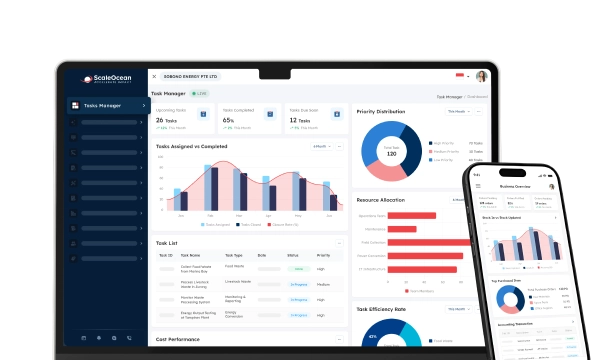

Employee scheduling software is an online platform designed to change and help companies create shifts, assign employees, track labor hours, and manage schedule changes in one platform. It replaces spreadsheets and group texts by automating shift creation, labor tracking, rest-day planning, and shift swapping.
In Singapore, several businesses continue to suffer from disjointed schedules at various outlets, warehouses, factories, offices, and field locations. When using spreadsheets to manage work shifts, managers may experience unplanned overtime, inaccurate tracking of rest days, limited workforce visibility, and payroll errors.
This is why employee scheduling software is now a viable option for HR, operations, and finance teams. A connected system enables managers to plan employee shifts based on availability, avoid conflicts, monitor overtime early, and ensure employees are informed via their mobile devices. It also enables decision-makers to minimize the manual follow-up, increase the accuracy of the schedule, and control from multiple locations.
According to the data our team got from Gallup, 27% of U.S. employees face schedule unpredictability, 28% face schedule instability, and 41% have little or no control over their schedules. This shows why businesses need employee shift scheduling software that improves visibility, fairness, and workforce planning, especially for shift-based operations.
Learn about the basics of employee scheduling software, its importance for modern enterprises, the 10 best employee scheduling software apps for 2026, and how to choose the right solution for your workforce management needs in this article.
 Key Takeaways
- Employee scheduling software is a digital solution that helps businesses plan, assign, and manage employee work schedules more efficiently.
- A comparison of employee scheduling software can help businesses choose the right solution by reviewing pricing models and scheduling features based on their HR and operational needs.
- Top recommendations for employee scheduling software are ScaleOcean, Connecteam, Deputy, 7shifts, Homebase, QuickHR, Sling, Microsoft Teams Shifts, StaffAny, and Workday.
- ScaleOcean’s HRIS software provides a seamless scheduling solution that connects every aspect of workforce management, from planning to payroll.

10 Best Employee Scheduling Software Summary
With a variety of employee scheduling software solutions available, it can be difficult to find the right one. Each has varying features, pricing structures, and a focus on specific industries, so corporations have a variety of options to compare that fit their operations and workforce.
The list includes platforms from comprehensive HRIS software, such as ScaleOcean and Workday, to employee shift scheduling solutions, like 7shifts and Deputy. Here are the advantages and disadvantages of each option, as summarized; then you can explore them individually in greater depth.
| Software | Best For | Price | Key Strengths |
|---|---|---|---|
| ScaleOcean | Medium to large enterprises in Singapore that need integrated scheduling, attendance, payroll, finance, and HR control. | Custom flat scope-based quote, no hidden costs, and unlimited users. | Custom workflows, unlimited users, payroll integration, multi-location visibility, approval matrix, ERP modules, GST-ready finance, and enterprise support. |
| Connecteam | Deskless teams that need mobile scheduling, task management, communication, and time tracking. | Paid plans start from around $29/month for the first 30 users | Mobile-first scheduling, GPS time clock, forms, checklists, team chat, and employee operations tools. |
| Deputy | Retail, hospitality, healthcare, and services teams that need scheduling with time tracking. | From around $5/user/month for Lite and $6.50/user/month for Core. | Shift scheduling, timesheets, leave availability, labor compliance, auto-scheduling, and demand forecasting. |
| 7shifts | Restaurants, cafes, franchises, and F&B operators with hourly shift teams. | Paid plans start from around $39.99/month/location. | Restaurant scheduling, team communication, labor budgeting, POS integrations, tip tools, and payroll add-ons. |
| Homebase | Small businesses that need simple scheduling, time tracking, hiring, and payroll add-ons. | Paid plans start from around $24/location/month when billed yearly. | Per-location pricing, basic scheduling, time clocks, team messaging, payroll add-on, and HR tools. |
| QuickHR | Singapore SMEs and growing companies that need HRMS, payroll, leave, claims, attendance, and scheduling. | From S$5 per employee/month. | Local HRMS, payroll, attendance, leave, claims, scheduling, and Singapore HR compliance support. |
| Sling | Small shift-based teams that need free scheduling, communication, and basic labor coordination. | Paid plans start from around $2/user/month. | Shift scheduling, availability, time-off requests, shift trades, team messaging, and basic workforce coordination. |
| Microsoft Teams Shifts | Companies are already using Microsoft 365 and Teams for internal collaboration. | Included with eligible Microsoft 365 plans from around $6/user/month. | Team-based shift planning, requests, mobile access, communication, and Microsoft ecosystem integration. |
| StaffAny | F&B, retail, and brick-and-mortar operations that need scheduling, time tracking, and timesheet consolidation. | Growth plan starts from around SGD 129/roster. | Roster planning, time tracking, leave requests, timesheets, overtime calculator, and F&B workforce visibility. |
| Workday | Large enterprises that need HCM, workforce planning, payroll, analytics, and enterprise HR operations. | Custom enterprise quote based on company size, modules, and implementation scope. | Enterprise HCM, workforce planning, time tracking, HR analytics, payroll, talent, and finance integration. |
List 10 Best Employee Scheduling Software Reviews
When it comes to efficiently managing your workforce in 2026, compliance and supporting multi-site locations, CEOs and HR leaders can no longer rely solely on shift calendars. It’s essential to make use of proper employee scheduling software.
You can use this review in order to compare, contrast, and narrow down employee scheduling software app solutions to choose the best solution for your business.
1. ScaleOcean
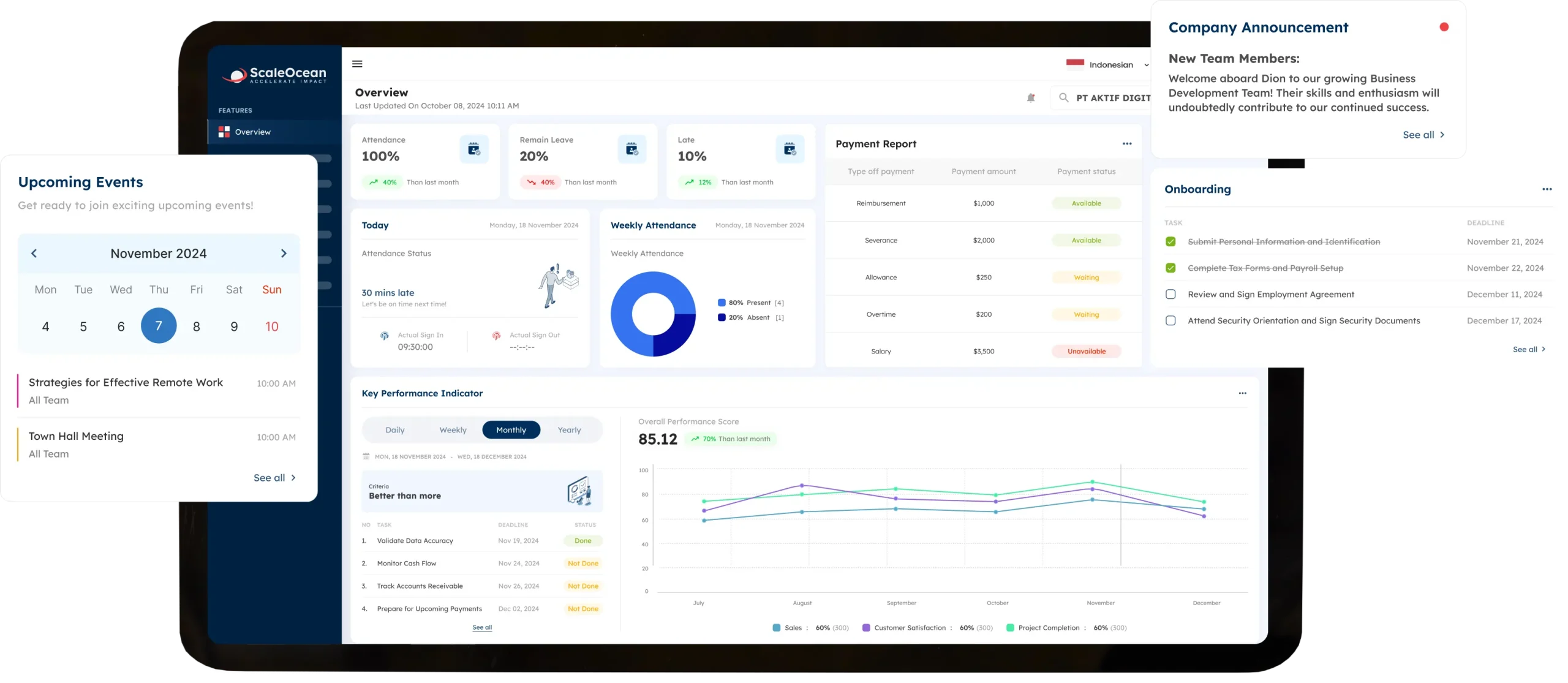
ScaleOcean is an integrated HRIS and ERP solution built for medium to large enterprises with complex workforce structures. It supports unlimited users, scalable ERP modules, and connected HR operations, helping companies manage scheduling, attendance, payroll, finance, approvals, and reporting in one ecosystem.
For businesses in Singapore, ScaleOcean is optimized for local tax requirements, including GST, and supports financial reporting based on local standards. Its dashboard is designed for enterprise HR control, giving management a centralized view of workforce planning, exceptions, and payroll readiness across branches, sites, and operational units.
ScaleOcean also offers customizable workflows, cloud or on-premise deployment, direct vendor support, and transparent pricing with no hidden costs. It aligns with NTUC CTC Grant requirements for eligible transformation projects, with funding support of up to 70%, subject to approval. To see how the system fits your workforce needs, you can try ScaleOcean’s free demo and explore its features in more detail.
Key Features:
- MOM Law and Part IV compliance alerts
- Rest day and public holiday management
- GPS tracking and geofencing
- Biometric and selfie clock-in
- Smart rostering and shift swapping
- CPF and IRAS payroll integration
- Labor cost and manpower analytics
| Pros | Cons |
|---|---|
| Built for medium to large enterprises with complex workforce structures, multi-location operations, approval layers, and integrated HR processes. | May be less suitable for small businesses that only need basic scheduling, simple attendance tracking, or a standalone shift calendar. |
| Offers flexible configuration for workflows, dashboards, reports, approvals, and integrations, so the system can follow each company’s HR structure. | Requires an initial consultation process to understand workforce needs, module scope, and implementation readiness before deployment. |
| Connects scheduling, attendance, payroll, finance, approvals, reporting, and ERP modules in one ecosystem to reduce workforce data silos. | Focuses on long-term stability, scalability, and business fit rather than quick setup with limited generic scheduling features. |
| Uses a consultative implementation approach, helping companies design HR workflows based on real business processes and operational complexity. |
Best for: Medium to large enterprises in Singapore and Asia that need enterprise employee scheduling software with HRIS, payroll, finance, compliance, multi-location visibility, and ERP-connected employee management.
2. Connecteam
Connecteam is an employee scheduling software application that was developed for deskless and distributed teams with a mobile-first approach. It assists managers in developing schedules and monitoring working hours, as well as communicating with their staff and assigning tasks and tracking everyday field activities via a mobile device.
It will fit most businesses where staff work outside, for example, field services, logistics, cleaning & security, front-line functions, and operations. Businesses may also want to check if the system will integrate effectively if they already have complex HR, payroll, finance, or ERP systems in use.
Key Features:
- Shift planning
- GPS time clock
- Task management
- Team communication
- Forms and checklists
- Mobile employee access
| Pros | Cons |
|---|---|
| Mobile-first design helps deskless employees access schedules, tasks, updates, and communication from different work locations. | May need additional systems for companies that require deeper payroll, finance, or ERP-connected workforce management. |
| Combines scheduling, communication, task management, and time tracking in one accessible employee operations platform. | Enterprise-level customization may be more limited for businesses with complex approval flows and multi-entity structures. |
| Useful for field teams, frontline workers, and distributed employees who need quick access through mobile devices. | Broader HR reporting and cross-department workflow control may require further integration planning. |
Best for: Small to mid-sized deskless teams that need mobile scheduling, communication, and field workforce coordination.
3. Deputy
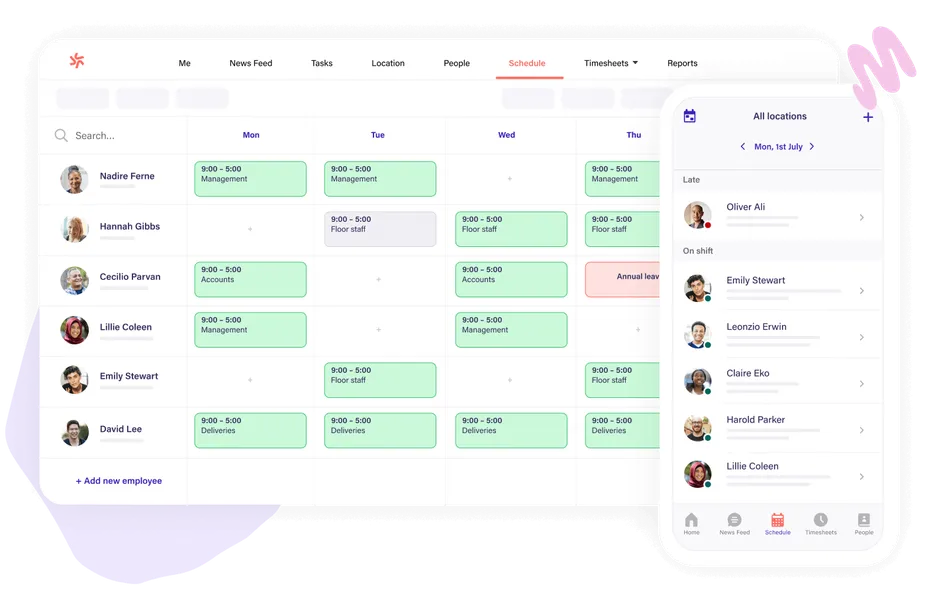
Deputy is an employee shift scheduling software solution used for shift planning, time tracking, timesheets, and workforce coordination. It helps managers build rosters, manage availability, review leave requests, and prepare attendance data for payroll processing.
The system is commonly used by retail, hospitality, healthcare, and service-based businesses that manage hourly workers. It can support daily scheduling needs well, although companies with more complex HR structures may need to evaluate integration, customization, and reporting depth before implementation.
Key Features:
- Shift scheduling
- Time clocking
- Timesheets
- Leave and availability management
- Labor compliance tools
- Demand forecasting
| Pros | Cons |
|---|---|
| Supports shift scheduling, time tracking, and timesheet preparation for hourly teams across different industries. | Companies with advanced HR, payroll, and finance workflows may need additional system connections. |
| Helps managers review availability, leave requests, attendance records, and workforce coverage from one platform. | Some businesses may need to evaluate whether the available configuration matches their internal approval structure. |
| Practical for retail, hospitality, healthcare, and service businesses managing rotating shift schedules. | May require extra planning when used across complex departments, entities, or highly customized HR policies. |
Best for: Small to mid-sized companies in retail, hospitality, healthcare, and service industries that need scheduling with time tracking.
4. 7shifts
7shifts is an employee scheduling software app built mainly for restaurants, cafes, and F&B operators. It helps managers arrange shifts, monitor labor needs, communicate with staff, and coordinate scheduling around peak service hours.
The platform is suitable for companies that require restaurant staff scheduling. But this particular type of design might not be appropriate for businesses that are not in the F&B sector if they have different needs for their HR, payroll, and multi-departmental scheduling needs.
Key Features:
- Restaurant shift scheduling
- Team messaging
- Time clock
- Labor budgeting
- POS integrations
- Tip and payroll add-ons
| Pros | Cons |
|---|---|
| Designed with restaurant and F&B workforce needs in mind, including shift coverage, team communication, and labor visibility. | May be less suitable for non-F&B companies with broader enterprise workforce management requirements. |
| Helps restaurant managers coordinate schedules around peak service hours, staff availability, and operational demand. | Companies with complex HRIS, finance, or ERP needs may still require additional platforms or integrations. |
| Supports staff-facing tools for availability, shift requests, communication, and daily restaurant workforce coordination. | Its industry-specific focus may limit flexibility for companies managing multiple business models. |
Best for: Restaurants, cafes, and F&B groups that need restaurant-focused employee scheduling and team coordination.
5. Homebase
Homebase is designed to provide scheduling, time tracking, team communication, hiring, and light HR needs to small and growing businesses looking for a comprehensive platform that streamlines management and communication with employees across shifts and tasks.
It can serve as the central point for staff, making it easy to arrange and approve schedules, manage check-in/check-out, and get staff connected on messages or task updates-all in one spot. This solution is practical for small teams with straightforward scheduling needs.
Key Features:
- Employee scheduling
- Time clock
- Payroll add-on
- Team communication
- Hiring tools
- Basic HR tools
| Pros | Cons |
|---|---|
| Simple scheduling and time tracking tools make it practical for small businesses with straightforward workforce needs. | May not provide enough depth for enterprises with multi-entity structures and complex approval workflows. |
| Combines scheduling, attendance, team messaging, hiring, and basic HR functions in one user-friendly platform. | Advanced compliance, payroll, and reporting requirements may need additional review before implementation. |
| Easy for managers and employees to adopt when the main goal is to replace manual schedules and communication. | Growing companies may eventually need a more configurable HRIS and workforce management ecosystem. |
Best for: Small businesses, restaurants, salons, clinics, and retail stores that need simple scheduling and time tracking.
6. QuickHR
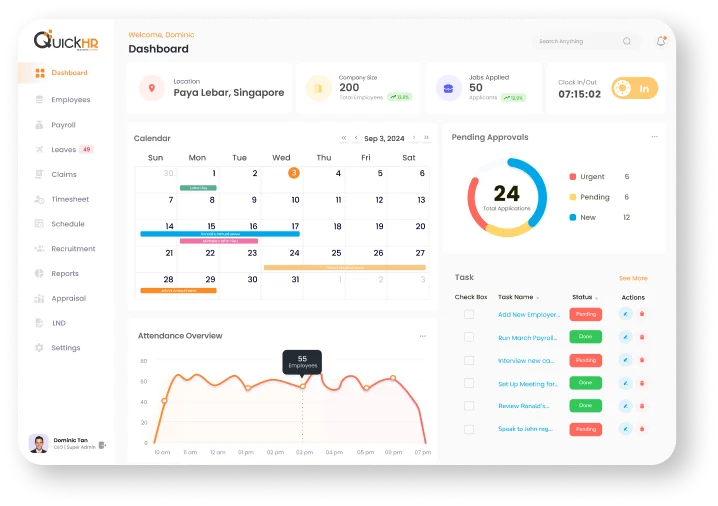
QuickHR is a Singapore-focused HRMS platform that supports payroll, leave, claims, attendance, scheduling, and HR administration. It helps businesses digitize common HR processes while keeping employee records and workforce data more centralized.
The platform is suitable for SMEs and growing companies that need localized HR functions. Larger enterprises may need to review whether their configuration, reporting, and integration capabilities can support more complex organizational structures and multi-location workforce operations.
Key Features:
- HRMS
- Payroll
- Attendance
- Leave management
- Claims management
- Shift scheduling
| Pros | Cons |
|---|---|
| Singapore-focused HRMS features help businesses manage common HR processes such as payroll, leave, claims, attendance, and scheduling. | Larger enterprises may need to assess configuration depth for complex organizational structures and approval layers. |
| Centralizes employee records and HR administration, making it useful for SMEs moving away from manual HR processes. | Advanced integration with wider ERP, finance, or operational systems may require additional planning. |
| Supports localized HR functions for companies that need a practical system for Singapore workforce management. | May be less suitable for companies that need highly customized enterprise reporting and multi-country workflows. |
Best for: Singapore SMEs and growing companies that need localized HRMS, payroll, attendance, and scheduling.
7. Sling
Sling is an employee scheduling software app for shift planning, availability tracking, shift trades, time-off requests, and team communication. It helps managers reduce spreadsheet-based scheduling and gives employees easier access to their work schedules.
The tool is useful for small shift-based teams that need practical scheduling coordination. As operations grow, companies may need to assess whether they can support more advanced payroll, analytics, compliance, and enterprise workforce management needs.
Key Features:
- Shift scheduling
- Time-off requests
- Shift trade requests
- Team communication
- Mobile access
- Basic labor coordination
| Pros | Cons |
|---|---|
| Helps small shift-based teams replace spreadsheet scheduling with more organized shift planning and team communication. | May not provide enough depth for companies that need advanced payroll, compliance, and HR analytics. |
| Supports availability tracking, time-off requests, shift trades, and employee access through a simple scheduling interface. | Larger organizations may need stronger workflow control, reporting, and integration capabilities. |
| Useful for businesses that need practical coordination tools without implementing a full HRIS platform immediately. | May become less suitable as scheduling rules, employee categories, and operational complexity increase. |
Best for: Small shift-based teams that need free or low-cost scheduling and communication tools.
8. Microsoft Teams (Shifts)
Microsoft Teams Shifts is a scheduling application within the Microsoft Teams solution. It allows managers to create team schedules, set shifts, accept and review employee requests, and provides employees with a user-friendly and collaborative interface to check updates.
It is an excellent choice for those who already use Microsoft Teams as their primary internal communication solution, but it’s essentially an add-on schedule rather than a complete HRIS system. This might necessitate the need for another solution for the other elements of workforce management, such as payroll, reporting, and compliance.
Key Features:
- Shift planning in Teams
- Schedule sharing
- Time-off requests
- Open shifts
- Mobile access
- Team communication
| Pros | Cons |
|---|---|
| Works well for companies already using Microsoft Teams as their main internal communication platform. | Functions more as a scheduling extension than a complete HRIS, payroll, or workforce management system. |
| Keeps basic shift planning, schedule updates, and team communication within a familiar Microsoft environment. | Advanced compliance controls, payroll integration, and workforce reporting may require additional systems. |
| May reduce training needs for employees and managers who already use Microsoft Teams daily. | Less specialized than dedicated employee scheduling software built for complex workforce operations. |
Best for: Companies already using Microsoft 365 that need basic team scheduling inside their collaboration tool.
9. Staff Any
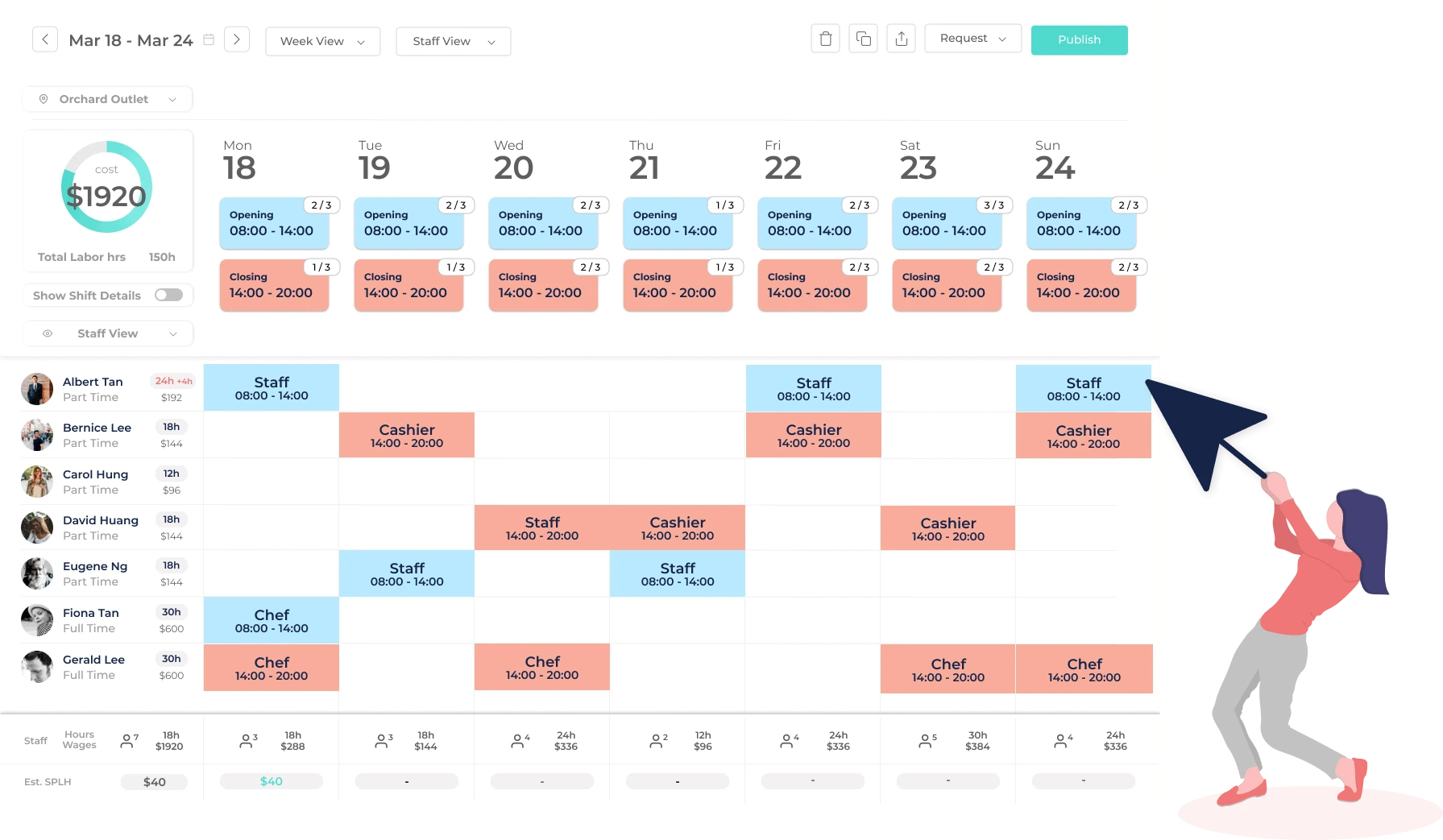
StaffAny is a staff workforce management solution focusing primarily on staff scheduling, time tracking, timesheet accuracy, and employee transparency. It eases roster management, worker schedule supervision, paid time-off management, and aggregate data on your employees for operational and strategic purposes.
This software can often be found among F&B, retail, and other organizations that heavily utilize the shift system for their frontline workforce. For organizations with a greater need for HR, finance, or the procurement aspect of the workforce, it is vital that it seamlessly integrates with the other software and systems in your stack.
Key Features:
- Staff rostering
- Time tracking
- Leave requests
- Timesheets
- Overtime calculator
- Performance visibility
| Pros | Cons |
|---|---|
| Suitable for brick-and-mortar businesses that need staff scheduling, attendance tracking, timesheets, and workforce visibility. | May require additional systems for companies with broader HR, finance, procurement, or enterprise reporting needs. |
| Helps managers reduce manual timesheet consolidation and improve visibility into frontline staff operations. | Companies should review scalability carefully when managing multiple entities, departments, or complex workforce categories. |
| Useful for F&B, retail, and shift-heavy operations that need more structured daily manpower planning. | Integration with wider business systems may need further evaluation before long-term implementation. |
Best for: F&B, retail, and shift-heavy businesses that need scheduling, attendance, and timesheet consolidation.
10. Workday
Workday is an end-to-end HCM system supporting workforce planning, core HR, employee management, payroll, analytics, finance, and human resources lifecycle. This solution is widely adopted by large organizations seeking a structured and well-ordered system of managing their human resources and a central system that holds all pertinent employee-related data.
While such platforms are beneficial when looking to manage a complex workforce across large-scale operations, non HR personnel without an extensive employee schedule management background might question the depth of such a comprehensive system and whether it would require their time.
Key Features:
- Enterprise HCM
- Workforce planning
- Time tracking
- Payroll
- HR analytics
- Talent management
| Pros | Cons |
|---|---|
| Strong enterprise HCM platform for companies that need structured HR governance, workforce planning, analytics, and employee lifecycle management. | May be too extensive for companies that only need basic employee scheduling and attendance tracking. |
| Connects HR data with broader workforce planning, payroll, talent, analytics, and finance-related processes. | Implementation usually requires strong internal preparation, change management, and dedicated HR resources. |
| Suitable for large organizations with mature HR operations, complex workforce structures, and enterprise reporting needs. | May feel complex for mid-sized companies that need faster adoption and more focused scheduling capabilities. |
Best for: Large enterprises that need enterprise HCM, workforce planning, HR analytics, payroll, and global HR governance.
What Makes the Best Employee Scheduling Software App?
The right employee schedule software application strikes an ideal balance between the firm’s output and employees’ flexibility by allowing you to organize shifts, availability, time off requests, and staff discussion in one easy-to-use place without the need to arrange tedious spreadsheets and lengthy text messaging.
1. AI Automation & Compliance Guardrails
AI automation helps managers create schedules based on demand, employee availability, role coverage, and labor limits. Instead of manually checking every shift, managers can receive alerts when a schedule creates overtime risk, role gaps, or rest-day conflicts.
Compliance guardrails are especially important in Singapore because HR teams must consider work hours, overtime, and rest-day rules. Based on the insights our team collected from MOM, it states that covered employees can only work up to 72 overtime hours in a month, while Singapore law also requires overtime pay of not less than 1.5 times the hourly basic rate for eligible employees
2. Connected Time Tracking & Payroll
The effectiveness of workforce scheduling can be significantly magnified through the incorporation of time tracking functions. Once your team has punched in and out, the software will cross-check anticipated vs precise working times, find tardiness or early departures, and also prepare timesheet documents for approval.
By allowing employees’ payroll to be processed directly, information input is reduced, and error threat comes to be less. The information may assist the HR and also account section to track time-off needs, additional effort working, unpaid time off, and shift variations to get to the end of the payroll cycle.
3. Availability management
Availability management allows for managing a flexible and varied team, which can result in the automation of staff scheduling. When the team size and its required capability are given, various dimensions such as employee availabilities, skill-sets, as well as a client’s requirements are examined to enable the system to create the roster automatically.
Staff members can adjust to the schedule, but the capability to edit or improve the schedules quickly is beneficial for the organization. An efficient software system must let your team members amend a schedule from scratch to be updated on the spot, and it will also give staff the ability to trade shifts with a coworker.
4. Seamless Shift Management
Seamless shift management means managers can create, edit, publish, and update schedules without rebuilding the roster from scratch. Drag-and-drop calendars, templates, and role-based shift rules make this process faster.
This is useful when employees call in sick, demand changes, or locations suddenly need extra manpower. A strong system should allow managers to adjust coverage quickly while keeping payroll, attendance, and employee notifications updated.
5. Employee Self-Service Features
Employee self-service gives the leading reasons behind overwork issues, as well as inefficient labor force operations is not consider workers’ availability. Using a staff availability platform assists businesses in establishing a workforce that is consistent with employees’ schedule needs, while still focusing on overall performance levels.
Workforce management software program also boosts workplace fairness, where the managers can not just utilize but rather be accountable for designating workloads based on worker preferences.
6. Industry-Specific Solutions
Different industries have a certain and special series of functions or processes. A clothing retail store might have very different working hours from the restaurant F&B sector, with the latter having different eating peak hours.
A logistics company needs efficient scheduling in accordance with shipping schedules, and a clinic needs staffing based on expertise. Thus, when choosing the program solution, you should make certain it helps with industry specific requires to ensure optimum workplace output.
7. Analytics and Forecasting
Analytics helps managers understand labor cost, overtime patterns, absenteeism, shift coverage, and productivity trends. Without reporting, scheduling decisions often depend on instinct instead of workforce data.
Forecasting adds another layer of value by predicting manpower needs based on demand patterns. For example, retailers can schedule more staff during peak periods, while logistics teams can adjust shifts during high-volume delivery windows.
How to Choose Online Employee Scheduling Software?

Choosing online employee scheduling software requires more than comparing features. CEOs and HR leaders should evaluate workflow complexity, workforce size, compliance needs, payroll requirements, and integration expectations.
1. Define Your Industry Workflow
Start by mapping how schedules are currently created, approved, changed, and paid. This includes who builds the roster, who approves overtime, who handles last-minute replacements, and how payroll receives final hours.
This step helps you avoid choosing software that looks complete but does not match your real workflow. A healthcare provider, warehouse operator, and F&B chain may all need scheduling, but their coverage rules are very different.
2. Audit Your Team Size and Budget
Next, calculate the number of employees, managers, locations, departments, and payroll groups that will use the system. Some tools charge per user, while others charge per location, module, or implementation scope.
The budget should include more than subscription fees. Companies should also consider implementation, training, migration, support, integrations, and future module expansion.
3. Map Your Existing Tech Stack
Employee scheduling software should connect with your existing HR, payroll, finance, ERP, POS, biometric, or attendance systems. If data cannot flow properly, HR may still need manual reconciliation.
This is where integrated HR technology becomes important. A connected HR stack helps companies reduce siloed data and keep workforce decisions aligned with finance and operations.
4. Evaluate Legal and Compliance Needs
Singapore employers must pay attention to working hours, overtime, rest days, public holidays, part-time arrangements, and payroll accuracy. A system should help managers detect issues before schedules are published.
Compliance features are not only useful for avoiding penalties. They also protect employee trust because workers can see that schedules, overtime, and rest days are handled more consistently.
5. Test the Employee Friction Point
Before choosing software, test how employees will actually use it. Check whether they can view schedules, request leave, swap shifts, receive alerts, and clock in without confusion.
A system that managers like but employees avoid will create new problems. The best tool should be simple enough for frontline staff and powerful enough for HR, finance, and operations leaders.
How Much Does Employee Scheduling Software Cost?

The cost of employee scheduling software packages ranges from free to custom quotes based on business needs. Our research collected from G2 shows that the pricing models can be quite different, ranging from low upfront cost per user, per location, to higher tiers for different features.
Typically, there are a number of pricing models. Connecteam also offers a free plan, and paid plans from about $29/month for 30 users; Deputy also has per-user pricing of about $5/user/month; 7shifts has restaurant-focused plans from about $39.99/month; and Homebase has plans based on location with prices of about $24/location/month.
These types of products are beneficial for businesses with typical scheduling requirements. Businesses need to check, however, if the key features are available in higher tiers, if payroll is an add-on, if advanced reports are available as an extra fee, and if integration requires extra configuration. It’s not that this makes them weak, but buyers need to consider TCO, and not just the entry price, of those systems.
For businesses looking for a level, scope-based fee without any hidden charges, ScaleOcean is a great choice. ScaleOcean offers specific pricing based on business requirements, modules selected, complexity of workflows, and implementation scope. This allows companies to pay for actual usage, while fully customizing their system, granting unlimited user access, integrating with ERP, enabling payroll integration, and having full employee management.
What Is Employee Scheduling Software?
Employee scheduling software is a digital solution that helps businesses plan, assign, and manage employee work schedules more efficiently. It replaces manual spreadsheets, paper rosters, and scattered communication with a centralized system where managers can organize shifts, monitor attendance, manage availability, and control labor costs with better accuracy.
For CEOs and HR leaders, its value goes beyond schedule creation. Modern employee scheduling software supports workforce visibility, payroll accuracy, compliance readiness, team communication, time tracking, and performance reporting. Companies comparing the best HR software in Singapore should view scheduling as part of a broader HRIS strategy, not just a standalone calendar tool.
How Do Employee Scheduling Software Apps Work?
Employee scheduling software apps usually work by combining employee data, availability, labor demand, role requirements, and compliance rules. Managers create shifts using templates or scheduling automation, assign employees based on eligibility, publish schedules, and notify workers through mobile apps.
After shifts are completed, the system compares scheduled hours with actual attendance. Approved timesheets can then move into payroll, while reports show overtime, lateness, absence, labor cost, and manpower gaps.
| Area | Before Software | After Employee Scheduling Software |
|---|---|---|
| Multi-location Scheduling | Head office used separate spreadsheets for outlets, warehouses, and operational branches. | Managers can view shift coverage by location from one centralized dashboard. |
| Shift Conflicts | Employees were sometimes assigned overlapping shifts or roles without early warnings. | The system flags schedule conflicts before shifts are published to employees. |
| Overtime Control | HR usually notices overtime issues only after the timesheets reach payroll. | Managers receive early overtime alerts during the workforce planning process. |
| Rest-day Compliance | Rest-day tracking depended on manual checking and supervisor updates. | Rest-day and public holiday rules become visible during shift scheduling. |
| Payroll Accuracy | Payroll teams reconciled attendance, leave, overtime, and schedule changes manually. | Approved working hours flow into payroll preparation with fewer manual adjustments. |
The business impact comes from combining visibility and control. Instead of reacting after payroll errors or understaffed shifts occur, managers can prevent issues during planning. This is where enterprise-grade employee scheduling software Singapore becomes valuable for HR, finance, and operations teams.
What are Employee Scheduling Software Features to Look For?
When evaluating employee scheduling software, businesses should focus on features that simplify daily workforce planning, reduce manual errors, and support better employee participation. A strong platform should offer mobile-friendly access, employee self-service, and real-time schedule updates.
The right employee scheduling software app should do more than create work rosters. It should improve communication, support compliance, connect with key business systems, and turn shift planning from a repetitive administrative task into a more strategic workforce management process.
1. Drag-and-Drop Schedulers
A drag-and-drop scheduler allows managers to create and adjust shifts visually. They can move employees across days, roles, departments, or locations without editing multiple spreadsheet tabs.
This feature is especially helpful for teams with frequent schedule changes. Managers can update shifts faster, reduce planning time, and see coverage gaps before publishing the schedule.
2. Self-Service Swapping
Self-service swapping allows employees to request shift exchanges through the system. Managers can approve or reject requests based on availability, role eligibility, overtime risk, and operational needs.
This reduces informal shift swaps that happen through private messages. It also keeps a digital record, so HR can track who worked, who approved the change, and how it affected payroll.
3. Labor Law Compliance
Labor law compliance features help companies monitor working hours, overtime limits, breaks, rest days, and public holiday arrangements. In Singapore, these controls are important for employees covered under specific Employment Act rules.
Good software should warn managers before a schedule creates compliance risk. This helps companies prevent mistakes early instead of correcting them after payroll closing.
4. Timesheet Integration
Timesheet integration connects planned schedules with actual attendance records. When employees clock in and out, the system can compare planned hours against real hours and generate timesheets for approval.
This improves payroll readiness because HR no longer needs to manually collect data from attendance systems, spreadsheets, and supervisor notes.
What are the Benefits of Using Employee Scheduling Software Apps?
Employee scheduling software apps automate shift creation, track availability, and streamline communication. These tools save managers up to 20% of their time, eliminate manual scheduling errors by syncing with labor laws, and empower workers with real-time schedule access.
1. Prevents Unearned Overtime
Any unearned overtime will occur when the employee roster is not visible until late in the cycle, or if manpower schedules aren’t balanced. When it comes to managing overtime, this will help companies to keep this risk visible until the final schedule is drafted.
This can help companies to fairly manage issues by enabling managers to schedule available employees, shift workload to others, and adjust the coverage needed.
2. Optimizes Labor Spend
Expenses, a single screen that displays planned hours, estimated costs, and coverage, will make it easier for managers to manage overall labor spend. Overstaffing may be avoided during nonpeak periods, and you can keep your company properly staffed during busy times.
Better management of labor expenses also greatly simplifies corporate budgeting. This is where the HR, finance, and operations teams come together, with one view of labor costs versus real costs by location.
3. Streamlined Payroll Entry
Simplified payroll entries with the input of actual hours, overtime, leaves, and attendances directly to payroll processing, all employee data is available and approved before processing. Manual input of information, data entry, and calculations are considerably reduced.
This makes it possible to eliminate calculation errors and reduce stress. As HR, employees, and managers work with a single system, an electronic paper trail exists that details all data inputs, modifications, and approvals if staff inquiries arise in concern about timesheets and hours.
4. Empowers Self-Service
Employee self-service gives workers more control over schedule visibility, availability updates, and time-off requests. This reduces repetitive questions to supervisors and HR teams.
It also improves employee experience. Workers can plan their personal commitments better when schedules and updates are available through a mobile app.
5. Faster Time-Off Approvals
Time-off approvals become faster when managers can see availability and pending requests in one system. They no longer need to manually check multiple spreadsheets before approving leave. Employee monitoring software can further support workforce visibility by providing accurate attendance data, employee availability insights, and better resource planning.
This also helps prevent coverage gaps when several employees request leave on the same date. With ScaleOcean HRIS, managers can use real-time workforce visibility and configurable approval workflows to review staffing capacity before approving requests. Try ScaleOcean’s free demo to see how it helps keep schedules balanced across teams and locations.
6. Automatic Compliance
Your company can implement various automatic compliance rules with system functionality. Compliance tools may include automated overtime limits, public holiday schedules, reminders regarding time off, and specific approval settings for many aspects of scheduling.
For large companies, where manually monitoring each item becomes a hurdle when scheduling many employees throughout numerous sites, these systems ensure HR managers receive automated alerts, encouraging consistency across any location.
7. Digital Paper Trail
A digital paper trail records schedule creation, shift edits, approval actions, attendance changes, and payroll adjustments. This creates accountability across managers, employees, and HR teams.
For enterprises, documentation is essential. It supports internal audits, payroll reviews, compliance checks, and management reporting without forcing HR to search through chat histories or spreadsheet versions.
Conclusion
Employee scheduling software is a digital solution that helps companies plan shifts, assign employees, track attendance, manage availability, and reduce scheduling errors in one centralized system. Without the right platform, businesses can face overlapping shifts, unplanned overtime, payroll inaccuracies, compliance risks, and poor workforce visibility across departments or locations.
ScaleOcean HRIS Software helps enterprises manage employee scheduling, attendance, payroll, approvals, compliance, and reporting in one integrated ecosystem. With customizable workflows, real-time dashboards, and scalable HR modules, this software supports more accurate workforce planning for growing businesses. Try our free demo today to see how the system can simplify your scheduling process.
FAQ:
1. Can employee scheduling software be tailored to specific industries?
Yes, employee scheduling software can be customized to match the needs of different industries. Many modern workforce management platforms offer flexible configurations and industry-focused features, such as AI-based demand forecasting, labor planning, compliance monitoring, and role-based scheduling rules.
2. Does the size of my workforce impact which employee scheduling software I should choose?
Yes, workforce size is a key consideration when selecting employee scheduling software. Some platforms are built for small teams that only need basic shift swaps, while others support large enterprises with AI-driven labor planning, advanced scheduling rules, and workforce optimization across thousands of employees.
3. Can employee scheduling software track employee locations using GPS?
Yes. Employee scheduling and time-tracking software can use smartphone GPS to help companies track attendance, verify clock-in locations, and manage field or remote workers more accurately.
4. What is the difference between basic scheduling and a time clock feature?
Basic scheduling helps managers plan upcoming shifts and assign employees to specific working hours. Meanwhile, the time clock feature records actual clock-in and clock-out times, allowing businesses to track the hours employees truly worked.
























.png)