



Church accounting software is a financial management system built to help churches record donations, manage restricted funds, track ministry expenses, prepare reports, and maintain accountability. Unlike general accounting tools, it requires fund accounting, donor transparency, budget control, approval workflows, and compliance-ready reporting for church boards, finance teams, and auditors.
Many churches still depend on spreadsheets to track offerings, mission funds, building funds, benevolence funds, and ministry expenses. This can create risks when donor-restricted funds are mixed with general funds, reimbursement approvals are handled manually, or the finance team struggles to demonstrate how each donation was used.
The better solution is online church accounting software that integrates donations, fund tracking, budget usage, approvals, and reporting into a single, controlled system. It helps church leaders reduce manual reconciliation, protect donor intent, and give boards clearer visibility into financial stewardship without waiting for month-end spreadsheets.
Based on the data our team got from the Association of Certified Fraud Examiners, 51% of occupational fraud cases were linked to either a lack of internal controls or an override of existing controls. This finding supports why churches need stronger approval workflows, audit trails, and role-based access to reduce financial risk.
Read this article to compare the best church accounting software platforms, understand their key features, learn how the system works in real church operations, and decide which solution fits your church’s fund control, donor reporting, payroll, compliance, and long-term growth needs.
 Key Takeaways
- Church accounting software is a specialized tool designed to handle the unique financial needs of ministries, such as fund accounting and donation tracking.
- A comparison of church accounting software can help churches choose the right solution by reviewing pricing, core features, fund accounting capabilities, and suitability based on ministry size and financial needs.
- Top list church accounting software are ScaleOcean, Springly, ChurchTrac, Aplos, Church360 Ledger, QuickBooks Online for Churches, Xero for Churches, PowerChurch Plus, Icon Church Software, and Zion Church Software.
- Church accounting software helps manage finances through fund accounting that tracks restricted and unrestricted donations separately to ensure money is used exactly as intended.
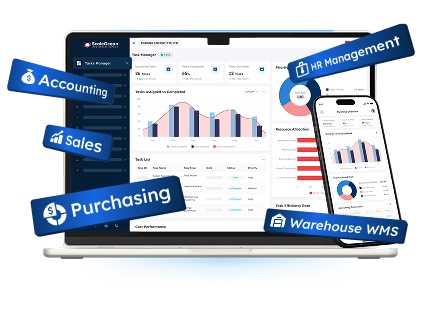
- ScaleOcean accounting system is an integrated solution that supports church finance management through customizable fund categories, automated reporting, approval controls, and secure audit trails.
What Is Church Accounting Software?
Church accounting software is an accounting platform designed for religious organizations, charities, ministries, and nonprofit groups. Its main role is to manage money according to purpose, not only by income and expense categories. This means every donation, grant, tithe, and ministry budget can be linked to a specific fund.
For churches in Singapore, this becomes important because financial reports must support transparency, accountability, and governance. Charities and IPCs are required to submit annual documents through the Charity Portal within six months from the end of each financial year, so churches need organized financial records.
In practice, the best accounting software in Singapore would help finance teams record donations, separate restricted and unrestricted funds, reconcile bank transactions, issue giving statements, prepare budget reports, and create audit-ready records. It also supports leadership decisions because pastors, treasurers, and board members can review fund balances and spending status faster.
Quick Comparison: Top Church Accounting Software
The table below compares several church accounting software platforms based on their general use case, core standalone capability, public pricing information, and ideal church size. Pricing may change depending on region, modules, discounts, user count, and add-ons, so churches should verify the latest quote before purchasing.
| Vendor/Tools | Best For | Standalone Features | Pricing |
|---|---|---|---|
| ScaleOcean | Medium to large churches, megachurches, IPCs, and multi-branch ministries in Singapore that need structured fund control, approval, reporting, and donor transparency. | Enterprise fund accounting, donor-restricted fund control, multi-level approvals, GST-ready reporting, real-time dashboards, custom ministry workflows, role-based access, and unlimited users. | Custom flat pricing with unlimited users |
| Springly | Nonprofits and churches that want membership, fundraising, communications, and accounting in one platform. | Fundraising, CRM, membership, emailing, website, and accounting tools. | Commonly start from USD 45/month |
| ChurchTrac | Churches that need affordable church management, giving, attendance, communication, and optional accounting. | People management, giving, worship planning, budgeting, and messaging add-ons. | Starts from USD 9/month; accounting add-on around USD 15/month |
| Aplos | Churches and nonprofits that need true fund accounting, budgeting, reporting, and donor-ready financial statements. | Balance sheet by fund, income statement by fund, budgeting, reconciliation, and custom reports. | Core from around USD 129/month; Advanced from around USD 229/month |
| Church360 Ledger | Congregations that want church-focused ledger, budget, reconciliation, and reporting functions. | Fund accounting, chart of accounts, reconciliation, check printing, and audit log. | Around USD 500/year, standalone or USD 50/month |
| QuickBooks Online for Churches | Churches that want general accounting and are comfortable adapting classes, locations, and tags for church funds. | General ledger, expenses, budgets, reports, bank feeds, and accountant access. | Singapore plans commonly start from S$31/month |
| Xero for Churches | Churches that need cloud accounting with bank reconciliation, bills, reports, and multi-currency options. | Cloud accounting, bank reconciliation, bills, reporting, and optional add-ons. | Singapore plans commonly start from S$39/month |
| PowerChurch Plus | Churches that prefer a traditional church management package with membership, contributions, accounting, and events. | Membership, contributions, accounting, events calendar, payroll, and record keeping. | Desktop license and online subscription options available |
| Icon Church Software | Churches that need cloud-based church management with accounting, payroll, membership, and contribution tracking. | Fund accounting, membership, payroll, contribution records, reports, and backups. | Commonly listed from around USD 35/month |
| Zion Church Software | Churches that want church management with donations, members, events, communication, and reporting. | Member management, donations, events, communications, dashboard, and accounting reports. | Pricing may vary depending on plan and setup |
The 10 Best Church Accounting Software Platforms
The best church accounting software should do more than record income and expenses. With many platforms offering different features, pricing models, and levels of flexibility, churches need a clear comparison to understand which solution best fits their operational and compliance needs.
This guide reviews ten leading platforms to help church leaders, treasurers, and decision makers evaluate each option based on usability, core accounting features, integrations, scalability, and long-term ministry support.
1. ScaleOcean
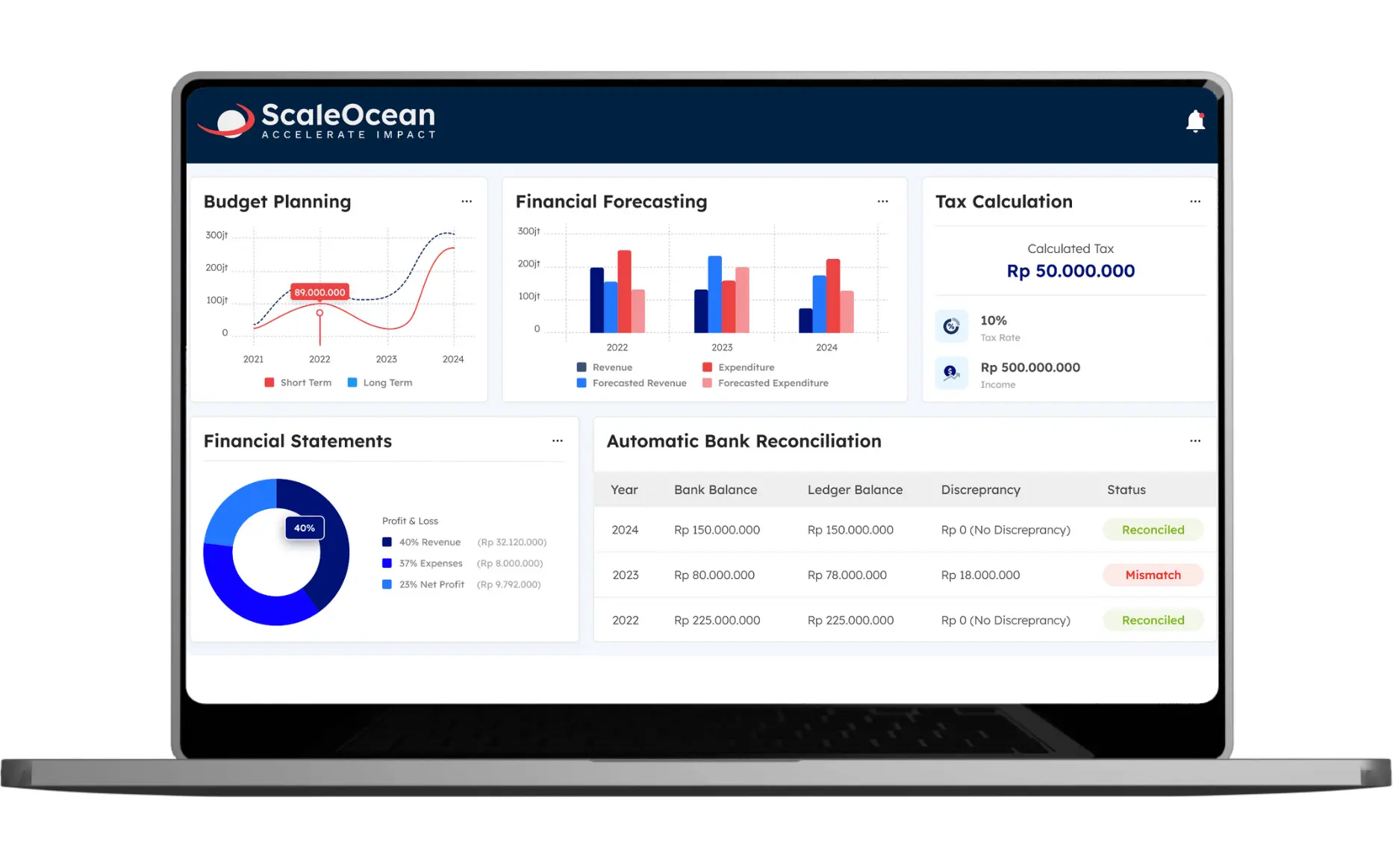
ScaleOcean is an enterprise-focused church accounting software designed for large churches, megachurches, IPCs, and multi-branch ministries in Singapore. More than a complete accounting system, it supports governance, audit readiness, donor fund transparency, and approval control, which are essential for churches managing multiple funds, ministries, branches, and financial reporting responsibilities.
For charities and IPCs in Singapore, annual documents such as financial statements, annual reports, and governance evaluation checklists must be prepared and submitted through the charity portal within 6 months after the financial year-end. ScaleOcean helps churches manage these requirements through customizable fund tracking, multi-level approvals, real-time financial reporting, audit trails, GST compliance support, and alignment with local financial reporting standards.
To explore how the system fits your church’s finance process, you can request a free demo and review its modules, dashboard, workflow, and implementation options in more detail. ScaleOcean also supports a consultative implementation approach, so each setup is built based on real operational needs rather than a fixed template.
Key Features:
- Fund accounting for general, building, mission, and donor-designated funds
- COC and CAS report templates for Singapore church submissions
- PayNow QR, Stripe, and bank reconciliation for donations and offerings
- Statement of fiving generation for annual donor summaries
- Department-based budgeting for church operations
- Immutable audit logs with searchable transaction history
- Multi-level approval matrix for payments, reimbursements, and financial requests
| Pros | Cons |
|---|---|
|
|
Best for: Large churches, megachurches, IPCs, and multi-branch ministries in Singapore that need a configurable accounting system with fund control, approval workflows, donor transparency, GST-ready records, and local reporting support.
2. Springly
Springly is a nonprofit management platform that combines fundraising, membership, communication, event management, and accounting features. It can help churches centralize donor engagement, member data, and basic financial activities without using too many separate tools.
For churches that focus heavily on community engagement and fundraising campaigns, Springly provides practical tools to manage supporter relationships. However, churches with more complex accounting structures may still need to review how deeply the platform supports restricted funds, local reporting, and approval workflows.
Key features:
- Fundraising and donation management
- Membership and supporter database
- Email and communication tools
- Event and campaign management
- Basic accounting support
- Website and online payment features
| Pros | Cons |
|---|---|
|
|
Best for: Small to mid-sized churches and nonprofits that need fundraising, membership, and basic accounting tools in one platform.
3. ChurchTrac
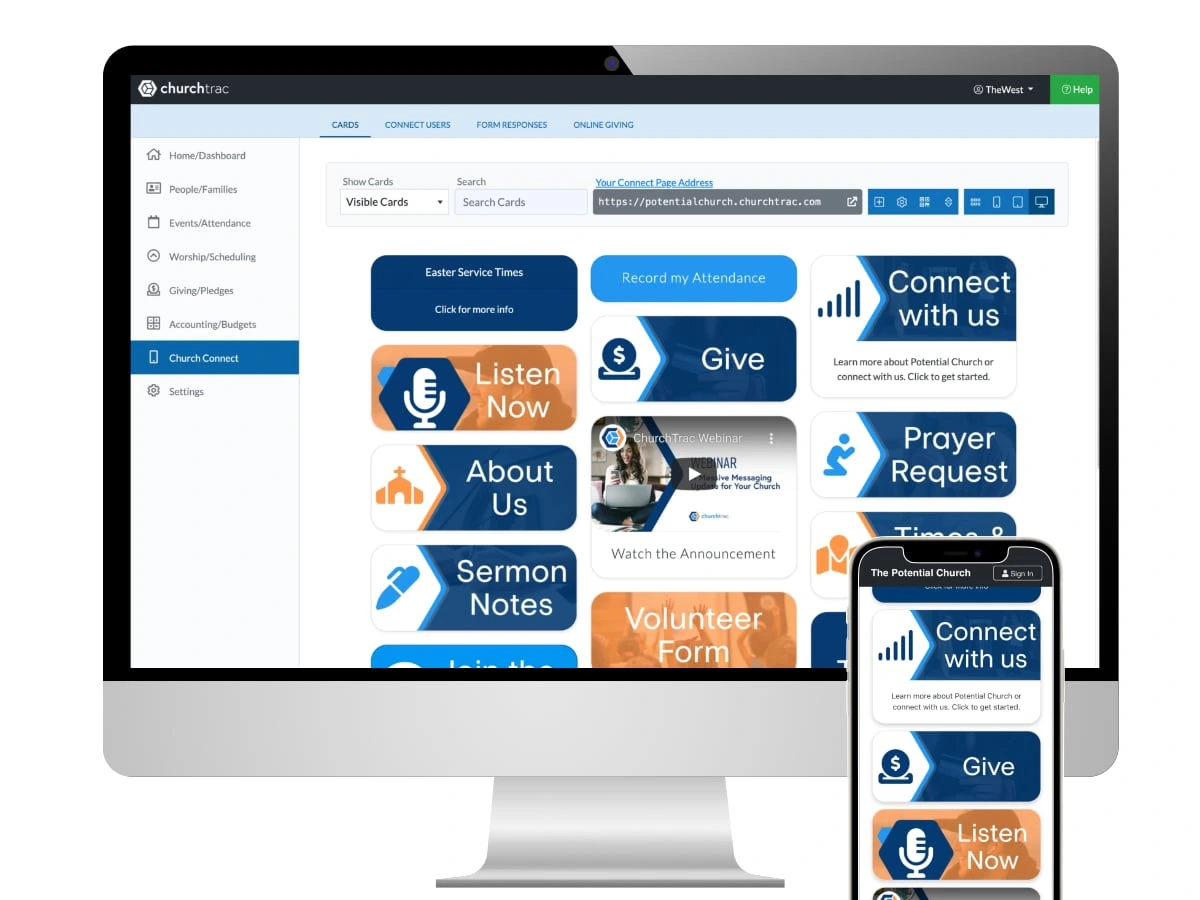
ChurchTrac is a church management platform that supports people management, giving, attendance, worship planning, communication, and optional accounting. It is often suitable for smaller churches that need affordable and practical tools for daily church administration.
Its accounting features can support basic budgeting and bookkeeping workflows for churches with simpler financial operations. For larger churches, the platform may need further evaluation, especially when the organization handles multiple ministries, restricted funds, and more complex approval structures.
Key features:
- People and member management
- Giving and contribution tracking
- Attendance tracking
- Worship planning
- Budgeting and accounting add-on
- Church communication tools
| Pros | Cons |
|---|---|
|
|
Best for: Small to mid-sized churches that need affordable church management with optional accounting features.
4. Aplos
Aplos is built for churches and nonprofit organizations that need fund accounting, donor management, budgeting, and nonprofit financial reporting. It helps churches separate funds, track donations, and prepare reports based on nonprofit accounting needs.
The platform is useful for churches that want a more purpose-built accounting solution instead of adapting general business software. However, organizations with broad ERP needs, multi-branch operations, or highly customized internal workflows may need to review whether Aplos provides enough flexibility.
Key features:
- Fund accounting
- Donation and donor tracking
- Budgeting and financial reporting
- Bank reconciliation
- Nonprofit chart of accounts
- Giving statements and custom reports
| Pros | Cons |
|---|---|
|
|
Best for: Churches and nonprofits that need purpose-built fund accounting, donor tracking, and nonprofit financial reporting.
5. Church360 Ledger
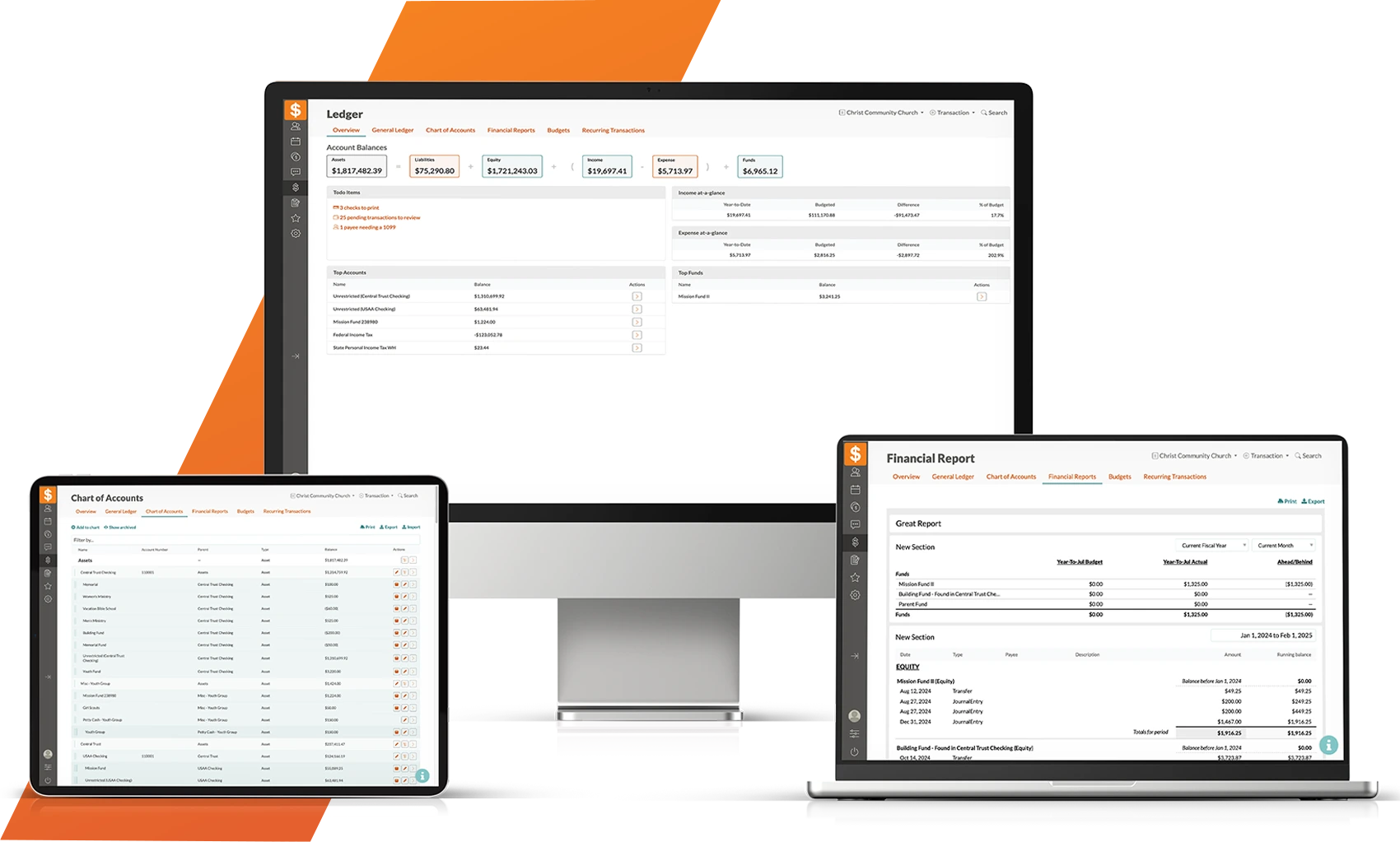
Church360 Ledger is a church-focused accounting system that helps congregations manage funds, budgets, bank reconciliation, checks, and financial reports. It is designed to simplify church finance without forcing users to rely on generic accounting workflows.
This platform can be helpful for churches that mainly need a dedicated ledger and fund accounting system. For larger organizations, the main consideration is whether the system can support wider operational integration, branch-level visibility, and customized reporting needs.
Key features:
- Fund accounting
- Chart of accounts
- Budget tracking
- Check printing
- Audit log and financial reporting
| Pros | Cons |
|---|---|
|
|
Best for: Congregations that need a focused church ledger, fund accounting, and budget management system.
6. QuickBooks (Online for Churches)
QuickBooks is a general accounting platform that many churches adapt for church finance using classes, tags, projects, or locations. It supports common accounting tasks such as expense tracking, bank feeds, budgeting, reporting, and accountant collaboration.
For churches with simple accounting needs, QuickBooks can be a familiar and accessible option. However, because it is not built exclusively for churches, finance teams may need additional setup to manage donor restrictions, giving statements, and fund accounting properly.
Key features:
- General ledger and bookkeeping
- Bank feeds and reconciliation
- Expense and bill tracking
- Budget reports
- Class and location tracking
- Accountant access
| Pros | Cons |
|---|---|
|
|
Best for: Small churches that need general accounting software and have simple fund tracking requirements.
7. Xero (adapted for churches)
Xero is cloud accounting software that supports bank reconciliation, bill management, reporting, dashboards, and multi-currency accounting. Some churches use Xero because it offers clean, cloud-based financial workflows and easy access for finance users.
For churches that already work with accountants familiar with Xero, the platform can be practical for managing day-to-day accounting. However, churches with restricted funds, donor reporting, and ministry-specific budgeting should check whether add-ons or custom setups are needed.
Key features:
- Cloud accounting dashboard
- Bank reconciliation
- Bill and expense management
- Financial reports
- Multi-currency support
- Integration marketplace
| Pros | Cons |
|---|---|
|
|
Best for: Small to mid-sized churches that need cloud accounting and are comfortable adapting the system for church finance.
8. PowerChurch Plus
PowerChurch Plus is a church management and accounting system that includes membership, contributions, payroll, events, and record keeping. It is designed for churches that want administrative and financial tools in one church-focused package.
The platform can support churches that prefer a traditional church management system with accounting included. Churches that prioritize modern cloud access, advanced integrations, or multi-branch financial visibility should compare the deployment model and feature depth before choosing it.
Key features:
- Membership management
- Contribution tracking
- Payroll
- Event calendar
- Record keeping and reports
| Pros | Cons |
|---|---|
|
|
Best for: Churches that want traditional church management software with membership, contribution, payroll, and accounting tools.
9. Icon Church Software
Icon Church Software provides church management tools for membership, contributions, fund accounting, payroll, reports, and backups. It is suitable for churches that want a cloud-based system to manage both people and financial records.
The platform can help churches organize contribution data and accounting activities in one place. For larger churches, the main points to evaluate are reporting flexibility, integration options, approval controls, and suitability for multi-location financial operations.
Key features:
- Membership management
- Contribution tracking
- Fund accounting
- Cloud backup
- Church reports
| Pros | Cons |
|---|---|
|
|
Best for: Small to mid-sized churches that need cloud-based church management with contribution tracking and accounting features.
10. Zion Church Software
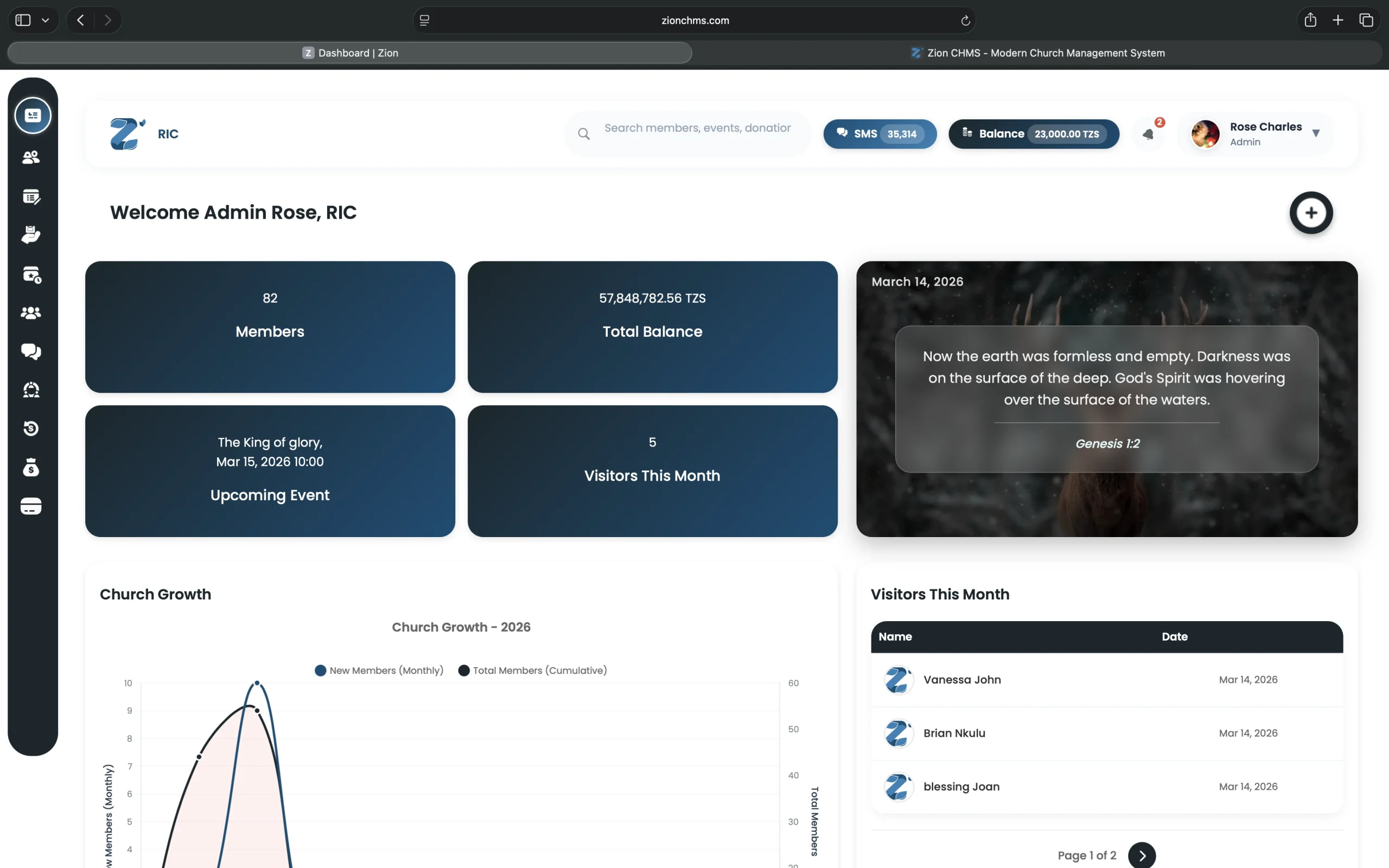
Zion Church Software supports church management activities such as member management, donations, events, communication, dashboards, and reporting. It is designed to help churches manage administration and engagement in a more structured digital environment.
For churches that need an accessible church management system, Zion can help centralize daily activities and donation records. However, churches with more advanced finance requirements should review the accounting depth, compliance support, and flexibility for restricted fund reporting.
Key features:
- Member management
- Donation tracking
- Event management
- Communication tools
- Dashboard monitoring
- Reporting features
| Pros | Cons |
|---|---|
|
|
Best for: Churches that need simple church management, donation tracking, communication, and basic reporting features.
How Church Accounting Software Works?
Church accounting software works by connecting each financial activity to a fund, donor, ministry, approval step, and report. When a donation comes in, the system records the donor, payment channel, purpose, receipt details, and fund category. When expenses are submitted, approvals route them to the right leaders.
In practice, the system acts as a financial control center for the church. It helps finance teams track restricted and unrestricted funds, reconcile donations from multiple channels, monitor ministry budgets, approve reimbursements, and prepare reports for boards, auditors, and regulators. This makes church finance more transparent, structured, and easier to manage.
For example, imagine a large Singapore church that receives donations through PayNow QR, card payments, bank transfers, and Sunday cash offerings. Without accounting software, the finance team may spend several days matching deposits, checking donor intent, separating restricted funds, and preparing board reports. Manual spreadsheets can also increase the risk of duplicate entries, missing receipts, and incorrect fund allocation.
With the right church accounting software, donations can be reconciled by payment channel and mapped automatically to the correct fund. If a donor gives specifically for missions, building maintenance, or benevolence, the system records that purpose from the start. This helps prevent donor-restricted funds from being used for general expenses and gives leaders clearer visibility over available balances.
In the same case, the church may run youth ministry, missions, building maintenance, outreach, and benevolence programs. Each department has its own budget, but spending still needs approval before payment is released. Accounting software can route reimbursement requests to ministry heads, finance managers, and treasurers based on approval rules.
This workflow solves several practical problems in church management. Ministry leaders can track budget versus actual spending, finance teams can reduce back-and-forth communication, and treasurers can review every request before funds are disbursed. Auditors can also trace who submitted, approved, edited, or released each transaction through a clear audit trail.
Based on data from the Inland Revenue Authority of Singapore (IRAS), IPCs must submit tax-deductible donation records received in the previous calendar year by 31 January annually. For churches with IPC status, this makes donation data accuracy even more important, especially when contributions come from multiple channels and need to be reported correctly.
Furthermore, church accounting software helps finance teams record donor details, classify funds, manage receipt information, and prepare cleaner donation data before submission deadlines. As a result, churches can reduce manual corrections, improve reporting accuracy, prevent fund misuse, support audit readiness, and stay better prepared for annual IRAS compliance requirements.
What are the Accounting Software Features That Churches Usually Look For?

Churches require specific financial tools tailored to nonprofit structures, compliance, and donor management. Unlike standard business platforms, they rely on software that prioritizes fund accounting, seamless donation tracking, robust internal security, and cloud accounting capabilities to maintain congregational trust.
When church leaders evaluate accounting software, they need more than a basic bookkeeping platform. The right church accounting software should support fund control, donor records, ministry budgeting, payroll accuracy, and transparent reporting. With these features, finance teams can manage donations responsibly, reduce manual work, and provide clearer financial visibility for boards, auditors, and ministry leaders.
1. True Fund Accounting
True fund accounting is one of the most important features that separates church accounting software from standard business accounting systems. Churches often manage different funds for general operations, missions, youth ministry, building projects, outreach, or benevolence programs. Each fund must be tracked separately so income, expenses, and balances remain accurate.
Without proper fund accounting, restricted donations may be mixed with general church expenses, creating compliance risks and trust issues. A reliable system helps churches generate reports by fund, monitor available balances, and ensure every donation is used according to its intended purpose. This gives leaders better control over stewardship and financial planning.
2. Contribution & Donor Tracking
Churches depend heavily on member giving, so contribution tracking is a core feature in any church accounting software. The system should record donations from cash offerings, checks, bank transfers, online giving, card payments, and other digital channels. It should also connect each donation to the right donor, fund, campaign, or ministry purpose.
Strong donor tracking helps finance teams build accurate giving histories for individuals, families, and groups. This is especially useful when preparing contribution statements, donor receipts, annual reports, and tax-related documentation. Instead of manually checking spreadsheets, churches can generate accurate records faster and reduce administrative errors.
3. Clergy Payroll Compliance
Clergy payroll can be more complex than regular employee payroll because ministry compensation may involve housing allowance, benefits, reimbursements, and specific tax treatment. Standard payroll tools may not always support these requirements properly. That is why online church accounting software should include payroll features designed for ministry staff.
With the right payroll module, churches can calculate salaries, allowances, deductions, benefits, and year-end tax forms more accurately. This helps reduce compliance risks and ensures staff are paid correctly. For church administrators, it also creates a more structured payroll process that is easier to review, document, and audit.
4. ChMS Integration
A Church Management System, or ChMS, stores important people-related data such as member profiles, attendance, groups, volunteers, and ministry engagement. Since giving activity is closely connected to member records, integration between the ChMS and accounting software is highly valuable. It prevents duplicate data entry and keeps records more consistent.
When both systems are connected, donation data can update donor profiles automatically, giving church teams a clearer view of each member’s engagement. This improves collaboration between finance and ministry teams. It also helps churches manage information more efficiently, from contribution tracking to member communication and leadership reporting.
5. Ministry Budgeting & Reporting
Ministry budgeting helps churches plan and control spending across different departments, programs, and initiatives. A good church accounting software should allow leaders to create budgets for areas such as youth ministry, worship, missions, outreach, operations, and facility maintenance. This helps each ministry manage its resources more responsibly.
Reporting is equally important because church leaders need clear financial insight to make informed decisions. The system should provide budget vs. actual reports, fund reports, statements of activities, and financial position reports. With accurate reporting, boards and finance committees can review performance, monitor risks, and guide the church’s mission with greater confidence.
What Is the Use of Accounting Software for Church Management?

Accounting software helps churches manage finances through fund accounting that tracks restricted and unrestricted donations separately to ensure money is used exactly as intended. It simplifies payroll, automates donor tax statements, and generates financial reports for leadership.
For church management, accounting software is more than a bookkeeping tool. It supports financial transparency, donor accountability, ministry budgeting, and compliance in one structured system. With accurate financial data, church leaders can make better decisions, protect congregational trust, and manage resources more responsibly across every ministry activity.
1. Managing Dedicated Funds (Fund Accounting)
One of the main uses of church accounting software is managing dedicated funds through proper fund accounting. Churches often receive donations for specific purposes, such as building projects, missions, youth programs, or community outreach. The system helps separate each fund so restricted donations are not mixed with general operating expenses.
This capability is essential for maintaining trust and accountability. When church leaders can show clear reports on how each fund is received, spent, and balanced, donors gain more confidence in financial stewardship. It also helps the church ensure that every contribution is used according to its intended purpose.
2. Enforcing Internal Security and Compliance
Church accounting software also helps strengthen internal security by controlling who can access, edit, approve, or review financial data. User-based permissions allow churches to separate duties between finance staff, ministry leaders, treasurers, and administrators. This reduces the risk of errors, unauthorized transactions, and misuse of funds.
In addition, the system creates a clear audit trail for every transaction. Church leaders can track who made changes, when approvals were given, and how payments were processed. With a solution like ScaleOcean accounting software, nonprofit and faith-based organizations can strengthen compliance, simplify audits, and maintain more reliable financial governance.
3. Automating Donation & Contribution Tracking
Donation tracking is another important use of accounting software for church management. Instead of recording every offering manually, churches can track donations from cash, checks, bank transfers, online giving, and digital payment channels in one system. Each contribution can be linked to the right donor, fund, campaign, or ministry purpose.
This automation saves time and reduces administrative errors, especially for growing churches with multiple giving channels. Finance teams can generate donor receipts, contribution summaries, and year-end giving statements more efficiently. As a result, church staff can spend less time on manual data entry and more time supporting ministry work.
4. Handling Specialized Ministry Payroll
Church payroll can be more complex than regular business payroll because it may involve clergy compensation, housing allowance, benefits, reimbursements, and different tax considerations. With specialized church accounting software and an integrated accounting information system, churches can manage these payroll details more accurately, ensuring that ministry staff are paid correctly and on time.
Using the right system also reduces compliance risks for church administrators. Payroll data, deductions, allowances, and payment records can be documented clearly for review and reporting. This gives leadership better control over staff compensation while helping the church maintain a more organized and accountable financial process.
How Much Does Church Accounting Software Cost?
Church accounting software pricing can depend on features, number of users, church size, and whether the system focuses only on bookkeeping or includes broader church management tools. Based on current public pricing, lightweight solutions such as ChurchTrac may start from around USD 9 per month, with accounting features available as an add-on.
Other church-focused tools, such as IconCMO, may start around USD 35 per month, while PowerChurch Online is listed at around USD 47 per month or USD 499 per year. For nonprofit accounting platforms, Aplos is often positioned as a more dedicated fund accounting solution, with entry pricing commonly listed around USD 79 per month.
Meanwhile, general accounting tools such as QuickBooks and Xero can be cost-efficient for basic bookkeeping, with QuickBooks plans ranging from around USD 38 to USD 275 per month and Xero plans commonly listed around USD 50 to USD 75 per month in some global pricing pages. However, these platforms may require extra setup, templates, or integrations to manage donor restrictions, ministry budgets, and church-specific reporting properly.
Each brand offers useful strengths, but churches still need to review the fit carefully. ChurchTrac is affordable and practical for smaller churches, although larger ministries may need deeper approval workflows and financial customization. Aplos provides stronger nonprofit accounting features, but costs can increase as reporting, users, or donor management needs grow.
QuickBooks and Xero are flexible for general accounting, yet churches may need additional configuration to support true fund accounting and contribution tracking. PowerChurch Plus can be suitable for churches that prefer a desktop license or a familiar church management setup, while IconCMO offers church management and fund accounting in one platform.
Even so, decision makers should still assess cloud accessibility, reporting flexibility, local compliance needs, branch structures, and long-term scalability before choosing. A lower subscription price may look attractive at first, but hidden add-ons or limited customization can create extra work for finance teams later.
For churches that need more flexibility, ScaleOcean becomes a stronger alternative through flat pricing, unlimited users, and full customization. Instead of forcing churches to follow a fixed accounting template, this software can be configured around fund categories, donor reporting, multi-level approvals, ministry budgets, branch structures, audit trails, and compliance requirements.
It also supports integrated accounting, automated reporting, secure access control, cloud or on-premise deployment, and scalable modules that can grow with the church’s operational needs. Try ScaleOcean’s free demo today and see how a customized church accounting system can simplify finance, improve transparency, and support more accountable ministry management.
How to Choose a Church Accounting Software?
Choosing the right church accounting software means balancing fund accounting capabilities with ease of use for volunteer treasurers. Prioritize platforms that handle clergy payroll, generate end-of-year tax statements, and integrate with your online giving tools.
To choose the most suitable system, churches should review several key factors before making a decision:
- Identify your church’s financial needs: Start by reviewing congregation size, number of funds, donation channels, payroll requirements, reporting needs, and user skill levels. This helps narrow the options based on real operational requirements.
- Involve the right stakeholders: Include the treasurer, pastor, finance committee, and a tech-savvy volunteer in the evaluation process. Their input helps ensure the software is practical for daily use while still supporting accountability and compliance.
- Prioritize true fund accounting: The software should separate restricted and unrestricted donations clearly. This ensures each contribution is recorded, reported, and used according to its intended purpose.
- Check donation and payroll capabilities: Choose a system that can track donor records, manage online giving, prepare contribution statements, and support clergy payroll needs such as housing allowances and reimbursements.
- Review approval controls and audit trails: A reliable church accounting software should provide user permissions, approval workflows, and transaction history. These features help strengthen internal control and improve audit readiness.
- Request product demos: Compare two or three suitable platforms through demos. Ask how each system handles ministry budgets, fund reports, donor tracking, payroll, permissions, and real church finance scenarios.
- Assess support and training: Look for vendors that provide onboarding assistance, documentation, responsive support, and training resources. This is especially important when finance tasks are handled by volunteers.
- Consider long-term scalability: The best option is not always the cheapest one. Choose software that fits the church’s structure, reporting needs, compliance requirements, and future growth plans.
Conclusion
Church accounting software is a digital solution that helps churches manage donations, funds, payroll, budgets, and financial reports in a more structured way. It replaces manual spreadsheets with a centralized system that supports fund accounting, donor tracking, approval workflows, and transparent reporting for church leaders.
With the right software, churches can reduce manual errors, prevent restricted funds from being misused, and simplify financial reporting for boards, auditors, and compliance needs. It also helps finance teams manage donor contributions, ministry budgets, reimbursement approvals, and clergy payroll with better accuracy and accountability.
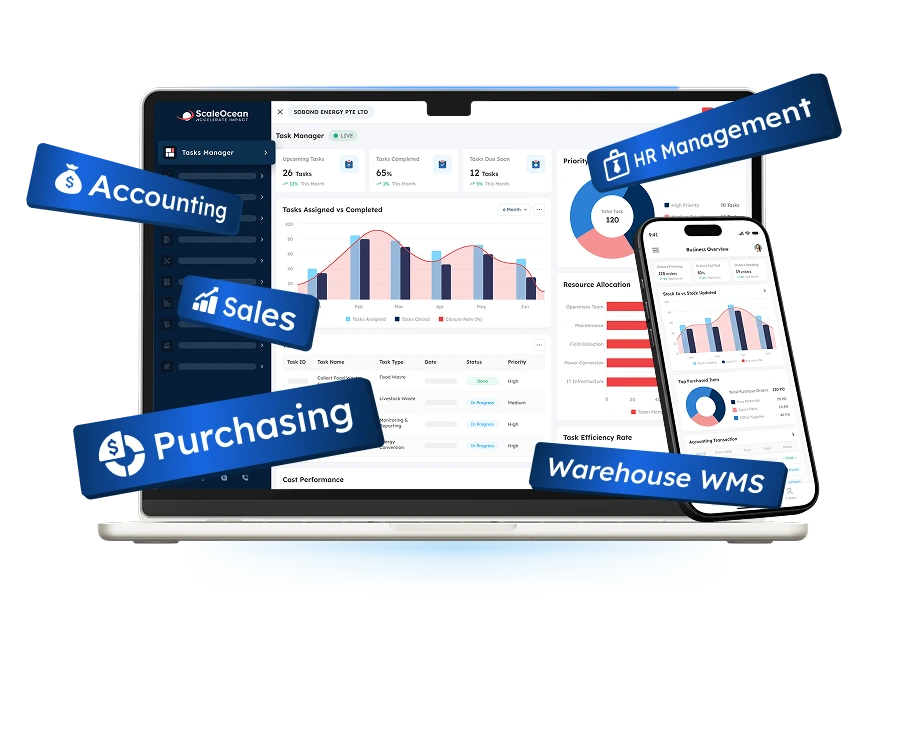
ScaleOcean accounting software supports church finance management through customizable fund categories, unlimited users, automated reporting, approval controls, donor records, and secure audit trails. Try the free demo to see how this software can help your church improve financial transparency, simplify accounting processes, and support more accountable ministry management.
FAQ:
1. Can church accounting software help volunteer treasurers?
Yes, church-specific accounting software can be very helpful for volunteer treasurers. It reduces reliance on manual spreadsheets by automating routine bookkeeping tasks and guiding users through financial processes without requiring formal CPA-level accounting knowledge.
2. How does church accounting software manage cash, checks, and online donations?
Church accounting software brings all donation records into one centralized system. Cash and check offerings can be entered manually or grouped in batches, while digital gifts from online platforms, text giving, or church apps can sync automatically from payment processors. This helps churches track every contribution securely, accurately, and to the correct ministry fund.
3. Is church accounting software useful for churches that receive more online donations?
Yes, church accounting software is useful for churches receiving more online donations because it automatically records digital gifts, allocates them to the right funds, and tracks processing fees. This helps finance teams reduce manual entry, prevent allocation errors, and ensure bank deposits match accounting records more accurately.
4. What is the accounting method for churches?
Churches and religious nonprofits use fund-based accounting to manage money according to its intended purpose. Unlike for-profit businesses that focus on measuring profit, this method separates finances into dedicated categories such as general funds, building funds, missions, and benevolence, so donor intent is properly protected.




















.png)