
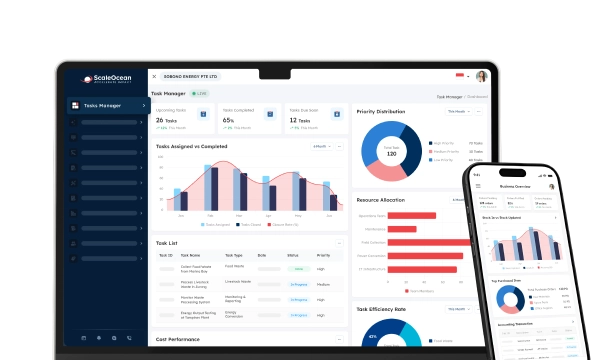

When it comes to managing business finances, many companies still struggle to manage various financial control processes. This is especially true for medium-sized and large companies, which often have a large amount of scattered financial data that is still managed locally. This usually involves manual processes that increase the risk of human error and are time-consuming.
As businesses grow, companies can utilize cloud accounting, which provides real-time access to financial data from anywhere and at any time, accurately manages finances, and ensures all data is properly protected.
This article will provide comprehensive information on cloud accounting, its benefits, comprehensive features, and examples of the best cloud accounting applications, such as Scaleocean, as well as comprehensive reviews to help you choose the right cloud accounting system for your needs. Learn more here!
 Key Takeaways
- Cloud accounting utilizes internet-based software for financial management, providing real-time access, collaboration, and storage on remote servers instead of local devices.
- The benefits of cloud accounting include improved business efficiency by offering real-time access, cost-efficiency, enhanced security, scalability, and better collaboration across teams and locations.
- Features of cloud accounting systems include automating tasks, providing real-time analytics, integrating AI for financial predictions, and allowing seamless collaboration, improving accuracy, and saving time.
- Popular cloud accounting software includes ScaleOcean, QuickBooks, FreshBooks, Sage, and Zoho Books
- ScaleOcean’s comprehensive solution of cloud accounting software, with seamless integration, provides an ideal solution for businesses looking to streamline financial management securely and efficiently.

What is Cloud Accounting?
Cloud accounting uses online software to manage business finances. Unlike software on traditional, local computers, cloud accounting uses secure, off-site remote servers to store and manage your data. This gives your team real-time access and the ability to work from any computer.
Cloud accounting has the benefits of auto-updates and high security, is scalable, and is a cost-effective, subscription-based service, perfect for remote teams and anyone who wants a flexible system.
What’s the Difference between Cloud Accounting vs. On-premises Accounting?
Businesses use two main methods to manage their finances: cloud accounting and on-premises accounting. Both methods offer solutions to track and manage financial data, but the procedures and advantages of each are slightly different.
By understanding the key differences, it can be easier for businesses to know what method will work best for them, their size, and their plans for expansion.
Cloud accounting uses internet-hosted software and is accessible and able to be collaborated on anywhere and anytime over the internet, while data is kept in off-site remote servers.
On-premises accounting uses software installed on local devices and locally stored data, and offers control of data but at higher start-up costs, with maintenance costs added to higher initial outlays and the potential for issues arising with outdated data without a proactive update protocol.
| Differences | Cloud | On-Premises |
|---|---|---|
| Where is the system installed? | Hosted on remote servers and accessed via the internet | Installed on local servers or individual computers |
| How to access? | Accessible from anywhere with an internet connection | Accessed from within the company’s network or local computers |
| How to pay? | Subscription-based, usually with lower initial costs | On-time upfront payment with additional maintenance fees |
| How are the security measures? | High-level security with data encryption and backups provided by the provider | Greater control over data security, but requires its own security measures and infrastructure. |
| How does data backup & recovery work? | Automatic data backups and disaster recovery are included | Requires manual backup procedures and dedicated systems for recovery |
| How to add a user? | Users can be added through the cloud provider’s admin portal, allowing easy access and setup through the web interface. | Users must be manually added on the local server, often requiring administrator-level access. |
| How to integrate? | Easily integrates with other cloud-based tools and services | Integration may require custom solutions and more complex setups |
How Cloud Accounting Works?
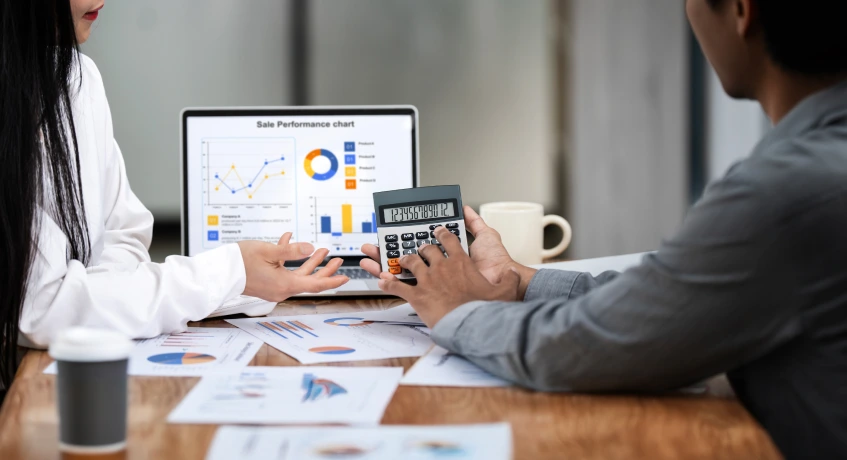
Cloud accounting uses internet-hosted software for the business to manage financial data, where the information is stored in secure, remote servers rather than locally on computer devices.
Business owners and employees can access financial records remotely through an internet-connected accounting information system at any time. Cloud accounting software can also connect with other business applications, including ERP systems, to enable smooth data exchange across different operational processes.
The software is updated automatically, ensuring accurate and current records, and the business can perform actions such as issuing invoices, calculating payroll, and processing payments in real-time to make easier decisions based on accurate data and allow remote teams to easily collaborate.
This method of accounting uses a subscription basis, which enables a business to scale its usage to its needs, eliminates high upfront hardware costs, and reduces the need for manual backups.
Benefits of Cloud Accounting
Cloud accounting offers businesses numerous benefits in terms of streamlining the accounting process, and the ease and safety of the practice make it extremely attractive to companies both small and large. Below is a breakdown of the main advantages of switching to cloud accounting:
- Real-Time Access to Financial Data: Businesses can now instantly access up-to-date financial figures from any location, simply using an internet connection. Business owners and accountants are therefore kept fully informed of their financial situation, allowing for better decision-making, quicker response times to potential issues, and more informed financial decisions can be made about future business growth and expansion.
- Cost Efficiency: The overall cost efficiency of using cloud accounting as opposed to on-premises is significant; this includes eliminating the need for dedicated IT staff to manage and maintain software, reducing hardware costs by avoiding the purchase of additional storage and servers, and eliminating the need for regular software upgrades and installation.
- Enhanced Security: When storing sensitive financial information such as personal data, payment details, and transactional information, businesses often fear breaches and loss of data through system failure, theft, and cyberattacks. Cloud accounting systems provide an array of security features, typically including encryption and multi-factor authentication for users, meaning sensitive information can be protected at every access point.
- Scalability and Flexibility: As businesses expand and grow, they often have to upgrade and adapt IT and accounting systems accordingly; this can lead to added costs and time. The flexible nature of cloud accounting systems can be increased to adapt as the business grows; it is possible to simply and efficiently increase the number of users permitted to access data, add new features and applications required, or integrate with third-party systems such as payment gateway services, inventory management systems, multi-currency accounting software, and CRMs.
- Improved Collaboration: Remote teams now have more efficient means of communicating and working with each other, particularly when accounting data is concerned. Team members can now collaborate on business accounting documents in real-time, ensuring that all members are working with the same data set. This enhances teamwork, eliminates confusion and delays, and allows for more effective decision-making in the finance department.
Challenges of the Traditional Accounting System
Traditional accounting systems have been a vital part of the business world, but have long presented several difficulties and challenges.
With modern, fast-paced technology and evolving business needs, traditional accounting systems often leave businesses struggling to adapt, and the following are common problems businesses have with traditional accounting systems:
- Limited Accessibility: It is the job of a business owner to ensure all of their financial data is safe and protected. Traditional systems are installed on either desktop devices or servers and are only accessible by designated users working on-site in the business. Therefore, business owners who are working offsite or travelling have very little access to crucial financial documentation, making the management and analysis of business finances challenging.
- Long Upgrades: Updating old traditional software programs has often become a laborious process, taking days to upload, test, and install on all relevant computer systems. With the added time needed for system downtimes, it has become evident that old accounting software, despite being cheap, often costs the business more in terms of lost productivity time and income due to system closures.
- End of Life (EOL): Most software programs have an End of Life (EOL) status at which point the support provided to that particular program will cease. This makes outdated accounting programs potentially very risky to use, as there is less likelihood of there being any new developments in the program, and you risk being affected by system breaches that were not corrected with the software at its EOL. This, therefore, becomes increasingly inconvenient for small businesses with limited IT experience who rely on their accounting software being updated with the latest technology and security features.
- High Operational Costs: Installing and managing traditional accounting systems can be an extremely expensive and time-consuming business practice. Businesses spend a lot of time managing complex hardware like servers and pay for the maintenance, updates, and licensing needed, which add significantly to running costs; the more basic the system, the more time it is going to take and potentially be more susceptible to issues. Small businesses especially struggle with this concept as their resources are likely to be limited.
- Data Security Risks: The entire responsibility of securing a business’s data lies in the business owners’ hands when using a traditional system, as it is stored on local servers in the office. This means that when natural disasters, system failures, or cyberattacks strike, the data could be destroyed, permanently deleted, or worse,e stolen. Many businesses may attempt to keep their data safe with manual data backups, but this requires dedicated time that can easily slip through the cracks, putting businesses at a real risk. For example, without a remotely managed offsite backup facility or advancedencryptioni,n a hacker could access critical data in moments if your systems are not secured appropriately.
- Limited Integration and Automation: Most traditional accounting programs cannot seamlessly integrate with other business software. This requires time-consuming data entry across multiple different systems, creating potential for human error and inefficiencies in processes like invoicing, accounting, stock management, and payroll. This will naturally lead to a significant loss of productivity and income when tasks could easily have been automated through integrations or through a more modern and integrated approach to business finance software.
Core Features of Cloud Accounting Systems
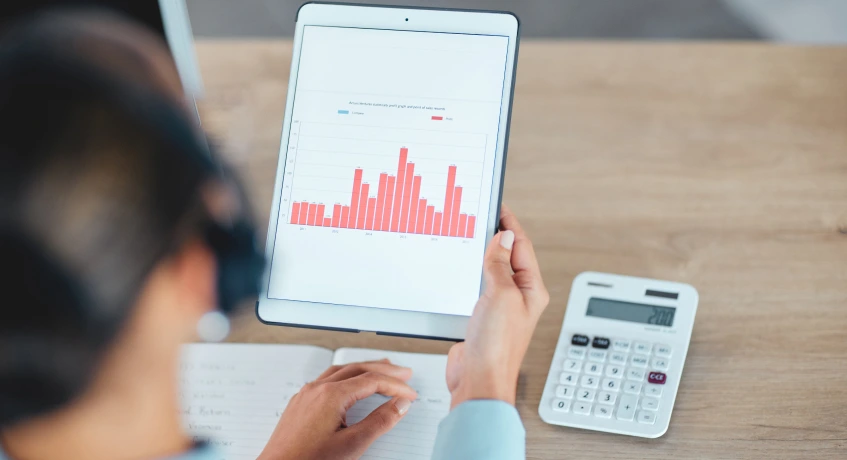
Modern accounting software packages that run in the cloud have a range of useful features that help make running your business finances more efficient, easy to understand, and readily accessible. Here are some of the core features available on many cloud accounting systems today:
- Automation Capabilities: Tasks like issuing customer invoices, paying bills, and automatic bank reconciliations can be automated with cloud accounting software, therefore significantly reducing the time your business spends on administrative tasks, such as manually inputting transactional data, and minimising the risk of errors with automated systems. The best programs are now fully capable of automatically sending recurring invoices and automatically extracting information from your receipts.
- Real-Time Analytics and Financial Data: A business needs a complete understanding of how it is doing to grow and expand successfully; cloud accounting allows you to monitor cash flow, profitability, and all other essential financial data on a real-time basis from any device or location. Businesses no longer have to wait for months at a time to compile financial statements and instead receive accurate, up-to-the-minute information, allowing them to act instantly, and also enabling businesses to easily see which sectors of the business are performing well or have weaknesses.
- AI Accounting: AI-enabled cloud accounting software utilizes machine learning to analyze financial data, predict future trends, and automate complex tasks. For instance, an AI can study patterns in a business’s transaction history and accurately forecast its cash flow, flag unusual transactions, and automate routine procedures like categorizing expenses, thereby decreasing manual work and boosting precision.
- Collaboration Tools: Cloud accounting systems enable seamless cooperation between your employees, accountants, and even the business owners. It allows fthesame financial information to be updated and edited by multiple users in different locations simultaneously, which improves communication and ensures everyone making financial decisions has access to the same up-to-date information.
- Mobile App Access: Most cloud accounting platforms also offer a mobile app, where business owners and accountants are free to manage financial information anytime, anywhere. Whether you need to review the latest reports, approve a bill, or send out an invoice, access to mobile apps ensures you have a cloud accounting system just a click away, a feature very useful for remote teams or traveling employees.
- Tax and Compliance Management: Cloud accounting software aids businesses in managing taxes and compliance with regulations by calculating the business’s tax obligations and keeping track of any upcoming deadlines automatically. The automatic tax update features ensure that businesses comply with all local, regional, and international tax laws while also lowering the possibility of penalty fines for not adhering to the regulations.
- Integrating Capabilities: Cloud accounting systems can be integrated with other software applications, such as CRMs, inventory management systems, payroll services, and even e-commerce platforms. This type of integration ensures that the business’s information flows between the different software applications without risk of duplication or error, thus streamlining the business processes.
- Automate Reporting and Dashboards: The reporting function within the cloud accounting software also allows businesses to automatically produce reports or financial dashboards. While templates can be customized to produce balance sheets, income statements, and cash flow reports, dashboards provide a quick visual display of all the vital financial information in order for business owners to assess their overall performance at a single glance.
- User Access Controls: The cloud accounting system is designed to ensure sensitive financial data remains accessible only to those with the authority. Business owners can assign roles and grant different levels of permissions to employees in the system to prevent them from accessing sensitive data or features.
When Should a Company Use Cloud Accounting?
Businesses seeking greater flexibility, scalability, and real-time financial visibility should consider adopting the best church accounting software with cloud-based capabilities.
Cloud accounting enables you to access financial information from anywhere in the world for businesses with remote workers or distributed teams, hence assisting with collaboration and decision-making.
It is suitable for companies that are expanding, as the cloud accounting system can be readily scaled to cater to more users, more transactions, and more integrations without requiring further investment in hardware infrastructure.
Moreover, it benefits companies that wish to reduce their IT expenses by eliminating the high costs of owning expensive hardware, undertaking system updates, or providing regular on-site maintenance.
Last but not least, businesses wanting to simplify operational processes, automate administrative duties, and comply with tax legislation should find a cloud accounting system to be very useful, as there are various functions to cater to these requirements.
Reasons to Use Cloud Accounting Software
Modern businesses use cloud accounting software because of its widespread range of benefits that help them streamline financial management and ultimately improve their decision-making ability.
It makes their processes efficient, secure, and even more flexible, which are all aspects crucial to business operations today. These are the core reasons to consider the switch to cloud accounting software:
1. Cost-Effective Solution
High-cost hardware and IT infrastructure required for most traditional accounting systems have been replaced by low-cost subscription-based pricing for cloud software, removing the burden of expensive upfront payments from business owners.
For small to medium-sized businesses that have limited budgets to invest in complex financial tools, this software is an ideal option.
Furthermore, the total cost of ownership is minimized as business owners and IT personnel can reduce reliance on dedicated IT support, while the software vendor ensures regular system updates and maintenance. By choosing the best multi entity accounting software, businesses can simplify financial management across entities while maintaining reliable and up-to-date systems.
2. Real-Time Financial Insights
The ability to access real-time data regarding a business’s cash flow, expenditures, and the preparation of required financial reports makes it easy to make informed business decisions.
Owners and managers can access up-to-the-minute information in the business to ensure the business plans remain up to date, accurate, and efficient.
3. Automatic Updates and Security
The automatic updates performed by the software provider ensure businesses always access the most up-to-date system and comply with any regulatory changes.
They also implement high levels of security for your sensitive financial information with data backups, strong encryption, and multi-factor authentication to prevent any security breaches and data loss.
4. Scalability for Growing Businesses
The flexibility provided by the cloud accounting system enables businesses to increase their functionality as the business itself expands by introducing more users, integrating other useful business tools, or even processing a greater volume of transactions.
This allows the company accounting system to grow along with the business without necessitating extensive new investments or purchases of accounting software.
5. Improved Collaboration
Team members located all around the world are allowed to access and work on the same financial data simultaneously, ideal for businesses with remotely working staff or multiple departments.
Every party involved in making financial decisions always remains on the same page, as updates occur instantly.
6. Enhanced Compliance and Tax Management
Tax compliance issues for a business become much easier due to automated calculations and efficient processing of required tax returns in order to satisfy compliance with the tax law of that region.
This allows the business owners and staff to focus on the strategic aspects of the business without concern about penalties for late filings or errors.
7. Integration with Other Business Systems
Cloud accounting systems can be easily integrated with many other business applications, including CRM systems, payroll services, inventory management systems, or e-commerce platforms.
This creates a system whereby financial data flows smoothly throughout the whole business.
Top 5 Cloud Accounting Software in Singapore
Every company must use the right cloud accounting application for its needs to ensure the system’s implementation results in optimal and efficient financial management. In this article, we also outline information and reviews of cloud accounting software you might consider for your business, including:
1. ScaleOcean
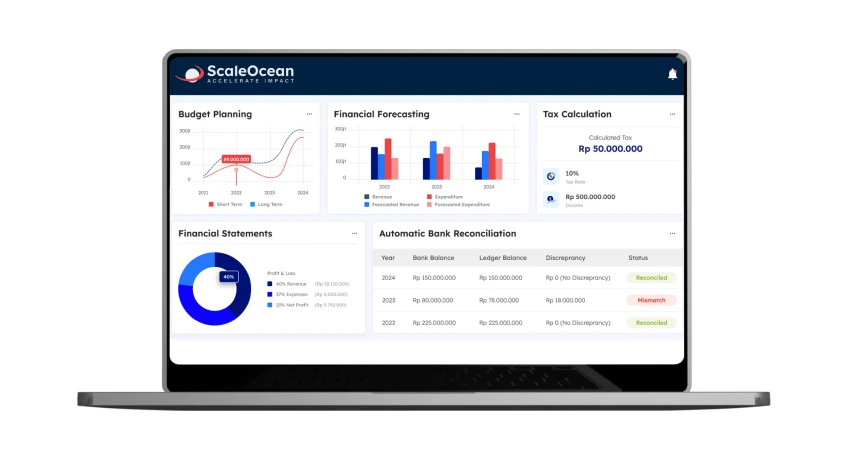
Scaleocean, a system designed for medium-to-large enterprises, supports companies in utilizing the CTC Grant and provides a customizable solution that allows you to tailor the system to the specific needs of your business’s financial processes.
Furthermore, this system provides all-in-one solutions, with comprehensive and seamless integration with various business functions, from expenses and CRM to payroll and inventory management systems, so you can easily manage all financial data across various business processes on a single cloud platform.
To help businesses experience its benefits firsthand, ScaleOcean offers a free demo, providing a hands-on opportunity to explore its features and functionality.
2. QuickBooks
QuickBooks is accounting software aimed at small and medium-sized businesses to streamline their financial processes more effectively.
It is equipped with functions like invoicing, expenditure management, payroll, and financial reporting through the utilization of an efficient and simple user interface.
Renowned for its functionality and cross-industry utilization, its cloud-based platform allows real-time collaboration, as access to financial data can be gained anywhere.
Its capability to integrate with a vast majority of third-party applications is an addition that accommodates various business needs.
3. FreshBooks
FreshBooks is a cloud-based accounting software targeted toward small business owners, freelancers, and sole proprietors that aims to simplify the process of financial management through the features that it possesses, which include invoicing, expense management, time tracking, and financial reporting through its extremely intuitive and simple user interface.
Its user-friendly interface and ease of use make it suitable for small business owners who may have no previous accounting knowledge, thus allowing them to focus on growing their business.
Its affordable price and features that comprehensively meet small business needs make it a cost-effective option.
4. Sage
Sage Business Cloud Accounting is a cloud-based financial management solution aiming to simplify the accounting aspect for both small and medium-sized businesses.
It encompasses features like invoicing, expense tracking, cash flow tracking, and financial reporting, with its use of a simple and intuitive user interface.
Widely recognized for its scalability and suitability to growing business needs, its intuitive interface simplifies financial processes, allowing business owners to focus on their operations.
Moreover, its easy integration with third-party applications complements the adaptability it is recognized for when adapting to varying business needs.
5. Zoho Books
Zoho Books is a cloud-based accounting software designed to help small and medium-sized businesses to streamline their financial management process.
It is equipped with features like invoicing, expense tracking, project management, and financial reporting with an easy-to-use interface.
In its extensive functionality, Zoho Books is an ideal option for Singaporean businesses requiring a cost-effective accounting solution.
Its seamless integration with other Zoho products will provide a comprehensive platform for effectivebusiness operationsn.
Trend and Future of Cloud Accounting
The trend and future of cloud accounting are subject to change due to advancements in technology.
As business operations continue to become increasingly digitized and adopt digital solutions, cloud accounting systems will further advance to offer more complex features aimed at enhancing efficiency, accuracy, and security.
Some of the technological trends set to shape the future of cloud accounting are discussed below:
1. Artificial Intelligence (AI) and Machine Learning
AI and machine learning are to be vital components of cloud accounting’s future as they will be integrated to automate complicated tasks such as data input, classification of transactions, and financial forecasting.
The AI-enabled systems will be able to detect financial anomalies in data, flagging suspicious activities, potential fraud, or errors in real time.
Machine learning systems will be able to learn from prior historical data to make financial forecasts more accurate, which will enable businesses to make informed decisions based on data analysis.
With the continuous advancement of AI, cloud accounting systems are expected to get even smarter and enable businesses to concentrate on strategic operations rather than repetitive manual processes.
2. Blockchain Integration
The technological trend that can revolutionize cloud accounting is blockchain’s secure, transparent ledger system, as it ensures the integrity and security of financial data.
The future of cloud accounting software is expected to implement blockchain for secure transactions to reduce fraud and errors in financial reporting.
Smart contracts will also facilitate automatic payments and compliance checks, hence improving efficiency in the accounting process and building stakeholders’ trust. The transparent and unalterable record of Blockchain is set to be a characteristic of future cloud accounting software.
3. Robotic Process Automation (RPA)
Robotic process automation will play a vital role in cloud accounting by automating repetitive tasks such as invoicing, account reconciliation, and payroll processes.
Future systems will incorporate RPA for a smooth and error-free handling of regular processes with minimum human intervention.
This may also involve enabling purchase orders to automatically match invoices, hence avoiding errors associated with manual checking and speeding up the entire financial processing time.
4. Autonomous Finance
Autonomous finance pertains to the use of AI and machine learning to automate and optimize financial decisions in an operation without the intervention of human beings.
Autonomous finance includes the use of systems that can autonomously manage investments, savings, budgeting, and financial transactions based on programmed rules, algorithms, or business objectives.
Such systems will constantly analyze financial data and market trends in real time, learn, adapt, and optimize financial outcomes.
Conclusion
Cloud accounting transforms financial management by enhancing efficiency and accessibility, and providing real-time insights into business finances.
Popular systems such as QuickBooks, FreshBooks, Sage Business Cloud Accounting, and Zoho Books offer feature-rich platforms that assist Singaporean businesses in automating tasks, ensuring data security, and providing real-time business intelligence that facilitates accurate business decisions.
Despite the above, integration issues, cost of implementation, and cybersecurity threats have to be adequately managed for businesses to take full advantage of the technology.
ScaleOcean accounting software has automated reports, real-time inventory tracking, and effortless integrations suitable for businesses that require customization of the accounting platform for greater security and flexibility.
To facilitate adoption, ScaleOcean accounting software has a free demo and consultation that enables businesses to explore the features for free with the help of professionals in a bid to achieve business objectives.
FAQ:
1. Is cloud accounting the future?
Cloud accounting is not just a passing trend. It’s becoming the standard for small businesses in South Africa. It provides real-time insights, enhances compliance, and offers the flexibility to manage your business from anywhere.
2. What does a cloud accountant do?
A Cloud Accountant is a financial expert who utilizes cloud-based accounting software to manage and analyze a company’s financial information. They oversee tasks such as bookkeeping, payroll, tax compliance, and financial reporting remotely, enabling real-time collaboration with clients.
3. Is cloud accounting more expensive?
Traditional accounting methods can be expensive, time-consuming, and prone to errors. In contrast, cloud accounting is a more cost-effective solution that provides numerous advantages.
4. What are the disadvantages of cloud accounting?
While many cloud accounting providers implement strong security measures, the rise in cyberattacks has led to frequent data breaches, causing unauthorized transactions and financial losses.
























.png)