
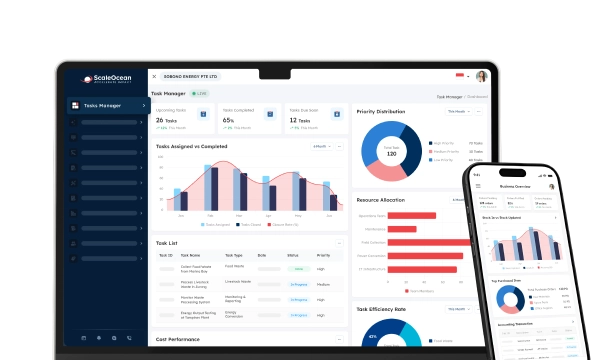


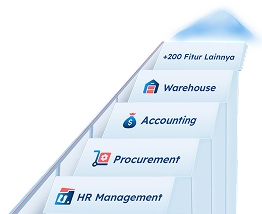
Electronic signature apps are digital tools that enable users to sign, send, and manage documents electronically with legal validity, replacing handwritten signatures while accelerating workflows across departments and external partners in modern business environments.
Electronic signature apps are becoming essential as digital transactions continue to rise across industries. According to the data found by our team from The Business Research Company, the digital signature market reached $9.56 billion in 2025 and is projected to grow to $42.16 billion by 2030, with a CAGR of 34.4%.
This rapid growth is largely driven by the increasing role of digital e-signature online applications in smart contracts and automated agreements. As businesses adopt more digital workflows, secure and scalable signing solutions are becoming critical to support efficiency, compliance, and long-term growth.
However, enterprises are increasingly handling contracts remotely, exposing them to risks such as unauthorized access and signature fraud. Thus, organizations must have safe systems that ensure information confidentiality whilst maintaining operational efficiency and legal compliance.
Nevertheless, fragmented or manual processes persist in many businesses, making them more susceptible to cyber threats and document manipulation. Therefore, implementing a unified electronic signature platform is essential to protect digital transactions most efficiently.
So in this article, we will explore what electronic signature apps are, how they work, and why they have become essential for modern businesses. We will also compare the 8 best electronic signature apps, highlight key features, and help you determine which platform best fits your operational needs.
 Key Takeaways
- An electronic signature app is a platform that allows businesses to sign, send, and manage documents digitally while ensuring legal validity, security, and seamless integration with existing systems.
- Businesses need electronic signature apps to accelerate approvals, enhance security, maintain compliance, and reduce costs associated with manual document handling and paper-based processes.
- Key features of e-signature apps, such as legal validity, mobile access, security, and workflow automation, help businesses improve productivity, ensure compliance, and simplify document management.
- Comparing top e-signature apps helps businesses evaluate pricing, features, and scalability to choose solutions aligned with their operational needs and growth plans.
- ScaleOcean e-Signature Online App helps businesses manage complex workflows, improve efficiency, and ensure secure, compliant document processes through an integrated system.

What is Electronic Signature App Software?
Electronic signature software is a platform that enables users to sign, send, and manage documents electronically using legally recognized electronic signatures. It replaces conventional signing processes with quicker, more efficient, and safer digital ones.
This software can also be integrated with current business systems, including CRM and ERP systems. Thus, organizations will be able to automate document processes, ensure consistency across departments, and enhance overall operational productivity.
Additionally, electronic signature software offers functions such as identity verification and document tracing. The capabilities also ensure that every signature is authentic, traceable, and secured against unauthorized modifications across the entire document lifecycle.
Electronic signature software is an essential tool as businesses continue to embrace digital transformation. It promotes remote work environments and ensures legal compliance, data integrity, and smooth cooperation among internal and external stakeholders.
Why Should Businesses Have an Electronic Signature App Software?
Businesses should have electronic signature software to enhance efficiency and minimize approval turnaround time. By removing physical paperwork, organizations speed up processes and reduce delays caused by manual document processing and logistics.
- Enhancing Operational Efficiency: Businesses accelerate document approvals by eliminating manual processes, improving turnaround times, and reducing administrative workload and errors common in traditional paper-based signing workflows.
- Ensuring Regulatory Compliance: Organizations comply with legal requirements by using platforms that support audit trails, encryption, and standardized frameworks, helping them remain compliant across industries and jurisdictions.
- Improving Document Security: Companies secure sensitive information through encryption, authentication, and controlled access, ensuring documents are tamper-proof and traceable throughout the signing and approval process.
- Enabling Remote Collaboration: Teams can sign and share documents remotely, without geographic constraints, allowing them to collaborate seamlessly with various stakeholders in distributed or hybrid work environments.
How to Sign Documents Online: Digital Signature vs. Electronic Signature
Electronic signatures are digital techniques used to signify agreement to a document. Digital signatures, on the other hand, rely on cryptographic technology to provide higher levels of authentication and document integrity during signing.
While electronic signatures prioritize convenience and speed, digital signatures prioritize security and verification. Consequently, your companies will have to make decisions based on their requirements, weighing convenience against the level of legal protection you need.
Moreover, digital signatures are based on certificate authorities and public key infrastructure. This methodology will ensure that the signer’s identity is validated and applies to high-risk or controlled transactions that require more stringent compliance provisions.
| Types | How to Sign | Benefits |
|---|---|---|
| Digital Signature | Use a digital certificate issued by a trusted authority, then sign using encryption-based authentication tools integrated within the platform. | Provides strong security, ensures document integrity, verifies signer identity, and offers high legal enforceability for regulated or high-risk transactions. |
| Electronic Signature | Sign by typing a name, uploading a signature image, or clicking an agreement button within an online document platform. | Offers convenience, fast processing, easy adoption, and suitability for low to medium-risk transactions with minimal technical requirements. |
In conclusion, the two methods have significant functions in digital workflows. Nevertheless, organizations that handle sensitive information or operate in regulated industries should consider using digital signatures to provide greater security and legal enforceability.
Types of Electronic Signatures App
Electronic signature apps offer different signature types based on security levels, legal requirements, and verification methods, allowing businesses to choose solutions that align with their risk tolerance and compliance obligations.
Moreover, each type serves a specific purpose, ranging from simple agreements to highly regulated transactions, ensuring that organizations can effectively balance usability, security, and legal enforceability in their document workflows.
As businesses operate across industries and jurisdictions, understanding these variations becomes essential, since selecting the wrong type may lead to compliance risks, legal disputes, or insufficient identity verification processes.
Simple Electronic Signature (SES)
The simplest type of digital signature is a simple electronic signature. They consist of scanned signatures, typed names, or a click on an agree button, which is convenient but offers limited security and authentication features.
Thus, SES is suitable for low-risk transactions that have negligible legal requirements. Nonetheless, companies should critically assess use cases, and this approach offers minimal safeguards against identity fraud or document abuse.
High-level Electronic Signature (AES)
State-of-the-art electronic signatures have even greater security, as the signature is uniquely linked to the signer. They also allow identity verification and identify any further alterations made to the signed document.
As a result, AES would be appropriate for medium-risk transactions that require more stringent authentication. Businesses will enjoy the added security features without compromising usability, making it a balanced solution for most operational and contract-related needs.
Qualified Electronic Signature (QES)
The most secure and legally recognized qualification is a qualified electronic signature. They need identity authentication from certified authorities and the highest possible protection provided by secure signature-creation devices.
Consequently, QES can best be applied to highly regulated industries and critical agreements. It may be more complex to implement, but it ensures complete legal equivalence to handwritten signatures and provides the highest level of trust and compliance.
Key Features and Benefits of e-Signature Software

E-signature apps provide the necessary features to help businesses streamline document processes while maintaining legal validity. As organizations go digital in their operations, these tools have become a reliable way to handle agreements efficiently and securely.
In addition, companies also enjoy quicker turnaround and enhanced teamwork. E-signature solutions can optimize an organization’s productivity by reducing the number of people involved in the process. E-signature apps also ensure that these documents are accurate, traceable, and compliant with the regulations.
Moreover, these platforms are scalable, enabling businesses to support growing volumes of documents without impacting performance. Subsequently, they can maintain operational efficiency even during peak transaction periods or periods of high business growth.
Legally Binding
An e-signature online application ensures that signed documents are legally enforceable in most jurisdictions. By adhering to rules and providing verifiable audit trails, businesses can safely implement contracts without physical signatures.
Moreover, such platforms record the signer’s intent, time, and authentication information. Consequently, organizations can provide credible legal testimony in the event of a dispute while ensuring they comply with applicable laws and regulations.
Mobile Access
Mobile access allows users to sign and work on documents wherever they go and at any time. This adaptability enhances responsiveness, particularly to remote teams or customers who require signing agreements without being physically present.
Also, mobile-friendly interfaces can guarantee an uninterrupted user experience across devices. As a result, companies can expedite the approval process and minimize delays, ultimately enhancing customer satisfaction and operational efficiency.
Security & Compliance
In digital document management, security and compliance are critical issues. E-signature apps are a security system intended to safeguard confidential information against unauthorized access or tampering through encryption, authentication, and secure storage.
Additionally, compliance options such as audit trails and identity verification help organizations meet regulatory requirements. Thus, trust can be upheld in businesses while ensuring that all transactions are transparent, secure, and legally defensible.
Workflow Automation
Workflow automation simplifies document handling, minimizing manual tasks and repetitive actions. By establishing predetermined rules for approvals, reminders, and document routing, businesses can ensure quicker and more uniform operations.
Consequently, the teams will be able to concentrate on more valuable activities rather than on administrative tasks. Also, automation reduces errors, improves tracking, and increases overall efficiency in managing document lifecycles.
Quick Comparison of the Best 8 e-Signature Apps
Choosing the best electronic signature apps depends on factors such as pricing transparency, scalability, integrations, and security features. Therefore, comparing leading platforms side by side helps businesses identify which solution aligns best with their operational needs.
Additionally, each platform offers unique strengths, such as document creation, workflow automation, or API flexibility. Consequently, understanding these differences allows organizations to select a solution that supports both current requirements and future growth.
Below is a detailed comparison of the 8 best e-signature apps, including their starting prices and standout features, based on the latest available data.
| Software | Best For | Start Pricing | Standout Features |
|---|---|---|---|
| ScaleOcean | Customized medium to large enterprises needing workflows tailored to specific business needs | Unlimited users with no hidden cost and flat pricing based on business size and modules | All-in-one solution with integrated sales, CRM, and marketing modules, AI-driven workflows, and industry-based customization |
| DocuSign | Large enterprises & global compliance | Starts at $15/user/month | Legal compliance, global recognition, audit trails, and extensive integrations |
| Adobe Acrobat Sign | Businesses needing PDF + signing in one tool | Starts at ~$13–$17/user/month (annual) | Built-in PDF editing, Microsoft integration, enterprise-grade security |
| SignWell | Small businesses & budget users | Starts at ~$10/user/month | Simple UI, unlimited documents, affordable pricing |
| PandaDoc | Sales teams & document automation | Free plan available; paid from ~$35/user/month | Document builder, CRM integrations, proposal automation |
| Jotform Sign | Form-based workflows & SMBs | Free plan; paid from ~$34/month | Form integration, automated workflows, and a user-friendly interface |
| SignNow | Teams needing affordable scalability | Starts at ~$15/user/month | Bulk sending, API access, cost-effective enterprise features |
| Dropbox Sign (HelloSign) | Startups & cloud-based workflows | Starts at ~$9.99–$15/user/month | Seamless cloud storage integration, simple UX, API support |
This comparison highlights that while some tools focus on affordability and ease of use, others prioritize compliance, scalability, and enterprise-grade capabilities. Therefore, businesses should align their choice with transaction complexity, security needs, and integration requirements.
Best 8 Electronic Signature Apps for Various Businesses
Businesses require different e-signature online applications depending on their size, industry, and compliance needs. Therefore, selecting the right platform involves evaluating features, scalability, and the software’s integration with existing workflows.
The following recommendations highlight the best e-signature apps for various business use cases, starting with a solution designed specifically for enterprise-level integration and compliance.
1. ScaleOcean
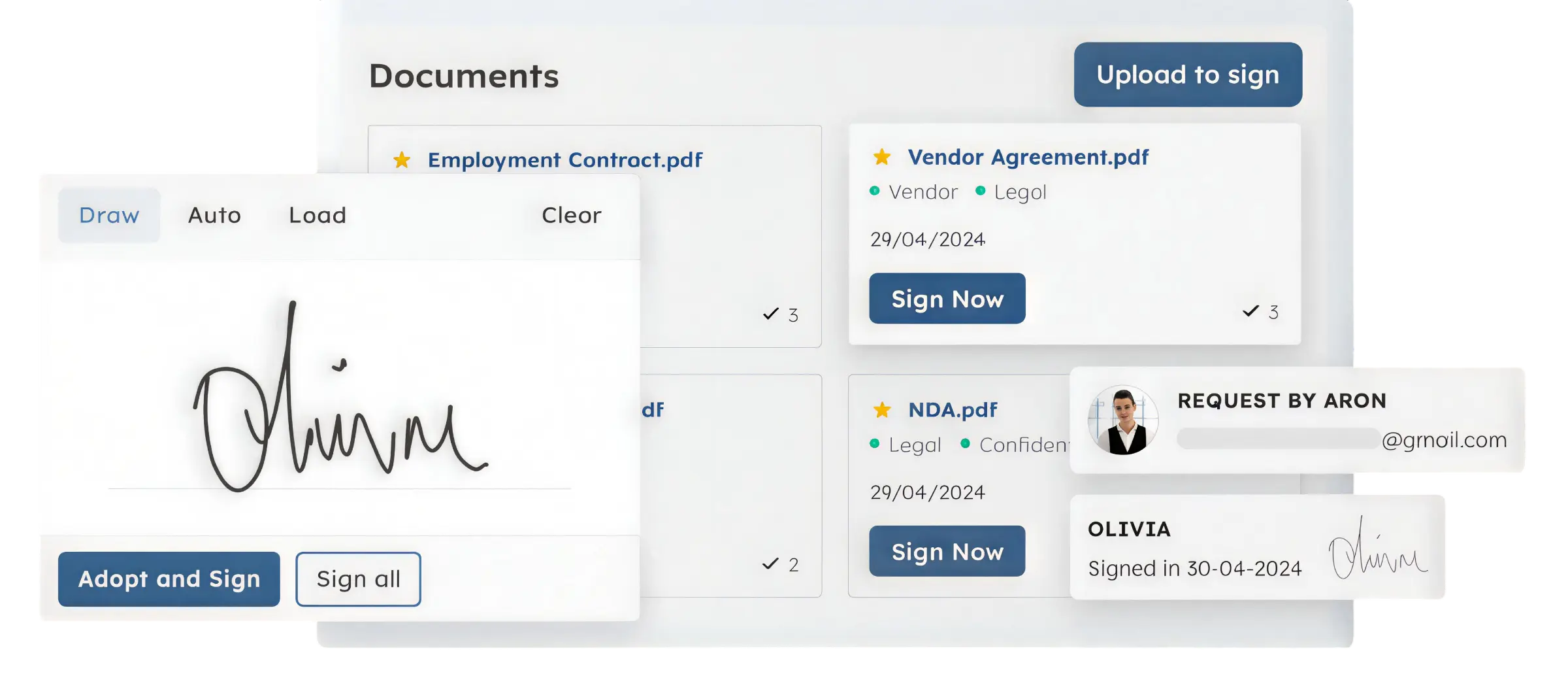
ScaleOcean’s e-Signature Online App offers a comprehensive e-signature solution for enterprises that require scalability, compliance, and seamless cross-departmental integration. With unlimited users at no additional cost, businesses can ensure widespread adoption without budget constraints while improving operational efficiency.
Moreover, its all-in-one system integrates the best e-signature apps capabilities with document and contract management modules. This approach reduces fragmentation and allows teams to manage workflows within a single unified platform, improving both visibility and control.
Additionally, ScaleOcean provides a transparent, flat pricing structure, helping organizations minimize the hidden costs often associated with separate electronic signature apps and tools. As a result, companies can optimize spending while maintaining high performance and reliability.
Furthermore, the platform is built based on best business practices and industry standards, ensuring strong security and regulatory compliance. It also enables seamless cross-department integration, allowing approvals and contract processes to flow efficiently without operational bottlenecks.
Importantly, ScaleOcean is optimized for Singapore’s regulatory environment, including Goods and Services Tax (GST) compliance and alignment with local financial reporting standards. This makes it highly suitable for companies operating within Singapore’s legal framework.
Finally, businesses can benefit from potential eligibility for Singapore digitalization grants such as PSG or CTC Grant. Consequently, organizations may receive government subsidies of up to 50–70%, making digital transformation more accessible and cost-effective.
Key Features of ScaleOcean e-Signature Online App:
- Audit Trail (Log Audit): Records every signing activity in detail, including timestamps, IP addresses, and user emails, ensuring full transparency while simplifying audits and internal investigations with accurate tracking data.
- Identity Verification: Verifies the signer’s identity through authentication methods such as OTP, email verification, or identity system integration, ensuring that only authorized individuals can access and securely sign important documents.
- Document Integrity (Tamper-proof): Uses encryption technology to detect any changes after a document is signed, ensuring the content remains secure, unaltered, and legally valid throughout its entire lifecycle.
- LTV Timestamping: Provides official timestamps with long-term validation, ensuring the exact signing time is securely recorded and serves as reliable evidence for audits, compliance, or legal purposes.
- International Compliance (ISO 27001): Adheres to global information security standards, helping businesses protect sensitive data while maintaining compliance with internationally recognized best practices in data security management.
- Business Ecosystem Integration: Connects e-signature functionality with systems such as APIs, CRM, and ERP platforms, enabling seamless workflows and improving operational efficiency across different business functions and departments.
| Pros | Cons |
|---|---|
|
|
Best For: ScaleOcean is best for medium- to large-sized enterprises that require a highly configurable e-signature solution integrated with broader business systems. It suits businesses with complex workflows, multi-department approvals, and strong compliance requirements.
2. DocuSign
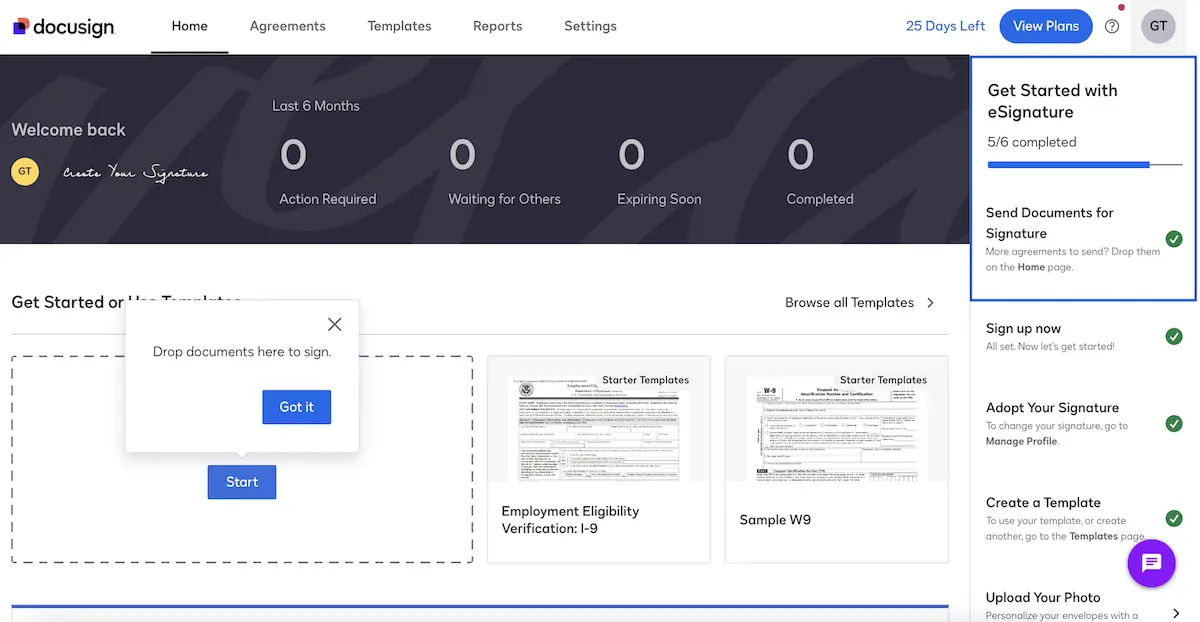
DocuSign electronic signature app enables businesses to send, sign, and manage documents digitally. It focuses on secure transactions and supports legally recognized signatures across many regions and industries.
The platform simplifies agreement workflows by allowing users to automate document routing and approvals. It also integrates with various business tools, helping teams manage contracts more efficiently in digital environments.
Key Features of DocuSign:
- Document templates and reusable forms
- Automated workflows and reminders
- Multi-factor authentication
- Integration with CRM and cloud storage
| Pros | Cons |
|---|---|
|
|
Best For: Medium to large enterprises that handle high volumes of contracts and require strong compliance, auditability, and global acceptance for legally binding digital agreements.
3. Adobe Acrobat Sign
Adobe Acrobat Sign e-signature online application allows users to sign and manage documents within the Adobe ecosystem. It is commonly used for handling PDF-based workflows and document approvals.
The software streamlines signing processes by combining document editing and signature functionality. It also integrates with Microsoft and other enterprise tools, supporting efficient document handling across teams.
Key Features of Adobe Acrobat Sign:
- PDF editing and signing in one platform
- Microsoft 365 integration
- Automated document workflows
- Cloud storage connectivity
| Pros | Cons |
|---|---|
|
|
Best For: Medium to large businesses that rely heavily on PDF documents and need a unified solution for editing, sharing, and signing within existing document workflows.
4. SignWell
SignWell electronic signature app provides a simple way to send and sign documents online. It focuses on ease of use, making digital signing accessible for small teams and individuals.
The platform helps users manage agreements quickly without a complex setup. It offers basic automation and tracking features, allowing businesses to monitor document status in real time.
Key Features of SignWell:
- Simple document signing interface
- Email notifications and reminders
- Document tracking dashboard
- Template creation
| Pros | Cons |
|---|---|
|
|
Best For: Small businesses, freelancers, or startups that need a simple, low-cost e-signature tool for basic document signing without complex workflow requirements.
5. PandaDoc
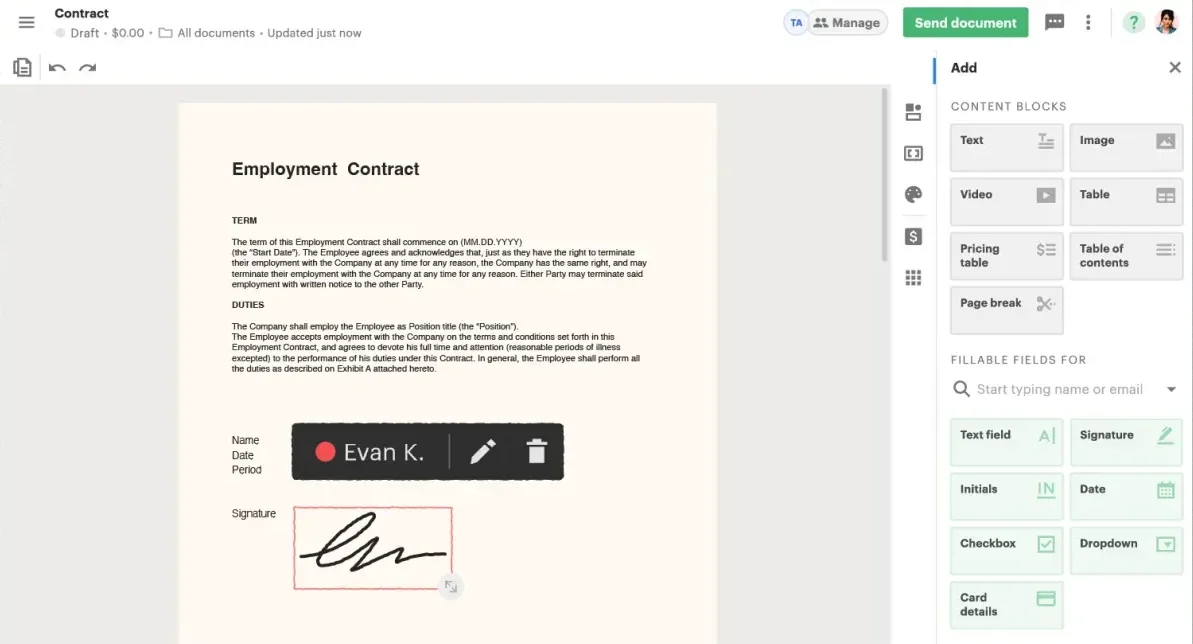
PandaDoc e-signature app combines document creation with e-signature functionality. It is often used for proposals, quotes, and sales-related documents.
The platform enables users to build documents from templates and track engagement. It also supports integrations with CRM systems, helping sales teams manage contracts more efficiently.
Key Features of PandaDoc:
- Document builder and templates
- E-signature functionality
- Real-time document tracking
- CRM integrations
| Pros | Cons |
|---|---|
|
|
Best For: Small to medium businesses, particularly sales teams, that need document creation and e-signature tools combined for proposals, quotes, and client-facing agreements.
6. Jotform Sign
Jotform Sign, an electronic signature app, allows users to create, send, and sign documents within form-based workflows. It is designed for ease of use and quick setup.
The platform integrates with Jotform’s form builder, enabling automated document generation and signing. This helps businesses streamline processes such as registrations, approvals, and data collection.
Key Features of Jotform Sign:
- Form-to-document automation
- Drag-and-drop builder
- Pre-built templates
- Integration with the Jotform ecosystem
| Pros | Cons |
|---|---|
|
|
Best For: Small to medium businesses that depend on forms and automated data collection, and want to integrate document signing into simple, form-driven workflows.
7. SignNow
SignNow e-signature app offers digital signing with a focus on affordability and scalability. It supports document workflows for teams handling frequent agreements.
The platform allows users to send bulk documents and manage approvals efficiently. It also provides API access, enabling integration with existing systems for automated processes.
Key Features of SignNow:
- Bulk sending of documents
- Workflow automation tools
- API integration
- Mobile access
| Pros | Cons |
|---|---|
|
|
Best For: Small to medium businesses looking for a cost-effective and scalable e-signature solution with basic automation and integration capabilities for growing operational needs.
8. Dropbox Sign (Formerly HelloSign)
Dropbox Sign, an electronic signature app, enables users to sign and manage documents in cloud storage. It focuses on simplicity and seamless file handling.
The platform integrates closely with Dropbox, allowing users to send and store signed documents in one place. It also supports basic workflows and team collaboration features.
Key Features of Dropbox Sign:
- Cloud storage integration
- Simple signing workflow
- Team management tools
- API access
| Pros | Cons |
|---|---|
|
|
Best For: Small teams or businesses already using cloud storage platforms, especially Dropbox, that want a straightforward and easy-to-use e-signature tool for everyday document signing.
After understanding these options, businesses often need a solution that goes beyond basic signing, and ScaleOcean effectively addresses that requirement. ScaleOcean E-Signature App supports structured workflows and efficiently connects document processes across departments.
ScaleOcean E-Signature Online App goes beyond signing by combining approvals, contract management, and workflow automation into a single system. Book a free demo today to explore how it improves efficiency, visibility, and operational control.

Use Cases of e-Signature Apps in Businesses
E-signature applications streamline many business processes by automating document workflows and reducing manual tasks. These tools make transactions quicker, more secure, and more efficient as organizations handle larger volumes of documents, supported by the best document management system.
Additionally, the various departments have use cases specific to their operations. Thus, e-signature solutions can help streamline workflows and ensure consistency, compliance, and transparency across business processes.
Also, companies can enhance their collaboration with external stakeholders, including clients, partners, and vendors. Consequently, transactions can be completed quickly, without the time wasted on the physical exchange of documents or by geographical constraints.
Sales
Sales teams use e-signature applications to close sales more quickly by sending contracts to potential customers immediately. This would eliminate delays, allowing clients to view and sign agreements at any time, from anywhere.
Moreover, sales representatives can track more effectively with automated reminders and real-time tracking. Consequently, teams will be able to increase conversion rates and deliver a seamless, professional customer experience.
Real Estate
E-signature applications help real estate professionals to manage property agreements, lease contracts, and transaction documents effectively. This feature minimizes the need to hold in-person meetings and expedites the deal-closing process.
Moreover, document management is secure, so that information about sensitive property is safe. As a result, both agents and clients can easily handle their transactions without violating the law and other requirements.
HR
Through the e-signature software, HR departments handle employment contracts, onboarding forms, and policy acknowledgments. This online strategy makes the administration process easier and significantly reduces paperwork.
In addition, storing documents in a central location enhances access and management of records. Thus, HR teams can not only ensure compliance but also simplify processes related to hiring, employee management, and internal documentation.
Finance & Legal
Finance and legal departments rely on e-signature applications to conclude contracts that need precision and adherence. These are contracts, approvals, and financial documents that need to be processed and stored securely.
Also, transparency and accountability are achieved through audit trails and verification features. Consequently, organizations will be able to minimize legal risks while ensuring that all transactions comply with regulatory standards and internal governance policies.
Which Electronic Signature Apps are Right for You?

Choosing the right e-signature app depends on your specific use case, not just features. Therefore, businesses should match their operational needs, such as compliance, workflow complexity, or budget, with the most suitable vendor.
Moreover, some tools focus on full document workflows, while others specialize in security, integrations, or simplicity. As a result, selecting the right platform ensures greater efficiency and helps avoid overpaying for unnecessary features.
Additionally, understanding how each tool is positioned in the market helps narrow down the options. For example, some platforms are built for enterprise compliance, while others are optimized for sales workflows or small teams.
| Pros | Cons |
|---|---|
| For enterprise integration and complex workflows | ScaleOcean is designed for multi-department processes, offering customizable approval flows and system integration across business functions. |
| For security and compliance | DocuSign and Adobe Acrobat Sign offer strong compliance features, while ScaleOcean includes authentication, audit trails, and controlled access for secure approvals. |
| For a simple, budget-friendly tool | SignWell and Dropbox Sign provide basic signing features. |
| For Microsoft-based workflows | Adobe Acrobat Sign integrates closely with Microsoft 365, making it suitable for document-heavy enterprise environments. |
| For more than just signatures | PandaDoc supports document creation and tracking, while ScaleOcean provides integrated workflows for documents, contracts, and approvals in a single system. |
| For scalability | SignNow supports scalability for smaller teams, while ScaleOcean supports long-term growth with customizable modules and flexible system expansion. |
This comparison shows that there is no one-size-fits-all solution. Therefore, businesses should first evaluate their operational priorities, then select a platform that aligns with their workflow complexity, budget, and compliance needs.
Conclusion
Electronic signature apps help businesses streamline document workflows, reduce manual processes, and ensure secure, legally binding agreements. By choosing the right solution, companies can improve efficiency, enhance collaboration, and maintain compliance in an increasingly digital environment.
For businesses that require more than just basic signing, ScaleOcean’s E-Signature Online App offers a comprehensive solution that integrates e-signature capabilities with broader business workflows. Its flexibility, enterprise focus, and system integration make it suitable for businesses managing complex approvals and multi-department operations.
If your company is looking to improve document efficiency while maintaining control and scalability, consider exploring ScaleOcean further. Request a free demo to see how the platform can support your digital transformation and optimize your end-to-end business processes.
FAQ:
1. What is the best electronic signature app?
1. ScaleOcean: Best for integrated workflows and enterprise document management.
2. Adobe Acrobat Sign: Best for e-signatures with advanced PDF tools.
3. PandaDoc: Best for automated workflows and integrations.
4. Jotform Sign: Best for custom forms and document automation.
5. DocuSign: Best for fast and secure e-signatures.
2. Can ChatGPT create a signature for me?
ChatGPT cannot generate or verify legally valid signatures. However, it can assist by drafting documents, reviewing agreements, automating templates, and suggesting appropriate clauses based on general legal or business contexts.
3. What is the best AI for creating a signature?
The best AI tool depends on your purpose. Platforms like Calligrapher.ai and CreateMySignature can generate realistic handwritten-style signatures, while tools like Canva and CreateMySignature allow users to create and directly insert signatures into documents.
4. What is a common mistake to avoid in an email signature?
A common mistake is making the signature hard to read by using too many fonts or inconsistent sizing. Keeping fonts clear, simple, and properly sized ensures a more professional and balanced appearance.
























.png)