
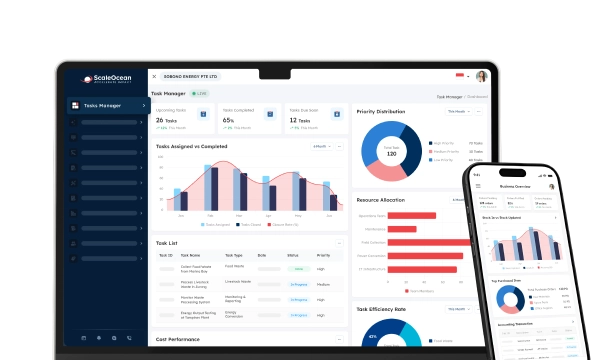


Barcode inventory software is a system that monitors, controls, and updates the inventory in real-time, with the use of barcode technology. Every individual item of product has a unique barcode, which is then scanned during receiving, put away, picking, packing, and shipping.
Lots of businesses still struggle with inventory processes that rely too heavily on spreadsheets, delayed updates, and manual scanning logs. These issues often create inaccurate stock data, slow picking, poor transfer visibility, and costly stock discrepancies between physical stock and system records. In case a business runs with more than one warehouse, stock visibility issues become more complex due to the information discrepancy of stocks among the different teams.
This is where barcode inventory software becomes a practical solution. By scanning every receiving, put-away, transfer, picking, packing, and stock count activity, companies can update stock records faster and reduce human input errors. Strong barcode tracking software also helps teams track batch numbers, serial numbers, expiry dates, and bin locations, so managers can act quickly when stock issues arise.
Based on data our team collected from GS1 barcode standards, modern warehouses face stronger pressure to improve accuracy, speed, labor productivity, and stock visibility. A barcode system allows products to be identified and monitored through the entire supply chain.
Read this article to understand what barcode inventory software is, how it works, its benefits, the best barcode inventory software options in 2026, and how to implement the system effectively.
 Key Takeaways
- A barcode inventory system is a combination of barcode labels, a barcode scanner, and software used to track the flow of stock.
- Barcode inventory system software connects item identification, scanning process, stock records, and the transaction workflow.
- Key benefits of barcode inventory software include major boosts in operational efficiency, much better accuracy in order fulfillment, and access to data-driven insights for smarter decision-making.
- ScaleOcean’s inventory management software provides a comprehensive solution with robust barcoding features designed to solve these exact challenges and scale with your business needs.

What is the Barcode Inventory System?
A barcode inventory system is a combination of barcode labels, a barcode scanner, and software used to track the flow of stock. Every barcode refers to the detailed information of items such as SKU, product name, batch number, serial number, amount, location, and the previous movement of stock.
In practice, we can assign a unique barcode to items, cartons, pallets, bins, and warehouse locations and allow users to scan the item with the given barcode. The stock will automatically be updated with the item’s information based on the scanned barcode.
This system is widely used in inventory, retail, manufacturing, logistics, healthcare, food distribution, and wholesale operations. It helps companies manage the inventory process with better speed, accuracy, and accountability.
A barcode inventory system could be as simple as a small stock room or a comprehensive one for an enterprise stock room. For example, a barcode home inventory software could be used to manage your household inventory or personal collection, while enterprise software allows the management of approval workflows, multiple stores, audit logs, warehouse zones, and regulatory reporting.
How Does a Barcode Inventory System Software Work?
Barcode inventory system software connects item identification, scanning process, stock records, and the transaction workflow. It starts with creating the information of the item by assigning an SKU code, and printing and tagging the bar codes to the item or warehouse locations.
When an item’s barcode is scanned by an operator, the information collected from the barcode is then related to a certain transaction, such as goods receiving, stock transfer, picking, packing, stock adjustment, stock check, or shipment confirmation.
The software then updates inventory records in real time, or near real time, depending on the system architecture. Based on data from AIDC Technology, automatic identification and data capture help businesses identify, track, record, store, and communicate product data using technologies such as barcodes and RFID.
For example, if a product is to be received at a warehouse in 500 units, a worker could then scan the products along with the purchase order and the designated warehouse location. It helps the system to record the amount received, the time the order arrived, assign the item to a location, and make the stock available to the sales and production teams.
Good quality online barcode inventory software also enables synchronized stock data of various departments. Thus, the sales team can make sure the stock is available, procurement can monitor and make orders on time, accounts can analyze the profit from inventory, and the warehouse team can be able to check the actual stock movement.
The importance of stock visibility leads to improved accuracy and minimal discrepancies in the potential and physical stocks. Barcode-driven stock management also minimizes the chances of data mismatch in the warehouse, store, and distribution channels.
What are the Benefits of Using the Barcode Inventory Software?

Barcode inventory software gives businesses better control over stock movement by making warehouse processes faster, more accurate, and easier to monitor. Instead of relying on manual entry or spreadsheet updates, teams can scan items and let the system record transactions automatically. This helps companies reduce errors, improve visibility, and maintain stronger accountability across daily inventory operations.
- Reduces manual data entry errors: Barcode inventory software helps minimize mistakes from manual SKU input, handwritten stock records, and delayed spreadsheet updates. Employees only need to scan the product barcode, and the system updates inventory data automatically. This reduces wrong quantities, duplicated entries, missing stock movements, and inaccurate reports.
- Speeds up inventory operations: Warehouse activities such as receiving, put away, picking, packing, stock transfer, and cycle counting become faster with barcode scanning. Employees no longer need to search item codes manually because each transaction can be confirmed through a quick scan. This is especially useful during peak sales, production rushes, warehouse relocation, or high-volume fulfillment.
- Improves real-time stock visibility: Managers can monitor available stock, storage locations, reserved items, and inventory discrepancies more easily. This visibility helps prevent overstock, stockout, and unnecessary emergency purchases. It also supports better coordination between sales, procurement, and warehouse teams because every department works with updated stock data.
- Strengthens item traceability: Barcode tracking software makes it easier to track batch numbers, serial numbers, lot numbers, expiry dates, and item movement history. This is valuable for companies that manage quality control, warranty claims, product recalls, or regulatory audits. When stock issues occur, managers can identify affected items faster without checking records manually.
- Supports better cost control: More accurate stock data helps companies reduce excess inventory, inaccurate purchasing, lost stock, and fulfillment errors. Barcode inventory software also supports better demand planning and warehouse space utilization. As a result, businesses can control inventory costs more effectively while reducing waste across operations.
- Improves accountability and audit trail: Every scan can record who performed the action, where it happened, and when the transaction was completed. With the right inventory management software in Singapore, businesses can build a clearer audit trail and identify process gaps more easily. This helps managers improve team accountability and maintain better operational control.
Quick Comparison of Best Barcode Inventory Software in 2026
Choosing the right barcode inventory software depends on your business size, workflow complexity, integration needs, and long-term scalability. Some systems are built for simple stock tracking, while others support multi-location operations, automation, and advanced reporting.
Here is the comparison of the best barcode inventory software in 2026 to help you evaluate the right option.
| Vendor/Tools | Best For | Pricing | Size |
|---|---|---|---|
| ScaleOcean | Medium to large enterprises in Singapore and Asia managing multi-warehouse inventory, manufacturing stock, retail branche, and complex approval workflows. | Custom flat pricing with unlimited users | Medium to large |
| InFlow Inventory | SMB inventory, sales, purchasing, and barcode workflows | Starts from USD 129/month annually | Small to medium |
| Sortly | Visual inventory tracking and simple mobile barcode use | Free plan available; paid plans start from USD 24/month annually | Small |
| Orca Scan | Flexible barcode scanning app and lightweight custom databases | Free plan available; paid plans start from USD 20/month | Small to medium |
| Fishbowl | Inventory, manufacturing, warehousing, and QuickBooks-connected workflows | Quote-based pricing | Medium |
| Wasp Barcode | Barcode inventory and asset tracking with cloud or on-premise options | Starts from USD 108/month for the cloud plan | Small to medium |
| Zoho Inventory | Order, warehouse, and inventory management within the Zoho ecosystem | Free trial available; paid plans and add-ons vary by usage | Small to medium |
| Unleashed Software | Inventory, purchasing, batch tracking, and multi-bin warehouse workflows | Add-on modules start from USD 149/month | Small to medium |
| Cin7 | Multi-channel inventory, warehouse, and order operations | Starts from USD 349/month | Medium to large |
| Finale Inventory | E-commerce inventory, warehouse, and marketplace stock control | Starts from USD 99/month | Small to medium |
Top-Rated Barcode Inventory Software Option to Consider in 2026
Based on 2026 reviews, the top-rated barcode inventory software options focus on mobile-first scanning, real-time stock visibility, flexible tracking, and smooth integration with e-commerce, POS, accounting, and warehouse systems. Some solutions are better suited for simple inventory control, while others support complex warehouse operations, multi-location management, and advanced automation.
1. ScaleOcean
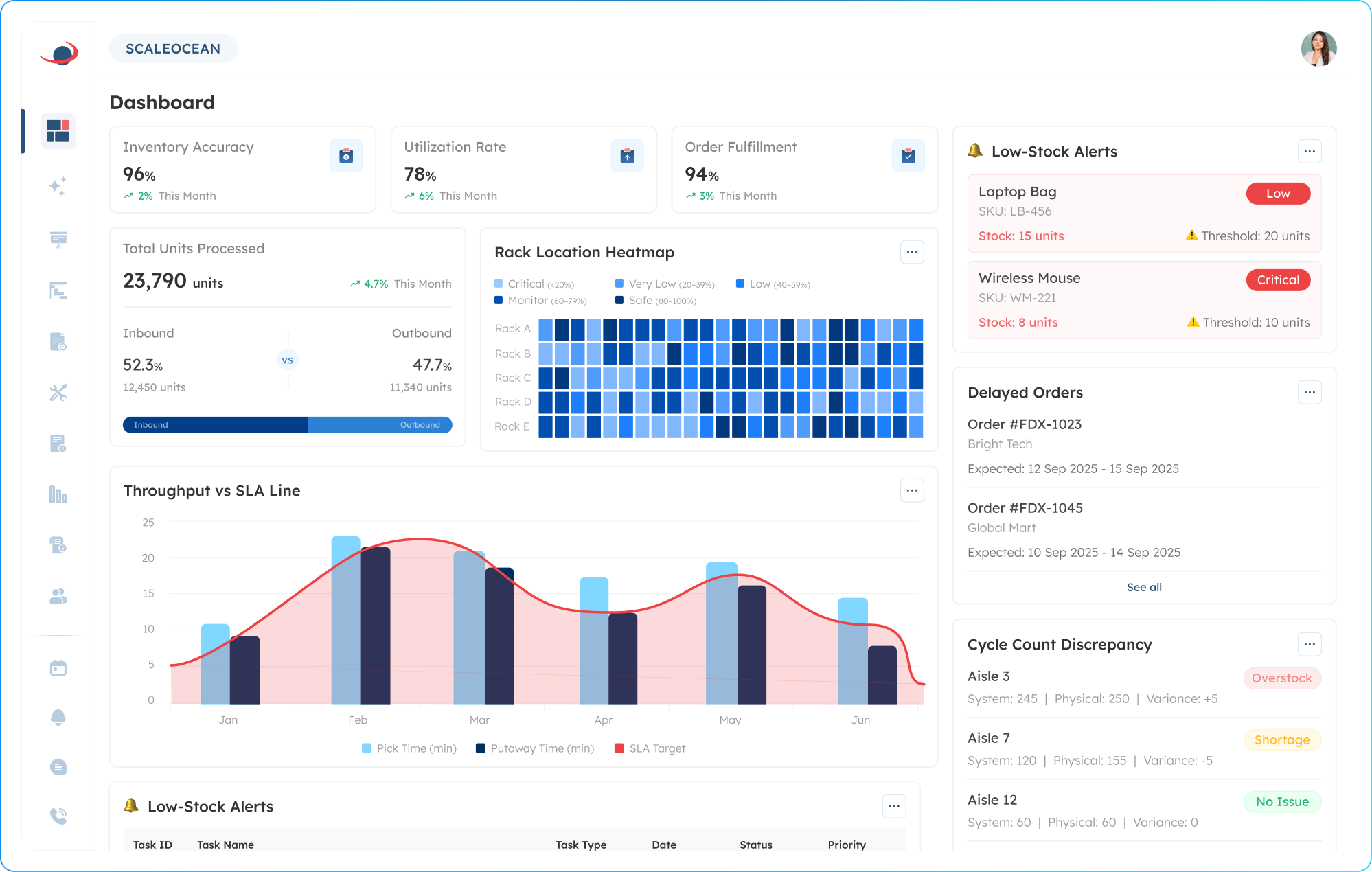
ScaleOcean is an enterprise-focused barcode inventory software designed for businesses with complex inventory structures, multi-warehouse operations, and high stock movement. Instead of offering a generic one-size-fits-all setup, this software provides configurable modules, workflows, approvals, reports, and integrations that can be adjusted to each company’s operational structure.
Choosing the right barcode inventory software helps businesses reduce manual errors, improve stock visibility, and accelerate warehouse operations. For Singapore companies that need an integrated system, ScaleOcean provides an ERP-connected solution that brings inventory, warehouse, sales, purchasing, accounting, and branch operations into one platform.
To explore how the system fits your operational needs, you can learn more about ScaleOcean’s inventory management software and request a free demo to review its features, workflow, and implementation options in more detail. The solution may also be eligible for Singapore’s EDG digitalization grant scheme, which can cover up to 50% of qualifying costs, subject to approval.
Key Features:
- Multi-level location mapping for aisle, shelf, and bin tracking
- Automated reorder point through scan triggers
- Multi-currency and customs barcode integration
- Audit-ready financial integration
- Real-time inventory, purchasing, sales, and accounting connection
- Customizable workflow, report, approval, and integration setup
- Unlimited users with a flat and needs-based pricing structure
| Pros | Cons |
|---|---|
| Designed for medium to large enterprises with complex inventory, warehouse, and operational requirements. | May be less suitable for very small businesses that only need basic stock recording. |
| Flexible and configurable modules allow workflows, approvals, reports, and integrations to follow internal business processes. | Pricing is not instantly fixed because it is adjusted based on business scope and implementation needs. |
| Uses a consultative implementation approach to align the system with each company’s industry, structure, and workflow priorities. | Implementation focuses on long-term stability and scalability rather than quick setup only. |
| Provides a transparent and realistic implementation timeline based on initial analysis, helping companies manage internal expectations without relying on overly rushed project estimates. |
Best for: Medium to large enterprises in Singapore and Asia that manage multi-warehouse inventory, distribution networks, manufacturing stock, retail branches, cross-border supply chains, batch or serial tracking, and complex approval workflows.
2. InFlow Inventory
InFlow Inventory is a management system for inventory. It covers barcode activity, PO, SO, and inventory management in a warehouse. It’s used mainly for managing and controlling all kinds of inventory activities inside an enterprise’s digital environment, with structured transactions of inventory being maintained.
The platform helps you keep a trace of items, watch their stock levels, and maintain essential related tasks during the process of receiving orders. It can be utilized when your company wants more structure than a spreadsheet, but doesn’t need a full ERP system.
Key Features:
- Inventory and stock level tracking
- Barcode scanning support
- Purchase order and sales order management
- Product and SKU management
- Inventory reporting
- Integration options with accounting and e-commerce tools
| Pros | Cons |
|---|---|
| Provides standard inventory tracking, sales order, and purchase order features. | Some advanced capabilities may require add-ons or higher plans. |
| Supports barcode workflows for daily stock management activities. | May require additional configuration for more complex warehouse structures. |
| Offers inventory reports for basic stock and order visibility. | Scalability should be reviewed when business operations become more complex. |
Best for: Small to medium businesses that need inventory, purchasing, sales, and barcode support in a structured platform.
3. Sortly
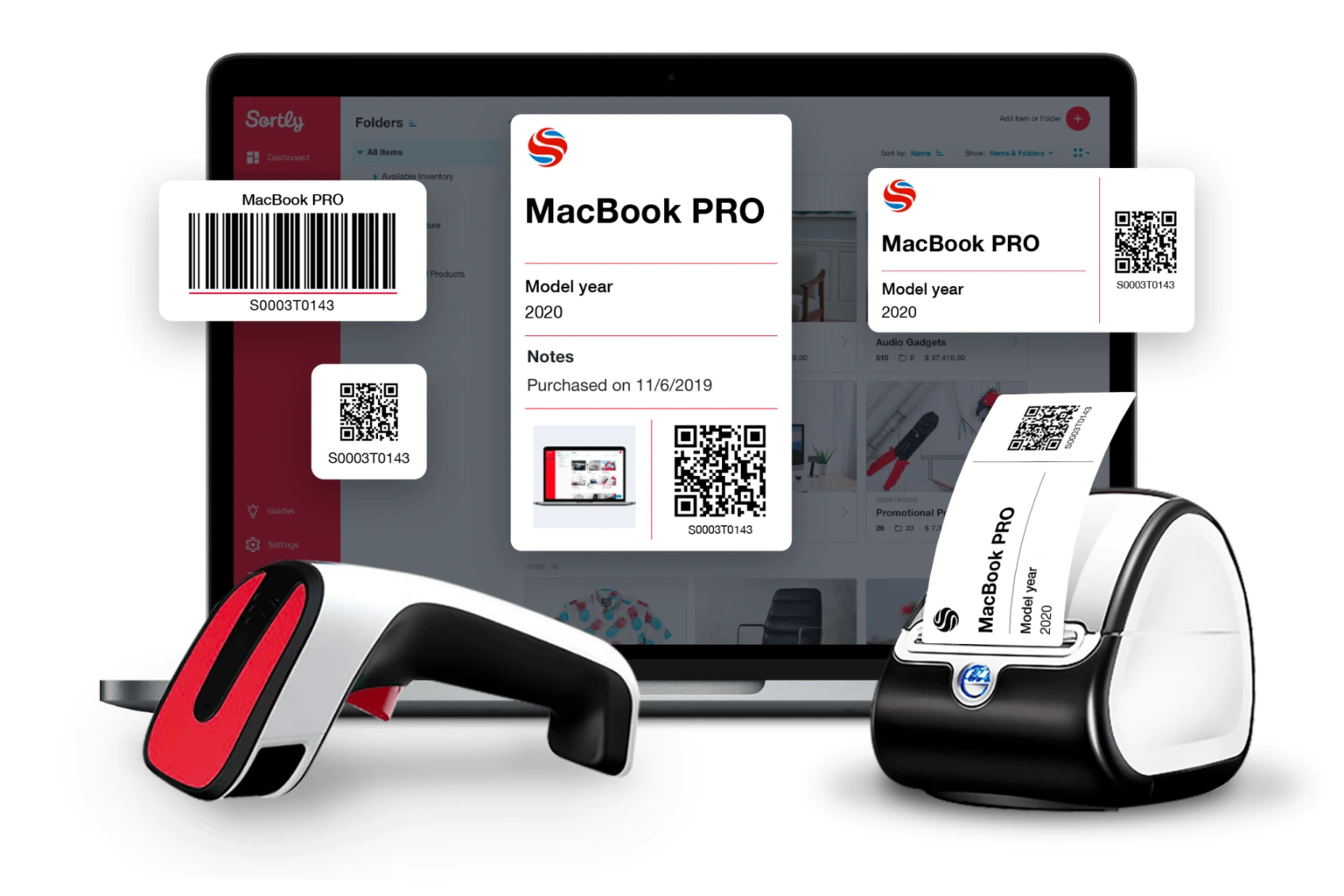
Sortly is a visual inventory app used to store and organize your items by photos, barcodes, or QR codes. Primarily, it is used to identify products, organize items, and keep simple records of your stock.
The system is commonly used for simpler inventory needs such as supplies, equipment, small stockrooms, or asset records. It is less focused on complex warehouse operations and more focused on visual item tracking.
Key Features:
- Visual item records
- Barcode and QR code scanning
- Mobile inventory access
- Custom folders and fields
- Low-stock alerts
- Basic reporting and export options
| Pros | Cons |
|---|---|
| Provides a simple visual interface for tracking items, supplies, and assets. | Not designed for complex warehouse, manufacturing, or fulfillment workflows. |
| Supports barcode and QR code scanning for basic inventory updates. | Advanced automation and ERP integration options may be limited. |
| Useful for teams that need straightforward item categorization and mobile access. | May not provide enough depth for high-volume stock movements. |
Best for: Small businesses, offices, service teams, and users with simple inventory or asset tracking needs.
4. Orca Scan
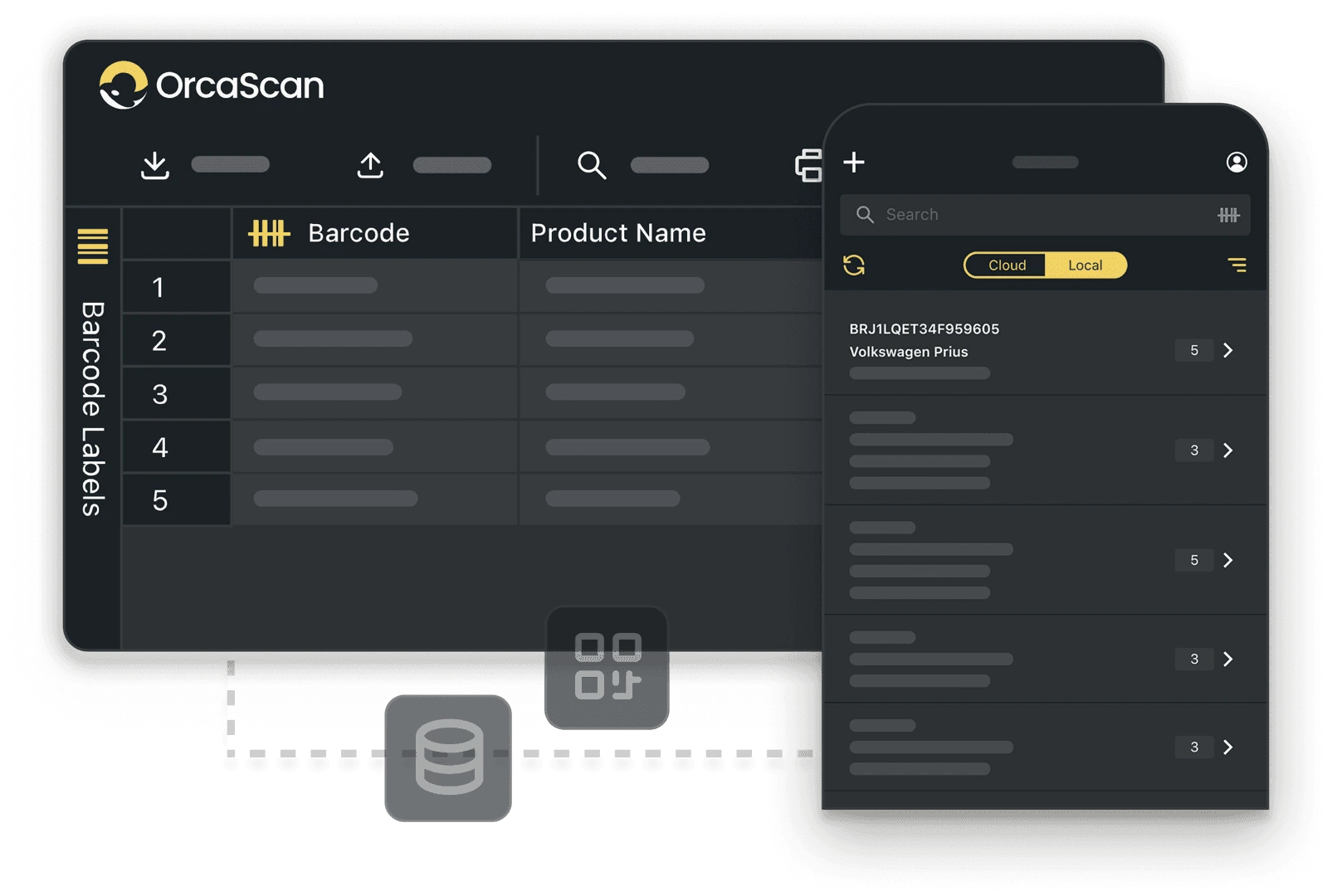
Orca Scan is a barcode scanning platform you can operate via a cell phone or any other device that supports it. Its primary function is to capture and save the data from a barcode and organize it in digital records, assigned to individual entries.
The platform is often used when teams need barcode data collection connected to spreadsheets, forms, or other operational tools. It focuses more on flexible scanning and data capture rather than full inventory process management.
Key Features:
- Barcode and QR code scanning
- Custom fields and forms
- Mobile and scanner compatibility
- Cloud-based scan records
- Spreadsheet export
- API and integration options
| Pros | Cons |
|---|---|
| Supports barcode data capture using mobile devices or scanning hardware. | May need other systems to manage complete inventory, purchasing, or accounting processes. |
| Allows custom fields for different barcode scanning requirements. | Workflow depth depends on how the system is configured by the user. |
| Can connect barcode data with spreadsheets or other operational tools. | Larger businesses may require stronger warehouse and ERP functionality. |
Best for: Small to medium teams that need barcode scanning, data capture, or spreadsheet-connected inventory records.
5. Fishbowl
Fishbowl is an inventory and warehouse management system that includes stock tracking, order management, barcode scanning, and manufacturing-related workflows. Its function is to support businesses that need more structured inventory records across warehouse and operational activities.
Businesses that control goods being sold or bought, manufacturing work processes, and warehouse operations will use this tool. Generally speaking, Fishbowl is considered to be better for companies where there is already a well-defined inventory process.
Key Features:
- Inventory tracking
- Barcode scanning
- Purchase order and sales order management
- Manufacturing and bill of materials support
- Multi-location inventory tracking
- Accounting integration options
| Pros | |
|---|---|
| Covers inventory, warehouse, purchasing, and manufacturing-related workflows. | Setup may require more planning than simpler inventory applications. |
| Supports barcode scanning for warehouse and stock movement activities. | Businesses should review compatibility with their preferred accounting and operational systems. |
| Provides inventory visibility for companies with structured stock operations. Cons. | May be more advanced than needed for very simple inventory tracking. |
Best for: Medium-sized manufacturers, distributors, and wholesalers with structured inventory and warehouse processes.
6. Wasp Barcode
Wasp Barcode is a solution that integrates hardware, like scanners and labels, together with software. It can be utilized for inventory and asset tracking purposes using barcodes and supports businesses in controlling the movement of their physical stock, supplies, equipment, and assets.
Generally speaking, this is a good option for companies that require information about assets and stock using barcodes. It may also work for businesses that search for hardware or software combinations in a system for tracking barcodes.
Key Features:
- Barcode inventory tracking
- Asset tracking
- Barcode label printing
- Scanner compatibility
- Purchase order and pick order support
- Cloud or on-premise deployment options
| Pros | Cons |
|---|---|
| Provides barcode inventory and asset tracking features in one system. | Advanced inventory workflows may depend on the selected plan and configuration. |
| Supports barcode labels, scanners, and related tracking hardware. | May need further evaluation for deep ERP or e-commerce integration needs. |
| Offers cloud and on-premise deployment options for different operational preferences. | May be more suitable for structured tracking than highly customized enterprise workflows. |
Best for: Small to medium businesses, warehouses, offices, and teams that need barcode-based inventory or asset tracking.
7. Zoho Inventory
Zoho Inventory is an e-commerce inventory application working for stock management, order processing and management, warehouse management, and e-commerce channels. The main point is to allow for control over data and its organization within a business application.
The application may be utilized to keep track of stock, process incoming or outgoing orders, and associate inventory with sales or other delivery processes. It’s suitable for almost every company selling products online, handling a warehouse, or having integrated systems.
Key Features:
- Inventory and order management
- Barcode scanning support
- Warehouse and stock location tracking
- Purchase order and sales order workflows
- E-commerce and marketplace integrations
- Reporting and stock visibility tools
| Pros | Cons |
|---|---|
| Supports inventory, order management, warehouse, and sales channel workflows. | Some warehouse or automation capabilities may depend on plan limits or add-ons. |
| Can be used with other business applications within the same software ecosystem. | May require additional review for complex enterprise warehouse operations. |
| Provides stock visibility across sales, purchasing, and fulfillment activities. | Customization depth may be limited for very specific operational requirements. |
Best for: Small to medium e-commerce businesses, online sellers, and companies using connected business applications.
8. Unleashed Software
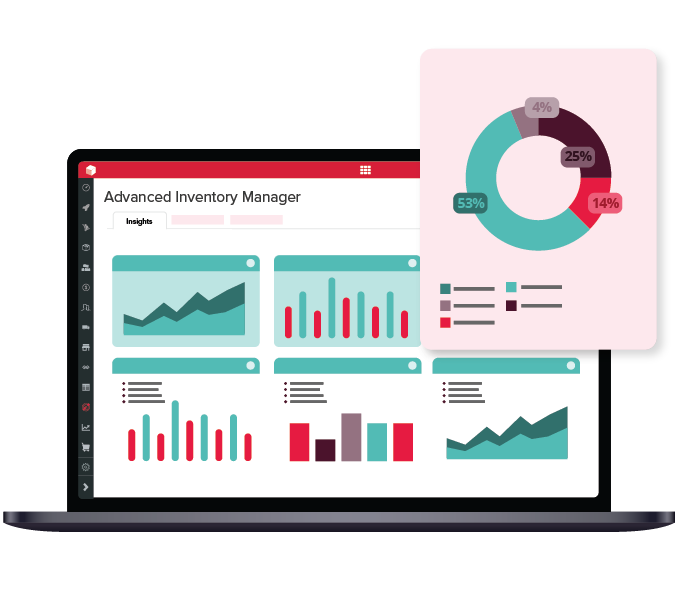
Unleashed Software is an inventory management solution targeted at companies selling physical products that need to have their goods under control, with features for stock tracing, purchasing, selling, and warehouse management. It’s used for managing batch records, serial numbers, product movements, and giving reports about inventory status.
The platform is commonly used by businesses that handle products across purchasing, sales, production, or warehouse operations. It supports structured stock visibility, but companies still need to review module requirements and implementation scope before adoption.
Key Features:
- Inventory tracking
- Barcode scanning
- Batch and serial number tracking
- Purchase order and sales order management
- Multi-location and multi-bin stock control
- Production-related inventory support
| Pros | Cons |
|---|---|
| Provides inventory control for product-based businesses with stock movement needs. | Some warehouse features may require additional modules. |
| Supports batch, serial number, and location-based inventory tracking. | Implementation quality depends on clean inventory data and defined workflows. |
| Includes purchasing, sales, and production-related inventory functions. | Businesses should review the total cost when adding advanced inventory or warehouse modules. |
Best for: Small to medium product-based businesses, manufacturers, wholesalers, and companies that need batch or serial tracking.
9. Cin7
Cin7 is an inventory management and ordering software, able to provide features like multi-channel inventory control, warehouse processes, sales order management, and purchasing features, among others. It’s designed to allow storage of information regarding inventory in one place, whether it’s from the internet store, the marketplace, a warehouse, or a retail business.
The platform is usually for companies with multiple sales channels or more than one warehouse. It goes far beyond the limits of basic barcode inventory software to embrace multidimensional online and warehouse activity, something that requires users to examine modules carefully before use.
Key Features:
- Multi-channel inventory management
- Barcode scanning
- Order and fulfillment management
- Demand planning and replenishment support
- Multi-location stock visibility
- E-commerce and accounting integrations
| Pros | Cons |
|---|---|
| Supports inventory management across multiple sales channels and warehouse locations. | Pricing and setup may be more suitable for companies with established operational volume. |
| Includes barcode scanning, order management, replenishment, and reporting functions. | Advanced workflows may require careful setup and team training. |
| Helps centralize stock data across retail, e-commerce, and fulfillment activities. | May be too broad for companies that only need basic barcode inventory tracking. |
Best for: Medium to large retailers, wholesalers, distributors, and multi-channel businesses.
10. Finale Inventory
Finale Inventory is a management solution for e-commerce stock management, which also covers inventory syncing and warehousing. This tool aims to have control over the availability of products across various online and delivery processes.
The system is generally used by online sellers or fulfillment-focused businesses that need stock data across marketplaces and warehouses. It is more aligned with e-commerce inventory workflows than manufacturing-heavy or offline-only inventory environments.
Key Features:
- Multi-channel inventory synchronization
- Barcode scanning support
- Warehouse and stock location management
- Purchase order and replenishment tools
- Marketplace and e-commerce integrations
- Inventory reporting
| Pros | Cons |
|---|---|
| Supports inventory synchronization across e-commerce platforms and marketplaces. | May be less suitable for companies focused mainly on manufacturing or offline operations. |
| Provides barcode support for warehouse and fulfillment activities. | Certain advanced features may depend on the selected plan or configuration. |
| Includes stock visibility, purchasing, and fulfillment-related inventory functions. | Businesses with complex enterprise workflows should review integration and customization needs carefully. |
Best for: Small to medium e-commerce businesses, marketplace sellers, online retailers, and fulfillment-focused companies.
What are the Key Features of Barcode Inventory Software to Look For?
Key features of barcode inventory software include real-time tracking, multi-location support, mobile scanning capabilities, and automatic reorder alerts. Top systems also offer cloud-based access, seamless integration with existing ERP/accounting tools, and robust reporting or analytics for accurate, efficient, and scalable stock management.
1. Real-Time Data Syncing and Mobility
Real-time data syncing is essential because inventory changes quickly across receiving, storage, sales, production, and fulfillment. Without instant updates, teams may make decisions based on outdated stock information.
The fact that warehouse employees don’t spend their day sitting at a desk means that mobility is key. The optimal barcode inventory software must be capable of permitting users to scan inventory directly from the warehouse floor using their handheld scanners, mobile computers, or even tablets and cell phones.
2. Multi-Location Management
Allows businesses to maintain a comprehensive record of inventory levels across multiple warehouses, distribution centers, branches, outlets, production sites, and even temporary storage locations. This is an essential feature for companies in Singapore that operate with regional distribution centers or engage in cross-border business.
The system should also support detailed location mapping. Features such as aisle, shelf, bin, zone, and rack mapping help operators find stock faster and reduce picking or putaway errors.
3. Intelligent Label and SKU Management
Label and SKU management help businesses standardize how products are identified. A weak SKU structure can create duplicate items, wrong labels, and poor reporting.
A strong system should support label generation, barcode formats, QR codes, GS1 DataMatrix, product variants, and custom item attributes. This helps companies manage SKUs consistently across procurement, warehouse, sales, and finance.
4. Traceability and Granular Tracking
In an era of product recalls and increased regulation, industries that manage perishable goods, serialized or patented products, regulated products, and warranty items depend on item traceability. Barcodes allow a business to connect each item in the inventory system to a specific batch, lot, serial number, or supplier.
Granular tracking also aids in auditing. Managers can track the journey of a product from its source, the routes it has taken, who is responsible for the item, and the transaction that ultimately led to the inventory record modification.
5. Automation and Order Workflows
Automation helps warehouse teams reduce repetitive work. For example, a scan can trigger stock updates, reorder alerts, putaway instructions, pick confirmations, or shipment validation.
The proper management of order workflows is also integral to inventory system functionality. The software must integrate seamlessly with all incoming streams of inventory data, including but not limited to receiving systems, sales and purchase orders, picking, packing, transfer orders, and returns.
6. Integration and Reporting
Integration should ensure that inventory data doesn’t get confined within the walls of the warehouse. The system must offer integrated inventory and accounting features as well as the capacity to interface with e-commerce platforms, sales and purchase systems, and manufacturing.
Reporting provides decision-makers with the ability to assess critical business metrics such as inventory accuracy, inventory turnover rate, inventory aging, dead stock, reorder quantities, and warehouse productivity.
With ScaleOcean inventory management software, these insights can be connected with real-time warehouse activity, barcode scanning, purchasing, and sales data, giving businesses clearer control over stock performance. Try a free demo to see how ScaleOcean can help simplify inventory reporting and improve warehouse decision-making.

How to Implement a Barcode Inventory System?
Implementing a barcode inventory system starts with preparing product data, creating unique SKUs, choosing suitable inventory software, generating barcode labels, and setting up scanning or printing devices.
Businesses also need to organize item records, label each product properly, and train staff to scan stock during receiving, picking, packing, and shipping so inventory updates remain accurate and visible in real time.
1. Preparation and Planning
A crucial first step is a thorough review of current inventory management practices and systems. This includes assessing stock types, stock locations, SKUs, transaction types, challenges, and the information requirements for reporting.
Businesses should also decide what they want to barcode. This may include individual units, cartons, pallets, bins, racks, equipment, raw materials, finished goods, or return items.
2. Software Setup and Data Migration
The next step is setting up the barcode inventory software. This includes creating item master data, supplier data, customer data, warehouse locations, user roles, approval workflows, and transaction rules.
Data migration must be handled carefully because inaccurate starting data can damage the entire system. Clean SKU names, remove duplicates, validate quantities, and reconcile physical stock before going live.
3. Label Generation and Tagging
When the data has been loaded, the barcode labels are generated and placed on physical items or storage locations. Barcode labels must be easily scannable and durable enough for the warehouse environment.
The appropriate barcode symbology should be chosen. Barcodes can represent a SKU, such as with 1-D symbology, or more complex data can be conveyed using 2-D barcodes or GS1 Data Matrix.
4. Staff Training and Testing
Training is important because even the best system still depends on correct scanning behavior. Warehouse, purchasing, sales, finance, and inventory teams should understand how every scan affects stock records.
Real-life workflows, such as receive, put away, transfers, picks, packing, adjustments, returns, and cycle counting, should be tested to identify and resolve issues related to the labels themselves, the scanners, system permissions, or the workflows in general, before items are allowed to enter the supply chain.
5. Go-Live and Optimizing
It is recommended to ease into a new barcode inventory system gradually. This can be done by starting with just one warehouse, one product category, or one workflow. As performance and accuracy improve, additional locations or workflows can be added.
Managers should monitor performance based on factors such as scan adherence, inventory discrepancies, transaction processing times, customer complaints, and reporting accuracy. Continuous optimization will ensure that the system continues to provide the highest possible levels of performance over time.
How to Choose Barcode Inventory Software?

Choosing barcode inventory software should start with matching the system’s capabilities to your operational needs, including real-time stock tracking, mobile scanning, and integration with tools such as Shopify or QuickBooks. Businesses should also consider ease of use, scalability, and reporting depth to support faster, more accurate inventory control as operations grow.
1. Define Your Core Business Model
Start by defining whether your business is retail, wholesale, manufacturing, logistics, e-commerce, healthcare, food distribution, or a multi-branch enterprise. Each model has different barcode requirements.
For example, manufacturing may need batch and serial traceability, while e-commerce may need marketplace stock syncing. A distributor may need multi-location transfers, while a retailer may need POS-connected barcode workflows.
2. Evaluate Scanning and Hardware Compatibility
The software should support the scanning devices your team will actually use. Some companies prefer rugged handheld scanners, while others want smartphone scanning for flexibility.
You should also check compatibility with barcode printers, label sizes, Bluetooth scanners, mobile apps, and warehouse network conditions.
3. Map Your Existing Tech Stack
Barcode software should not operate alone if your company already uses accounting, ERP, e-commerce, POS, or purchasing systems. Integration prevents duplicate data entry and improves data accuracy.
Map every system that touches inventory before choosing a vendor. This includes Shopify, QuickBooks, Xero, ERP, WMS, procurement tools, sales platforms, shipping software, and reporting dashboards.
4. Analyze Scalability and Cost Structure
Scalability is not only about adding more SKUs. It also includes more users, locations, workflows, approvals, integrations, transaction volume, and reporting needs.
Cost structure matters because some tools charge by user, order volume, warehouse, add-on, or module. Enterprises should compare the total cost of ownership, not just the entry price.
5. Test the User Experience (UX)
A barcode inventory system must be easy for warehouse staff to use under real operating conditions. If scanning takes too long or screens are confusing, employees may return to manual shortcuts.
Test the UX with actual users before making a final decision. Ask staff to complete receiving, putaway, picking, transfer, adjustment, and stock count workflows during the trial or demo.
Conclusion
Barcode inventory software is a digital solution that helps businesses identify, scan, update, and trace inventory movements through a barcode inventory system. It connects products, warehouse locations, scanners, labels, and inventory records so every stock activity becomes easier to verify and manage.
For companies still relying on manual stock counts, disconnected spreadsheets, or delayed warehouse updates, barcode inventory software can solve major pain points. It helps reduce stock discrepancies, prevent overstock and stockout, speed up picking, improve traceability, and support better inventory reporting.
ScaleOcean’s inventory management software helps enterprises go beyond basic barcode scanning by connecting inventory, purchasing, sales, accounting, warehouse, and branch operations in one integrated system. Try our free demo to see how your business can build a more accurate, scalable, and audit-ready barcode inventory workflow.
FAQ:
1. What industry should use the barcode inventory software?
Barcode inventory software is useful for any industry that needs to monitor stock, materials, equipment, or assets in real time. It helps businesses reduce manual errors, speed up daily operations, and maintain higher inventory accuracy across warehouses, stores, and distribution activities.
2. How to keep track of inventory with barcodes?
Using barcodes for inventory means turning manual stock recording into a scan-based digital process. Once an item is scanned, its unique code is sent directly to the software, allowing stock levels to update automatically during receiving, selling, transferring, or other inventory movements.
3. How to integrate barcode inventory software with existing accounting or e-commerce software (like Shopify or QuickBooks)?
Integrating barcode inventory software with accounting or e-commerce platforms means connecting SKU data, stock quantities, and scan activity between your mobile scanning system and existing tools. This allows inventory updates to run automatically across systems, reducing duplicate entry and keeping stock records more consistent.
4. Can barcode inventory software use a smartphone for scanning?
Smartphone cameras can be used as barcode scanners in inventory software, making them a practical and cost-efficient option compared to dedicated scanning devices. Through a mobile app, users can scan 1D barcodes and 2D QR codes for stocktaking, receiving, shipping, and other inventory tasks, with data updated in real time.
























.png)