




Construction document management software helps contractors, engineers, and project managers keep all files in one system. Sometimes, manual handling of construction documents causes delays and miscommunication.
Therefore, as projects grow more, projects require better organization. Also, this software is vital for enhancing workflows that are more structured and reliable, especially when managing various types of construction contracts across multiple projects.
 Key Takeaways
- Construction document management software is a digital solution that helps construction companies organize, store, and manage project documents within one system.
- The main benefits of construction document control software include improved document organization, enhanced data security, and more efficient project workflows.
- ScaleOcean Construction Document Management Software helps construction companies manage documents, procurement, and project operations efficiently through an integrated ERP system.

What is Construction Document Management Software?
Construction document management software is a digital platform designed to store, organize, and manage construction documents. Moreover, it helps construction companies keep the documents secure and stakeholder works with the latest file.
Usually, handling documents for construction projects involves large volumes of files such as construction contracts, permits, drawings, or reports. Without a proper system, teams may copy files multiple times or delays caused by outdated documents.
In addition, construction project document management software solves these challenges through its features by centralizing documents into a single system. It also allows authorized users to upload, edit, and review files from different locations to secure information.
Moreover, this type of software plays an important role in helping construction companies manage projects efficiently. It is also useful for companies in the Philippines for managing multiple sites, including projects with incentive contracts.
The proper construction document management in the Philippines is supported by the Construction Industry Authority of the Philippines (CIAP) Document 102 or the Uniform General Conditions of Contract for Private Construction.
This regulation highlights the importance of maintaining updated project contract documents throughout construction projects. Therefore, document management software can help maintain compliance and projects under a guaranteed maximum price contract model.
The Benefits of Construction Document Control Software
Construction companies need accurate and accessible documentation to keep projects running smoothly. Therefore, it is important to understand the benefit of using document management software for construction to improve project efficiency. Here are several key benefits:
- Better Document Organization: The first benefit is better organization documents. Also, the software helps organize files systematically based on project categories, dates, or departments.
- Improved Team Collaboration: Second, project teams, contractors, consultants, and clients can access the same updated documents in real time. This improves communication and reduces misunderstandings.
- Faster Approval Process: This software as well contributes to allowing users to review, comment, and approve documents digitally. This speeds up workflows compared to manual paperwork processes.
- Enhanced Version: Afterward, this software also ensures users always work with the latest document revisions. This is helpful to keep historical records for auditing and project tracking purposes.
- Increased Data Security: Security system is the most influential factor regarding handling companies documents. This software provides access permissions and backup protection to protect documents.
- Better Compliance Management: Not only security, this type of software also offers compliance systems. It is because construction companies in the Philippines often need to comply with local regulations; including time and materials contract arrangement.
Key Features in Construction Document Management Software
Before implementing software for construction projects, it’s important to carefully consider features that match business needs. Hence, project managers should understand each feature thoroughly. Here are some features to consider:
- Centralized Document Storage: One of the best features in construction document management software is centralization systems. This is to improve accessibility and reduce the risk of missing documents.
- Collaboration: Second, this software also allows users to review, edit, and share documents. This feature supports faster communication between teams.
- Audit Trail: The third important feature is audit trail. With this feature the software automatically records the progress and can track the files when updates occurred.
- Mobile Accessibility: In addition the software is supposed to handle mobile accessibility. This allows field workers and project managers to retrieve documents directly from digital devices.
- Permission-Based Access: The fourth feature that is important to enhance project documents is permission access. This feature is designed specifically for security and protects confidential project information.
- Integration with Construction Systems: Another important feature of this software is integration. Many platforms integrate with BIM, and ERP systems for making workflow smoother, particularly for companies handling a design and build contract approach.
The Best 9 Construction Document Management Software
Besides understanding the key features, project managers also need to recognize the different software available in the market. This is because many construction project document management software solutions offer similar functionalities. Here some recommendations:
| Software | Key Strength | Best For |
|---|---|---|
|
ScaleOcean Atlas |
Integrated construction document management, ERP, budgeting, procurement, and project tracking |
Medium to large construction companies that need an integrated business and project management platform |
|
ProCore |
Centralized project communication, document management, RFIs, submittals, and cost tracking |
Large construction teams and projects requiring strong field-office collaboration |
|
Autodesk Construction |
BIM collaboration, document control, and project management |
Commercial and infrastructure projects with complex BIM and design collaboration needs |
|
Bluebeam Revu |
PDF markup, technical drawing review, and document collaboration |
Architects, engineers, and contractors working heavily with construction drawings |
|
Oracle Aconex |
Secure document control, approval workflows, audit trails, and multi-company collaboration |
Large infrastructure, industrial, and international construction projects |
|
Fieldwire |
Field task management, mobile plan access, and inspection tracking |
Contractors and field teams that need real-time onsite coordination |
|
Buildertrend |
Project scheduling, budgeting, document management, and customer communication |
Small to medium-sized builders, remodelers, and residential contractors |
|
Folderit |
Simple cloud-based document storage, version control, and approval workflows |
Businesses looking for lightweight and straightforward document management |
|
SKYSITE |
Large-file document management, blueprint sharing, and remote collaboration |
Construction and real estate teams handling extensive project files |
1. ScaleOcean Atlas for Construction Document
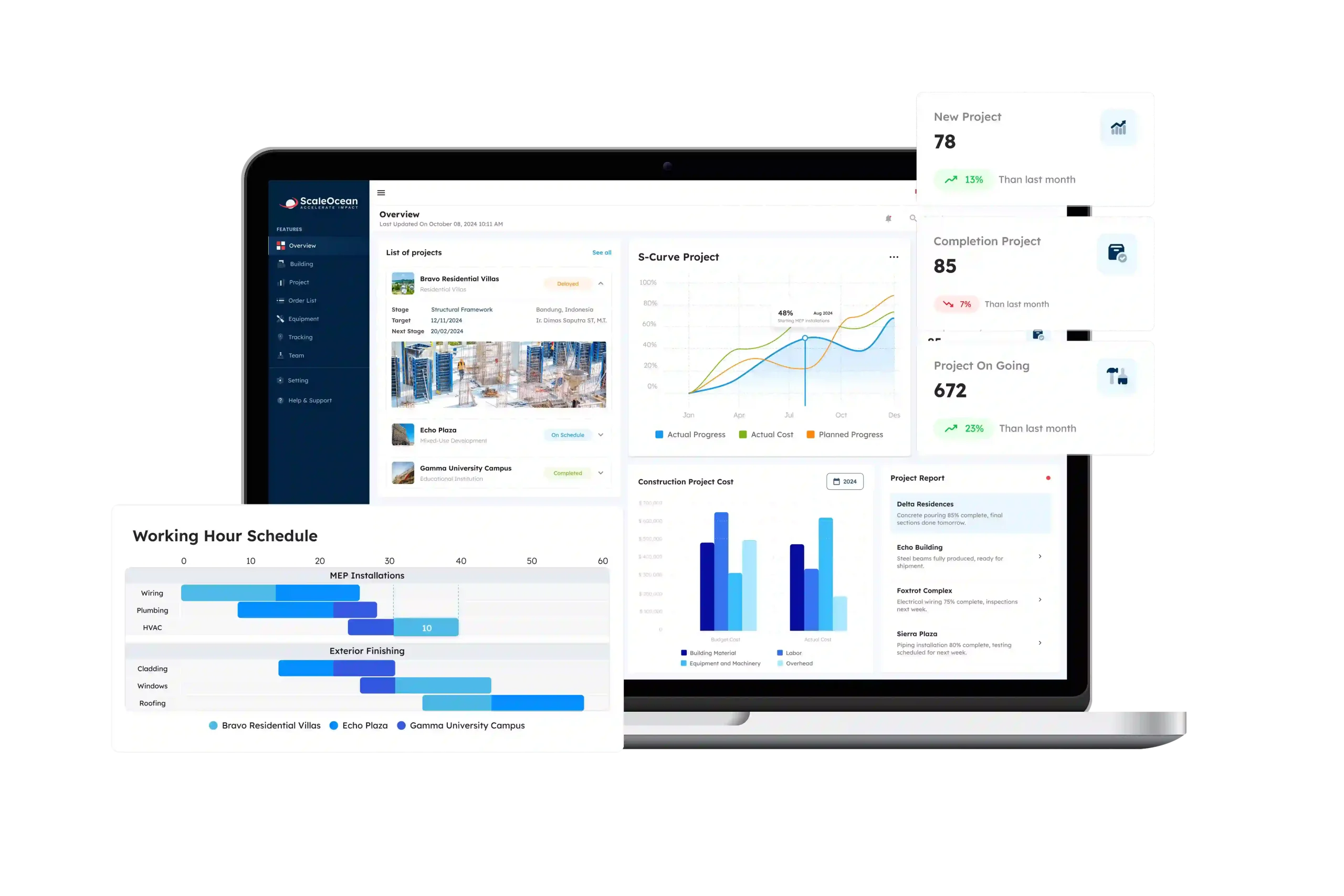
ScaleOcean Atlas for Construction is a cloud-based document management software designed for construction companies. The system helps businesses manage project workflows, procurement, & budgeting within one platform.
To highlight this, ScaleOcean Atlas supports construction companies in handling project documents from start to finish, including contracts, permits, procurement files, progress reports, budgeting records, and project tracking.
Moreover, it is integrated with an ERP system that connects construction document management with accounting, procurement, and project operations. This integration helps construction companies reduce manual processes and improve workflow.
Construction companies can also schedule a consultation to better understand how the software supports daily operations and long-term project management. Some of its key features include:
- Tender and Project Management: One of the benefits, ScaleOcean Atlas helps manage project bidding, budgeting, and project execution within one centralized system.
- Construction Document Management: Additionally, it organizes project files, contracts, permits, reports, and drawings in a structured platform.
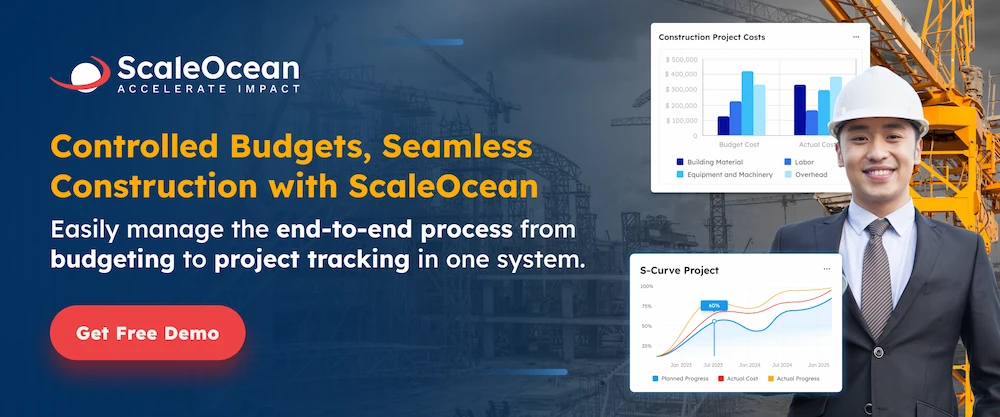
- Real-Time Budget and Tracking: Not only organizing documents, ScaleOcean Atlas also monitors project costs, expenses, and milestones to improve financial project control.
- Automated Procurement: In addition, ScaleOcean Atlas provides automations systems. It is to simplify purchasing processes for construction materials and equipment.
- Resource Management: Therefore, ScaleOcean Atlas optimizes labor and equipment allocation across multiple construction projects easily.
- Integrated ERP System: As an ERP software, ScaleOcean Atlas connects documents across divisions to maintain updated business documents from all teams.
- Cloud-Based Accessibility: Moreover, ScaleOcean Atlas allows project teams to access documents and operational data anytime and anywhere.
| Pros | Cons |
|---|---|
|
|
- ScaleOcean Atlas Pricing : Final pricing depends on the required solutions, modules, users, and project requirements. Contact the ScaleOcean team for a customized pricing estimate.
- ScaleOcean Atlas Capterra Rating: 5.0/5.
2. ProCore
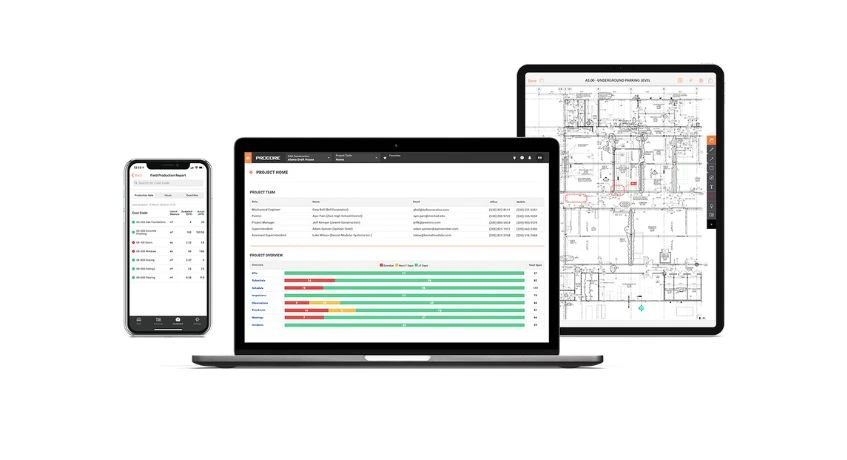
ProCore is a construction management software designed to help construction companies to manage project documents and workflows. The highlight of this platform is centralized project communication, RFIs, submittals, and reports within one system.
Therefore, ProCore is used for large-scale construction projects because it supports collaboration between field and office teams in real time. This software also helps improve project visibility and document accessibility across different stakeholders.
- Construction Document Management: ProCore has the ability to centralize drawings, RFIs, contracts, and project documents within one cloud-based platform.
- Project Collaboration Tools: Also, ProCore helps office and field teams communicate about the project updates in real time.
- Budget and Cost Tracking: Moreover, ProCore monitors project expenses, forecasts, and financial performance throughout the construction lifecycle.
| Pros | Cons |
|---|---|
|
|
- ProCore Pricing: Contact ProCore for pricing information based on project and business requirements.
- ProCore Capterra Rating: 4.5/5.
3. AutoDesk Construction
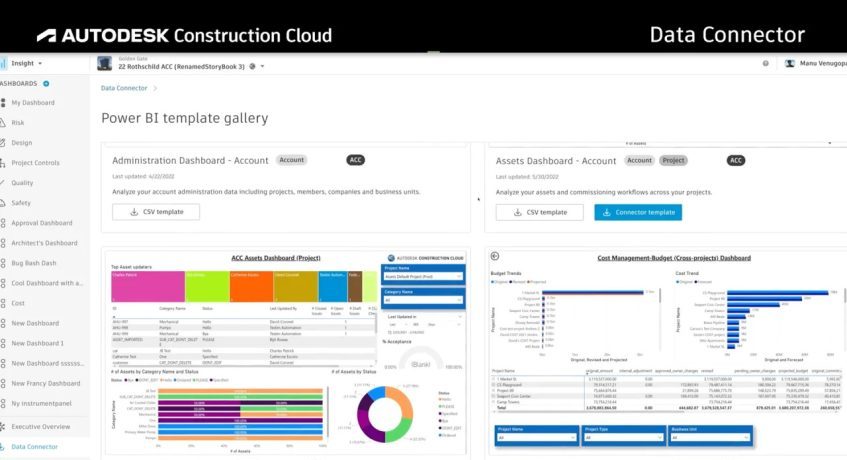
Autodesk Construction is a construction management platform that combines document control, BIM collaboration, and project management within one ecosystem. Moreover, the software helps construction teams organize documents & monitor project progress,
Autodesk Construction is commonly used in commercial and infrastructure projects that require detailed design collaboration and BIM integration. Therefore this feature helps maintain communication between stakeholders. Here are some its features:
- BIM and Design Collaboration: AutoDesk helps stakeholders with connecting architects, engineers, and contractors through integrated BIM workflows and document sharing.
- Construction Document Control: Moreover, AutoDesk features organized project drawings, specifications, and reports with version tracking features for users.
- Project Tracking and Reporting: AutoDesk also helps monitoring project progress, reporting issues, and coordinating teams in real time.
| Pros | Cons |
|---|---|
|
|
- Autodesk Construction Pricing: Pricing is available through a custom quote, depending on the selected Autodesk Forma plan and required construction solutions.
- Autodesk Construction Capterra Rating: 4.3/5.
4. BlueBeam Revu
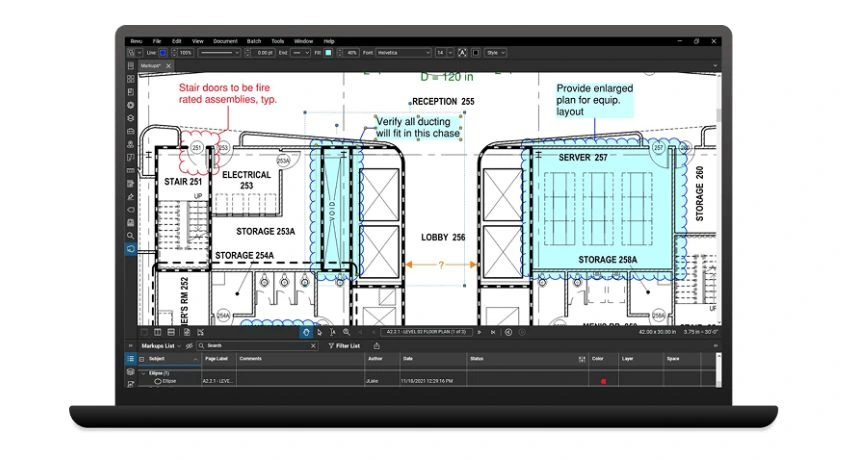
Bluebeam Revu is a document and PDF collaboration software designed specifically for the construction industries. Also, the platform helps teams review, mark up, edit, and collaborate on technical drawings and documents digitally.
Furthermore, Bluebeam Revu is commonly used by architects, engineers, and contractors for construction drawing reviews and document coordination. Here are some its features to help construction documents:
- PDF Markup and Collaboration: First, BlueBeam Revu allows project teams to review, edit, and annotate technical drawings digitally.
- Construction Drawing Management: Second, this platform also organizes blueprints, design files, and project documentation more efficiently.
- Real-Time Team Coordination: In addition, it supports collaborative document reviews between architects, engineers, and contractors.
| Pros | Cons |
|---|---|
|
|
- Bluebeam Revu Pricing: Starting at ₱16.246,10 ($260) per user per year for the Basics plan. Higher plans are available for additional features.
- Bluebeam Revu Capterra Rating: 4.7/5.
5. Oracle Aconex
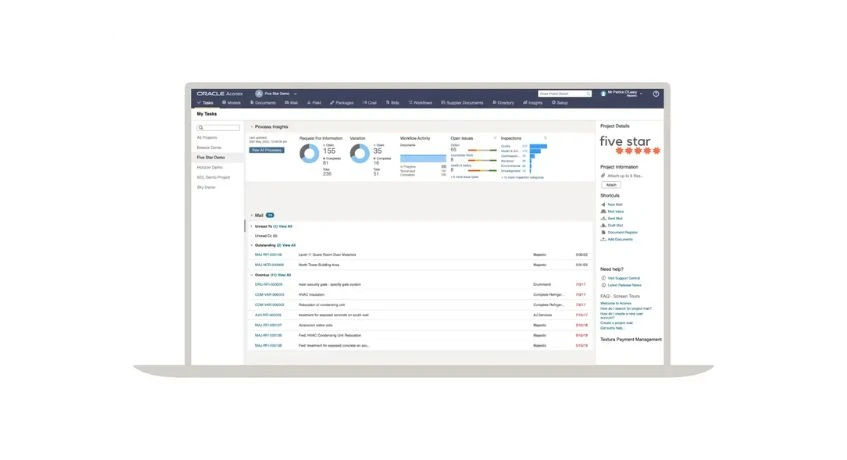
Oracle Aconex is a cloud-based construction document management and project collaboration platform designed for complex construction projects. The system helps manage workflows and document approvals within a secure environment.
Oracle Aconex is often used for infrastructure, industrial, and international construction projects involving multiple stakeholders. Here are important features that Oracle Aconex offers:
- Construction Document Control: Oracle Aconex manages construction contracts, drawings, RFIs, and project files within a secure cloud environment.
- Workflow and Approval Management: Therefore, this software also automates document reviews, approvals, and communication tracking across project teams.
- Multi-Company Collaboration: It supports coordination between contractors, consultants, and project stakeholders in one platform.
| Pros | Cons |
|---|---|
|
|
- Oracle Aconex Pricing: Contact Oracle for an accurate quote based on project requirements.
- Oracle Aconex Capterra Rating: 4.4/5.
6. FieldWire
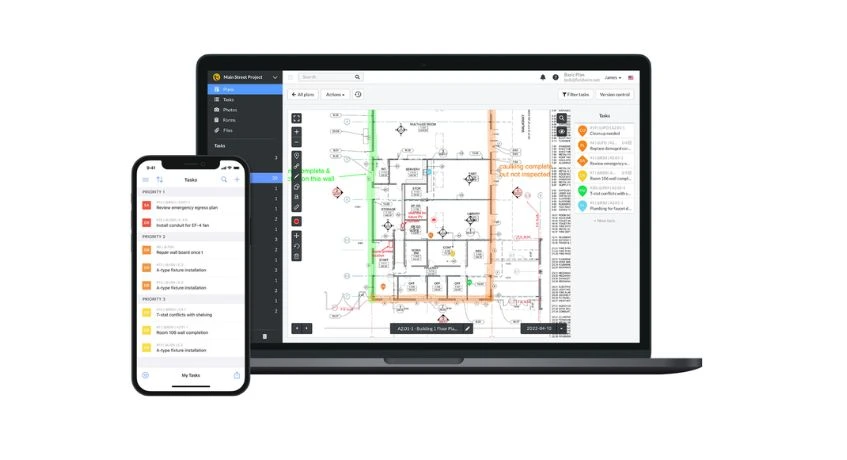
The next software is FieldWire. It is a construction field management software that is designed to improve onsite coordination and document accessibility. Therefore, the platform allows project teams to manage tasks, plans, and punch lists directly.
Moreover, Fieldwire is suitable for contractors and field teams that require fast access to project documents and real-time communication on construction sites. Here are some of the features to manage project documents:
- Field Task Management: Fieldwire helps construction teams assign, monitor, and complete project tasks directly from the field.
- Construction Plan Access: Therefore, Fieldwire allows users to access drawings and project files through mobile devices in real time.
- Inspection List Tracking: Fieldwire also simplifies quality control and issue management during project execution.
| Pros | Cons |
|---|---|
|
|
- Fieldwire Pricing : Starting at ₱3.374,19 ($54) per user per month.
- Fieldwire Capterra Rating: 4.6/5.
7. Buildertrend
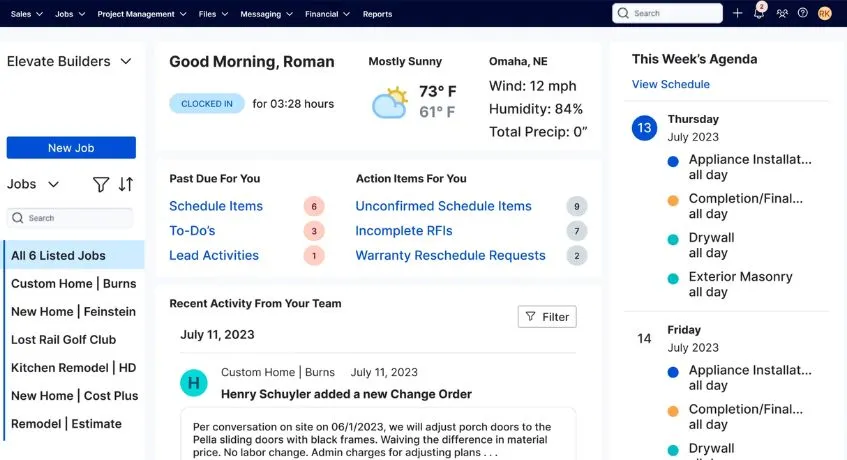
Buildertrend is a cloud-based construction management software designed primarily for builders, such as remodelers or contractors. The platform has the ability to manage project documents, scheduling, budgeting, and customer communication.
Buildertrend is used by small to medium-sized construction businesses looking to improve project organization and client collaboration. Here are some Buildertrend to enhance construction documentations:
- Project Scheduling and Tracking: Buildertrend helps construction companies manage timelines, daily logs, and project milestones effectively.
- Document and File Management: This software also organizes project contracts, documentation related to construction bonds, invoices, plans, and client documents within a single platform.
- Budget and Change Order Management: To make the project easier, it can track project costs and manage change orders to maintain financial visibility.
| Pros | Cons |
|---|---|
|
|
- Buildertrend Pricing: Custom pricing is available based on the company’s requirements. Contact Buildertrend for pricing information.
- Buildertrend Capterra Rating: 4.5/5.
8. Folderit
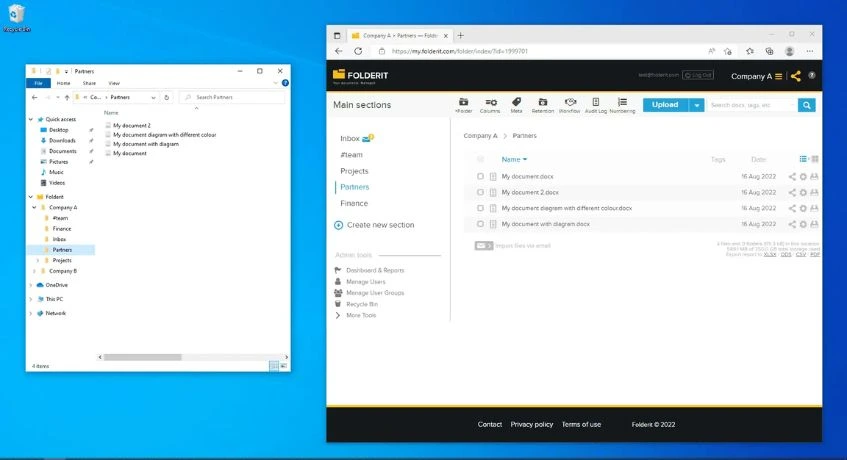
The eight software in this article is Folderit. It is a cloud-based document management software that helps businesses organize, store, and share files securely. The platform also supports version tracking, document approvals, and collaboration workflows.
Furthermore, Folderit is suitable for companies looking for a simple and lightweight document management solution. Here are features that includes in Folderit that helps organize construction documents:
- Cloud-Based Document Storage: The most important feature in this software is a cloud-based storage system. It stores business and project files securely within a centralized digital platform.
- Document Version Control: Second, Folderit also can rack file revisions and ensure users access the latest document versions.
- Approval Workflow Management: Therefore, it also simplifies document review and approval processes across teams.
| Pros | Cons |
|---|---|
|
|
- Folderit Pricing: Starting at ₱3,271.05 (€45) per month for the Mini plan. Higher plans are available with additional storage, users, and workflow features.
- Folderit Capterra Rating: 4.8/5.
9. SKYSITE
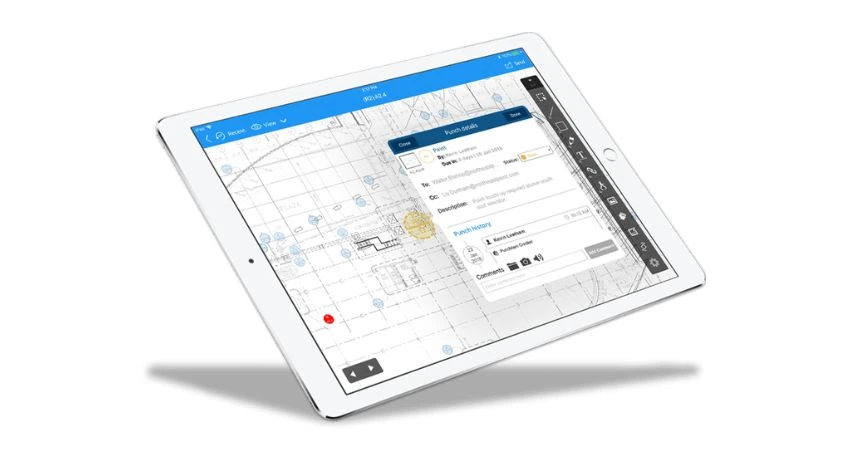
SKYSITE is a construction document management software designed to help construction and real estate teams manage large project files efficiently. Also, the platform supports secure document sharing and remote collaboration.
Moreover, SKYSITE is ]used for projects requiring extensive file coordination between contractors, consultants, and project stakeholders. Below here are features that SKYSITES offers to maintain construction projects:
- Construction Document Management: SKYSITES helps organize large project files, drawings, and reports within secure cloud storage.
- Blueprint and Drawing Sharing: SKYSITES also makes project teams distribute and access updated construction plans more efficiently.
- Remote Team Collaboration: Therefore, it supports communication and document coordination between office and field teams.
| Pros | Cons |
|---|---|
|
|
- SKYSITE Pricing: Starting at ₱1.187,22 ($19) per user per month for the Basic plan. Professional and Enterprise plans are also available.
- SKYSITE Capterra Rating: 3.8/5.
Conclusion
Construction document management software helps construction companies improve document organization, security, and workflow efficiency. This software helps organize project files into one system which accelerates teams’ productivity and reduces errors.
For construction companies in the Philippines, choosing the right construction document control software can help simplify complex project documentation while supporting better communication between teams.
In addition, for businesses searching for construction documents, ScaleOcean Atlas for Construction ERP can be a practical solution. ScaleOcean Atlas offers features that help construction companies manage documents, budgeting, & procurement.
Companies can also schedule a consultation to better understand how the system helps streamline construction operations and daily project management.
FAQ:
1. How does construction document management software work?
The software stores and organizes project files digitally, allowing teams to access, update, share, and track documents in real time from one centralized system.
2. Who uses construction document management software?
Construction companies, contractors, engineers, architects, and project managers use the software to manage project documents and improve communication between teams.
3. Can construction document software improve project efficiency?
Yes, the software helps reduce manual paperwork, speeds up document approvals, improves collaboration, and minimizes errors caused by outdated files or lost documents.


















.png)