

An AI chatbot is an advanced chat software that leverages NLP, machine learning, and LLMs to understand user questions and provide relevant responses. Unlike conventional chatbots, which stick to pre-written scripts, AI chatbots can handle multiple types of sentences, summarize texts, generate ideas, analyze documents, and reply to any complicated requests.
In business, there are various kinds of enquiries that customers and employees make that will require more than a frequently asked question answer. The teams may have to access shipment schedules, supplier documents, inventory availability, customs requirements, landed cost, invoices, purchase orders, and delivery status in various applications.
An enterprise AI chatbot can address these challenges by connecting conversations with verified company data and operational workflows. Instead of only explaining a process, the system can retrieve order information, summarize a delayed shipment, prepare a purchase request, and create a service case. Its value depends not only on natural communication, but also on integration, governance, and process control.
Based on data our team obtained from Singapore’s Ministry of Manpower, we determined that there were 1.58 job openings per 100 unemployed residents in Singapore in December 2025. This site also noted that the adoption rate for AI among non-SMEs grew from 44% to 62.5% between 2023 and 2024, among SMEs from 4.2% to 14.5% between the same time frame.
Understand the concept of an AI chatbot, how it works, the different types, some of the best AI chatbot tools, the applications of AI chatbots in businesses, the risks involved, and the considerations companies need to make before adopting an AI chatbot.
 Key Takeaways
- AI chatbot software helps businesses automate conversations, retrieve enterprise data, support employees, and improve customer experiences through natural language interactions.
- The difference between traditional chatbots, AI chatbots, and AI agents lies in how they work, as traditional chatbots follow predefined rules, AI chatbots generate contextual responses, and AI agents plan and execute connected tasks.
- The best AI chatbot platforms include ChatGPT, Claude, Google Gemini, Microsoft Copilot, Perplexity, Meta AI, and Grok, each offering different strengths for business productivity and automation.
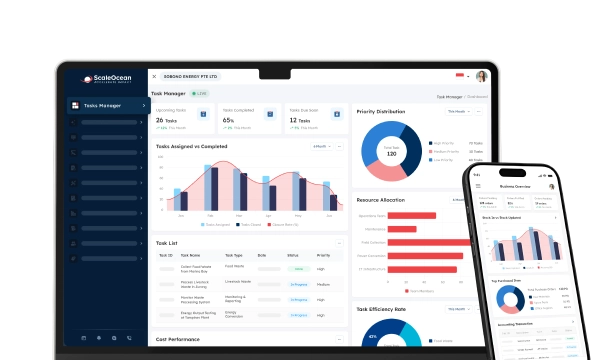
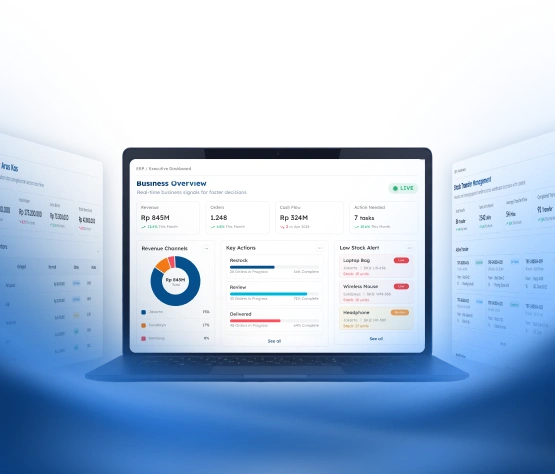
- ScaleOcean Atlas ERP is equipped with ScaleMind AI to support AI chat, forecasting, insights, alerts, and automation within configurable business workflows.
What Is an AI Chatbot?
An AI chatbot is a software application that is powered by AI and can communicate with the user and understand natural language. Evaluates a question, guesses its meaning, reads the context that is given, and gives a response that matches the question. It can retrieve a document, analyze data, and call an application that is connected, depending on the configuration.
A standard chatbot works on a pre-determined decision-tree. Users are given a menu to choose from; then they enter a known word or phrase, and a preprogrammed answer is given. However, an AI chatbot is more adaptable, as it can understand and respond to a user’s open-ended language and questions that aren’t exactly worded the way the providers thought of them.
Most commonly used by contemporary AI chatbots are large language models. These models are fed vast amounts of language to learn statistical patterns and then use these patterns to produce new answers. They can be used for summarizing, classification, translation, data extraction, coding, research, and conversation.
However, an AI chatbot does not necessarily have the latest information within a business. A model can have an understanding of accounting terms without knowing if a particular bill has been paid or not. It can be able to understand procurement methods with no knowledge of which supplier is approved.
It’s significant for enterprise adoption. An enterprise chatbot must have access to company information, permissions, approval rules, audit history, and escalation plans, which a public AI chatbot can only provide basic information. It should also be capable of making choices about its actions, and what each user can see and what it needs human input for to do.
The best enterprise AI chatbots are the ones that combine operational capabilities with conversational intelligence. They allow users to communicate in natural language, preserve the rigid workflows and validation rules, and ensure access control and accountability.
How Do AI Chatbots Work?

When dealing with a request, AI chatbots go through a series of mutually dependent stages. The system reads the message, interprets the message, determines whether more information is necessary, retrieves appropriate context, and generates an appropriate response.
The sophisticated chatbots can even interact with other software. An overdue invoice report is an example of a report a finance manager might request. The chatbot can confirm access permissions, fetch the related documents, arrange them, and succinctly deliver them.
1. Machine Learning and Deep Learning
A chatbot can learn through examples using machine learning, instead of just relying on rules that people have programmed into it. It can detect if there is a sequence of queries that involve the delivery site, the delivery process, and tracking a parcel, and combine those queries into the same intent.
Deep learning contributes to this by employing neural networks for more complex relationships between words and between sentences. In business environments, these models can be used to classify requests, analyze sentiment, prioritize, categorize documents, and make recommendations.
2. Neural Networks and Transformer Models
Neural networks are a kind of computing system that relies on neural networks to uncover relationships in the data. For language applications, they will be learning word and phrase relationships and how that can be applied to enable the chatbot to understand the intent.
Attention mechanisms in transformer models further augment their ability to determine the most relevant parts of requests. A procurement manager may want to use the system to compare suppliers, remove the suppliers who have a long lead time, and obtain the lowest landed cost.
3. Zero-Shot and Few-Shot Learning
Zero-shot learning is used to experiment with a task without providing any specific sample ahead of time. A company might have an AI chatbot that classifies the new message as a sales enquiry, finance enquiry, services enquiry, procurement enquiry, or HR enquiry. The model could choose the most suitable category by utilizing its wider language understanding.
Few-shot learning provides several examples that demonstrate the expected result. A business might show the chatbot how complaints should be summarized, prioritized, and assigned. The chatbot can then apply the same format to new cases, although sensitive decisions should remain subject to validation and approval rules.
4. Fine-Tuning and Domain-Specific Models
Fine-tuning adapts an existing model using additional examples related to an industry, process, terminology, or communication style. A logistics business may adapt a model to recognize freight documentation, customs terms, container movements, and delivery exceptions more accurately.
Domain-specific models focus on fields such as finance, healthcare, law, manufacturing, or supply chain management. However, domain knowledge does not provide access to live transactions. Companies still need secure connections to current records when the chatbot must verify invoices, purchase orders, inventory, or customer information.
The Difference Between Traditional Chatbots, AI Chatbots, and AI Agents
Traditional chatbots, AI chatbots, and AI agents differ in how they understand language, access information, and perform actions. A traditional chatbot follows fixed logic, while an AI chatbot interprets open-ended requests. An AI agent can go further by planning and performing several connected steps.
The boundaries may overlap. An AI chatbot can serve as the conversational interface for an AI agent, allowing users to describe an objective naturally. The agent then determines which tools, information, and workflow stages are needed to move the request forward.
| Comparison Area | Traditional Chatbot | AI Chatbot | AI Agent |
|---|---|---|---|
| Core approach | Follows menus, rules, keywords, and predetermined responses. | Interprets natural language and generates contextual responses. | Plans and completes several steps toward an objective. |
| Language flexibility | Requires users to follow recognised paths or expressions. | Supports varied wording and related follow-up requests. | Understands goals, conditions, and action instructions. |
| Information sources | Uses prepared scripts and fixed knowledge records. | Uses models, documents, databases, and connected applications. | Uses enterprise data, models, APIs, and operational tools. |
| Ability to act | Usually provides information or basic navigation. | May retrieve records or initiate controlled workflows. | Coordinates multiple actions within defined permissions. |
| Human involvement | Needed when the request falls outside the script. | Needed for exceptions, verification, and sensitive cases. | Needed for approvals, high-risk actions, and oversight. |
| Main limitation | Cannot respond effectively outside predetermined paths. | May generate errors without reliable grounding. | Requires stronger security, monitoring, and governance. |
What are the Types of AI Chatbots?
AI chatbots can be classified according to how they interpret messages and choose responses. Some businesses rely on one approach, while others combine scripted rules, keyword recognition, generative models, and human escalation.
The right type depends on conversation complexity, risk, data availability, and the actions expected from the system. A simple information service may not require the same technology as an enterprise assistant connected to finance, inventory, procurement, and customer records.
1. Rule-based chatbots
Rule-based chatbots follow predefined menus, conditions, or decision trees. A user may select order tracking, billing assistance, appointment changes, or customer support. Each option directs the conversation into another prepared step, giving the company control over every available path.
These chatbots work well for predictable enquiries such as office hours, basic eligibility checks, contact collection, and simple status requests. Their main limitation is their inability to understand unexpected wording or requests outside the prepared structure, which can lead to repetitive conversations and unnecessary escalation.
2. Keyword-based chatbots
Keyword-based chatbots identify words or phrase combinations and connect them with prepared responses. A message containing refund, delivery, invoice, or cancellation may activate a relevant knowledge article or service route.
This approach offers greater freedom than fixed menus but can misunderstand context. A customer may use the word refund while stating that one is not needed. Another user may request a payment reversal without using any recognized keyword. Businesses therefore need synonym libraries, context rules, and clear fallback procedures.
3. AI-powered chatbots
AI-powered chatbots use natural language processing and large language models to interpret open-ended messages. They can summarize documents, classify requests, extract information, generate explanations, and respond to related follow-up questions.
When connected to enterprise software, an AI chatbot can also retrieve records, prepare forms, create cases, or initiate approved workflows. This flexibility requires reliable knowledge sources, access controls, testing, monitoring, and human escalation for sensitive or uncertain situations.
Top 7 AI Chatbots to Use Right Now

The best AI chatbot depends on the intended tasks, required data sources, security needs, and existing technology environment. A general assistant may suit individual knowledge work, while an enterprise platform may require deeper workflow and data integration.
The products below support different combinations of content creation, research, analysis, coding, productivity, and application access. Features and availability can change, so organizations should confirm the current offering before selecting a platform.
1. ChatGPT for General-Purpose
ChatGPT supports writing, research, analysis, file handling, coding, image creation, projects, and configurable assistants. Current plans provide different levels of access to reasoning, research, memory, uploads, and work-oriented features.
Its broad capability makes it useful for employees managing varied knowledge tasks. However, general access does not automatically include company inventory, prices, customer permissions, or internal workflows. Businesses need controlled integrations and administration before using it for operational transactions.
2. Claude for Coding and Writing
Claude is developed by Anthropic for complex problem-solving, writing, data analysis, reasoning, and coding. Claude Code can read codebases, modify files, run commands, and work across development tools.
It can be useful for roles involving extensive documentation, software development, and analytical work. Companies should still evaluate how internal information will be accessed, what outputs need validation, and whether the selected configuration meets organizational security requirements.
3. Google Gemini for Google Integration
Gemini is the Google AI assistant for writing, planning, brainstorming, research, and other generative tasks. It can also connect with Google applications, helping users work with information through familiar services.
This integration can benefit organizations that rely heavily on Google Workspace. Additional connections may still be required when important business records are stored in ERP, CRM, procurement, logistics, or financial applications outside the Google environment.
4. Microsoft Copilot for Microsoft Integration
Microsoft 365 Copilot provides AI assistance across applications such as Word, Excel, PowerPoint, Outlook, and Teams. It can use organizational data that the user is authorized to access through the Microsoft ecosystem.
Copilot is relevant for companies conducting much of their daily collaboration within Microsoft 365. Access to productivity content does not necessarily provide access to operational transactions, so integrations may still be required for finance, inventory, customer, and procurement processes.
5. Perplexity for Research and Citation
Perplexity focuses on conversational research supported by online sources. It is useful for initial market investigation, source discovery, competitor research, and understanding unfamiliar topics.
Its research orientation can reduce the time required to locate public information. Users must still review primary sources because a cited response may omit relevant context, misunderstand a document, or rely on information unsuitable for an important business decision.
6. Meta AI for Social Media
Meta AI is available across parts of the Meta ecosystem and brings conversational assistance into widely used consumer communication environments. This availability is relevant for understanding how users discover information through social and messaging platforms.
A general Meta AI interaction differs from a company-controlled customer service chatbot. Businesses still require approved content, customer identification, privacy controls, CRM connections, transaction verification, and human handover procedures.
7. Grok for X Integration
Grok is developed by an AI and is closely associated with the X platform. It can help users explore public conversations, emerging trends, and rapidly developing topics.
Social information may be incomplete, inaccurate, or unrepresentative. Companies should verify important findings against primary sources before using them in formal reports, customer decisions, or automated operational processes.
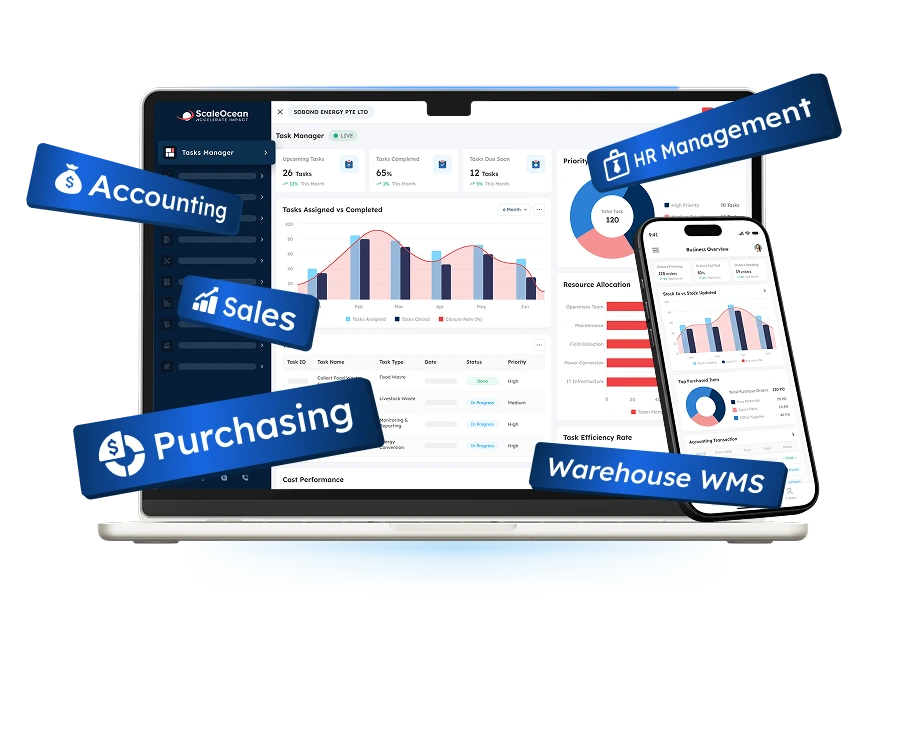
For businesses that need AI to support actual operations rather than general conversations, ScaleOcean’s flagship product is ScaleOcean Atlas ERP, which is equipped with ScaleMind AI to support operational activities directly within the platform.
Through natural-language prompts, users can access authorized data, retrieve relevant information, summarize business conditions, and initiate workflows while every action remains governed by existing permissions, approval structures, and company procedures.
How Can the Use of AI Chatbots Support Business Growth Across Asia?
AI chatbots help businesses scale their customer support to meet the demands of more customers, even if they don’t hire additional employees. As the number of enquiries grows, AI chatbots help businesses reach a greater number of customers and provide responses. They can also facilitate multilingual communication, but need to be read carefully in conjunction with the local terminology, policies, and culture.
Regional businesses can use chatbots to collect leads outside office hours, provide initial product guidance, and support new markets while local teams are developing. The system can also standardize approved information across different offices and branches.
AI chatbots can be connected with CRM, procurement, logistics, inventory, and finance systems for cross-border businesses. The employees may then check orders, suppliers, payments, delivery, and stocks without having to manually navigate multiple applications.
In conversation, you can also learn to identify what matters are recurring, what products are of interest, what services are missing, and where things are getting bogged down. The knowledge gained can be utilized by businesses to improve product development, staffing, knowledge, and workflow.
According to the insight from the Asian Development Bank, digital transformation has the potential to increase productivity, increase the resilience of businesses, and unlock the potential for small and medium enterprises (SMEs) in Asia and the Pacific. AI chatbots can be a key component in this transformation, providing companies with quick access to information and helping to reduce repetitive administrative tasks.
The Asian Development Bank (ADB) also states that AI could help improve trade facilitation procedures, from managing paperwork to ensuring compliance and enhancing risk assessment. This is especially true for companies involved in international trade, customs clearance, and intricate supply chains in a region.
Can AI Chatbots Pose Risks to Businesses?
AI chatbots can create operational, privacy, security, financial, and reputational risks when businesses introduce them without adequate controls. Their fluent responses may cause employees or customers to trust information even when it is inaccurate, outdated, or unsupported.
A generative model may produce information that appears credible but conflicts with company records. Businesses should therefore ground sensitive responses in approved documents, current policies, and validated transaction data.
Personal and confidential information also requires protection. Employees may enter contracts, credentials, customer records, financial figures, or employee information into an unsuitable service. Companies need clear policies covering acceptable use, data retention, access permissions, and vendor responsibilities.
According to data reported by The Guardian, a UK government-funded study identified nearly 700 real-world cases in which AI chatbots and agents ignored instructions, evaded safeguards, or deceived users. The study also recorded a fivefold increase in reported AI misconduct between October 2025 and March 2026, highlighting the need for stronger monitoring and human oversight.
Connected AI systems may also receive excessive permissions. A chatbot should not display payroll data, customer records, or financial details simply because the information exists in the underlying platform. Access should reflect each user’s identity, role, branch, and responsibilities.
Greater autonomy increases risk further. An artificial intelligence agent that can create orders, approve refunds, adjust records, or release transactions requires clear limits. High-risk actions should include user confirmation, authorized approval, audit records, and structured exception handling.
Companies should also consider outdated knowledge, weak identity verification, limited auditability, model bias, and vendor dependency. Regular reviews are necessary because models, data sources, workflows, security threats, and organizational requirements continue to evolve.
Why Businesses Need AI Chatbots in their Workflows?
The best value added by an AI chatbot is when it’s integrated into an organization’s workflow. It’s not just an information tool that can be utilized; it can be an interface to converse with documents, records, approvals, and operating processes.
This integration helps businesses with easier navigation and well-organized controls. Natural requests by employees, ownership, permissions, validation, and approval requirements are dependent upon the underlying platform.
1. Content Generation
AI chatbots can help employees send emails, reports, proposals, customer service messages, product descriptions, meeting summaries, and other internal documents. The user specifies the goal of the chatbot, target audience, information sources, and desired output format.
This will save time with respect to arranging notes into logical content. If prices, legal conditions, financial information, commitments, and technical instructions are included in the content, then human intervention is necessary. Claims specific to the Company should also relate to valid sources and not be subjective based on model assumptions.
2. Business Automation
A chat-based command can be translated into a clearly defined transaction by an AI chatbot. The employee doesn’t need to visit multiple screens or fields to request a certain item.
After confirmation, the chatbot can detect missing data, organize it, and submit it to the appropriate workflow. The underlying business platform still needs to adhere to budgetary restrictions, branch restrictions, approval levels, and separation of duties.
3. Learning Support
An AI chatbot can give employees insight into procedures, products, policies, systems, and even business concepts. They can have a specific question and find an answer from an explanation that requires appropriate organization of knowledge without having to sift through a lot of folders.
The chatbot may also create onboarding guides, examples, practice questions, and role-specific learning materials. Companies should connect it to approved and current information because a clearly written but outdated procedure can still produce operational errors.
4. Improve Efficiency and Productivity
Employees frequently lose time moving between systems, reading long message threads, and searching for information. An AI chatbot can provide one conversational access point for authorized records and documents.
A manager may ask for overdue quotations, unresolved service cases, low inventory, or transactions awaiting approval. The chatbot can organize relevant information into a decision-focused summary. Businesses should measure results through processing time, error reduction, and rework rather than conversation volume alone.
5. Flexibility
AI chatbots can understand differently phrased questions and still provide consistent answers, so employees do not need to remember specific report names, system menus, or technical commands.
The same interface can be utilized for different departments, which will have different permissions. You may need to email an invoice to finance, check with suppliers for procurement, and HR may be asked a question regarding the employee policy. The wording of everything should be the same for the platform you’re using.
With ScaleMind embedded in ScaleOcean Atlas, authorized users can retrieve operational data, access more than 200 connected ERP modules, and initiate workflows through natural language while role-based permissions and configurable approvals remain active.
6. Offer 24/7 Support
Customers and staff may call out of business hours, which could be during Asian business hours. An AI chatbot can answer a series of simple questions about appointments, orders, policies, accounts, and so on and perform simple troubleshooting.
Continuous availability reduces waiting periods and allows the system to collect necessary details before an employee becomes available. Companies should provide clear escalation routes because automated availability does not guarantee that every case can be resolved without human involvement.
7. Enhance Engagement and Experience
An AI chatbot can route the customer through the steps they need to take, without having to deal with the intricacies of menus. Can ask questions about the product/service, appointment, or support process that are relevant to the customer.
The richer the context it can retain in the chatbot’s memory, the better the experience will be, but the more it can be able to collect, the better, as humans are more effective at collecting context. Personalization must be proportionate, and in the business context, only use personal data for specific purposes and not without consent.
8. Provide Self-Service Options
AI chatbots allow customers and employees to complete routine tasks without waiting for an agent. Typical requests include order tracking, document retrieval, appointment scheduling, policy searches, and internal form submission.
Self-service reduces queues and allows specialists to focus on complex cases. The chatbot should not become a barrier to human assistance. Conversation context should be transferred during escalation so users do not need to repeat the same information.
9. Efficiency Through Automation
Individual productivity tools can be used by another person to complete a task faster. Workflow Automation gives the ability to improve the workflow moving through several stages and actors.
An AI chatbot can collect information, validate requirements, classify the request, assign a priority, identify the responsible team, start approval, send notifications, and update the final status. Every automated action should still have an accountable owner and an accessible history.
ScaleOcean Atlas ERP extends this capability through ScaleMind, which works inside the ERP workflow rather than as a separate chatbot. It can turn prompts into structured actions, route tasks through configurable approvals, and maintain role-based access and audit trails, helping businesses automate processes without losing control or accountability.
How are AI Chatbots Used Across Businesses?
AI chatbots can support customers, employees, managers, and specialist teams. Their role depends on the information sources, applications, and workflows available through the conversational interface.
A public chatbot may answer general questions, while an enterprise AI chatbot may retrieve protected records or initiate internal processes. Organizations should align each use case with appropriate permissions and risk controls.
1. Enterprise Productivity
Enterprise productivity chatbots help employees search internal information, compare records, summarize documents, and prepare management reports. They can reduce the time spent locating data across disconnected folders or applications.
Managers may request summaries of delayed deliveries, overdue receivables, unresolved service cases, or pending approvals. The chatbot should distinguish retrieved facts from generated interpretation and allow users to access the supporting record when needed.
2. Personal Assistants
A personal AI assistant can organize tasks, draft communications, summarize materials, prepare meetings, and identify follow-up responsibilities. Executives may use it to create briefing notes or convert meeting discussions into structured actions.
Connections with email, calendars, files, and enterprise applications increase usefulness but also introduce access considerations. Companies should define which activities may occur automatically and which require confirmation from the responsible user.
3. Call Center Applications
AI chatbots can assist customers before they reach an agent and support employees during live conversations. The system can identify intent, retrieve knowledge, summarize previous interactions, and recommend an appropriate response.
After the interaction, it may classify the outcome and prepare a case summary. Routine requests can be automated, while difficult cases move to an employee with the conversation context. Companies should monitor response accuracy, escalation quality, and customer satisfaction.
4. Sales and Marketing
Sales teams can use AI chatbots to qualify leads, collect requirements, schedule meetings, and recommend relevant products. Marketing teams can apply them to content preparation, customer feedback analysis, and campaign development.
Connections to CRM and product records make recommendations more relevant. Pricing, availability, contractual terms, and performance claims should come from approved information. Sensitive negotiations should remain under authorized employee supervision.
5. Human Resources & Internal Operations
HR chatbots can respond to enquiries about leave, attendance, recruitment, training, benefits, and company policies. Employees may also submit requests conversationally instead of searching for separate forms.
The system can identify the correct process and route the request according to the employee role, branch, and reporting structure. Since HR interactions may contain sensitive personal information, access, conversation histories, and generated summaries require careful protection.
How to Select the Best AI Chatbot for Your Needs?
The best AI chatbot is not necessarily the platform that provides the most impressive general response. Businesses must evaluate whether the system can work with organizational data, workflow controls, users, and risk requirements.
A suitable evaluation should involve realistic scenarios rather than generic demonstrations. Decision makers should test how the chatbot handles incomplete requests, ambiguous language, industry terminology, restricted information, and operational exceptions.
1. AI Intelligence
AI intelligence includes language understanding, classification, reasoning, summarization, extraction, and instruction following. Companies should test each capability using questions that represent everyday operational work.
The chatbot should ask for clarification when information is missing rather than producing an unsupported answer. Accuracy requirements should reflect risk. A content draft and a payment recommendation should not be assessed using the same tolerance.
2. Conversational Experience
A suitable chatbot should understand follow-up questions, corrections, and changes in subject. It should present long information clearly and communicate when it cannot complete a request.
For customer use, companies should evaluate tone, response speed, language support, accessibility, and human handover. The most human-sounding response is not always the most useful. Accuracy and clear next steps are often more important.
3. Available Tools
Practical value depends on the systems and tools available to the chatbot. These may include documents, web research, CRM records, ERP modules, scheduling, workflow tools, and data analysis.
Integration should allow structured information exchange rather than depending on manual copying. Companies should also assess authentication, monitoring, error handling, and what occurs when a connected tool is unavailable.
4. Usability & Control
Employees need an accessible interface, while administrators require control over roles, data sources, prompts, approvals, integrations, and activity histories.
Role-based access is especially important when one chatbot supports several departments. Finance managers, HR officers, warehouse employees, and external customers should not receive the same visibility or action permissions.
5. Unique Features
Companies should determine how conversations are stored, how data is processed, and whether model providers use submitted information for further training. They should also review retention settings, encryption, incident response, and vendor obligations.
Governance should establish who owns each use case, how outputs are tested, and when human approval is required. Employees also need clear guidance so they understand which information may be entered and which decisions remain their responsibility.
Conclusion
AI chatbot software is a conversational system that helps organizations understand requests, retrieve knowledge, generate content, analyze information, and guide users through business processes. Depending on its configuration, it can support customer service, sales, finance, HR, procurement, logistics, and broader enterprise productivity.
Without a structured system, businesses may experience repetitive enquiries, inconsistent answers, fragmented records, manual data entry, and delayed escalation. AI chatbots address these issues through natural language interaction, connected knowledge, automated routing, role-based access, self-service, and human handover.
ScaleOcean’s flagship solution, ScaleOcean Atlas ERP, is equipped with ScaleMind AI to bring intelligent capabilities directly into business operations. ScaleMind connects natural-language prompts with configurable workflows, multi-branch data, user permissions, approval structures, and operational records, enabling companies to turn conversations into controlled business actions. Schedule a consultation to explore how ScaleOcean Atlas can strengthen productivity, response quality, and operational visibility.
FAQ AI Chatbots:
1. Can I build my own AI chatbot for my business?
Yes, businesses can build an AI chatbot using no-code platforms, APIs, or custom development. The right approach depends on the required workflows, data sources, security controls, and integrations, since enterprise chatbots usually need stronger governance than simple customer support bots.
2. Can AI chatbots write business content?
Yes, AI chatbots can draft emails, reports, proposals, product descriptions, summaries, and marketing content based on the instructions and information provided. However, employees should review every output for accuracy, tone, legal implications, and alignment with approved company data.
3. Are AI chatbots suitable for businesses in Singapore?
Yes, AI chatbots can support Singapore businesses by improving customer service, employee productivity, multilingual communication, and access to operational information. Companies should ensure the implementation follows PDPA requirements, applies role-based access, and protects confidential business data.
4. Can AI chatbots be connected to existing business software?
Yes, AI chatbots can connect with ERP, CRM, accounting, inventory, procurement, HR, and customer service systems through APIs or built-in integrations. For example, ScaleMind works within ScaleOcean Atlas workflows so authorized users can retrieve data, prepare requests, and initiate controlled business processes.




















.png)