




ECOUNT ERP review is part of choosing the right software to maximize business operations. It’s one of the software worth considering because it combines several core business functions in a cloud-based platform.
But is ECOUNT the right ERP for your business? In this ECOUNT ERP review, we look at its features, pricing in the Philippines, benefits, and limitations. Therefore, this guide will help growing and mid-sized businesses determine which solution fits their business.
 Key Takeaways
- ECOUNT ERP is a cloud-based system that combines sales, inventory, accounting, production, payroll, and other business functions in one platform.
- ECOUNT is mainly suited for SMEs looking for an accessible ERP to replace spreadsheets and manage core business processes centrally.
- ECOUNT’s Philippine pricing starts at PHP 2,800 per month, with multi-month and annual plans also available.
- ScaleOcean Atlas can be an alternative for growing and mid-sized businesses that need a solution that can scale with them complexities grow.
1. What is ECOUNT ERP?
ECOUNT ERP is a cloud-based enterprise resource planning system designed to bring core business processes into one platform. It covers functions such as accounting and finance, sales, purchasing, inventory, logistics, production, costing, and payroll.
For Philippine businesses, one of its biggest selling points is accessibility. Since ECOUNT is web-based, employees can access information through a laptop or mobile device. The Philippine version also provides pricing in pesos and has a local office in Makati.
This approach can be useful for SMEs that want to move away from spreadsheets without immediately committing to a complex enterprise implementation. It also makes ECOUNT relevant for businesses with employees working between offices, stores, warehouses, and other locations.
Moreover, businesses should also consider warehouse complexity, customization requirements, integrations, scalability, reporting, and compliance needs. The following sections break these factors down.
2. Who is ECOUNT ERP Best Suited for?

ECOUNT is primarily positioned toward small and medium-sized businesses looking for an integrated ERP without a high upfront investment. Therefore, ECOUNT may be a good fit for:
- Small and medium-sized enterprises: Businesses replacing spreadsheets or disconnected applications can use ECOUNT to centralize accounting, inventory, sales, purchasing, and other processes.
- Trading and distribution companies: Businesses handling regular purchasing, sales, and inventory transactions can benefit from connected workflows.
- Retail businesses: Companies that need to connect sales transactions with inventory can use its integrated modules.
- Businesses with multiple users: ECOUNT’s Philippine ERP subscription does not charge separately based on the number of ERP users.
- Businesses transitioning to cloud software: Companies that want to access their ERP without installing software on individual computers may find the web-based model convenient.
3. The Features of ECOUNT ERP
ECOUNT ERP combines several core business functions in one cloud-based platform, covering sales, purchasing, inventory, production, accounting, payroll, and groupware. Its key features include:
- Sales Management: ECOUNT helps businesses manage sales transactions, customer information, quotations, sales orders, and related receivables.
- Inventory Management: Secondly, it allows businesses to monitor inventory by item and location which supports businesses with multiple warehouses.
- Accounting Management: Therefore, it can automatically generate journal entries from business transactions and provide financial statements and other accounting reports.
- HR and Payroll: The system includes employee management and payroll functions, allowing businesses to manage employee information, and connect payroll data with accounting.
- Groupware and Collaboration: It also provides tools such as e-approval, shared bulletin boards, file sharing, corporate messaging, and webmail to help employees manage internal communication and approval processes within the same platform.
- Real-Time Reporting: Businesses can access real-time reports covering areas such as sales, inventory, production, accounting, and payroll.
- Online Ordering and E-Commerce Tools: ECOUNT provides additional tools for online store management, online ordering, e-contracts, and other digital business processes.
4. Benefits That Businesses Have Felt with ECOUNT
The value of an ERP is not only about how many features it offers, but also how those features improve the way a business operates. For Philippine SMEs, these benefits can become more valuable as the business adds employees, products, or transactions.
Based on a study published in the JOITMC, businesses that adopt cloud ERP can strengthen organizational agility and reduce costs by improving collaboration and information-sharing across teams.
- Centralized Business Management: ECOUNT connects sales, purchasing, inventory, production, accounting, and payroll in one system. This helps businesses reduce reliance on separate software and spreadsheets.
- Faster Access to Business Information: Managers can access reports on areas such as sales, inventory, accounts receivable, and production. This reduces the need to wait for employees to compile information manually.
- Real-Time Visibility Across Departments: Information entered into ECOUNT can be reflected in related reports. Managers can therefore get a more updated view of business activities across different departments.
- Unlimited ERP Users: It also allows businesses to provide ERP access to employees without charging a separate ERP fee for each user. This can benefit growing Philippine SMEs with multiple departments or locations.
5. ECOUNT ERP Pricing in the Philippines
One of ECOUNT’s strongest selling points is its relatively straightforward pricing. ECOUNT subscription costs PHP 2,800 per month, with unlimited ERP users and unlimited storage. Here are the price details that ECOUNT offers:
| Ecount Plan | Price in the Philippines |
|---|---|
|
Monthly ERP |
PHP 2,800/month |
|
3-month ERP |
PHP 8,400 |
|
6-month ERP |
PHP 16,800 |
|
Annual ERP |
PHP 30,800 |
|
ERP Users |
Unlimited |
|
ERP Storage |
Unlimited |
6. Some Honest Limitations with ECOUNT ERP
ECOUNT offers broad functionality at an accessible price, but growing companies should still evaluate whether its capabilities match their operational complexity. Here are some of the limitations that ECOUNT have:
- Limited Fit for Highly Complex Operations: ECOUNT’s standardized approach can work well for straightforward processes. However, businesses with highly specialized workflows may need more customization or a more flexible ERP.
- Advanced Warehouse Needs May Require Evaluation: ECOUNT supports inventory and logistics, but businesses with complex warehouse operations should assess whether its capabilities meet their specific requirements.
- Complex Picking and Replenishment: Companies managing several warehouses may need advanced picking strategies, automated replenishment, warehouse-level visibility, and detailed inbound and outbound workflows.
- Internet Dependency: As a cloud-based ERP, it requires internet access for daily use. Businesses operating in areas with unreliable connectivity should consider this when evaluating the system.
- Philippine Compliance Requires Due Diligence: Using ECOUNT does not automatically make a business compliant with all Philippine tax and invoicing requirements. Companies should verify applicable requirements for their specific operations.
- BIR Requirements: The BIR’s Revenue Regulations No. 7-2024 covers invoicing, accounting records, registration, and related requirements under the Ease of Paying Taxes Act. Businesses should review these rules when configuring their ERP.
- Electronic Invoicing Requirements: Revenue Regulations No. 11-2025 provides rules related to electronic invoicing and electronic sales reporting for covered taxpayers. Businesses should check whether these requirements apply to them.
- Verify Before Implementation: Philippine businesses should confirm ECOUNT’s current capabilities and configuration with the provider. Consulting an accountant or tax adviser can also help verify applicable BIR requirements.
Moreover, choosing the right software depends heavily on your team’s size, budget, and specific industry needs. Before deciding on a system, it is helpful to explore ERP software guides to see how different solutions handle inventory, accounting, and scalability.
7. ScaleOcean as The Best Alternative to ECOUNT ERP for Mid-Sized Enterprises
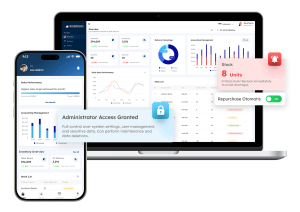
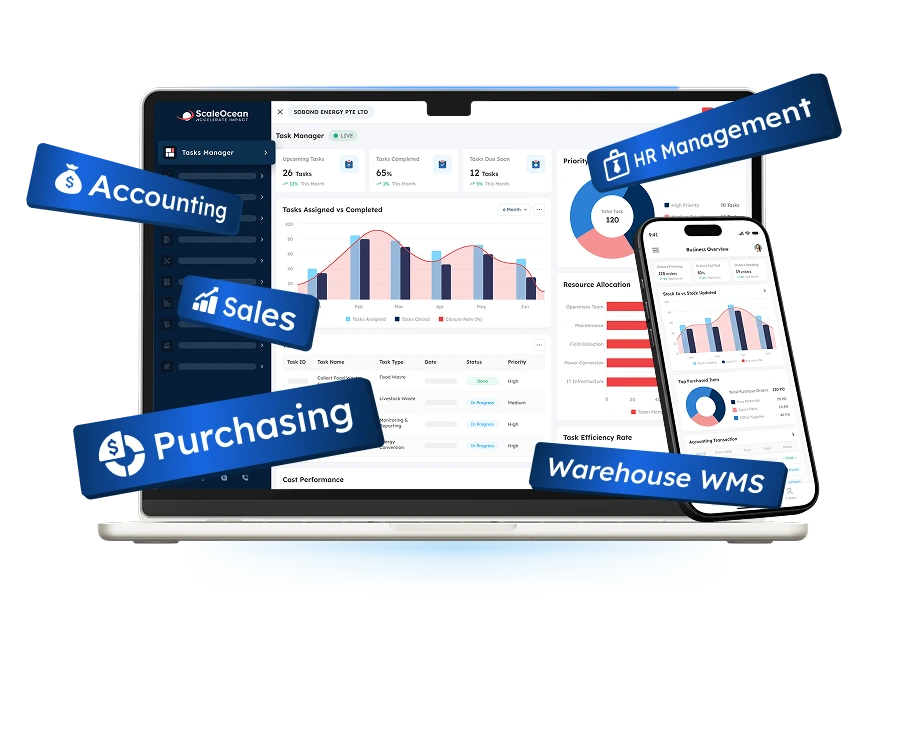
If your business is currently expanding, ScaleOcean Atlas can be an alternative for adopting a digital solution. Here is a side-by-side comparison between ECOUNT ERP and ScaleOcean Atlas to help you choose the right solution for your operational complexity:
| Feature | Ecount ERP | ScaleOcean Atlas |
|---|---|---|
|
Real-Time Inventory Tracking |
Monitor inventory by item and location across multiple warehouses. |
Track stock quantities and movements across multiple warehouses and locations in real time. |
|
Multi-Warehouse Management |
Support inventory management across multiple warehouses. |
Manage inventory across multiple warehouses with centralized visibility of stock levels and movements. |
|
Barcode Management |
Supports barcode functions for inventory-related processes. |
Use barcodes for product identification, receiving, picking, stock counting, and other warehouse activities. |
|
Inventory Replenishment |
Purchasing and inventory functions support stock management. |
Automate monitor stock levels and support replenishment to reduce the risk of stock shortages. |
|
Stock Opname |
Inventory management and reporting can support physical stock checking. |
Compare physical inventory with system records to identify discrepancies more efficiently. |
|
Warehouse Optimization |
Provides inventory and logistics functions for warehouse-related operations. |
Gain deeper visibility into warehouse activities and inventory movements to improve space utilization and operational efficiency. |
|
Accounting Management |
Generate journal entries, financial statements, and accounting reports from business transactions. |
Connect accounting with inventory, sales, purchasing, and other operational processes. |
|
HR and Payroll |
Manage employee information, payroll, and related accounting data. |
HR and payroll functions are available as part of the broader ERP solution. |
|
Real-Time Reporting |
Provides real-time reports for sales, inventory, production, accounting, and payroll. |
Provides real-time visibility into inventory, warehouse activities, and other operational data. |
|
Best Suited For |
SMEs looking for an affordable, broad ERP covering core business functions. |
Growing and mid-sized businesses that need deeper inventory, warehouse, and operational management. |
ECOUNT can be a practical choice for SMEs that need broad ERP functions at an accessible price. However, businesses with more complex operations may need more robust capabilities as they continue to grow.
This is where ScaleOcean Atlas solves the challenges that Philippine businesses have. In tandem with ECOUNT, ScaleOcean also equips you with unlimited users, but what differentiates is how it solves your problem; a customized solution for actual bottlenecks, not just another all-in-one solution.
The system comprises of specific modules for specific functions, such as accounting and warehousing. Through this approach, businesses may just use 2 or 3 modules in the present time, but can easily consult with the ScaleOcean team should they need new modules as operational complexities grow.
All this can be freely explored through a consultation available for companies that wish to try it out first. Through it, you may gain access to features such as:
- Centralized Operations: The progress and state of every function becomes integrated under one platform, allowing high visibility your entire business.
- Multi-warehouse Management: Manage inventory across different warehouses and locations.
- Multi-branch Integration: Every office and/or store can access the system and the data that resides inside it that comes from the head office and other locations.
- Simultaneous Project Management: Oversee multiple projects simultaneously through a dashboard that is easy to navigate.
- AI Business Assistant: Provides a chabot called ScaleMind that can be used via prompt to gain faster access to every data and perform analytics based on said data.
8. In Conclusion
ECOUNT ERP is a solid option for Philippine SMEs that want to bring accounting, sales, purchasing, inventory, production, and payroll into one cloud-based platform without a complicated pricing structure.
However, businesses should not choose an ERP based on price alone. If your company is outgrowing the current solution and/or is scaling rapidly, then those may serve as signs to start looking.
If you’re looking for an ERP solution that can scale with more complex operations, then you can explore ScaleOcean Atlas and schedule consultation to see how the system can fit your business processes.
FAQ:
1. What is ECOUNT ERP?
ECOUNT ERP is a cloud-based ERP platform for SMEs that combines sales, purchasing, inventory, accounting, production, payroll, and other business functions in one integrated system.
2. How much does ECOUNT ERP cost?
ECOUNT ERP’s Philippine plan is listed at PHP 2,800 per month, with unlimited ERP users. Annual and multi-month plans are also available, depending on the selected subscription.
3. Is ECOUNT ERP good for small business?
Yes. ECOUNT is suitable for SMEs in industries such as manufacturing, wholesale, distribution, and retail. Its broad features and unlimited ERP users make it an accessible option for growing businesses.















.png)